Last updated: May 13, 2026
Quick Answer
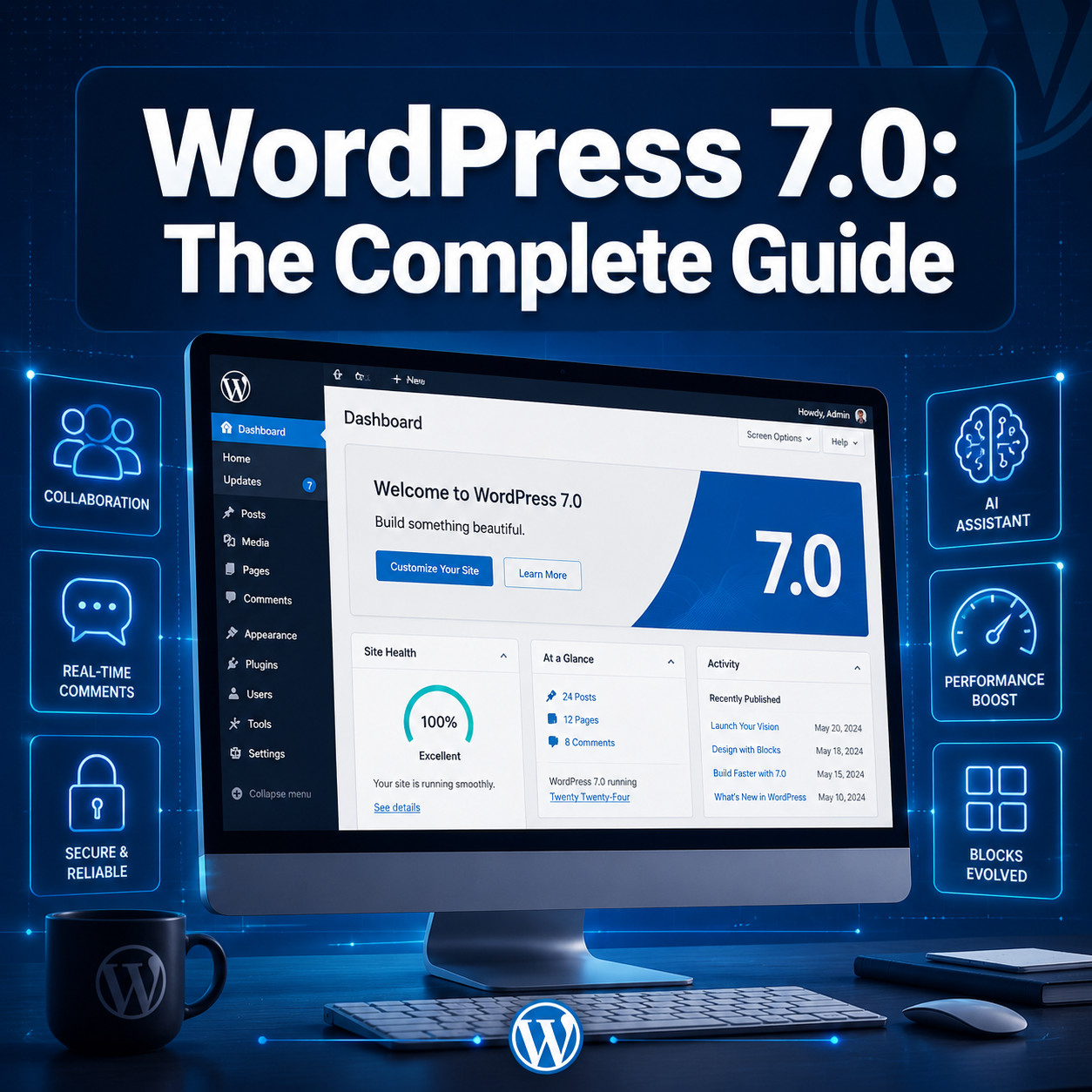
WordPress 7.0 is the largest core release in roughly eight years, scheduled for stable release on May 20, 2026 [1][3]. It merges Gutenberg phases 22.0 through 22.6, introduces a new AI Abilities API, refreshes the admin interface with DataViews, and raises the minimum PHP requirement to 7.4 [5][6]. As of today, it remains in Release Candidate testing and should not be installed on production sites until the stable version ships [5].
Key Takeaways
- Release date: May 20, 2026 (delayed from the original April 9 target due to cache invalidation and stability concerns) [1][3]
- Gutenberg merge: Versions 22.0–22.6 are folded into core, bringing major Block Editor and Site Editor improvements [5]
- AI Abilities API: A new provider-agnostic API lets plugins connect external AI models without bundling a default provider [6]
- Admin redesign: DataViews replaces legacy list tables across posts, pages, and media screens [5]
- PHP 7.4 minimum: Sites still running PHP 7.2 or 7.3 must upgrade their server environment before updating [6]
- Collaboration features partially deferred: Real-time co-editing was pulled from 7.0 due to testing issues; some collaboration tools move to 7.1 (expected August 2026) [6]
- Performance gains: Optimized database queries aim to reduce Time to First Byte (TTFB) on content-heavy sites
- No production upgrades yet: The core team explicitly warns against upgrading live sites until the stable build drops on May 20 [5]
What Is the WordPress 7.0 Release Schedule and Why Was It Delayed?
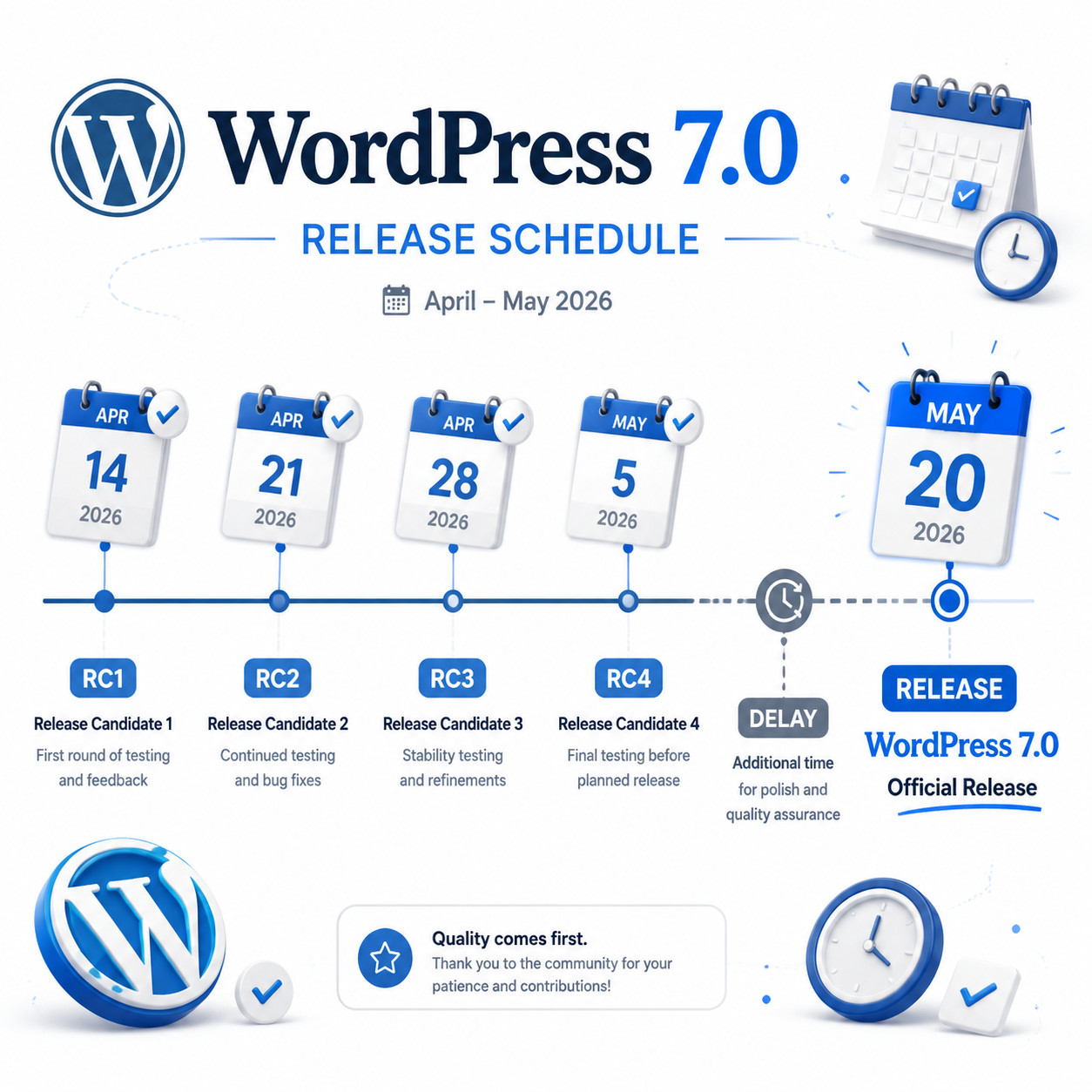
WordPress 7.0 was originally slated for April 9, 2026, but the core team pushed the stable release to May 20 after discovering a cache invalidation issue that affected architectural stability [1][3]. Release Candidate 3 shipped on May 8, with RC 4 (re-labeled as RC 1 under the revised numbering) set for May 14, followed by a dry run and code freeze on May 19 [5][1].
Here’s the revised timeline:
| Milestone | Date |
|---|---|
| Original target | April 9, 2026 |
| Delay announced | April 22, 2026 [1] |
| RC 3 released | May 8, 2026 [1] |
| RC 4 / RC 1 (revised) | May 14, 2026 [5] |
| Dry run + code freeze | May 19, 2026 |
| Stable release | May 20, 2026 [3] |
Common mistake: Some site owners see “Release Candidate” and assume it’s safe for production. It isn’t. RC builds are for testing only. Hosting providers have been urged to benchmark storage compatibility during this window, but end users should wait for the final build [5][2].
If you’re managing multiple WordPress sites, now is the time to audit your PHP version, test your theme and plugins on a staging environment, and review your backup strategy. For broader strategies on managing complex WordPress setups, check out our advanced WordPress strategies for power users.
What Are the Major New Features in WordPress 7.0?
WordPress 7.0 merges six Gutenberg releases (22.0–22.6) into core and introduces several new APIs and interface changes [5][6]. The headline features fall into four categories: editor improvements, admin redesign, AI integration, and performance.
Block Editor and Site Editor Upgrades
The Block Editor receives the most visible changes:
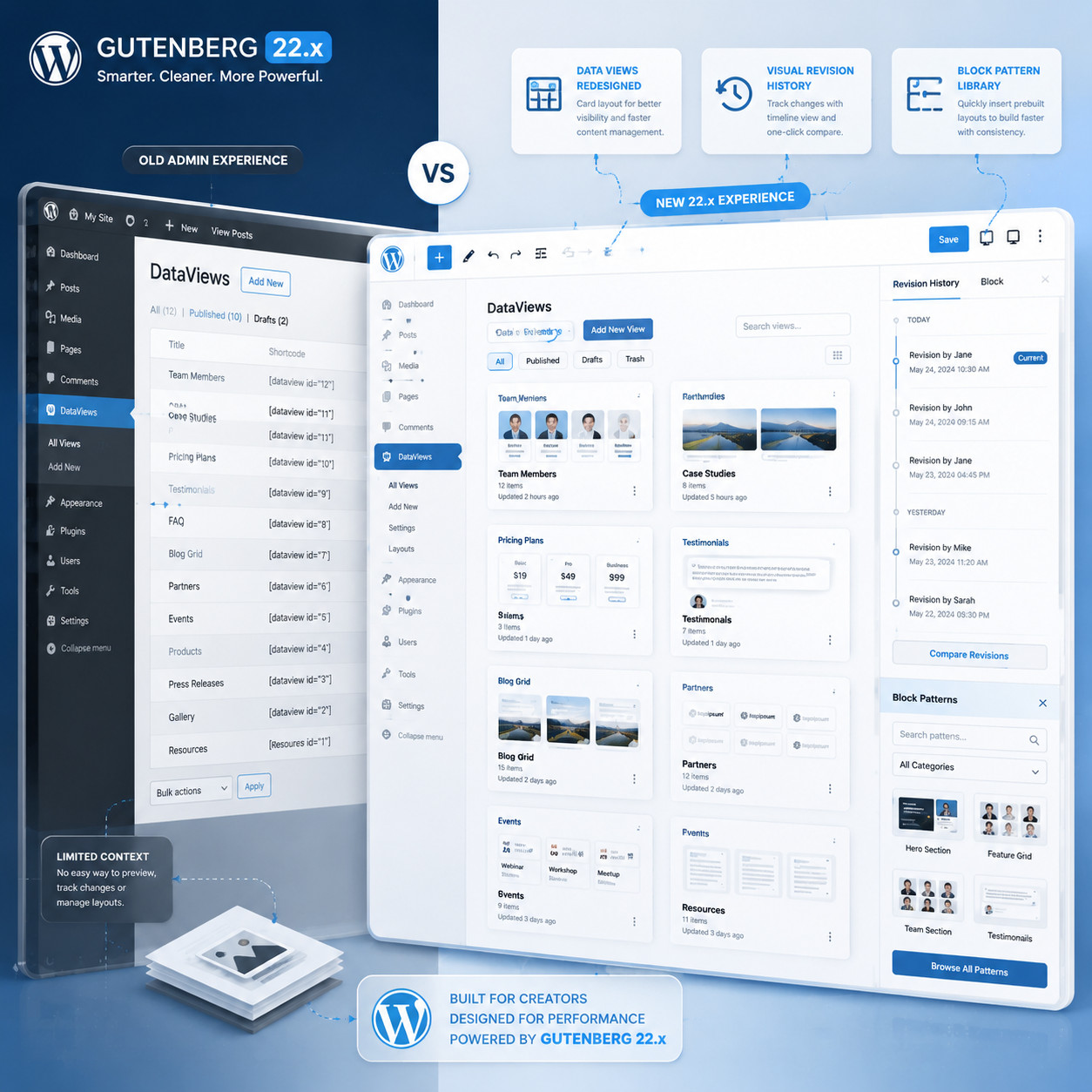
- Visual revisions: You can now see a visual diff of content changes, not just text-based comparisons. This makes it much easier to spot layout shifts between revisions [5].
- PHP-only blocks: Developers can register blocks entirely in PHP without needing JavaScript build tools, lowering the barrier for server-rendered components.
- Improved block patterns: The pattern library is more organized, with better categorization and search. Patterns now support more complex nested structures.
- Site Editor polish: Full-site editing gets smoother template part management and better navigation between templates, pages, and styles.
If you build custom themes, these editor changes directly affect your workflow. Our guide to custom WordPress theme development covers the fundamentals you’ll need.
Admin Interface Overhaul with DataViews
The legacy list tables (the ones you’ve seen on the Posts, Pages, and Media screens since WordPress 2.x) are being replaced by DataViews [5]. This new component offers:
- Multiple view modes: Switch between table, grid, and list layouts
- Inline filtering and sorting without page reloads
- Bulk actions that feel more modern and responsive
- Consistent design language across all admin screens
This is a significant UX shift. If you’ve built plugins that hook into the old list table classes, you’ll need to test compatibility. Our plugin development best practices guide covers the patterns that help future-proof your code.
How Does Real-Time Collaboration Work in WordPress 7.0?
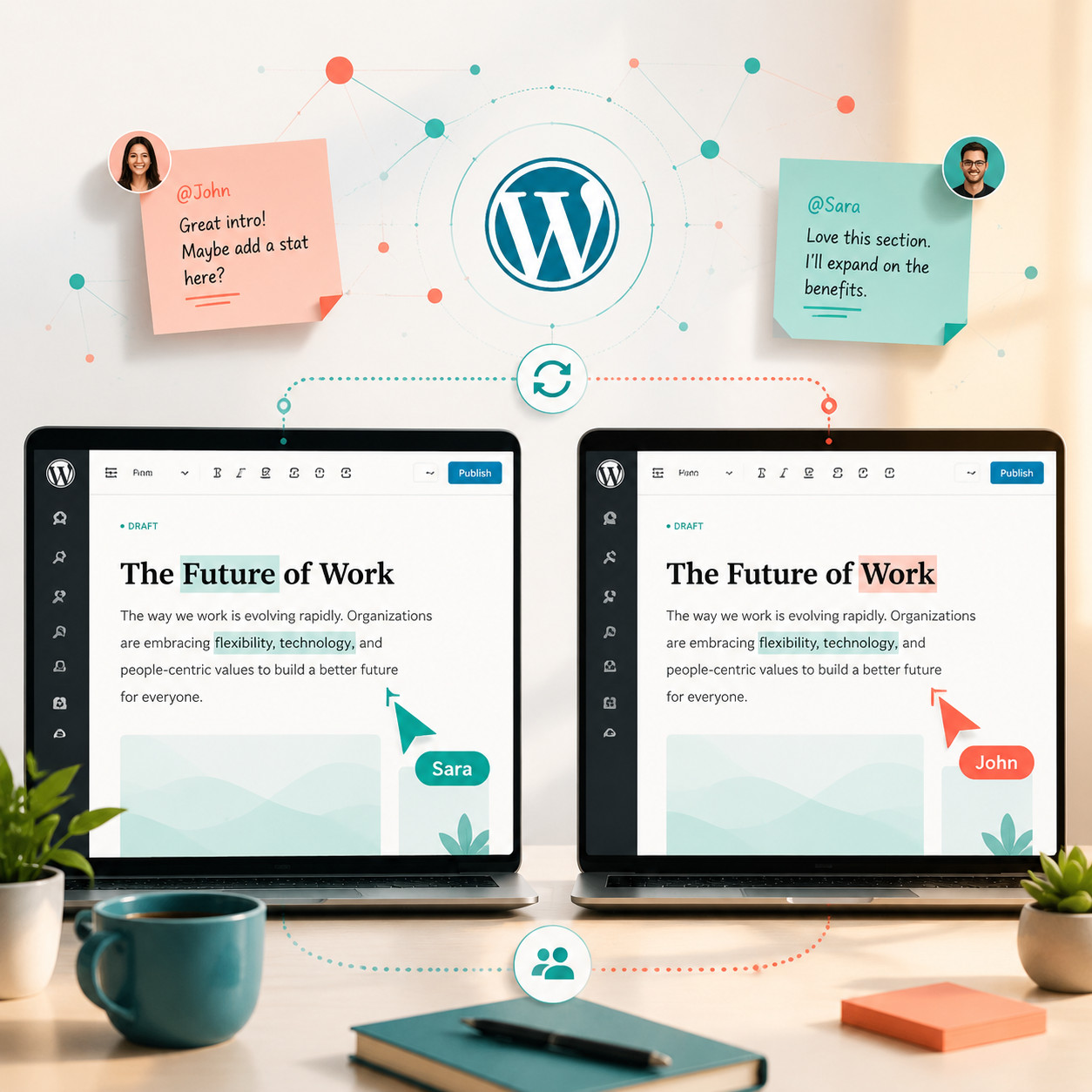
The short answer: it’s partially there, but the full vision has been scaled back. Real-time co-editing via HTTP polling (with WebSocket hooks for hosts that support it) was a headline feature during development, but core collaboration functionality was removed from the 7.0 release due to testing issues [6].
What Made It Into 7.0
- Visual revisions (mentioned above) that show layout changes between saves
- Improved locking behavior so two editors don’t silently overwrite each other
- Foundation hooks for real-time features that plugin developers can build on
What’s Deferred to 7.1 (August 2026)
- Live cursors showing where other editors are working in the same document
- In-document Notes for leaving contextual feedback
- Full real-time co-editing with conflict resolution
Choose WordPress 7.0 for collaboration if: You need better revision tracking and don’t require simultaneous editing. Wait for 7.1 or use a plugin if: Your team needs Google Docs-style live co-authoring today.
Some agencies have raised valid concerns about whether WordPress’s collaboration tools can replace dedicated tools like Google Docs, especially given hosting variances that affect real-time performance [6]. SaaS platforms like Webflow handle this more smoothly because they control the entire server environment.
What Is the AI Abilities API and How Should You Use It?
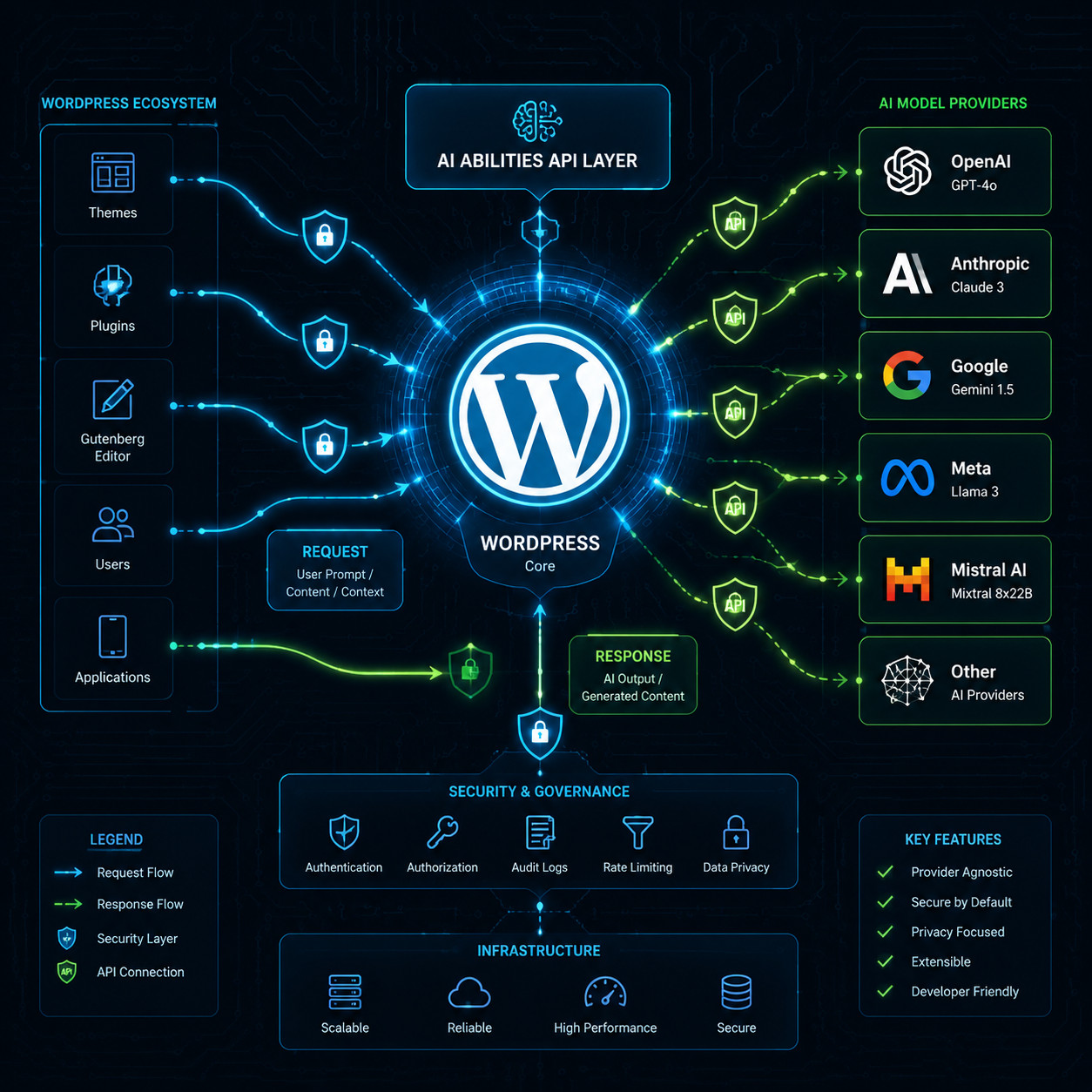
WordPress 7.0 introduces the AI Abilities API (also referred to as the WP AI Client), a provider-agnostic framework that lets plugins and themes connect to external AI models [6]. Crucially, WordPress itself does not ship with a default AI provider. You bring your own.
How the AI Abilities API Works
- Register an AI capability (e.g., “text generation,” “image analysis”) through the API
- Connect a provider plugin that interfaces with an external model (OpenAI, Anthropic, local models, etc.)
- Other plugins query the capability without needing to know which provider is behind it
This design means:
- No vendor lock-in. Swap providers without changing every plugin that uses AI.
- Privacy control. Site owners decide which data leaves their server and where it goes.
- Plugin ecosystem growth. Developers can build AI-powered features that work with any provider.
Practical Use Cases
| Use Case | Who Benefits | Example |
|---|---|---|
| Content drafting assistance | Bloggers, content teams | AI suggests paragraph completions in the editor |
| Image alt-text generation | Accessibility-focused sites | Auto-generate descriptive alt text on upload |
| Content classification | Large publishers | Auto-tag and categorize posts |
| Translation suggestions | Multilingual sites | Inline translation prompts |
Edge case to watch: If no provider plugin is installed, AI capabilities simply return empty. Your site won’t break, but AI-dependent features will silently do nothing. Make sure your plugins handle this gracefully.
For a deeper look at AI tools that work with WordPress, see our roundup of the best AI plugins for WordPress and our guide on AI-powered content generation tools.
What Performance Improvements Does WordPress 7.0 Deliver?
WordPress 7.0 includes targeted performance optimizations, particularly around database queries and asset loading. These aren’t flashy features, but they directly affect how fast your site loads.
Key Performance Changes
- Optimized database queries: Content-heavy sites (thousands of posts, complex taxonomies) should see reduced Time to First Byte (TTFB) thanks to more efficient query patterns in core
- Lazy-loaded admin assets: Admin scripts and styles load only when needed, speeding up dashboard navigation
- Block rendering improvements: Server-side block rendering is more efficient, reducing PHP execution time on pages with many blocks
PHP 7.4 Minimum Requirement
WordPress 7.0 drops support for PHP 7.2 and 7.3 [6]. This is a hard requirement, not a recommendation. If your host runs an older PHP version, the WordPress updater will block the upgrade.
Action steps before May 20:
- Check your PHP version in Tools > Site Health or ask your host
- If you’re on PHP 7.2 or 7.3, upgrade to at least PHP 8.0 (8.1 or 8.2 is better for performance)
- Test your site after the PHP upgrade, before applying WordPress 7.0
- Verify all active plugins and themes are compatible with both the new PHP version and WordPress 7.0
Common mistake: Upgrading PHP and WordPress simultaneously. Do them separately so you can isolate issues. Upgrade PHP first, test for a few days, then apply WordPress 7.0 when it’s stable.
How Does WordPress 7.0 Compare to Alternative CMS Platforms?
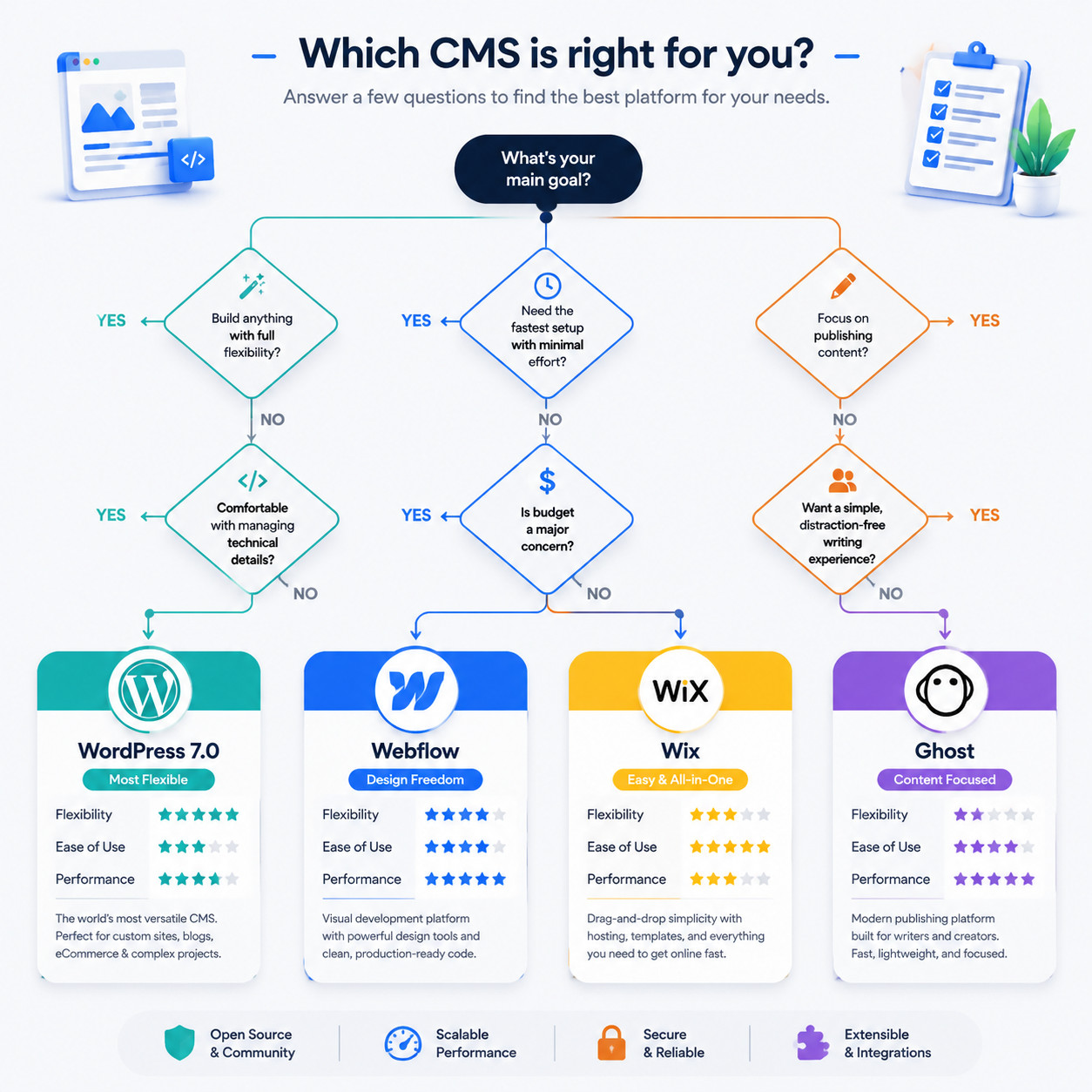
WordPress powers a massive share of the web, but 7.0’s increased complexity has renewed the debate about whether alternatives make more sense for certain use cases.
WordPress 7.0 vs. Alternatives: Quick Comparison
| Platform | Best For | Key Advantage Over WP 7.0 | Key Disadvantage |
|---|---|---|---|
| Webflow | Design-focused teams | Visual builder with hosting included; no plugin conflicts | Higher cost at scale; less extensible |
| Wix | Beginners, small businesses | Easier setup; no PHP/server management | Limited customization; vendor lock-in |
| Ghost | Publishers, bloggers | Faster out of the box; built for content | Smaller plugin ecosystem |
| Contentful | Enterprise headless CMS | API-first architecture; better for multi-channel | Requires developer resources; no visual editor |
| Shopify | E-commerce | No backend maintenance; PCI compliance built in | Limited for non-commerce content |
When WordPress 7.0 Is the Right Choice
- You need maximum flexibility and own your data
- Your team has technical capacity (or a developer/agency)
- You rely on specific plugins that don’t exist on other platforms
- You want the AI Abilities API for custom AI integrations
When an Alternative Might Be Better
- You want zero server maintenance and don’t need deep customization
- Your team lacks technical resources for PHP upgrades and plugin management
- You primarily need e-commerce (Shopify) or pure publishing (Ghost)
- Real-time collaboration is critical today, not in August 2026
For a broader look at platforms that don’t require coding, our comparison of no-coding website design platforms covers the current landscape.
What Should Developers and Agencies Prepare Before Upgrading?
White Label IQ’s agency analysis calls WordPress 7.0 “the biggest core release in 8 years” [6], and that scope means preparation matters more than usual.
Pre-Upgrade Checklist
- Verify PHP version is 7.4 or higher (8.1+ recommended)
- Back up everything: database, files, uploads, wp-config.php
- Set up a staging environment that mirrors production
- Test all active plugins on staging with WordPress 7.0 RC
- Test your theme for DataViews compatibility and block editor changes
- Check custom code that hooks into list tables, REST API endpoints, or admin screens
- Review hosting benchmarks: Your host should confirm storage and caching compatibility [5]
- Plan a rollback strategy in case something breaks post-upgrade
- Communicate the timeline to clients or stakeholders
Features Deferred to WordPress 7.1
Not everything made the cut. Knowing what’s coming in August 2026 helps you plan:
- Tabs block: A frequently requested UI component, pushed to 7.1 [6]
- Full real-time co-editing: Live cursors, Notes, and conflict resolution
- Additional DataViews extensions for custom post types
If you’re building client sites, set expectations that some announced features won’t land until the next release cycle.
For theme-specific preparation, our WordPress theme customization guide walks through the testing process in detail.
How Can You Test WordPress 7.0 Safely Right Now?
Since WordPress 7.0 is still in Release Candidate status as of May 13, 2026, here’s how to test without risking your live site:
Step-by-Step Testing Process
- Create a staging copy of your production site (most managed hosts offer one-click staging)
- Install the WordPress Beta Tester plugin on staging and switch to the “Bleeding Edge” channel
- Update to the latest RC build and note any errors or warnings
- Walk through your critical workflows: publishing posts, editing pages, managing media, running WooCommerce checkout (if applicable)
- Check front-end rendering across browsers and devices
- Test third-party integrations: forms, analytics, caching plugins, SEO plugins
- Report bugs to the WordPress core Trac if you find issues (the team actively monitors RC feedback)
Decision rule: If your staging test reveals zero issues with your specific plugin/theme combination, you can safely upgrade production on or shortly after May 20. If you find problems, wait for plugin/theme authors to release compatibility updates.
Conclusion
WordPress 7.0 is a substantial release that reshapes the admin experience, lays groundwork for AI integration, and pushes the platform toward modern collaboration workflows. But it’s also a release that demands preparation, especially around PHP requirements and plugin compatibility.
Your next steps before May 20, 2026:
- Today: Check your PHP version and upgrade to 8.1+ if needed
- This week: Set up staging and test the latest RC build with your plugins and theme
- May 19: Ensure backups are current and your rollback plan is documented
- May 20: Upgrade production once the stable release ships, or wait a few days for the community to surface any day-one issues
- Ongoing: Watch for WordPress 7.1 in August 2026 for the collaboration and Tabs block features that didn’t make this release
WordPress 7.0 isn’t just an update. It’s a foundation shift. Whether you upgrade on day one or wait a week, the key is testing thoroughly and understanding exactly what’s changed. For more WordPress guides and updates, explore our WordPress archives.
FAQ
Is WordPress 7.0 available for production sites right now? No. As of May 13, 2026, WordPress 7.0 is in Release Candidate testing. The stable production release is scheduled for May 20, 2026 [5][2].
What is the minimum PHP version for WordPress 7.0? PHP 7.4 is the minimum requirement. Sites running PHP 7.2 or 7.3 must upgrade their server before installing WordPress 7.0 [6].
Does WordPress 7.0 include built-in AI features? It includes the AI Abilities API, which is a framework for connecting external AI models. WordPress does not ship with a default AI provider; you need a separate plugin to connect to a service like OpenAI or Anthropic [6].
Why was WordPress 7.0 delayed from April to May? A cache invalidation issue and the need for architectural stability improvements caused the core team to push the release from April 9 to May 20, 2026 [1][3].
Will real-time co-editing be available in WordPress 7.0? Partially. Visual revisions and improved locking are included, but full real-time co-editing with live cursors and Notes was deferred to WordPress 7.1, expected in August 2026 [6].
What Gutenberg versions are merged into WordPress 7.0? Gutenberg versions 22.0 through 22.6 are merged into the WordPress 7.0 core [5].
What are DataViews in WordPress 7.0? DataViews replace the legacy list tables on admin screens (Posts, Pages, Media) with a modern interface that supports table, grid, and list view modes with inline filtering [5].
Should I upgrade to WordPress 7.0 on release day? Only if you’ve tested on a staging environment and confirmed compatibility with your theme and plugins. Otherwise, waiting 3–7 days for the community to identify any early issues is a reasonable approach.
What features were deferred to WordPress 7.1? The Tabs block, full real-time co-editing, and additional DataViews extensions for custom post types were pushed to WordPress 7.1, expected August 2026 [6].
Will my existing plugins work with WordPress 7.0? Most well-maintained plugins should work, but plugins that hook into admin list tables or older editor APIs may need updates. Always test on staging first.
Is WordPress 7.0 really the biggest release in 8 years? White Label IQ’s agency analysis describes it that way, comparing its scope to the original Gutenberg 5.0 launch [6]. The combination of admin redesign, AI API, and editor merges makes it one of the most significant core updates in WordPress history.
References
[1] WordPress 7.0 Release Party Updated Schedule – https://make.wordpress.org/core/2026/04/22/wordpress-7-0-release-party-updated-schedule/ [2] WordPress 7.0 Releases On For 9 April 2026 – https://www.reddit.com/r/CloudwaysbyDO/comments/1se6ooc/wordpress_70_releases_on_for_9_april_2026/ [3] WordPress 7.0 Gets A New May 20 Release Date – https://www.therepository.email/wordpress-7-0-gets-a-new-may-20-release-date [5] WordPress 7.0 Release Date – https://www.inmotionhosting.com/support/edu/wordpress/wordpress-news/wordpress-7-0-release-date/ [6] WordPress 7.0 Is The Biggest Core Release In 8 Years Here’s Your Agency’s Game Plan – https://www.whitelabeliq.com/blog/wordpress-7-0-is-the-biggest-core-release-in-8-years-heres-your-agencys-game-plan/