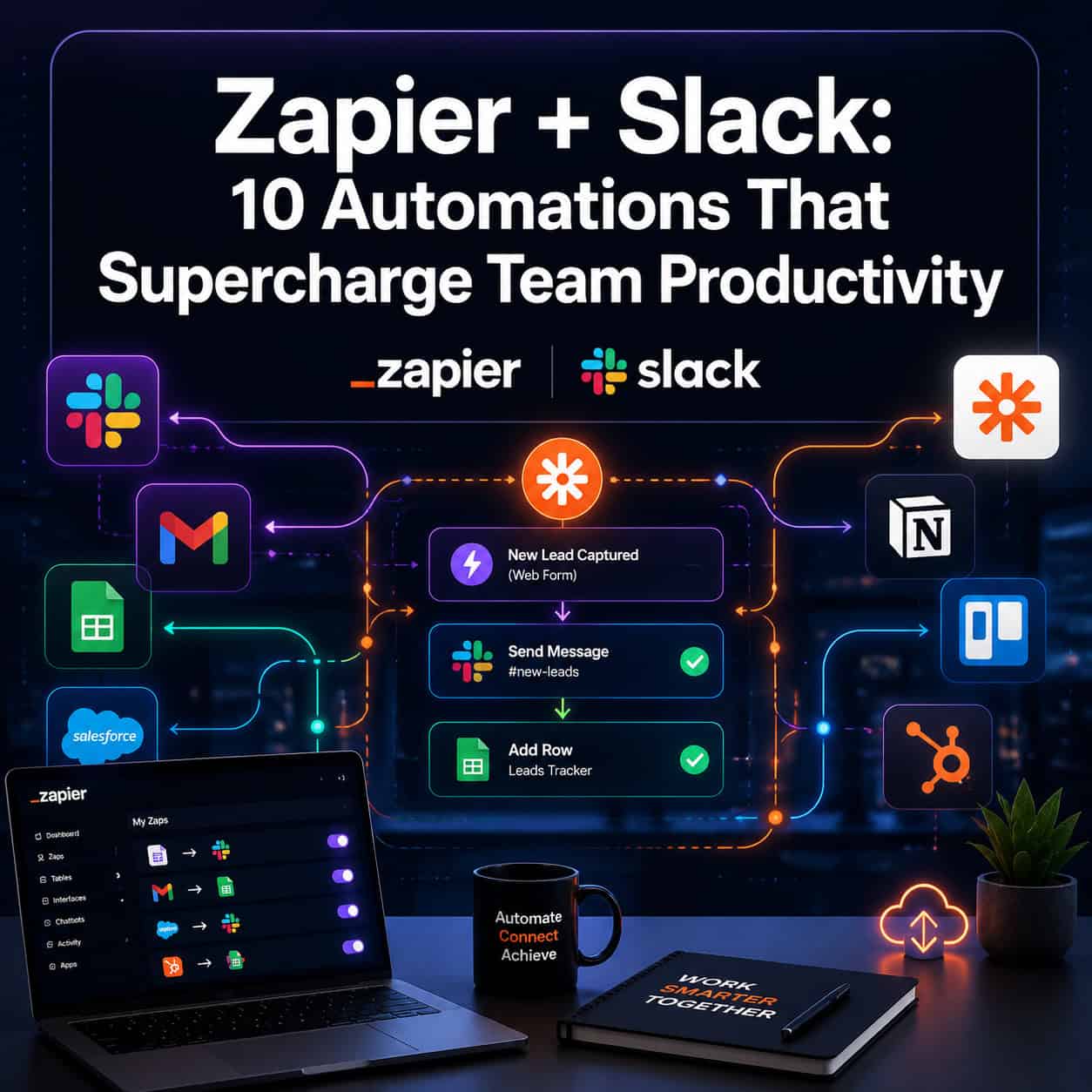
Last updated: May 9, 2026
Quick Answer: Connecting Zapier to Slack lets teams automate repetitive communication tasks, from routing email alerts to syncing calendar statuses, without writing a single line of code. The 10 Zapier Slack automations covered here address the most common productivity drains: missed notifications, manual status updates, and scattered information across apps. Most can be set up in under 30 minutes and work for teams of any size.
Key Takeaways
- Zapier connects Slack with 1,000+ apps, including Gmail, Google Calendar, Shopify, and Google Forms, without requiring coding knowledge [5]
- Automating Slack status updates based on your Google Calendar reduces unnecessary interruptions and improves team coordination [1]
- AI-powered email digests and summaries can be delivered directly to Slack, cutting the need to switch between apps [2]
- Abandoned cart alerts sent to a Slack channel help sales and support teams respond faster [4]
- Google Forms responses can be shared automatically in designated Slack channels for real-time visibility [4]
- Intelligent email routing sends feedback to #product and billing questions to #finance automatically [2]
- Welcome messages for new Slack members and channel creation alerts can both be fully automated [2]
- Cross-channel announcement copying keeps distributed teams aligned without manual reposting [2]
- AI assistant bots built on top of Slack can answer company-specific questions on demand [2]
- Webhook integrations allow custom apps to push and pull data from Slack without a developer [2]
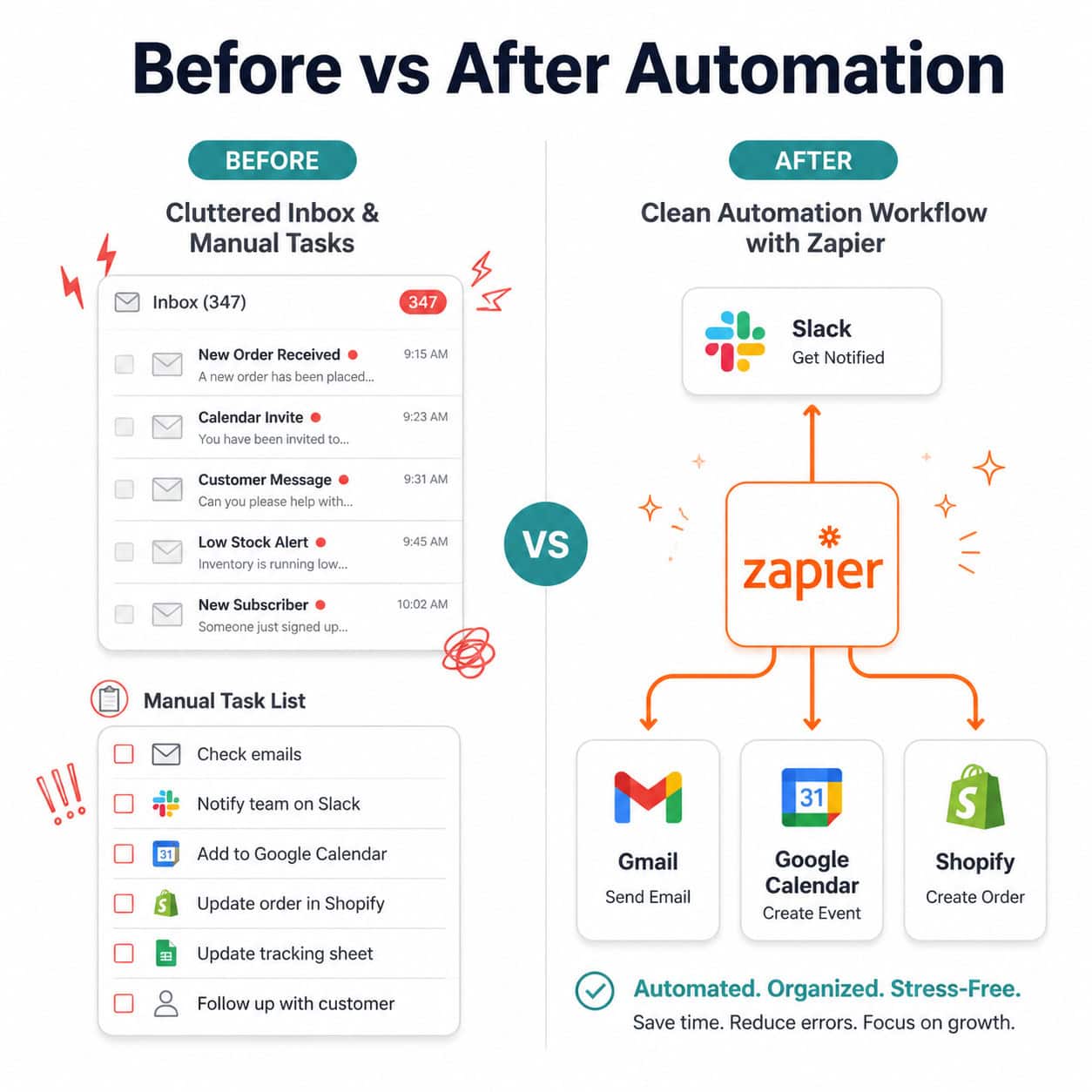
What Are Zapier Slack Automations and Who Are They For?
Zapier Slack automations are pre-built or custom workflows (called “Zaps”) that trigger actions in Slack based on events in other apps, or vice versa. They’re for any team that uses Slack as its main communication hub and wants to reduce manual, repetitive tasks.
Who benefits most:
- Remote and hybrid teams managing information across multiple tools
- Sales teams tracking leads and customer activity in real time
- Operations managers who handle onboarding, announcements, and reporting
- Small teams without dedicated developers who still need powerful integrations
Who might not need them: If your team uses Slack only occasionally or relies on a single tool (like an all-in-one project management platform with built-in notifications), the setup overhead may not be worth it.
The 10 Game-Changing Zapier Slack Automations to Supercharge Your Team’s Productivity
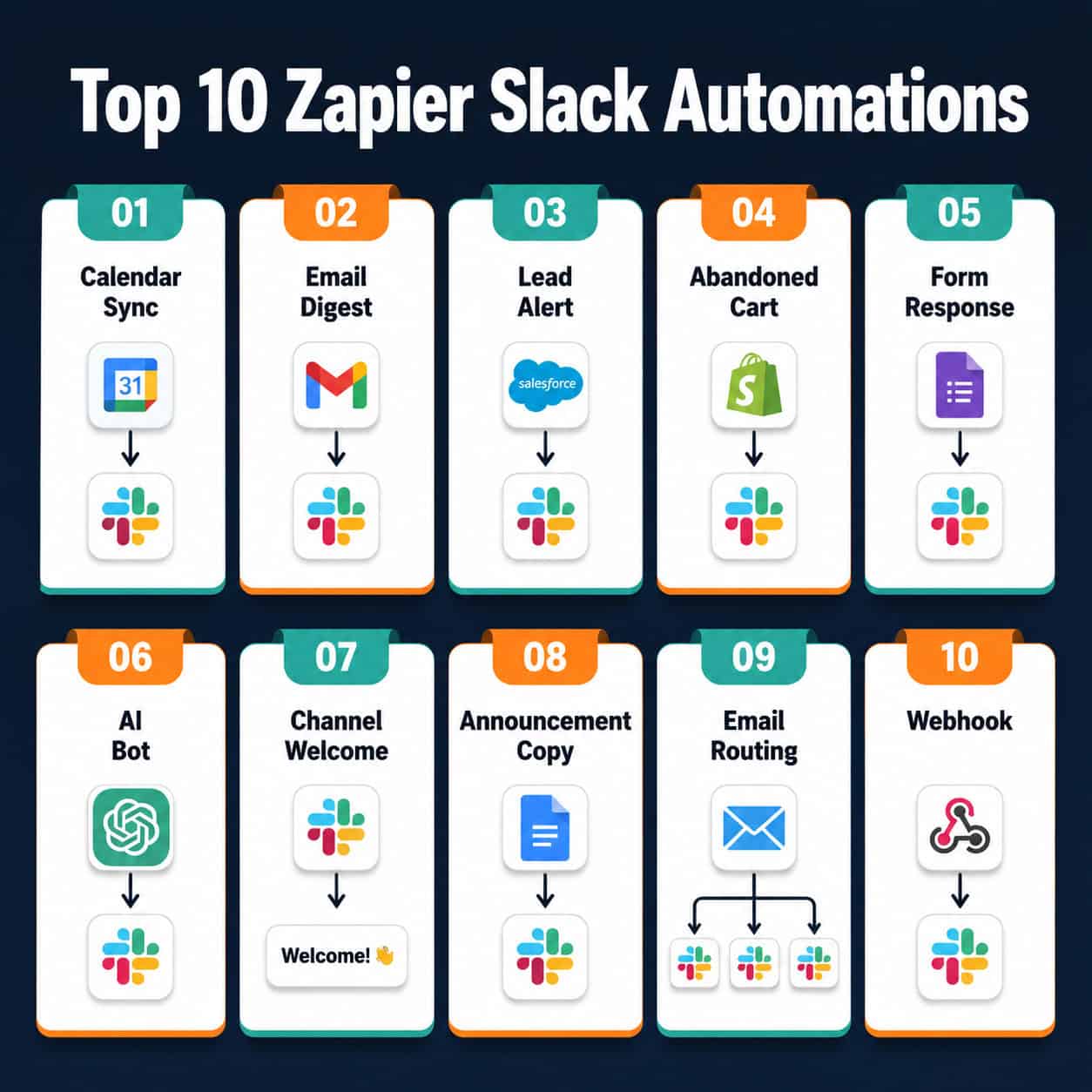
Here are the ten automations worth implementing first, ordered by the breadth of teams they help.
1. 📅 Auto-Update Your Slack Status from Google Calendar
What it does: When a Google Calendar event starts, Zapier automatically updates your Slack status to reflect it (for example, “In a meeting until 3 PM”). [1]
This single automation cuts down on “are you free?” messages and helps teammates know when to expect a reply. Set it up once, and it runs silently in the background.
“Automatic status updates from calendar events are one of the simplest wins in Slack automation—they cost nothing and save real interruptions every day.”
2. 🤖 AI-Powered Assistant Bot Inside Slack
What it does: A Zap connects an AI model (such as OpenAI) to a Slack channel or DM, letting team members ask questions and get answers without leaving Slack. [2]
You can build bots that answer HR policy questions, explain internal processes, or summarize complex messages on request. This works especially well for onboarding new hires who have repetitive questions.
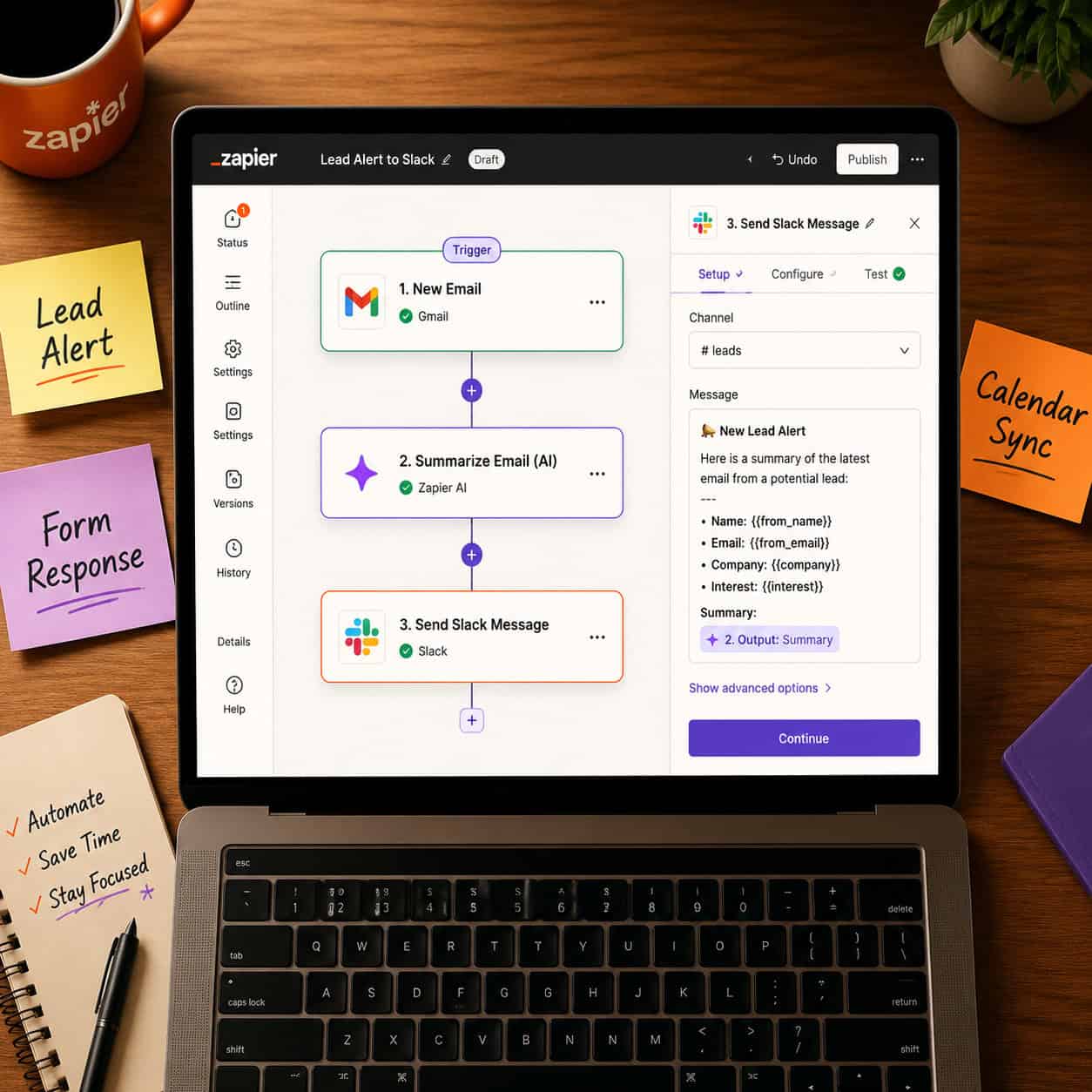
3. 📧 AI Email Summaries Delivered to Slack
What it does: Incoming emails are processed by an AI step in Zapier, which generates a summary and flags action items, then posts the result to a Slack channel or DM. [2]
This is particularly useful for shared inboxes (like support@ or info@) where multiple people need context fast. Instead of everyone opening the same email thread, one clean summary lands in Slack.
4. 📰 Daily Email Digest in Slack
What it does: Zapier collects emails over a set time window and delivers a single AI-generated digest to your Slack workspace each morning. [4]
The difference between this and automation #3 is timing: summaries are batched rather than sent per email. This suits teams who want a morning briefing rather than constant pings. For more ways to automate content delivery, see our guide on how to auto-share WordPress blog posts to social media.
5. 💰 Real-Time Sales Lead Alerts
What it does: When a new lead enters your CRM (such as HubSpot or Salesforce), Zapier posts a formatted alert to a #sales Slack channel with the lead’s name, source, and assigned rep. [2]
Sales teams that use this automation respond to leads faster because no one has to monitor the CRM dashboard manually. You can also add filters so only high-value leads trigger an alert.
6. 🛒 Abandoned Cart Notifications from Shopify
What it does: When a Shopify cart is abandoned, Zapier sends an automatic message to a designated Slack channel so the team can act quickly. [4]
Choose this if you run an e-commerce store and your support or sales team is responsible for cart recovery outreach. The alert can include the customer’s email and cart value, giving the team everything they need to follow up.
7. 📋 Google Forms Responses Posted to Slack
What it does: Every time someone submits a Google Form, Zapier posts the response to a specific Slack channel in real time. [4]
This works well for event registrations, internal feedback forms, job applications, or customer surveys. Instead of checking Google Sheets manually, the right team sees submissions the moment they come in.
8. 🔀 Intelligent Email Routing by Topic
What it does: Zapier uses an AI step to read incoming emails and route them to the correct Slack channel based on content. Product feedback goes to #product; billing questions go to #finance. [2]
This removes the need for a human gatekeeper to sort and forward messages. It’s especially valuable for companies where a single shared inbox receives many different types of requests. If you’re exploring broader automation strategies, the Automation Archives on WebAiStack cover a wide range of workflow tools.
9. 👋 Automated Welcome Messages for New Members
What it does: When a new user joins a Slack workspace or specific channel, Zapier sends them a personalized welcome message with key links, resources, or next steps. [2]
You can also trigger a notification to the #team-ops channel so someone knows to follow up. This is one of the easiest wins for onboarding and it takes about 10 minutes to configure.
10. 📢 Cross-Channel Announcement Distribution
What it does: When a message is posted in a primary announcements channel, Zapier automatically copies it to other relevant channels (for example, regional or department channels). [2]
This keeps distributed teams aligned without requiring anyone to manually repost. HR updates, company news, and policy changes reach everyone at the same time. For teams building out broader digital workflows, our overview of AI-powered content optimization offers additional context on automating information delivery.
How Do You Set Up a Zapier Slack Automation?
Setting up a Zap takes three steps and no coding is required [3]:
- Create a Zapier account (free tier available; paid plans unlock multi-step Zaps and AI features)
- Choose a trigger app and event (for example: “New email in Gmail”)
- Choose an action (for example: “Send a message in Slack”)
- Test the Zap using a real or sample event
- Turn it on and monitor the first few runs
Most single-step Zaps are available on Zapier’s free plan. Multi-step Zaps with AI processing require a paid plan, starting at around $19.99/month as of 2026 (check Zapier’s pricing page for current rates).
Common mistake: Connecting a trigger that fires too often (like “any new email”) without adding a filter step first. Always add a filter condition to avoid Slack channel spam.
What Are the Best Zapier Slack Automations for Small Teams?
For small teams (under 20 people), the highest-return automations are the ones that replace daily manual habits. Based on the research from Zapier’s own blog and integration documentation, the top three for small teams are [2][4]:
| Automation | Best For | Setup Time |
|---|---|---|
| Calendar status sync | Everyone | ~10 min |
| Google Forms to Slack | Ops/HR | ~15 min |
| Daily email digest | Founders/managers | ~20 min |
Larger teams with dedicated ops roles tend to get more value from intelligent email routing and cross-channel announcement distribution, since those replace coordination work that scales poorly with headcount.
Are There Alternatives to Zapier for Slack Automations?
Yes. Make (formerly Integromat) and n8n are the two main alternatives. Make offers more complex branching logic at a lower price point; n8n is open-source and self-hostable for teams with technical resources.
Choose Zapier if you want the largest app library, the easiest setup experience, and built-in AI steps without additional configuration. Zapier’s Slack integration is one of its most mature, with dedicated templates for most common use cases [3][8].
For teams already invested in no-code tools, our roundup of the best no-code website design software platforms shows how Zapier fits into a broader no-code stack. Also, if you’re managing WordPress-based workflows alongside Slack, the 12 best AI plugins for WordPress can complement your Zapier setup nicely.
FAQ: Zapier Slack Automations
Q: Does Zapier work with Slack’s free plan?
Yes. Zapier can connect to any Slack workspace, including free ones. However, Slack’s free plan limits message history, which may affect how useful some automations are over time.
Q: Can I use Zapier to send Slack messages to specific people, not just channels?
Yes. Zapier supports sending direct messages to individual Slack users as an action step, not just channel posts.
Q: How many Zaps can I run for free?
Zapier’s free plan (as of 2026) allows 100 tasks per month and single-step Zaps. Multi-step Zaps require a paid plan.
Q: Will Zapier automations slow down my Slack workspace?
No. Zapier runs in the background and only posts to Slack when a trigger fires. It has no effect on Slack’s performance.
Q: Can I automate Slack messages based on time (for example, every Monday morning)?
Yes. Zapier has a built-in “Schedule” trigger that fires at set intervals, which you can use to send weekly digests or reminders.
Q: Is it safe to connect my email and Slack to Zapier?
Zapier is SOC 2 Type II certified and uses OAuth for app connections, meaning it never stores your passwords. That said, review what data each Zap accesses before activating it.
Q: Can Zapier create new Slack channels automatically?
Yes. Zapier can create channels as an action step, for example, when a new project is added to your project management tool [2].
Q: What happens if a Zap fails?
Zapier logs all failed tasks and sends an email alert. You can replay failed tasks from the dashboard once the issue is resolved.
Q: Do I need a developer to set up these automations?
No. All ten automations described here can be configured through Zapier’s visual editor without writing code [5].
Q: Can I use AI inside a Zap without a separate OpenAI account?
Zapier has its own AI actions built into the platform on paid plans. For more advanced customization, connecting your own OpenAI API key gives you more control.
Conclusion
The 10 game-changing Zapier Slack automations covered here address the most common friction points in team communication: missed updates, manual status changes, scattered form responses, and slow lead follow-up. Each one is practical, low-cost to set up, and delivers visible results within the first week of use.
Actionable next steps:
- Start with the calendar status sync (automation #1) since it benefits everyone immediately and takes under 10 minutes.
- Add Google Forms to Slack (automation #7) if your team collects any kind of form data regularly.
- Once those are running, layer in the AI email digest (automation #4) to reduce inbox-checking habits.
- Review your Zap task usage after 30 days and upgrade your Zapier plan only if you’re hitting limits.
For teams looking to extend their automation stack beyond Slack, exploring advanced WordPress automation strategies or AI-powered content generation tools can round out a fully automated digital workflow.
References
[1] Slack Zapier Automations – https://www.m.io/blog/slack-zapier-automations
[2] Best Automations For Slack – https://zapier.com/blog/best-automations-for-slack/
[3] Integrations – https://zapier.com/apps/slack/integrations
[4] Zapier Integrations – https://www.vidyard.com/blog/zapier-integrations/
[5] Essential Apps To Boost Your Productivity – https://slack.com/blog/productivity/essential-apps-to-boost-your-productivity
[8] Zapier Unlocks Growth By Building On Top Of Slack – https://slack.com/blog/developers/zapier-unlocks-growth-by-building-on-top-of-slack