Last updated: May 11, 2026
Quick Answer: To log in to Cursor AI, download the desktop application from cursor.com, launch it, and sign in using your GitHub account, Google account, or email address. The entire process takes under two minutes, and a free Hobby tier gives you immediate access to AI-assisted coding features without a credit card.
Key Takeaways
- Cursor AI is a desktop IDE (not a browser app) — you must download it before logging in [4]
- Three authentication methods are available: GitHub, Google, or email/password
- The free Hobby plan includes limited AI completions so you can test before paying
- Enterprise users now have granular admin controls for model access and provider-level blocklists [1]
- A critical security patch in version 2.5 (May 2026) fixed a Git repository vulnerability — always update before logging in [9]
- Two-factor authentication (2FA) is not yet natively available in Cursor, though users have requested it [7]
- Version 3.3 (released May 6, 2026) introduced parallel execution and improved MCP connection stability [1]

How Do You Download and Install Cursor AI?
Cursor is a standalone desktop application built on VS Code’s architecture. You cannot use it in a browser — you need to install it on your machine first.
Steps to install:
- Go to cursor.com [4]
- Click the download button for your operating system (macOS, Windows, or Linux)
- Run the installer — on macOS, drag to Applications; on Windows, run the .exe
- Launch Cursor from your applications folder or start menu
Common mistake: Some developers confuse Cursor with a VS Code extension. It’s a completely separate application. You can import your VS Code settings and extensions during setup, but Cursor runs independently.
Choose Cursor if you want AI deeply integrated into your editing workflow rather than bolted on as a plugin. If you prefer staying inside VS Code, consider a plugin-based alternative instead. For broader context on AI tools that assist with development workflows, see our comprehensive guide to AI-powered content generation tools.
What Are the Login Methods for Cursor AI?
Cursor offers three ways to authenticate your account. Each method creates the same account type — the difference is purely about convenience.
| Login Method | Best For | Setup Time |
|---|---|---|
| GitHub OAuth | Developers with existing GitHub accounts | ~15 seconds |
| Google OAuth | Users who prefer Google ecosystem | ~15 seconds |
| Email/Password | Users who want a standalone account | ~60 seconds |
Step-by-step login process:
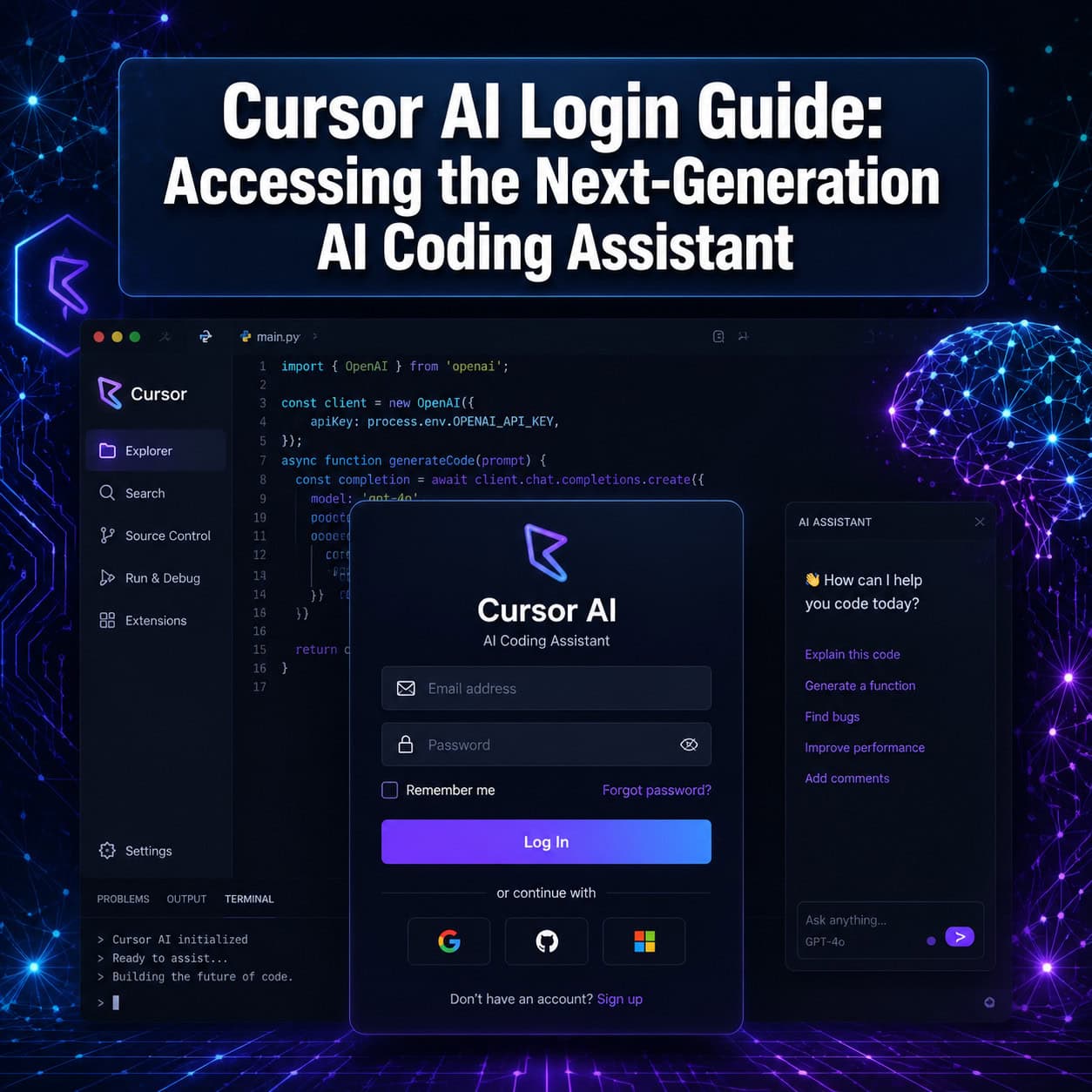
- Open Cursor after installation
- Click “Sign In” in the upper-right corner (or you’ll be prompted on first launch)
- Select your preferred authentication method
- Complete the OAuth flow in your browser, or enter your email and create a password
- Return to the Cursor app — you’ll be logged in automatically
Edge case: If you created an account with email but later try to sign in with GitHub (using the same email), Cursor will typically link the accounts. However, if you encounter issues, use the original method you signed up with.
When building projects with Cursor, you may also want to explore WordPress plugin development best practices or custom WordPress theme development for common use cases where AI coding assistance shines.
Which Cursor AI Plan Should You Choose After Login?
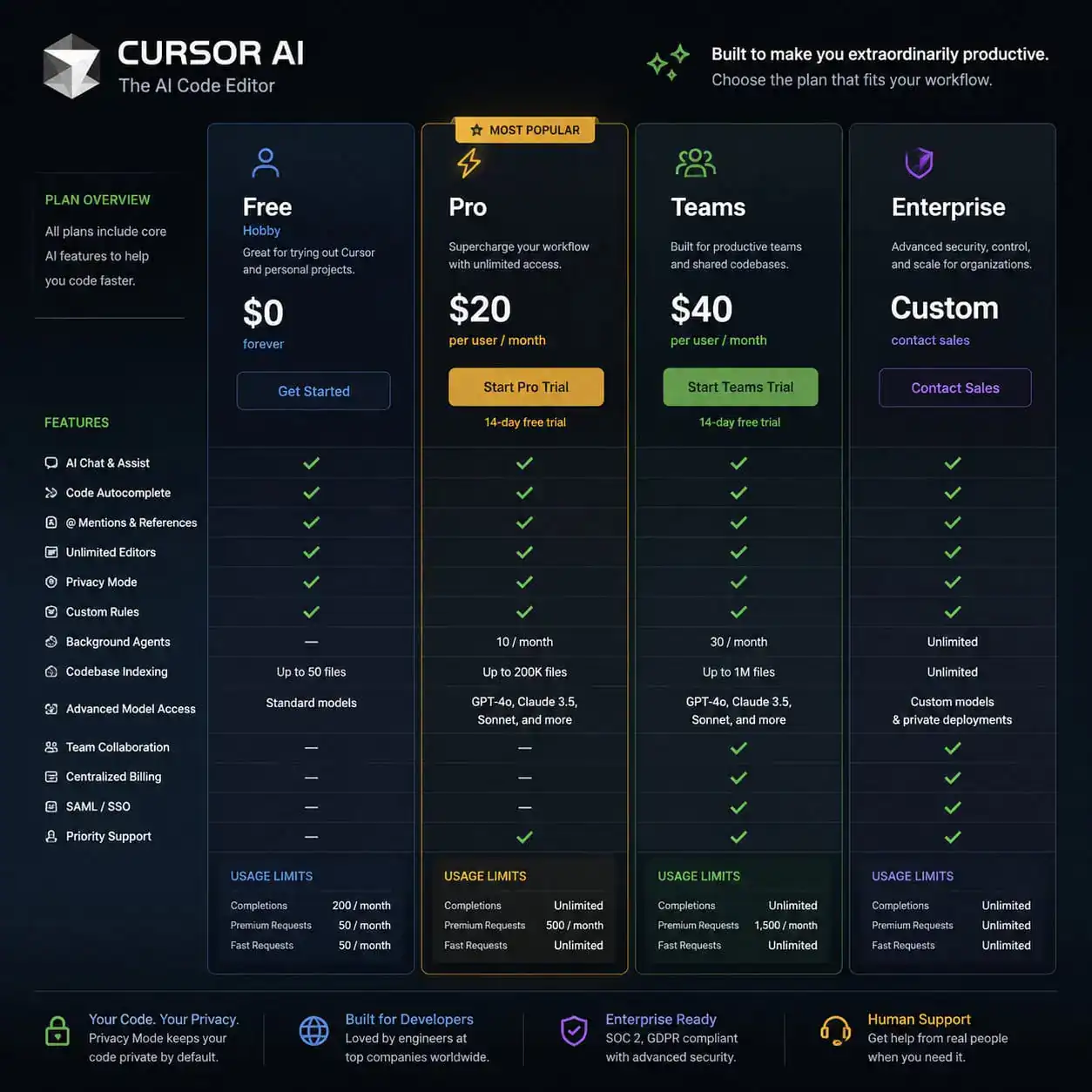
After logging in, you’ll need to select a plan. Here’s what each tier offers in 2026:
| Plan | Price | Key Features |
|---|---|---|
| Hobby (Free) | $0/month | Limited AI completions, basic chat, 2-week Pro trial |
| Pro | $20/month | Unlimited completions, priority access to latest models, advanced features |
| Teams | Custom pricing | Admin controls, security reviewer beta, shared billing |
| Enterprise | Custom pricing | SSO, granular model blocklists, vulnerability scanner, audit logs |
Decision rule: Start with the free tier to confirm Cursor fits your workflow. Upgrade to Pro once you hit the completion limit regularly — most active developers reach it within a few days.
Enterprise update (May 2026): Admins can now set allow/blocklists at the model and provider level, with an option to block new providers by default [1]. If your organization has existing blocklists, you must migrate to the new system by June 1, 2026.
The Bugbot feature, which handles automated bug detection, recently changed from a $40/seat/month subscription to a new pricing structure [9]. Check the current pricing page for the latest details.
For teams evaluating AI tools across their stack, our guide on AI-powered content optimization covers how to assess ROI from AI-assisted workflows.
What Security Considerations Apply to Your Cursor AI Login?
Security matters more than usual with Cursor because the tool has deep access to your codebase and can execute code through its AI agent features.
Critical update: In May 2026, Cursor version 2.5 patched a serious vulnerability where cloning a malicious Git repository could enable arbitrary code execution through the IDE’s AI agent [9]. According to security researcher Violetta Bonenkamp, this reveals that “agentic coding tools collapse distance between suggestion and action,” and teams should treat AI coding agents as “semi-autonomous teammates with limited access, not trusted helpers by default” [9].
Security checklist for Cursor users:
- Always update to the latest version before starting work
- Review the permissions scope of AI agent actions
- Avoid cloning repositories from untrusted sources
- Use environment variables for secrets — never hardcode them in files Cursor can read
- Enable your OS-level disk encryption
- For teams: use the new Security Reviewer beta (checks every PR for vulnerabilities) [1]
Missing feature: As of May 2026, Cursor does not offer native two-factor authentication (2FA). Users on the community forum have requested this feature [7]. If your account uses email/password login, use a strong, unique password. OAuth via GitHub or Google inherits whatever 2FA you’ve configured on those platforms — this is currently the most secure login approach.
When choosing authentication solutions for projects you build with Cursor, the approach matters significantly [10]. Consider how your login architecture affects both development speed and security posture.

How Do You Troubleshoot Common Cursor AI Login Problems?
Most login issues fall into a few predictable categories. Here are the fixes:
“Authentication failed” or blank screen after OAuth:
- Clear your browser cookies for cursor.com
- Try a different browser for the OAuth redirect
- Check if a VPN or corporate firewall is blocking the callback URL
“Session expired” or frequent logouts:
- Update Cursor to the latest version (3.3 as of May 2026)
- MCP connection stability improvements in recent updates fixed stale token issues [1]
- Delete the Cursor cache folder and re-authenticate
Account linked to wrong email:
- Contact Cursor support through their help page
- You cannot currently merge two separate accounts yourself
Cursor won’t launch after install (macOS):
- Right-click the app and select “Open” to bypass Gatekeeper
- Check System Settings > Privacy & Security for blocked apps
Pro tip: If you’re on a Teams or Enterprise plan and can’t access certain models after login, your admin may have applied new model access controls. Check with your organization’s Cursor administrator [1].
What’s New in Cursor AI After You Log In (May 2026)?
Once logged in, version 3.3 brings several features worth knowing about:
Build in Parallel: Cursor’s AI agent can now spawn async subagents that work on independent tasks simultaneously. Dependent steps stay in order, but unrelated work happens concurrently [1]. This dramatically speeds up multi-file refactoring and feature implementation.
PR Review Workflow: A new pull request review experience includes inline review threads, commit history views, and quick-action pills for faster merge decisions [1]. This works directly within the IDE.
Vulnerability Scanner (Beta): Available on Teams and Enterprise plans, this scheduled scanner checks your codebase for security issues automatically [1].
“Vibe Coding” Support: The broader trend of describing what you want in plain language and letting AI generate the code has become a mainstream development approach in 2026 [9]. Cursor’s chat and composer features are designed specifically for this workflow.
These capabilities make Cursor particularly useful alongside tools like Figma-to-code plugins for developers who work across design and code. If you’re building websites without deep coding expertise, you might also explore no-coding website design platforms as complementary tools.
How Does Cursor AI Compare to Alternatives in 2026?
According to a March 2026 assessment by NxCode, “Cursor is still a strong product in 2026 — but it is no longer the default recommendation” due to credit-based pricing uncertainty and competitors closing the feature gap [9].
| Factor | Cursor | GitHub Copilot | Windsurf |
|---|---|---|---|
| IDE Type | Standalone (VS Code fork) | Extension | Standalone |
| Free Tier | Yes (limited) | Yes (limited) | Yes (limited) |
| Agent Mode | Yes (parallel execution) | Yes | Yes |
| Enterprise Controls | Granular model blocklists | GitHub org integration | Limited |
| Security Patching | Fast (days) [9] | Fast | Varies |
Choose Cursor if you want the deepest AI integration with full codebase awareness and don’t mind using a separate IDE. Choose GitHub Copilot if you’re committed to VS Code and want minimal setup. Choose Windsurf if you want an alternative standalone experience.
Bloomberg reporting indicates that 60% of Cursor’s revenue now comes from enterprise clients, including companies like OpenAI and AB InBev [9]. This enterprise focus means the login and admin experience continues to mature rapidly.
For developers integrating AI across their entire workflow, our guide to AI-powered chatbot integration for WordPress shows how AI tools extend beyond code editing.
Conclusion
Getting logged into Cursor AI is straightforward: download the app, authenticate with GitHub, Google, or email, and choose your plan. The real value starts after login, with features like parallel agent execution, PR reviews, and security scanning now available in version 3.3.
Your next steps:
- Download Cursor from cursor.com and create your account
- Use GitHub or Google OAuth for the most secure login (inherits their 2FA)
- Start with the free Hobby tier to test the workflow
- Update immediately if you’re on any version before 2.5 to patch the Git vulnerability
- If you’re on a team, ask your admin about the new model access controls before June 1, 2026
Keep your installation updated, treat the AI agent with appropriate caution regarding permissions, and you’ll have a productive AI coding environment running in minutes.
FAQ
Do I need a credit card to sign up for Cursor AI? No. The Hobby (free) tier requires no payment information. You only need a credit card when upgrading to Pro or higher.
Can I use Cursor AI in my browser? No. Cursor is a desktop application only. You must download and install it on macOS, Windows, or Linux [4].
Does Cursor support two-factor authentication? Not natively as of May 2026 [7]. Use GitHub or Google OAuth to inherit their 2FA protections.
Can I import my VS Code settings into Cursor? Yes. During first launch, Cursor offers to import your extensions, keybindings, and settings from VS Code.
Is Cursor AI safe to use after the May 2026 vulnerability? Yes, if you’re running version 2.5 or later. The Git repository vulnerability was patched, and there was no evidence of in-the-wild exploitation [9].
What happens if my Cursor session expires? Re-authenticate using your original login method. Recent MCP connection stability improvements have reduced unexpected session drops [1].
Can I use Cursor on multiple devices? Yes. Log in with the same account on each device. Your subscription applies to your account, not a specific machine.
What AI models does Cursor use? Cursor supports multiple models including GPT-4, Claude, and others. Enterprise admins can restrict which models are available [1].
How do I cancel my Cursor subscription? Go to Settings > Subscription within the app, or manage billing through the Cursor website after logging in.
Is my code sent to external servers? Cursor processes code through AI model APIs to provide suggestions. Review their privacy policy for specifics on data handling. Enterprise plans offer additional data controls.
References
[1] Watch – https://www.youtube.com/watch?v=rtrgY7a0maI [4] Cursor – https://cursor.com [7] forum.cursor – https://forum.cursor.com/t/cursor-should-have-2fa-and-other-security-features/147995 [8] How To Use Cursor Ai 2026 Beginner To Pro Guide – https://www.ai.cc/blogs/how-to-use-cursor-ai-2026-beginner-to-pro-guide/ [9] Cursor News May 2026 – https://blog.mean.ceo/cursor-news-may-2026/ [10] Choosing The Right Authentication Solution When Coding With Cursor – https://prefactor.tech/blog/choosing-the-right-authentication-solution-when-coding-with-cursor