Last updated: May 14, 2026
Quick Answer
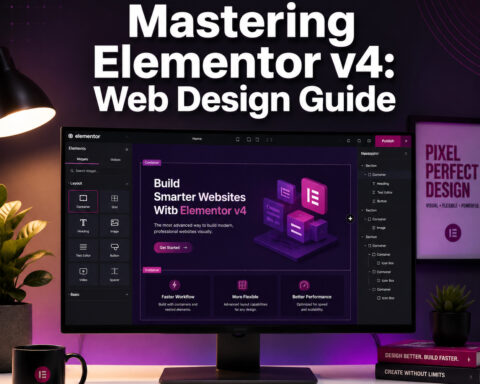
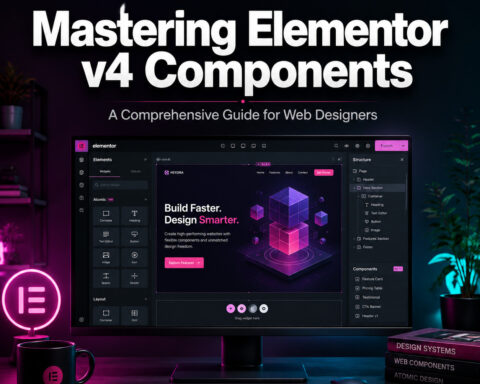
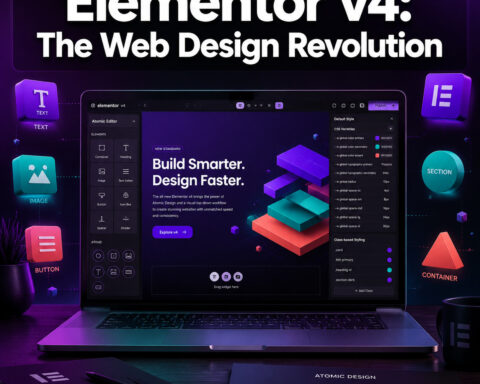
Elementor Editor v4 (also called the Atomic Editor) is a ground-up rebuild of the world’s most popular WordPress page builder. It replaces the old widget-and-section architecture with a CSS-first, class-driven system that produces cleaner code, faster page loads, and a workflow closer to professional front-end development. As of early 2026, v4 is the default editor for all new Elementor sites, with over 45,000 activations and 50 live atomic features already shipping [1][2].
Key Takeaways
- Elementor v4 is a full architectural overhaul, not just a feature update. It moves from nested div wrappers to single-div atomic elements, reducing DOM bloat significantly [7].
- It’s now the default for new websites created with Elementor 4.0. Existing v3 sites can activate it manually and migrate at their own pace [2][5].
- Global classes and CSS variables replace inline styles, making site-wide design changes faster and code output much leaner.
- Performance gains are real: independent analyses report 15–20% DOM reductions on typical landing pages and jQuery-free vanilla JS on new atomic elements.
- V3 and v4 coexist on the same site, so agencies don’t need to rebuild everything overnight [5].
- New atomic elements (Atomic Video, Atomic Button, Atomic Loops, Atomic Grids) are rolling out continuously through 2026.
- Third-party addon ecosystems like The Plus Addons have already confirmed full v4 compatibility [5].
- The competitive gap with performance-focused builders like Bricks is narrowing, with properly configured v4 sites reaching comparable Lighthouse scores.

What Is Elementor Editor v4 and Why Does It Matter?
Elementor Editor v4, officially called the Atomic Editor, is a complete rethinking of how Elementor generates HTML, CSS, and JavaScript. Instead of wrapping every widget in multiple nested divs with inline styles, v4 outputs single-div elements styled through reusable CSS classes and variables [7][10].
Why this matters in plain terms:
- Smaller pages. Fewer HTML elements means browsers render pages faster.
- Easier maintenance. Change a global class once, and every element using it updates instantly.
- Cleaner code. The output looks closer to what a hand-coding developer would write, which helps with SEO, accessibility, and long-term maintainability.
Elementor has described v4 as “more than just an update—it’s a complete reimagining” of the editor [7]. That’s marketing language, but the technical shift backs it up. The legacy system relied on sections, columns, and widgets stacked inside each other. The atomic system flattens that hierarchy.
For WordPress site owners and agencies, this is the biggest change Elementor has made in over a decade. If you’re building sites with custom WordPress themes, the cleaner code output from v4 integrates much more naturally with theme architecture.
Choose v4 if: You’re starting a new site, care about performance, or want a workflow that scales across a team. Stay on v3 if: You have a complex existing site with many third-party widgets that haven’t confirmed v4 compatibility yet.

How Elementor Editor v4 Is Revolutionizing WordPress Design with Cutting-Edge Features
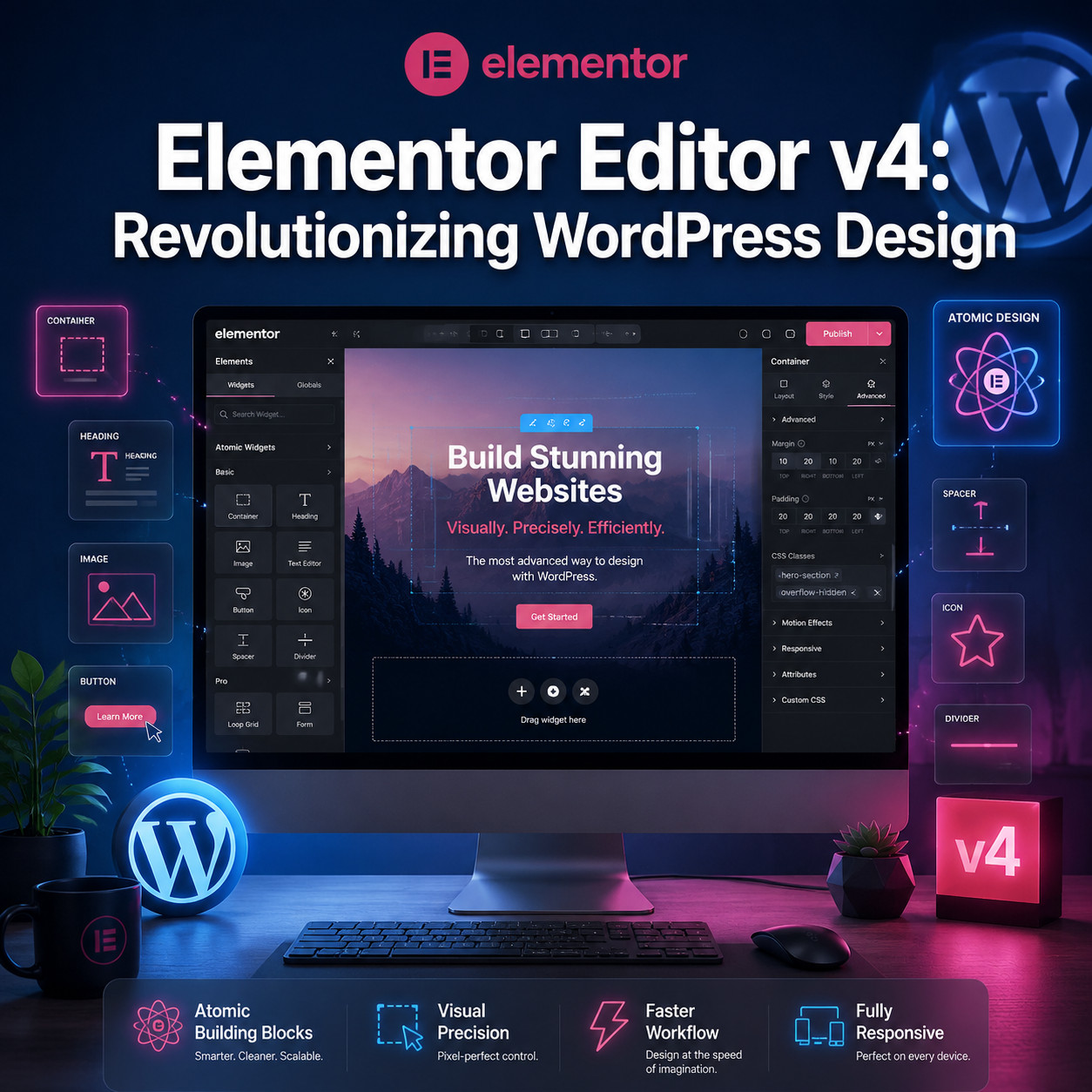
The “atomic” label isn’t just branding. It describes a specific technical approach where each design element is reduced to its smallest useful unit—a single HTML element with class-based styling. Here are the core features driving this shift.
Global Classes and CSS Variables
In v3, styling was applied inline to individual elements. If you wanted to change the font size of every heading on your site, you’d need to edit each one. V4 introduces a proper class system [8]:
- Create a class like
.heading-largewith your desired styles - Apply it to any element across your site
- Edit the class once to update every instance
CSS variables work the same way for colors, spacing, and typography values. This is how professional front-end developers have always worked—Elementor is finally bringing that workflow to its visual editor.
Single-Div Atomic Elements
Legacy Elementor widgets generated 3–7 nested divs per element. Atomic elements use a single div wrapper [7]. On a typical landing page with 40–60 elements, that can mean hundreds fewer DOM nodes. Independent analysis suggests 15–20% DOM reductions on standard pages.
Components with Detach
The updated Components workflow lets you create reusable design blocks (like a pricing card or CTA section) that stay linked to a master component. The new “Detach” feature in v4 lets you break that link when you need a one-off variation, without affecting the master [2].
Atomic Loops and Grids
These new elements let you build dynamic, query-powered layouts using true CSS Grid rather than the old column-based system. Want to display your latest blog posts in a responsive grid that pulls from a custom query? Atomic Loops handle that natively.
Inline Editing for Atomic Elements
V4 brings inline editing to atomic elements like the Atomic Button, so you can click directly on text and edit it on the canvas without opening a sidebar panel [2]. It’s a small UX improvement that adds up across a full design session.
jQuery-Free Front End
New atomic elements run on vanilla JavaScript with modularized bundles. This directly addresses JavaScript execution time, which affects Google’s Interaction to Next Paint (INP) metric. Removing jQuery from the critical rendering path reduces main-thread blocking.
If you’re exploring AI plugins for WordPress alongside Elementor v4, the leaner JS footprint means less competition for main-thread resources.
How to Activate and Set Up Elementor v4 on Your Site
Direct answer: If you’re on Elementor 3.35 or later, you can enable v4 manually. New sites created with Elementor 4.0 get it automatically [1][2].
Step-by-Step Activation
- Update Elementor to version 3.35 or higher (4.0+ recommended)
- Navigate to Elementor → Editor → Settings in your WordPress dashboard
- Find Version 4 in the settings panel
- Click Activate [1]
- Save your settings and open any page in the Elementor editor
What Happens After Activation
- New pages you create will use atomic elements by default
- Existing pages built with v3 widgets continue to work as-is
- You can migrate individual pages by replacing v3 widgets with their atomic equivalents
- V3 and v4 features coexist on the same installation [5]
Common Mistakes to Avoid
| Mistake | Why It’s a Problem | What to Do Instead |
|---|---|---|
| Activating v4 on a live site without testing | Some third-party addons may not be compatible yet | Test on a staging site first |
| Trying to convert all pages at once | Unnecessary risk and time investment | Migrate page by page, starting with simpler pages |
| Ignoring global classes | You’ll miss the biggest workflow benefit of v4 | Set up your class system before building new pages |
| Assuming v3 widgets will auto-convert | They won’t—v3 elements stay as v3 | Manually replace elements when you’re ready |
For teams already using advanced WordPress strategies, the gradual migration approach means you can integrate v4 into existing workflows without disruption.

How Does Elementor v4 Performance Compare to Other Builders?
Direct answer: When properly configured, Elementor v4 sites now reach Lighthouse performance scores comparable to leaner builders like Bricks, closing a gap that existed for years.
The Legacy Performance Problem
Elementor’s biggest criticism has always been code bloat. A simple page built with v3 could generate thousands of unnecessary DOM nodes and load jQuery plus multiple CSS files regardless of what was actually on the page. This hurt Core Web Vitals scores and gave Elementor a reputation as a “heavy” builder [3].
What V4 Changes
| Metric | Elementor v3 (Typical) | Elementor v4 (Atomic) | Improvement |
|---|---|---|---|
| DOM nodes per element | 3–7 nested divs | 1 div (single wrapper) | ~60–80% reduction per element |
| CSS delivery | Inline styles + global sheet | Class-based, variable-driven | Smaller CSS payload |
| JavaScript runtime | jQuery-dependent | Vanilla JS, modular bundles | Reduced main-thread blocking |
| Lighthouse Performance (est.) | 55–75 on typical landing pages | 80–95 when properly configured | Significant improvement |
Note: Lighthouse scores vary widely based on hosting, images, third-party scripts, and content. The figures above are estimates based on independent community testing, not official Elementor benchmarks.
How It Stacks Up Against Competitors
Independent analysis by enterprise WordPress consultant Fachremy Putra (March 2026) argues that v4 “completely dismantles” the legacy bloat reputation. The single-div wrappers and jQuery-free runtime put Elementor in the same performance tier as Bricks Builder when both are properly configured.
That said, Bricks and block-based themes still have a slight edge in raw output size because they were built with minimal DOM from the start. Elementor v4 is catching up, not necessarily surpassing.
If you’re comparing page builders more broadly, our review of the best drag-and-drop website builders covers the full landscape for 2026.

Who Should Use Elementor Editor v4 (and Who Shouldn’t)?
Direct answer: V4 is the right choice for new projects, performance-conscious teams, and agencies building at scale. It’s not yet ideal for sites heavily dependent on v3-only third-party widgets.
Best Fit For
- New WordPress sites — v4 is the default, and starting fresh means no migration headaches
- Agencies managing multiple client sites — global classes and Components make design systems practical
- Performance-focused projects — the atomic architecture directly addresses Core Web Vitals
- Developers who want cleaner output — the code looks closer to hand-written HTML/CSS
- Teams using Elementor’s AI features — v4’s class-based system integrates tightly with Elementor’s AI workflows
Not Ideal For (Yet)
- Complex existing sites with dozens of third-party widgets — check addon compatibility first
- Users who rely on specific v3 widget behaviors — some legacy widgets don’t have atomic equivalents yet
- Beginners who just need a quick landing page — v4’s class system has a learning curve compared to v3’s simpler inline styling
The Plus Addons, one of the largest Elementor addon libraries, confirmed full v4 compatibility in March 2026 and noted that the per-page migration approach means existing sites can adopt v4 gradually [5]. Check with your specific addon providers before switching.
For designers coming from tools like Figma, the class-based workflow in v4 will feel familiar. If you’re bridging design and development, our guide on Figma web design tools and principles covers workflows that translate well to Elementor’s new system.
What’s on the Elementor v4 Roadmap for 2026?
Direct answer: Elementor is treating v4 as a “long-term architecture” with continuous atomic feature releases throughout 2026 and beyond. The public roadmap shows ongoing rollouts rather than a single big launch.
Confirmed and In-Progress Features
- Atomic Loops — dynamic content loops powered by WordPress queries, built with atomic architecture
- Atomic Grids — true CSS Grid layouts replacing the legacy column system
- Self-hosted Atomic Video — a new video element that doesn’t rely on third-party embeds for basic playback [2]
- Expanded inline editing — more elements getting direct-on-canvas text editing
- Deeper AI integration — Elementor’s AI tools are being built to work natively with global classes and CSS variables
The Bigger Picture
Elementor’s positioning of v4 as a “long-term architecture” suggests they’re moving away from major version jumps and toward a continuous delivery model. The 50 live atomic features and 45,000+ activations reported on their roadmap indicate steady adoption rather than a sudden mass migration.
This approach aligns with how no-code website design platforms are evolving in 2026—incremental improvements shipped frequently rather than annual major releases.

How Elementor v4 Fits Into the AI-Powered WordPress Ecosystem
Direct answer: V4’s class-based architecture makes it significantly more compatible with AI-assisted design and code generation than the old inline-style system.
Why Architecture Matters for AI
AI tools work better with structured, predictable code. When every element has semantic class names and styles are defined through variables, an AI assistant can:
- Suggest and apply design changes across an entire site by modifying classes
- Generate new page layouts using existing components and class systems
- Optimize CSS by identifying redundant or conflicting styles
- Produce code output that developers can actually read and maintain
The old v3 approach of inline styles on individual elements was essentially opaque to AI tools—there was no system to learn from, just thousands of one-off style declarations.
Elementor’s AI Strategy
Elementor has tied its AI roadmap directly to the atomic architecture. Their March 2026 content on AI and web development references the Atomic Editor’s global classes and CSS variables as foundational to their AI-powered workflow tools.
For WordPress site owners already exploring AI automation, combining v4 with AI-powered content optimization tools and AI SEO tools for WordPress creates a more cohesive automation stack than was possible with v3.
Pros and Cons of Elementor Editor v4
| Pros | Cons |
|---|---|
| Dramatically cleaner HTML output | Learning curve for the class-based system |
| Global classes enable true design systems | Not all v3 widgets have atomic equivalents yet |
| Better Core Web Vitals performance | Some third-party addons still catching up |
| jQuery-free front end for new elements | Migration from v3 is manual, page by page |
| Components workflow with Detach | Documentation is still evolving |
| V3/v4 coexistence reduces migration risk | Power users may find some features still in beta |
| Tighter AI integration potential | Requires Elementor 3.35+ to activate |
FAQ
Is Elementor v4 free or Pro only?
The Atomic Editor architecture is available in both the free and Pro versions of Elementor. Some specific atomic elements and advanced features (like certain Component capabilities) may require Elementor Pro, but the core v4 editor is free [8].
Will my existing Elementor v3 site break if I activate v4?
No. V3 and v4 coexist on the same installation. Your existing v3 pages continue to work exactly as before. V4 only applies to new elements and pages you create after activation, or pages you manually migrate [1][5].
How do I migrate a v3 page to v4?
You replace v3 widgets with their atomic equivalents on a per-element or per-page basis. There’s no automatic bulk conversion tool. Start with simpler pages and work your way up to complex ones.
Does Elementor v4 work with my third-party addons?
It depends on the addon. Major libraries like The Plus Addons have confirmed full compatibility [5]. Check with your specific addon developers before activating v4 on a production site.
How much faster is Elementor v4 compared to v3?
Independent testing suggests 15–20% DOM reductions on typical landing pages and meaningful improvements in JavaScript execution time due to the jQuery-free runtime. Actual Lighthouse score improvements depend on your hosting, content, and configuration.
Can I use Elementor v4 with any WordPress theme?
Yes, v4 works with any theme that supports Elementor. However, you’ll get the best results with Elementor’s Hello theme or other lightweight starter themes that don’t add their own CSS bloat.
Is Elementor v4 stable enough for production sites?
As of early 2026, v4 has exited beta and is the default for all new Elementor sites [2]. Over 45,000 sites have activated it. For existing sites, testing on a staging environment first is still recommended.
What are Atomic Loops?
Atomic Loops are a v4 feature that lets you create dynamic content layouts powered by WordPress queries (like displaying recent posts or custom post types) using the atomic architecture instead of legacy widgets.
How does Elementor v4 compare to Gutenberg/block editor?
Elementor v4 is still a visual page builder with drag-and-drop functionality, while Gutenberg is WordPress’s native block editor. V4’s atomic approach produces cleaner code that’s closer to what Gutenberg outputs, but Elementor still offers significantly more design control and a more polished visual editing experience.
Do I need to learn CSS to use Elementor v4?
No. The visual editor still handles styling through its interface. But understanding the concept of classes (applying a named set of styles to multiple elements) will help you get the most out of v4’s workflow.
Conclusion
Elementor Editor v4 represents the most significant architectural change in the platform’s history. By moving to an atomic, class-based system, it addresses the two biggest criticisms Elementor has faced for years: code bloat and performance limitations.
Here’s what to do next:
- If you’re starting a new site: Use Elementor 4.0. V4 is the default, and there’s no reason to build on the legacy architecture.
- If you have an existing v3 site: Set up a staging environment, activate v4, and test your critical pages and third-party addons before going live.
- If you’re an agency: Start building your global class system and component library now. The upfront investment pays off across every future project.
- If you’re evaluating page builders: Give v4 a serious look. The performance gap between Elementor and leaner builders has narrowed significantly, and Elementor’s ecosystem (addons, templates, community) remains the largest in WordPress.
The shift to atomic architecture isn’t just a technical upgrade—it’s Elementor positioning itself for a future where AI-assisted design, component-based workflows, and Core Web Vitals performance are table stakes. Whether you activate v4 today or wait for the ecosystem to mature further, understanding what’s changed will help you make better decisions for your WordPress projects in 2026 and beyond.
References
[1] Editor 4 Beta – https://elementor.com/blog/editor-4-beta/ [2] Elementor Editor 4.0 Developers Update – https://developers.elementor.com/elementor-editor-4-0-developers-update/ [3] Elementor Is Holding WordPress Back And I’m Tired – https://www.reddit.com/r/elementor/comments/1rzo53h/elementor_is_holding_wordpress_back_and_im_tired/ [5] March 2026 Update: The Plus Addons For Elementor Is Ready For Elementor V4 – https://theplusaddons.com/blog/march-2026-update-the-plus-addons-for-elementor-is-ready-for-elementor-v4/ [7] Wed Fwrd 2025 Recap – https://elementor.com/blog/wed-fwrd-2025-recap/ [8] Get Started With The Elementor Editor V4 – https://elementor.com/help/get-started-with-the-elementor-editor-v4/ [10] Updates Fall 2025 Recap – https://elementor.com/blog/updates-fall-2025-recap/