Last updated: May 13, 2026
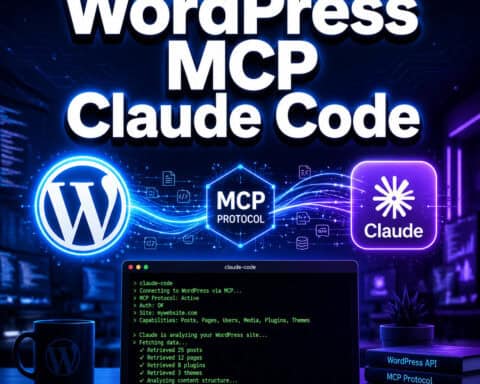
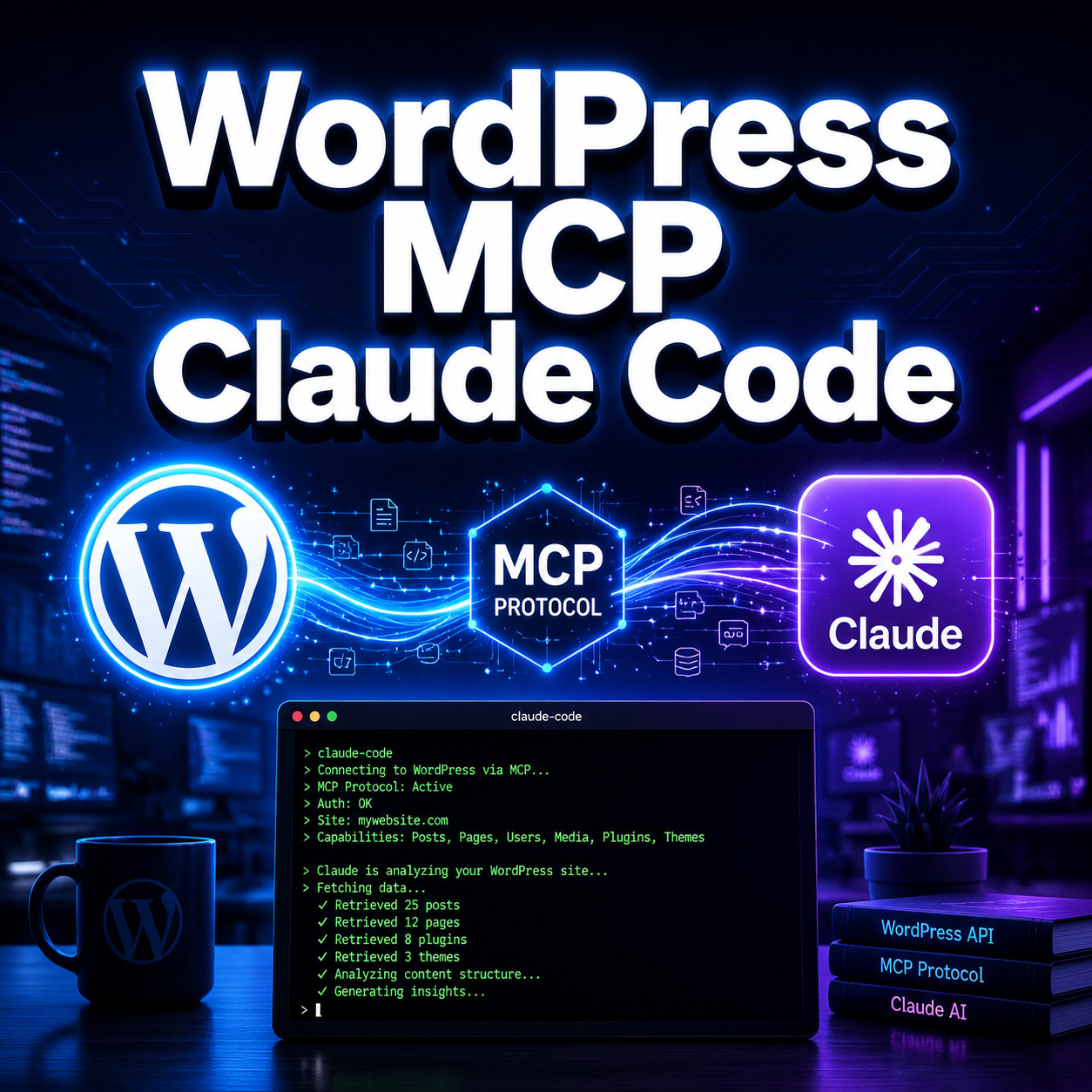
Quick Answer: WordPress MCP Claude Code refers to connecting Claude Code (Anthropic’s AI coding agent) to a WordPress site through the Model Context Protocol (MCP), allowing the AI to read files, write code, execute PHP, and manage WordPress tasks directly from your terminal. Official support arrived in early 2026 through the WordPress MCP Adapter and the @wp-playground/mcp package, making this a production-ready workflow for developers and site managers.
Key Takeaways
- MCP is the bridge that lets Claude Code interact with WordPress as if it were a human developer with dashboard access [3].
- WordPress Core introduced the MCP Adapter in February 2026, turning its Abilities API into AI-executable tools [3].
- WordPress Playground’s MCP server (
@wp-playground/mcp) enables one-command connections for browser-based WordPress instances [9]. - Pressable launched MCP integration on April 22, 2026, for managed hosting control via Claude Code, ChatGPT, or Gemini [8].
- Security best practices include using Contributor-level roles and application passwords, not full admin access [7].
- You should always test on a staging site first before giving any AI agent write access to production [2].
- Alternatives exist for privacy-focused teams, including Goose + Ollama (fully local) and Cursor with native MCP support.
What Is WordPress MCP Claude Code and Why Does It Matter?
WordPress MCP Claude Code is the combination of three technologies: WordPress (the CMS), MCP (Model Context Protocol, an open standard for connecting AI models to external tools), and Claude Code (Anthropic’s terminal-based AI coding agent). Together, they let you manage a WordPress site using natural language commands in your terminal.
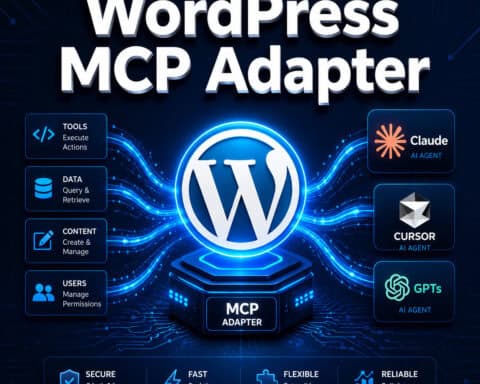
The WordPress Core team described the MCP Adapter as a bridge that converts the Abilities API into tools an AI agent can execute [3]. Instead of clicking through the WordPress admin panel, you type a plain English instruction like “create a new draft post about our spring sale with SEO metadata” and Claude Code handles the rest.
This matters because it collapses dozens of manual steps into single commands. Meow Apps, which builds the AI Engine plugin, reported that Claude Code can handle full site management tasks like SEO audits and multilingual post creation through MCP [2]. For developers building custom WordPress themes, this means faster iteration. For site managers, it means less time in the dashboard.
How Does MCP Connect Claude Code to WordPress?
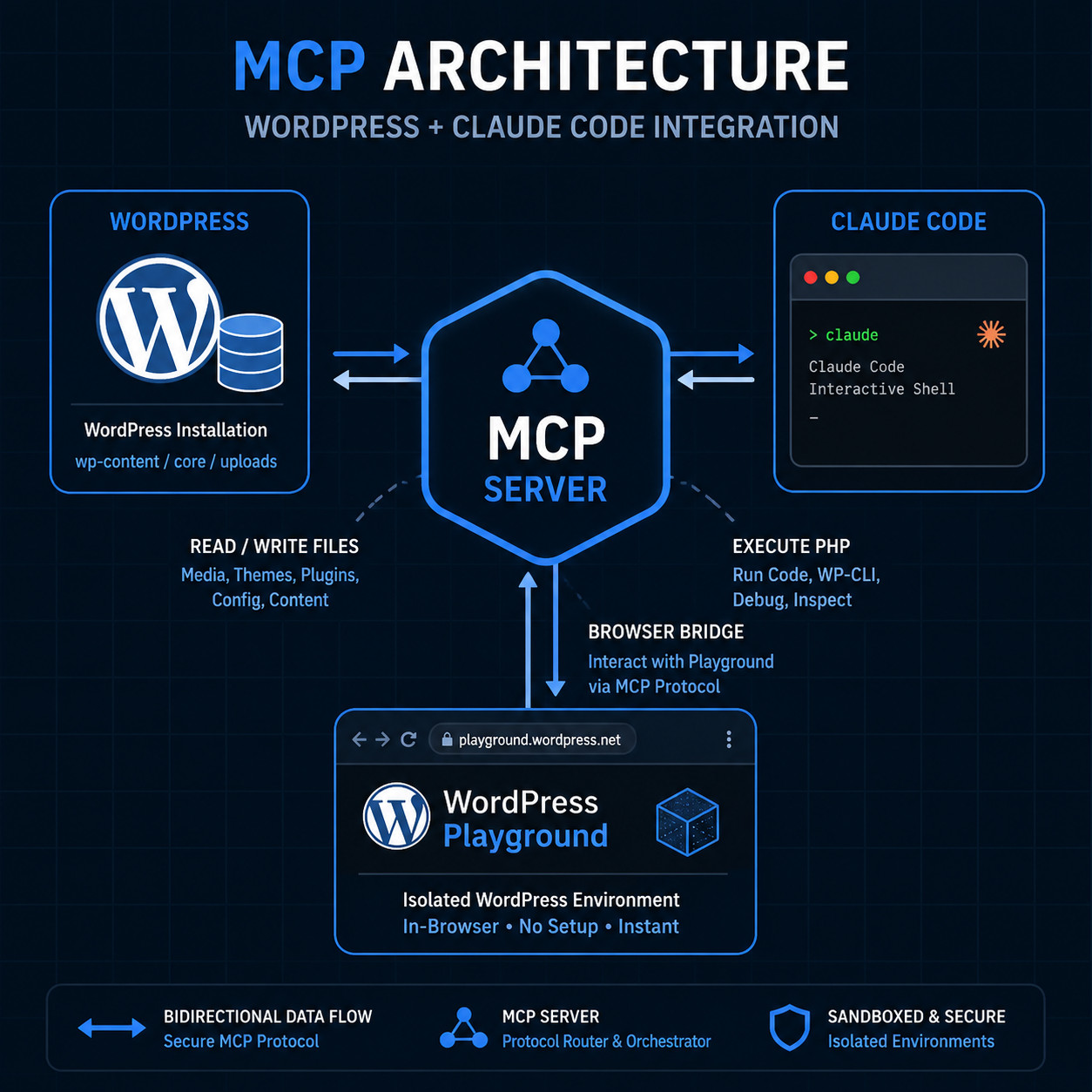
MCP acts as a standardized communication layer between Claude Code and your WordPress installation. Think of it like a translator: Claude Code speaks AI, WordPress speaks PHP, and MCP makes sure they understand each other.
Here’s how the connection works technically:
- WordPress exposes capabilities through its Abilities API (reading posts, creating pages, managing media, executing PHP).
- The MCP Adapter wraps those capabilities into a format Claude Code can discover and call [3].
- Claude Code connects via WebSocket or HTTP to the MCP server running alongside WordPress.
- Commands flow both ways: Claude Code sends instructions, WordPress returns results.
Weston Ruter, a WordPress Core contributor, blogged about adding MCP to WordPress Core dev environments in April 2026, recommending that developers expose the full set of abilities for Claude integration [9]. Daniel Kossmann’s guide further highlighted how Claude Code’s terminal-native approach makes it especially efficient for WordPress tasks once MCP is configured [5].
The key difference from simply using the WordPress REST API is that MCP provides a discovery mechanism. Claude Code doesn’t need to be pre-programmed with every WordPress endpoint. It can ask the MCP server “what can you do?” and get back a list of available tools.
How to Set Up WordPress MCP Claude Code (Step by Step)
Setting up the connection requires a few components. The exact steps depend on whether you’re using WordPress Playground, a local dev environment, or a managed host like Pressable.
Option A: WordPress Playground (Fastest Start)
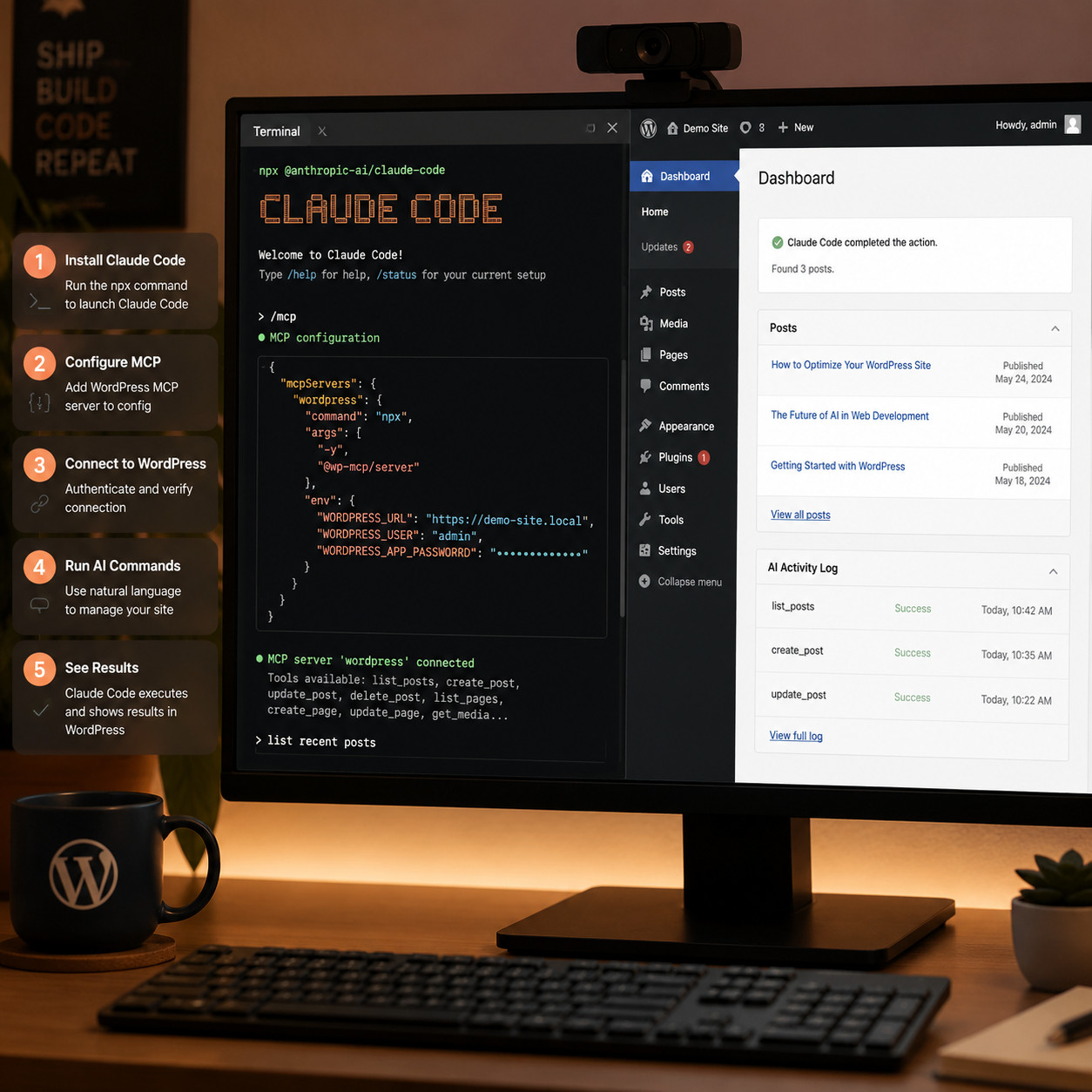
WordPress Playground’s @wp-playground/mcp package is the quickest way to experiment:
- Install Claude Code if you haven’t already (
npm install -g @anthropic-ai/claude-code). - Run the MCP server:
npx @wp-playground/mcp— this spins up a browser-based WordPress instance with MCP enabled. - Configure Claude Code to connect by adding the MCP server URL to your Claude Code config file.
- Test with a simple command like “list all installed plugins” to verify the connection.
- Start building: create posts, modify theme files, or run PHP directly.
Option B: Existing WordPress Site
For a real WordPress installation, you’ll need the MCP Adapter plugin or a compatible plugin like AI Engine from Meow Apps [2]:
| Step | Action | Notes |
|---|---|---|
| 1 | Install the MCP Adapter plugin | Available via WordPress.org or GitHub |
| 2 | Create an application password | Go to Users > Your Profile > Application Passwords [7] |
| 3 | Set user role to Contributor | Limits AI access; avoid full admin [7] |
| 4 | Configure Claude Code’s MCP settings | Add server URL + credentials to config |
| 5 | Test on staging first | Never start with production [2] |
Option C: Pressable Managed Hosting
Pressable’s April 2026 MCP integration lets you manage hosting tasks (not just WordPress content) from Claude Code, ChatGPT, or Gemini [8]. Setup is handled through Pressable’s dashboard with API key generation.
If you’re exploring broader AI plugins for WordPress automation, the MCP approach is more developer-oriented than most dashboard plugins but far more powerful.
What Can You Actually Do with WordPress MCP Claude Code?
The practical use cases range from simple content tasks to complex development workflows. Here’s what works well today:
Content management:
- Create, edit, and schedule posts with metadata
- Generate and assign categories and tags
- Bulk-update existing content (e.g., adding alt text to all images)
Development tasks:
- Modify theme template files directly [5]
- Create or edit plugin code with real-time PHP execution
- Debug errors by having Claude Code read logs and suggest fixes
Site administration:
- Run SEO audits across all pages [2]
- Generate multilingual versions of posts
- Manage user roles and permissions
WordPress Core development:
- Ruter’s approach enables Claude Code to assist with Core contributions by connecting to the development environment [9]
For teams already working on WordPress plugin development, adding Claude Code via MCP can accelerate code reviews, test generation, and documentation writing.
A common mistake is expecting Claude Code to handle visual design tasks. It works with code and data, not visual layouts. For design-to-code workflows, you’d still want tools like those covered in our guide to Figma-to-code plugins.
What Are the Security Risks and How Do You Mitigate Them?
Giving an AI agent access to your WordPress site introduces real security concerns. This is the area where most guides don’t go deep enough.
Primary risks:
- Unintended writes: Claude Code could modify or delete content if given write access without constraints.
- Credential exposure: Application passwords stored in config files could leak.
- Privilege escalation: An AI with admin access can do anything an admin can, including installing malicious code.
Mitigation strategies (from WebDevStudios and Meow Apps):
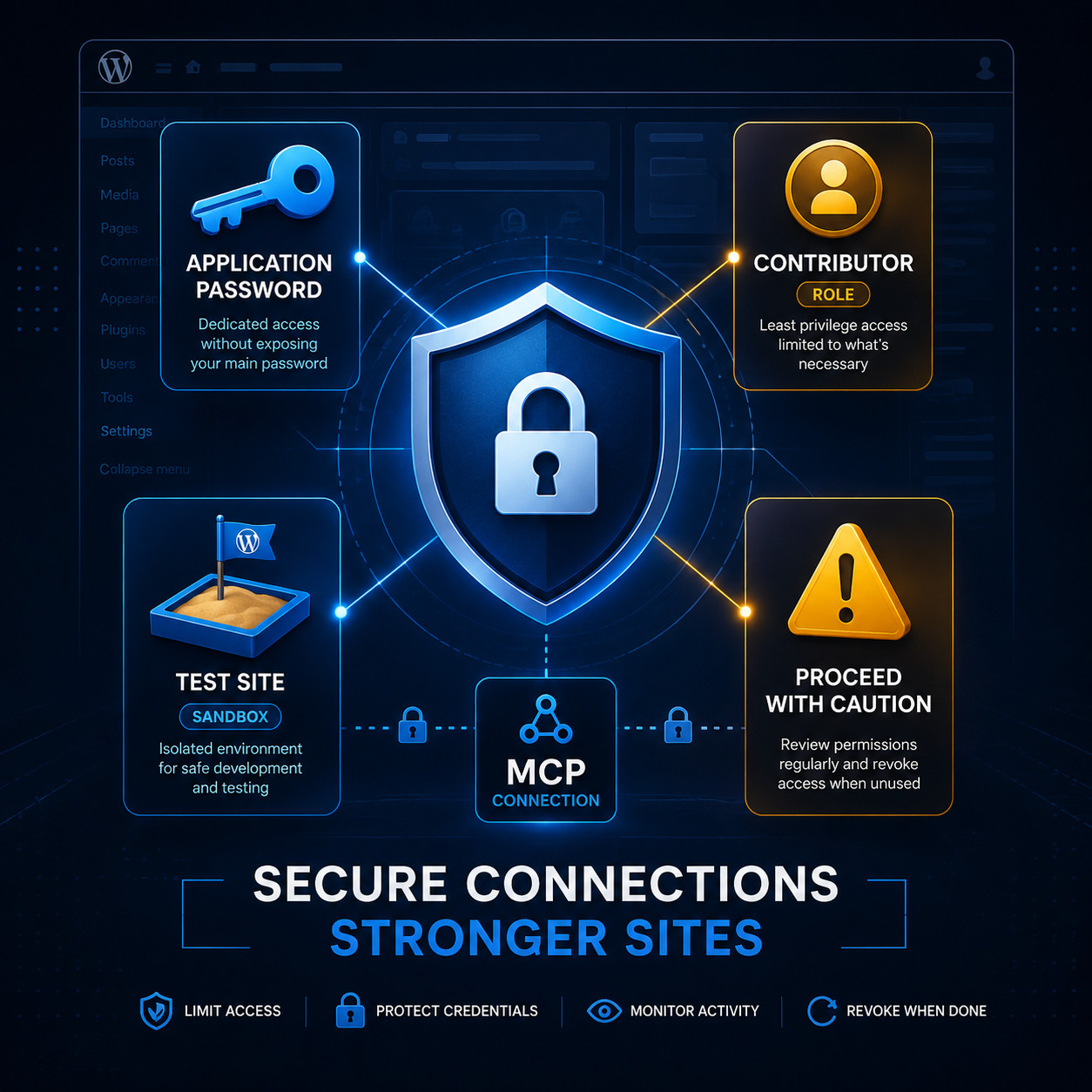
- Use Contributor-level roles, not Administrator, for the MCP connection user [7]. This limits what Claude Code can do.
- Start read-only. Meow Apps specifically recommends beginning with read access before enabling write operations [2].
- Always use a staging or test site first. Never connect Claude Code to a production site until you’ve verified behavior on a copy.
- Rotate application passwords regularly and revoke them when not in active use.
- Monitor activity logs. Use a plugin that tracks all changes so you can audit what the AI did.
Choose read-only access if you’re experimenting. Choose Contributor-level write access if you’re doing real work on a staging site. Choose admin access only if you fully understand the risks and have backups.
For teams exploring advanced WordPress automation strategies, security should be the first conversation, not an afterthought.
How Does WordPress MCP Claude Code Compare to Alternatives?
Claude Code isn’t the only AI agent that can connect to WordPress via MCP. Here’s how the main options stack up:
| Feature | Claude Code + MCP | ChatGPT + Pressable MCP | Cursor + MCP | Goose + Ollama |
|---|---|---|---|---|
| Terminal-native | Yes | No (browser-based) | No (IDE-based) | Yes |
| WordPress file access | Full (read/write) | Hosting-level only | Full | Full |
| PHP execution | Yes | No | Yes | Yes |
| Privacy (local models) | No (Anthropic API) | No (OpenAI API) | Optional | Yes (fully local) |
| Setup complexity | Medium | Low | Medium | High |
| Cost | Claude Pro/API fees | ChatGPT Plus + Pressable | Cursor subscription | Free (hardware costs) |
Choose Claude Code if you prefer terminal workflows and need deep file-level access with PHP execution [5].
Choose ChatGPT + Pressable if you want hosting management (scaling, backups, domains) rather than code-level work.
Choose Goose + Ollama if you need everything running locally with no data leaving your machine — useful for agencies handling sensitive client sites.
Choose Cursor if your team already uses VS Code and wants MCP in a familiar IDE environment.
Who Should (and Shouldn’t) Use This Workflow?
Good fit:
- WordPress developers who spend significant time in the terminal
- Agencies managing multiple client sites that need bulk operations
- Core contributors working on WordPress development [9]
- Content teams that want AI-assisted publishing with human review
Not a good fit:
- Non-technical site owners who primarily use the visual editor
- Anyone uncomfortable with command-line tools
- Sites handling sensitive data (medical, financial) without thorough security review
- Teams without staging environments for safe testing
If you’re a non-technical user interested in AI-powered site building, you might find more value in AI website creators that don’t require code.
Conclusion
WordPress MCP Claude Code represents a genuine shift in how developers and power users interact with WordPress. The MCP Adapter from WordPress Core [3], combined with tools like WordPress Playground’s MCP server and plugins from Meow Apps [2], creates a workflow where natural language replaces manual dashboard clicks.
Your next steps:
- Try WordPress Playground’s MCP package first — it’s the lowest-risk way to experiment.
- Set up a staging site before connecting Claude Code to anything real.
- Start with read-only access and Contributor-level permissions [7].
- Pick one repetitive task (like bulk-updating post metadata) and automate it as your first project.
- Review security practices from WebDevStudios [7] and Meow Apps [2] before expanding access.
The technology is production-ready in 2026, but the smartest approach is still incremental. Start small, verify results, and expand access only as you build confidence in the workflow.
FAQ
What is MCP in the context of WordPress and Claude Code? MCP (Model Context Protocol) is an open standard that lets AI agents like Claude Code discover and use tools exposed by external services, including WordPress. It acts as a communication bridge between the AI and your site [3].
Is WordPress MCP Claude Code free to use? The MCP Adapter and WordPress Playground MCP server are free and open source. However, Claude Code requires an Anthropic API subscription or Claude Pro plan, which has associated costs.
Can Claude Code break my WordPress site? Yes, if given write access to production. This is why every guide recommends starting on a staging site with limited permissions [2] [7].
Do I need coding experience to use this? Basic terminal familiarity is necessary. You don’t need to be a PHP expert since Claude Code handles the code, but you should understand what commands you’re approving.
Can I use ChatGPT instead of Claude Code with WordPress MCP? Pressable’s MCP integration supports ChatGPT and Gemini for hosting management tasks [8]. For deep file-level WordPress access, Claude Code currently has the strongest terminal-native integration [5].
What WordPress version do I need? The MCP Adapter works with WordPress 6.x and later. Check the specific plugin requirements, as the Abilities API is relatively new [3].
Is my site data sent to Anthropic’s servers? Yes, when using Claude Code, your site data passes through Anthropic’s API. For fully local alternatives, consider Goose + Ollama.
Can I use this for WordPress theme customization? Absolutely. Claude Code can read and modify theme files directly through MCP. See our guide to WordPress theme customization for foundational knowledge.
How is this different from using the WordPress REST API directly? MCP adds a discovery layer on top of the REST API. Claude Code can ask the MCP server what tools are available rather than needing hardcoded API endpoints [3].
What happens if Claude Code makes a mistake? You should have backups and version control in place. Using Git for theme and plugin files lets you revert any unwanted changes quickly.
References
[2] Claude Code WordPress MCP – https://meowapps.com/claude-code-wordpress-mcp/ [3] From Abilities To AI Agents: Introducing The WordPress MCP Adapter – https://developer.wordpress.org/news/2026/02/from-abilities-to-ai-agents-introducing-the-wordpress-mcp-adapter/ [5] How To Use WordPress With MCP And Claude Code – https://www.danielkossmann.com/how-to-use-wordpress-with-mcp-and-claude-code/ [7] How To Connect Claude AI Using WordPress AI Integration – https://webdevstudios.com/2026/04/17/how-to-connect-claude-ai-using-wordpress-ai-integration/ [8] Integrating WordPress With AI Tools Using An MCP Server – https://nubisoft.io/blog/integrating-wordpress-with-ai-tools-using-an-mcp-server/ [9] Adding An MCP Server To The WordPress Core Development Environment – https://weston.ruter.net/2026/04/08/adding-an-mcp-server-to-the-wordpress-core-development-environment/