
Last updated: May 11, 2026
Quick Answer
Cursor AI is an AI-native code editor built on VS Code that uses large language models to autocomplete, generate, refactor, and debug code directly inside your development environment. As of May 2026, it has surpassed $2B in annual recurring revenue, serves over 2 million weekly users, and is used by 70% of Fortune 500 companies [7]. This article will help you revolutionize your coding workflow: a deep dive into Cursor AI’s groundbreaking features, from its Tab autocomplete to its new async subagents.
Key Takeaways
- Cursor AI’s Tab autocomplete predicts multi-line code completions using full project context, and users consistently rate it 4.6–4.8 out of 5 on review platforms [2].
- Version 2.5+ (released May 2026) introduced
/multitaskfor parallel async subagents, improved prompt undo grouping, and more reliable MCP connections [1][2]. - Enterprise AI-originated code jumped from 6% to over 60% in 12 months, with Cursor’s own team reporting 97.3% AI-originated code internally [4].
- Bugbot, Cursor’s automated bug-finder, now self-improves from PR feedback in real time and supports MCP integrations [3].
- Pricing starts free (Hobby tier) and scales to Pro ($20/month) and Business ($40/user/month), with new soft spend limits and usage alerts for enterprise admins [3][8].
- A critical Git vulnerability was patched in version 2.5 before any in-the-wild exploitation was reported [2].
- SpaceX announced a partnership with Cursor in April 2026, with an option to acquire for $60B later in the year [5][9].
What Is Cursor AI and Who Is It For?
Cursor AI is a standalone code editor, not a plugin. It’s a fork of VS Code that bakes AI assistance into every layer of the editing experience: autocomplete, chat, code generation, refactoring, and now autonomous background agents.
Choose Cursor if you:
- Write code daily and want context-aware completions that understand your entire codebase
- Work on large projects where refactoring across multiple files is common
- Want an AI assistant that goes beyond single-line suggestions
It’s less useful if you:
- Only write occasional scripts (a free Copilot tier may suffice)
- Need a non-VS Code environment (Cursor is VS Code-based only)
- Are uncomfortable with AI reading your codebase (though privacy modes exist)
Cursor competes directly with GitHub Copilot, Amazon CodeWhisperer, and Supermaven. What sets it apart is its deep codebase indexing: it doesn’t just look at the file you’re editing but scans your entire project to generate relevant suggestions. If you’re also exploring how AI tools fit into broader creative and development workflows, our guide to AI-powered content generation tools covers the wider landscape.
How Does Cursor AI’s Tab Autocomplete Actually Work?
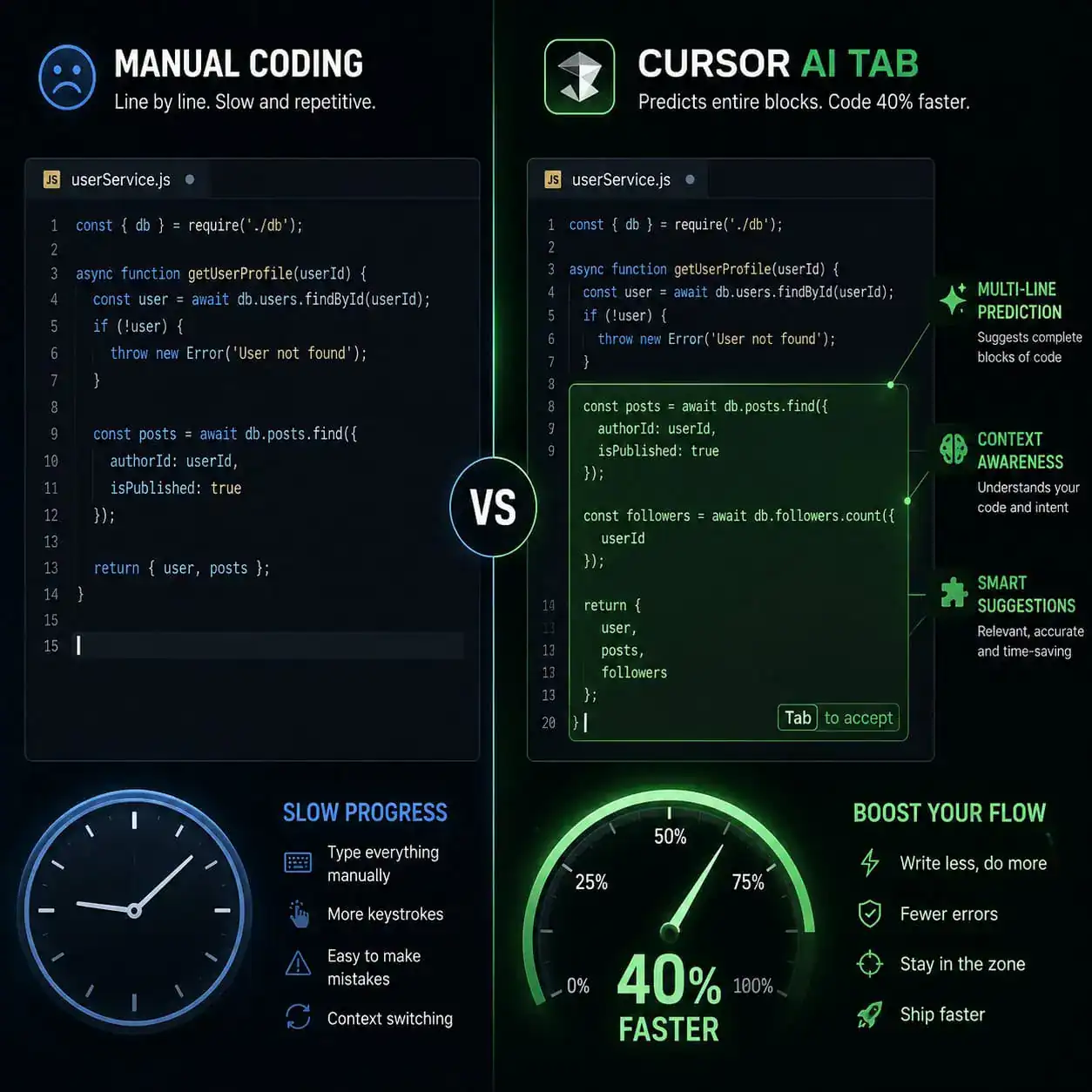
Tab autocomplete is Cursor’s signature feature, and it’s the reason most developers try the tool in the first place. It predicts what you’re about to type — often multiple lines at once — based on the context of your current file, open tabs, and indexed project files.
Here’s what makes it different from standard autocomplete:
- Multi-line predictions: Instead of completing a single function name, Cursor suggests entire code blocks, including logic, variable names, and even comments.
- Project-wide context: The AI indexes your full repository, so it understands your naming conventions, data models, and architectural patterns.
- Edit predictions: It doesn’t just add new code. It can predict edits to existing lines based on the changes you’ve been making.
Reviews on Reddit and G2 (averaging 4.6–4.8 out of 5 as of May 2026) frequently describe Tab as feeling “telepathic” [2]. One common praise point: after a few minutes of coding, the suggestions start matching your personal style.
Common mistake: New users sometimes accept suggestions too quickly without reviewing them. Always read the predicted code before pressing Tab, especially for logic-heavy sections.
What’s New in Version 2.5+ That Can Revolutionize Your Coding Workflow?
The May 2026 release of version 2.5+ is Cursor’s most significant update in months. Here are the headline features [1][2]:
| Feature | What It Does | Why It Matters |
|---|---|---|
/multitask | Spawns async subagents to handle requests in parallel | You can refactor one module while the AI fixes tests in another |
| Prompt undo grouping | Groups related AI changes into a single undo step | Reverting AI suggestions no longer requires 15 Ctrl+Z presses |
| Long-chat handling | Improved context retention in extended conversations | Complex debugging sessions stay coherent over dozens of messages |
| MCP connections | More predictable Model Context Protocol integrations | Third-party tool connections (databases, APIs) are more reliable |
| Git RCE patch | Fixed a critical vulnerability exploitable via malicious repos | Security-critical for anyone cloning untrusted repositories |
The /multitask feature deserves special attention. Before this update, Cursor’s AI agent handled one task at a time. Now you can ask it to work on multiple files or tasks simultaneously. For teams working on large codebases, this is a meaningful productivity gain.
If you’re interested in how parallel AI workflows apply beyond coding, see how Figma AI workflow automation handles similar concepts in design.
How Does Bugbot Find and Fix Bugs Automatically?
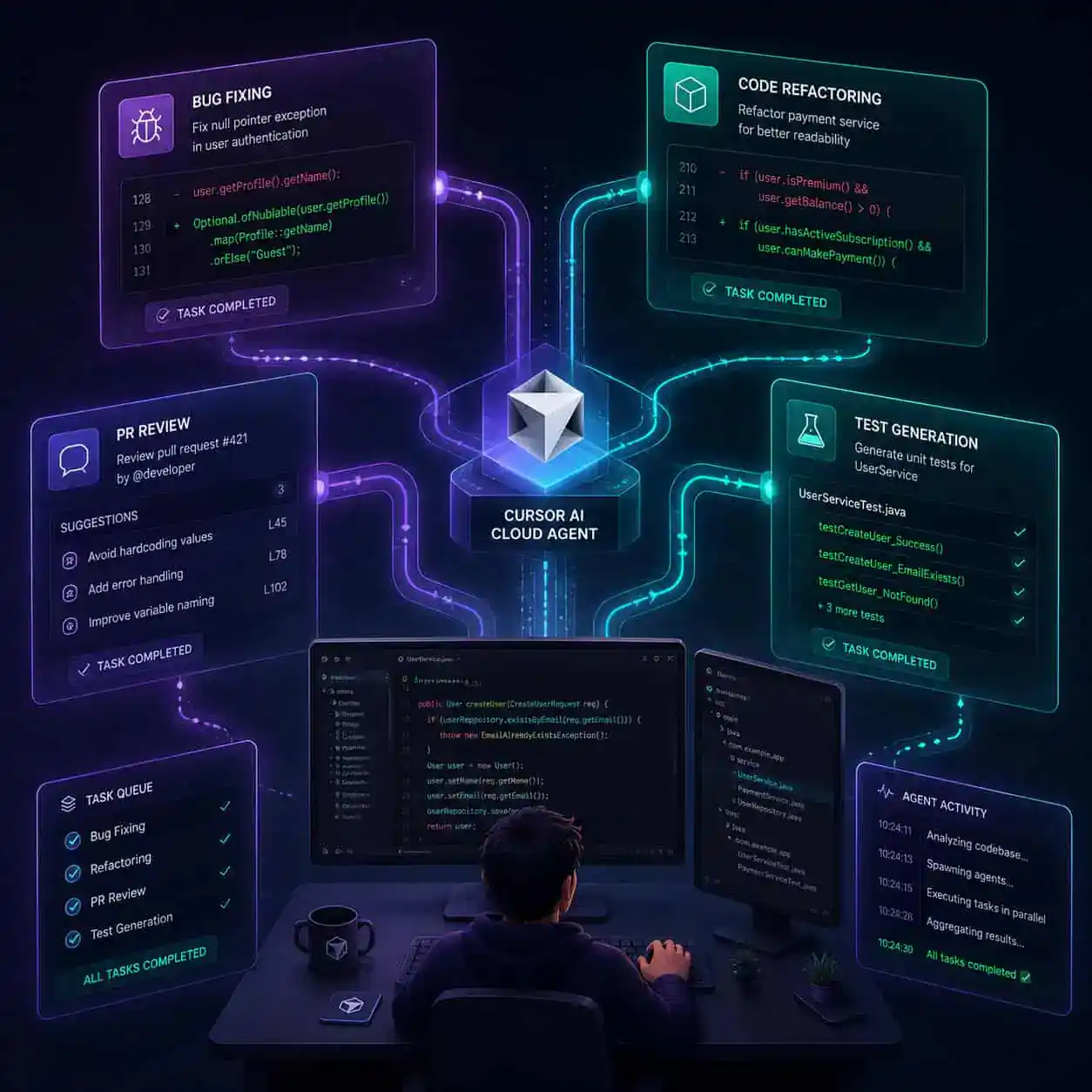
Bugbot is Cursor’s automated bug detection system. It scans your code, identifies potential issues, and can now auto-fix many of them. As of May 7, 2026, Bugbot received a major update [3]:
- Real-time self-improvement: Bugbot learns from PR feedback. When reviewers accept or reject its fixes, it adjusts future suggestions accordingly.
- MCP support: It can now connect to external tools and data sources for richer context.
- Autofix enhancements: The resolution rate has improved significantly since its July 2025 beta launch, which started at 52% initial resolution [3].
When Bugbot works best: Routine bugs like null reference errors, type mismatches, off-by-one errors, and missing error handling. It’s less reliable for complex architectural bugs or business logic errors that require domain knowledge.
Edge case: If your project uses unusual frameworks or custom DSLs, Bugbot’s suggestions may be less accurate. You can improve results by adding .cursorrules files to your project with framework-specific instructions [10].
What Does the New PR Review Experience Look Like?
Cursor launched a redesigned pull request review experience on May 6, 2026 [3]. This is aimed at teams, not solo developers, and it addresses a real pain point: reviewing large, multi-file PRs.
Key improvements:
- Inline threads: Comment on specific lines and start threaded discussions without leaving the editor
- Focused commits view: Review changes commit by commit instead of seeing the entire diff at once
- Quick-action pills: One-click buttons to split changes into separate PRs, pin review skills, or request AI summaries of specific sections
- Large PR navigation: Better file tree and change summary for PRs with 50+ modified files
This feature puts Cursor in direct competition with GitHub’s PR review interface. The advantage is that you’re reviewing code in the same AI-powered environment where you wrote it, so you can ask the AI to explain changes, suggest improvements, or identify potential issues inline.
For teams bridging design and development, the workflow from Figma to code often generates PRs that benefit from this kind of structured review.
How Much Does Cursor AI Cost in 2026?
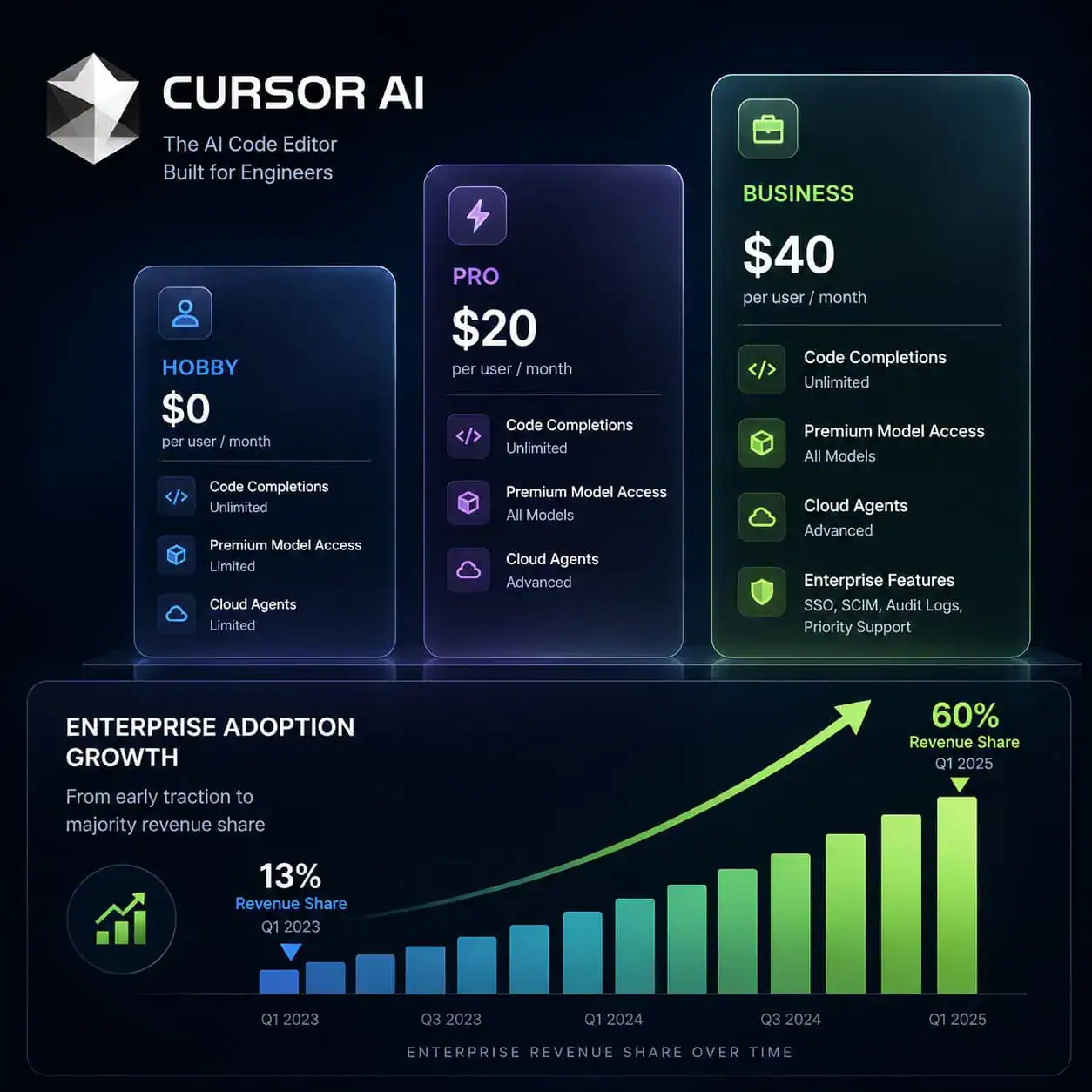
Cursor offers three pricing tiers [8]:
| Plan | Price | Key Inclusions |
|---|---|---|
| Hobby | Free | 2,000 completions/month, limited slow premium requests |
| Pro | $20/month | Unlimited completions, 500 fast premium requests, cloud agents |
| Business | $40/user/month | Admin controls, enforced privacy mode, centralized billing, usage analytics |
New for enterprise admins (May 2026): Soft spend limits with automatic alerts at 50%, 80%, and 100% usage thresholds. Admins can also filter analytics by user or product surface, such as the desktop client vs. Cloud Agents [3].
Cost-cutting tip: If you’re a solo developer, the Pro plan is sufficient. The Business plan is worth it only when you need admin controls, team-wide privacy enforcement, or detailed usage tracking across multiple developers.
Past pricing communication issues (noted in user reviews) appear to have been addressed with the new alert system [2].
How Does Cursor Compare to GitHub Copilot and Other AI Coding Tools?
This is the most common question developers ask. Here’s a direct comparison based on publicly available information as of May 2026:
| Feature | Cursor AI | GitHub Copilot | Supermaven |
|---|---|---|---|
| Base editor | VS Code fork (standalone) | VS Code extension | VS Code extension |
| Codebase indexing | Full project | File + open tabs | Full project |
| Multi-file editing | Yes (Composer) | Limited | No |
| Autonomous agents | Yes (Cloud Agents, /multitask) | Copilot Workspace (preview) | No |
| Bug detection | Bugbot with auto-fix | No built-in | No |
| PR review | Built-in with inline threads | Via GitHub.com | No |
| Free tier | Yes (2,000 completions) | Yes (limited) | Yes (limited) |
| Pro price | $20/month | $10/month | $10/month |
Choose Cursor if you want an all-in-one AI coding environment with agents, bug detection, and PR review. Choose Copilot if you’re already deep in the GitHub ecosystem and want the cheapest option. Choose Supermaven if you primarily want fast autocomplete without the extra features.
Supermaven’s autocomplete is worth noting: its multi-line predictions with project context have earned strong reviews, with over 1 million users and 360,000 paying customers as of early 2026 [2].
For developers who also work on no-code projects, our roundup of no-coding website design platforms for 2026 covers tools that complement AI-assisted coding.
What About Security and Privacy Concerns?
Security matters when an AI tool reads your entire codebase. Two things to know:
The Git RCE vulnerability discovered in Cursor’s AI agent was patched in version 2.5 on May 2, 2026. It was exploitable via malicious Git repositories, but no in-the-wild abuse was reported before the fix [2]. Keep Cursor updated.
Privacy mode (available on Business plans) ensures your code is not stored or used for model training. Enterprise admins can enforce this across all team members.
Decision rule: If your team works with proprietary or regulated code (healthcare, finance, defense), use the Business plan with enforced privacy mode. For open-source or personal projects, the Pro plan’s default privacy settings are generally adequate.
If you’re building WordPress sites and want AI assistance with proper security practices, our guide on WordPress AI plugins for automation covers secure integration options.
What Does the SpaceX Partnership Mean for Cursor’s Future?
In April 2026, SpaceX announced a partnership with Cursor that includes an option to acquire the company for $60B later in the year, or pay $10B upfront for a collaboration agreement [5][9]. This values Cursor at roughly 30x its $2B funding round. Microsoft reportedly passed on the acquisition opportunity [5].
What this signals:
- Validation: A company like SpaceX choosing Cursor over alternatives (including Microsoft’s own Copilot) is a strong endorsement of the product.
- Enterprise momentum: Forbes reported that Cursor’s enterprise revenue share jumped from 13.6% in November 2025 to 60% by March 2026 [7].
- Scale: With $2B ARR and the fastest path to that milestone for any software company, Cursor has the resources to keep shipping features aggressively.
For developers, the practical takeaway is that Cursor isn’t going anywhere. The investment and partnership pipeline suggests continued development and support for years to come.
Conclusion
Cursor AI has moved beyond being a clever autocomplete tool. With version 2.5+’s parallel subagents, Bugbot’s self-improving bug detection, and the new PR review experience, it’s becoming a full development environment where AI handles an increasing share of routine work.
Your next steps:
- Try the free Hobby tier to test Tab autocomplete on a real project — you’ll know within a day if it fits your workflow.
- Set up
.cursorrulesfiles in your repositories to give the AI project-specific instructions [10]. - Upgrade to Pro if you find yourself hitting the 2,000 completion limit or wanting access to Cloud Agents and
/multitask. - For teams, evaluate the Business plan’s admin controls and privacy enforcement before rolling out company-wide.
The shift toward AI-assisted coding is accelerating. Whether Cursor is the right tool for you depends on your specific needs, but its feature set in 2026 makes it the most comprehensive option available. Explore more AI-powered tools and workflows to see how these technologies fit into your broader tech stack.
FAQ
Q: Is Cursor AI free to use? A: Yes. The Hobby tier includes 2,000 completions per month and limited access to premium models at no cost [8].
Q: Can I use my existing VS Code extensions with Cursor? A: Yes. Cursor is a VS Code fork, so most extensions work without modification. You can import your settings and extensions during setup.
Q: Does Cursor store my code on its servers? A: By default, code is sent to AI models for processing but not stored for training. Business plans offer enforced privacy mode where no code is retained.
Q: What programming languages does Cursor support? A: It supports all languages that VS Code supports, including Python, JavaScript, TypeScript, Go, Rust, Java, C++, and more. AI suggestions work best with widely-used languages that have large training datasets.
Q: How does /multitask differ from regular Composer?
A: Composer handles one task sequentially. /multitask spawns parallel subagents that work on multiple tasks simultaneously, so you can refactor code in one module while generating tests in another [1].
Q: Is Cursor safe to use after the Git vulnerability? A: The vulnerability was patched in version 2.5 (May 2, 2026) with no reported exploitation. Keep your installation updated to stay protected [2].
Q: Can Cursor replace a junior developer? A: No. Cursor accelerates experienced developers by handling routine tasks, but it still requires human oversight for architecture decisions, business logic, and code review. The tool reports 30–40% faster coding for proficient users, not replacement of human judgment.
Q: What is Bugbot’s bug resolution rate? A: Bugbot launched in July 2025 with a 52% initial resolution rate and has improved since through real-time learning from PR feedback [3].
Q: Does Cursor work offline? A: Basic editing works offline (it’s a VS Code fork), but all AI features require an internet connection to communicate with the language models.
Q: How does Cursor handle large monorepos? A: Cursor indexes your full project for context. For very large monorepos, you can configure which directories to index and exclude to improve performance and relevance.
Related Cursor AI guides: explore Cursor AI’s funding journey and future of AI development, and dive deep into Cursor AI’s intelligent code generation capabilities.
References
[1] Changelog – https://cursor.com/changelog [2] Cursor News May 2026 – https://blog.mean.ceo/cursor-news-may-2026/ [3] Cursor – https://releasebot.io/updates/cursor [4] Dx 9ci8b6vz – https://www.instagram.com/reel/DX_9cI8B6VZ/ [5] Spacex Acquires Cursor Ai For 60b After Microsoft Passes – https://www.heygotrade.com/en/news/spacex-acquires-cursor-ai-for-60b-after-microsoft-passes/ [7] Cursor Announces Major Update As Ai Coding Agent Battle Heats Up – https://www.cnbc.com/2026/02/24/cursor-announces-major-update-as-ai-coding-agent-battle-heats-up.html [8] What Happened To Cursor Pricing 2026 Guide 5 Cost Cutting Tips – https://www.finout.io/blog/what-happened-to-cursor-pricing-2026-guide-5-cost-cutting-tips [9] Spacex Says It Can Buy Ai Coding Tool Cursor For 60b Later This Year – https://www.usnews.com/news/best-states/california/articles/2026-04-22/spacex-says-it-can-buy-ai-coding-tool-cursor-for-60b-later-this-year [10] Cursorrules 2026 Best Practices – https://github.com/murataslan1/cursor-ai-tips/blob/main/rules/cursorrules-2026-best-practices.md