Last updated: May 22, 2026If you’re looking for the most comprehensive HeyGen Unveiled Ultimate Guide AI-Powered Text-to-Video resource, you’ve come to the right place.
Quick Answer
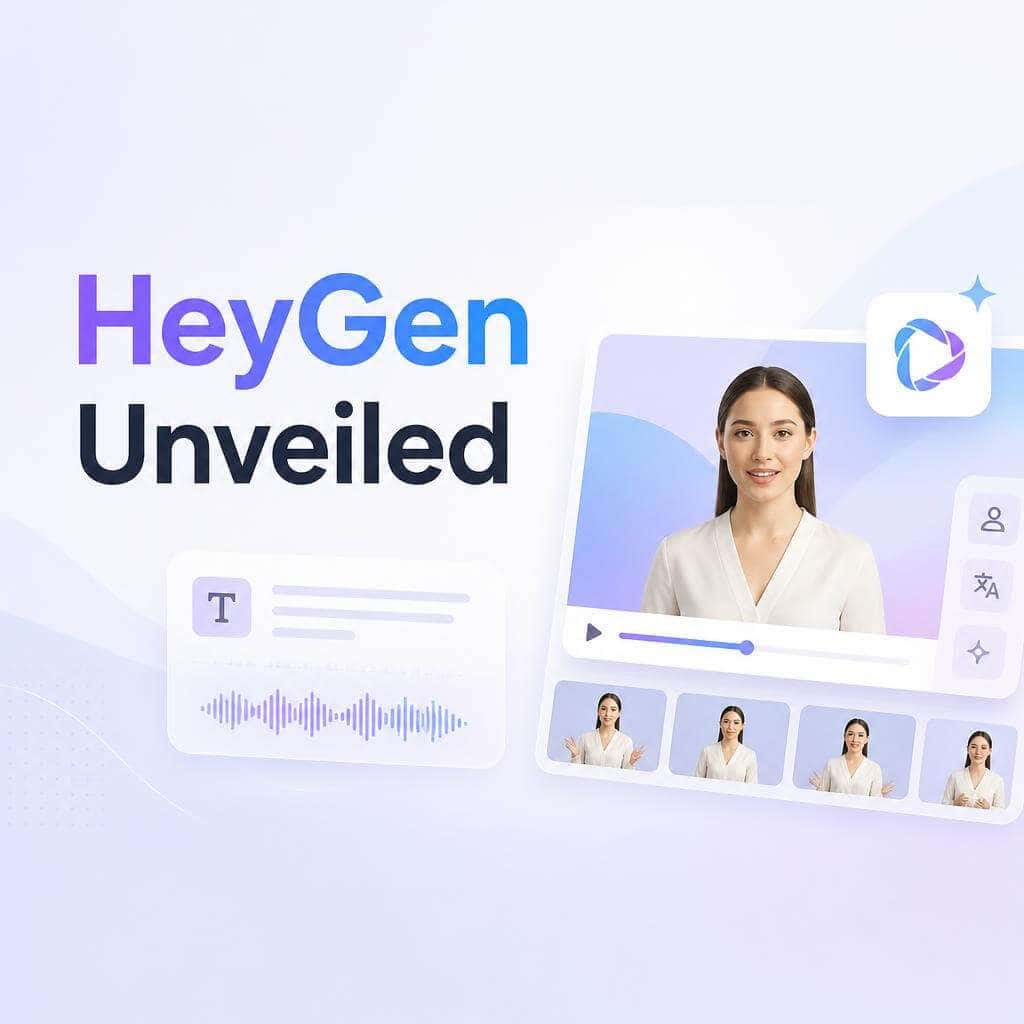
HeyGen is a browser-based AI video platform that turns text scripts into professional talking-head videos using realistic digital avatars. You don’t need a camera, studio, or video editing skills. As of 2026, HeyGen supports 175+ languages with lip-sync, offers a Digital Twin feature from a single 15-second recording, and integrates directly into tools like ChatGPT and developer IDEs [1][5]. This guide — HeyGen Unveiled: The Ultimate Guide to AI-Powered Text-to-Video Creation in 2024 — covers everything from pricing and avatar quality to common mistakes and competitor comparisons.
Key Takeaways
HeyGen generates AI avatar videos from plain text in minutes, with no filming or editing required.
The free plan gives you limited credits (typically 1-3 short videos) with watermarks and restricted avatar access [6].
Paid plans start around $24/month for creators and scale to custom enterprise pricing.
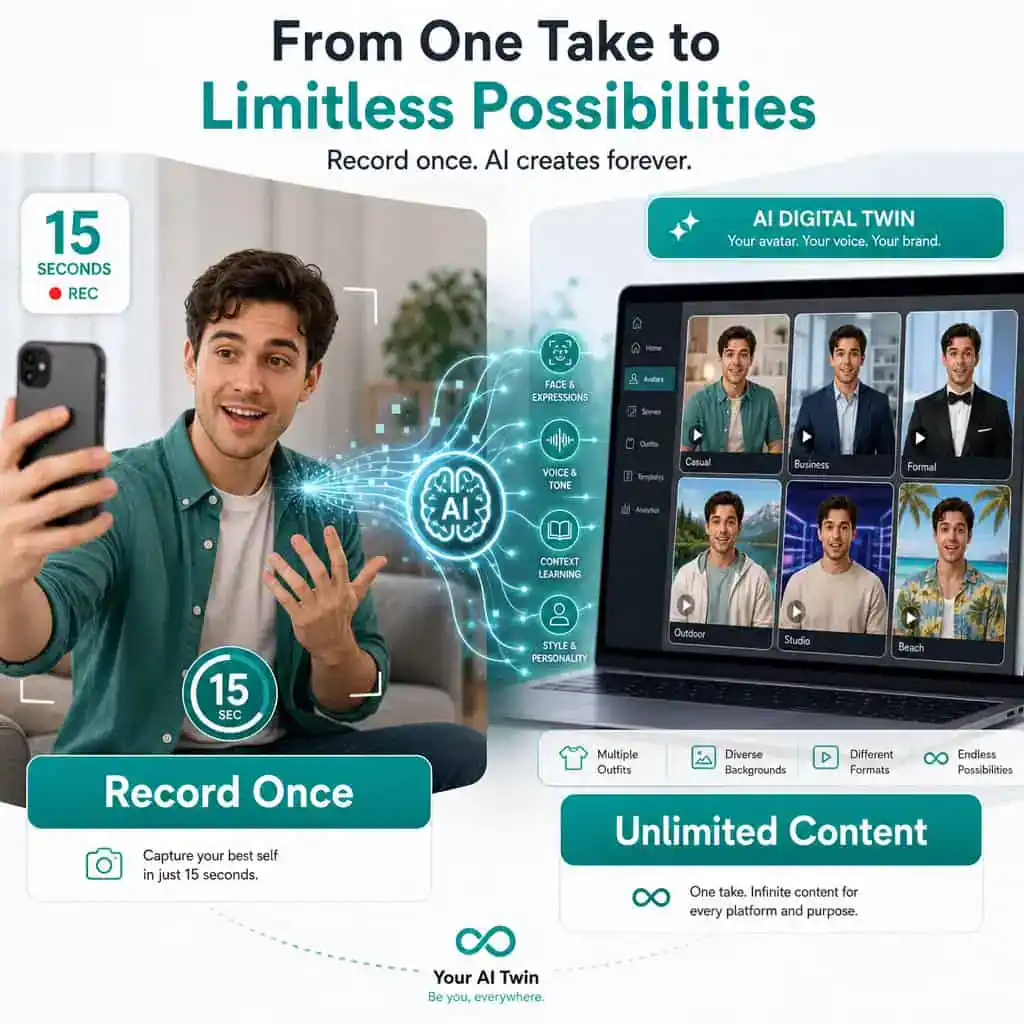
Avatar V (April 2026) creates a Digital Twin from a 15-second clip with full upper-body motion and multiple outfits [5].
HeyGen supports 175+ languages with AI lip-sync, making it the strongest option for localization [5].
It integrates with ChatGPT, Claude Code, and developer CLIs for agent-driven video creation [4].
HeyGen is best for business communication, training, marketing, and localized content — not cinematic or artistic video [9].
The EU AI Act will require synthetic media disclosure by August 2026, affecting how HeyGen videos are distributed in Europe [10].
What Exactly Is HeyGen and How Does AI Video Generation Work?
HeyGen is a cloud-based platform that uses generative AI to produce videos featuring digital human avatars that speak, gesture, and lip-sync to any script you provide. You type or paste text, choose an avatar, pick a template, and the platform renders a finished video.
Here’s the simplified process:
Input a script — type it, paste it, or let HeyGen’s AI write one from a prompt.
Select an avatar — choose from 100+ stock avatars or create your own Digital Twin.
Choose voice and language — pick from 300+ voices across 175+ languages.
Customize the scene — add backgrounds, screen recordings, images, or text overlays.
Render — HeyGen’s AI generates the final video, typically in under five minutes for a one-minute clip.
Under the hood, HeyGen combines several AI models: a text-to-speech engine, a facial animation model that maps audio to lip movements and expressions, and (as of April 2026) the Seedance 2.0 cinematic motion model for more dynamic, multi-angle shots [5]. The result is a video that looks like someone filmed a real presenter, but nobody stood in front of a camera.
For a broader look at how AI is changing content workflows, see our comprehensive guide to AI-powered content generation tools.
How Much Does HeyGen Cost Compared to Other AI Video Tools?
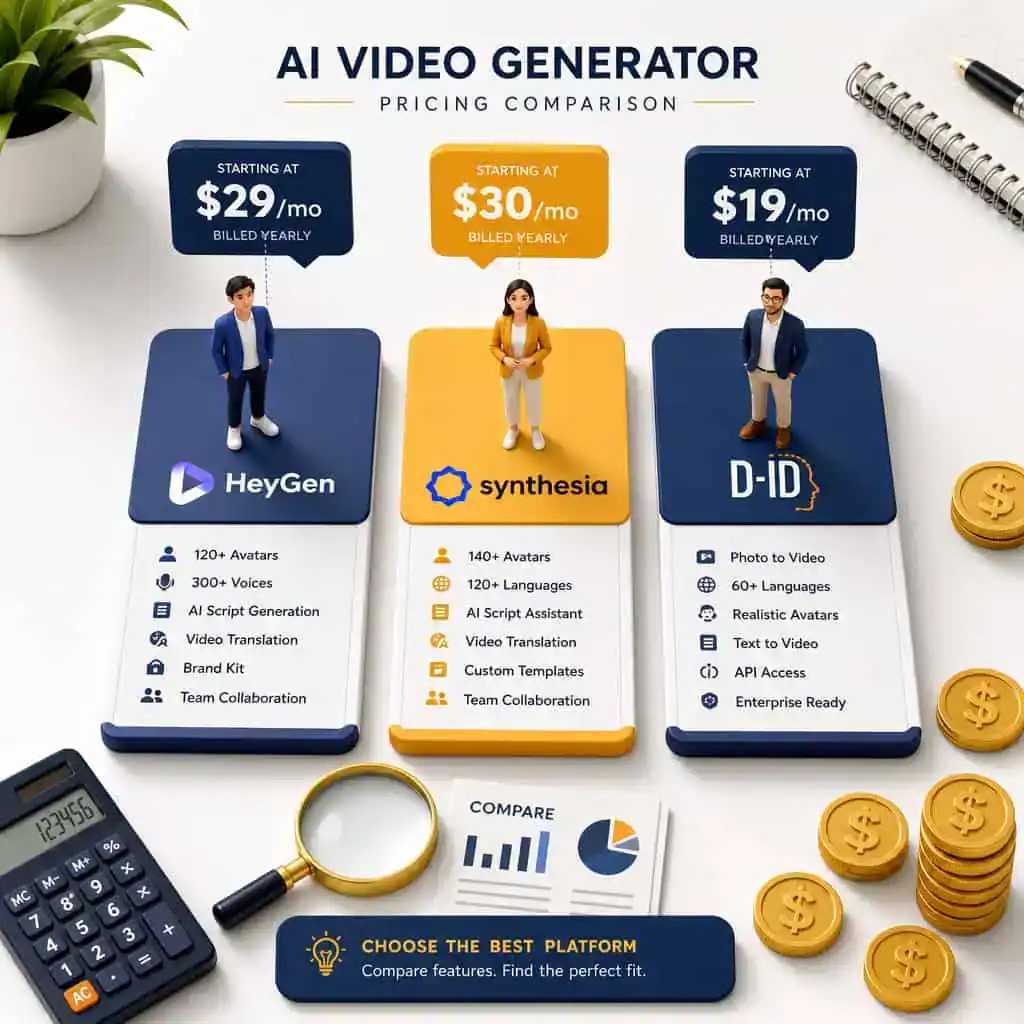
HeyGen uses a tiered subscription model. As of early 2026, pricing roughly breaks down as follows (check HeyGen’s site for current numbers, as plans shift frequently):
PlanApproximate Monthly CostKey InclusionsFree$01-3 short videos, watermarked, limited avatarsCreator~$24/month (billed annually)More credits, no watermark, 1 custom avatarBusiness~$72/month (billed annually)Priority rendering, team seats, API accessEnterpriseCustom pricingDedicated support, SSO, advanced compliance
How this compares:
Synthesia starts around $22/month for its starter tier but charges more for custom avatars and enterprise features.
D-ID offers a free trial and plans starting near $5.90/month, but its avatar realism and language support are generally considered a step behind HeyGen’s [9].
Decision rule: Choose HeyGen if avatar realism and multilingual lip-sync are your top priorities. Choose Synthesia if you need deep LMS/SCMS integrations for training. Choose D-ID if budget is your primary constraint and you need basic talking-head videos.
Can I Use HeyGen to Create Professional Marketing Videos?
Yes, and this is one of HeyGen’s strongest use cases. Marketing teams use it for product explainers, social media ads, personalized outreach, and localized campaigns across dozens of markets simultaneously.
What makes it work for marketing:
Speed: A one-minute marketing video can be generated in roughly 3-5 minutes, versus days or weeks for traditional production.
Consistency: Your brand presenter (or Digital Twin) looks and sounds the same across every video.
Scale: Translate one video into 40+ languages with matching lip-sync, then distribute globally [5].
Iteration: Test different scripts, CTAs, or presenters without reshooting anything.
The April 2026 “Instant Highlights v2” feature is particularly useful for marketers repurposing long-form content. It auto-clips webinars or podcasts into short social clips using natural language queries, adds captions, reframes for vertical formats, and translates — all in one workflow [5].
If you’re also optimizing your content strategy alongside video, our guide on AI-powered content optimization covers complementary techniques.
Common mistake: Don’t use a stock avatar for brand-critical content. Viewers notice when the same generic avatar appears across multiple competing brands. Invest in a custom Digital Twin or branded avatar instead.
What Are the Limitations of HeyGen’s Free Plan?
The free plan is a demo, not a production tool. You get a small number of credits (enough for 1-3 short videos), all output includes a HeyGen watermark, and you’re restricted to a subset of stock avatars and voices [6]. There’s no API access, no custom avatar creation, and rendering priority is lower, meaning longer wait times during peak hours.
The free plan is useful for: Testing avatar quality, evaluating the interface, and deciding if HeyGen fits your workflow before committing money.
The free plan is not useful for: Producing client-facing content, building a content library, or any use case where a watermark is unacceptable.
Is HeyGen Good for YouTube Content Creators?
It depends on your content type. HeyGen works well for educational, explainer, and news-style YouTube channels where a talking-head format is standard. It’s less suited for vlog-style content, on-location shoots, or channels where personality and spontaneity are the draw.
Where it shines for YouTubers:
Producing consistent uploads without being on camera every time.
Translating existing videos into other languages to reach new audiences.
Creating supplementary content (shorts, summaries) from longer videos using Instant Highlights [5].
Where it falls short: Viewers on YouTube are increasingly savvy about AI-generated content. If your channel’s value proposition is personal connection, an AI avatar may feel inauthentic. Also, YouTube’s policies on AI-generated content require disclosure, and the EU AI Act will mandate technical detectability of synthetic media by August 2026 [10].
For creators building a broader social media presence, our guide on graphic design for social media marketing pairs well with video strategy.
How Realistic Are the AI Avatars in HeyGen?
HeyGen’s avatars are among the most realistic in the AI video space as of 2026. Industry reviewers consistently rank HeyGen’s avatar quality above competitors like D-ID and on par with or slightly ahead of Synthesia for talking-head realism [9].
The April 2026 Avatar V model introduced several improvements [5]:
Digital Twin from a 15-second clip — record once, generate unlimited variations.
Full upper-body motion — not just head and lips, but natural gestures and posture shifts.
Multiple outfits and scenes — change clothing and backgrounds without re-recording.
Multi-angle shots — the system generates different camera angles from a single recording.
No identity drift — the avatar stays consistent across hundreds of videos.
Edge case: Avatars still struggle with extreme emotions, rapid physical comedy, or complex hand gestures. If your script calls for an avatar to look genuinely angry or laugh naturally, the result may feel uncanny. Keep scripts conversational and professional for the best output.
What Languages Can HeyGen Translate and Generate Videos In?
HeyGen supports over 175 languages with AI-powered lip-sync, making it the broadest multilingual AI video platform available [5]. This isn’t just voice dubbing — the avatar’s mouth movements adjust to match the target language’s phonemes, which makes translated videos look natural rather than dubbed.
Popular supported languages include: English, Spanish, Mandarin, Japanese, Korean, Arabic, Hindi, French, German, Portuguese, and dozens more.
How translation works in practice:
Upload or create a video in your source language.
Select target languages.
HeyGen re-renders the video with translated audio and matched lip movements.
Output is available in up to 4K resolution.
This is particularly valuable for businesses operating across multiple markets. A single product demo can become 40+ localized versions in one workflow.

How Does HeyGen Compare to Synthesia or D-ID?
HeyGen leads in avatar realism and multilingual lip-sync. Synthesia is stronger in enterprise training integrations. D-ID is the budget option with simpler features [9].
FeatureHeyGenSynthesiaD-IDAvatar realismHighest (Avatar V)HighModerateLanguages with lip-sync175+140+30+Custom Digital TwinYes (15-sec clip)Yes (longer recording)LimitedChatGPT integrationYes [4]NoNoDeveloper API/CLIYes [5]YesYesStarting price~$24/mo~$22/mo~$5.90/moBest forMarketing, localizationCorporate trainingBudget projects
A May 2026 YouTube comparison highlighted HeyGen’s dominance in avatars, explainers, and localized corporate content versus Runway’s edge in cinematic visuals and Pika’s strength in stylized viral clips [9].
Can I Customize Avatar Appearance in HeyGen?
Yes. HeyGen offers three levels of avatar customization:
Stock avatars — 100+ pre-built avatars with different appearances, ages, and styles. No customization beyond clothing in some cases.
Custom avatars — upload your own footage to create a personalized avatar (available on paid plans).
Digital Twin (Avatar V) — record a 15-second video of yourself, and HeyGen generates a digital version that supports multiple outfits, backgrounds, and camera angles [5].
With Avatar V, you can change your Digital Twin’s clothing, place it in different scenes, and generate multi-angle shots — all from that single initial recording. This is a significant upgrade from earlier versions that required longer recordings and offered less flexibility.
What Kind of Businesses Is HeyGen Best Suited For?
HeyGen works best for businesses that need to produce high volumes of talking-head video content across multiple languages or markets. The platform’s 2026 product roadmap explicitly targets enterprise-scale communication: training, internal comms, and localization [1].
Ideal use cases:
SaaS companies — product demos, onboarding videos, feature announcements.
E-commerce brands — localized product videos for international markets.
Corporate L&D teams — training videos in multiple languages without hiring presenters.
Marketing agencies — scalable video production for multiple clients.
Real estate and financial services — personalized video outreach at scale.
Less ideal for: Creative agencies producing cinematic brand films, entertainment content, or anything requiring complex physical action. For those needs, tools like Runway are better suited [9].
If you’re building a website to showcase video content, our roundup of the best no-coding website design platforms can help you get online quickly.
How Fast Can HeyGen Generate a Typical 1-Minute Video?
A standard one-minute talking-head video typically renders in 3-5 minutes on paid plans. Free plan users may experience longer wait times due to lower rendering priority. More complex videos using cinematic Seedance 2.0 motion or multi-avatar scenes take longer — expect 5-10 minutes depending on complexity [5].
Factors that affect speed:
Script length and complexity
Number of scene changes
Whether you’re using stock or custom avatars
Current platform load (peak hours are slower)
Plan tier (Business and Enterprise get priority rendering)
What Technical Skills Do I Need to Use HeyGen Effectively?
None for basic use. HeyGen’s interface is designed for non-technical users. If you can write an email and use a web browser, you can create a HeyGen video.
For advanced use, some technical skills help:
API integration — requires basic developer knowledge (REST APIs, JSON). HeyGen’s CLI tool simplifies this for macOS/Linux users [5].
HyperFrames (HTML-to-video) — useful for developers who want to generate videos programmatically using HTML layouts [5].
ChatGPT/Claude integration — setting up HeyGen Skills in Claude Code or using the ChatGPT integration requires comfort with AI coding assistants [4].
The February 2026 homepage redesign specifically aimed to reduce the number of clicks needed to create a video, separating creation paths for new videos, avatars, and content management [4]. For teams already using AI tools for content and SEO, HeyGen fits naturally into an AI-augmented workflow.
Common Mistakes People Make When Using HeyGen
Even experienced users trip up. Here are the most frequent errors:
Writing scripts like blog posts. Spoken language is different from written language. Use short sentences, contractions, and a conversational tone.
Ignoring pronunciation. AI voices sometimes mispronounce brand names, technical terms, or acronyms. Use HeyGen’s pronunciation controls or spell words phonetically.
Using the same stock avatar as everyone else. Your competitor might be using the same avatar. Create a custom one.
Skipping the preview. Always preview before final rendering. Catching a lip-sync issue or awkward pause saves credits and time.
Forgetting disclosure requirements. If you’re distributing AI-generated video in the EU, the AI Act’s Article 50 will require clear labeling of synthetic media by August 2026 [10]. Even outside the EU, platforms like YouTube require AI content disclosure.
Over-relying on AI scripts. HeyGen can generate scripts from prompts, but generic AI-written scripts sound generic. Edit them to match your brand voice.
For broader content quality tips, check out our guide on AI-powered content optimization.
Conclusion
HeyGen has evolved from a simple text-to-video tool into a full video infrastructure platform. With Avatar V, Seedance 2.0 integration, 175+ language support, and direct connections to ChatGPT and developer workflows, it’s the most capable option for businesses that need realistic AI avatar videos at scale [5][4].
Your next steps:
Try the free plan to test avatar quality and interface fit. Don’t judge rendering speed on the free tier.
Record a 15-second clip to create your Digital Twin if you’re on a paid plan — this single recording can power a year of content.
Start with one use case — pick your highest-volume video need (training, product demos, social content) and build a workflow around it.
Plan for compliance — if you distribute in the EU, prepare for AI Act disclosure requirements before August 2026 [10].
Integrate into existing tools — connect HeyGen to ChatGPT or your development environment to make video creation part of your daily workflow rather than a separate production process [4].
The platform isn’t perfect for every video type. Cinematic content, artistic projects, and personality-driven channels are better served elsewhere. But for business communication, localization, and scalable video production, HeyGen is the current standard-bearer — and its April 2026 releases suggest the gap is widening [5].
FAQ
How much does HeyGen cost per month?
Plans start around $24/month (Creator) when billed annually. A free plan exists but is limited to a few watermarked videos. Business plans run approximately $72/month, and enterprise pricing is custom [6].
Can I create a Digital Twin of myself in HeyGen?
Yes. Avatar V (released April 2026) lets you create a Digital Twin from a single 15-second video recording. It supports multiple outfits, scenes, and camera angles [5].
Is HeyGen free to use?
There is a free plan, but it’s extremely limited — expect 1-3 short watermarked videos with restricted avatar and voice options. It’s best used as a trial [6].
How many languages does HeyGen support?
Over 175 languages with AI lip-sync, meaning the avatar’s mouth movements match the translated audio [5].
Does HeyGen work with ChatGPT?
Yes. As of February 2026, you can create HeyGen videos directly inside ChatGPT using the Video Agent integration [4].
Is HeyGen better than Synthesia?
HeyGen generally leads in avatar realism and multilingual lip-sync. Synthesia is stronger for enterprise training with LMS integrations. The best choice depends on your primary use case [9].
Can HeyGen make cinematic videos?
The Seedance 2.0 integration adds cinematic motion and multi-angle shots, but HeyGen is still primarily a talking-head platform. For fully cinematic AI video, tools like Runway are better suited [9].
Do I need video editing skills to use HeyGen?
No. The platform is designed for non-technical users. You type a script, choose an avatar, and HeyGen handles the rest.
Will I need to disclose that my video is AI-generated?
In the EU, yes — the AI Act’s Article 50 mandates synthetic media disclosure by August 2026 [10]. YouTube and other platforms also increasingly require disclosure regardless of jurisdiction.
How long does it take to render a video?
A one-minute video typically renders in 3-5 minutes on paid plans. Complex multi-avatar or cinematic scenes may take 5-10 minutes [5].
References
[1] Product Updates – https://www.heygen.com/blog/category/product-updates
[4] Heygen February 2026 Release – https://www.heygen.com/blog/heygen-february-2026-release
[5] Heygen April 2026 Release – https://www.heygen.com/blog/heygen-april-2026-release
[6] Hey Gen Ai Video Generator 2025 Review Features Pricing And Free Trial – https://vocal.media/01/hey-gen-ai-video-generator-2025-review-features-pricing-and-free-trial
[9] Watch – https://www.youtube.com/watch?v=sPP7lY79awU
[10] Eu Ai Act Makes Deepfake Detection Mandatory – https://identifai.net/eu-ai-act-makes-deepfake-detection-mandatory/