Last updated: May 22, 2026
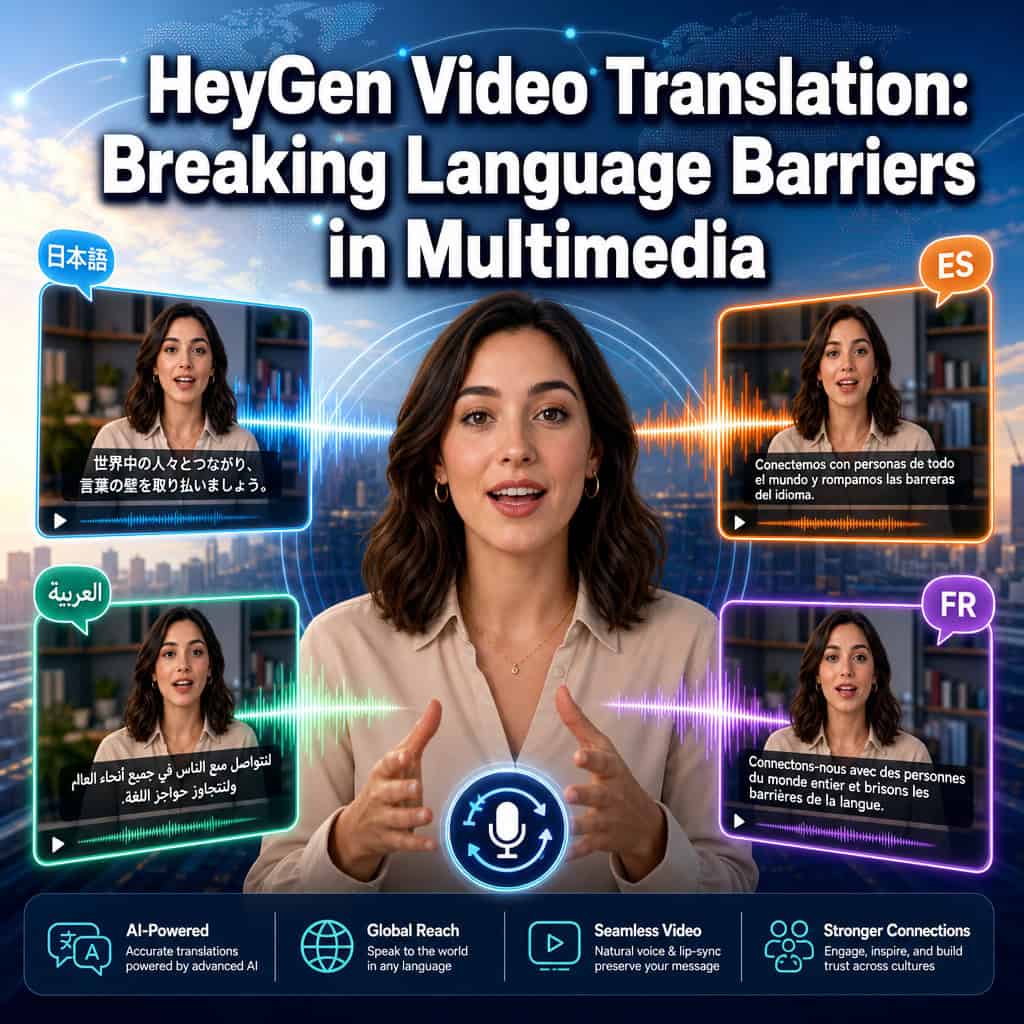
Over 18 million videos have already been translated through HeyGen’s platform, out of more than 133 million total videos generated on the service. That number alone tells you something important: AI-powered video translation isn’t a novelty anymore — it’s a core production workflow. This guide covers everything you need to know about HeyGen video translation: the ultimate guide to breaking language barriers in multimedia content, from how the technology actually works to where it falls short.
Key Takeaways
- HeyGen translates pre-recorded videos into 175+ languages and dialects with AI-matched voice, lip-sync, and facial expressions.
- The platform offers two translation engines: Precision (higher quality, slower) and Speed (faster turnaround, slightly less polish) [9].
- A pay-as-you-go API starts at $5, removing the need for a subscription for developers [1].
- HeyGen works best for asynchronous content like courses, marketing videos, and explainers — not live streams.
- Competitors include Rask.ai, Synthesia, Chamelaion, Dubformer, and ElevenLabs, each with different strengths [5].
- The March 2026 release added Brand Systems, interactive video, 4K enhancement, and multi-platform API access [1].
- Non-technical users can operate HeyGen effectively; no coding or video editing skills are required.
- Enterprise users should be aware of processing time limits and batch translation caps when planning large projects.
What Exactly Is HeyGen Video Translation and How Does It Work?
HeyGen is an AI video platform that automatically dubs and lip-syncs video content into other languages, preserving the original speaker’s voice tone and facial movements. It was founded in 2021 and has become one of the most widely used tools for AI video localization.
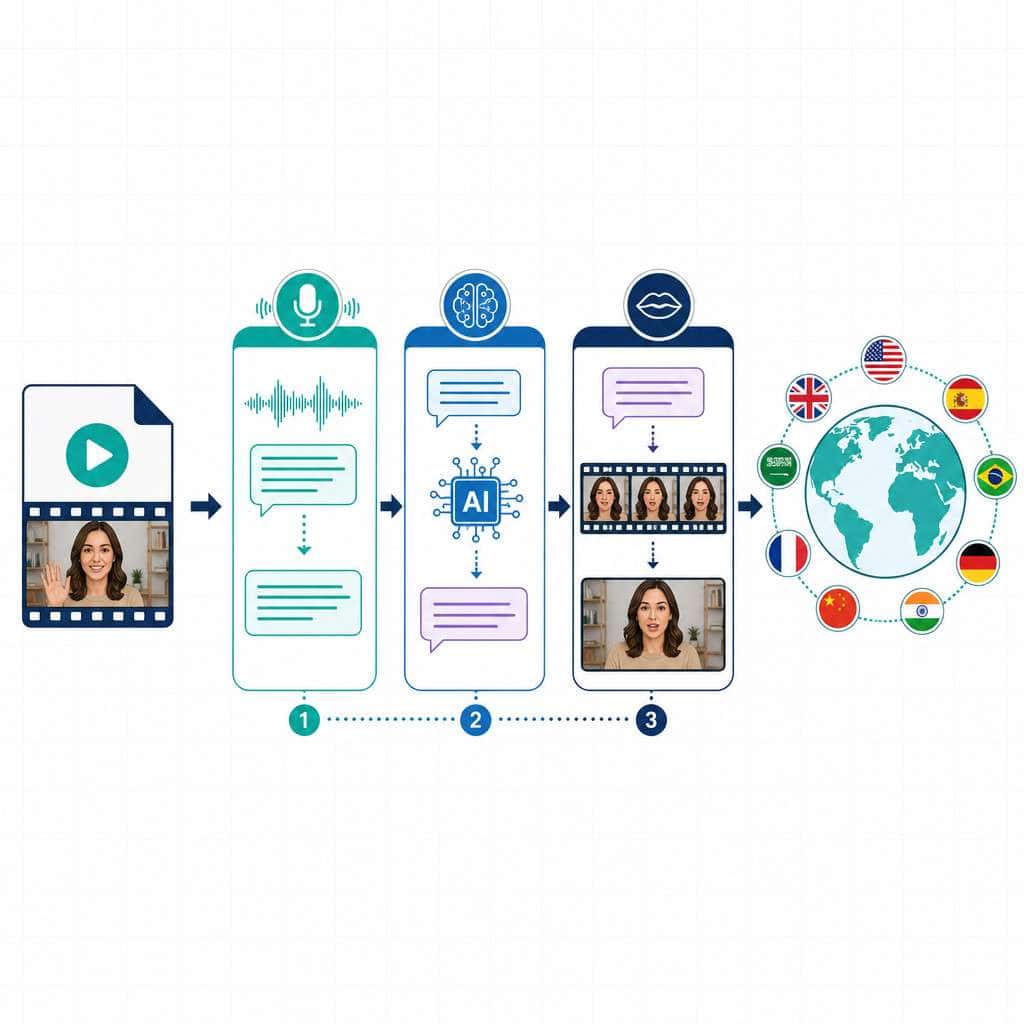
Here’s how the translation pipeline works:
- Upload your video — You provide a pre-recorded video file.
- Automatic speech recognition (ASR) — HeyGen transcribes the spoken audio.
- Machine translation — The transcript is translated into your chosen target language(s). You can select up to 10 languages per run.
- Voice cloning and synthesis — AI generates new audio that matches the original speaker’s voice characteristics.
- Lip-sync rendering — The speaker’s mouth movements are adjusted to match the translated audio.
HeyGen offers two engine modes: Precision, which uses a more advanced model for better lip-sync and audio clarity (at the cost of longer processing), and Speed, which prioritizes fast turnaround [9]. Choose Precision for client-facing or published content. Use Speed for internal reviews or drafts.
A January 2026 update specifically improved translation quality for difficult footage, including side-angle shots and low-light scenes [9].
How Much Does HeyGen Cost Compared to Other Translation Services?
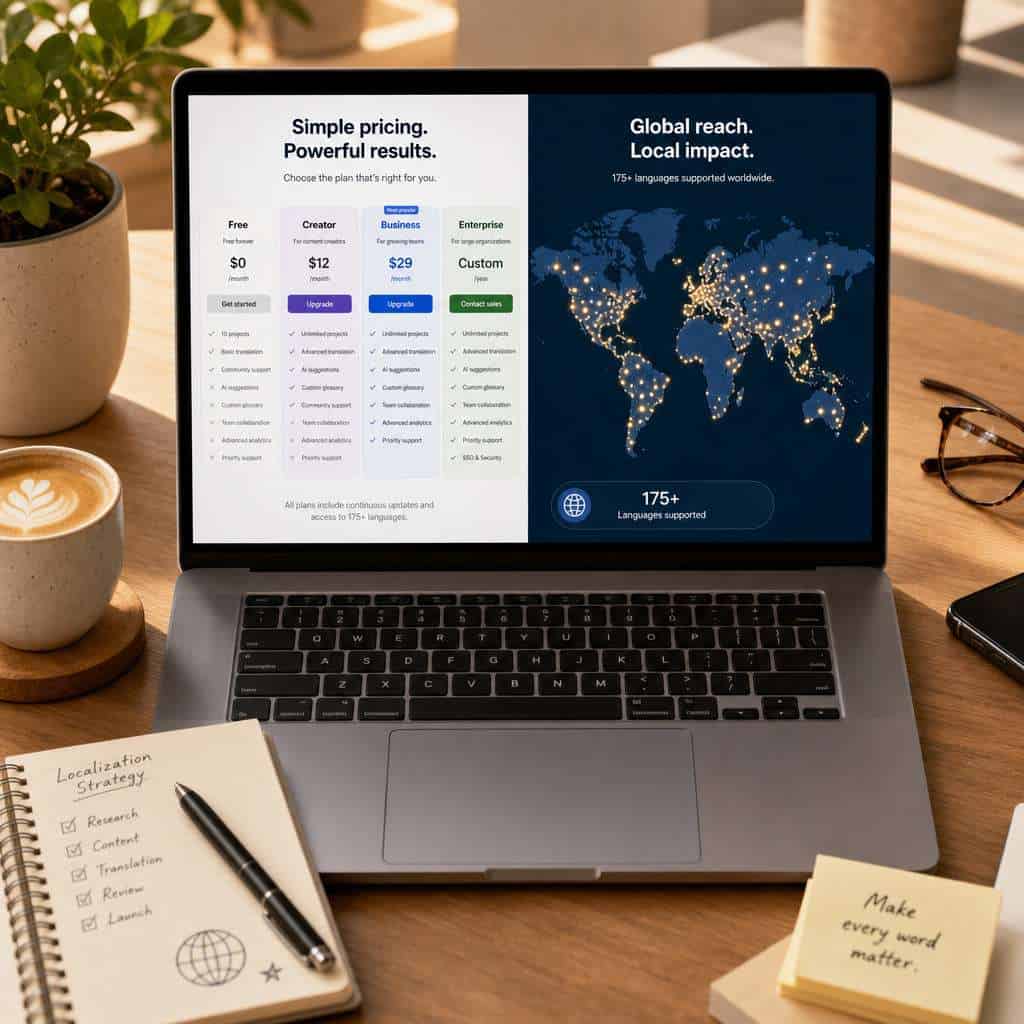
HeyGen uses a tiered pricing model with free, creator, business, and enterprise plans. The March 2026 release also introduced a pay-as-you-go API starting at $5, which removed the subscription requirement for developers [1].
| Feature | HeyGen | Rask.ai | Synthesia | ElevenLabs |
|---|---|---|---|---|
| Languages supported | 175+ | 130+ | 120+ | 29+ |
| Lip-sync included | Yes | Yes | Avatar-based | No (audio only) |
| Free tier | Limited | Limited | No | Yes |
| API access | Yes (pay-as-you-go) | Yes | Yes | Yes |
| Best for | Dubbing + lip-sync | Localization at scale | Avatar videos | Voice cloning |
Sources: HeyGen blog [1], Chamelaion alternatives comparison [5].
Decision rule: If your primary need is polished dubbing with natural lip-sync, HeyGen is a strong pick. If you need all-in-one repurposing (clipping, reframing, translating), tools like Rask.ai may be more efficient. For voice-only projects, ElevenLabs offers deeper audio customization [5].
For broader context on AI-powered tools that support content workflows, see our comprehensive guide to AI-powered content generation tools.
Can HeyGen Translate Videos in Real Time or Just Pre-Recorded Content?
HeyGen is designed for pre-recorded video translation, not live or real-time dubbing. The platform’s strength lies in asynchronous processing, where it can optimize quality without strict latency constraints.
Enterprise live dubbing solutions (like Deepdub Live) typically operate with 10–15 seconds of latency, and even those aren’t truly “real-time” in the way most people expect. HeyGen’s sweet spot is courses, marketing videos, product demos, and explainer content where you can afford processing time in exchange for higher quality output.
Common mistake: Some users expect to use HeyGen for live webinars or streaming events. It won’t work for that use case. Plan your translation workflow around finished, edited videos.
What Languages Does HeyGen Support for Video Translation?
HeyGen supports 175+ languages and dialects for video translation, making it one of the broadest language coverage options available in 2026. You can select up to 10 target languages in a single translation run.
This includes major global languages (Spanish, Mandarin, Arabic, Hindi, French, German, Portuguese, Japanese, Korean) as well as regional dialects and less commonly served languages. The platform handles both the audio dubbing and lip-sync adjustments for each target language.
Edge case: For tonal languages like Mandarin or Vietnamese, the voice cloning quality can vary depending on the complexity of the source speaker’s vocal patterns. Always preview these outputs before publishing.
Is HeyGen Good for YouTube Creators and Marketing Teams?
Yes — HeyGen is particularly well-suited for YouTube creators and marketing teams who want to expand their audience across language markets without re-shooting content. A third-party ranking from May 2026 rated HeyGen as the best option for ease of use among AI video translators.
For YouTube creators: You can translate a single English video into Spanish, Portuguese, Hindi, and Japanese in one batch, effectively multiplying your potential viewership. The lip-sync feature means viewers in each market see a natural-looking video, not just subtitles over mismatched mouth movements.
For marketing teams: HeyGen’s March 2026 Brand Systems feature auto-extracts your logo, fonts, and color palette from your company URL, keeping translated videos on-brand [1]. Interactive video features (quizzes, branching, CTAs with SCORM export) also make it useful for training and lead generation content [1].
If you’re distributing translated videos across social platforms, our guide on how to auto-share WordPress blog posts to social media covers complementary distribution strategies.
How Accurate Are the AI Lip-Sync and Voice Matching Features?
HeyGen’s lip-sync technology is among the most accessible in the market, though it’s not flawless. A 2025 comparative review of 12 AI video translation tools noted HeyGen’s “advanced lip-sync capability that matches translated speech precisely with facial movements [7]. The same review acknowledged that human actors still outperform AI when handling highly nuanced emotion and spontaneous improvisation [7].
What works well:
- Front-facing speakers with clear lighting
- Controlled studio environments
- Consistent speaking pace
What can be tricky:
- Side-angle or profile shots (improved in the January 2026 update [9])
- Multiple overlapping speakers
- Heavy background music or noise
- Highly emotional or comedic delivery
Bureau Works, a localization firm, describes HeyGen’s voice cloning as producing a “native-like video experience,” and frames the tool as part of a broader trend where AI handles 80–90% of localization work while humans focus on sensitive content [10].
Practical tip: Always review the Precision engine output for any video that will be published externally. The Speed engine is fine for internal use, but Precision catches more lip-sync edge cases [9].
Can HeyGen Handle Technical or Academic Video Content?
HeyGen can translate technical and academic videos, but accuracy depends on the subject matter’s vocabulary. The AI translation engine handles common technical terminology reasonably well, but highly specialized jargon (medical, legal, advanced engineering) may require manual transcript editing before or after translation.
Best practice for technical content:
- Upload your video and let HeyGen generate the initial translation.
- Review and edit the translated transcript for domain-specific terms.
- Re-render with corrections applied.
For content where precision is critical — think pharmaceutical training or legal compliance videos — consider a hybrid approach. As Bureau Works notes, the emerging standard is AI for the bulk of the work, with human linguists reviewing high-stakes content [10].
For teams also working on AI-enhanced content strategies, our AI-powered content optimization guide covers how to maintain quality across automated workflows.
What Video File Formats Does HeyGen Accept?
HeyGen accepts standard video formats including MP4, MOV, and WebM. The March 2026 update added 4K enhancement capabilities, so you can upload lower-resolution source files and get improved output quality [1].
Quick checklist before uploading:
- File format: MP4 recommended (widest compatibility)
- Resolution: Up to 4K supported
- Audio: Clear, minimal background noise
- Duration: Check your plan’s per-video length limits
- Speakers: Single-speaker videos produce the best results
What Are Common Mistakes People Make When Using HeyGen Translation?
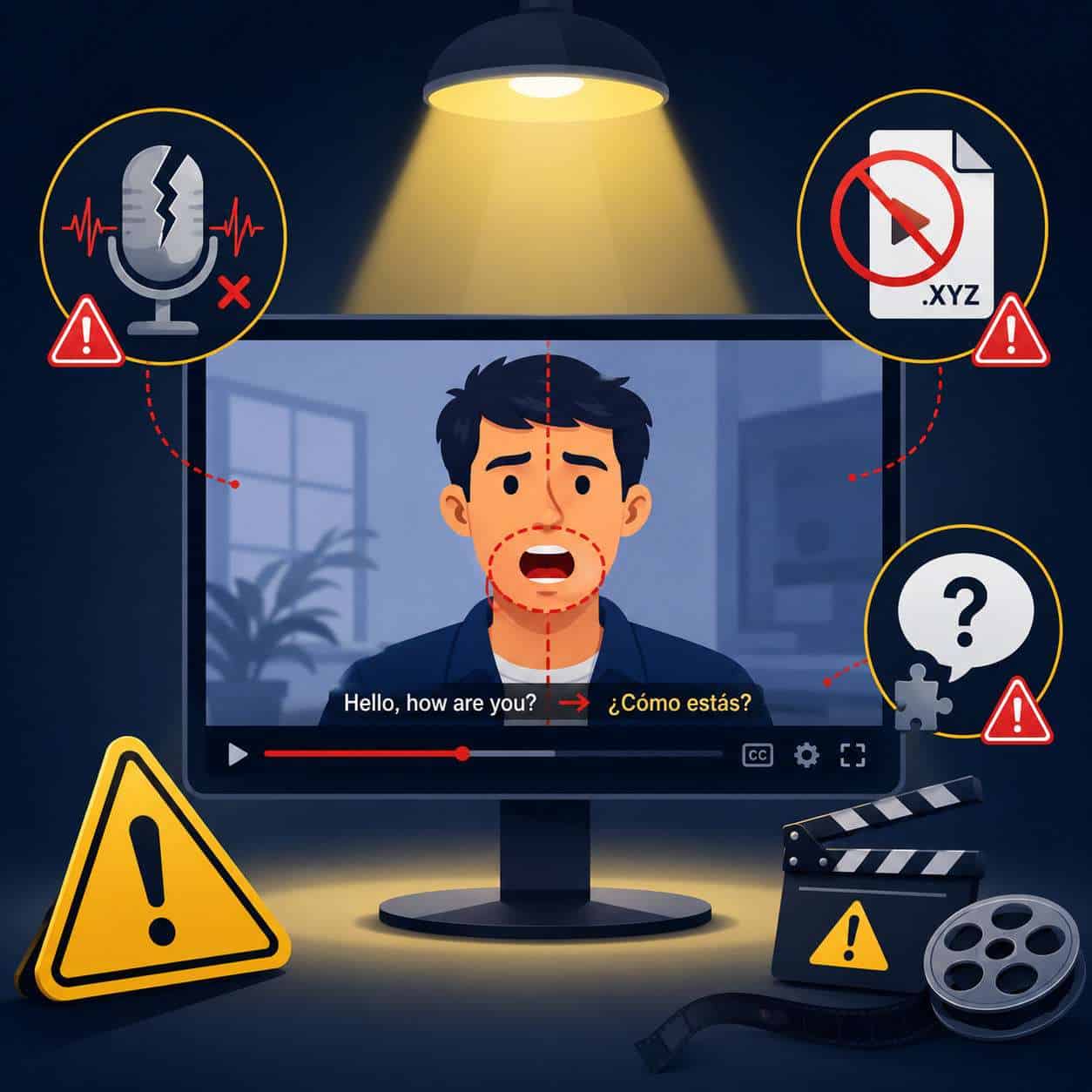
The most frequent mistakes I see users make fall into a few predictable categories:
- Uploading noisy audio — Background music, echo, or low-quality microphones degrade transcription accuracy, which cascades into poor translations.
- Skipping transcript review — The AI transcription isn’t perfect. Reviewing and correcting the source transcript before translation dramatically improves output quality.
- Using Speed mode for published content — Speed mode is tempting for deadlines, but Precision mode produces noticeably better lip-sync for viewer-facing videos [9].
- Ignoring cultural context — Direct translation doesn’t account for idioms, humor, or cultural references. A joke that works in English might confuse a Japanese audience.
- Translating into too many languages at once without review — You can select up to 10 languages per run, but each output needs individual quality checks.
Are There Limitations for Enterprise or Large-Volume Translation Projects?
Yes. While HeyGen scales well for small-to-medium projects, enterprise users should be aware of processing time constraints and batch limits on certain plans. The pay-as-you-go API model helps with cost flexibility [1], and HeyGen’s availability on platforms like fal, Replicate, and Runware (plus MCP integration for Claude and OpenAI) enables multi-platform workflows [1].
For organizations translating hundreds of videos monthly, a hybrid approach — using HeyGen for the AI-heavy lifting and human reviewers for quality assurance — is the most reliable strategy. Competitors like Rask.ai and Adapt are specifically built for localization at scale and may offer better batch management tools [5].
Teams building broader digital infrastructure might also benefit from our guide to AI website creation without code for multilingual web presence.
How Does HeyGen Protect Original Content and Intellectual Property?
HeyGen processes videos on its cloud infrastructure, which means your content is uploaded to their servers. The platform’s terms of service outline data handling practices, but enterprise customers with strict IP requirements should review these terms carefully and consider using the API for more controlled workflows.
If IP protection is a priority: Use the API to maintain tighter control over data flow, enable any available encryption options, and avoid storing sensitive content on the platform longer than necessary.
What Technical Skills Do I Need to Use HeyGen Effectively?
None beyond basic computer literacy. HeyGen is designed for non-technical users — you upload a video, select languages, choose your engine mode, and the platform handles the rest. The interface is browser-based, so there’s no software to install.
For developers, the API requires basic programming knowledge (REST API calls), but the pay-as-you-go model and documentation make integration straightforward [1]. The MCP integration also allows access through tools like Claude and OpenAI [1].
If you’re exploring other no-code tools for your workflow, our roundup of the best no-coding website design platforms for 2026 covers complementary options.
Is HeyGen Better for Personal Use or Professional Multimedia Production?
HeyGen works for both, but it’s strongest in the professional production space — specifically marketing, education, and corporate communications. The Brand Systems feature, interactive video capabilities, and API access all point toward team and business use cases [1].
Personal users (solo YouTubers, freelancers) will find the free and creator tiers sufficient for occasional translations. But the real value emerges when you’re producing content at scale across multiple languages for business purposes.
In a February 2026 strategy discussion, HeyGen leadership described a roadmap where translation, avatars, and interactive video converge into “Video Agents” that respond dynamically to viewers in multiple languages — signaling that the platform’s future is firmly enterprise-focused.
For creative professionals also working on visual content, our guide to the best AI graphic design tools covers tools that complement video translation workflows.
Conclusion
HeyGen has established itself as one of the most accessible AI video translation tools available in 2026, with 175+ language support, solid lip-sync technology, and a pricing model that works for both individuals and enterprises. It’s not perfect — live translation isn’t supported, highly technical content needs human review, and enterprise-scale batch management could be stronger — but for the vast majority of video translation needs, it delivers.
Your next steps:
- Start with one video. Upload a short (under 3 minutes) video and test both Precision and Speed modes to see the quality difference.
- Review before publishing. Always check the translated transcript and lip-sync output, especially for client-facing content.
- Pick your languages strategically. Don’t translate into 10 languages just because you can. Start with the 2-3 markets where you have the most growth potential.
- Consider the API if you’re translating regularly — the pay-as-you-go model at $5 minimum makes it cost-effective for ongoing workflows [1].
- Plan for hybrid workflows on high-stakes content. Let HeyGen handle the heavy lifting, then have a human reviewer catch cultural and technical nuances.
FAQ
How long does HeyGen take to translate a video? Processing time depends on video length and engine mode. Speed mode can finish a 5-minute video in minutes; Precision mode may take significantly longer but produces better lip-sync quality [9].
Can I edit the translation after HeyGen generates it? Yes. HeyGen allows you to review and edit the translated transcript before final rendering, which is recommended for all published content.
Does HeyGen work with videos that have multiple speakers? It can handle multi-speaker content, but single-speaker videos produce the most reliable results. Multi-speaker detection and separation is an area where competitors like Rask.ai have invested heavily [5].
Is HeyGen free to use? HeyGen offers a limited free tier. For regular use, paid plans or the pay-as-you-go API (starting at $5) are necessary [1].
Can I use HeyGen translations for commercial purposes? Yes, paid plans include commercial usage rights. Check the specific terms of your plan tier for any restrictions.
How does HeyGen compare to hiring human translators? HeyGen is faster and cheaper for standard content. Human translators remain superior for nuanced, emotional, or legally sensitive material [7][10].
Does HeyGen preserve my original video file? Yes. The original file remains unchanged; HeyGen generates a new translated version.
Can I translate only the audio without lip-sync changes? HeyGen’s primary feature includes lip-sync, but you can use the dubbed audio separately if needed. For audio-only dubbing, ElevenLabs may be a more focused option [5].
What happens if the translation quality is poor for my language? Quality varies by language pair. Major languages (English to Spanish, French, German, etc.) perform best. Less common language pairs may need more manual editing.
Does HeyGen support right-to-left languages like Arabic and Hebrew? Yes, HeyGen supports Arabic, Hebrew, and other RTL languages within its 175+ language coverage.
References
[1] Blog – https://www.heygen.com/blog [5] The 5 Best Heygen Video Translate Alternatives In 2026 – https://www.chamelaion.com/blogs/the-5-best-heygen-video-translate-alternatives-in-2026 [7] Ai Video Translation Tools – https://github.com/dhgjhejt/ai-video-translation-tools [9] Watch – https://www.youtube.com/watch?v=MNjozoOgA4U [10] Best Ai Video And Voice Generation Tools In 2025 – https://wxrks.com/blog/best-ai-video-and-voice-generation-tools-in-2025