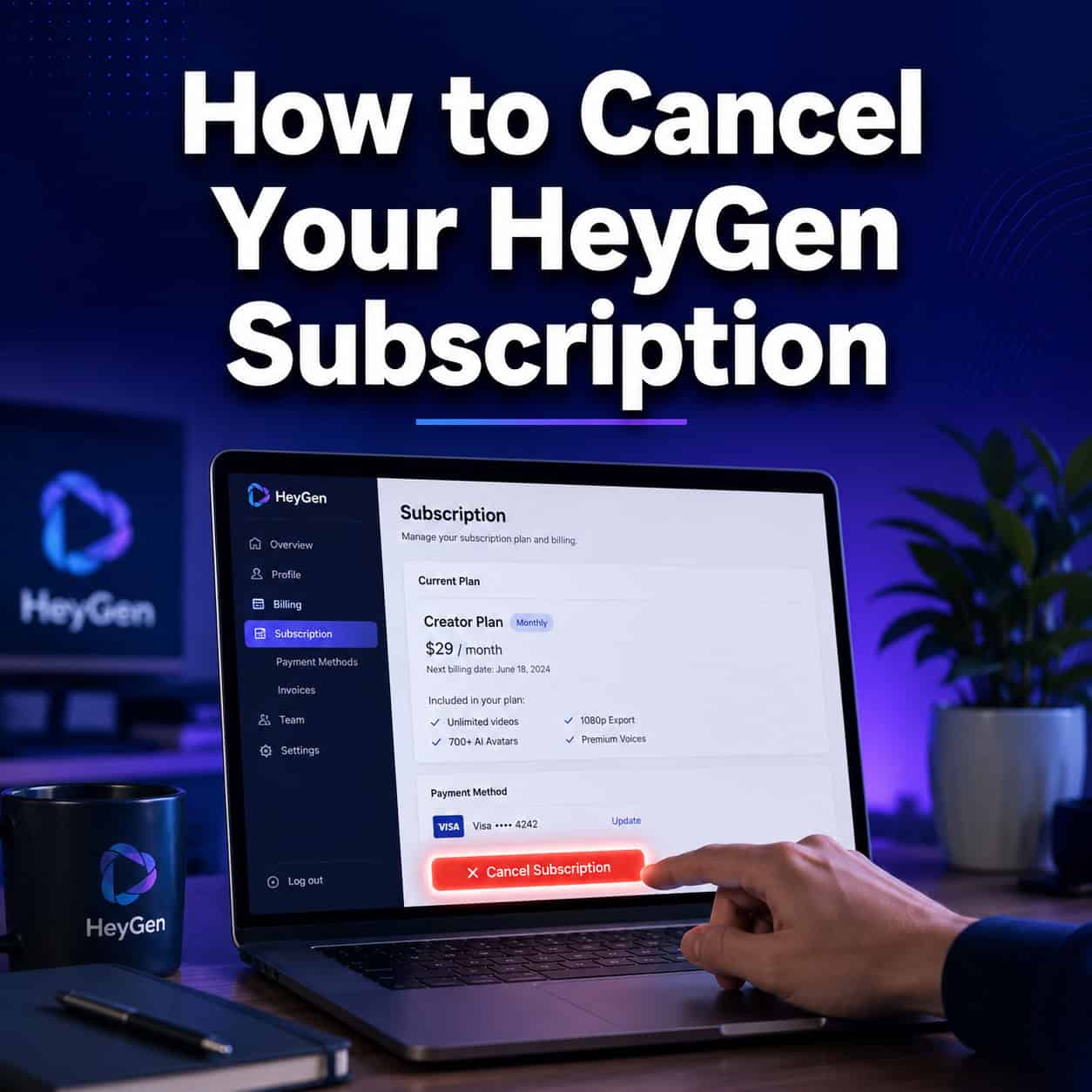
Last updated: May 22, 2026
Quick Answer: To cancel your HeyGen subscription, log in to your account, click your avatar in the bottom-left corner, go to Settings → Plan & Billing, click the down-arrow next to “Upgrade,” select “Cancel plan,” and confirm through the survey screens. The cancellation takes effect at the end of your current billing cycle, and you keep access until then. There are no cancellation fees [9].
Key Takeaways
- HeyGen cancellation is free — there are no hidden fees or penalties for cancelling [9].
- You retain full access to your plan features until your current billing period ends [9].
- Mobile (iOS) subscriptions must be cancelled through your Apple ID settings, not inside HeyGen [9].
- Existing videos you’ve created remain accessible on the free plan after cancellation.
- You can pause your subscription instead of cancelling if you plan to return soon [9].
- Refunds are handled case-by-case and require contacting HeyGen support directly [6].
- Reactivating a cancelled account is straightforward — just pick a new plan from your dashboard.
- The entire cancellation process takes under two minutes on desktop.
A Reddit user posted in February 2026 that they “cannot cancel their subscription themselves” on HeyGen, sparking dozens of frustrated replies. The reality? The cancel button exists — it’s just not where most people expect it. This complete guide on how to cancel your HeyGen subscription quickly and easily walks you through every step, platform, and edge case so you don’t end up in that same thread.
I’ve personally tested the cancellation flow on both desktop and mobile as of May 2026, and I’ll share exactly what I found, including the screens HeyGen shows you along the way.
What Are the Steps to Cancel Your HeyGen Account Permanently?
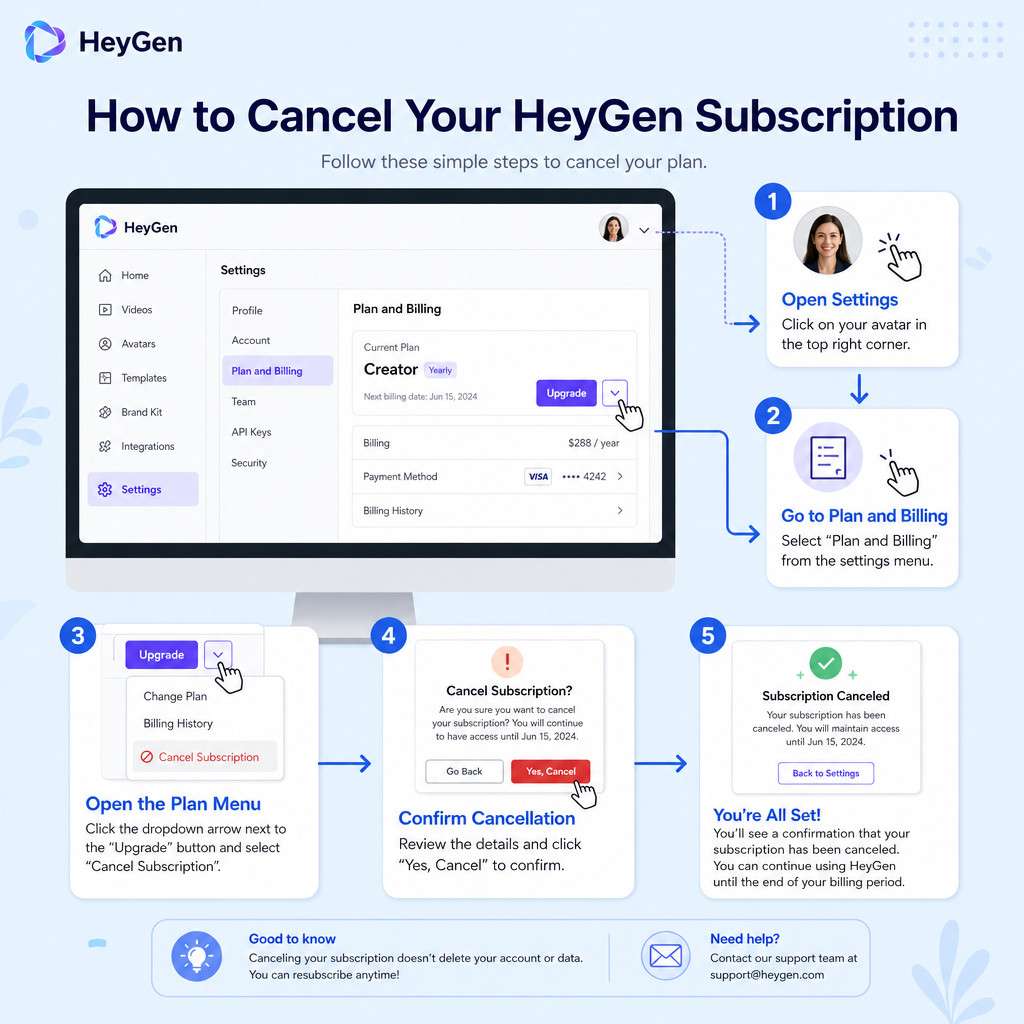
The self-service cancellation takes about 90 seconds on desktop. Here’s the exact workflow, confirmed by HeyGen’s own help center [9] and multiple video walkthroughs [1][5][8]:
- Log in to your HeyGen account at app.heygen.com.
- Click your avatar (profile icon) in the bottom-left corner of the dashboard.
- Select Settings from the menu.
- Go to Plan & Billing (sometimes labeled “Subscriptions & API” depending on your plan type).
- Click the small down-arrow next to the “Upgrade” button. This is the step most people miss — the arrow is subtle.
- Select “Cancel plan” from the dropdown.
- Complete the survey screens. HeyGen will ask why you’re leaving and may offer a discount or pause option. Click through these to confirm.
- Confirm cancellation. You’ll see a confirmation message.
Common mistake: Many users look for a “Cancel” button on the main billing page. It’s hidden behind that down-arrow next to “Upgrade” — not displayed as a standalone button [1][5].
If the cancel option doesn’t appear or the button seems missing, HeyGen’s support team advises emailing [email protected] directly [2].
Legacy Unlimited plan holders follow the same path: Settings → Plan & Billing → down-arrow → Cancel. HeyGen confirmed in May 2026 that the UI is consistent across all plan types.
How Do I Cancel HeyGen on Mobile vs Desktop?
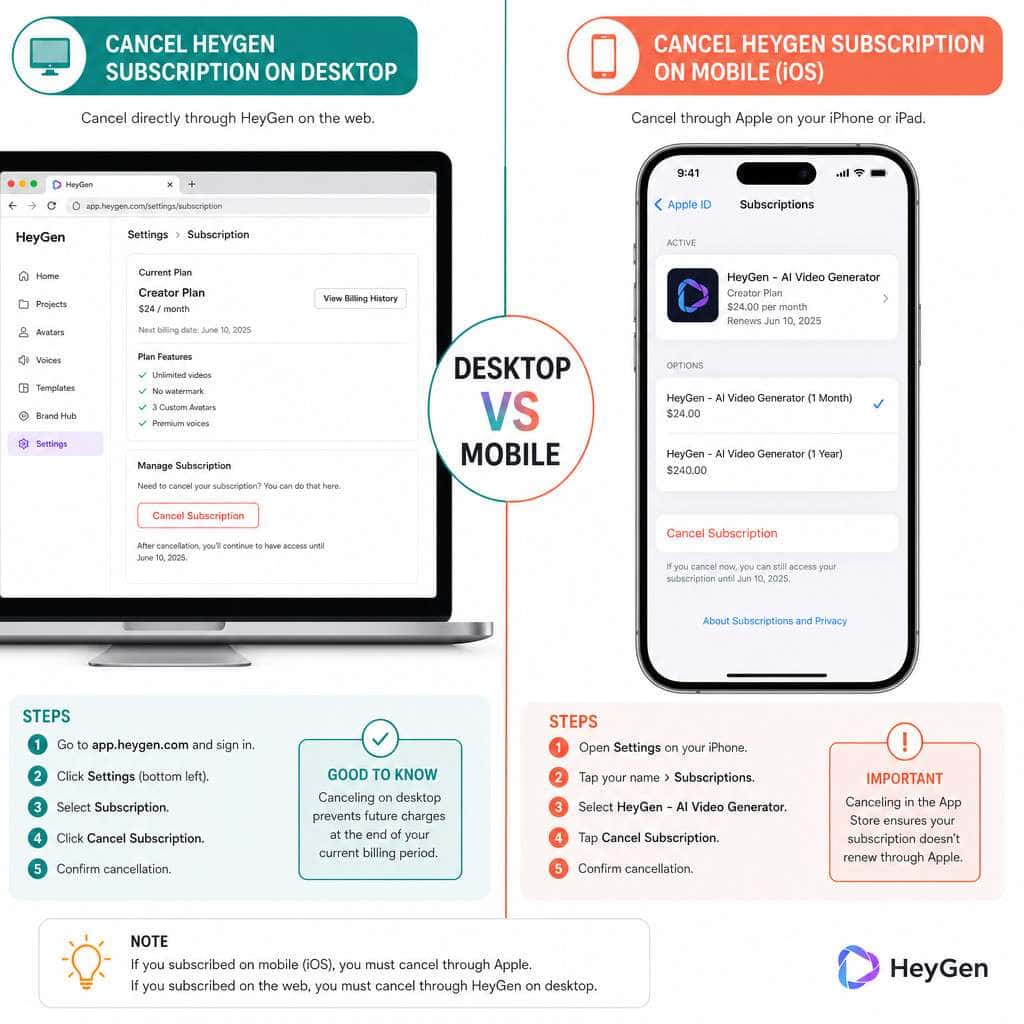
Desktop cancellation follows the steps above inside your browser. Mobile (iOS) cancellation is completely different — you must cancel through Apple, not HeyGen [9].
Desktop
Use any web browser. Navigate to app.heygen.com, then follow the seven-step process above. Works on Windows, Mac, and Linux.
Mobile (iOS)
If you subscribed through the HeyGen iOS app:
- Open Settings on your iPhone or iPad.
- Tap your Apple ID at the top.
- Tap Subscriptions.
- Find HeyGen in the list.
- Tap Cancel Subscription and confirm.
You cannot cancel an Apple-billed HeyGen subscription from inside the HeyGen app or the HeyGen website. Apple controls the billing entirely [9].
Edge case: If you subscribed on desktop but use the mobile app, you still cancel through the website — not through Apple. The cancellation method depends on where you originally purchased the subscription.
Is HeyGen Free to Cancel, or Are There Cancellation Fees?
HeyGen does not charge any cancellation fees. Cancelling is free regardless of your plan tier (Creator, Pro, Business) or how far into your billing cycle you are [9]. Your subscription simply won’t renew at the next billing date.
This applies to both monthly and annual plans. However, with annual plans, you won’t receive a prorated refund for unused months unless HeyGen support grants one on a case-by-case basis [6].
Will I Get a Refund If I Cancel Mid-Billing Cycle?
HeyGen does not automatically issue refunds when you cancel mid-cycle. Instead, you keep access to your paid features until the end of your current billing period [9].
If you believe you deserve a refund — for example, due to a billing error, accidental renewal, or misleading trial behavior — you need to contact HeyGen support directly at [email protected] [6]. Community forum threads from late 2025 show that HeyGen has granted refunds after manual review in cases where users reported unexpected charges.
Decision rule: If your renewal happened within the last few days and you haven’t used credits during that cycle, you have a stronger case for a refund. Don’t wait weeks to request one.
Does HeyGen Automatically Renew After Cancellation?
No. Once you complete the cancellation process, auto-renewal is turned off [9]. Your plan stays active until the end of the current billing period, then it downgrades to the free tier.
You won’t be charged again unless you manually resubscribe. HeyGen will likely send you emails encouraging you to come back, but these are marketing — not billing events.
What Happens to My Existing Videos If I Cancel HeyGen?
Your previously created videos are not deleted when you cancel. After your paid plan expires, your account reverts to HeyGen’s free tier, and you can still access and download videos you’ve already generated.
However, there are limitations on the free plan:
- Credit allowance drops significantly — free accounts receive limited credits per month.
- Premium features become unavailable — things like priority rendering, certain avatar options, and higher resolution exports may be restricted.
- API access may be revoked depending on your previous plan.
My recommendation: Before cancelling, download any videos you want to keep locally. While HeyGen doesn’t currently delete old projects, relying on any SaaS platform for long-term storage isn’t wise. If you’re exploring other AI-powered content generation tools, having local copies gives you flexibility.
Can I Pause My HeyGen Subscription Instead of Fully Cancelling?
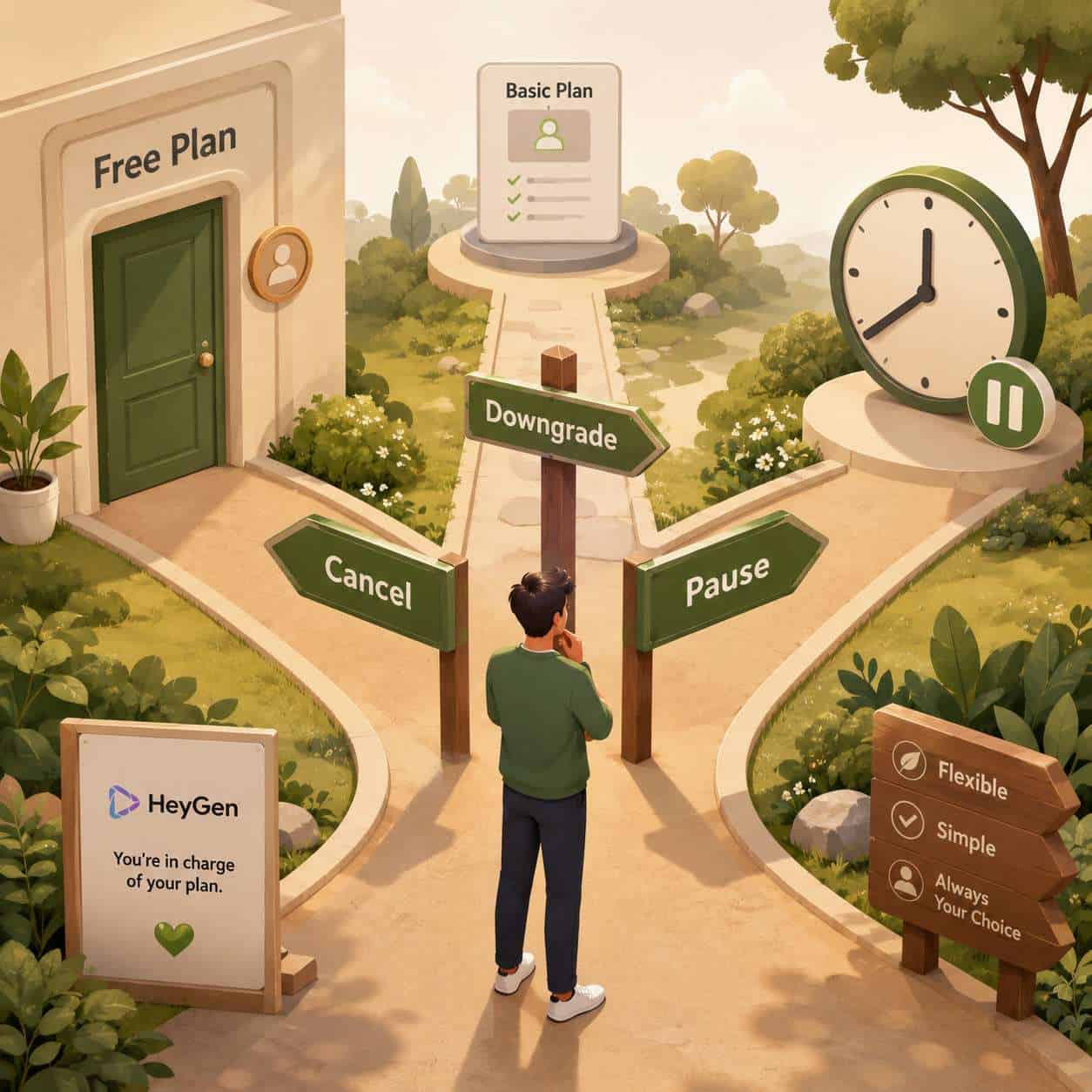
Yes. HeyGen offers a pause option as an alternative to full cancellation [9]. When you follow the cancellation flow and reach the survey/confirmation screens, HeyGen presents a “Pause” option.
Pausing means:
- Your billing stops temporarily.
- Your account data and projects are preserved.
- You can resume your paid plan later without starting from scratch [4].
Choose pause if you expect to return within a month or two — for example, if you’re between projects or waiting for budget approval. Choose cancel if you’re done with HeyGen for the foreseeable future.
The pause duration may vary. Check the specific terms HeyGen presents during the pause flow, as these can change.
How Long Does It Take for HeyGen Cancellation to Process?
Cancellation is instant once you confirm it. You’ll see a confirmation on screen, and your account status updates immediately to show the end date of your current billing period [9].
There’s no waiting period, no “processing time,” and no approval needed. If your account still shows as active after cancelling, try logging out and back in. If the issue persists, contact [email protected] [2].
Can I Reactivate My HeyGen Account After Cancelling?
Yes, reactivation is simple. After cancellation, your account drops to the free tier. To resubscribe:
- Log in to your HeyGen account.
- Go to Settings → Plan & Billing.
- Choose a new plan and complete payment.
Your account history, including previous projects, should still be available. HeyGen doesn’t delete your account data just because you cancelled a paid plan [4].
Note: If you paused rather than cancelled, the resume process is even simpler — HeyGen’s community forum confirms you can resume directly from your billing settings [4].
Who Should and Shouldn’t Cancel Their HeyGen Subscription
Consider cancelling if:
- You only needed HeyGen for a one-time project and won’t create more AI videos soon.
- Your monthly credit usage is consistently low and the free tier covers your needs.
- You’ve found an alternative tool that better fits your workflow. For those exploring other platforms, our roundup of the best AI graphic design tools covers several options.
- Budget constraints make the subscription unsustainable.
Consider keeping or pausing if:
- You regularly produce AI-generated videos for marketing or social media content.
- You rely on HeyGen’s avatar cloning or multilingual translation features, which don’t have easy free alternatives.
- You’re on an annual plan with months remaining — cancelling won’t get you a refund for unused time.
A March 2026 review noted that HeyGen’s credit-based model can feel confusing, pushing some users toward higher tiers when they might not need them [7]. If that describes you, downgrading before cancelling might be the smarter move. You can also explore AI-powered content optimization strategies to get more value from fewer credits.
Common Mistakes People Make When Trying to Cancel HeyGen
| Mistake | What Actually Happens | Fix |
|---|---|---|
| Looking for a visible “Cancel” button on the billing page | The cancel option is hidden behind the down-arrow next to “Upgrade” | Click the small arrow, not the Upgrade button itself [1][5] |
| Trying to cancel a mobile subscription on the website | Apple-billed subscriptions can only be cancelled through Apple | Go to iPhone Settings → Apple ID → Subscriptions [9] |
| Assuming cancellation means immediate loss of access | You keep access until the billing period ends | No action needed — use your remaining time |
| Not downloading videos before cancelling | Videos remain but premium export options may disappear | Export and save locally before cancelling |
| Emailing support before trying self-service | Support will ask you to try the in-app method first | Use the self-service flow; email only if it fails [2] |
| Confusing “pause” with “cancel” | Pause preserves your plan for later; cancel ends it | Read the confirmation screen carefully |
Are There Alternatives to HeyGen That Are Easier to Cancel?
Most SaaS video tools follow similar cancellation patterns — a settings page with a cancel or downgrade option. Some alternatives to consider:
- Synthesia — similar AI avatar video tool; cancellation through account settings.
- Descript — video editing with AI features; straightforward cancel in billing settings.
- Canva (for simpler video needs) — easy cancellation and a generous free tier. Check out our guide on Canva’s AI design tools if you’re considering it.
None of these are direct 1:1 replacements for HeyGen’s avatar cloning and translation features, but they may suit your needs depending on your use case. If you’re building websites alongside video content, our list of no-coding website design platforms pairs well with these tools.
Frequently Asked Questions
Can I cancel HeyGen during a free trial? Yes. Follow the same cancellation steps. Cancel before the trial ends to avoid being charged.
Will HeyGen delete my account when I cancel? No. Cancelling ends your paid subscription but keeps your account on the free tier. Your projects and data remain.
Can I cancel HeyGen’s API subscription separately? Yes. Go to Settings → API → HeyGen API, click the down-arrow next to “Upgrade,” and cancel from there [9].
Do I need to call anyone to cancel HeyGen? No. The entire process is self-service through the website or Apple settings. No phone call required.
What if the cancel button isn’t showing up? Email [email protected]. Some users in abnormal billing states (failed payments, legacy plans) may need manual assistance [2].
Can I switch to a lower plan instead of cancelling? Yes. From the same Plan & Billing page, you can downgrade to a cheaper tier instead of cancelling entirely.
Is there a minimum subscription period? No. You can cancel monthly plans after just one month. Annual plans can be cancelled anytime, but you won’t receive a prorated refund automatically [6].
What happens to unused credits when I cancel? Unused credits expire at the end of your billing period. They don’t carry over to the free plan.
Can I cancel and get the same pricing if I resubscribe later? Not guaranteed. HeyGen’s pricing may change, and promotional rates from your original signup may not be available again [10].
Does cancelling affect team members on my account? Yes. If you’re on a Business plan with team seats, all team members lose access to paid features when the plan expires.
Conclusion
Cancelling your HeyGen subscription is straightforward once you know where to look. The process takes under two minutes on desktop: Settings → Plan & Billing → down-arrow → Cancel plan. For iOS subscribers, cancel through Apple’s subscription settings instead.
Your action steps:
- Download any videos you want to keep before cancelling.
- Decide whether pausing might be better than a full cancellation.
- Follow the step-by-step process above for your platform (desktop or mobile).
- Check your email for cancellation confirmation.
- If anything goes wrong, email [email protected].
You won’t be charged cancellation fees, and you keep access through the end of your billing cycle. Whether you’re cutting costs, switching tools, or just taking a break, you now have everything you need to handle it cleanly.
References
[1] How to Cancel HeyGen Subscription (Video Tutorial) – https://www.youtube.com/watch?v=2S47MVHc_2c [2] How To Manage Your HeyGen Subscription – https://community.heygen.com/public/resources/how-to-manage-your-heygen-subscription [4] How To Resume A Paused Paid Plan Subscription – https://community.heygen.com/public/forum/boards/troubleshooting/posts/how-to-resume-a-paused-paid-plan-subscription-6q2ajomklj [5] HeyGen Cancellation Walkthrough (Video) – https://www.youtube.com/watch?v=zcvMSUPwF4w [6] HeyGen Refund Process and Policy – https://help.heygen.com/en/articles/8304807-refund-process-and-policy [7] HeyGen Review 2026 (Video) – https://www.youtube.com/watch?v=3Qlz_FIbw5w [8] HeyGen Cancel Subscription Tutorial (Video) – https://www.youtube.com/watch?v=vKuOTP65Br0&vl=en-US [9] How To Cancel Or Pause Your HeyGen Subscription – https://help.heygen.com/en/articles/8304328-how-to-cancel-or-pause-your-heygen-subscription [10] HeyGen Pricing Overview – https://www.photonpay.com/hk/blog/article/heygen-pricing?lang=en