Last updated: May 22, 2026
Quick Answer
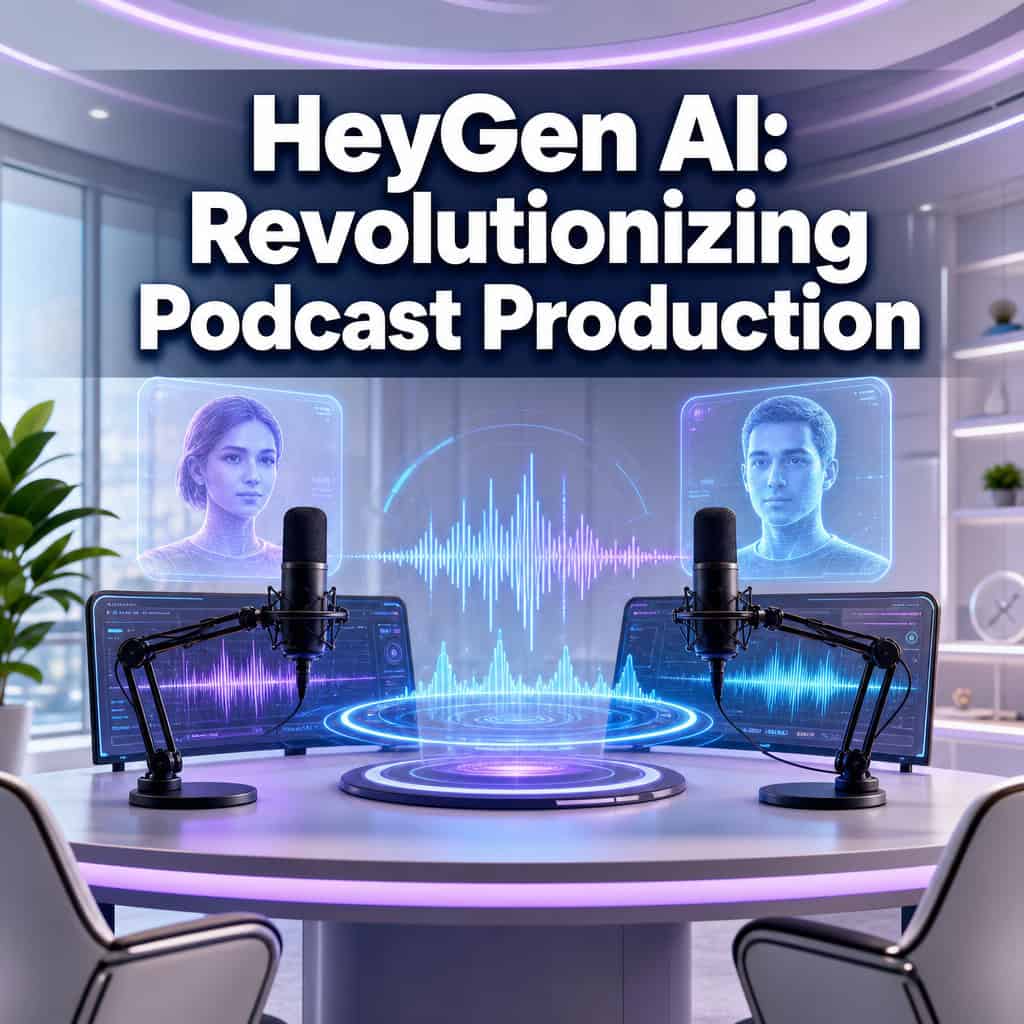
HeyGen AI is an AI video platform that turns text, scripts, or long-form recordings into fully produced video podcasts using AI avatars, voice cloning, and automated editing. It handles clip generation, multilingual translation into 175+ languages, and social media reformatting from a single upload. For solo creators and small teams without studio access, HeyGen collapses what used to be a multi-day, multi-tool post-production workflow into something that takes minutes.
Key Takeaways
- HeyGen’s Instant Highlights v2 automatically generates platform-specific short clips from full podcast episodes, complete with captions, face tracking, and split-screen for two speakers [3].
- The platform supports translation and lip-sync in 175+ languages and dialects, making global podcast distribution accessible without hiring translators or voice actors [3].
- Avatar V lets podcast hosts record a single 15-second clip and generate long-form video with multiple outfits, scenes, and camera angles, eliminating repeated on-camera sessions [3].
- HeyGen is best suited for video podcasts and repurposed visual content; pure audio-only podcasters may find audio-first tools a better fit [10].
- No coding skills are required for the core platform, but HeyGen also offers a CLI and open-source HyperFrames for developers who want programmatic podcast generation [3].
- Community users report saving hours per episode on production while maintaining professional quality [8].
- HeyGen’s pricing starts with a free tier, with paid plans scaling based on video minutes and features.
What Exactly Does HeyGen Do for Podcasting?
HeyGen converts text, PDFs, URLs, or uploaded video into AI-generated video podcasts featuring realistic digital avatars. It’s not a traditional audio editor — it’s a production studio in a browser.
Here’s what the platform handles for podcasters specifically:
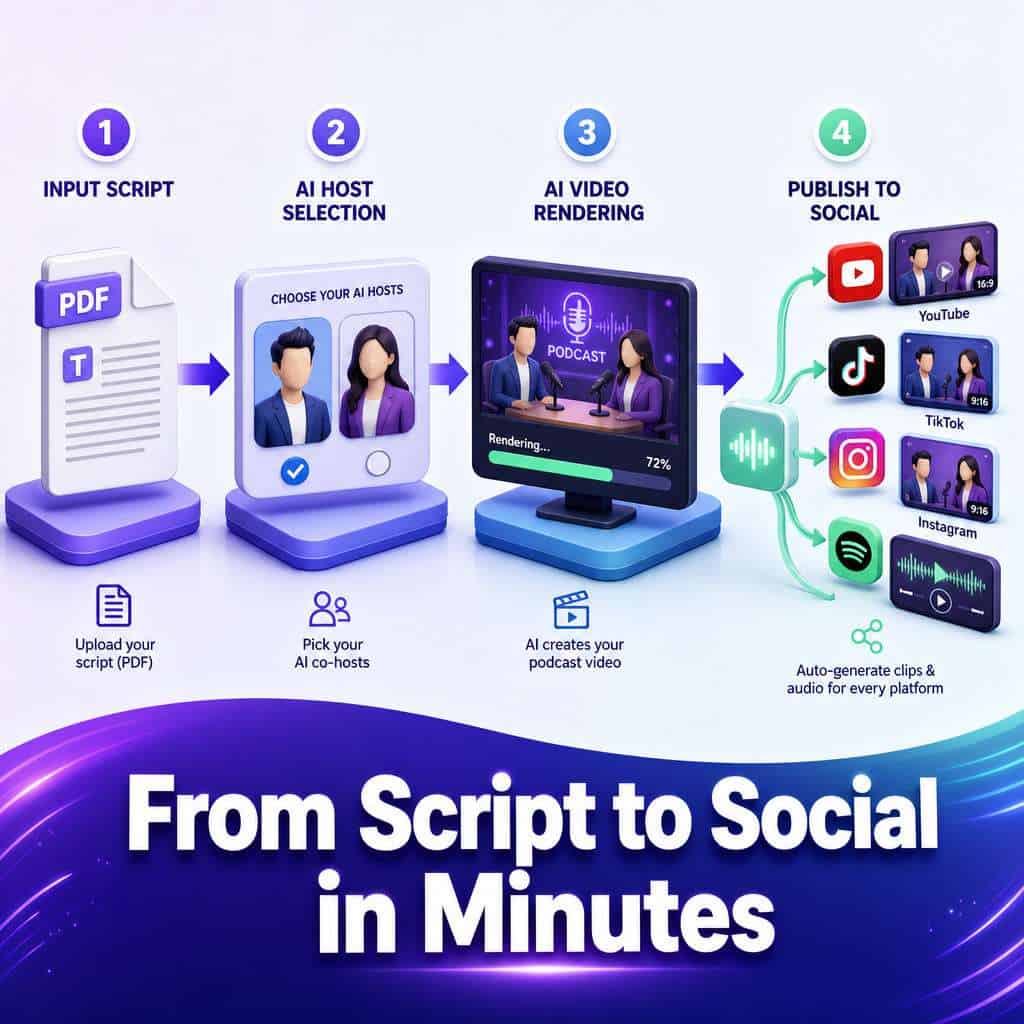
- AI Video Podcast creation: Upload a script or paste a URL, choose two AI avatar hosts, set your duration and aspect ratio, and HeyGen generates a full video podcast episode with dialogue, visuals, and subtitles [5][6].
- Instant Highlights v2: Upload a long-form podcast recording and get back platform-specific clips (vertical for TikTok/Reels, horizontal for YouTube) with auto split-screen, face tracking, and captions [3].
- Multilingual distribution: Your finished episode gets translated and lip-synced into 175+ languages automatically, so one recording becomes content for dozens of markets [3].
- Avatar-based hosting: Using Avatar V, a host records a 15-second reference clip. HeyGen then generates upper-body video across multiple angles and outfits, maintaining identity consistency throughout [3].
The core idea: your podcast becomes the source material, and HeyGen turns it into a hundred pieces of distributable content. As their April 2026 release put it, “your podcast now becomes social clips in 175+ languages and dialects while you’re in line for coffee” [3].
For creators looking to extend their content across platforms, this pairs well with AI-powered content optimization strategies that maximize reach from a single piece of source material.
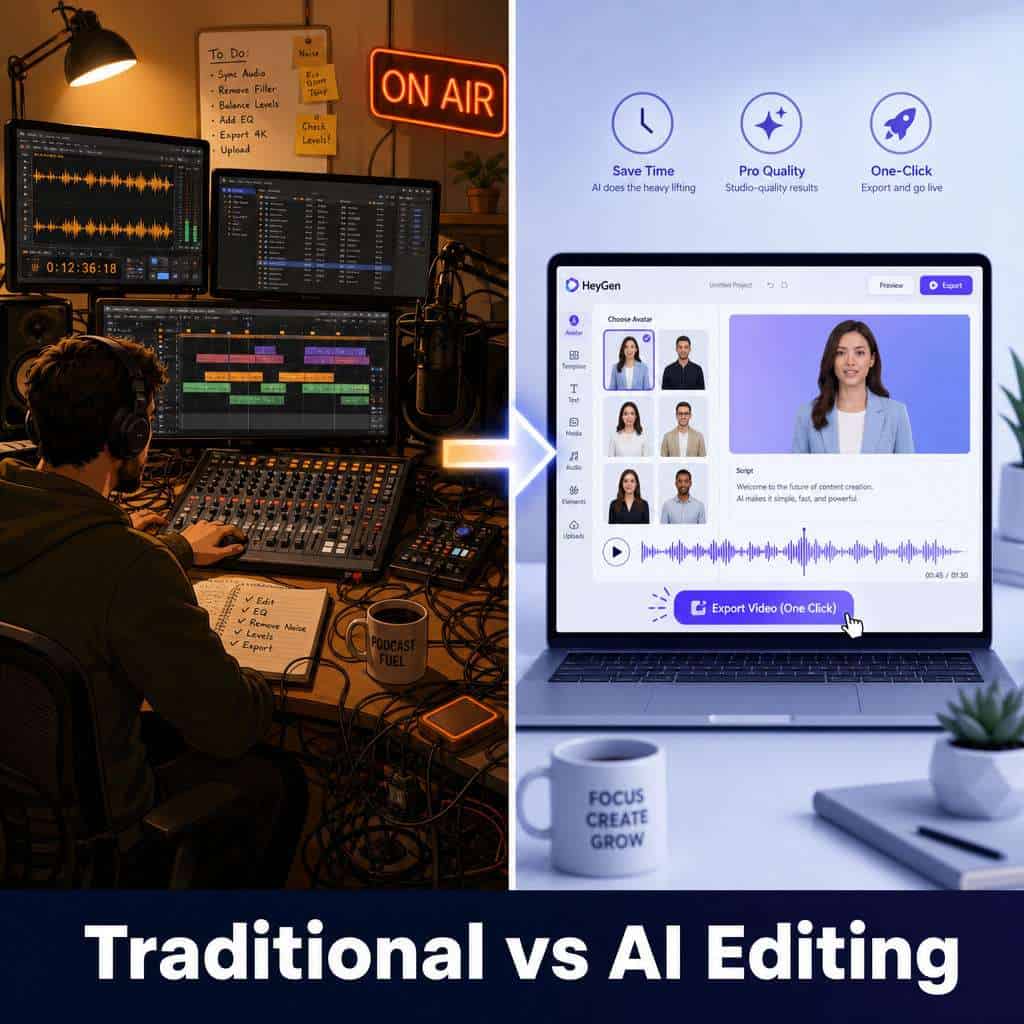
How Much Does HeyGen AI Cost Compared to Traditional Podcast Editing?
HeyGen offers a free tier with limited video minutes, and paid plans that scale with usage. The exact pricing changes periodically, so check HeyGen’s official site for current rates [2]. Paid plans typically start around $24–$48/month for individual creators.
Compare that to traditional podcast production costs:
| Cost Factor | Traditional Production | HeyGen AI |
|---|---|---|
| Video editing (freelancer) | $50–$200/episode | Included in subscription |
| Clip creation for social | $100–$300/batch | Automated per upload |
| Translation/dubbing | $500–$2,000/language | Included (175+ languages) |
| Studio rental | $50–$200/session | Not needed (avatars) |
| Monthly total (estimate) | $800–$3,000+ | $24–$48/month |
The savings are most dramatic for creators who need multilingual output or frequent social clips. A solo podcaster producing one English-only audio episode per month won’t see the same ROI as someone distributing video content across multiple platforms and languages.
Choose HeyGen if you’re producing video podcasts, need multilingual reach, or want automated clip generation. Stick with traditional editing if you need highly nuanced audio mixing or have a specific creative vision that requires human judgment on every cut.
Can HeyGen Really Replace a Human Podcast Editor?
Not entirely, but it can replace large parts of the workflow. HeyGen excels at repetitive, time-consuming tasks: clipping highlights, adding captions, reformatting for different platforms, and translating content [3]. These are tasks that eat up hours of a human editor’s time.
Where HeyGen falls short of a human editor:
- Narrative pacing: AI can’t yet judge when a pause adds dramatic effect versus when it’s dead air.
- Creative storytelling decisions: Choosing which moments are genuinely compelling requires human taste.
- Complex audio repair: Heavy background noise, overlapping speakers, or damaged recordings need specialized audio tools.
- Brand-specific style: If your show has a very particular editing style (think: specific music cues, comedic timing, layered sound design), you still need a human.
A practical approach I’ve seen work well: use HeyGen for the bulk production and clip generation, then have a human editor do a final review pass on your hero content. This hybrid model cuts costs by roughly 60–70% while keeping quality high.
What Languages and Accents Can HeyGen Generate?
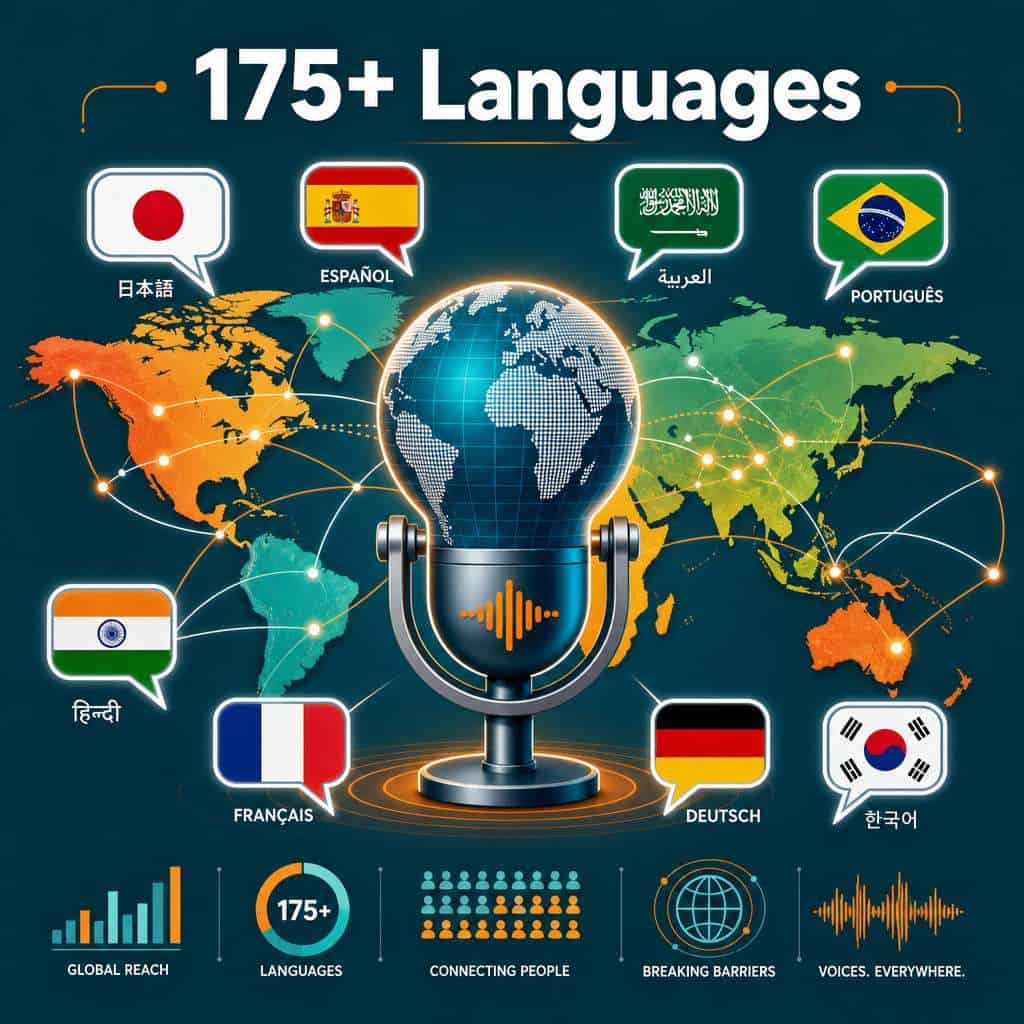
HeyGen supports translation and lip-sync in over 175 languages and dialects [3]. This includes major global languages like Spanish, Mandarin, Arabic, Hindi, Portuguese, French, German, Japanese, and Korean, along with many regional dialects.
The lip-sync technology adjusts the avatar’s mouth movements to match the translated audio, which means your English podcast episode can appear as though the host is natively speaking Japanese or Brazilian Portuguese. This is a significant step beyond simple subtitle translation.
Common mistake: Assuming all 175+ languages have equal quality. In practice, widely spoken languages (English, Spanish, Mandarin) tend to have more natural-sounding output than less common dialects. Always preview translated episodes before publishing to a new language market.
Is HeyGen Good for Beginners or Just for Pro Podcasters?
HeyGen is explicitly designed for people without technical production skills. The core workflow — upload content, pick avatars, click generate — requires no video editing, audio engineering, or coding knowledge [5][7].
Beginners benefit most from:
- Template-based podcast creation: Choose from pre-built formats and avatar pairs.
- Text-to-podcast: Paste a blog post, PDF, or URL and get a video podcast without recording anything [5].
- Guided interface: The platform walks you through avatar selection, duration, aspect ratio, and subtitle options.
Pro podcasters and developers get additional depth through HeyGen’s CLI and the open-source HyperFrames framework (Apache 2.0), which enables programmatic video generation from HTML-based compositions [3]. This means agencies or tech-savvy creators can automate podcast production at scale through API calls.
Decision rule: If you can use Canva, you can use HeyGen’s core features. If you want to build automated pipelines, you’ll need basic command-line comfort. For other beginner-friendly creative tools, see this guide to AI-powered content generation.
What Are the Biggest Limitations of HeyGen’s AI Editing?
HeyGen is powerful but not without constraints. Here are the most significant limitations based on current capabilities:
- Audio-only podcasts aren’t the sweet spot: HeyGen is fundamentally a video tool. If you publish audio-only to Spotify or Apple Podcasts and don’t need video, you’re paying for features you won’t use [10].
- Avatar uncanny valley: While Avatar V is impressive, some viewers still notice that AI avatars aren’t real humans, especially in close-up or emotional moments [3].
- Limited fine-grained audio editing: HeyGen doesn’t offer waveform-level audio editing, noise gates, compression, or EQ. It’s not a DAW replacement.
- Processing time for long content: Full-length episodes (60+ minutes) take longer to process, and the quality of auto-generated highlights depends on the source material’s clarity.
- Voice cloning nuance: Cloned voices can sound slightly flat during emotional peaks or whispered segments compared to the original recording.
- Internet dependency: Everything runs in the cloud. No offline editing option exists.
How Does HeyGen Compare to Other AI Podcast Tools Like Descript?
HeyGen and Descript serve overlapping but distinct use cases. HeyGen is strongest as a video-first production and distribution platform, while Descript focuses on transcript-based audio and video editing.
| Feature | HeyGen | Descript |
|---|---|---|
| AI avatar generation | Yes (full avatar hosts) | No |
| Text-based audio editing | Limited | Core feature |
| Multilingual translation | 175+ languages with lip-sync | Limited translation |
| Auto clip generation | Yes (Instant Highlights v2) | Yes (social clips) |
| Noise removal | Basic | Advanced (Studio Sound) |
| Filler word removal | No | Yes |
| Best for | Video podcasts, global distribution | Audio editing, transcript workflows |
Percify’s 2025–2026 comparison notes that HeyGen excels when you want avatar-based video podcasts, while competitors focused on audio-only quality and fine-grained voice design may serve pure audio creators better [10]. AI Studios similarly positions HeyGen as the go-to for on-screen AI presenters rather than audio feeds [9].
Choose HeyGen if you want video podcasts with AI hosts or need multilingual distribution. Choose Descript if you primarily edit audio and want transcript-based cutting. Many creators use both.
Can HeyGen Fix Bad Audio Quality or Background Noise?
HeyGen is not designed as an audio repair tool. It can work with clean source audio to produce polished video output, but it won’t rescue a recording made in a noisy coffee shop with a laptop microphone.
For audio cleanup, you’ll want dedicated tools before uploading to HeyGen. The platform’s strength is in what happens after you have usable audio: turning it into video, generating clips, translating, and distributing.
Practical tip: Record in a quiet room with a decent USB microphone, run your audio through a noise reduction tool, then upload to HeyGen for the video production layer.
What Kind of Podcast Styles Work Best with HeyGen?
Interview-style and conversational two-host formats work best with HeyGen, because the platform’s split-screen face tracking and dual-avatar system are built for exactly this setup [3].
Formats that work well:
- Two-host discussion podcasts: The auto split-screen and face tracking shine here.
- Educational/explainer shows: Avatar hosts presenting structured content feel natural.
- News recap podcasts: Text-to-podcast from articles or briefs is fast and effective.
- Multilingual content: Any format benefits if you need global reach.
Formats that don’t fit as well:
- Heavily produced narrative podcasts (like Serial-style storytelling with music, sound effects, and field recordings).
- Live call-in shows where real-time interaction matters.
- Comedy podcasts where timing and spontaneity are the product.
If you’re creating visual content for your podcast’s website, you might also find value in Canva’s AI design tools for creating stunning visuals to complement your HeyGen-produced episodes.
Are There Any Copyright Issues Using AI-Generated Podcast Voices?
This is an evolving legal area in 2026, and creators should approach it carefully. HeyGen requires identity verification for Digital Twin creation, meaning you can only clone your own voice and likeness [3]. This is a deliberate safeguard against unauthorized voice cloning.
Key considerations:
- Your own voice/likeness: Generally safe to clone and use commercially under HeyGen’s terms.
- Stock avatars: HeyGen provides licensed avatars for commercial use within their platform terms.
- Third-party voices: You cannot (and should not) clone someone else’s voice without explicit consent.
- Music and sound effects: Standard copyright rules apply to any audio you add outside HeyGen’s provided assets.
- Disclosure: Some jurisdictions are moving toward requiring disclosure when AI-generated voices or avatars are used in published content. Check local regulations.
No major regulatory enforcement actions specific to HeyGen’s podcast features have occurred as of mid-2026, but the regulatory landscape for AI-generated media is actively developing.
How Accurate Is HeyGen’s Transcription and Editing?
HeyGen’s transcription accuracy for English content is generally high for clear audio with standard accents. Accuracy drops with heavy accents, overlapping speakers, technical jargon, or poor audio quality, which is consistent with most AI transcription tools in 2026.
For the Instant Highlights v2 feature, the AI’s ability to identify compelling clip-worthy moments is good for straightforward conversational content but can miss context-dependent highlights that a human editor would catch [3]. Always review auto-generated highlights before publishing.
What Technical Skills Do I Need to Use HeyGen Effectively?
For the standard web interface: none beyond basic computer literacy. If you can upload a file and click buttons, you can produce a video podcast [5][7].
For advanced use cases:
- API/CLI usage: Requires comfort with command-line tools and basic programming concepts [3].
- HyperFrames (open source): Requires HTML knowledge and developer tooling [3].
- Workflow automation: Connecting HeyGen to other tools via API benefits from familiarity with automation platforms.
Creators building broader digital workflows might also explore no-code website builders to host their podcast content without development skills.
Can HeyGen Help Me Monetize My Podcast Faster?
Yes, but indirectly. HeyGen doesn’t handle monetization directly (no ad insertion, sponsorship matching, or payment processing). What it does is accelerate the content multiplication that drives monetization.
Here’s how HeyGen speeds up the path to revenue:
- More clips = more discovery: Automated clip generation means you’re posting to YouTube Shorts, TikTok, Instagram Reels, and LinkedIn from every episode, increasing your audience surface area [3].
- Multilingual reach = larger addressable audience: Translating into even 5–10 additional languages can dramatically expand your listener base [3].
- Consistent publishing: Avatar-based production means you can publish regularly even when you can’t physically record, maintaining the consistency that algorithms and sponsors reward.
- Professional appearance on a budget: Video podcasts with polished visuals attract sponsors more readily than audio-only shows with no visual presence.
Community members have reported that HeyGen’s workflow reduction lets them focus more time on audience building and sponsorship outreach rather than production tasks [8]. For complementary strategies on growing your online presence, check out AI SEO tools that boost site rankings.
Conclusion
HeyGen AI has carved out a clear position in the podcast production space: it’s the tool you reach for when you want to turn podcast content into video, multiply it into social clips, and distribute it globally in dozens of languages, all without a production team. The April 2026 feature wave, including Instant Highlights v2, Avatar V, and Seedance 2.0 integration, makes this more capable than ever [3].
Your actionable next steps:
- Try the free tier at HeyGen’s platform to test the AI Video Podcast feature with a short script or existing episode [6].
- Start with one episode — upload your best-performing podcast episode and let Instant Highlights v2 generate clips. Evaluate the quality before committing to a paid plan.
- Test one new language — pick your largest non-English audience segment and translate a single episode to gauge engagement.
- Build a hybrid workflow — use HeyGen for production and clip generation, keep a human editor for final quality checks on flagship content.
- Track your output increase — measure how many more pieces of content you’re publishing per episode compared to your manual workflow.
The creators getting the most from HeyGen aren’t replacing their entire production process overnight. They’re strategically automating the most time-consuming parts — clipping, reformatting, translating — and reinvesting that time into the creative and business decisions that actually grow a podcast.
FAQ
Q: Can I create a podcast entirely from text without recording anything? A: Yes. HeyGen’s AI Video Podcast feature lets you paste text, upload a PDF, or enter a URL, and it generates a full video podcast with AI avatar hosts and synthesized voices [5][6].
Q: How long does it take to generate a video podcast episode? A: Short episodes (5–10 minutes) typically render in under 15 minutes. Longer episodes (30–60 minutes) can take 30 minutes to over an hour depending on complexity and server load.
Q: Does HeyGen work for audio-only podcasts? A: HeyGen is primarily a video tool. While you could extract audio from its output, audio-first tools like Descript are better suited for purely audio podcasts [10].
Q: Can I use my own face and voice as an avatar? A: Yes. Avatar V lets you record a 15-second reference clip to create a digital twin. HeyGen requires identity verification to prevent unauthorized cloning [3].
Q: Is HeyGen suitable for a podcast network producing multiple shows? A: Yes, especially with the CLI and API access that enables programmatic generation at scale [3]. Networks producing content in multiple languages benefit most.
Q: What video formats does HeyGen export? A: HeyGen exports in standard formats including MP4, with automatic reformatting for vertical (9:16) and horizontal (16:9) aspect ratios [3].
Q: Do I need to credit HeyGen in my published podcast? A: HeyGen’s terms of service don’t typically require attribution on paid plans, but check the current terms for your specific plan tier.
Q: Can multiple team members collaborate on HeyGen? A: Yes, HeyGen offers team and enterprise plans with collaboration features. Solo creator plans are limited to individual access.
Q: How does HeyGen handle copyrighted content in uploaded podcasts? A: HeyGen processes the content you upload but doesn’t check for third-party copyright. You’re responsible for ensuring you have rights to all source material.
Q: What happens if HeyGen’s servers go down during production? A: All processing is cloud-based with no offline option. Incomplete renders are typically recoverable once service restores, but maintaining local backups of source files is always recommended.
References
[2] Blog – https://www.heygen.com/blog [3] HeyGen April 2026 Release – https://www.heygen.com/blog/heygen-april-2026-release [5] Watch – https://www.youtube.com/watch?v=TF6KwmKdHag [6] AI Video Podcast – https://www.heygen.com/apps/ai-video-podcast [7] AI Podcast Generator – https://www.heygen.com/tool/ai-podcast-generator [8] How HeyGen Is Revolutionizing My AI Podcast Creation – https://community.heygen.com/public/forum/boards/share-work/posts/how-heygen-is-revolutionizing-my-ai-podcast-creation-1acimdrna9 [9] Webinars And Podcasts – https://www.heygen.com/use-cases/webinars-and-podcasts [10] Podcast Generator 2025 Percify Vs HeyGen AI Voice Video – https://percify.io/blog/podcast-generator-2025-percify-vs-heygen-ai-voice-video