Last updated: May 22, 2026
Quick Answer
HeyGen’s Video Translator is an AI-powered tool that automatically translates, dubs, and lip-syncs video content into 175+ languages, turning what used to be a weeks-long localization process into something that takes minutes. It preserves the original speaker’s voice characteristics while adjusting mouth movements to match the translated audio. For marketers, educators, and content creators who need to reach global audiences without hiring dubbing studios, it’s one of the most accessible options available in 2026.
Key Takeaways
- HeyGen Video Translator supports 175+ languages with AI-generated voiceover and lip-sync [7][10]
- The tool offers two modes: Speed (faster turnaround) and Precision (better lip-sync accuracy for difficult footage) [6]
- Traditional dubbing costs roughly $1,200 per finished minute; HeyGen claims AI translation can reduce localization costs by up to 80% [2]
- Lip-sync quality is rated approximately 8.8 out of 10 in independent comparisons, with 10–30 second latency per segment
- Translation is a premium feature that consumes credits faster than standard video generation [10]
- Best suited for marketing content, training videos, and social media — less reliable for highly technical or legal translations
- HeyGen is ranked as the ease-of-use leader among AI video translators in 2026, especially for non-technical users
- The platform works within a single workspace that combines translation, dubbing, captioning, and scene editing
What Exactly Does HeyGen Video Translator Do?
HeyGen’s Video Translator takes an existing video, transcribes the spoken content, translates it into a target language, generates a new voiceover that mimics the original speaker’s voice, and then adjusts the speaker’s lip movements to match the translated audio. All of this happens within one platform.
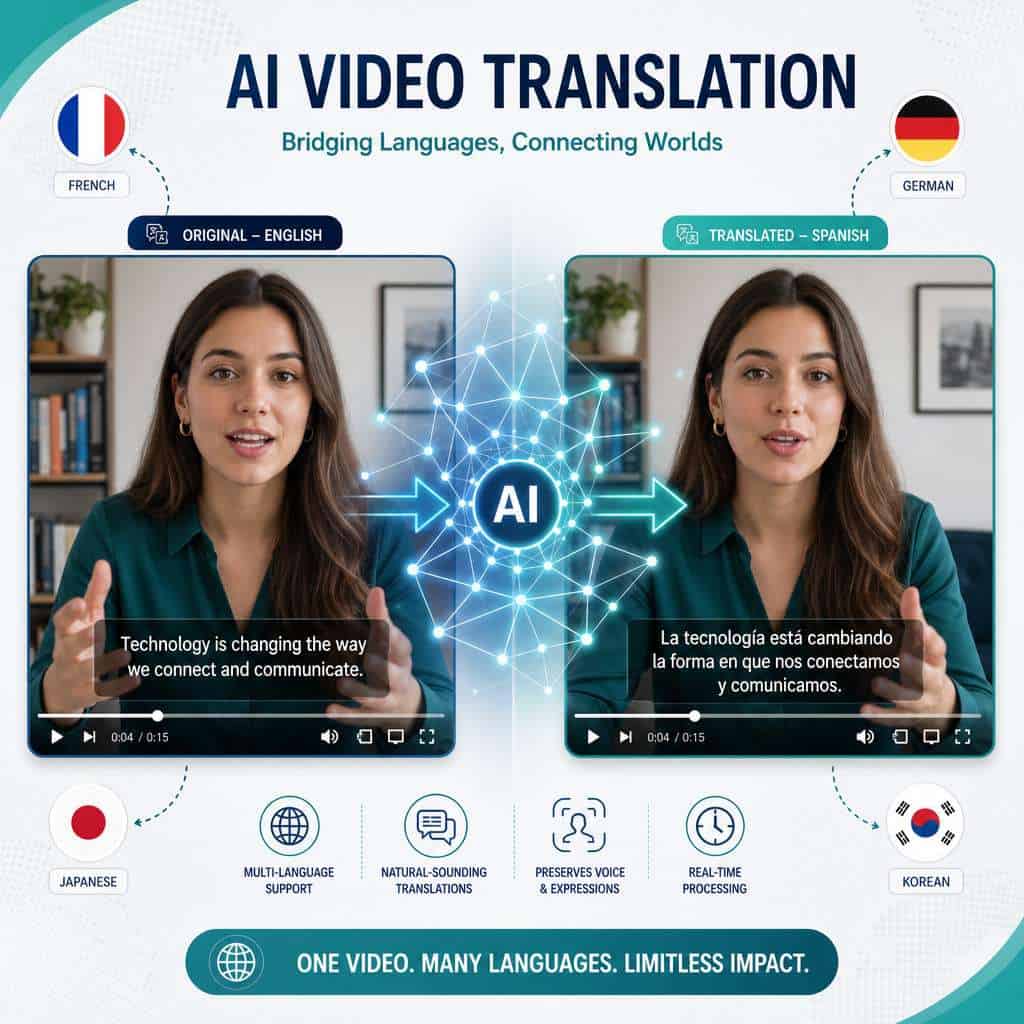
The process works like this:
- Upload your video — the system transcribes the original audio
- Select your target language(s) — choose from 175+ supported languages
- Choose a translation mode — Speed for quick results, or Precision for better lip-sync on challenging footage [6]
- Review and export — the translated video includes new voiceover, lip-sync, and optional captions
What makes this different from simply adding subtitles is the lip-sync component. The AI actually modifies the visual mouth movements of the speaker so they appear to be speaking the target language naturally. According to Kingy.ai’s review, the output is “audaciously fast and scarily lifelike” for marketing and training use cases [7].
This fits into a broader trend of AI-powered content generation tools reshaping how teams produce multimedia at scale.
How Much Does HeyGen Cost for Video Translation?
HeyGen uses a credit-based pricing system where video translation — especially with lip-sync — is classified as a premium feature that consumes credits at a higher rate than standard video creation [10].
Here’s what to know about the cost structure:
- Free tier: Limited credits, enough to test the translation feature on short clips
- Creator plan: Starts at a monthly subscription with a set credit allotment
- Business/Enterprise plans: Higher credit pools, priority processing, and API access
The critical detail most users miss: premium features like lip-synced translation burn through credits faster than expected [10]. A 5-minute video translation with Precision mode will consume significantly more credits than generating a 5-minute avatar video from scratch.
For context, HeyGen’s own blog estimates that traditional dubbing costs about $1,200 per finished minute, and that AI translation can cut localization costs by up to 80% [2]. Even at HeyGen’s premium credit rates, the math works out favorably for most teams compared to hiring voice actors and dubbing studios.
Decision rule: If you’re translating more than 30 minutes of content per month, the Business plan likely offers better per-minute economics. For occasional use, the Creator plan with careful credit management is sufficient.
Is HeyGen Better Than Other AI Video Translation Services?
HeyGen leads on ease of use and all-in-one workflow but isn’t the top performer in every category. A March 2026 industry comparison ranked HeyGen as “best for expressive social media marketing,” while Synthesia was preferred for corporate training and Dubly.AI scored higher on pure lip-sync realism.
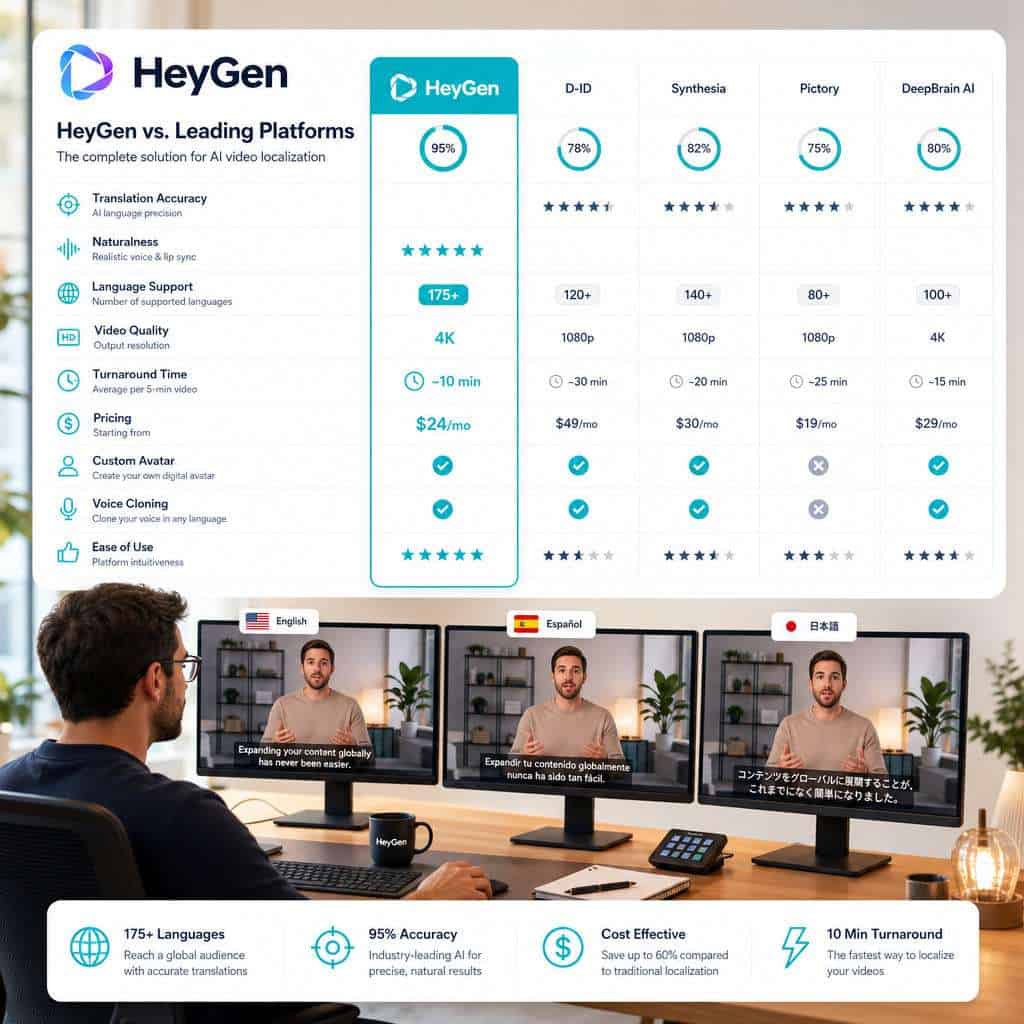
| Feature | HeyGen | Synthesia | Dubly.AI | Meta AI |
|---|---|---|---|---|
| Best for | Social/marketing content | Corporate training | Realism-focused dubbing | Social platform integration |
| Languages | 175+ | 140+ | 50+ | Varies |
| Lip-sync quality | 8.8/10 | 8.5/10 | 9.2/10 | 8.0/10 |
| Ease of use | Highest rated | High | Moderate | Platform-dependent |
| API available | Yes (REST) | Yes | Yes | Limited |
| Avatar creation | Yes (Avatar IV) | Yes | No | No |
Choose HeyGen if you want translation, avatar creation, and video editing in a single workspace without switching between tools. Choose a competitor if you need the absolute highest lip-sync realism (Dubly.AI) or are building training modules within an existing LMS (Synthesia) [5].
For teams already using AI tools across their content workflow, HeyGen integrates well alongside AI-powered content optimization strategies.
What Languages Does HeyGen Currently Support?
HeyGen supports over 175 languages for video translation, making it one of the widest-coverage AI translation platforms available in 2026 [7][10]. This includes major global languages (Spanish, Mandarin, Hindi, Arabic, French, German, Japanese, Korean, Portuguese) as well as less commonly supported languages.
Not all 175+ languages perform equally well. Output quality tends to be highest for:
- Tier 1 (best results): English, Spanish, French, German, Japanese, Korean, Mandarin, Portuguese
- Tier 2 (good results): Hindi, Arabic, Italian, Dutch, Turkish, Polish, Vietnamese
- Tier 3 (functional but variable): Less common languages where training data is more limited
Common mistake: Assuming all language pairs produce the same quality. Translating from English to Spanish will generally produce better lip-sync and voice matching than translating from English to a lower-resource language. Always preview before publishing.
Does HeyGen Preserve the Original Speaker’s Voice and Tone?
Yes, HeyGen’s translation engine synthesizes a new voiceover that attempts to match the original speaker’s vocal characteristics, including pitch, pace, and general tone. The result isn’t a perfect clone, but it’s close enough that most viewers won’t notice the switch in casual viewing contexts.
The voice preservation works through AI voice synthesis that analyzes the original audio and generates speech in the target language with similar vocal qualities. Combined with the lip-sync adjustment, the effect is that the speaker appears to naturally speak the new language.
Edge case: Speakers with very distinctive vocal qualities (strong regional accents, unusual pitch ranges, or vocal fry) may find the AI voice sounds noticeably different. The Precision mode helps with lip-sync accuracy in these cases but doesn’t fully solve voice matching limitations [6].
Can HeyGen Translate Videos with Multiple Speakers?
HeyGen can handle multi-speaker videos, but the results depend on how clearly the speakers are separated in the audio. The system uses speaker diarization (identifying who is speaking when) to assign different translated voices to different speakers.
This works best when:
- Speakers take clear turns without overlapping
- Each speaker has a distinct voice profile
- The video has reasonable audio quality
It works less reliably when speakers talk over each other, when background noise is heavy, or when more than three or four speakers are present. For panel discussions or group meetings, I’d recommend testing a short clip first before committing credits to the full video.
How Accurate Are HeyGen’s AI Translations?
HeyGen’s translation accuracy is strong for general business and marketing content but falls short of human translator quality for nuanced, idiomatic, or highly specialized material. The lip-sync component is rated at approximately 8.8 out of 10 in independent evaluations.
Translation accuracy breaks down into two parts:
- Text translation accuracy — how well the meaning transfers between languages (comparable to modern neural machine translation quality)
- Voice and lip-sync accuracy — how natural the dubbed output looks and sounds [6]
The January 2026 Precision mode update specifically improved performance on “difficult footage” including side angles and low-light conditions [6]. But the underlying text translation still relies on AI models that can miss cultural context, humor, and domain-specific terminology.
Rule of thumb: For content where a small translation error could cause real harm (legal, medical, financial compliance), have a human reviewer check the output. For marketing videos, social content, and internal training, the accuracy is generally sufficient.
Is HeyGen Good for YouTube Content Creators?
HeyGen is one of the strongest options for YouTube creators who want to expand into new language markets without recording separate versions of every video. The ability to translate, dub, and lip-sync a video means creators can publish localized versions on separate channels or as alternate audio tracks.
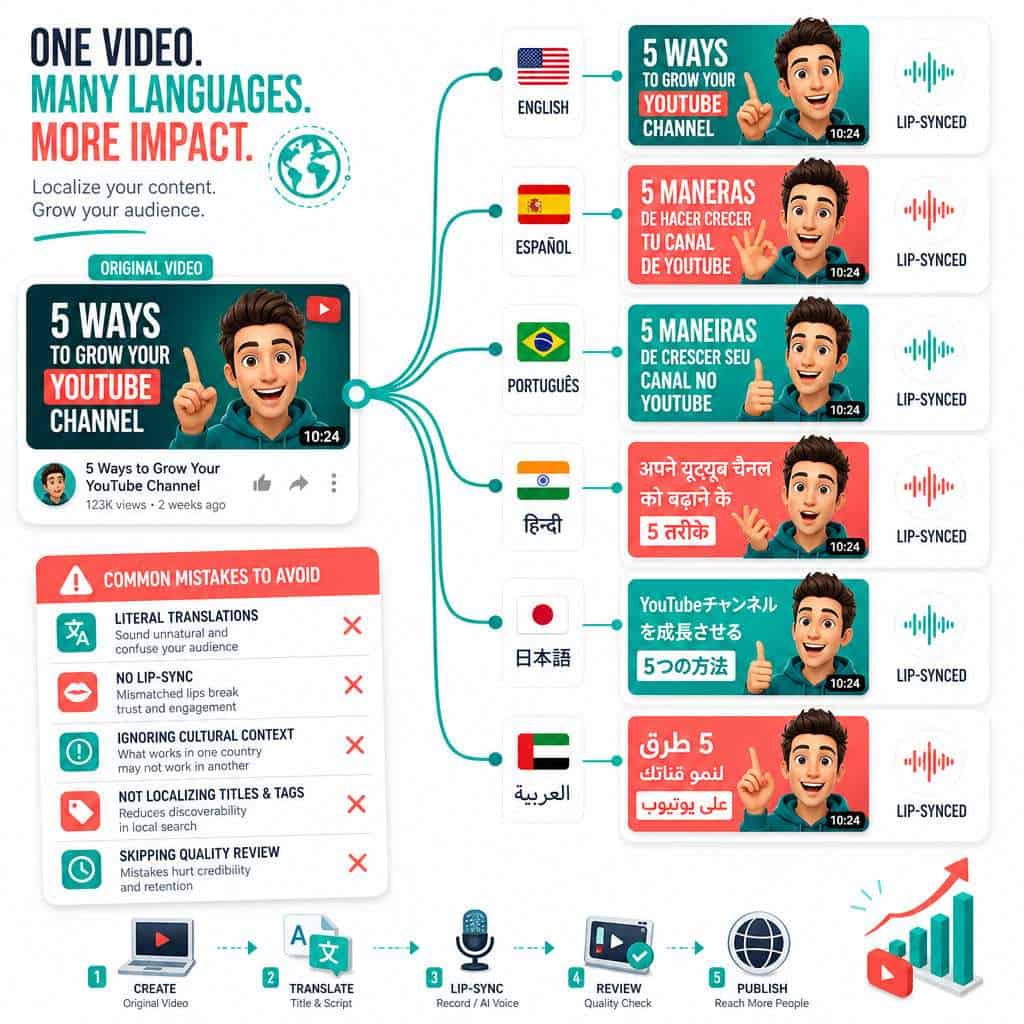
Practical benefits for YouTube creators:
- Multiply your audience by publishing in 5–10 languages from a single recording
- Maintain channel consistency since the translated version looks like you’re speaking the language
- Save production time compared to hiring translators and voice actors for each language
Several creators have reported success using HeyGen to launch Spanish, Portuguese, and Hindi versions of their English channels. The key is choosing languages where your content topic has search demand. If you’re already optimizing your social media content distribution, adding translated video is a logical next step.
Common mistake for creators: Translating every video into every language. Start with your top 3–5 performing videos in 2–3 high-demand languages, measure the response, then scale up.
What Kind of Video Files Work with HeyGen?
HeyGen accepts standard video formats including MP4, MOV, and WebM. The platform handles most common resolutions, though results are best with:
- Resolution: 720p or higher (1080p recommended)
- Audio: Clear speech without heavy background music
- Length: Videos up to 30 minutes on most plans (longer videos available on enterprise plans)
- Speaker visibility: Face clearly visible and well-lit for optimal lip-sync
Videos with heavy visual effects over the speaker’s face, extreme camera angles, or poor lighting will produce lower-quality lip-sync results. The Precision mode helps compensate for some of these issues but adds processing time [6].
Can HeyGen Handle Technical or Academic Video Translations?
HeyGen can translate technical and academic content, but accuracy drops when the source material contains specialized terminology, complex sentence structures, or field-specific jargon. The AI translation engine performs best with conversational and business-level language.
For technical content, consider this approach:
- Pre-edit your transcript — simplify complex sentences before translation
- Use the Precision mode — it handles nuanced content better [6]
- Review the translation output — have a subject matter expert check key terminology
- Provide glossary context where possible through manual transcript editing
Academic lectures and technical training videos are a growing use case, but I wouldn’t rely on HeyGen alone for content where terminology precision is critical (medical procedures, legal briefings, engineering specifications). It’s a solid first draft that still needs human review for specialized fields.
This is an area where AI-powered tools continue to improve, but human oversight remains essential for high-stakes content.
What Are the Limitations of HeyGen’s Translation Service?
Every tool has boundaries, and being clear about HeyGen’s limitations helps you avoid wasted credits and disappointing results.
Current limitations include:
- Batch processing only — real-time translation isn’t available yet (expected later in 2026)
- Credit consumption — premium features deplete credits faster than users anticipate [10]
- Cultural nuance — AI misses idioms, humor, and culturally specific references
- Multi-speaker complexity — overlapping dialogue degrades output quality
- Lip-sync on difficult footage — side profiles, low light, and obstructed faces reduce accuracy [6]
- No offline processing — everything runs through HeyGen’s cloud infrastructure
- Variable quality across languages — less common languages produce noticeably lower quality output
HeyGen’s own product updates acknowledge these constraints and have been shipping improvements monthly. The January 2026 Precision mode update and the April 2026 wave of 15 launches in 30 days both targeted many of these gaps [3][6].
Is HeyGen Suitable for Professional Business Translations?
For most professional business use cases — marketing campaigns, training videos, product demos, and internal communications — HeyGen delivers production-ready results. It’s particularly strong for companies that need to localize video content across multiple markets quickly.
Best business use cases:
- Global marketing campaign localization
- Employee training and onboarding videos
- Product demonstration videos for international markets
- Customer support video libraries
- Executive communications for multinational teams
Where to be cautious: Legal compliance videos, regulated industry communications, and investor-facing materials should still go through human translation review. The cost savings are real — HeyGen’s blog cites up to 80% reduction in localization costs [2] — but the risk tolerance for errors varies by content type.
For businesses building their digital presence, combining translated video content with strong graphic design for social media and SEO optimization creates a powerful multilingual content strategy.
Common Mistakes People Make When Using HeyGen
Avoiding these pitfalls will save you credits, time, and frustration:
- Not previewing before bulk translating — always test one video first in your target language
- Ignoring audio quality — background music and noise significantly hurt translation accuracy
- Translating into too many languages at once — start with 2–3 high-impact languages and expand based on results
- Skipping the Precision mode for important content — Speed mode is fine for drafts, but client-facing work deserves Precision [6]
- Forgetting to budget credits for premium features — track your credit usage carefully [10]
- Assuming AI translation equals human translation — always review output for critical content
- Using low-resolution source video — 1080p source material produces noticeably better lip-sync than 480p
Conclusion
HeyGen’s Video Translator has made multilingual video content accessible to teams and creators who couldn’t previously afford traditional dubbing. With 175+ languages, competitive lip-sync quality, and an all-in-one workspace, it’s the most practical option in 2026 for anyone who needs to localize video content without a production studio.
Your next steps:
- Test it — upload a short, well-lit video with clear audio and translate it into one language you can evaluate
- Start small — pick your 2–3 highest-potential language markets based on audience data
- Use Precision mode for anything client-facing or public
- Budget your credits — track premium feature consumption from day one
- Always review — AI gets you 90% of the way, but human review catches the errors that matter
The technology is improving monthly [3], and the gap between AI-translated and professionally dubbed video continues to narrow. For most marketing, education, and business communication use cases, HeyGen delivers results that would have required a five-figure budget just two years ago.
Explore more AI-powered tools and strategies to build a complete multilingual content workflow.
FAQ
How long does it take HeyGen to translate a video? Processing time depends on video length and the mode selected. Speed mode typically processes a 5-minute video in under 10 minutes. Precision mode takes longer but produces better lip-sync accuracy [6].
Can I edit the translated transcript before generating the final video? Yes. HeyGen allows you to review and edit the translated transcript before the final render, which is useful for correcting terminology or adjusting phrasing.
Does HeyGen work with videos that have no visible speaker? Yes, but the lip-sync feature won’t apply. The tool will still translate and dub the audio, which works well for voiceover-style content like screen recordings or animations.
Is there an API for batch video translation? HeyGen offers a public REST API that supports video translation workflows, making it possible to integrate translation into automated content pipelines.
Can I translate a video into multiple languages simultaneously? Yes. You can queue translations into multiple languages from a single source video. Each language version consumes its own credits.
Does HeyGen add watermarks to translated videos? Free tier outputs may include watermarks. Paid plans produce watermark-free exports.
What happens if the translation quality is poor for my language pair? Lower-resource language pairs may produce less accurate results. Test with a short clip first, and consider using the Precision mode for better output [6].
Can I use HeyGen-translated videos commercially? Yes, paid plan outputs can be used commercially. Check your specific plan terms for any restrictions on distribution or usage rights.
Does HeyGen support right-to-left languages like Arabic and Hebrew? Yes, Arabic and Hebrew are among the supported languages. Caption and subtitle formatting for RTL languages is handled automatically.
How does HeyGen handle background music in videos? The system attempts to separate speech from background audio. Videos with minimal background music produce the best results. Heavy music tracks can interfere with voice synthesis quality.
References
[1] Blog – https://www.heygen.com/blog [2] Heygen January 2026 Release – https://www.heygen.com/blog/heygen-january-2026-release [3] Heygen Release Update Tracking – https://www.heygen.com/blog/heygen-release-update-tracking [4] Watch – https://www.youtube.com/watch?v=yF-6cCjVPho [5] The 5 Best Heygen Video Translate Alternatives In 2026 – https://www.chamelaion.com/blogs/the-5-best-heygen-video-translate-alternatives-in-2026 [6] Watch – https://www.youtube.com/watch?v=MNjozoOgA4U [7] Heygen Review 2025 Complete Guide To Ai Avatar Video Creation Platform – https://kingy.ai/blog/heygen-review-2025-complete-guide-to-ai-avatar-video-creation-platform/ [10] Heygen Ai Avatar Video Generator Complete Review 2026 Best Ai Video Generation Tool – https://bigvu.tv/blog/heygen-ai-avatar-video-generator-complete-review-2026-best-ai-video-generation-tool/