Last updated: May 22, 2026
Quick Answer
HeyGen is a cloud-based AI video generation platform that turns text prompts into finished videos using digital avatars, voice cloning, and multilingual dubbing. It’s built for marketers, trainers, and content creators who need professional-looking video without cameras, studios, or editing skills. In 2026, the platform has expanded into agentic AI workflows that handle scripting, scene selection, and post-production automatically [5]. Pricing starts with a free tier and scales to enterprise plans, making it accessible for solo creators and large teams alike.
Key Takeaways
- HeyGen generates complete videos from a single text prompt using its Video Agent, which handles script, visuals, music, and captions [8]
- The platform supports 175+ languages with AI lip-sync and voice cloning, making it strong for non-English content creators [2]
- Pricing ranges from free (with watermarks and limited credits) to enterprise tiers; it’s generally less expensive than Synthesia for comparable features
- Brand Systems, launched March 2026, let companies lock in fonts, colors, logos, and tone of voice across all generated videos [2]
- You don’t need video editing skills to use HeyGen; basic comfort with web apps is enough
- Common use cases include marketing videos, training content, sales outreach, product demos, and multilingual customer communications
- HeyGen raised $60M at a $440M pre-money valuation in early 2024, reaching over $500M post-Series A [7][10]
- Free alternatives exist (Canva’s AI video tools, D-ID’s limited free tier), but none match HeyGen’s full feature set at zero cost
What Exactly Is HeyGen and How Does It Work?
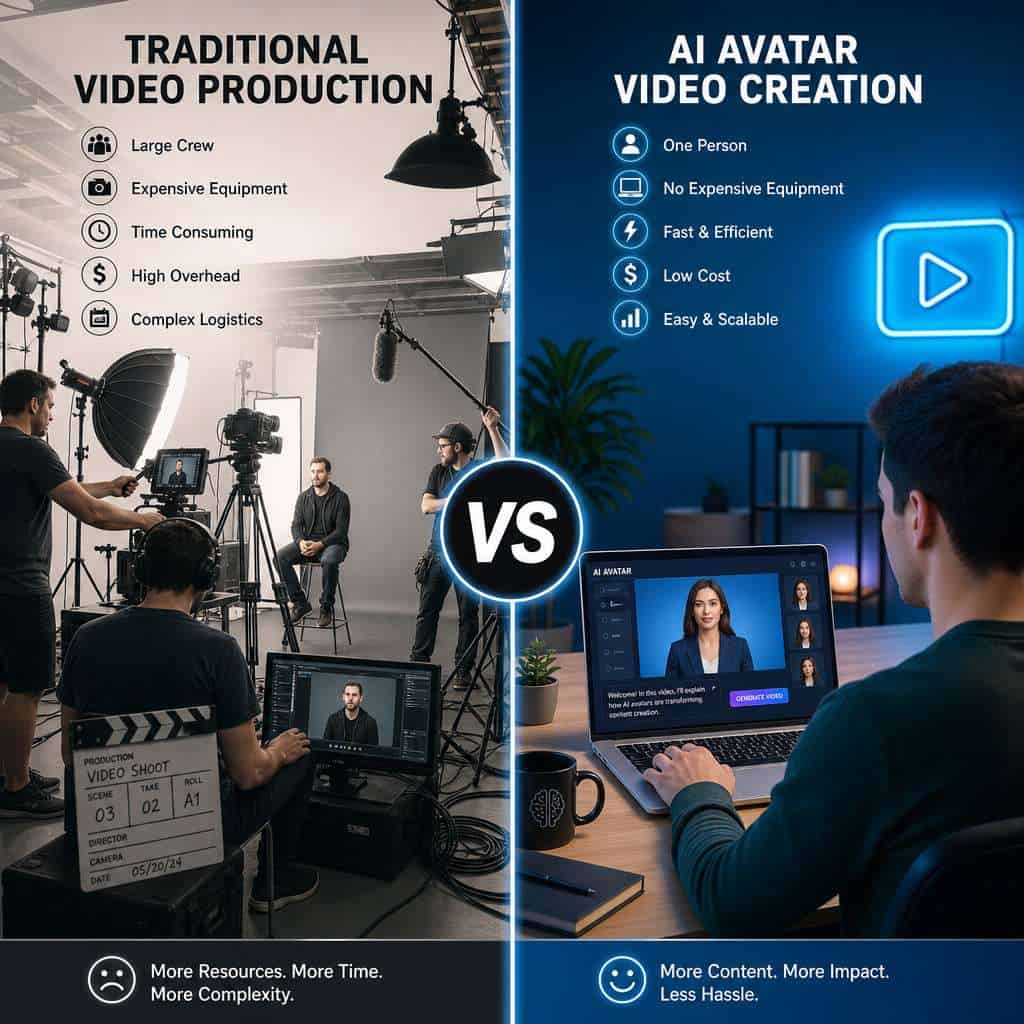
HeyGen is a browser-based platform that uses AI to create videos featuring digital avatars that look and sound like real people. You type a script or prompt, choose (or create) an avatar, and the platform produces a finished video, often in under five minutes.
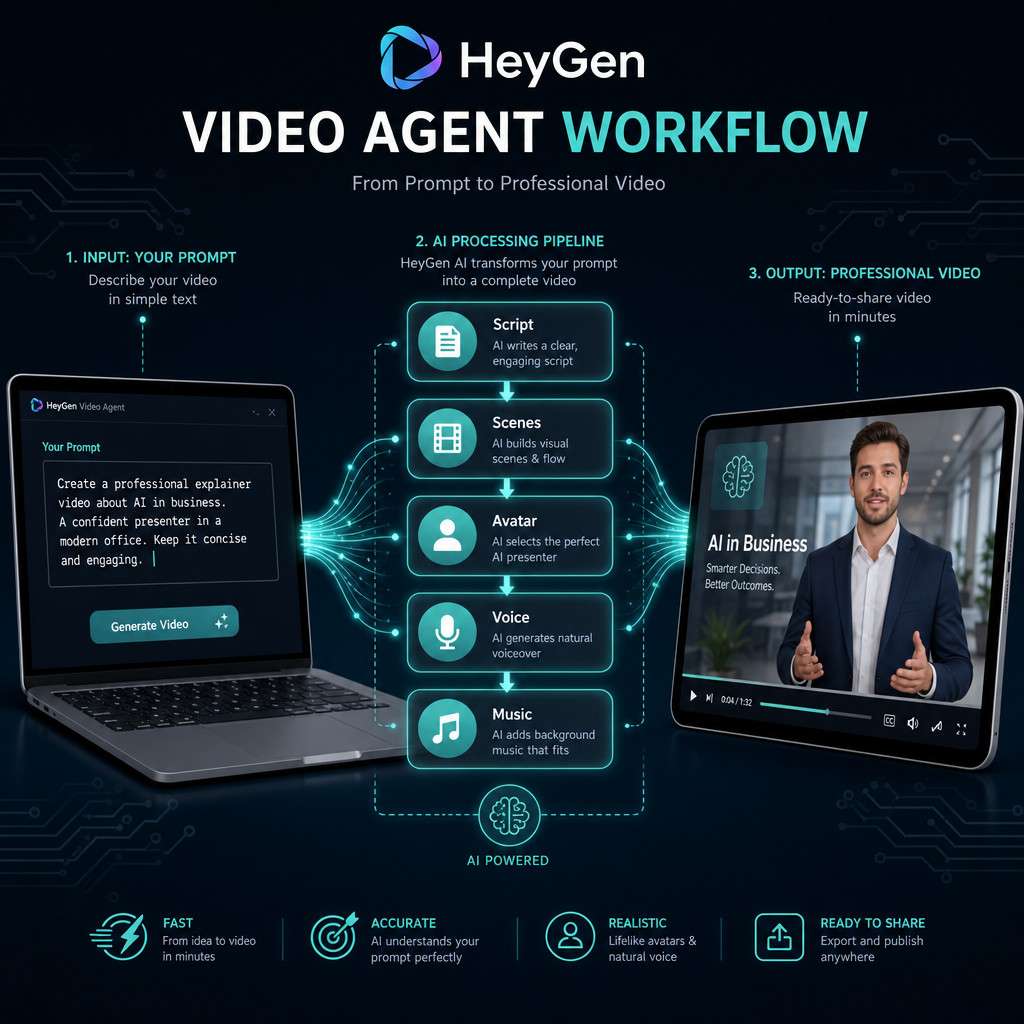
Here’s the core workflow:
- Input your content. Paste a script, enter a text prompt, or upload a document.
- Choose an avatar. Pick from 100+ stock avatars or create a custom one using your own likeness.
- Select a voice. Use a preset AI voice, clone your own voice, or upload audio.
- Generate. HeyGen’s Video Agent assembles the script, scenes, background music, and captions automatically [8].
- Edit and export. Make adjustments in the built-in editor, then download or share.
The Video Agent, introduced in early 2026, is the biggest shift. Instead of manually assembling scenes, you describe what you want and the AI builds the entire video [4]. Think of it as going from “video editor” to “video director” — you give instructions, and the AI executes.
For a broader look at how AI tools are changing content workflows, see our comprehensive guide to AI-powered content generation tools.
How Much Does HeyGen Cost Compared to Other AI Video Tools?
HeyGen offers a free plan with limited credits and watermarked output. Paid plans start at roughly $24/month (Creator tier) and go up to custom enterprise pricing. Here’s how it stacks up against the main competitors in 2026:
| Feature | HeyGen (Creator) | Synthesia (Starter) | D-ID (Lite) | Colossyan (Starter) |
|---|---|---|---|---|
| Monthly price (approx.) | $24 | $29 | $16 | $27 |
| Stock avatars | 100+ | 150+ | 50+ | 70+ |
| Custom avatar | Yes (paid add-on) | Yes (higher tiers) | Yes | Yes (higher tiers) |
| Languages | 175+ | 140+ | 30+ | 70+ |
| Video Agent (prompt-to-video) | Yes | Limited | No | No |
| 4K output | Yes [2] | Yes | No | No |
| Brand kit/system | Yes [2] | Yes | Limited | Yes |
Decision rule: Choose HeyGen if you want the strongest prompt-to-video automation and broad language support at a mid-range price. Choose Synthesia if you need the largest avatar library and are willing to pay more. Choose D-ID if conversational, interactive avatars matter most and you need a lower entry price.
If you’re exploring other AI-driven creative tools, our roundup of the best AI graphic design tools covers adjacent options.
Can HeyGen Create Videos in Multiple Languages?
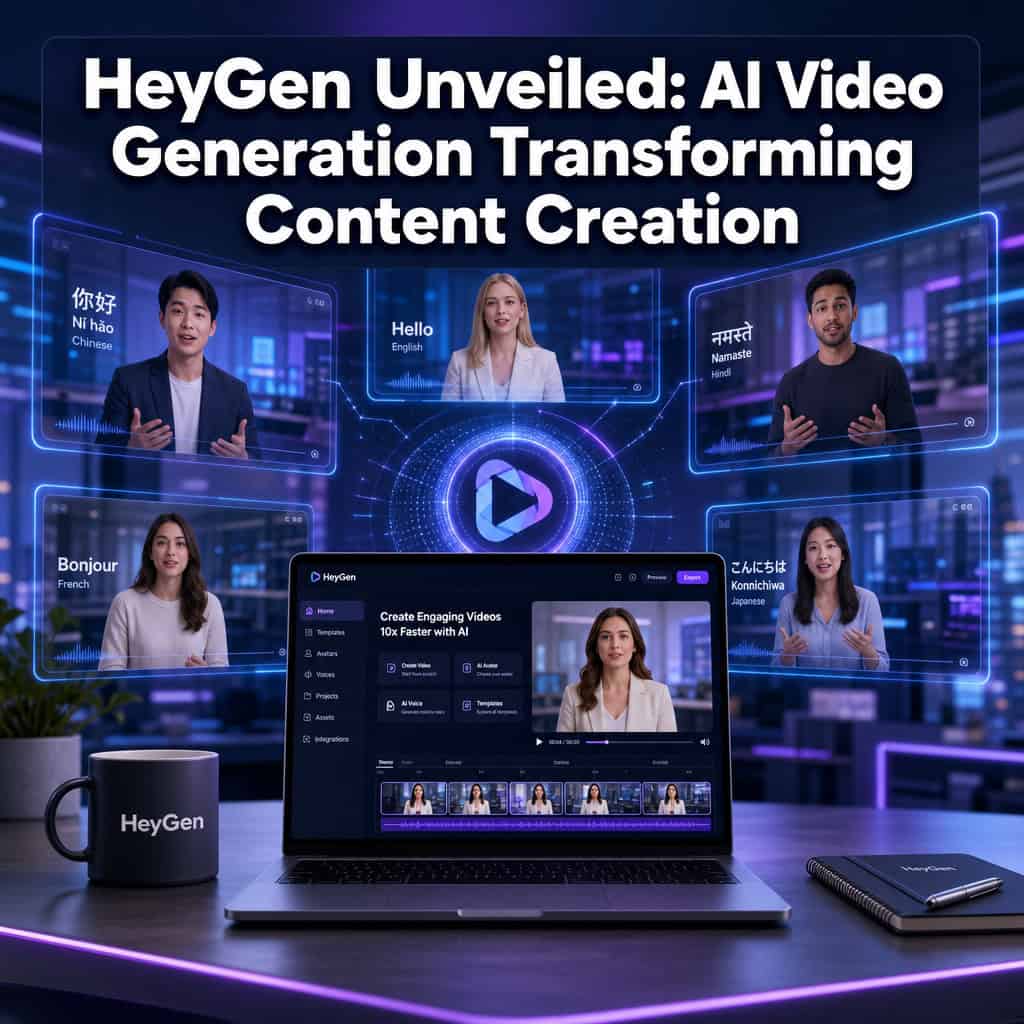
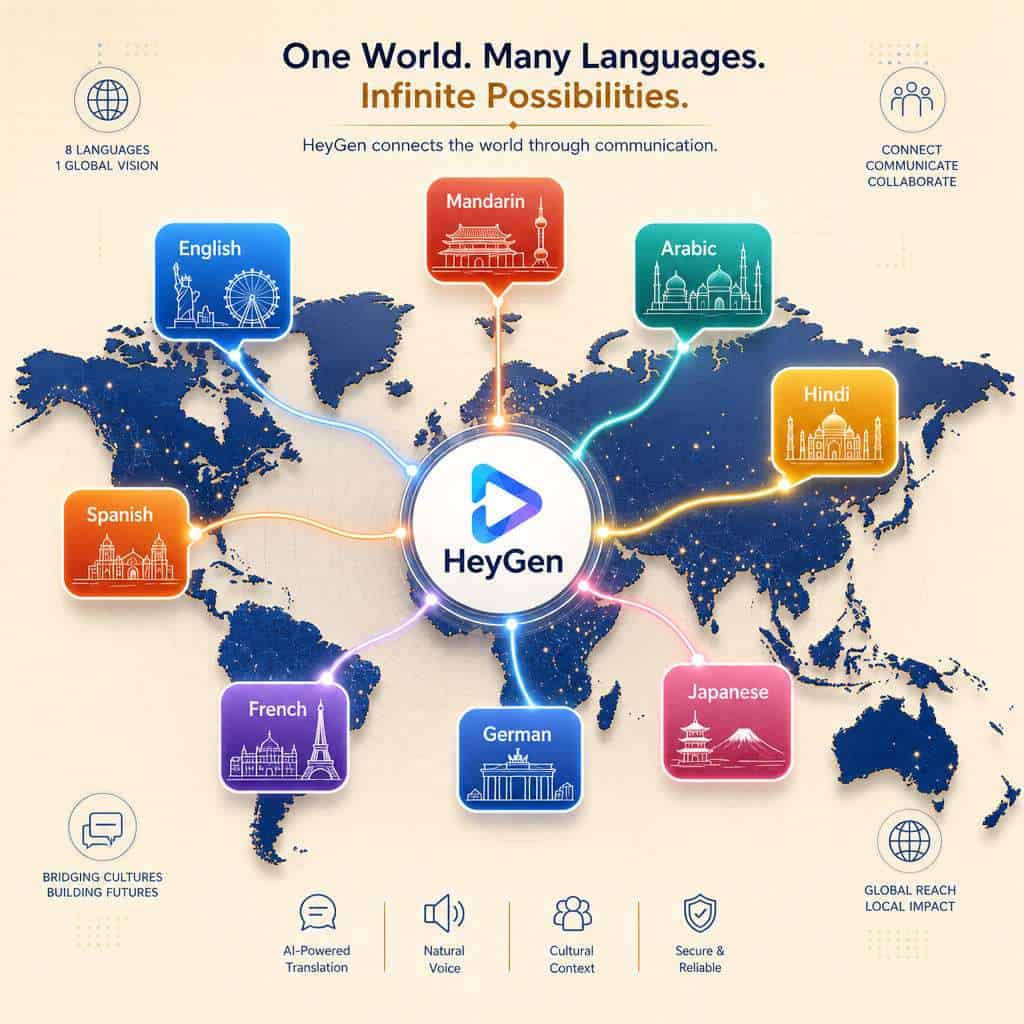
Yes, and this is one of HeyGen’s strongest features. The platform supports over 175 languages and accents, with AI-powered lip-sync that matches mouth movements to the translated audio [2]. You can create a video in English and then generate dubbed versions in Spanish, Mandarin, Arabic, or dozens of other languages without re-recording anything.
The multilingual workflow works like this:
- Record or generate your base video in one language
- Select target languages from the translation menu
- HeyGen re-generates the avatar’s lip movements and voice to match each language
- Export individual language versions or a single video with subtitle options
Common mistake: Assuming the translation is perfect out of the box. AI translations are good for straightforward business content but can miss nuance, idioms, or industry jargon. Always have a native speaker review translated scripts before publishing, especially for customer-facing material.
Is HeyGen Good for Marketing or Just Fun Content?
HeyGen is built primarily for professional and marketing use cases, not novelty content. The March 2026 Brand Systems update specifically targets teams that need consistent, on-brand video output [2]. Marketing teams use it for product explainers, ad creative, personalized sales outreach, and social media content at scale.
That said, individual creators also use it for YouTube content, course creation, and personal branding. The platform doesn’t limit you to one category.
Where it shines for marketing:
- Producing dozens of ad variations quickly for A/B testing
- Creating personalized video messages for sales prospects
- Generating localized content for international campaigns
- Building consistent training libraries without scheduling presenters
For tips on optimizing AI-generated content for better reach, check out our guide on AI-powered content optimization.
Does HeyGen Work for Business Presentations or Just Social Media?
HeyGen handles both. The 4K output option (added March 2026) makes it viable for boardroom presentations and webinars, not just Instagram Reels [2]. You can export in landscape (16:9), portrait (9:16), or square (1:1) formats.
For business presentations specifically, the Brand Systems feature ensures every video matches your corporate identity — fonts, colors, logo placement, and even tone of voice [2]. This matters when you’re producing investor updates, onboarding videos, or client-facing proposals.
Edge case: If your presentation requires live interaction (Q&A, audience polling), HeyGen’s interactive video features are still maturing. For fully interactive presentations, you may want to pair HeyGen-generated content with a live presentation tool.
What Types of Videos Can I Actually Make with HeyGen?
You can create almost any type of short-to-medium-length video that features a presenter or narrator. Common formats include:
- Explainer videos — product walkthroughs, feature highlights
- Training and onboarding — employee orientation, compliance training
- Sales outreach — personalized video messages at scale
- Social media content — TikTok, Reels, LinkedIn video posts
- News-style updates — internal company communications
- Course content — educational modules with consistent presenters
- Multilingual marketing — the same video in 10+ languages
What it’s not great for: Highly cinematic content, live-action footage, or videos requiring complex physical demonstrations. HeyGen excels at “talking head” and presenter-driven formats.
If you’re also creating visual assets to accompany your videos, our guide to graphic design for social media marketing pairs well with video content strategy.
Can I Use My Own Voice or Only Preset Avatars?
You can do both. HeyGen offers voice cloning that lets you upload a short audio sample of your own voice, and the platform will generate speech in your voice for any script you write. You can also create a custom avatar using your own likeness by recording a short video of yourself [3].
This means a CEO can “present” a weekly company update without sitting in front of a camera each time. Or a course creator can produce 50 lessons using their face and voice while only recording one initial setup clip.
Important caveat: Voice cloning quality depends on the clarity and length of your initial audio sample. A quiet recording environment and at least two minutes of clean speech produce the best results.
How Accurate Are the AI-Generated Lip Syncs?
HeyGen’s lip sync is among the best in the AI video space as of 2026, but it’s not flawless. For most business and marketing content, the sync is convincing enough that casual viewers won’t notice issues. Close-up, slow-motion scrutiny can reveal slight mismatches, especially with languages that have very different phonetic structures from English.
The March 2026 update improved lip-sync accuracy significantly, particularly for non-Latin languages [2]. In my experience, English, Spanish, and French lip syncs look natural at normal playback speed. Languages with more complex mouth movements (like Mandarin tones or Arabic emphatic consonants) are good but occasionally imperfect.
Is HeyGen Suitable for Non-English Content Creators?
Absolutely. With 175+ supported languages and improving lip-sync quality, HeyGen is one of the most accessible AI video tools for non-English creators [2]. The interface itself is in English, but the output videos can be in virtually any major language.
Non-English creators should know:
- Voice cloning works across languages, so you can clone your voice in your native language
- The Video Agent accepts prompts in multiple languages [8]
- Subtitle generation is automatic and supports multilingual output
- Translation quality varies by language pair — common pairs (English-Spanish, English-French) are stronger than less common ones
What Kind of Skills Do I Need to Use HeyGen Effectively?
You need basic computer literacy and comfort with web-based tools. If you can use Google Docs and navigate a website, you can use HeyGen. No video editing, coding, or design experience is required.
That said, the quality of your output depends heavily on your input. Writing a clear, concise script matters more than any technical skill. Understanding your audience and message is the real skill — HeyGen handles the production.
For creators who want to pair AI video with professional web design, our no-coding website design platforms guide covers tools that complement HeyGen’s low-code philosophy.
What Are Common Mistakes People Make When First Using AI Video Generators?
The biggest mistakes I see beginners make with HeyGen and similar tools:
- Writing scripts like blog posts. Spoken language is different from written language. Use short sentences, contractions, and a conversational tone.
- Ignoring the avatar’s limitations. AI avatars can’t convey complex emotions or physical comedy. Keep the tone professional and straightforward.
- Skipping the preview. Always watch the full preview before exporting. Lip-sync issues, awkward pauses, and pronunciation errors are easy to catch early.
- Over-relying on defaults. Stock avatars and preset voices are fine for testing, but branded content should use custom avatars and voice clones.
- Not reviewing translations. AI translation is fast but imperfect. Budget time for human review on any customer-facing multilingual content.
- Making videos too long. AI-generated videos work best under three minutes. Attention drops sharply after that, and minor sync issues become more noticeable.
What Internet Speed or Computer Specs Do I Need?
Because HeyGen is cloud-based, your computer does very little heavy lifting. You need a stable internet connection (at least 10 Mbps download/upload) and a modern web browser (Chrome, Edge, or Firefox). Any laptop or desktop made after 2020 should handle it without issues.
Video rendering happens on HeyGen’s servers, so you won’t see your CPU or RAM maxed out during generation. The main bottleneck is your internet speed when uploading assets or downloading finished videos, especially at 4K resolution.
Are There Any Free Alternatives to HeyGen?
Free alternatives exist, but with significant limitations:
- Canva’s AI video features — basic avatar videos within Canva’s free tier, but far fewer customization options. See our Canva AI design tools overview for what’s possible.
- D-ID’s free tier — limited to a few minutes of video per month with watermarks
- InVideo AI — offers a free plan with basic AI video generation
- Synthesia — no true free tier, but offers a free demo video
Bottom line: If you need more than a quick test, you’ll likely need a paid plan on HeyGen or a competitor. The free options are useful for evaluation but not for production-quality output.
Conclusion
HeyGen has moved beyond being a simple avatar video tool. With the Video Agent, Brand Systems, 4K output, and 175+ language support, it’s now a full video production platform that runs in your browser [5][2]. The $440M+ valuation reflects real market demand for camera-free, scalable video creation [7].
Your next steps:
- Try the free tier. Create a test video to see if the avatar quality and lip sync meet your standards.
- Write a proper script first. Your output is only as good as your input. Draft a 60-second script before opening HeyGen.
- Test multilingual output. If you serve international audiences, generate a translated version and have a native speaker review it.
- Set up Brand Systems early. If you’re on a paid plan, configure your brand kit before producing content at scale [2].
- Compare before committing. Generate the same video on HeyGen and one competitor (Synthesia or D-ID) to see which fits your workflow.
For more AI tools and strategies, explore our AI content archives and content generation resources.
FAQ
How long does it take HeyGen to generate a video? Most videos under two minutes render in three to five minutes. Longer videos or 4K exports can take up to 15 minutes.
Can I edit a HeyGen video after it’s generated? Yes. HeyGen includes a built-in editor where you can adjust scenes, swap avatars, change voiceovers, and re-render without starting over.
Is HeyGen safe for enterprise use? HeyGen offers enterprise plans with SOC 2 compliance, SSO, and dedicated support. The platform also has strict policies against political and election-related content.
Does HeyGen own the videos I create? No. On paid plans, you retain full commercial rights to your generated videos. Free-tier videos include watermarks and may have usage restrictions.
Can I use HeyGen videos in paid advertising? Yes, paid plan users can use generated videos in ads on any platform, including Meta, YouTube, LinkedIn, and TikTok.
How realistic do HeyGen avatars look? Stock avatars are convincing at normal viewing distances and playback speeds. Custom avatars created from your own footage tend to look more natural because they’re trained on your specific mannerisms.
Does HeyGen work on mobile devices? The platform is optimized for desktop browsers. Mobile access is possible but limited — you can preview and share videos, but the full editor works best on a laptop or desktop.
Can multiple team members use one HeyGen account? Yes, team and enterprise plans support multiple seats with role-based permissions and shared brand assets [2].
What file formats does HeyGen export? MP4 is the standard export format. You can choose resolution (up to 4K) and aspect ratio (16:9, 9:16, 1:1).
Is there an API for automating video creation? Yes. HeyGen offers API access on higher-tier plans, allowing developers to integrate video generation into existing workflows and applications [2].
References
[1] Blog – https://www.heygen.com/blog [2] Heygen March 2026 Release – https://www.heygen.com/blog/heygen-march-2026-release [3] Product Updates – https://www.heygen.com/blog/category/product-updates [4] Monthly Product Update Introducing The New Video Agent 2026 02 12 – https://community.heygen.com/public/videos/monthly-product-update-introducing-the-new-video-agent-2026-02-12 [5] Heygen April 2026 Release – https://www.heygen.com/blog/heygen-april-2026-release [7] Heygen Raising 60m At 440m Valuation Launches Heygen 5 0 – https://www.maginative.com/article/heygen-raising-60m-at-440m-valuation-launches-heygen-5-0/ [8] Heygen February 2026 Release – https://www.heygen.com/blog/heygen-february-2026-release [10] Announcing Our Series A – https://www.heygen.com/blog/announcing-our-series-a