Last updated: May 22, 2026
Quick Answer
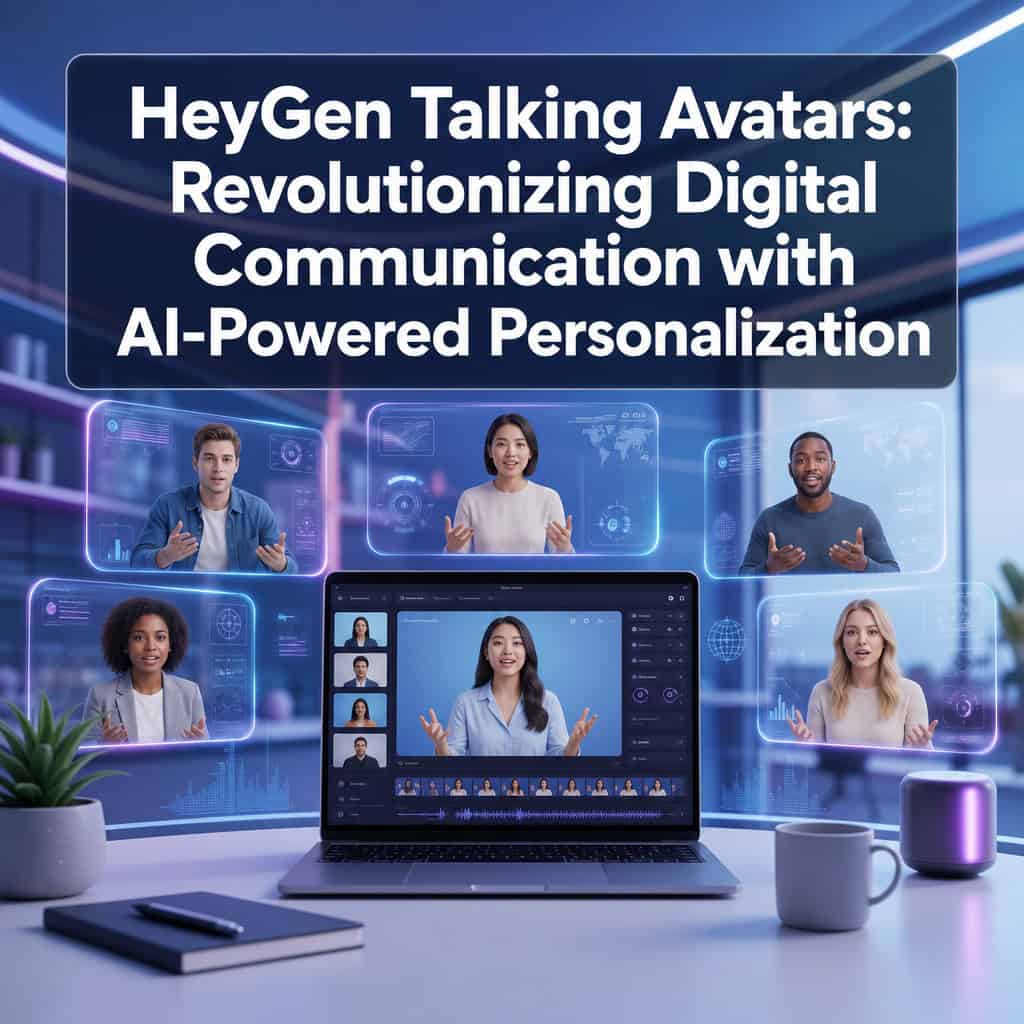
HeyGen is an AI video platform that turns a 15-second recording of your face into a realistic talking avatar capable of producing studio-quality videos in over 175 languages. With the April 2026 release of Avatar V, HeyGen now offers identity-consistent avatars that maintain your likeness across different angles, outfits, and long-form content, making it the leading tool for creators, marketers, and businesses who need scalable personalized video without repeated filming [4].
Key Takeaways
- One recording, endless content: A single 15-second clip can generate a full year of video content with consistent identity [4].
- Avatar V combines the flexibility of photo avatars with the realism of video avatars in one model, solving the “identity drift” problem [4].
- 175+ languages and dialects are supported with accurate lip-sync and translation [3].
- Pricing starts at ~$29/month for the Creator tier, with a limited free plan available [9].
- No technical skills required for basic use, but developers can access HeyGen’s CLI and API for automated workflows [3].
- Canva integration lets you generate avatar videos directly inside Canva designs [6].
- Seedance 2.0 enables cinematic full-body motion with dynamic camera angles and multi-avatar scenes [3].
- Enterprise features like Brand Systems help large teams maintain visual and tonal consistency at scale [3].
- Best for: marketing videos, e-learning, internal training, sales outreach, and social media content.
- Privacy: HeyGen uses identity verification for avatar creation and has specific data usage policies governing how your likeness is stored and used.

What Exactly Is HeyGen and How Do Their Talking Avatars Work?
HeyGen is a cloud-based AI video platform that generates realistic talking-head videos using digital avatars. You provide a short video clip or even a single photo, type or paste a script, and HeyGen’s AI renders a video of your avatar speaking those words with synchronized lip movements, facial expressions, and natural gestures.
Here’s how the process works in practice:
- Record a base clip. You film yourself for about 15 seconds using your phone or webcam.
- Upload to HeyGen. The platform analyzes your face, voice, and mannerisms.
- Choose your settings. Pick your avatar’s outfit, background, camera angle, and language.
- Enter your script. Type it out or paste it in. HeyGen’s AI handles the rest.
- Render and download. The platform generates a finished video, typically within minutes.
With the April 2026 Avatar V release, HeyGen introduced a single unified model that maintains your identity across multiple looks and angles from that same 15-second base recording [4]. Previous avatar models often suffered from “identity drift,” where the avatar gradually stopped looking like you over longer videos or different poses. Avatar V was specifically trained to solve this [4].
The platform also integrated Seedance 2.0, a cinematic motion model that enables full-body movement, dynamic camera moves, and scenes with up to three avatars simultaneously [3]. This makes HeyGen the first avatar platform to combine identity-verified human faces with cinematic-quality motion.
How Much Does HeyGen Cost Compared to Other AI Avatar Services?
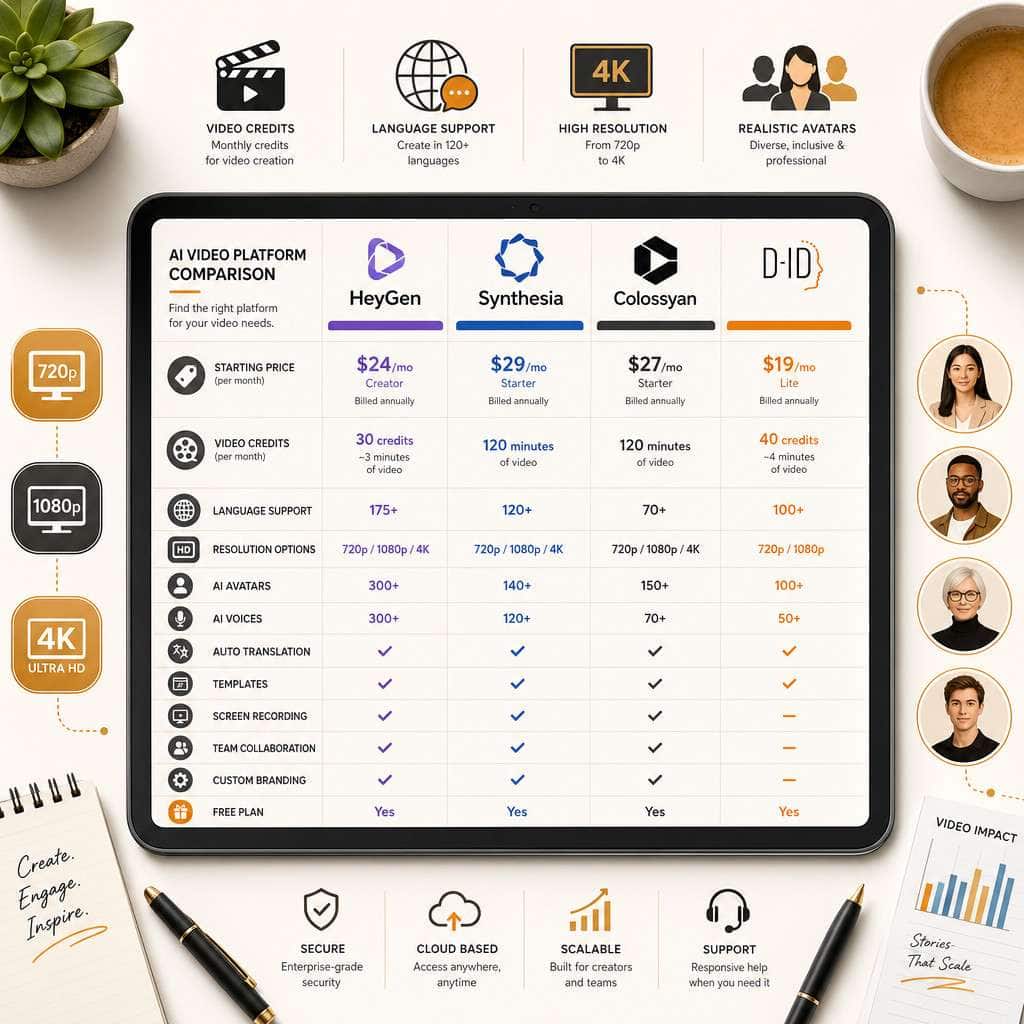
HeyGen’s paid plans start at approximately $29/month for the Creator tier, which includes unlimited video generation (subject to credit limits). A free plan lets you create a small number of watermarked videos per month [9].
| Feature | HeyGen (Creator) | Synthesia (Starter) | Colossyan (Starter) | D-ID (Lite) |
|---|---|---|---|---|
| Starting price | ~$29/mo | ~$29/mo | ~$27/mo | ~$16/mo |
| Custom avatar from selfie | Yes (15-sec clip) | Requires studio recording | Yes (photo-based) | Yes (photo-based) |
| Languages | 175+ | 140+ | 80+ | 30+ |
| Max resolution | Up to 4K | 1080p | 1080p | 1080p |
| Free tier | Yes (limited) | No | Yes (limited) | Yes (limited) |
| Full-body motion | Yes (Seedance 2.0) | Limited | No | No |
Key cost levers to watch: credits consumed per video, avatar creation fees, and resolution settings (720p vs. 1080p vs. 4K) all affect your effective cost [9]. If you’re producing high volumes of short-form content, the credit system matters more than the base subscription price.
Decision rule: Choose HeyGen if you need multilingual content with realistic custom avatars from minimal recording. Choose D-ID if budget is your primary concern and you don’t need extensive language support.
Can I Use HeyGen Avatars for Professional Business Presentations?
Yes, and this is one of HeyGen’s strongest use cases. The platform is specifically designed for business communication, from sales outreach videos to investor updates and internal training.
The March 2026 update introduced Brand Systems, which let enterprise teams define brand guidelines (colors, fonts, tone of voice, approved avatars) that apply automatically across all videos produced by the organization [3]. This means your marketing team in London and your sales team in Tokyo can both produce on-brand avatar videos without a design review bottleneck.
Practical business applications include:
- Sales prospecting: Personalized video messages at scale, each addressed to a specific prospect.
- Internal communications: CEO updates, HR onboarding, and policy announcements.
- Product demos: Consistent presenter across dozens of product walkthrough videos.
- Investor relations: Quarterly updates with professional production quality.
I’ve seen founders use HeyGen to record a single 15-second clip and then produce months of LinkedIn content, each video featuring a different script but the same consistent on-camera presence. For anyone whose face is part of their brand, this is a significant time saver. If you’re also looking to enhance your visual content strategy, our guide to AI-powered content generation tools covers complementary platforms.
Is HeyGen Good for Creating Marketing Videos or Just Personal Use?
HeyGen is built primarily for marketing and business use, though it works for personal projects too. The platform’s feature set, including multilingual output, brand controls, and batch processing, clearly targets professional content teams.
For marketing specifically, HeyGen excels at:
- Social media content: Generate short-form clips from long webinars or podcasts using Instant Highlights v2 [3].
- Ad creative: Produce multiple ad variations with different scripts, languages, or avatar looks without reshooting.
- Email campaigns: Embed personalized video thumbnails in outreach sequences.
- Localization: Translate and lip-sync a single video into dozens of markets simultaneously.
The Instant Highlights v2 feature deserves special mention. You can upload a long podcast or keynote recording, and HeyGen automatically generates short, captioned, translated clips with dynamic face-tracking [3]. What used to be a multi-day editing workflow becomes a same-day process.
For those building marketing funnels, pairing HeyGen videos with well-designed landing pages can be powerful. Our overview of AI-powered content optimization explains how to make that content perform in search.
What Video Languages and Accents Can HeyGen Generate?
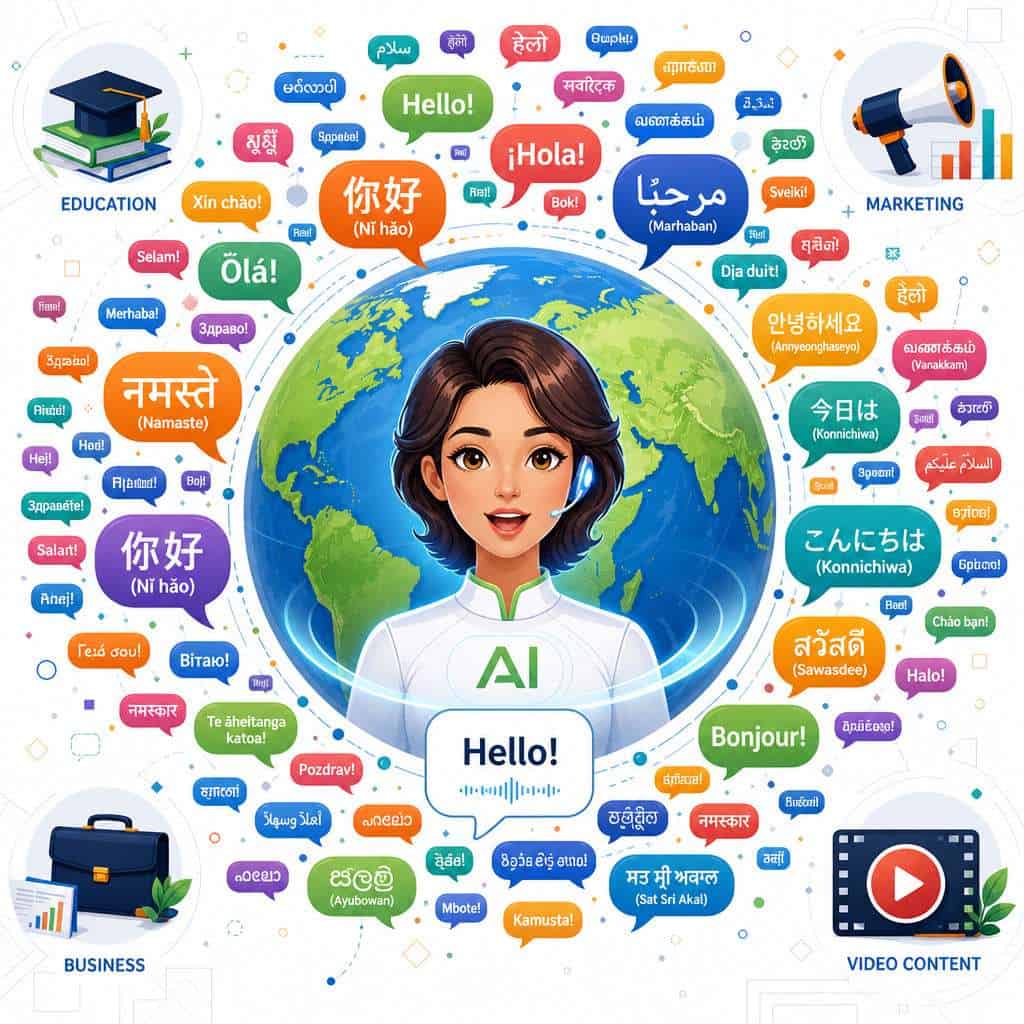
HeyGen supports more than 175 languages and dialects with lip-synced translation [3]. This means you can record your script in English and have your avatar deliver it in Japanese, Arabic, Portuguese, or Hindi, with lip movements that match the target language.
This isn’t just text-to-speech dubbing. The AI adjusts your avatar’s mouth movements to match the phonemes of the target language, creating a more natural viewing experience. The voice cloning technology also attempts to preserve the tonal qualities of your original voice across languages.
Common languages with strong support: English (multiple accents), Mandarin Chinese, Spanish, French, German, Japanese, Korean, Arabic, Hindi, and Portuguese. Less common languages and regional dialects are available but may have slightly less natural output.
Edge case: If your content includes highly technical terminology or industry jargon, review the translated output carefully. AI translation has improved dramatically, but specialized vocabulary can still trip up any system.
How Accurate Are the Lip-Syncing and Facial Movements in HeyGen Avatars?
HeyGen’s lip-sync accuracy is among the best in the AI avatar space as of 2026. The platform is rated number one for realism on G2, according to HeyGen’s Head of Marketing Holly Xiao, and Avatar V was specifically engineered to improve facial consistency and natural movement [4].
That said, here’s an honest assessment:
What works well:
- Standard conversational delivery in well-lit, front-facing recordings
- Lip-sync across major languages
- Subtle facial expressions like eyebrow raises and smiles
- Upper-body gestures (waist up) with Avatar V
Where it still has limitations:
- Extreme head turns or unusual angles can occasionally produce artifacts
- Very fast speech or overlapping dialogue may reduce sync accuracy
- Emotional range (crying, laughing hard) is less convincing than neutral delivery
The Seedance 2.0 integration significantly improved full-body motion realism, enabling cinematic scenes that weren’t possible before [3]. But if you’re comparing this to a live human presenter on camera, a careful viewer can still sometimes tell it’s AI-generated, especially in longer clips.
Can I Customize My Avatar’s Appearance and Clothing in HeyGen?
Yes. Avatar V introduced multi-look generation, meaning you can change your avatar’s outfit, hairstyle, and setting while maintaining identity consistency from a single base recording [4].
Customization options include:
- Clothing changes: Switch between business attire, casual wear, or branded apparel.
- Backgrounds: Choose from templates or upload custom backgrounds.
- Camera angles: Multiple angles generated from the same 15-second clip.
- Product placement: HeyGen’s community resources describe creating avatars that include specific products in the frame [7].
For teams that need visual design consistency across avatar videos and other marketing materials, our guide to Canva’s AI design tools pairs well with HeyGen’s Canva integration [6].
What Technical Skills Do I Need to Create Videos with HeyGen?
For basic video creation, you need zero technical skills. If you can type a script and upload a selfie video, you can use HeyGen. The browser-based interface is designed for non-technical users.
However, HeyGen also offers advanced tools for developers:
- HeyGen CLI: A command-line interface wrapping the v3 API, supporting macOS and Linux with structured JSON output [3].
- HyperFrames: An open-source pipeline (Apache 2.0 license) for HTML-based video compositions with 50+ component blocks [3].
- HeyGen Skills: Integrations for coding agents like Claude Code and Cursor, enabling AI agents to select avatars, voices, scripts, and layouts from a single prompt [3].
- API access: Embed video generation directly into build pipelines, CRM workflows, or cron jobs.
Choose the no-code path if you’re a marketer, educator, or content creator who just needs finished videos. Choose the developer path if you want to automate video production at scale or integrate avatar generation into existing software. For more on building automated workflows, see our AI-powered chatbot integration guide for a similar approach applied to WordPress.
Are HeyGen Avatars Suitable for Educational Content and E-Learning?
Absolutely. Education and corporate training are among HeyGen’s most popular use cases. An AI avatar can deliver consistent, professional instruction across hundreds of lessons without requiring an instructor to record each one individually.
Specific e-learning applications:
- Course creation: Build entire video courses from scripts, with the same instructor avatar throughout.
- Multilingual training: Translate training materials into employees’ native languages with lip-synced delivery.
- Microlearning: Generate short, focused training clips from longer content using Instant Highlights v2 [3].
- Accessibility: Add captions and translations to make content accessible to diverse learners.
Common mistake: Don’t use a single monotone script for educational content. Even though the avatar is AI-generated, varying your script’s tone, adding questions, and breaking content into short segments keeps learners engaged. The AI will reflect the energy of your script.
If you’re building educational content alongside a website, our guide to building professional sites without code can help you create a home for your courses.
What Are Common Mistakes People Make When First Using HeyGen?
Most first-time users make predictable errors that reduce their output quality:
- Poor base recording quality. Filming in dim lighting or with a noisy background degrades your avatar. Use natural light, a clean background, and a quiet room for your 15-second clip.
- Writing scripts that sound like essays. Spoken language is different from written language. Read your script aloud before submitting it. If it sounds stiff, rewrite it conversationally.
- Ignoring credit consumption. Higher resolutions and longer videos consume more credits. Start with 720p drafts to review content, then render finals at higher quality.
- Skipping the preview. Always preview before final rendering. Catching a mispronunciation or awkward pause in preview saves credits and time.
- Over-relying on defaults. Customize backgrounds, outfits, and camera angles to match your brand. Default settings produce generic-looking content.
- Not reviewing translations. Automated translation is good but not perfect. Have a native speaker review critical content before publishing.
What Are the Best Alternatives to HeyGen for Creating AI Talking Avatars?
HeyGen’s main competitors in 2026 are Synthesia, Colossyan, D-ID, and Elai.io. Each has different strengths:
- Synthesia: Strong enterprise features and compliance certifications. Requires studio recording for highest-quality custom avatars, unlike HeyGen’s 15-second selfie approach.
- Colossyan: Good for e-learning with built-in scenario and quiz features. Smaller language library.
- D-ID: Most affordable entry point. Best for simple talking-head videos without complex motion needs.
- Elai.io: Focuses on turning blog posts and articles into videos automatically.
Choose HeyGen over alternatives if you need the best realism from minimal recording effort, extensive language support, or developer-friendly API access. For a broader look at AI creative tools, our roundup of the best AI graphic design tools covers the wider ecosystem.
What Are the Privacy and Data Usage Policies for HeyGen Avatar Creation?
HeyGen requires identity verification before creating a custom avatar from your likeness. This means you must confirm that you have the right to use the face in the video, a safeguard against deepfake misuse.
Key privacy considerations:
- Your base recording and avatar data are stored on HeyGen’s servers to enable video generation.
- HeyGen’s terms specify how long data is retained and under what conditions it can be deleted.
- Enterprise plans typically offer additional data governance controls.
- You should review HeyGen’s current privacy policy before uploading sensitive corporate content or employee likenesses.
Important: If you’re creating avatars of other people (employees, spokespeople), get explicit written consent. This is both an ethical requirement and, in many jurisdictions, a legal one.
FAQ
Q: Can I create a HeyGen avatar from just a photo? A: Yes. HeyGen supports photo-based avatars, though video-based avatars (from a 15-second clip) produce more realistic results with better motion and expression [5].
Q: How long does it take to generate a video? A: Most videos render within 5 to 15 minutes, depending on length, resolution, and current server load.
Q: Does HeyGen work on mobile devices? A: You can record your base clip on mobile. The main editing platform is browser-based and works best on desktop, though mobile access is available.
Q: Can I use HeyGen videos commercially? A: Yes. Paid plans include commercial usage rights. Check your specific plan’s terms for any restrictions.
Q: Is there a limit on video length? A: There’s no hard cap on individual video length, but longer videos consume more credits. Avatar V was specifically designed for long-form identity consistency [4].
Q: Can HeyGen clone my voice? A: Yes. HeyGen can clone your voice from the base recording and use it across languages, preserving your vocal characteristics.
Q: Does HeyGen integrate with other tools? A: Yes. Notable integrations include Canva [6], plus API and CLI access for developers building custom workflows [3]. If you use Canva regularly, check out our guide to creating effective email templates in Canva for complementary workflows.
Q: How does HeyGen handle multiple avatars in one video? A: Seedance 2.0 supports up to three avatars in a single scene with independent motion and dialogue [3].
Q: What resolution options are available? A: HeyGen supports 720p, 1080p, and up to 4K resolution, with higher resolutions consuming more credits [3].
Q: Is HeyGen suitable for real-time video calls? A: HeyGen is primarily designed for pre-recorded content. Real-time avatar use in live calls is a developing feature area but not its core strength as of 2026.
Conclusion
HeyGen talking avatars represent a genuine shift in how individuals and organizations produce video content. The April 2026 Avatar V release solved the biggest pain point in AI avatars, identity consistency, and the platform’s 175+ language support, Canva integration, and developer tools make it practical for use cases ranging from solo creator content to enterprise-scale training programs.
Your next steps:
- Try the free tier. Create a test avatar from a 15-second clip and evaluate the realism for yourself.
- Start with one use case. Pick your highest-value application (marketing, training, or sales outreach) and build a small batch of videos.
- Review your scripts. The quality of your output depends heavily on conversational, well-paced scripts.
- Explore integrations. If you already use Canva or have development resources, connect HeyGen to your existing workflow.
- Monitor your credits. Draft at lower resolution, finalize at higher quality to manage costs effectively.
AI-generated video is no longer a novelty. It’s a production tool. The question isn’t whether to use it, but how quickly you can integrate it into your content strategy.
References
[3] Heygen April 2026 Release – https://www.heygen.com/blog/heygen-april-2026-release [4] Announcing Avatar V – https://www.heygen.com/blog/announcing-avatar-v [5] Introducing Avatar Iv Create Talking Avatars From A Single Photo – https://community.heygen.com/public/resources/introducing-avatar-iv-create-talking-avatars-from-a-single-photo [6] Meet The New Heygen Canva Integration – https://www.heygen.com/blog/meet-the-new-heygen-canva-integration [7] Product Placement Create Avatars Including Products – https://community.heygen.com/public/resources/product-placement-create-avatars-including-products [9] Watch – https://www.youtube.com/watch?v=8Ix0hUGN1CM