Last updated: May 22, 2026
Quick Answer: HeyGen AI is a browser-based platform that converts photos, short webcam clips, and scripts into polished, multilingual videos using AI-generated avatars. Its latest Avatar V model builds a photorealistic digital twin from just 15 seconds of footage, then produces studio-quality video in up to 175 languages — no camera crew, editing software, or technical skills required [2]. For marketers, educators, and small business owners who need consistent video content without recurring production costs, HeyGen has become one of the most practical tools in the AI video space in 2026.
Key Takeaways
- 15 seconds is all you need. HeyGen’s Avatar V creates a full digital twin from a brief webcam recording, then generates unlimited videos in different outfits, settings, and languages [2].
- 175+ languages with lip-sync. Videos can be translated and lip-synced automatically, making it viable for global campaigns [1].
- Free tier available. You can create three watermarked videos per month at 720p without paying anything [10].
- No editing skills required. The platform handles scripting, scene composition, and rendering through a guided interface and AI agents [6].
- Cinematic multi-avatar scenes. Seedance 2.0 integration allows up to three avatars in a single scene with dynamic camera work [2].
- Works for marketing and training. E-commerce, education, healthcare, and real estate teams are among the heaviest users.
- Open-source component. HyperFrames lets developers write videos as HTML and render to MP4 under Apache 2.0 [2].
- Best results need good input. High-resolution, well-lit photos produce noticeably better avatar quality than dark or blurry images.
What Exactly Does HeyGen AI Do and How Does It Work?
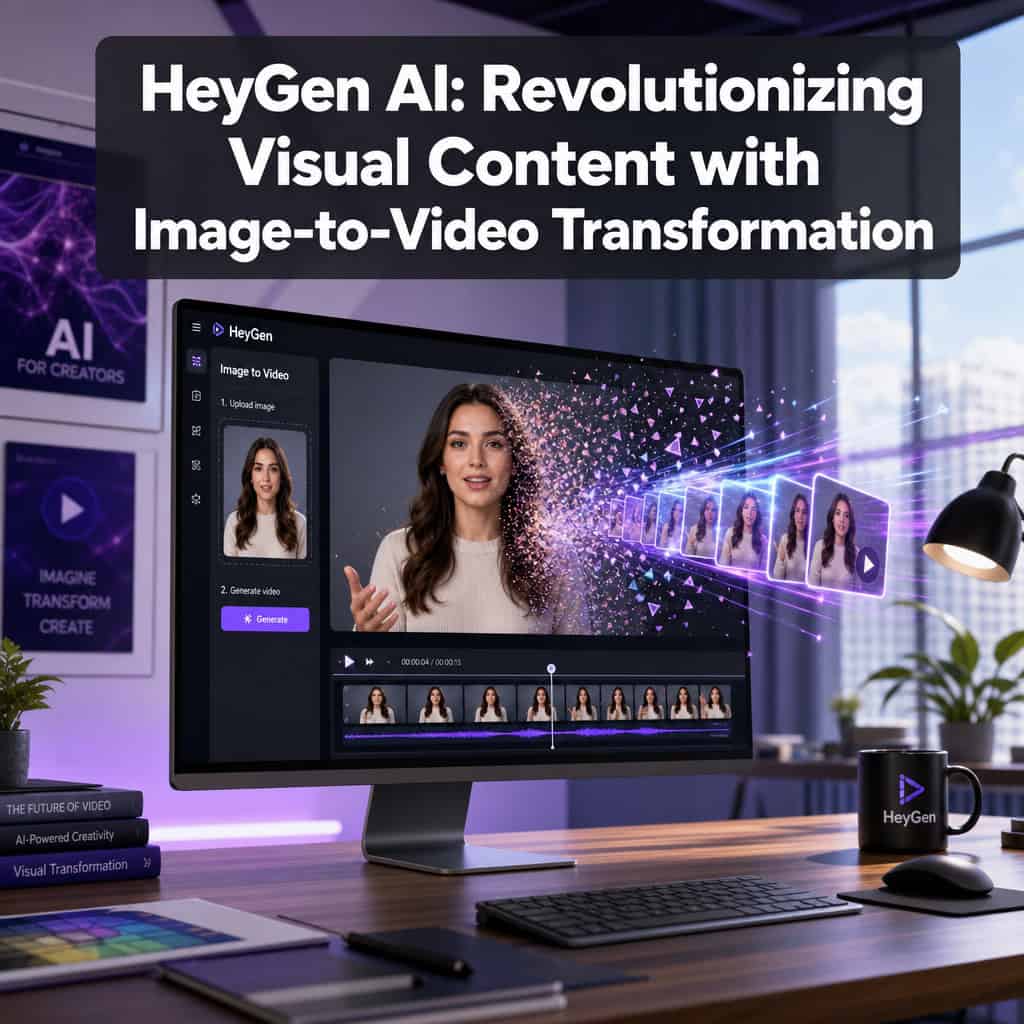
HeyGen is a cloud-based AI video platform that turns static images, webcam recordings, and text scripts into professional-looking videos with realistic talking-head avatars. You don’t need to install anything — everything runs in the browser.
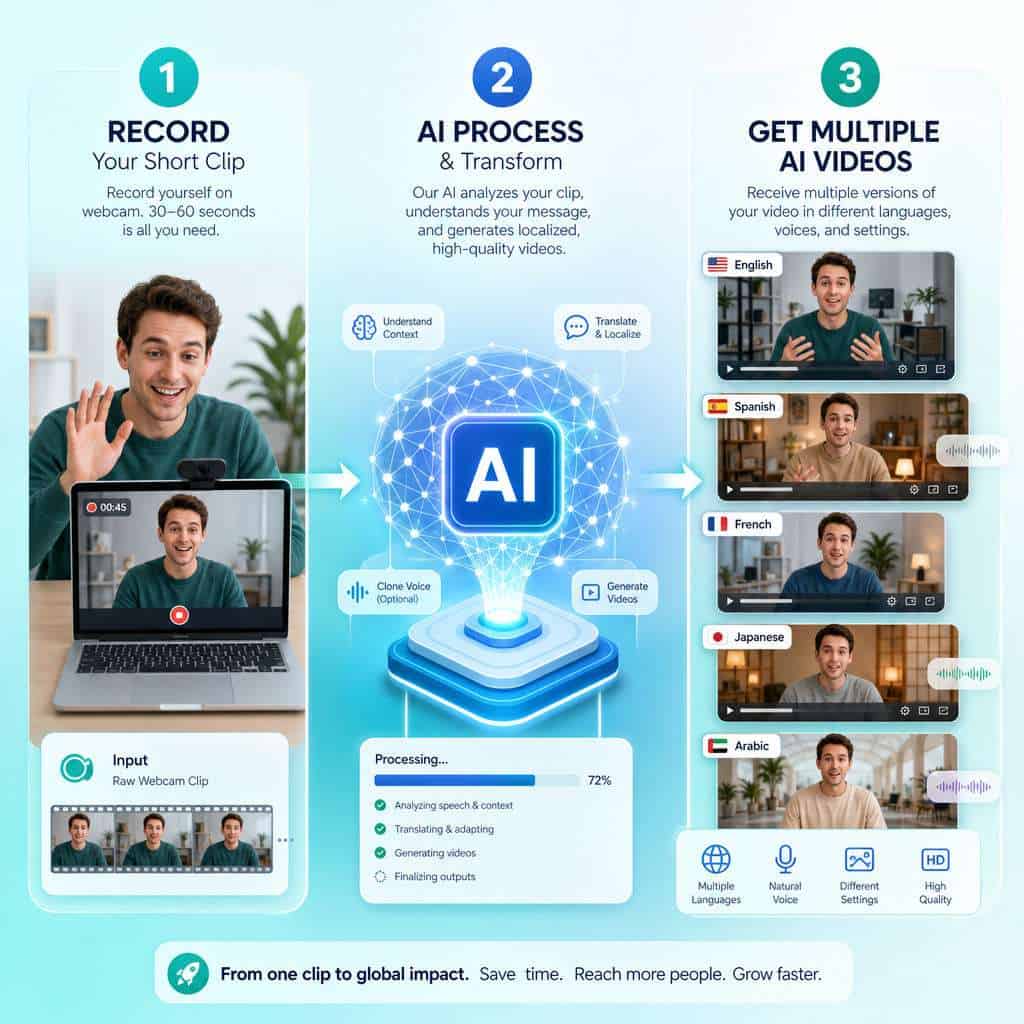
Here’s the basic workflow:
- Record or upload. Provide a 15-second webcam clip or upload a clear photo of yourself (or choose from HeyGen’s library of stock avatars).
- Write or paste a script. Type your script, paste text, or let HeyGen’s AI agent generate one from a prompt.
- Customize the scene. Pick backgrounds, add slides or screen recordings, adjust avatar positioning, and select a voice (including cloned voices).
- Generate and export. HeyGen renders the video, typically in minutes, and delivers it in formats up to 4K resolution.
The April 2026 Avatar V model is the biggest leap yet. It merges the flexibility of photo-based avatars with the realism of video-based ones, producing a digital twin that maintains consistent identity across long-form content and eliminates the “identity drift” problem that plagued earlier versions [2]. The same digital twin can now appear in multi-avatar cinematic scenes powered by Seedance 2.0, complete with upper-body motion and multi-angle consistency [2].
For teams already using other tools, HeyGen integrates with platforms like Gamma (for turning slide decks into narrated presentations) and Granola (for converting meeting notes into recap videos) [2]. If you’re exploring other AI-powered content generation tools, HeyGen fits neatly into a broader content stack.
How Much Does HeyGen Cost Compared to Other AI Video Tools?
HeyGen uses a tiered pricing model with five plans. The free tier is functional but limited, while paid plans unlock higher resolution, more credits, and advanced features like Avatar V and voice cloning [10].
| Plan | Price (approx.) | Resolution | Key Features |
|---|---|---|---|
| Free | $0/month | 720p, watermarked | 3 videos/month (1–3 min each) |
| Creator | ~$24/month | 1080p | More credits, no watermark, voice cloning |
| Pro | ~$69/month | Up to 4K | Avatar V, priority rendering, longer videos |
| Business | Custom | 4K | Team seats, API access, brand kits |
| Enterprise | Custom | 4K | Dedicated support, SSO, custom integrations |
How does this compare? Competitors like Synthesia and Colossyan offer similar avatar-based video at comparable price points, but HeyGen’s free unlimited video translation (without lip-sync) on all paid plans is a notable differentiator as of April 2026 [10]. Tools like Runway and Pika focus more on general image-to-video generation rather than avatar-specific workflows, so they serve a different use case.
Decision rule: Choose HeyGen if your primary need is talking-head or presenter-style video with multilingual support. Choose Runway or Pika if you need more creative, non-avatar video generation from images.
Can I Use HeyGen to Turn My Photos Into Professional Videos?
Yes. HeyGen can take a single clear photo of a person and animate it into a talking-head video, complete with lip-synced speech and natural head movements. With Avatar V, the results are significantly more realistic than earlier photo-avatar tools [2].
The process is straightforward:
- Upload a front-facing, well-lit photo (minimum 512×512 pixels recommended).
- Enter your script or record audio.
- HeyGen animates the face, syncs lip movements to the audio, and renders the video.
This works for both your own photos and stock images, though HeyGen’s terms require that you have rights to any face you upload. The platform also supports Pixar-style and cartoon character creation for teams that want a less literal visual style [5].
For best results, pair your HeyGen videos with strong visual assets. If you’re also creating supporting graphics, our guide on AI graphic design tools for creative workflows covers complementary tools.
What Image Quality Do I Need for the Best HeyGen Results?
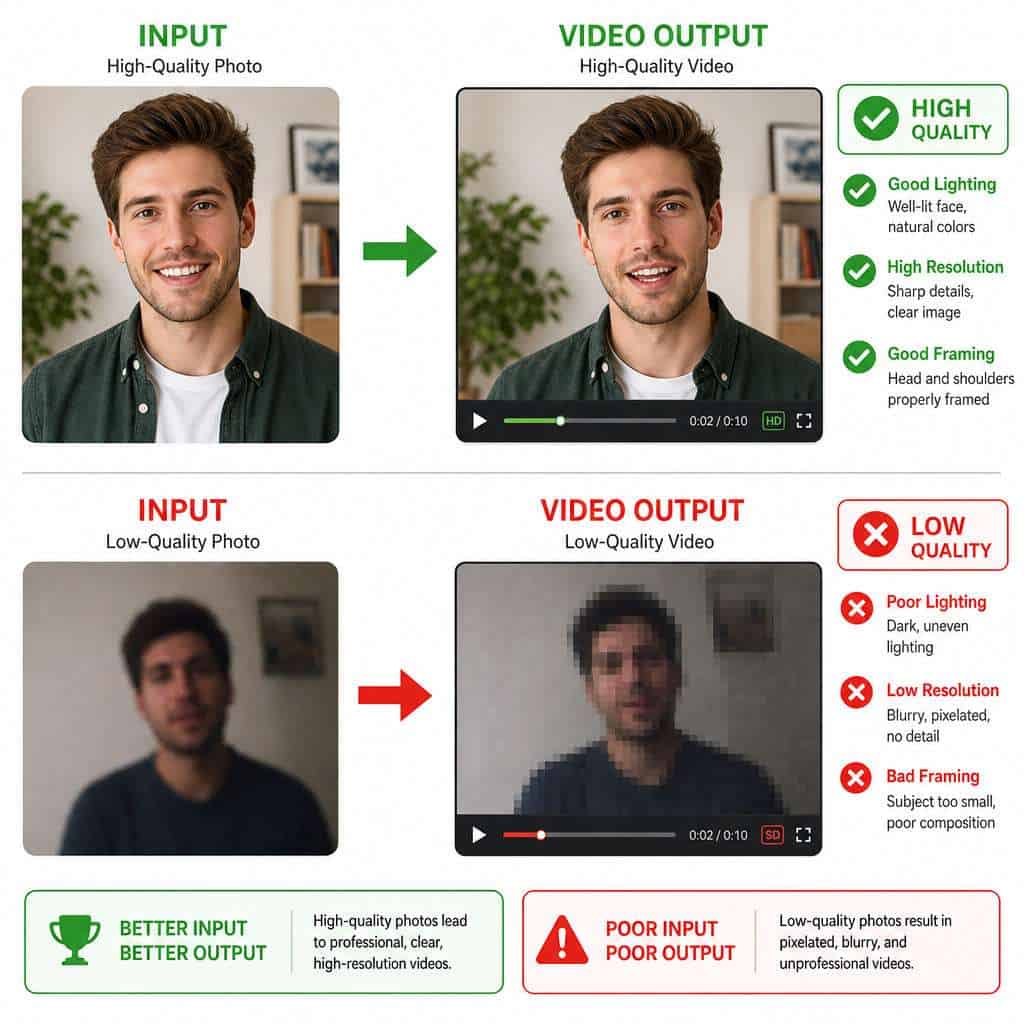
Higher-quality input images produce dramatically better avatar videos. HeyGen’s AI works best when it has clear facial features, even lighting, and sufficient resolution to map expressions accurately.
Minimum requirements for good results:
- Resolution: At least 512×512 pixels; 1024×1024 or higher is better
- Lighting: Even, front-facing light without harsh shadows
- Face position: Centered, looking directly at camera, no obstructions (sunglasses, hats covering forehead)
- Background: Clean backgrounds help, but aren’t strictly required
- File format: JPEG or PNG
Common mistake: Using a cropped group photo where your face is only 200×200 pixels. The avatar will look blurry and the lip-sync won’t track well. Always use a dedicated headshot or portrait. For tips on preparing images for web use, see our piece on image compression techniques.
What Are the Main Limitations of HeyGen’s Image-to-Video Feature?
HeyGen is impressive, but it has real constraints that are worth understanding before you commit.
- Uncanny valley moments. While Avatar V is a major improvement, some generated videos still show subtle artifacts — slight delays in eye movement, occasional lip-sync mismatches on complex phonemes, or unnatural hand gestures [6].
- Limited body movement. Avatars primarily show upper-body motion. Full-body walking and complex physical actions are new with Seedance 2.0 and still evolving [2].
- Credit consumption. Longer videos and higher resolutions burn through credits quickly. A 5-minute 4K video uses significantly more credits than a 1-minute 720p clip.
- Voice cloning accuracy. Cloned voices are good but not perfect. Distinctive accents or speech patterns may not replicate exactly.
- Processing time. While most videos render in minutes, complex multi-avatar cinematic scenes can take longer during peak usage.
- Content restrictions. HeyGen prohibits deepfakes and impersonation. You must verify identity for custom avatars.
Edge case: If you need avatars that interact physically with real-world objects (picking up products, writing on whiteboards), HeyGen isn’t there yet. You’ll still need live video for those scenarios.
How Accurate Are HeyGen’s AI-Generated Video Avatars?
Avatar V produces the most realistic results HeyGen has offered to date, with consistent identity across long videos and natural upper-body motion [2]. Independent reviewers describe the output as “studio-quality” for standard talking-head formats [5].
That said, accuracy depends on context:
- Talking-head presentations: Very accurate. Lip-sync, facial expressions, and head movement look natural in most cases.
- Emotional range: Limited. Avatars handle neutral and moderately enthusiastic delivery well, but extreme emotions (anger, sadness) can look forced.
- Long-form consistency: Avatar V specifically addresses identity drift, maintaining a stable appearance across videos longer than 10 minutes [2].
- Multi-language delivery: The avatar’s lip movements adjust per language, though some language pairs produce more natural results than others.
Can HeyGen Handle Multiple Languages in Video Generation?
HeyGen supports video generation and translation in over 175 languages, making it one of the most multilingual AI video platforms available in 2026 [1]. This includes both text-to-speech generation in different languages and automatic translation of existing videos with lip-sync adjustment.
Key multilingual features:
- Script-to-video in 40+ languages/accents with native-sounding AI voices [6]
- Video translation with lip-sync available on paid plans
- Video translation without lip-sync is free and unlimited on all paid plans [10]
- Instant Highlights v2 can extract clips from long-form content and translate them with platform-specific framing and captions [2]
Who this is for: Global brands, e-commerce sellers on international marketplaces, online course creators serving multilingual audiences, and any team that needs the same message delivered consistently across markets.
Is HeyGen Good for Marketing or Just Personal Projects?
HeyGen is built primarily for professional and marketing use cases, though it works for personal projects too. The platform’s pricing, feature set, and integrations are clearly designed for content teams and businesses [8].
Marketing use cases where HeyGen excels:
- Product explainer videos for e-commerce listings
- Personalized sales outreach at scale
- Social media content repurposing (one recording becomes dozens of clips via Instant Highlights v2) [2]
- Multilingual ad campaigns without reshooting
- Internal training and onboarding videos
If you’re building marketing content more broadly, our guide to AI-powered content optimization covers how to fit tools like HeyGen into a larger strategy. And for social media specifically, check out our resource on graphic design for social media marketing.
Which Industries Benefit Most from HeyGen’s AI Technology?
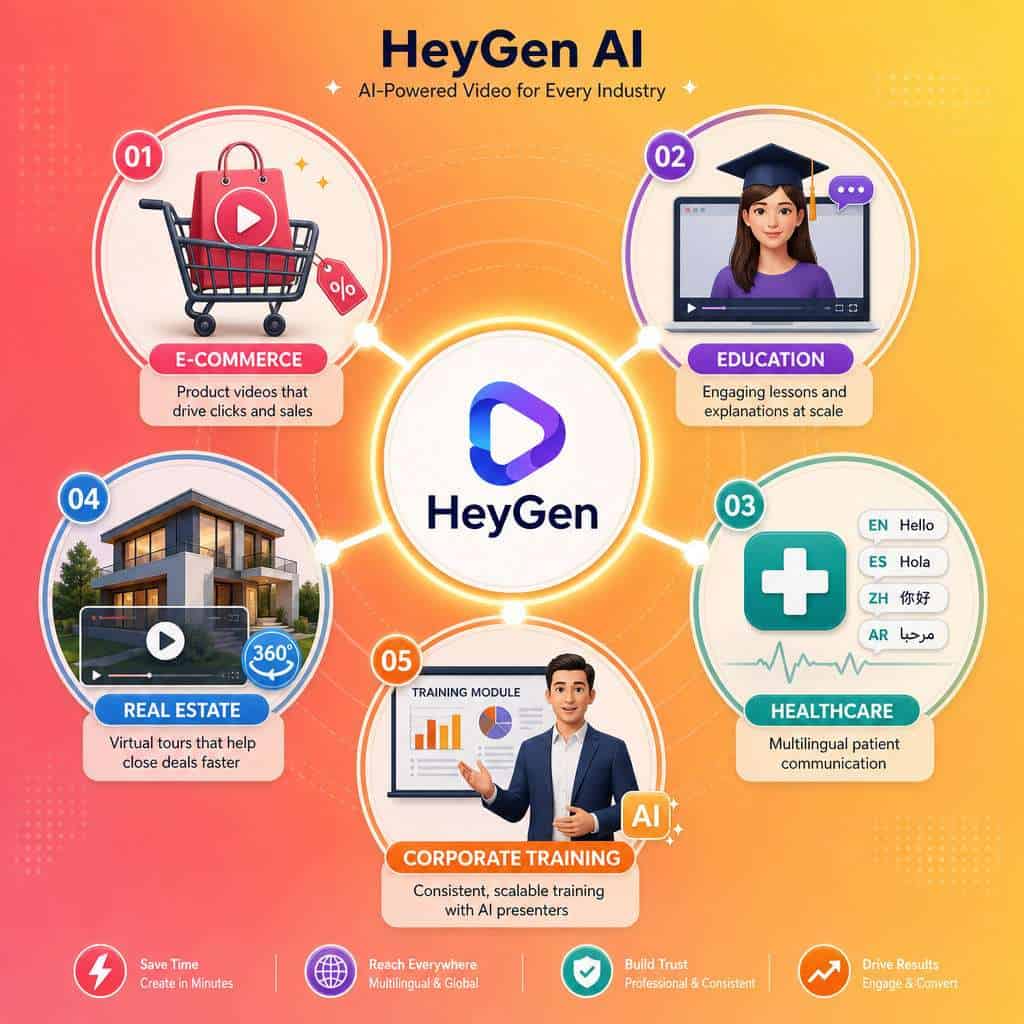
E-commerce, education, corporate training, real estate, and healthcare communications see the strongest ROI from HeyGen, because these industries rely heavily on repeatable, presenter-led video content that needs frequent updates or localization.
- E-commerce: Product videos in multiple languages for Amazon, Shopify, and regional marketplaces
- Education and e-learning: Course content that can be localized without re-recording lectures
- Corporate training: Standardized onboarding videos across global offices
- Real estate: Virtual property tours narrated by an AI avatar
- Healthcare: Patient education materials in multiple languages
- SaaS and tech: Feature announcement videos, demo walkthroughs, and changelog summaries
Are There Free Alternatives to HeyGen for Video Creation?
Several free or freemium tools offer overlapping capabilities, though none match HeyGen’s full feature set in a single platform.
- Canva’s AI video tools — basic text-to-video and simple animations (see our Canva AI design guide)
- D-ID — free tier for photo-to-talking-head videos, limited minutes
- Synthesia — free demo available, paid plans required for production use
- Runway — free tier for general image-to-video (not avatar-focused)
- CapCut — free video editing with some AI features, no custom avatars
Decision rule: If you only need occasional short clips and don’t require custom avatars or multilingual support, D-ID’s free tier or Canva’s built-in tools may suffice. For consistent, branded, multilingual video at scale, HeyGen’s paid plans are hard to beat.
What Technical Skills Do I Need to Use HeyGen Effectively?
None beyond basic computer literacy. HeyGen’s interface is designed so that anyone who can write an email can produce a video [6]. You type a script, choose an avatar, and click generate.
For more advanced use:
- API and CLI access requires developer skills (JSON, command line) [2]
- HyperFrames (open-source HTML-to-video) requires HTML/CSS knowledge [2]
- HeyGen Skills for AI coding agents like Claude Code and Cursor require familiarity with those development environments [2]
Most users will never touch the API. The browser-based studio handles 90%+ of common workflows. If you’re interested in building no-code workflows around tools like HeyGen, our list of no-coding website design platforms provides useful context.
Common Mistakes People Make When Using HeyGen
Knowing what to avoid saves time and credits:
- Using low-resolution photos. This is the most common error. Blurry input means blurry output.
- Writing scripts for reading, not speaking. Conversational scripts with short sentences produce more natural-sounding avatars than formal, dense paragraphs.
- Ignoring the preview. Always preview before final rendering. Catching a mispronunciation in preview costs nothing; re-rendering costs credits.
- Overloading scenes. Multi-avatar cinematic shots are impressive but use more credits and take longer to render. Use them strategically.
- Skipping voice selection. The default voice may not match your brand. Spend time testing voices or clone your own.
- Forgetting platform-specific formatting. A video made for YouTube won’t work well as an Instagram Reel. Use Instant Highlights v2 to auto-format for different platforms [2].
Is HeyGen Suitable for Small Businesses with Limited Budgets?
Yes, but with caveats. The free tier lets small businesses test the platform and produce a few videos per month. The Creator plan at roughly $24/month is affordable for most small businesses and removes watermarks while adding HD output [10].
Where small businesses get the most value:
- Replacing expensive video production for product demos
- Creating multilingual content without hiring translators
- Producing consistent social media video without appearing on camera
- Building a library of training videos for new hires
Where it might not make sense: If you only need one or two videos per year, the monthly subscription may not justify the cost. In that case, the free tier or a one-month paid subscription for a specific project is the better approach.
For small businesses also looking to improve their web presence alongside video content, our guide on AI website creation without code pairs well with a HeyGen video strategy.
Frequently Asked Questions
Is HeyGen free to use? Yes, HeyGen offers a free tier that includes three videos per month, each 1–3 minutes long, at 720p with a watermark [10].
Can HeyGen clone my voice? Yes. Paid plans include voice cloning, where you record a sample and HeyGen replicates your voice for avatar videos [6].
How long does it take to generate a video? Most standard talking-head videos render in 2–10 minutes. Complex multi-avatar cinematic scenes may take longer.
Does HeyGen support 4K video? Yes. 4K output is available on Pro, Business, and Enterprise plans [10].
Can I use HeyGen for commercial purposes? Yes. All paid plans include commercial usage rights for generated videos.
Is HeyGen safe to use with my likeness? HeyGen requires identity verification for custom avatars and prohibits unauthorized use of others’ likenesses. Your data is processed according to their privacy policy.
What file formats does HeyGen export? HeyGen primarily exports MP4 files, which are compatible with virtually all video platforms and players.
Can I edit a HeyGen video after it’s generated? You can re-generate with script changes, but frame-by-frame editing requires exporting and using a separate video editor.
Does HeyGen work on mobile? The platform is browser-based and accessible on mobile devices, though the full editing experience is optimized for desktop.
What is HyperFrames? HyperFrames is HeyGen’s open-source system (Apache 2.0) that lets developers write videos as HTML and render them to MP4 [2].
How does Instant Highlights v2 work? It takes long-form content like podcasts or webinars and automatically creates short clips with captions, platform-specific framing, and optional translation into 175+ languages [2].
Conclusion
HeyGen AI has moved well beyond the “novelty talking-head” stage. With Avatar V, Seedance 2.0 integration, and 175+ language support, it’s a practical production tool for anyone who needs consistent video content without a studio budget. The platform is accessible enough for solo creators and powerful enough for enterprise marketing teams.
Your next steps:
- Try the free tier. Create your first three videos to test avatar quality and workflow fit.
- Prepare a high-quality headshot. Well-lit, high-resolution, front-facing — this single step dramatically improves output.
- Write a conversational script. Short sentences, natural phrasing, and clear structure produce the best results.
- Test multilingual output. If you serve international audiences, generate one video in two languages to see the translation quality firsthand.
- Evaluate ROI after one month. Compare the cost and time of HeyGen-produced videos against your current video production workflow.
The gap between “having an idea” and “having a finished video” has never been smaller. Whether you’re a small business owner creating your first product demo or a marketing team scaling content across 30 markets, HeyGen makes the path from image to video remarkably short.
References
[1] Heygen January 2026 Release – https://www.heygen.com/blog/heygen-january-2026-release [2] Heygen April 2026 Release – https://www.heygen.com/blog/heygen-april-2026-release [3] Heygen Release Update Tracking – https://www.heygen.com/blog/heygen-release-update-tracking [5] Watch – https://www.youtube.com/watch?v=3dyBdG21S60&vl=en-US [6] Heygen Create Pro Talking Head Videos With Ultra Realistic Avatars Lip Sync In Minutes – https://quasa.io/video/heygen-create-pro-talking-head-videos-with-ultra-realistic-avatars-lip-sync-in-minutes [8] Blog – https://www.heygen.com/blog [10] Watch – https://www.youtube.com/watch?v=46XpN-btIQs