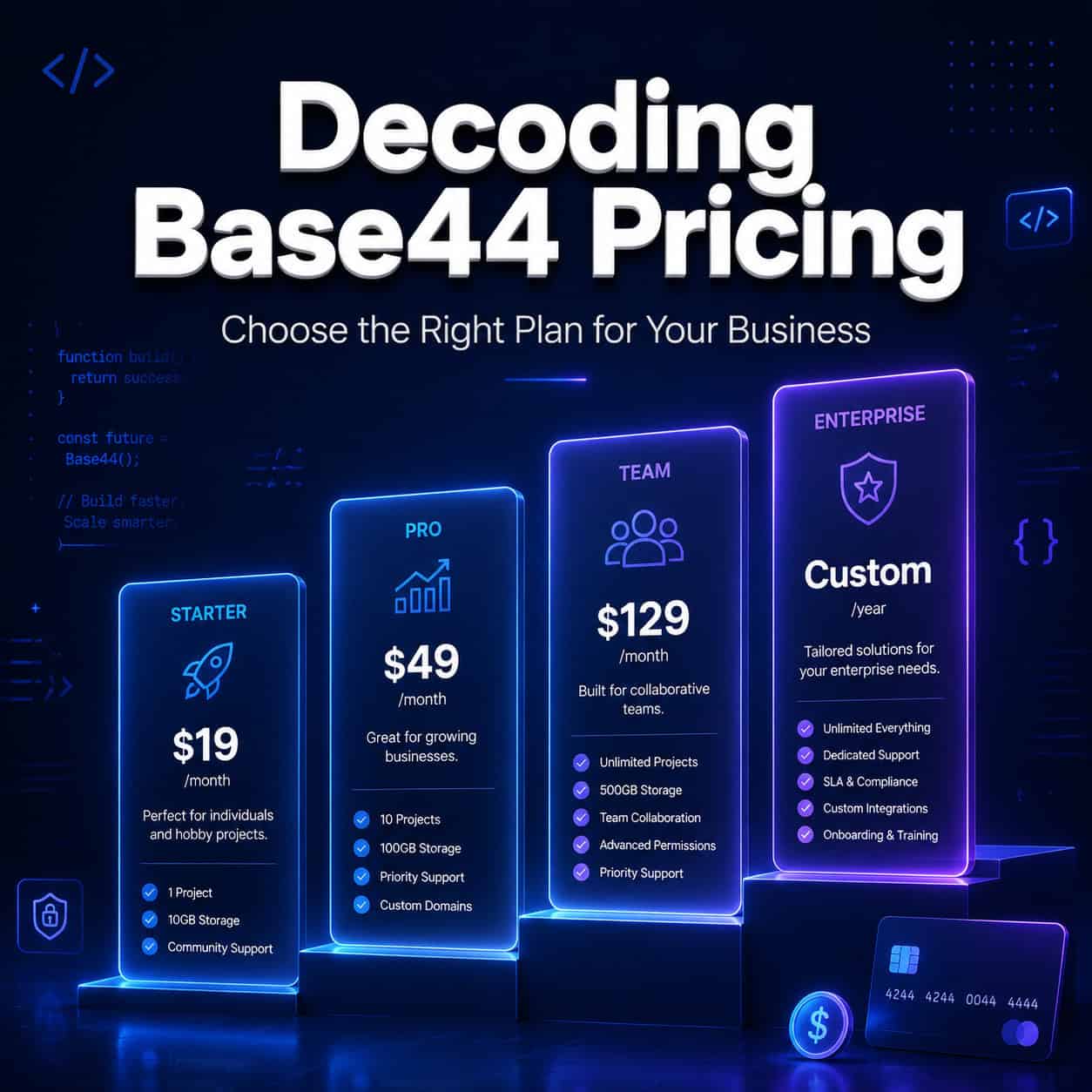
Last updated: May 11, 2026
Quick Answer
Base44 offers five pricing tiers ranging from Free ($0/month) to Elite ($160/month billed annually), using a dual-credit system of message credits (for building apps) and integration credits (for runtime features like LLM calls). The Starter plan at $16/month annual is the entry point for serious projects, but production-ready apps with custom domains require the Builder plan at $40/month minimum [1][2].
Key Takeaways
- Free tier gives you 25 message credits per month and 1 app — enough to test the platform, not to ship anything [2]
- Starter ($16/mo annual) unlocks unlimited apps and 100 message credits, ideal for MVPs and prototyping [4]
- Builder ($40/mo annual) is the true production entry point with custom domains and 300 message credits [1]
- Pro ($80/mo annual) and Elite ($160/mo annual) add team collaboration, priority support, and early beta features [1]
- Base44 uses two credit types: message credits for building/editing apps, and integration credits for app runtime (each LLM call = 1 integration credit) [2]
- Competitors like Rocket.new offer production features at $20/month, making Base44’s Builder tier comparatively expensive for solo developers [7]
- The platform hasn’t changed pricing since late 2025, so current plans are stable as of May 2026 [1]
- Choose Base44 if you want an all-in-one backend + frontend builder; choose alternatives if you need GitHub sync or mobile-first output earlier in the pricing ladder

What Does Base44 Actually Cost in 2026?
Base44’s pricing structure has five distinct tiers, all available on monthly or annual billing (annual saves roughly 20%) [1]. Here’s the full breakdown:
| Plan | Monthly Price | Annual Price (per month) | Message Credits | Integration Credits | Apps |
|---|---|---|---|---|---|
| Free | $0 | $0 | 25 | 0 | 1 |
| Starter | $20 | $16 | 100 | 5,000 | Unlimited |
| Builder | $50 | $40 | 300 | 15,000 | Unlimited |
| Pro | $100 | $80 | 600 | 30,000 | Unlimited |
| Elite | $200 | $160 | 1,200 | 50,000 | Unlimited |
Data sourced from Base44’s official pricing page [1] and their May 2026 blog post [2].
Decision rule: If you only need to explore the platform, Free works. If you’re building an MVP to show investors, Starter is sufficient. If you need a live app with your own domain serving real users, Builder is the minimum [5].
How Does the Dual-Credit System Work?
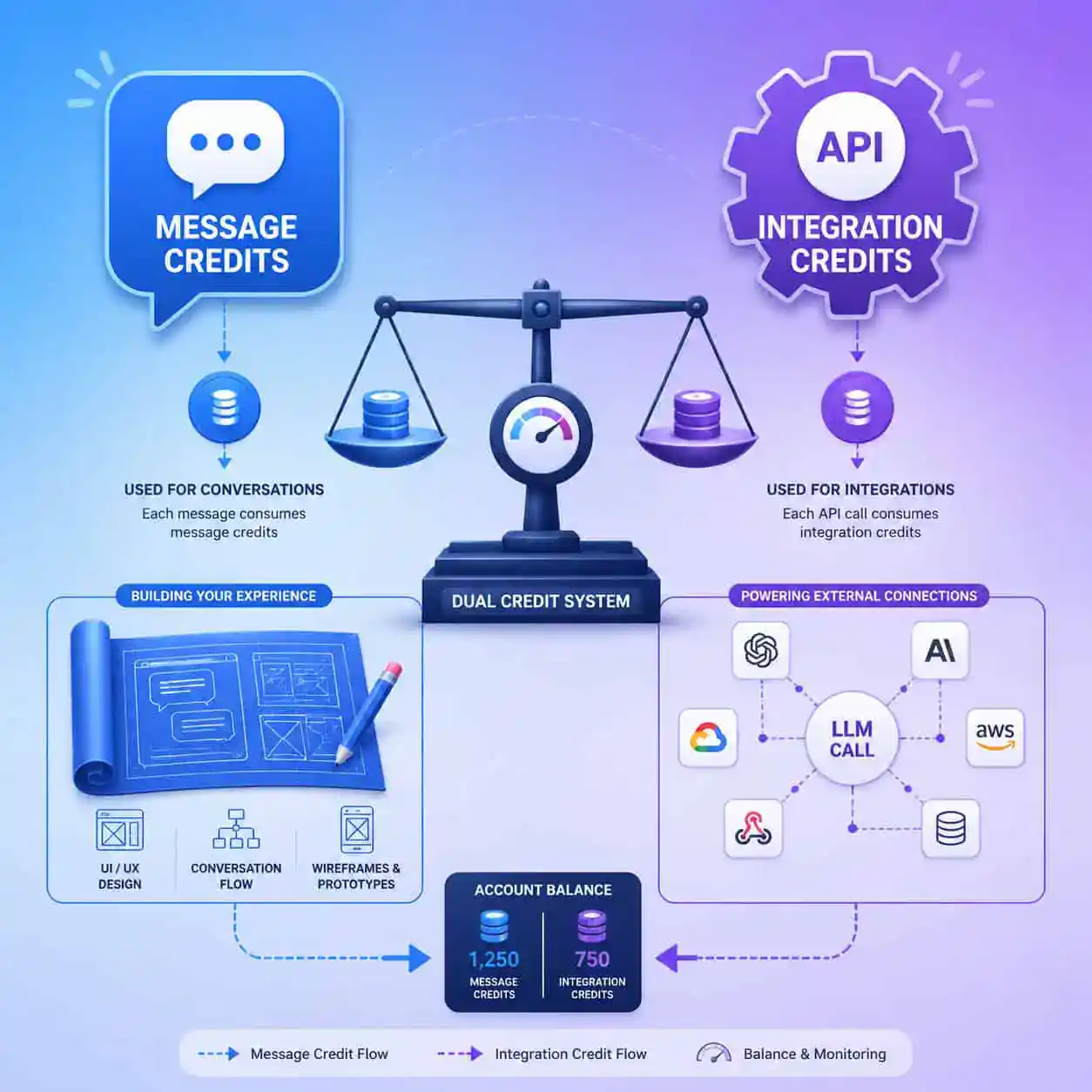
This is where most people get confused. Base44 separates building from running.
Message credits are consumed when you interact with the AI to build or modify your app. Think of them as your “construction budget.” Each prompt you send to generate UI, create database schemas, or modify logic costs message credits [2].
Integration credits are consumed at runtime — when your deployed app makes external calls. Each LLM API call, third-party integration, or AI-powered feature your users trigger costs 1 integration credit [2].
Common mistake: People assume message credits are the only cost. But if you build an app that uses AI features (chatbots, content generation, smart search), your integration credits can drain fast once users start interacting with it.
Example: A simple internal tool with 50 daily users making 3 AI-powered queries each = 150 integration credits/day = 4,500/month. That pushes you past Starter’s 5,000 limit quickly if usage grows.
If you’re building AI-powered tools, consider how AI-powered content generation features will consume credits at scale.
Which Base44 Plan Should You Choose?
The right plan depends on your use case, not just your budget. Here’s a practical framework for decoding Base44 pricing and choosing the right plan for your business:
Choose Free if:
- You want to test whether Base44’s AI builder matches your workflow
- You’re evaluating it against other no-code platforms
- You have no deadline and just want to experiment
Choose Starter ($16/mo) if:
- You’re building an MVP or proof of concept
- Your app won’t serve external users yet
- You need unlimited apps for rapid prototyping [4]
Choose Builder ($40/mo) if:
- You need a custom domain for a live product
- Your app serves real users who interact with AI features
- You want GitHub export capabilities [1]
Choose Pro ($80/mo) or Elite ($160/mo) if:
- You’re running a team and need collaboration features
- You need priority support and early access to new features
- Your apps consume significant integration credits monthly [1]
Reddit users have noted that Base44 works best for prototyping, and costs can escalate once you move beyond Starter for full production apps [3].
How Does Base44 Compare to Alternatives?
When decoding Base44 pricing in the context of the broader market, several competitors offer compelling alternatives at different price points.
| Platform | Entry Production Plan | Monthly Cost (Annual) | Key Advantage Over Base44 |
|---|---|---|---|
| Rocket.new | Personal | $20/mo | Custom domains + GitHub at half the price [7] |
| Lovable | Starter | $21/mo | Simpler pricing, good for landing pages |
| Bolt.new | Pro | $18/mo | Cheapest for simple setups |
| Replit | Core | $20/mo | Full coding environment included |
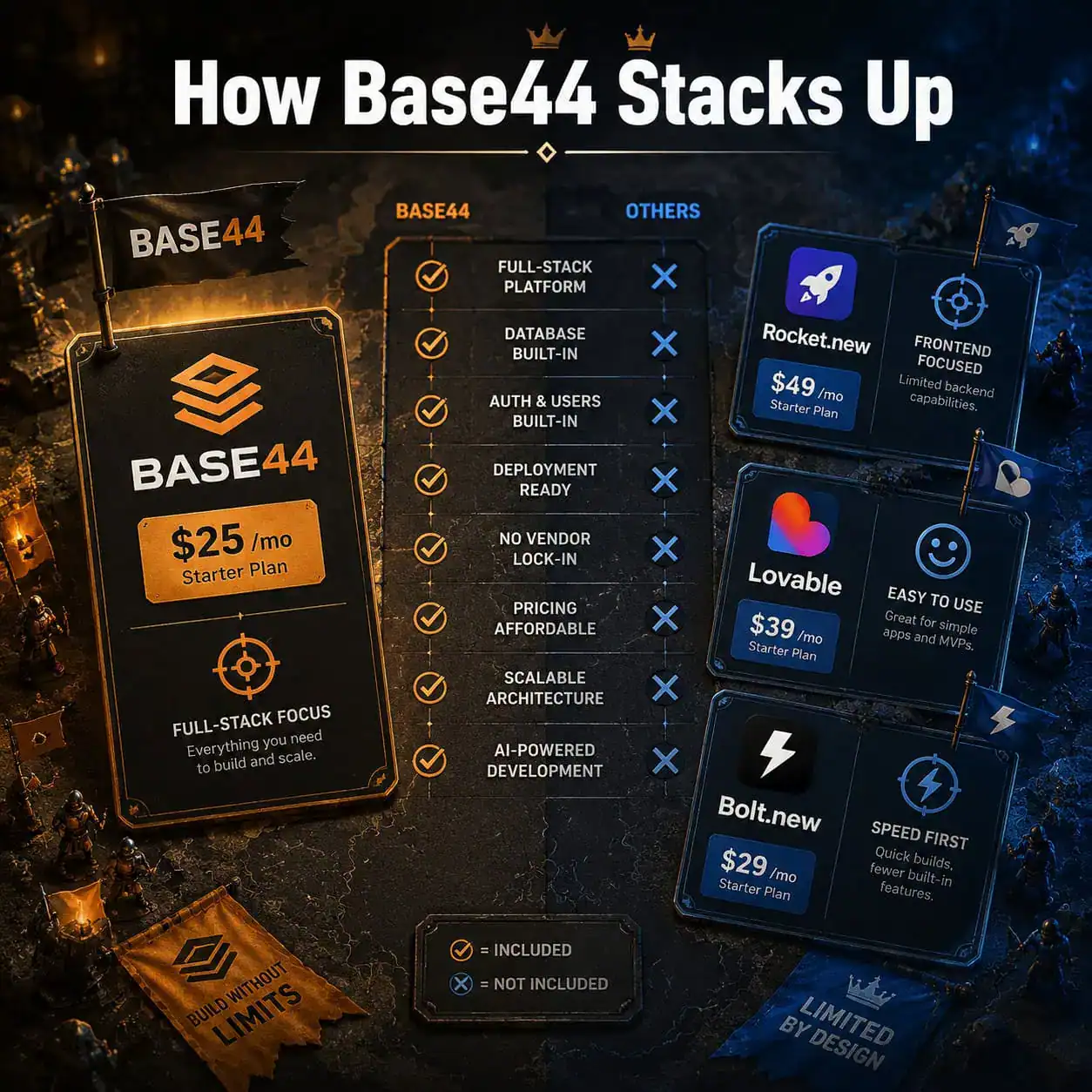
Base44’s edge: It bundles backend, database, and frontend into one platform. You don’t need to connect Supabase or Firebase separately. For non-technical founders who want everything in one place, that’s a real advantage [6].
Where Base44 falls short: Rocket.new’s April 2026 comparison argues their $20/month Personal plan includes custom domains and GitHub sync — features Base44 locks behind the $40/month Builder tier [7]. If you need production deployment on a tight budget, that gap matters.
For teams already working in design tools, understanding how to convert Figma designs to working sites might offer a different workflow entirely.
What Are the Hidden Costs and Limitations?
No pricing page tells the full story. Here are the edge cases worth knowing:
- Credit overages: Base44 doesn’t clearly publish overage rates. If you hit your message credit limit mid-month, you’ll need to upgrade or wait [5]
- No rollover: Unused credits don’t carry over to the next month [2]
- Complexity scaling: As your app grows more complex, each modification may consume more message credits because the AI processes more context [3]
- Integration credit burn rate: Apps with heavy AI features (think chatbots or recommendation engines) can consume thousands of integration credits daily at scale
Edge case: If you’re building multiple client apps on Starter (unlimited apps), you might hit the 100 message credit ceiling fast. Each new app requires significant initial prompting. Budget 15-30 message credits per new app setup based on community estimates [3].
For businesses focused on web presence, you might also want to explore SEO optimization strategies to ensure your Base44-built apps actually get found.
Is Base44’s Free Plan Actually Useful?
Yes, but only for evaluation. With 25 message credits and 1 app, you can build a basic prototype in a single focused session. You won’t have enough credits to iterate significantly or deploy anything production-ready [2].
What you can accomplish on Free:
- Build a simple CRUD app (task manager, inventory tracker)
- Test the AI’s code generation quality
- Evaluate the built-in database and UI components
What you can’t do on Free:
- Deploy with a custom domain
- Build multiple app variations
- Use integration credits (you get zero) [1]
The Free tier is best understood as a demo, not a product tier. If you’re comparing AI website builders, test Base44’s Free plan alongside Bolt.new’s and Lovable’s free offerings before committing.
When Should You Upgrade Plans?
Upgrade triggers are straightforward:
- Free → Starter: You’ve validated the platform works for your use case and want to build seriously
- Starter → Builder: You need to deploy a live app with a custom domain, or you’re burning through 100 message credits before month-end
- Builder → Pro: You’re collaborating with team members, need priority support, or your integration credit usage exceeds 15,000/month
- Pro → Elite: You’re running multiple production apps with heavy AI usage and need early access to platform features [4]
Pro tip: Track your credit usage for 2-3 weeks before upgrading. Base44’s dashboard shows consumption patterns. If you’re consistently hitting 80%+ of your credit allocation by mid-month, it’s time to move up.
Teams building complex web applications might also benefit from understanding design system fundamentals before committing to a higher tier, as better planning reduces wasted message credits.
Tips for Maximizing Value on Any Base44 Plan
Regardless of which tier you choose, these practices help you get more from every credit:
- Plan before prompting. Write out your app requirements in detail before using message credits. Vague prompts waste credits on iterations [5]
- Batch your building sessions. Context switching between apps costs more credits than focused work on one app
- Use integration credits strategically. Not every feature needs AI at runtime — sometimes a simple database query works better than an LLM call
- Monitor weekly. Check your credit dashboard every Monday to avoid surprise overages
- Start with Starter, not Builder. Build and test on Starter, then upgrade only when you’re ready to deploy [4]
For teams working on design-to-development workflows, having clear mockups before entering Base44 can significantly reduce message credit consumption.
Conclusion
Decoding Base44 pricing comes down to understanding two things: what you’re building and how your users will interact with it. The dual-credit system means you’re paying separately for construction (message credits) and operation (integration credits).
Your next steps:
- Sign up for the Free plan and build one prototype to test the workflow
- Track how many message credits a typical app requires for your use case
- Estimate your integration credit needs based on expected user interactions with AI features
- Compare Base44’s Builder tier ($40/mo) against Rocket.new’s Personal tier ($20/mo) if budget is tight [7]
- Upgrade only when you have clear evidence you need the next tier’s capacity
Base44 is a strong choice for non-technical founders who want an all-in-one platform. But if you’re cost-sensitive and need production features early, alternatives offer better value at the $20/month price point. Match the plan to your stage, not your ambition.
FAQ
How many apps can I build on Base44’s Free plan? One app only. Starter and above unlock unlimited apps [1].
Do unused Base44 credits roll over? No. Both message credits and integration credits reset each billing cycle [2].
What happens if I run out of message credits mid-month? You’ll need to upgrade your plan or wait until the next billing cycle. Base44 doesn’t offer à la carte credit purchases on lower tiers [5].
Is Base44 cheaper than Lovable or Bolt.new? At the entry level, Base44’s Starter ($16/mo annual) slightly undercuts Lovable ($21/mo) but costs similar to Bolt.new ($18/mo). For production apps, Base44’s Builder at $40/mo is more expensive than competitors’ equivalent tiers [7].
Can I use Base44 for client projects? Yes. The Starter plan’s unlimited apps feature makes it viable for agencies building MVPs. But each app’s complexity will consume message credits, so budget accordingly [4].
Does Base44 offer refunds? Base44’s terms should be checked directly on their site. Community reports suggest standard SaaS refund policies apply within the first billing period [3].
What counts as one integration credit? Each LLM API call, external service request, or AI-powered feature trigger in your deployed app consumes 1 integration credit [2].
Is the annual discount worth it? Annual billing saves approximately 20% across all tiers. If you’ve validated the platform on monthly billing for 2-3 months, switching to annual makes financial sense [1].
Can I downgrade my Base44 plan? Yes, you can downgrade at any time. Changes take effect at the next billing cycle. You’ll lose access to higher-tier features immediately upon downgrade [4].
Does Base44 support team collaboration on all plans? Team features are available on Pro ($80/mo) and Elite ($160/mo) plans. Starter and Builder are designed for individual users [1].
References
[1] Pricing – https://base44.com/pricing [2] How Much Does Base44 Cost – https://base44.com/blog/how-much-does-base44-cost [3] Is Base44 Worth It – https://www.reddit.com/r/Base44/comments/1r0pftl/is_base44_worth_it/ [4] Base44 Pricing – https://www.nocode.mba/articles/base44-pricing [5] Base44 Pricing And Credits – https://www.banani.co/blog/base44-pricing-and-credits [7] Rocket New Vs Base44 Which Ai App Builder Is Better – https://www.rocket.new/blog/rocket-new-vs-base44-which-ai-app-builder-is-better