Last updated: May 11, 2026
Quick Answer
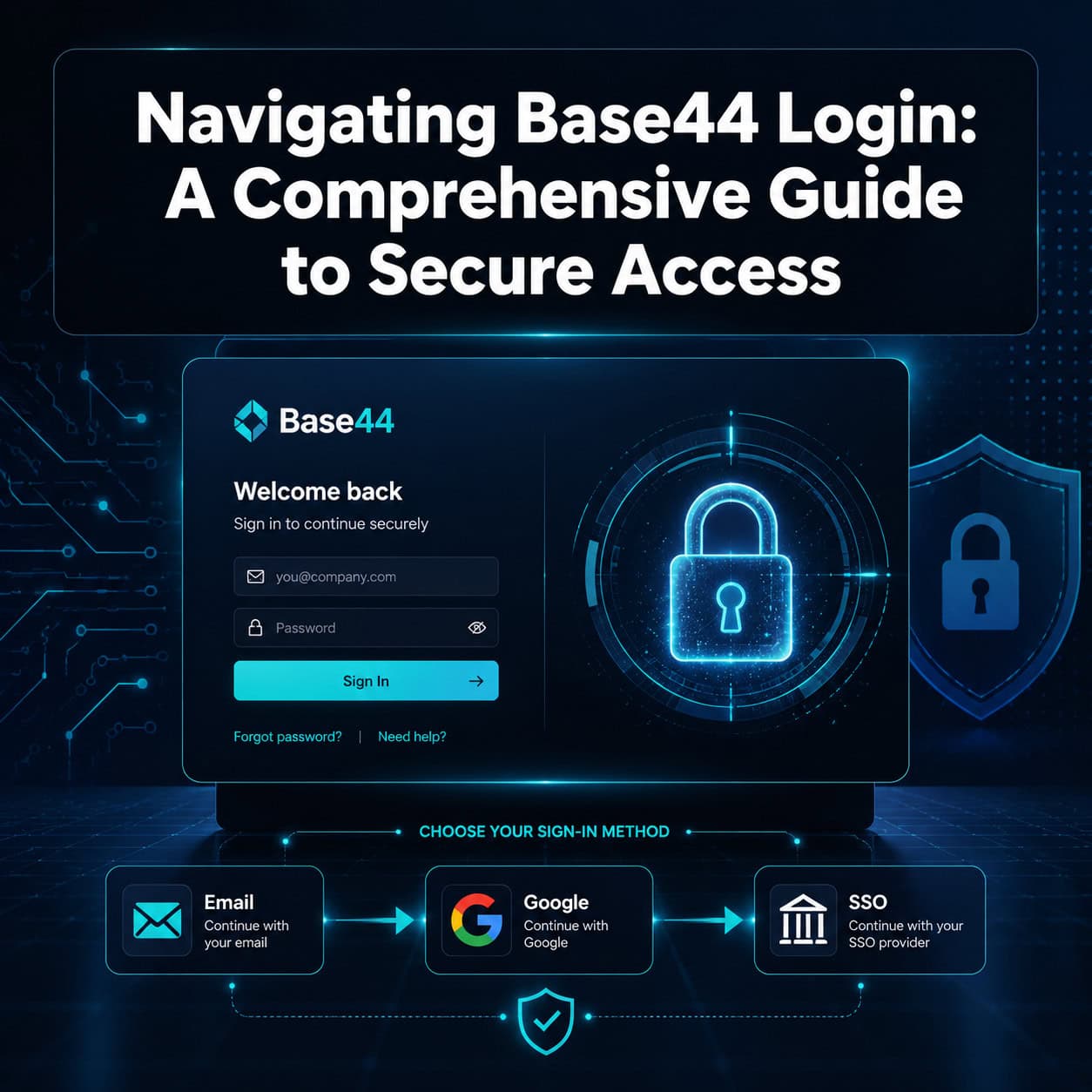
Base44 login supports six or more authentication providers including email/password, Google, Microsoft, Facebook, Apple, and OIDC-based SSO [1][8]. The platform manages authentication security for you, with built-in row-level security and role-based access control. You access your Base44 app’s login at app.base44.com, and the setup process takes minutes through the platform’s settings panel — though custom Google OAuth verification can take up to five days [1].
Key Takeaways
- Base44 offers email/password plus five OAuth providers (Google, Microsoft, Facebook, Apple, OIDC SSO) out of the box [8]
- Row-level security (RLS) and role-based access control (RBAC) are built into the platform — you don’t need to build custom admin systems [1]
- Custom Google OAuth requires a Builder plan or higher and may take up to 5 days for Google verification [1]
- OAuth login screens currently show Base44 branding; custom branded login pages are not yet supported [3]
- A critical open-redirect vulnerability was discovered in 2025 and patched within 24 hours, with no evidence of exploitation [6]
- The platform prioritizes security defaults over login page customization flexibility
- Alternatives like Bubble.io offer more login UI customization, while Base44 trades flexibility for faster setup and stronger defaults
What Is Base44 and How Does Its Login System Work?
Base44 is an AI-powered no-code platform that lets you build web applications using natural language prompts [4]. Its login system is platform-managed, meaning Base44 handles the authentication infrastructure rather than requiring you to build it yourself.
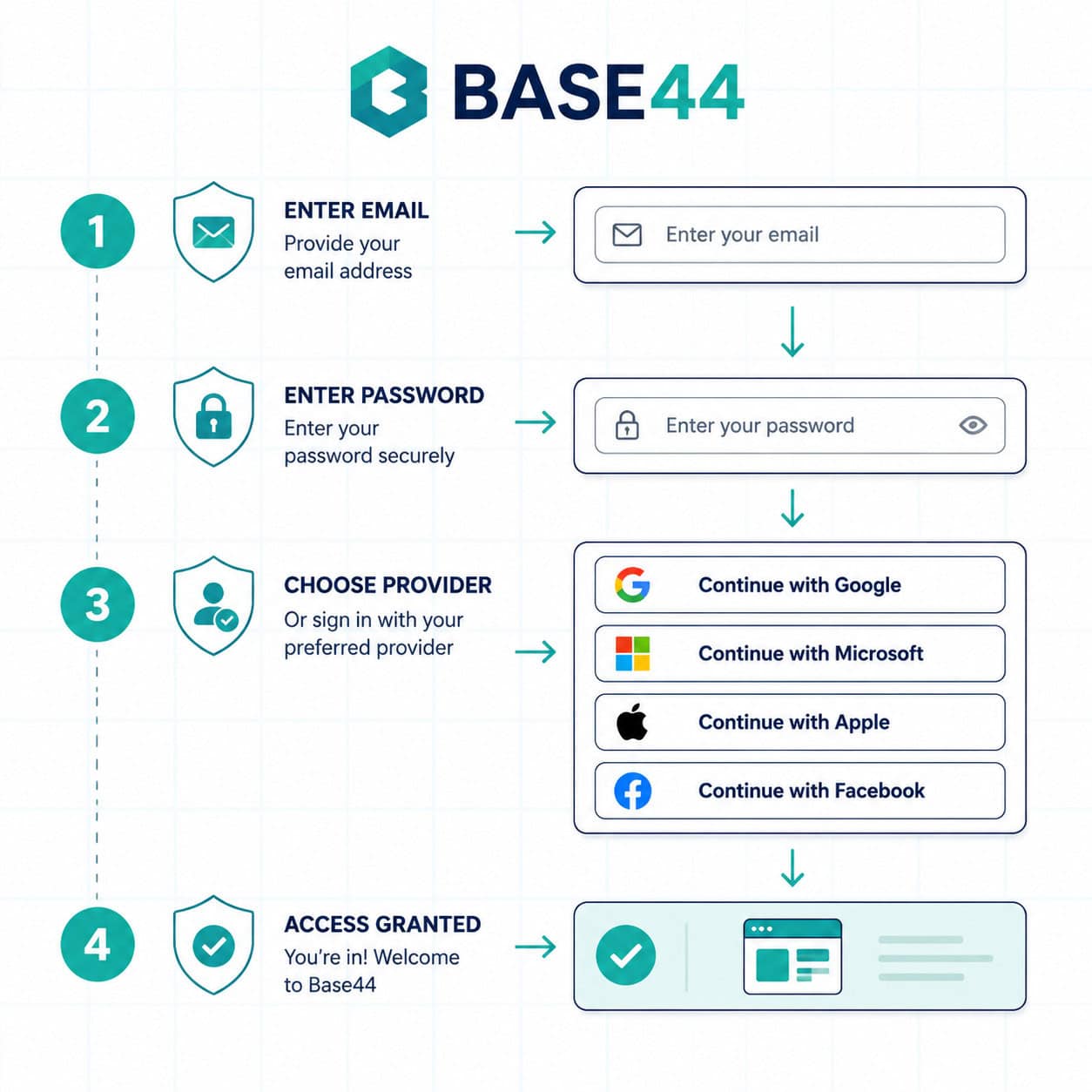
When a user visits your Base44 app, they encounter a login screen with options you’ve configured in your app settings. The system supports:
- Email and password — traditional registration with email verification
- Google OAuth — one-click sign-in via Google accounts
- Microsoft OAuth — useful for enterprise environments
- Facebook login — social authentication
- Apple Sign-In — privacy-focused option
- OIDC SSO — enterprise single sign-on through any OpenID Connect provider [8]
The key distinction: Base44 manages the security layer. You configure which providers to enable, but the platform handles token management, session security, and credential storage [1].
How Do You Set Up Login and Registration in Base44?
Setting up authentication takes about five minutes for basic configurations. Here’s the process:
- Open your app in Base44’s editor at app.base44.com [1]
- Navigate to Settings > Authentication in your project dashboard
- Enable your preferred login providers by toggling them on
- Configure provider-specific settings (API keys for custom OAuth)
- Set user roles if you need different access levels
- Test the login flow using the preview mode
For custom Google OAuth (showing your brand instead of Base44’s on the Google consent screen), you’ll need:
- A Builder plan or higher
- Your own Google Cloud project with OAuth credentials
- Up to 5 days for Google’s verification process [1]
Common mistake: Trying to build a custom authentication system on top of Base44. The platform’s documentation explicitly advises against this because it introduces vulnerabilities that the built-in system already handles [8].
If you’re building apps with no-code tools, understanding authentication patterns is essential. Our guide to no-coding website design platforms covers how different builders handle this.
What Security Features Protect Your Base44 Login?
Base44’s authentication includes multiple security layers that work without manual configuration. The platform defaults to secure settings rather than requiring you to opt in.
Built-in security features:
| Feature | What It Does | Who It’s For |
|---|---|---|
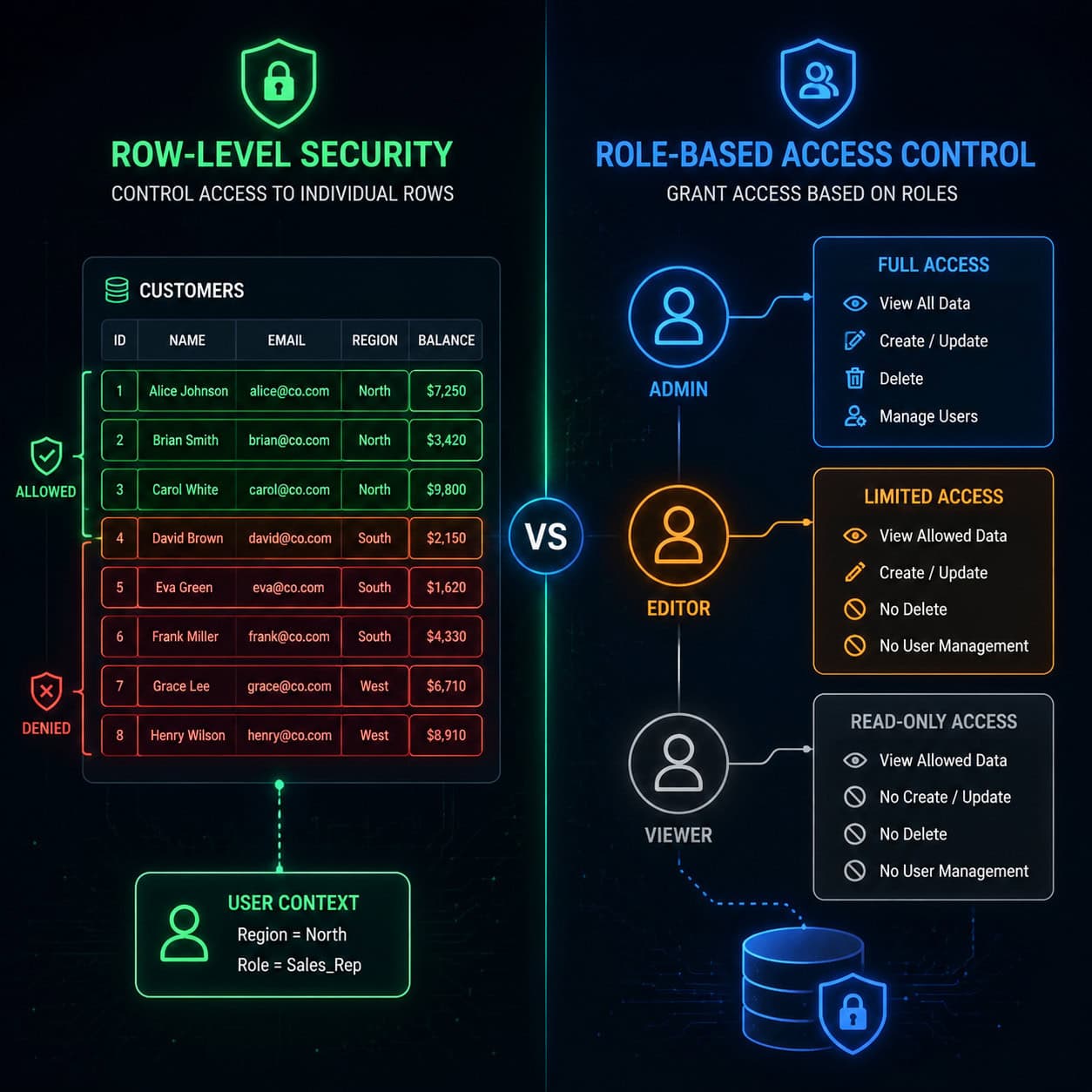
| Row-Level Security (RLS) | Users only see data they’re authorized to access | Any app with user-specific data |
| Role-Based Access Control (RBAC) | Different permissions for admins, editors, viewers | Multi-user apps with hierarchy |
| Platform-managed tokens | Session tokens handled server-side | All apps (automatic) |
| Email verification | Confirms user identity on registration | Email/password auth |
| OAuth provider security | Delegates auth to Google, Microsoft, etc. | Social login users |
Choose RLS if your app stores personal data (user profiles, orders, documents) and each user should only see their own records.
Choose RBAC if you have team-based apps where admins need full access but regular users should have limited permissions.
The platform’s security-first approach means you sacrifice some customization. But for most use cases, especially MVPs and internal tools, the tradeoff is worthwhile [8].
What Were the Base44 Security Vulnerabilities and Are They Fixed?
Two significant security flaws were discovered in 2025. Both were patched, and no exploitation was confirmed.
Vulnerability 1: Exposed API endpoints (July 2025) Wiz Research found that Base44’s API endpoints allowed unauthorized access to private apps using only the app_id. This bypassed SSO protections entirely. Base44 patched the issue within 24 hours of disclosure [6].
Vulnerability 2: Open redirect in login flow (August 2025) Imperva analysts identified an open redirect flaw in Base44’s OAuth login process. After a user authenticated through a provider like Google, the redirect URL could be manipulated to send the user’s token to a malicious domain, enabling account takeover [6].
What this means for you in 2026: Both vulnerabilities are patched. However, they highlight why platform-managed authentication matters — Base44’s team handles security patches centrally rather than requiring every app builder to update their code.
Edge case to watch: If you’re using custom OAuth configurations, verify your redirect URIs are locked to your exact domain. Don’t use wildcard patterns.
For teams concerned about web security, understanding SEO and site optimization practices also helps ensure your login pages aren’t exposing unnecessary information to crawlers.
Can You Customize the Base44 Login Page Appearance?
As of 2026, customization options for Base44 login pages remain limited. This is the most common user complaint on community forums [3].
What you can customize:
- Which login providers appear
- The order of login options
- Email-based login fields and labels
What you cannot customize:
- OAuth consent screens (they show Base44 branding when using Google, Microsoft, etc.) [3]
- Overall login page layout and styling
- Custom logos or brand colors on the login screen
- Redirect page appearance
Reddit users have requested branded login screens, but as of early 2026, this feature hasn’t been implemented [3]. The February 2026 changelog focused on mobile apps and debug mode rather than login UI changes [2].
If branded login is critical for your project, consider these alternatives:
- Bubble.io — fully customizable, white-label login pages
- Wix (Base44’s parent company) — drag-and-drop login customization
- Noloco — similar AI no-code with more auth styling options [7]
For designers who need pixel-perfect control over login interfaces, tools like Figma for web design can help you prototype what you want before choosing a platform.
How Does Base44 Login Compare to Alternatives?
Here’s how Base44’s authentication stacks up against competing no-code platforms:
| Platform | Login Providers | Custom Branding | Security Defaults | Setup Speed |
|---|---|---|---|---|
| Base44 | 6+ (email, Google, Microsoft, Facebook, Apple, OIDC) | Limited [3] | Strong (RLS, RBAC built-in) [8] | Minutes |
| Bubble.io | Multiple + custom | Full white-label | Manual configuration needed | Hours |
| Noloco | Similar range | More options | Good defaults | Minutes |
| Adalo | Native mobile auth (Apple, Google) | Moderate | Mobile-focused | Minutes |
| Wix | Drag-and-drop | Full customization | Enterprise-ready | Minutes |
Choose Base44 if you want the fastest path from idea to working app with strong security defaults and don’t need custom login branding.
Choose Bubble.io if login page appearance matters for your brand and you’re willing to spend more time on configuration.
Choose Adalo if you’re building a mobile-first app and need native Apple/Google authentication flows.
If you’re evaluating platforms for building professional sites, our review of drag-and-drop website builders provides broader context.
Troubleshooting Common Base44 Login Issues
Login problems on Base44 typically fall into a few categories. Here’s how to resolve them:
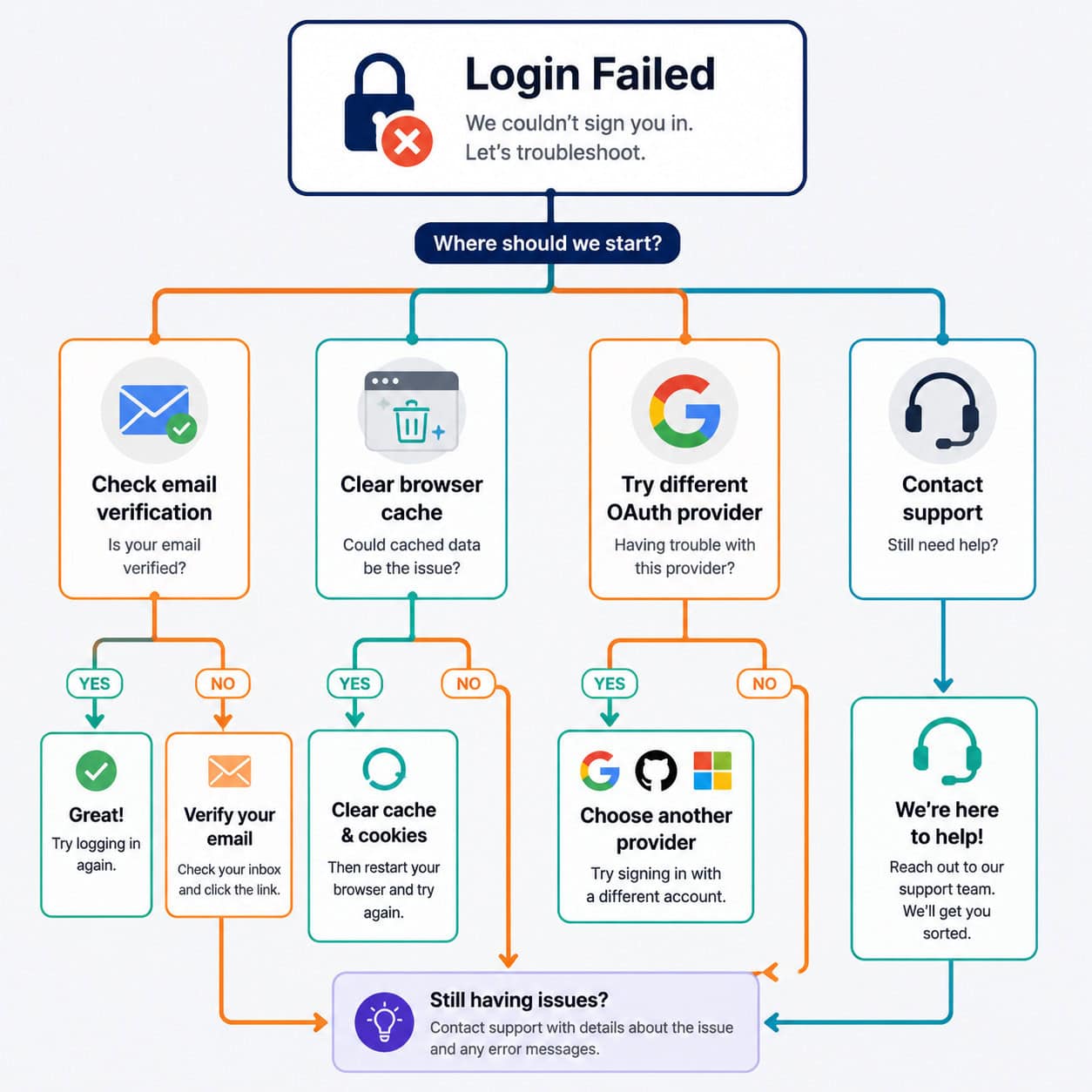
Problem: Login processing gets stuck Reddit users have reported login screens that hang on “processing” [9]. Solutions:
- Clear browser cache and cookies
- Try an incognito/private window
- Disable browser extensions (especially ad blockers)
- Switch to a different browser
Problem: OAuth redirect fails If clicking “Sign in with Google” leads to an error:
- Check that your app’s redirect URIs are correctly configured
- Verify your Google Cloud project credentials haven’t expired
- Ensure pop-ups aren’t blocked for the Base44 domain
Problem: Email verification never arrives
- Check spam/junk folders
- Verify the email address was typed correctly
- Wait 5-10 minutes before requesting a resend
- Try a different email provider if the issue persists
Problem: Users can access data they shouldn’t see
- Review your RLS configuration in the database settings
- Confirm user roles are assigned correctly in RBAC
- Test with a non-admin account to verify restrictions work [8]
For broader web development troubleshooting, our WordPress plugin development guide covers similar authentication debugging principles.
What’s the Best Practice for Managing User Roles?
Define roles early and keep them simple. Base44’s RBAC system works best with three to five clearly defined roles rather than complex permission matrices.
Recommended role structure for most apps:
- Admin — full access to all data and settings
- Editor — can create and modify content, cannot change settings
- Viewer — read-only access to permitted data
- Guest — limited access, often used for free-tier users
Decision rule: If you find yourself creating more than five roles, you probably need to restructure your data access patterns rather than adding more permission layers.
The Base44 documentation recommends against building custom admin panels for user management [8]. Instead, use the built-in user management tools that integrate directly with the platform’s security layer.
Teams using AI tools for content and workflow management can also benefit from understanding how AI-powered content optimization connects with access control in content-heavy applications.
Conclusion
Navigating Base44 login is straightforward once you understand the platform’s security-first philosophy. The system trades customization flexibility for strong defaults — you get RLS, RBAC, and multi-provider OAuth without writing security code, but you can’t yet brand the login screen to match your app.
Your next steps:
- Enable only the login providers your users actually need (fewer options = less confusion)
- Configure row-level security before launching any app with user-specific data
- If you need custom Google OAuth branding, start the verification process early (it takes up to 5 days)
- Test your login flow in incognito mode to catch caching issues before users do
- Monitor Base44’s changelog for upcoming login customization features [2]
For teams building production apps, Base44’s managed authentication removes significant security burden. If branded login pages are a dealbreaker, evaluate Bubble.io or Wix as alternatives — but weigh that against the additional security responsibility you’ll take on.
FAQ
How many login providers does Base44 support? Base44 supports six or more providers: email/password, Google, Microsoft, Facebook, Apple, and any OIDC-compatible SSO provider [8].
Can I remove Base44 branding from the login page? Not currently. OAuth consent screens show Base44 branding, and custom login page styling isn’t available as of 2026 [3].
Is Base44 login secure after the 2025 vulnerabilities? Yes. Both the exposed API endpoint and open redirect vulnerabilities were patched within 24 hours of discovery, with no confirmed exploitation [6].
How long does custom Google OAuth setup take? The technical configuration takes minutes, but Google’s verification process for your OAuth consent screen can take up to 5 days [1].
What plan do I need for SSO? OIDC-based SSO and custom OAuth configurations require a Builder plan or higher [1].
Can users sign up with just an email? Yes. Email/password authentication is one of the default options and includes email verification [8].
Why is my Base44 login stuck on processing? Clear your browser cache, try incognito mode, and disable extensions. This is a known intermittent issue reported by users [9].
Does Base44 support two-factor authentication (2FA)? Base44 relies on OAuth providers’ own 2FA (like Google’s). There’s no platform-native 2FA toggle for email/password login as of 2026.
Can I restrict login to specific email domains? Yes, through OIDC SSO configuration you can limit access to users from specific organizational domains.
Who owns Base44? Base44 is owned by Wix, which provides enterprise-level infrastructure backing for the platform’s security features [4].
References
[1] app.base44 – https://app.base44.com [2] Flexible Log In – https://base44.com/changelog/feature/flexible-log-in [3] Base44 Branded Sign In Sign Up Page – https://www.reddit.com/r/Base44/comments/1rti994/base44_branded_sign_in_sign_up_page/ [4] base44 – https://base44.com [6] Critical Flaws In Base44 Exposed Sensitive Data And Allowed Account Takeovers – https://www.imperva.com/blog/critical-flaws-in-base44-exposed-sensitive-data-and-allowed-account-takeovers/ [7] Base44 Platform Features – https://noloco.io/blog/base44-platform-features [8] Managing Login And Registration – https://docs.base44.com/Setting-up-your-app/Managing-login-and-registration [9] Login Processing Not Working – https://www.reddit.com/r/Base44/comments/1pa9op8/login_processing_not_working/