
Last updated: May 9, 2026
Quick Answer: Make.com (formerly Integromat) is a no-code automation platform that connects apps and services through visual, scenario-based workflows. Mastering Make.com documentation means learning how scenarios, modules, triggers, and routers work together so you can build reliable automations without writing a single line of code. This guide covers everything from core concepts to advanced techniques and official learning resources.
Key Takeaways
- Scenarios are the core unit of Make.com automation — each one is a visual workflow made up of connected modules. [3]
- Modules represent individual actions or triggers, such as sending an email or creating a database record. [3]
- Webhooks enable real-time triggering; scheduled runs handle batch processing. [3]
- The official Make.com Help Center, How-To Guides, and community documentation are the best starting points for self-paced learning. [5][6][8]
- Advanced techniques include conditional logic with routers, filters, AI agent integration, and web scraping. [2]
- Automating repetitive tasks directly reduces operational costs and frees up employee time for higher-value work. [3]
- 2026 tutorials now emphasize AI agent integration alongside traditional multi-app workflows. [1][2]
- Most beginners can build a functional first scenario within a few hours using official documentation and community resources.

What Is Make.com and Why Does Automation Documentation Matter?
Make.com is a visual automation platform that lets individuals and teams connect hundreds of apps and automate repetitive tasks without coding. Understanding its documentation is the fastest path to building workflows that actually work in production, not just in demos.
When you skip the documentation and try to learn by trial and error alone, you end up with fragile scenarios that break under edge cases. Good documentation tells you why a module behaves a certain way, not just how to drag it onto the canvas. That distinction saves hours of debugging later.
For anyone serious about workflow automation — whether you’re a solo freelancer or part of a larger operations team — Mastering Make.com Documentation: A Comprehensive Guide to Workflow Automation is the foundation that separates hobbyist tinkering from reliable, scalable systems.
How Do Scenarios and Modules Actually Work?
Scenarios are automated workflows made up of a series of modules that control how data moves between systems. Each module performs one specific action — for example, “Watch new rows in Google Sheets” or “Create a record in Salesforce.” [3]

Here’s how the core building blocks fit together:
| Component | What It Does | Example |
|---|---|---|
| Trigger Module | Starts the scenario when an event occurs | New email received in Gmail |
| Action Module | Performs a task in a connected app | Add row to Google Sheets |
| Router | Splits the flow into multiple paths | Different actions for different email types |
| Filter | Passes data only when conditions are met | Only process orders over $100 |
| Aggregator | Combines multiple bundles into one | Merge all daily orders into one report |
| Iterator | Splits an array into individual items | Process each line item in an order |
💡 Common mistake: New users often build one giant scenario for everything. A better approach is to break complex processes into smaller, linked scenarios. This makes debugging far easier and keeps each workflow focused.
Choose a webhook trigger if your automation needs to respond in real time (for example, a contact form submission). Choose a scheduled trigger if you’re processing batches of data at set intervals, like a nightly report. [3]
Where Should You Start With Make.com Documentation?
Start with the official Make.com Help Center and How-To Guides before turning to third-party tutorials. The official sources are maintained by the Make.com team and reflect the current platform behavior. [5][6]
The three best official starting points are:
- Make.com Help Center — Covers account setup, scenario basics, billing, and troubleshooting. [6]
- Make.com How-To Guides — Step-by-step walkthroughs for specific tasks, apps, and integrations. [5]
- Make Community Documentation — A collaborative archive of community-built guides, templates, and edge-case solutions. [8]
For beginners who prefer video, accelerated learning paths that cover Make.com fundamentals in around two hours are available and updated for 2026. [9] These are especially useful for visual learners who want to see a scenario built from scratch before reading the reference docs.
Edge case to know: The community documentation sometimes covers module behaviors that the official docs haven’t yet documented. If you hit a wall with an official source, the community archive is often the next best stop. [8]
What Advanced Techniques Should You Learn Next?
Once you understand basic scenarios, the next step is conditional logic, error handling, and AI integration. These techniques are what separate simple automations from production-ready systems. [2]
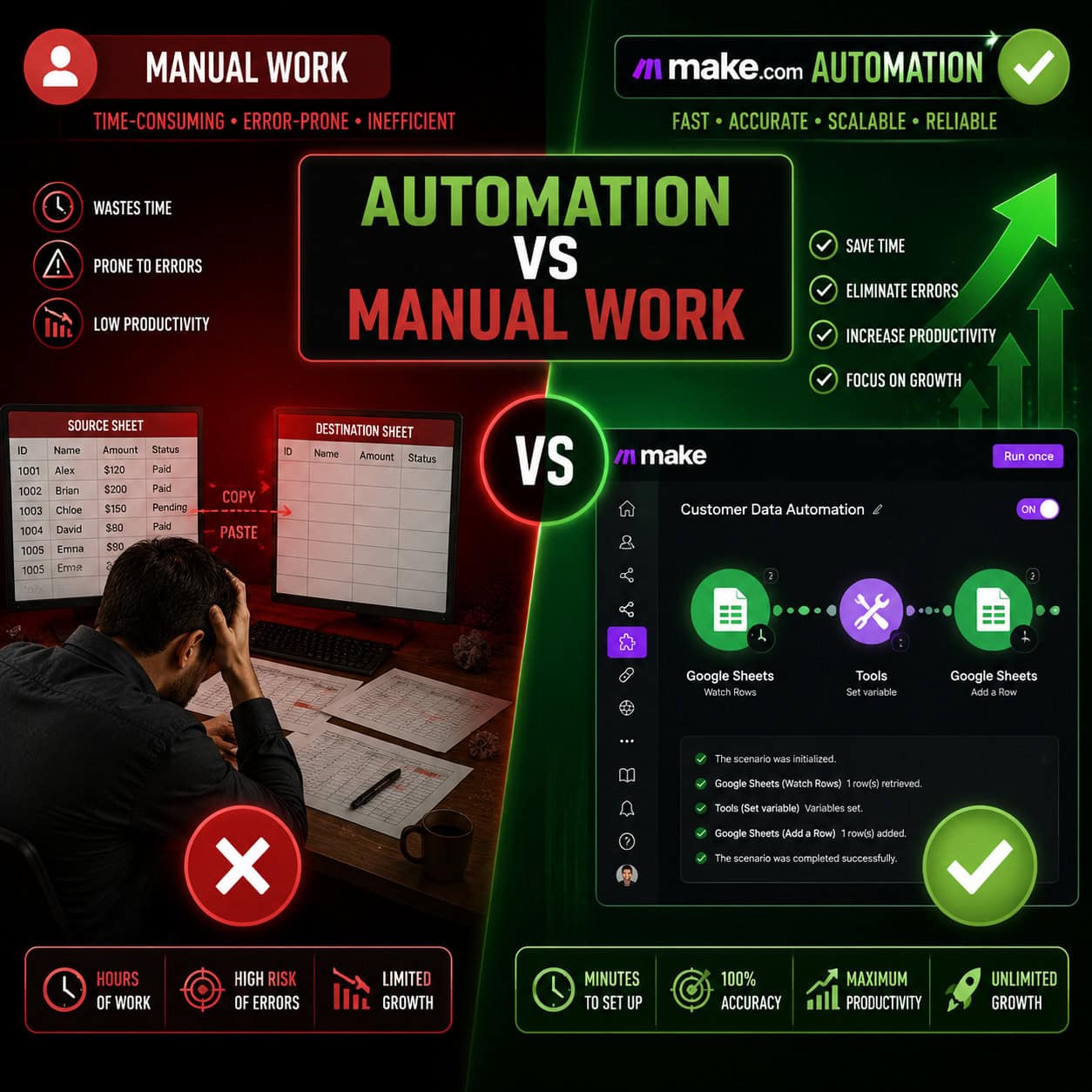
Key advanced concepts to master:
- Routers and filters: Route data down different paths based on conditions. For example, send high-value leads to a CRM and low-value ones to a spreadsheet.
- Error handlers: Use the “Break,” “Ignore,” and “Rollback” directives to control what happens when a module fails.
- AI agent integration: 2026 tutorials now teach how to connect AI agents to Google Calendar and Gmail to handle scheduling and personalized email generation automatically. [2]
- Web scraping with Browse AI: Automate website research and feed the results directly into your Make.com scenarios. [2]
- Webhooks for real-time triggers: External apps send data to a Make.com webhook URL, which instantly starts the scenario. [3]
Real-world workflows taught in current guides include handling contact form submissions, automating meeting scheduling, and generating personalized outreach emails. [2] These aren’t toy examples — they’re the kinds of tasks that eat hours every week when done manually.
For teams building automation alongside design and content workflows, it’s worth exploring how AI-powered content generation tools can feed into Make.com scenarios for end-to-end content pipelines.
How Does Make.com Compare to Other Automation Platforms?
Make.com sits between simple tools like Zapier and developer-heavy platforms like n8n. It offers more visual flexibility than Zapier but doesn’t require coding knowledge like n8n does.
| Platform | Best For | Coding Required | Visual Builder |
|---|---|---|---|
| Make.com | Complex, multi-step workflows | No | Yes (advanced) |
| Zapier | Simple, two-step automations | No | Yes (basic) |
| n8n | Custom, self-hosted workflows | Partially | Yes |
| Power Automate | Microsoft ecosystem | No | Yes |
Choose Make.com if you need conditional logic, multiple data paths, or integrations with more than two or three apps in a single workflow. Choose Zapier if you just need to connect two apps with a simple trigger-action pair and want the fastest possible setup.
For teams already working in no-code environments, Make.com pairs well with platforms like WordPress. For example, you can auto-share WordPress blog posts to social media using a Make.com scenario triggered by a new post webhook.
What Are the Most Common Make.com Documentation Mistakes?
The most common mistake is skipping the data mapping documentation. Data mapping — controlling exactly which fields from one module feed into another — is where most beginner scenarios break.
Other frequent mistakes:
- Ignoring bundle limits: Make.com processes data in “bundles.” If you don’t understand how iterators and aggregators handle bundles, your scenario will produce unexpected outputs.
- Not testing with real data: The built-in “Run once” mode is essential for catching errors before you activate a scenario.
- Overlooking the scenario history log: Every scenario run is logged. The history tab shows exactly where a failure occurred and what data was present at that point.
- Skipping error handling entirely: A scenario with no error handler will simply stop when something goes wrong. Adding even a basic error handler prevents silent failures.
For teams managing automation alongside content and SEO workflows, resources like advanced WordPress automation strategies can show how Make.com fits into a broader digital operations stack.
How Can Make.com Automation Reduce Operational Costs?
Automating repetitive tasks with Make.com directly reduces manual labor costs and increases the throughput of your team without adding headcount. [3]
The productivity gains are most visible in these areas:
- Data entry and transfer: Moving data between apps manually is error-prone and time-consuming. A Make.com scenario does it instantly and accurately.
- Reporting: Automated daily or weekly reports eliminate the need for someone to compile data by hand.
- Lead management: New leads from forms, ads, or emails can be automatically enriched, scored, and routed to the right team member.
- E-commerce workflows: Make.com’s official e-commerce documentation covers integrated order management, inventory updates, and customer notifications. [4]
For context, the Automation Archives on WebAiStack cover a range of practical use cases showing how automation tools like Make.com integrate with design, content, and marketing workflows.
Learning Resources: A Practical Roadmap for Mastering Make.com Documentation
The fastest path to competence is a structured sequence: official docs first, then video tutorials, then community resources for edge cases.

Here’s a practical learning roadmap:
Week 1 — Foundations
- Read the Getting Started section in the Make.com Help Center [6]
- Build your first scenario connecting two apps you already use
- Watch a beginner video walkthrough to see the interface in action [9]
Week 2 — Core Concepts
- Study the official How-To Guides for your specific use cases [5]
- Practice with routers and filters
- Explore the community documentation archive for your industry [8]
Week 3 — Advanced Techniques
- Build a scenario with error handling
- Integrate an AI agent or web scraping step [2]
- Review the official e-commerce workflow guide if relevant to your work [4]
Ongoing
- Follow the Make.com community for new module releases and template updates
- Audit existing scenarios monthly to check for broken connections or deprecated modules
For teams also working with AI tools in their stack, AI-powered content optimization guides can help connect Make.com automation with content performance workflows.
FAQ: Mastering Make.com Documentation and Workflow Automation
Q: Is Make.com free to use? Make.com offers a free plan with limited operations per month. Paid plans scale based on the number of operations and active scenarios you need.
Q: What is an “operation” in Make.com? An operation is one module execution within a scenario. If your scenario has five modules and runs 100 times, that’s 500 operations.
Q: Can Make.com connect to custom or private APIs? Yes. Make.com includes an HTTP module and a JSON module that let you connect to any API, even those without a native Make.com integration.
Q: How do I trigger a Make.com scenario from a website form? Use a webhook module as your trigger. Make.com generates a unique URL; your form posts data to that URL, which starts the scenario instantly. [3]
Q: What happens if a module fails mid-scenario? Without an error handler, the scenario stops and logs the error. With an error handler, you can choose to ignore the error, retry, or route the data to a fallback path.
Q: Is Make.com suitable for enterprise use? Yes. Make.com offers enterprise plans with higher operation limits, dedicated support, and advanced security features including SSO and audit logs.
Q: Where can I find pre-built scenario templates? The Make.com template library is accessible directly from your dashboard. The community documentation also shares user-built templates. [8]
Q: How long does it take to learn Make.com? Most users can build a functional basic scenario in a few hours. Mastering advanced features like routers, error handling, and AI integration typically takes two to four weeks of regular practice. [9]
Q: Can Make.com replace a developer for automation tasks? For most business automation tasks — data sync, notifications, reporting, lead routing — yes. For highly custom logic or self-hosted requirements, a developer or a platform like n8n may be more appropriate.
Q: Does Make.com have industry-specific documentation? Yes. Make.com publishes domain-specific guides, including a dedicated e-commerce workflow documentation covering integrated order and inventory management. [4]
Conclusion: Your Next Steps for Workflow Automation Mastery
Mastering Make.com Documentation: A Comprehensive Guide to Workflow Automation isn’t a one-day project, but it’s also not as steep a climb as it might look from the outside. The platform is genuinely designed for non-developers, and the official documentation is thorough enough to get you from zero to a working scenario in a single afternoon.
Here’s what to do next:
- Sign up for a free Make.com account and open the Help Center in a second tab. [6]
- Pick one repetitive task you do every week and build a scenario to automate it.
- Add error handling to every scenario before you activate it.
- Bookmark the community documentation for when you hit edge cases the official docs don’t cover. [8]
- Revisit your scenarios monthly — apps update their APIs, and modules can break silently.
The teams getting the most value from Make.com in 2026 aren’t the ones with the most complex scenarios. They’re the ones who built simple, reliable automations first and expanded from there. Start small, document your own scenarios as you build them, and the platform will pay for itself quickly.
References
[1] Watch – https://www.youtube.com/watch?v=SVkiqiSVo3k [2] Watch – https://www.youtube.com/watch?v=CLutx-rqGgc [3] Unlocking Efficiency With Make Com A Comprehensive Guide – https://twopirconsulting.com/blog/unlocking-efficiency-with-make-com-a-comprehensive-guide/ [4] Mastering Integrated Ecommerce Workflow – https://www.make.com/en/mastering-integrated-ecommerce-workflow.pdf [5] How To Guides – https://www.make.com/en/how-to-guides [6] help.make – https://help.make.com [8] community.make – https://community.make.com/t/the-ultimate-make-documentation-topic/4386 [9] Watch – https://www.youtube.com/watch?v=MpmpC4C5fZs