Last updated: May 8, 2026
Quick Answer
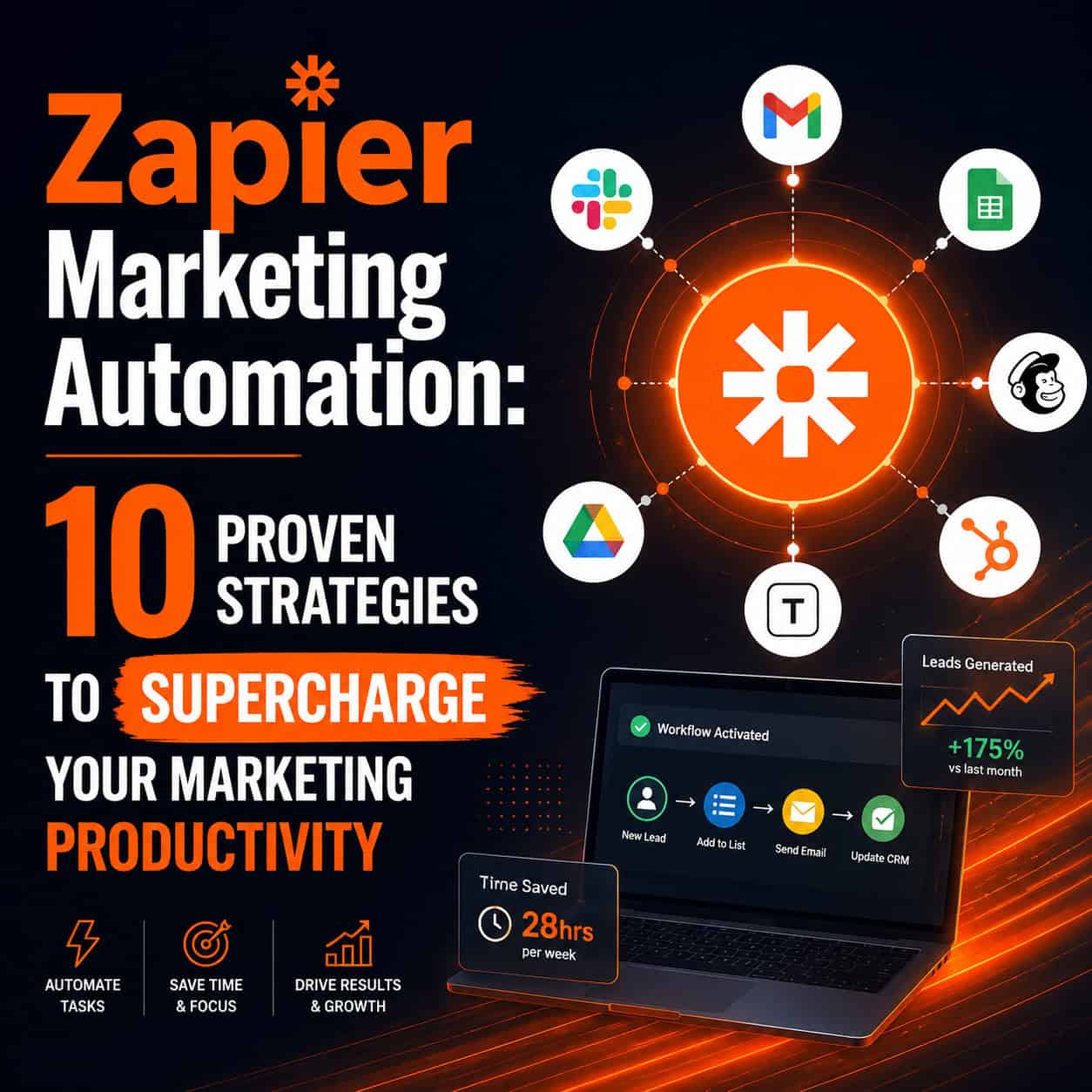
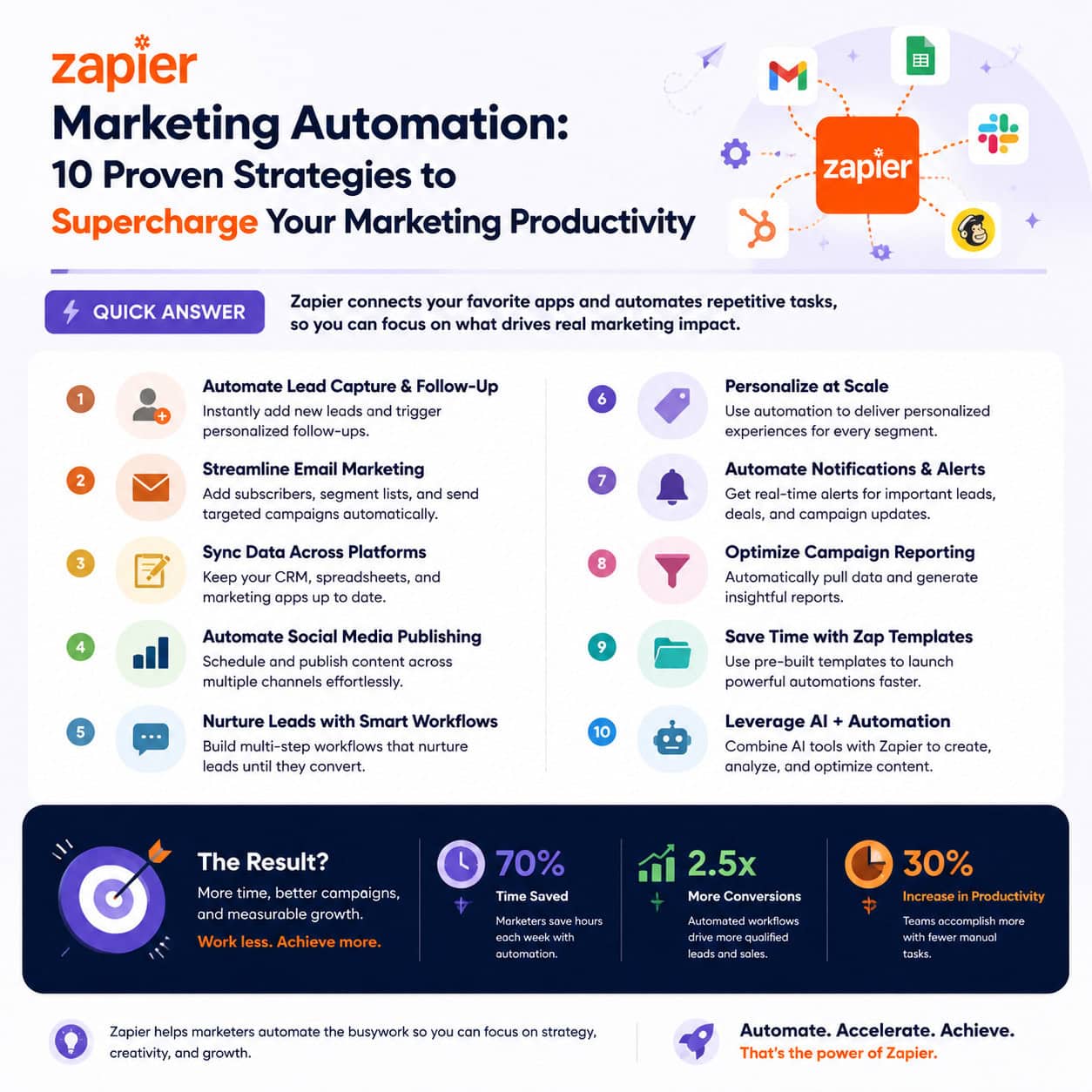
Zapier marketing automation connects your existing tools — email platforms, CRMs, ad networks, and social media — so they work together without manual effort. By building targeted Zaps (automated workflows), marketing teams can eliminate repetitive tasks, respond to leads faster, and scale campaigns without adding headcount. The 10 strategies below cover the highest-impact automations available in 2026.
Key Takeaways
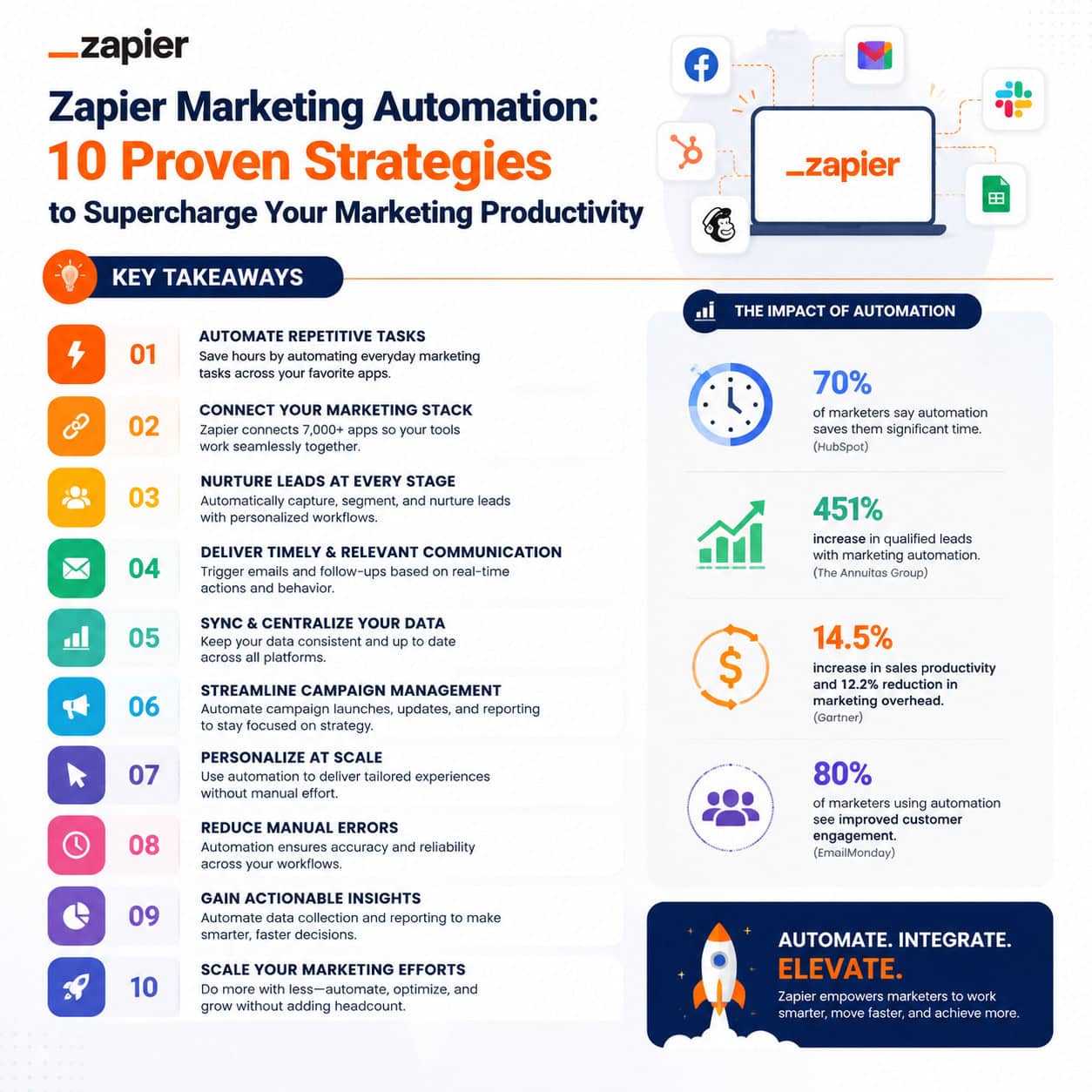
- Zapier acts as a connector between 7,000+ apps, letting marketers automate tasks that would otherwise require manual copy-paste or tool-switching.
- Welcome email automation delivers personalized messages the moment someone signs up, dramatically improving first-touch engagement. [1]
- Behavioral trigger-based discounts use tagging to send offers when leads show interest in specific products, not just when they join your list. [1]
- AI-powered lead scoring via ChatGPT or AI by Zapier can enrich CRM data and assign scores based on custom sales criteria automatically. [4]
- Cross-platform social posting lets one piece of content publish to Facebook, LinkedIn, and Instagram simultaneously. [2]
- Ad conversion attribution feeds real lead data back into Google Ads, Facebook, and LinkedIn to improve targeting accuracy. [4]
- 13 battle-tested workflow templates are available for Zapier, n8n, and Make — many are free to copy and deploy. [3]
- Most strategies require no coding and can be set up in under an hour using Zapier’s visual workflow builder.
What Is Zapier Marketing Automation and Who Is It For?
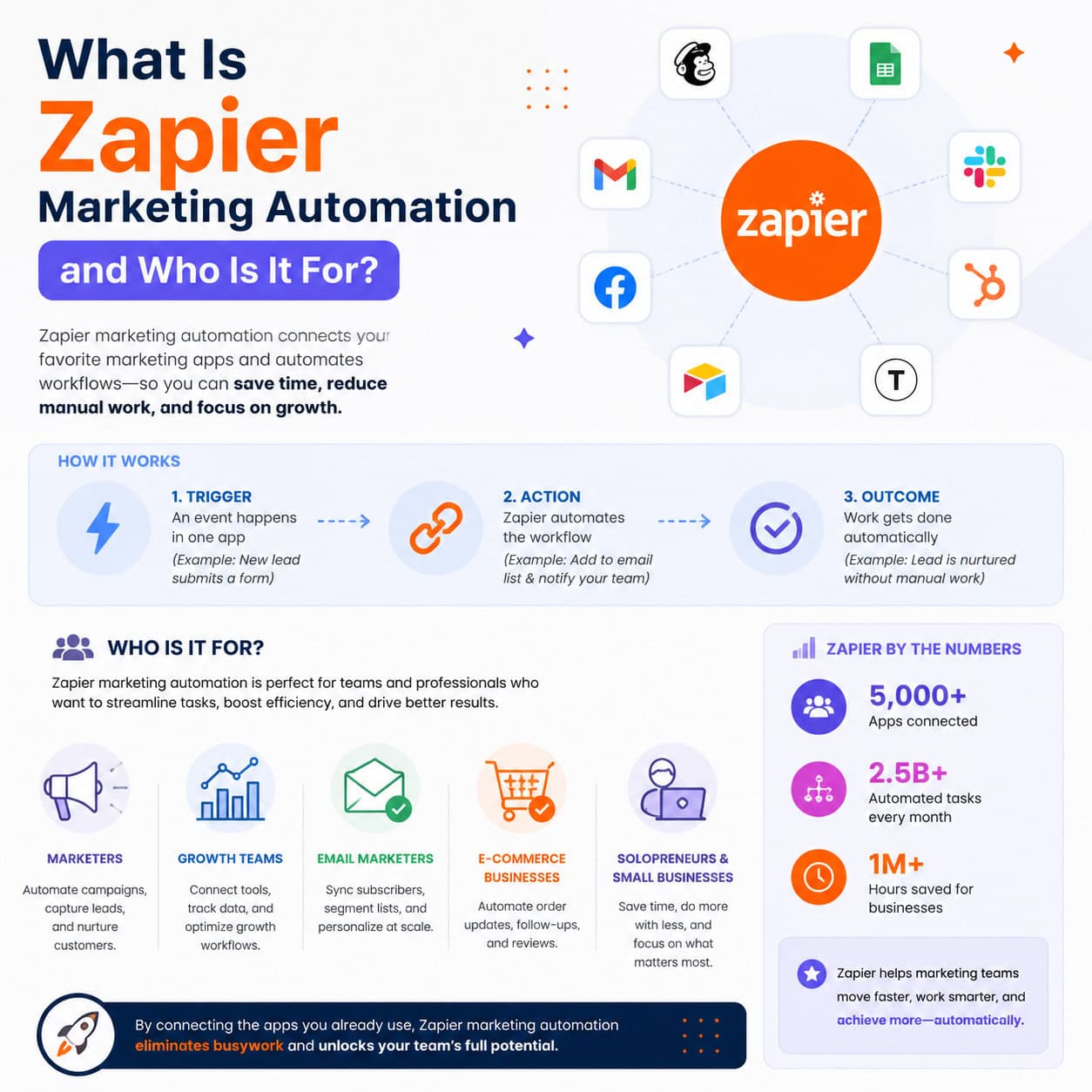
Zapier marketing automation is the practice of using Zapier’s workflow builder to connect marketing apps and trigger actions automatically based on predefined rules. It’s designed for marketing teams, solopreneurs, and agencies who use multiple tools but lack the developer resources to build custom integrations.
Best fit:
- Small to mid-size marketing teams (2–50 people)
- Agencies managing multiple client campaigns
- Solopreneurs running email lists, ad campaigns, or content pipelines
Not ideal for:
- Enterprise teams with complex, high-volume data needs (consider dedicated platforms like Marketo or HubSpot Enterprise instead)
- Teams that rely on a single all-in-one platform that already handles automation natively
“The goal isn’t to automate everything — it’s to automate the tasks that eat time without adding strategic value.”
Strategy 1–3: Lead Capture and Nurture Automation
These three strategies address the biggest time drain in most marketing operations: manually managing new leads from capture to first contact.
Strategy 1: Automated Welcome Emails
When someone signs up for your newsletter or downloads a lead magnet, a welcome email should fire immediately. Zapier connects your lead capture form (Typeform, Gravity Forms, or a website embed) directly to your email platform (Mailchimp, ActiveCampaign, ConvertKit). The result: a personalized welcome message goes out within seconds, not hours. [1]
Setup steps:
- Trigger: New form submission in your form tool
- Action: Add subscriber to email list
- Action: Send welcome email via your email platform
Strategy 2: Automated Lead Scoring
Most CRMs include built-in lead scoring, but Zapier can extend this by pulling behavioral data from outside your CRM — page visits, email clicks, webinar attendance — and updating scores automatically. No more manually reviewing leads one by one. [1]
Choose this if your sales team wastes time on unqualified leads or if your CRM scoring only uses form data.
Strategy 3: Behavioral Trigger-Based Offers
When a lead clicks a product page or completes a quiz, Zapier can tag them in your CRM and trigger a targeted discount email automatically. This works by connecting your website analytics or quiz tool to your email platform’s tagging system. [1]
Common mistake: Sending the same discount to everyone on your list. Behavioral triggers ensure only genuinely interested leads receive the offer, protecting your margins.
Strategy 4–6: Social Media and Content Distribution
Zapier makes it possible to publish and distribute content across multiple channels from a single action, cutting social media management time significantly.
Strategy 4: Cross-Platform Social Posting
Write one post, publish everywhere. Zapier connects tools like Buffer, Airtable, or Google Sheets to Facebook Pages, LinkedIn, and Instagram for Business simultaneously. A new row in your content calendar sheet can trigger posts across all three platforms at once. [2]
For teams already automating their WordPress publishing workflow, pairing this with auto-sharing WordPress blog posts to social media creates a fully hands-off content distribution pipeline.
Strategy 5: RSS-to-Social Automation
Every time you publish a new blog post, Zapier reads your RSS feed and automatically shares it to your social channels with a pre-formatted caption. This is one of the fastest Zaps to set up and one of the highest-ROI for content-heavy teams. [3]
Strategy 6: Content Repurposing Triggers
When a YouTube video is published or a podcast episode goes live, Zapier can automatically create a draft post in your CMS, add a row to your content tracker, and notify your team in Slack. This keeps your content pipeline moving without manual handoffs.
Strategy 7–8: CRM Sync and Ad Attribution
Keeping your CRM accurate and your ad platforms informed are two tasks that most teams do manually — and both can be fully automated.
Strategy 7: Real-Time CRM Sync
When a lead fills out a form on your website, Zapier can simultaneously create a contact in your CRM, add them to a specific pipeline stage, assign them to a sales rep, and send an internal Slack notification. All four actions happen in one Zap, triggered by a single form submission.
Comparison: Manual vs. Automated CRM Entry
| Task | Manual Time | Automated Time |
|---|---|---|
| Add contact to CRM | 3–5 min | ~0 sec |
| Assign to sales rep | 2–3 min | ~0 sec |
| Notify team in Slack | 1–2 min | ~0 sec |
| Tag by lead source | 2–3 min | ~0 sec |
| Total per lead | 8–13 min | ~0 sec |
For teams building on WordPress, combining CRM sync with AI plugins for WordPress to automate website management can further reduce manual data entry.
Strategy 8: Ad Conversion Attribution
Zapier automatically sends lead conversion events back to Google Ads, Facebook Lead Ads, and LinkedIn Ads. This means your ad platforms receive real conversion data — not just click data — which improves bidding algorithms and attribution modeling significantly. [4]
Choose this if your ad spend exceeds $1,000/month and you’re optimizing for lead quality, not just volume.
Strategy 9–10: AI Enrichment and Reporting Automation
The final two strategies use AI and automated reporting to make your marketing data work harder without additional analyst hours.
Strategy 9: AI-Powered Lead Enrichment
Using AI by Zapier or a ChatGPT integration, you can automatically analyze new CRM contacts, infer purchase intent from available data fields, and generate a lead score based on your custom sales criteria. This runs every time a new contact is added, so your sales team always starts with enriched, scored leads. [4]
This pairs well with AI-powered content generation tools for teams that also want to automate personalized outreach copy.
Strategy 10: Automated Marketing Reporting
Zapier can pull performance data from your ad platforms, email tool, and CRM into a single Google Sheet or dashboard tool (like Looker Studio) on a scheduled basis. Every Monday morning, your team gets an updated report without anyone manually exporting CSVs. [4]
For broader automation ideas beyond marketing, the Automation Archives at WebAiStack covers workflow strategies across design, development, and content teams.
What Are the Most Common Mistakes with Zapier Marketing Automation?
The biggest mistakes are over-automating too fast and under-testing before going live.
- Skipping test mode: Always run a Zap in test mode before turning it on. A misconfigured trigger can flood your CRM with duplicate contacts or send the wrong email to thousands of subscribers.
- Automating broken processes: If your lead capture form collects inconsistent data, automation will just spread that inconsistency faster. Fix the process first.
- Ignoring error logs: Zapier logs failed Zap runs. Check them weekly, especially for Zaps that touch ad platforms or payment tools.
- Building too many Zaps at once: Start with your highest-volume, most repetitive task. Get it working well before adding complexity.
For teams also managing design and content workflows, AI-powered content optimization can complement your Zapier setup by improving the quality of content that enters your automated pipelines.
FAQ
Q: How much does Zapier cost for marketing automation?
Zapier offers a free plan with limited Zaps and tasks. Paid plans start around $19.99/month (Starter) and scale based on task volume and feature needs. Most marketing teams need the Professional or Team plan for multi-step Zaps and higher task limits.
Q: Do I need coding skills to use Zapier?
No. Zapier’s visual builder requires no coding. Most Zaps can be configured in under 30 minutes using dropdown menus and pre-built templates.
Q: What’s the difference between a Zap and a workflow?
A Zap is Zapier’s term for a single automated workflow. It consists of one trigger (the event that starts the automation) and one or more actions (what happens as a result).
Q: Can Zapier replace a dedicated marketing automation platform like HubSpot?
Not fully. Zapier connects tools but doesn’t replace the native features of platforms like HubSpot (contact timelines, built-in CRM, reporting dashboards). Think of Zapier as a connector layer, not a standalone marketing platform.
Q: How many apps does Zapier support?
As of 2026, Zapier supports integrations with over 7,000 apps, including all major marketing, CRM, ad, and communication platforms. [9]
Q: Is Zapier safe for handling customer data?
Zapier is SOC 2 Type II certified and GDPR-compliant. For sensitive data, review which apps you’re connecting and ensure each one meets your data handling requirements.
Q: What’s the fastest Zap to set up for a marketing team?
The RSS-to-social Zap (Strategy 5) is typically the fastest — it can be live in under 10 minutes and immediately reduces manual social posting work.
Q: Can I use Zapier with AI tools for marketing?
Yes. Zapier has native integrations with OpenAI (ChatGPT), Claude, and its own “AI by Zapier” feature, which lets you add AI steps directly into any workflow for tasks like lead scoring, content drafting, or data classification. [4]
Conclusion
Zapier marketing automation gives marketing teams a practical way to eliminate manual work, respond to leads faster, and keep data consistent across every tool they use. The 10 strategies covered here — from welcome email automation and behavioral triggers to AI lead enrichment and ad attribution — represent the highest-impact starting points for most teams in 2026.
Actionable next steps:
- Audit your current manual tasks — list every repetitive marketing task your team does weekly.
- Pick one strategy from this list that matches your biggest pain point and set it up this week.
- Test thoroughly before turning any Zap live on real leads or customers.
- Review Zapier’s task logs after the first two weeks to catch errors early.
- Expand gradually — add one new Zap per week once your first automation is stable.
The teams that get the most from Zapier don’t automate everything at once. They start small, measure the time saved, and build from there.
References
[1] Marketing Automation Examples For Lead Nurture – https://zapier.com/blog/marketing-automation-examples-for-lead-nurture/
[2] 10 Ways To Scale Your Marketing With Zapier Automation – https://www.bannerbear.com/blog/10-ways-to-scale-your-marketing-with-zapier-automation/
[3] Zapier Marketing Campaign Automation 10 Workflows Templates – https://www.neura.market/blog/zapier-marketing-campaign-automation-10-workflows-templates
[4] Marketing Automation Use Cases – https://zapier.com/blog/marketing-automation-use-cases/
[9] Best Marketing Automation Software – https://zapier.com/blog/best-marketing-automation-software/