Last updated: May 14, 2026
Quick Answer
Elementor v4 (the “Atomic Editor”) is live as of April 2026, but it’s not a simple update. New installations get atomic features by default, while existing sites must opt in manually. Community consensus as of mid-2026: the architecture is promising, but v4 is not production-ready for most client work. Test on staging first, and plan for a gradual migration rather than a same-day switch.
Key Takeaways
- Elementor v4 shipped on April 14, 2026 with Atomic Elements, Variables, Classes, and Components as the core new features [8].
- Existing sites are not affected automatically. You must enable the Atomic Editor manually via Elementor → Editor → Settings → Atomic Editor in WordPress admin [1][8].
- New WordPress installations use v4 atomic features by default [1].
- Legacy v3 widgets and v4 atomic elements can coexist on the same page, so you don’t need to rebuild everything at once [1].
- Community testing across 25+ websites found significant stability issues, with one detailed report calling it closer to a beta than a stable release [6].
- As of May 2026, professional frustration is growing, not shrinking, with posts calling the rollout strategy “fundamentally flawed” [7].
- Agencies and SEO consultants recommend staging-first testing and incremental rollout for any client sites [5].
- The v4 architecture aims to reduce DOM bloat and bring Elementor closer to modern design-system thinking used in Figma and Webflow [1].
- Over 45,000 community votes shaped the v4 roadmap before release [3].
- v4 is a foundation, not a finished product. Elementor has framed it as the start of continuous incremental releases [3].
What Exactly Is Elementor v4 and Why Does It Matter?
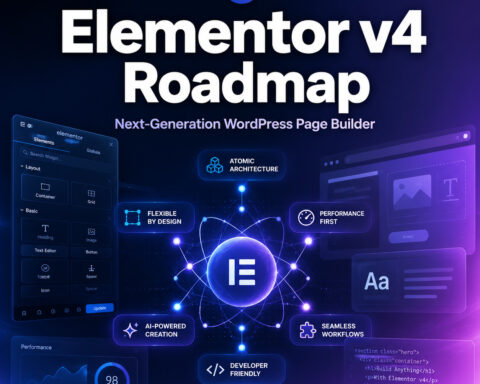
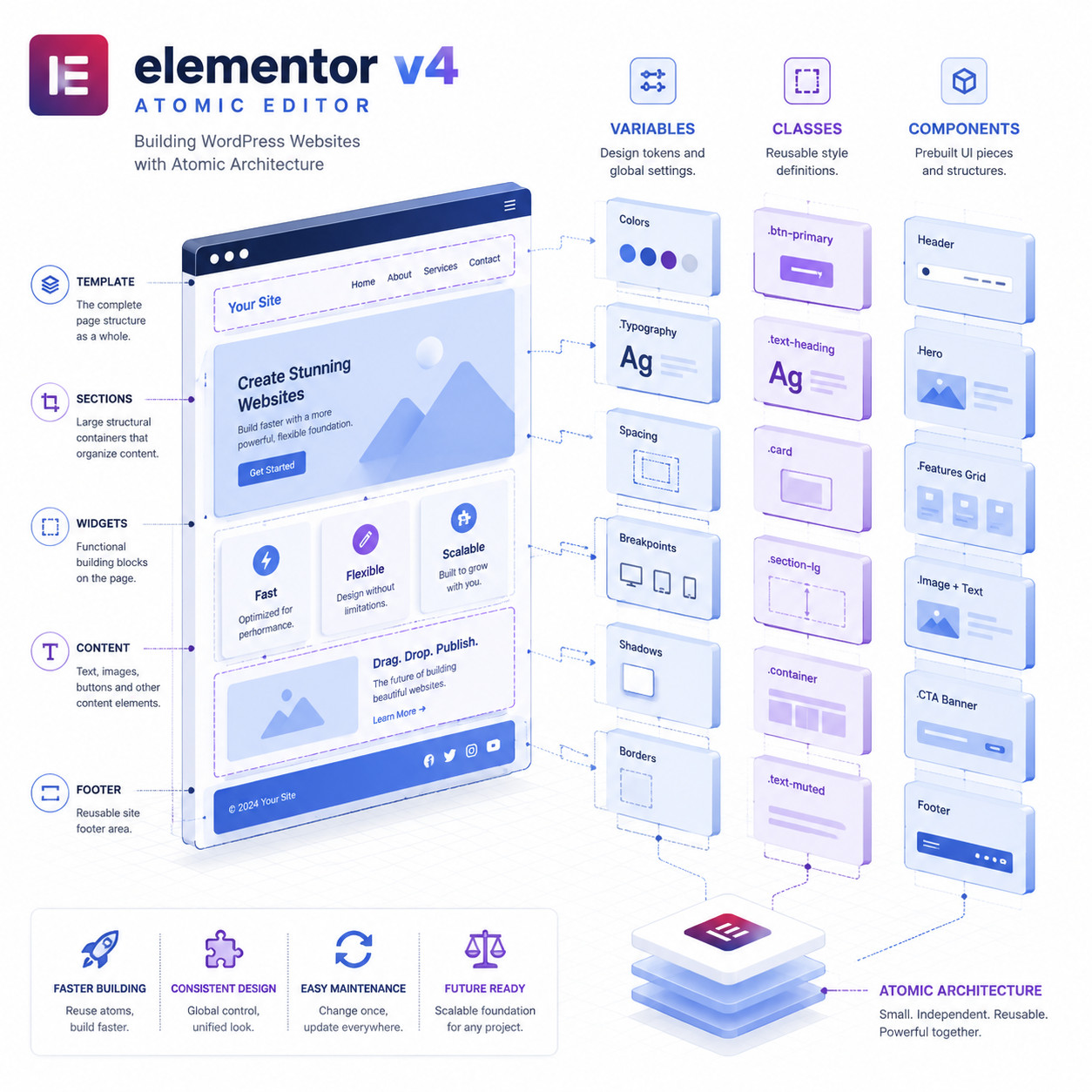
Elementor v4, officially called the “Atomic Editor,” is a ground-up rethinking of how Elementor builds web pages. Instead of the traditional widget-based approach used since Elementor’s launch, v4 introduces a modular system built on four pillars: Atomic Elements, Variables, Classes, and Components [1][8].
Here’s what each pillar does:
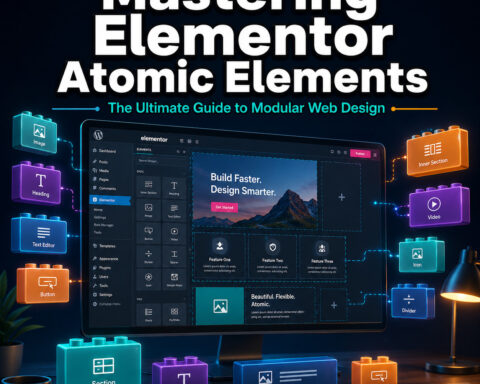
- Atomic Elements: Smaller, more focused building blocks that replace the older monolithic widgets. They use Flexbox Containers for layout instead of the legacy section/column model.
- Variables: Reusable values (colors, spacing, typography) that work like design tokens. Change a variable once, and it updates everywhere it’s used.
- Classes: CSS-class-based styling that lets you apply and manage consistent styles across elements, similar to how Webflow handles styling.
- Components: Reusable groups of elements that function like symbols in Figma or components in modern design systems.
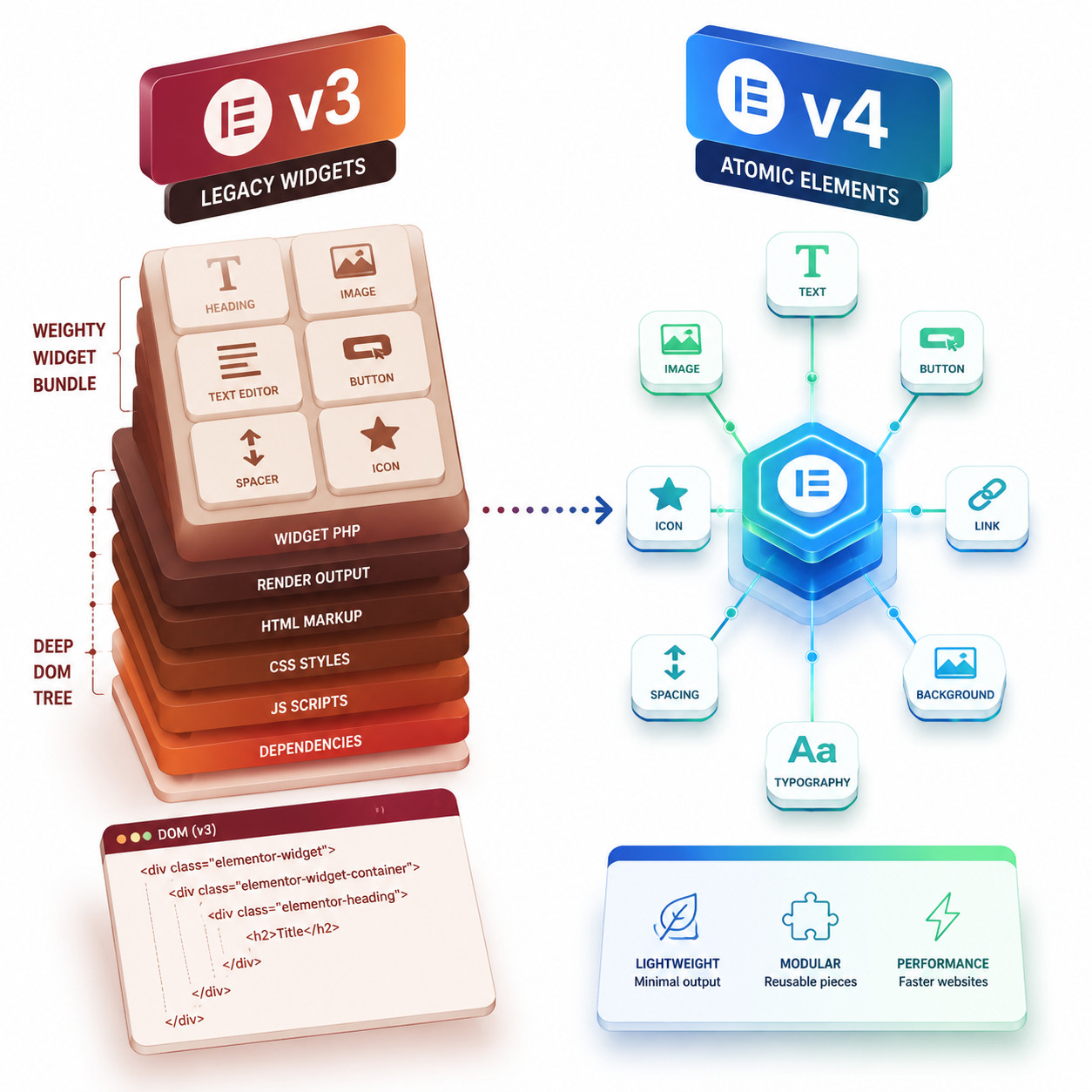
The goal is to reduce the excessive HTML markup (DOM bloat) that Elementor has been criticized for and make large sites easier to maintain [1]. If you’ve worked with tools like Figma’s design systems or Webflow’s class-based styling, the concepts will feel familiar.
Why this matters for WordPress users in 2026: Elementor powers a massive share of WordPress sites. A fundamental architecture change affects millions of websites, thousands of agencies, and the entire ecosystem of third-party add-ons built on top of Elementor.
Key distinction: Updating to Elementor 4.0 does not automatically change your existing site. The atomic features must be explicitly enabled [8]. This is not a routine plugin update.
Is Elementor v4 Production-Ready? Unfiltered Community Insights and Expert Analysis
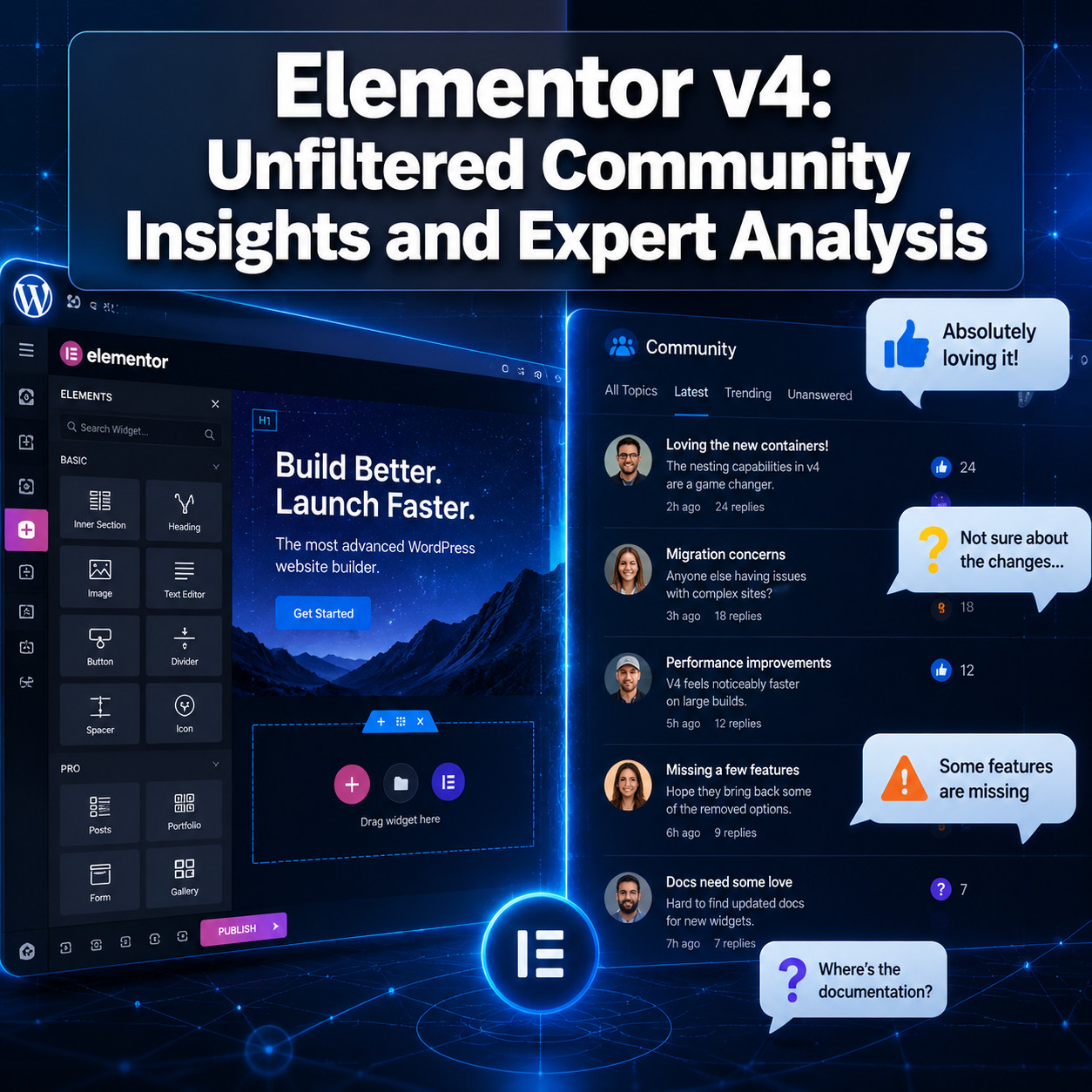
The short answer from the community: not yet, for most professional use cases. This is the central finding of this Elementor v4: Unfiltered Community Insights and Expert Analysis roundup, and it’s backed by multiple independent sources.

What testers are reporting
A detailed Reddit post from April 13, 2026, documents testing across 25 websites (live environments, local installs, and fresh setups). The author’s conclusion is blunt: v4 “should be treated more like a beta than a stable release” [6]. They called on Elementor to:
- Clearly label v4 as a beta or developer preview
- Prioritize stability fixes over new feature additions
- Improve migration tooling for existing sites
Web design educator Rino De Boer (LivingWithPixels) published a video review on April 12, 2026, stating that while v4 is “conceptually strong,” users will “quickly run into limitations,” especially around missing features and friction between legacy and atomic workflows. His recommendation: don’t use it for most client projects yet.
The May 2026 escalation
By early May 2026, community frustration was intensifying rather than calming down. A high-engagement Reddit post from May 7, 2026, titled “Elementor Team’s approach to V4 is fundamentally flawed,” argues that the rollout strategy, messaging, and coexistence of v3/v4 create confusion and risk for professional users [7].
The core complaints include:
- Incomplete feature parity between v3 widgets and v4 atomic elements
- Confusing hybrid state where legacy and atomic elements coexist but don’t always play well together
- Insufficient migration tools for converting existing v3 sites to v4
- Documentation gaps that leave developers guessing
- Mixed messaging about whether v4 is ready for production use
Who should use v4 right now?
| User Type | Recommendation | Reason |
|---|---|---|
| New sites with no legacy content | Go ahead, cautiously | v4 is the default for new installs; you’ll avoid migration headaches [1] |
| Agencies with active client sites | Wait and test on staging | Too many stability concerns for client-facing work [5][6] |
| Developers building custom solutions | Experiment in sandbox | Understanding the new architecture early gives you an advantage |
| Hobby/personal sites | Try it if you’re comfortable troubleshooting | Lower risk, good learning opportunity |
| Sites dependent on third-party Elementor add-ons | Definitely wait | Add-on compatibility is still catching up |
What Are the Actual Technical Changes in Elementor v4?
The technical shift is significant. Elementor v4 moves from a widget-centric architecture to a modular, atomic design system [1]. Here’s what that means in practice.
DOM structure changes
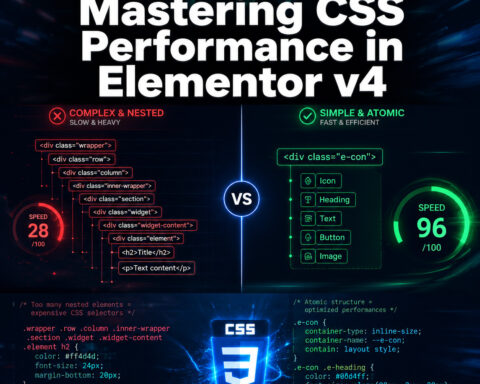
Legacy Elementor wraps every element in multiple nested <div> tags. A simple heading might generate 3-4 wrapper divs. The atomic approach aims to flatten this structure, producing cleaner HTML with fewer unnecessary elements. For sites where SEO performance optimization matters (which is every site), this is a meaningful improvement in theory.
The class-based styling model
Previously, Elementor applied inline styles or generated unique CSS for each element instance. v4’s class system lets you define a style once and apply it to many elements. This is closer to how professional front-end developers actually write CSS and how platforms like Webflow handle styling.
Variables as design tokens
Variables in v4 function like design tokens. You define a color, font size, or spacing value as a variable, then reference it across your site. When you change the variable, every element using it updates automatically. This is standard practice in tools like Figma but is new territory for Elementor.
Components for reusability
Components are reusable groups of atomic elements. Think of them as more powerful versions of Elementor’s existing templates, but with the ability to update all instances from a single source. Change the component, and every page using it reflects the update.
Common mistake: Assuming v4’s performance benefits are automatic. As Big Red SEO’s analysis points out, “updating does not inherently improve SEO or performance without substantial implementation work” [5]. You need to actually rebuild using atomic elements to see the benefits.
How Does the v3 to v4 Migration Actually Work?

There is no one-click migration. This is perhaps the biggest source of frustration in the community. Elementor designed v4 so that v3 and v4 elements coexist on the same page [1], but converting existing content requires manual effort.
The hybrid coexistence model
Elementor’s approach is intentional: legacy v3 widgets continue to work alongside new v4 atomic elements [1]. The idea is that you can gradually adopt v4 features without being forced to rebuild your entire site overnight.
In practice, this creates a few problems:
- Inconsistent editing experience: Some elements behave one way (v3 style), others behave differently (v4 style), even on the same page
- Styling conflicts: v3 inline styles and v4 class-based styles can clash in unexpected ways
- Cognitive overhead: Developers and designers need to understand both systems simultaneously
Step-by-step migration approach
Based on agency recommendations and community experience [5][6]:
- Back up everything before touching any settings
- Enable v4 on a staging site first (never on production)
- Test your most complex pages for visual regressions and functionality breaks
- Check all third-party add-ons for v4 compatibility
- Rebuild one template at a time using atomic elements, starting with the simplest
- Test forms, popups, and dynamic content specifically (these have the most reported issues)
- Monitor Core Web Vitals before and after to verify actual performance improvements
- Roll out to production only after thorough staging validation
If you’re managing WordPress sites at scale, you might also want to review advanced WordPress strategies for 2026 to complement your migration planning.
How Does Elementor v4 Compare to Competing Page Builders?
Elementor v4’s atomic architecture is clearly influenced by competitors that have used class-based, component-driven approaches for years. Here’s how it stacks up.
| Feature | Elementor v4 | Webflow | Bricks Builder | Breakdance |
|---|---|---|---|---|
| Class-based styling | Yes (new) | Yes (native) | Yes (native) | Partial |
| Design tokens/variables | Yes (new) | Partial | No | No |
| Reusable components | Yes (new) | Yes (symbols) | Yes | Yes |
| Clean DOM output | Improved | Excellent | Excellent | Good |
| Visual editor | Yes | Yes | Yes | Yes |
| WordPress native | Yes | No (hosted) | Yes | Yes |
| Learning curve for v3 users | Steep | N/A | Moderate | Moderate |
| Third-party ecosystem | Largest | Moderate | Growing | Small |
| Price (annual, Pro) | ~$59 | ~$228 | ~$79 | ~$149 |
Choose Elementor v4 if you’re already invested in the Elementor ecosystem, need the largest third-party add-on library, and are willing to wait for the atomic features to mature.
Choose Webflow if you want a mature class-based system right now and don’t need WordPress. For a deeper comparison, see our roundup of the best no-coding website design platforms for 2026.
Choose Bricks Builder if you want clean DOM output on WordPress today and are comfortable with a smaller ecosystem.
Edge case: If you’re building sites with AI-powered tools, check whether your AI builder’s output is compatible with v4 atomic elements before committing. Most AI site generators still output v3-style Elementor markup.
What Does Elementor’s Roadmap Tell Us About v4’s Future?
Elementor has been transparent that v4 is a starting point, not a destination. Their public roadmap frames it as “the next generation of web creation” with new atomic capabilities “continuously rolling out” rather than shipped in a single release [3].
What’s confirmed or likely coming
Based on the roadmap and developer updates [1][3]:
- Expanded atomic element library: More v4-native equivalents of popular v3 widgets
- Improved migration tooling: Likely in response to community pressure [6][7]
- Performance benchmarks: Elementor has hinted at publishing before/after metrics
- Better documentation: The developer update acknowledges this is a work in progress [1]
- Third-party API stability: Critical for the add-on ecosystem to catch up
The 45,000-vote signal
Elementor claims more than 45,000 community votes influenced the v4 roadmap [3]. This is a significant number, and it suggests that the features being prioritized reflect real user demand. But votes don’t guarantee execution quality, and that’s where the current disconnect lies.
The fundamental tension: Elementor needed to ship v4 to start getting real-world feedback. But shipping it as a “stable release” rather than a labeled beta has eroded trust among professionals who expected production-grade quality [6][7].
For WordPress users exploring plugin ecosystem improvements alongside v4, our guide to AI plugins for WordPress automation covers complementary tools worth considering.
What Should You Actually Do Right Now? A Practical Decision Framework

Here’s a concrete decision framework based on the community insights and expert analysis gathered for this article.
If you’re starting a brand new site
Go ahead and use v4 atomic features. You’ll avoid the migration headache entirely, and any bugs you encounter will be easier to work around on a fresh build. Just be prepared to check the Elementor changelog [2] frequently for fixes.
If you manage existing client sites
Do not enable v4 atomic features on production. Instead:
- Set up a staging environment for each critical site
- Enable v4 on staging and test thoroughly
- Document every issue you find
- Create a migration timeline that starts no earlier than Q3 2026 (assuming Elementor addresses the current stability concerns)
- Budget extra hours for client projects that will eventually need migration
If you’re a developer building Elementor extensions
Start learning the v4 API now. The architecture change means your existing widgets may need v4-compatible versions. Elementor’s developer documentation [1] is the starting point, but expect gaps. The WordPress plugin development best practices guide on our site covers foundational principles that apply here.
If you’re evaluating page builders for a new project
Consider whether Elementor’s transition period is acceptable for your timeline. If you need a mature, class-based system today, Webflow or Bricks Builder might serve you better in the short term. If you’re committed to WordPress and Elementor’s ecosystem, v4 will likely be worth the wait, but “the wait” could extend through much of 2026.
Quick checklist before enabling v4
- Full site backup completed
- Staging environment set up
- All third-party Elementor add-ons checked for v4 compatibility
- Core Web Vitals baseline recorded
- Team briefed on v3/v4 differences
- Rollback plan documented
- Client communication prepared (if applicable)
Conclusion
This Elementor v4: Unfiltered Community Insights and Expert Analysis paints a clear picture. The atomic architecture is the right direction for Elementor’s future. Variables, classes, and components bring Elementor closer to how modern design tools work, and the potential for cleaner code and better performance is real.
But potential and reality are different things in mid-2026. The community has spoken loudly: v4 is not ready for most production work yet [6][7]. The migration path is unclear, feature parity is incomplete, and the hybrid v3/v4 state creates more confusion than convenience.
Your action items:
- Don’t panic-update. Updating to Elementor 4.0 doesn’t change your site unless you manually enable atomic features [8].
- Set up staging environments now so you’re ready to test when stability improves.
- Follow the Elementor roadmap [3] and changelog [2] for updates on fixes and new atomic elements.
- Budget for migration work in your Q3/Q4 2026 project planning.
- For new sites, use v4 from the start and accept that you’ll be working with an evolving system.
Elementor has built something architecturally sound. The execution and rollout need work. Stay informed, test carefully, and migrate on your own timeline, not anyone else’s.
FAQ
Does updating to Elementor 4.0 automatically change my existing website? No. Updating the plugin to version 4.0 does not alter your site’s structure. You must manually enable the Atomic Editor via Elementor → Editor → Settings → Atomic Editor in WordPress admin [8].
Can I use v3 widgets and v4 atomic elements on the same page? Yes. Elementor designed v4 so legacy v3 widgets and new atomic elements can coexist on the same page [1]. However, community reports indicate this hybrid state can cause styling conflicts and a confusing editing experience.
Is Elementor v4 safe to use on client websites in 2026? As of mid-2026, most agencies and experienced developers recommend against using v4 atomic features on production client sites. Testing across 25 websites found it closer to a beta than a stable release [6]. Test on staging first.
What are the main benefits of Elementor v4’s atomic architecture? The primary benefits are reduced DOM bloat (cleaner HTML), reusable design tokens via variables, class-based styling for consistency, and components for site-wide updates from a single source [1][8].
Will my third-party Elementor add-ons work with v4? Compatibility varies. The architecture change means some add-ons need updates to work with v4 atomic elements. Check with each add-on developer before enabling v4.
How long will Elementor support v3 legacy widgets? Elementor has not announced an end-of-life date for v3 widgets. The current hybrid approach suggests they’ll coexist for an extended period, but Elementor’s long-term direction is clearly toward the atomic system [1][3].
Does Elementor v4 improve site speed automatically? No. Simply enabling v4 does not improve performance. You need to actually rebuild pages using atomic elements to benefit from the cleaner DOM structure. Updating alone changes nothing about your site’s code output [5].
Is Elementor v4 free or only for Pro users? The core atomic architecture is available in the free version of Elementor. Some advanced features like Components and certain atomic elements require Elementor Pro [8].
How does Elementor v4 compare to Webflow’s class-based system? Elementor v4’s class system is conceptually similar to Webflow’s but less mature. Webflow has refined its class-based approach over many years. Elementor’s implementation is new and still being developed [1].
Should I learn Elementor v4 now or wait? If you’re a developer or designer who builds with Elementor regularly, start learning the concepts now on test sites. Understanding atomic elements, variables, and classes early will give you an advantage when v4 stabilizes.
What’s the best way to report bugs in Elementor v4? Use Elementor’s official support channels and the GitHub repository for developer-facing issues. The r/elementor subreddit [10] is also an active space where the community documents and discusses bugs.
References
[1] Elementor Editor 4.0 Developers Update – https://developers.elementor.com/elementor-editor-4-0-developers-update/ [2] Changelog – https://elementor.com/pro/changelog/ [3] Roadmap – https://elementor.com/roadmap/ [5] Elementor 4 Update – https://www.bigredseo.com/elementor-4-update/ [6] Elementor V4 Is Not Ready For Production Ive Tested Across 25 Websites – https://www.reddit.com/r/elementor/comments/1skoovd/elementor_v4_is_not_ready_for_production_ive/ [7] Elementor Teams Approach To V4 Is Fundamentally Flawed – https://www.reddit.com/r/elementor/comments/1t6wfwc/elementor_teams_approach_to_v4_is_fundamentally/ [8] Editor 4.0 Atomic Forms Pro Interactions – https://elementor.com/blog/editor-40-atomic-forms-pro-interactions/ [10] r/elementor – https://www.reddit.com/r/elementor/