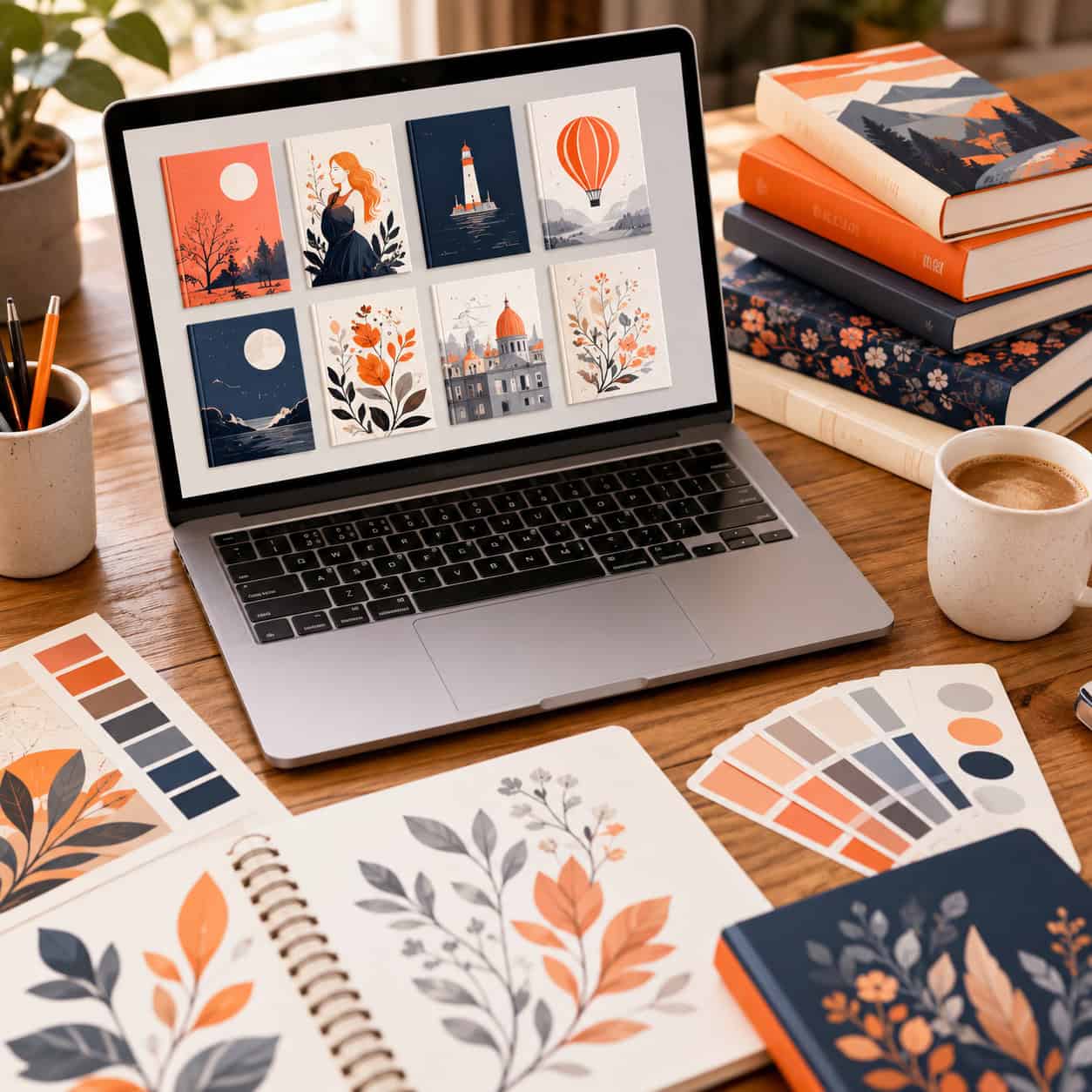
Last updated: June 7, 2026
Quick Answer: Canva book cover design lets self-published authors and small publishers create professional-quality book covers without hiring a designer. The free plan includes hundreds of book cover templates, while Canva Pro (about $13/month) unlocks premium stock photos, fonts, and elements. With the right template, proper dimensions, and a few design principles, you can produce a cover that looks polished enough for Amazon KDP, IngramSpark, and other publishing platforms.
Key Takeaways
- Canva offers free and paid book cover templates across fiction, nonfiction, and children’s book genres.
- The standard print book cover size in Canva is 6 x 9 inches (1800 x 2700 px) at 300 DPI, though you can set custom dimensions.
- You can legally sell books with Canva-designed covers, but you must follow Canva’s Content License Agreement regarding standalone artwork sales.
- Font pairing matters more than most beginners realize: stick to two fonts maximum per cover.
- Common mistakes include cluttered layouts, low-contrast text, and using overused free templates without customization.
- Canva works well for both fiction and nonfiction covers, though complex illustrated fiction covers may still need a professional illustrator.
- Downloading as PDF Print gives you the highest quality output for publishing.
How Much Does It Cost to Make a Book Cover on Canva?
You can design a book cover on Canva for free. The free plan includes access to over 250,000 templates (many of which are book covers), basic stock photos, and a solid selection of fonts. For most nonfiction authors and simple fiction covers, the free tier is enough to get started.
Canva Pro costs approximately $13 per month (or about $120 per year as of 2026) and adds:
- Premium templates with more polished, less overused designs
- 100+ million stock photos and graphics you won’t find on the free plan
- Brand Kit for saving your color palette and fonts
- Background Remover tool, which is especially useful for author photos
- Magic Resize to quickly adapt your cover for different platforms
Cost comparison:
| Option | Cost | What You Get |
|---|---|---|
| Canva Free | $0 | Basic templates, limited stock photos, standard fonts |
| Canva Pro | ~$13/month | Premium templates, full stock library, brand tools |
| Professional designer | $300–$1,500+ | Fully custom, original artwork, unlimited revisions |
Choose Canva Free if you’re testing a book idea or working with zero budget. Choose Canva Pro if you plan to publish multiple books and want access to premium assets. Hire a designer if your genre demands highly original illustrated covers (like epic fantasy).
What Are the Best Canva Templates for Book Covers?
The best Canva templates for book covers are genre-specific, visually clean, and easy to customize with your own title, author name, and imagery. Canva categorizes its templates by genre, so search for terms like “thriller book cover,” “romance book cover,” or “self-help book cover” to find relevant starting points.
Here’s what to look for in a strong template:
- Clear visual hierarchy where the title is the dominant element
- Appropriate mood and color palette for your genre
- Space for your title and author name without crowding
- High-quality placeholder images that you can swap out
A common mistake is picking a template because it looks “cool” without considering whether it matches your genre’s visual conventions. Romance readers expect different design cues than business book readers. I’ve seen authors use a dark, moody template for a lighthearted comedy, and the mismatch confused potential buyers.
If you’re new to Canva’s design tools, our beginner’s guide to Canva logo design covers the fundamentals of working with templates, layers, and brand elements.
Can I Sell a Book Cover I Made in Canva?
Yes, you can sell a book with a cover designed in Canva. Canva’s Content License Agreement allows you to use their design elements in commercial projects, including book covers, as long as the design is part of a larger creative work (like your book).
However, there are restrictions:
- You cannot sell a Canva template or design element as a standalone product (for example, selling the cover design itself as clip art or a template).
- You cannot trademark a design that uses unmodified Canva stock elements.
- You should customize templates significantly so your cover doesn’t look identical to another author’s.
Edge case: If you’re designing covers for other authors as a freelance service, you can use Canva Pro elements in those designs. But the clients should know the elements aren’t exclusive to them.
Are Canva Book Covers Professional Enough for Amazon?
Canva book covers can absolutely meet Amazon KDP’s quality standards, provided you follow proper design principles and export settings. Amazon requires covers to be at least 625 pixels on the shortest side and recommends 2,560 pixels on the longest side for optimal quality.
What makes a Canva cover look professional on Amazon:
- Export as PDF Print (not PNG or JPG) for the highest resolution
- Use CMYK color mode if printing physical copies
- Ensure text is readable at thumbnail size since most shoppers see your cover as a small image first
- Avoid Canva’s free watermarked elements (they’ll have a visible watermark in your final file)
What makes a Canva cover look amateur on Amazon: using the default template without changes, picking low-resolution images, or cramming too much text onto the cover. I once published a short ebook with a barely modified Canva template and noticed the sales were significantly lower than my other titles. When I redesigned it with custom colors, a better font pairing, and a unique stock photo, conversions improved noticeably.
What Size Should My Book Cover Be in Canva?
The standard book cover size in Canva is 6 x 9 inches (1800 x 2700 pixels) at 300 DPI, which matches the most common trim size for print-on-demand paperbacks. For ebook-only covers, Amazon KDP recommends 1,600 x 2,560 pixels (a 1:1.6 ratio).
To set custom dimensions in Canva:
- Click Create a design on the homepage
- Select Custom size
- Enter your width and height in inches or pixels
- Choose your unit (inches for print, pixels for digital)
Common sizes by format:
| Format | Dimensions | Use Case |
|---|---|---|
| Standard paperback | 6 x 9 in | Amazon KDP, IngramSpark |
| Large paperback | 7 x 10 in | Nonfiction, textbooks |
| Ebook cover | 1600 x 2560 px | Kindle, Apple Books |
| Square (audiobook) | 3200 x 3200 px | Audible, audiobook platforms |
If you’re creating a full wraparound cover (front, spine, and back), you’ll need to calculate the spine width based on your page count and paper type. Most POD platforms provide a cover calculator for this.
What Font Styles Work Best for Book Covers?
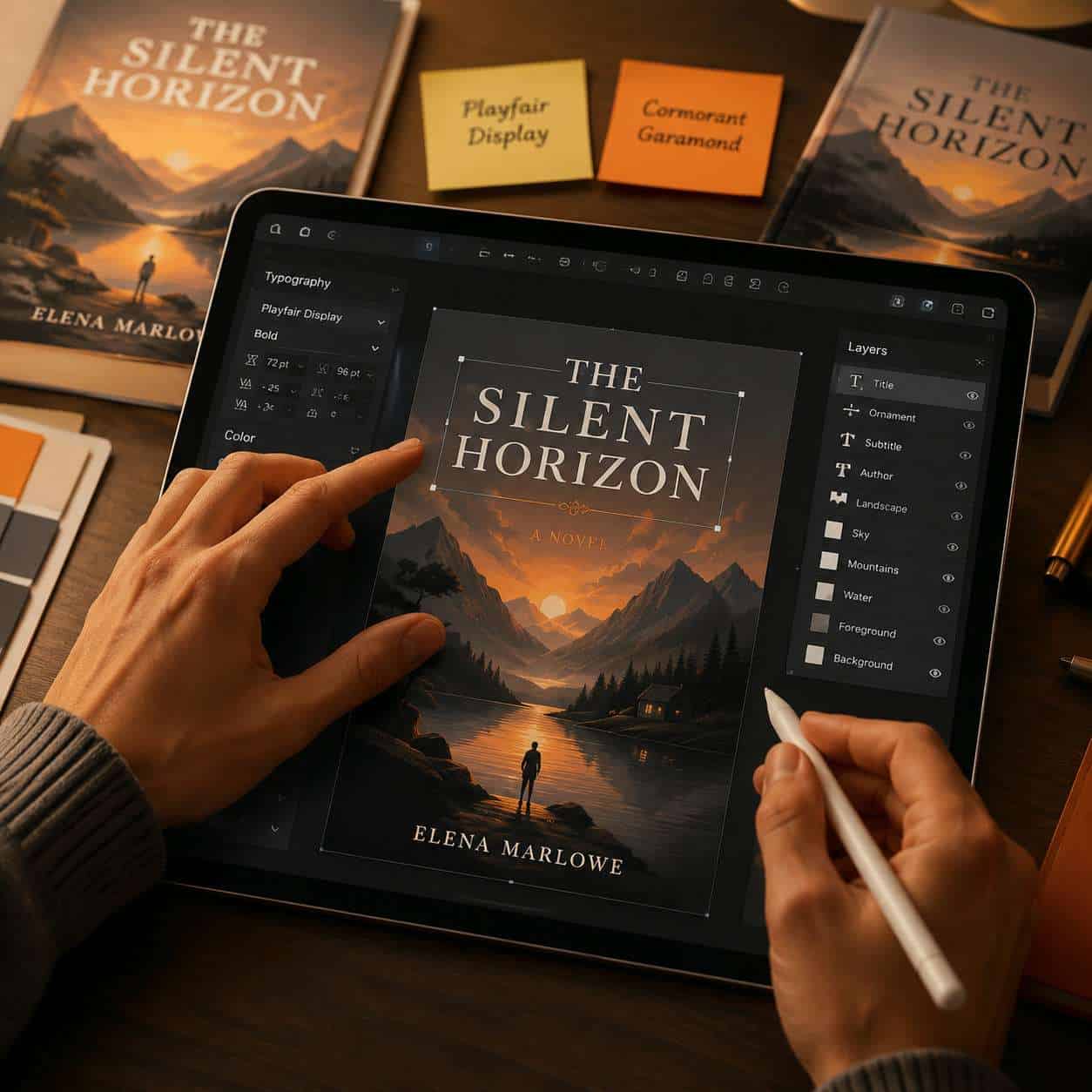
Serif fonts work best for literary fiction, memoirs, and historical genres. Sans-serif fonts suit nonfiction, thrillers, and modern fiction. Script and display fonts work for romance, children’s books, and creative titles, but use them sparingly.
Font pairing rules for book covers:
- Use no more than two fonts: one for the title, one for the author name and subtitle
- Ensure strong contrast between your title font and subtitle font (pair a bold display font with a clean sans-serif, for example)
- Test readability at thumbnail size by zooming out to about 1 inch tall on your screen
- Avoid overly decorative fonts for your author name since it needs to be legible, not flashy
Some reliable Canva font choices by genre:
- Thriller/Mystery: Bebas Neue, Oswald, Anton
- Romance: Playfair Display, Cormorant Garamond, Great Vibes (sparingly)
- Nonfiction/Business: Montserrat, Raleway, Lato
- Literary Fiction: Garamond, Libre Baskerville, Merriweather
For more on building consistent visual branding across your author platform, check out our Canva AI design tools guide.
How Do I Avoid Looking Like an Amateur With My Canva Book Design?
The single biggest way to avoid an amateur-looking Canva book cover is to customize aggressively. Change the colors, swap the stock photos, adjust the fonts, and rearrange the layout. If someone can find your exact template in Canva’s library in under 30 seconds, you haven’t customized enough.
Specific tips:
- Limit your color palette to 2-3 colors that match your genre expectations
- Leave white space around your title and author name so they breathe
- Use high-quality images only: blurry or pixelated photos instantly signal “amateur
- Align everything intentionally using Canva’s grid and snap features
- Check your cover at thumbnail size before finalizing, because that’s how most readers will first see it
- Don’t use Canva’s clip art-style illustrations on a photo-based cover (mixing styles looks unpolished)
A useful exercise: browse the top 20 bestsellers in your genre on Amazon. Note the common design patterns, color schemes, and typography. Then design your cover to fit within those conventions while still standing out.
Which Canva Book Cover Design Works for Different Genres?
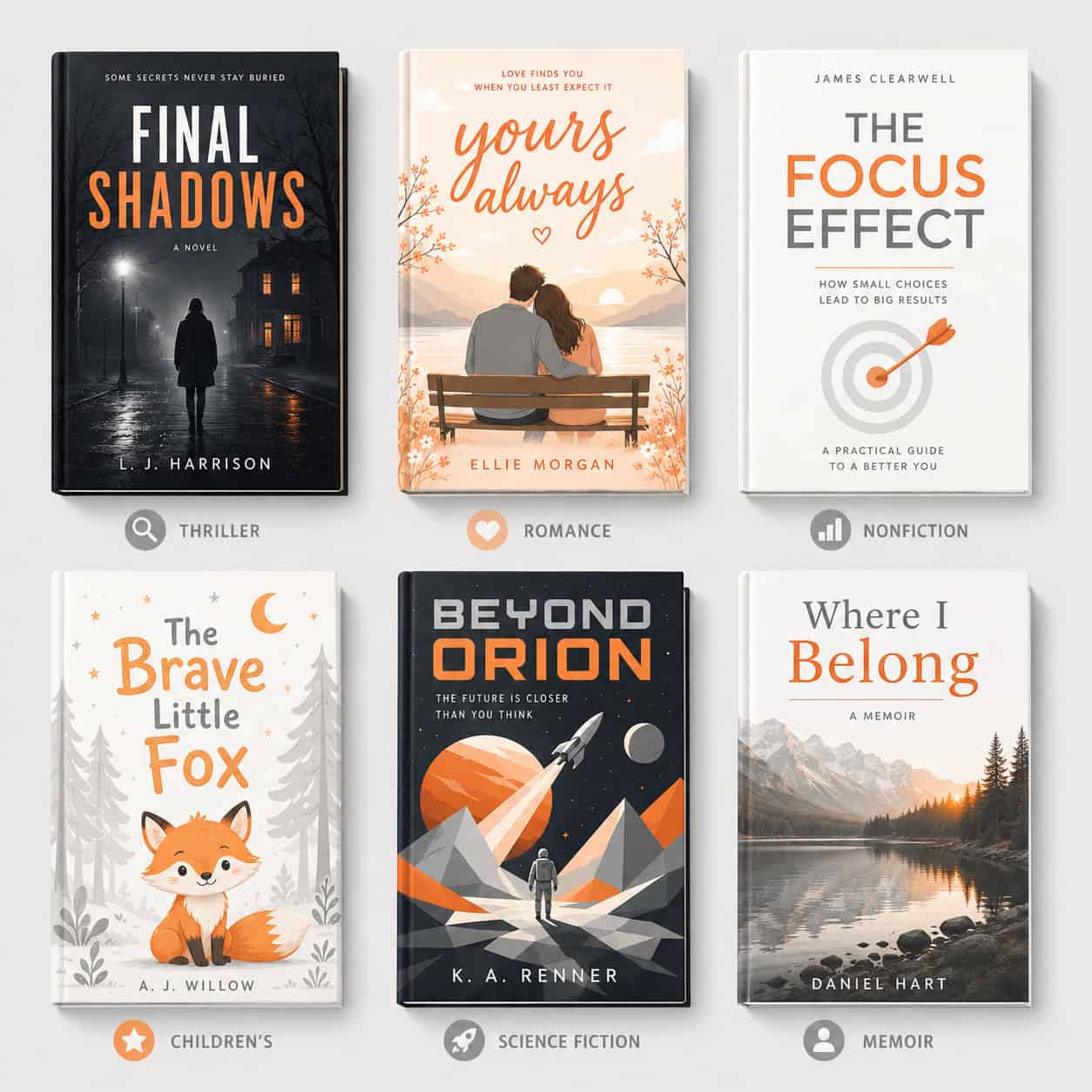
Each book genre has established visual conventions, and your Canva book cover design should respect them. Readers make split-second judgments based on cover design, and a cover that looks like the wrong genre will lose sales.
Genre-specific design guidelines:
- Romance: Warm colors (pinks, reds, golds), script or elegant serif fonts, couple imagery or floral elements
- Thriller/Suspense: Dark backgrounds, bold sans-serif fonts, high contrast, moody imagery
- Science Fiction: Geometric shapes, futuristic color palettes (blues, purples, neons), clean sans-serif typography
- Self-Help/Business: Clean layouts, bold title text, minimal imagery, bright accent colors
- Memoir: Author photo or evocative landscape, serif fonts, muted or warm tones
- Children’s Books: Bright primary colors, playful fonts, illustrated characters
- Fantasy: Rich, detailed imagery, ornate serif or display fonts, jewel-tone colors
You can explore more about creating engaging visual content with Canva carousels for marketing your book across social media once your cover is ready.
Can I Customize Stock Images in Canva for My Book Cover?
Yes, Canva allows you to edit stock images directly within the editor. You can crop, apply filters, adjust brightness and contrast, add color overlays, and combine multiple images using Canva’s layering tools.
Useful stock image customization techniques:
- Color overlay or duotone effect: Apply a semi-transparent color layer over a stock photo to create a unique look and unify your color scheme
- Background Remover (Pro): Extract subjects from photos and place them on new backgrounds
- Blur and vignette: Draw focus to your title by blurring the edges of your background image
- Combine multiple images: Layer two or three stock photos with transparency adjustments for a composite look
Common mistake: Using a recognizable stock photo without modification. If your cover features a well-known stock image that appears on dozens of other book covers, readers will notice. Always modify stock images with filters, crops, overlays, or compositing.
For more on working with AI-powered design tools that complement Canva, see our roundup of the best AI graphic design tools.
What Are Common Mistakes People Make With Canva Book Covers?
The most common mistake is using an unmodified template. After that, the top errors are poor font choices, cluttered layouts, and ignoring genre conventions.
Full list of frequent mistakes:
- Too many fonts (stick to two maximum)
- Low-contrast text over busy images (add a dark overlay behind light text)
- Ignoring thumbnail readability (your title must be legible at small sizes)
- Using free watermarked elements in the final export
- Wrong export format (use PDF Print for physical books, PNG for ebooks)
- Overcrowded design with too many elements competing for attention
- Mismatched genre signals (a playful cover on a serious business book)
- Forgetting the spine and back cover for print editions
- Using trendy design elements that will look dated in a year
- Not checking bleed and margin requirements for your printer
Is Canva Good for Fiction or Nonfiction Book Covers?
Canva works well for both fiction and nonfiction book covers, but it’s especially strong for nonfiction. Nonfiction covers tend to rely on typography, clean layouts, and simple imagery, all of which Canva handles easily.
For fiction, Canva is excellent for genres that use photo-based covers: romance, thriller, contemporary fiction, and memoir. It’s less ideal for genres that require original illustrations, like epic fantasy or middle-grade fiction, unless you bring in your own artwork.
Choose Canva for fiction if: your genre uses photographic or typographic covers. Consider a professional illustrator if: your genre expects hand-drawn or digitally painted artwork.
If you’re also building your author brand with email marketing, our guide on creating effective email templates in Canva can help you maintain visual consistency.
How Do I Make My Canva Book Cover Stand Out?
To make your Canva book cover stand out, focus on one bold visual element and give it room to breathe. The covers that get noticed on Amazon aren’t the busiest ones; they’re the ones with a clear focal point and strong contrast.
Actionable strategies:
- Use a unique color scheme that differs from the top competitors in your genre while still feeling appropriate
- Invest in a premium stock photo (even one $1-3 purchase from a stock site can make a difference)
- Add subtle texture or grain to flat designs for a more polished, printed feel
- Create a series look if you’re writing multiple books, with consistent branding across covers
- Test your cover by placing it in a mockup alongside bestsellers in your genre to see if it holds up
For additional design inspiration, browse our Canva category for tutorials on various Canva design projects.
Conclusion
Canva book cover design is a practical, affordable option for authors who want professional-looking covers without the cost of hiring a designer. The key is to treat Canva as a starting point, not a finished product. Customize templates aggressively, respect your genre’s visual conventions, choose fonts carefully, and always test your cover at thumbnail size.
Your next steps:
- Search Canva for templates in your specific genre
- Set your canvas to the correct dimensions (6 x 9 inches for print, 1600 x 2560 px for ebook)
- Customize the template with your own color palette, fonts, and imagery
- Test readability at thumbnail size
- Export as PDF Print for physical books or PNG for digital
- Compare your cover against the top 10 bestsellers in your category before publishing
A well-designed cover won’t guarantee a bestseller, but a poorly designed one will almost certainly cost you sales. With the tools Canva provides in 2026, there’s no reason your self-published book can’t look like it came from a major publishing house.
FAQ
Can I use Canva’s free plan for a book cover I plan to sell? Yes. Canva’s free plan allows commercial use of designs, including book covers. Just make sure you don’t use any watermarked premium elements without upgrading.
What file format should I export my Canva book cover in? Use PDF Print for physical book covers (it preserves 300 DPI quality) and PNG for ebook covers. Avoid JPG, which compresses and reduces quality.
Can two authors end up with the same Canva book cover? Yes, if both use the same template without customization. This is why heavy customization of templates is essential.
Does Canva support full wraparound book covers with a spine? Canva doesn’t have a built-in spine calculator, but you can create a custom-sized canvas that includes the front, spine, and back cover. Calculate your spine width using your printer’s cover template tool.
Can I upload my own images to use in a Canva book cover? Yes. You can upload photos, illustrations, and graphics to Canva and use them in your cover design. This is one of the best ways to make your cover unique.
Is Canva better than Adobe InDesign for book covers? Canva is easier to learn and faster for simple covers. InDesign offers more precise control over typography, color management, and print-ready output. For most self-published authors, Canva is sufficient.
Can I create an audiobook cover in Canva? Yes. Set your canvas to 3200 x 3200 pixels (square format) to meet Audible’s requirements.
How do I make text readable over a photo background? Add a semi-transparent dark rectangle behind your text, use a drop shadow, or darken the photo with a color overlay. High contrast between text and background is essential.
Will Amazon reject a Canva-made cover? Amazon won’t reject a cover simply because it was made in Canva. Rejections happen due to incorrect dimensions, blurry images, or content policy violations, not the tool used.
Can I hire someone on Fiverr who uses Canva for my cover? Many freelance designers use Canva. If the result looks professional and meets your platform’s requirements, the tool doesn’t matter. Just confirm you’ll own the final design files.
Useful Resources: Canva design platform & Canva Design School free tutorials