
Last updated: June 7, 2026
Quick Answer: There is no universal program that gives every individual student free Canva Pro just for having a .edu email. However, K-12 students can access full Pro-level features for free through Canva for Education (set up by their teacher or school), and university students can get free access if their institution participates in Canva for Campus. Everyone else can use Canva’s free tier or look for limited-time trials and promotions. [2][8]
Key Takeaways
- Canva Pro free for students is available through institutional programs, not by simply signing up with a school email address.
- K-12 students get 100% free Pro-level access when their teacher or school district enrolls in Canva for Education. [2]
- College and university students qualify for free Canva Pro only if their school has joined the Canva for Campus program. [8]
- Claims of “lifetime free Canva Pro with .edu email” on social media are not supported by Canva’s official documentation. [1][9]
- Canva for Education includes premium templates, stock images, Brand Kit, and classroom-specific tools like LMS integrations. [9]
- Students at non-participating universities can still use Canva Free, which includes over 250,000 templates.
- Alternative design tools like Figma (free for students), Adobe Express, and Google Slides exist if Canva Pro isn’t available.
- Verification typically requires a school-issued email address and, in some cases, proof of enrollment.
How Do I Get Canva Pro for Free as a Student?
The path to getting Canva Pro free for students depends on your education level and whether your school participates in one of Canva’s institutional programs.
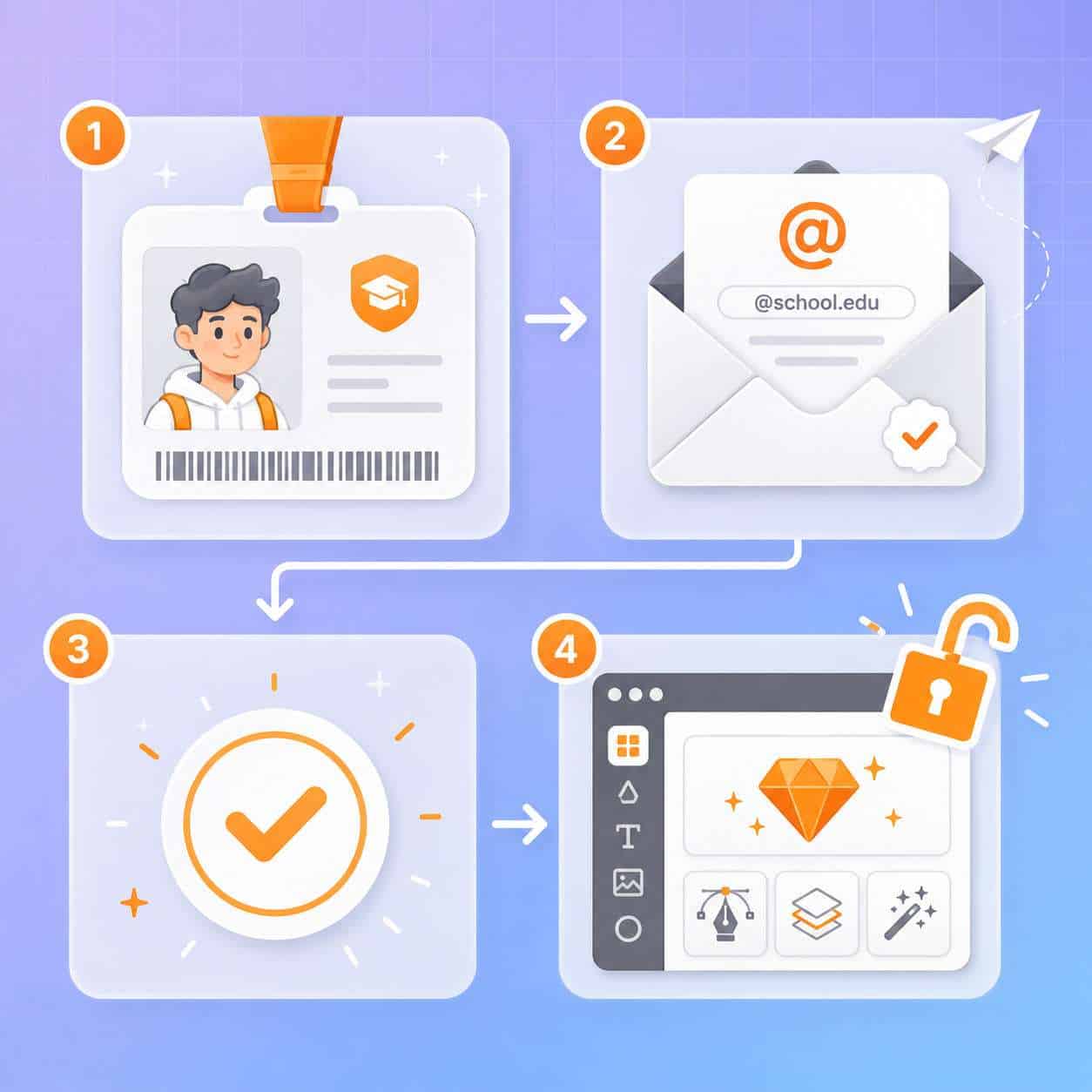
For K-12 students: Your teacher or school administrator needs to sign up for Canva for Education. Once they do, you’ll receive an invitation or can log in through your school account to access all Pro and premium features at no cost. [2]
For college and university students: Your institution must be part of the Canva for Campus program. As of 2026, several major universities, including the University of Birmingham and the University of Texas at Austin, have rolled out campus-wide access. [4][10]
Steps to check your eligibility:
- Visit canva.com/education/students and see if your school is listed.
- Ask your teacher, professor, or IT department if your school participates.
- If your school isn’t enrolled, suggest the program to your administration — it’s free for qualifying institutions.
- As a fallback, create a free Canva account and explore available features.
Common mistake: Many students assume they can simply sign up with a .edu email and unlock Pro features automatically. That’s not how it works. The access must come through an institutional enrollment, not an individual signup. [9]
Does Canva Offer Student Discounts?
Canva does not offer a traditional percentage-off student discount on its Pro subscription. Instead, Canva’s approach is to provide full Pro-level access for free through its education programs rather than a reduced price. [7]
This means you won’t find a student discount code or a special pricing tier. The options are:
- Free (through Canva for Education or Campus): Full Pro features, no cost
- Canva Free: Available to everyone, includes basic features
- Canva Pro: $13/month or $120/year (no student pricing)
- Canva Teams: $10/person/month (billed annually, 3+ people)
If you’re looking for deals, coupon aggregator sites occasionally list Canva promotions, but these are general offers, not student-specific discounts. [3]
What Proof Do I Need to Qualify for a Canva Student Account?
Verification requirements vary depending on the program. For Canva for Education (K-12), your teacher handles the setup and invites you, so you typically just need your school login credentials. For Canva for Campus, your university email address serves as the primary proof of enrollment. [2][8]
In some cases, Canva or your institution may require:
- A valid school-issued email address (e.g., .edu, .ac.uk, or country-specific education domains)
- Student ID number
- Enrollment verification through your university’s single sign-on (SSO) system
Edge case: If your school uses a non-standard email domain (like a private school with a .org address), you may need to contact Canva support directly or have your school administrator verify eligibility.
How to Verify Student Status for Your Canva Pro Account
The verification process is straightforward but differs by program.
For Canva for Education (K-12):
- Your teacher creates a Canva for Education classroom.
- You receive an invite link or class code.
- Log in with your school Google or Microsoft account.
- Access is granted immediately — no separate verification needed.
For Canva for Campus (university):
- Your university partners with Canva.
- You log in using your institutional email or SSO credentials.
- Canva verifies your domain against participating institutions.
- Pro features unlock automatically upon successful login. [4][8]
Re-verification is required periodically, typically once per academic year, to confirm you’re still an active student. [9]
What Email Domains Qualify for Canva Student Access?
Only email domains associated with institutions that have enrolled in Canva for Education or Canva for Campus qualify for free Pro access. Having a .edu email alone is not enough. [9]
Qualifying domains include:
- .edu (United States)
- .ac.uk (United Kingdom)
- .edu.au (Australia)
- Other country-specific education domains, provided the institution has signed up
Decision rule: If you can log into your school’s learning management system (like Canvas, Google Classroom, or Blackboard) with your email, that same email likely qualifies — but only if your school has an active Canva partnership.
Can High School Students Get Canva Pro for Free?
Yes. High school students can get full Canva Pro features for free through Canva for Education, which is specifically designed for K-12 environments. Canva has stated this program will remain free for K-12 educators and their students. [2][7]
The key requirement is that a teacher or school administrator must set up the account first. Students cannot independently enroll in Canva for Education — it must be initiated at the institutional level.
What’s included for high school students:
- All premium templates and stock content
- Brand Kit functionality
- Background Remover and Magic Resize
- Safe-for-school content filters (adult content is automatically blocked)
- LMS integrations with Google Classroom, Schoology, and others [6][9]
If you’re a high school student and want access, the best approach is to ask your teacher to sign up at canva.com/education. For more ways to create great designs, check out our guide to Canva AI design tools.
How Long Does the Free Canva Pro Student Account Last?
For Canva for Education (K-12), access lasts as long as you remain a student at a participating school. Canva has committed to keeping this program permanently free. [2]
For Canva for Campus (university), access typically lasts for the duration of your enrollment. Most institutions require annual re-verification. Once you graduate or leave the institution, your access reverts to Canva Free. [8]
| Program | Duration | Re-verification | After Leaving |
|---|---|---|---|
| Canva for Education (K-12) | Entire enrollment period | Periodic (set by school) | Reverts to Free |
| Canva for Campus (University) | Duration of enrollment | Annually | Reverts to Free |
| Canva Free Trial | 30 days | N/A | Reverts to Free |
Important: Any designs you created with Pro features remain in your account, but you may lose the ability to edit certain premium elements after your access ends.
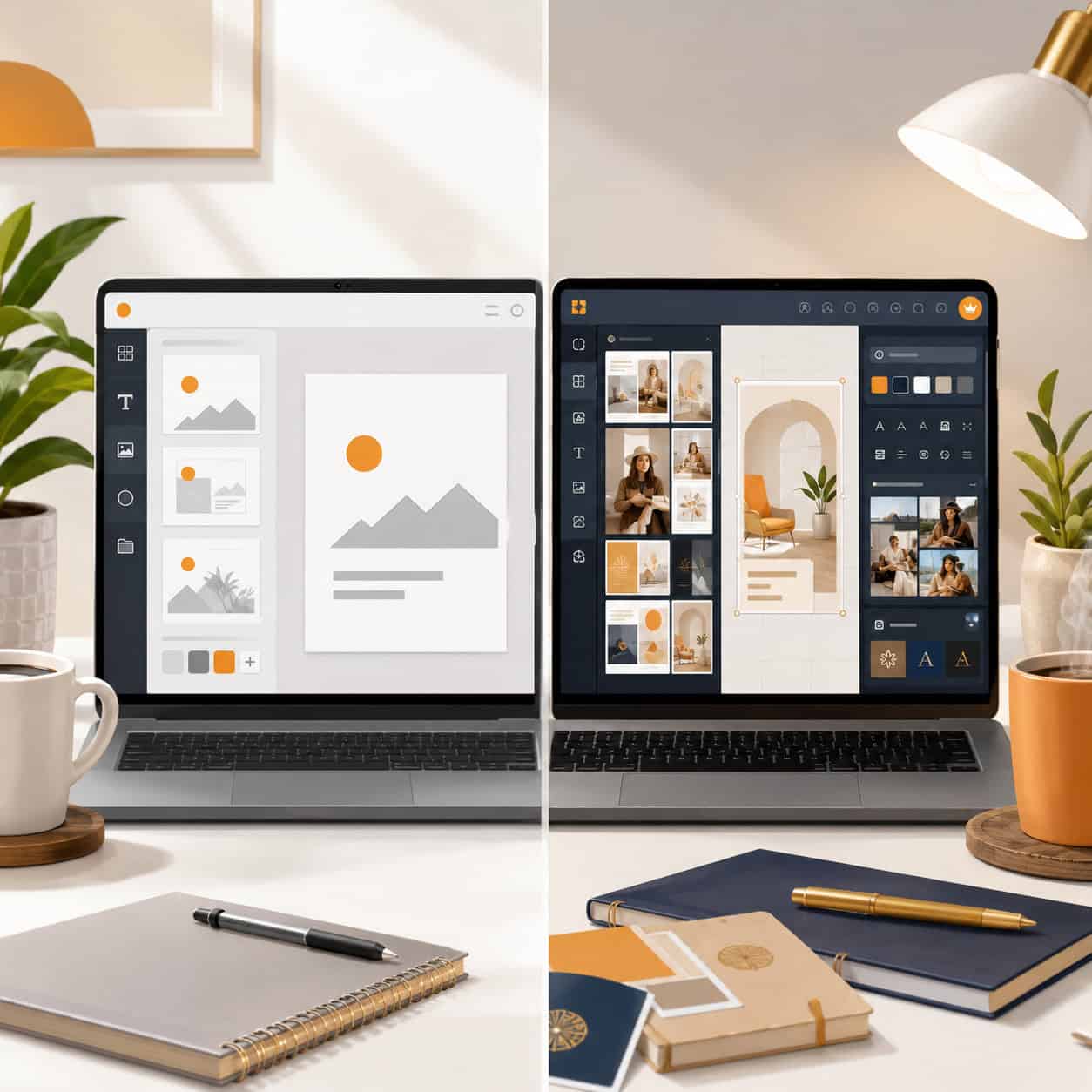
Canva Pro vs. Free Version: What Differences Matter for Students?
Canva Free is genuinely useful, but Pro unlocks features that make a real difference for academic and creative projects.
What you get with Canva Free:
- 250,000+ free templates
- 5 GB cloud storage
- Basic photo editing tools
- Standard export options (PNG, JPG, PDF)
What Canva Pro adds:
- 100+ million premium stock photos, videos, and graphics
- 610,000+ premium and free templates
- Brand Kit (save school colors, fonts, logos)
- Background Remover
- Magic Resize (instantly adapt designs for different formats)
- 1 TB cloud storage
- Schedule social media posts directly
- Premium animations and transitions
For students working on presentations, posters, social media content for clubs, or portfolio pieces, the premium stock library and Background Remover alone justify the upgrade. If you’re creating Instagram content for a student organization, our guide to designing Instagram story templates in Canva walks through the process.
Is Canva Pro Worth It for College Students?
If your university offers it free through Canva for Campus, absolutely — there’s no reason not to activate it. If you’d have to pay out of pocket, the value depends on how often you create visual content. [10]
Choose Canva Pro if you:
- Regularly create presentations, posters, or social media graphics
- Need access to premium stock photos for projects
- Want to build a consistent personal brand or portfolio
- Work on a student publication, club, or organization that needs design assets
Stick with Canva Free if you:
- Only occasionally need basic templates
- Primarily use other tools like PowerPoint or Google Slides
- Have access to Adobe Creative Cloud through your school
I’ve personally found that students in marketing, communications, and design programs get the most value from Pro features. But even engineering or science students benefit when creating research posters or pitch decks. For email-related design projects, see our tutorial on creating email templates in Canva.
What Design Features Do Students Get with Canva Pro?
Students with Canva Pro access through education programs get the same feature set as paying Pro subscribers, plus some education-specific additions. [9]
Pro features available to students:
- Full premium template library
- Premium stock content (photos, videos, audio, graphics)
- Brand Kit with custom fonts and color palettes
- Magic Resize for multi-format design
- Background Remover
- Content Planner for social media scheduling
- Folders and team collaboration tools
- Premium export options (transparent backgrounds, SVG)
Education-specific extras (K-12):
- LMS integrations (Google Classroom, Canvas, Schoology, Microsoft Teams)
- Classroom assignment workflows
- Safe search and content filters
- Student progress monitoring for teachers
If you’re interested in building a design portfolio, our beginner’s guide to Canva logo design is a great starting point.
Common Mistakes Students Make When Applying for Canva Pro
Many students run into problems because of misinformation spread on social media. Here are the most frequent mistakes:
- Believing .edu email alone unlocks Pro: This is the biggest misconception. A .edu email without institutional enrollment gives you Canva Free, not Pro. [9]
- Following social media “hacks”: Videos and posts claiming secret methods to get lifetime free Canva Pro are typically misleading or outdated. [1]
- Using personal email instead of school email: Always use your school-issued email when signing up through education programs.
- Not asking their school to enroll: Many students don’t realize they can request their institution to join Canva for Education or Campus.
- Ignoring re-verification deadlines: Failing to re-verify when prompted can result in losing Pro access mid-semester.
- Creating a separate account: If you already have a personal Canva account, link your school email to it rather than creating a duplicate.
Alternative Design Tools for Students If Canva Pro Isn’t Available
If your school doesn’t participate in Canva’s programs and you can’t justify the subscription cost, several strong alternatives exist.
| Tool | Free for Students? | Best For |
|---|---|---|
| Figma | Yes (Education plan) | UI/UX design, collaboration |
| Adobe Express | Free tier available | Quick social media graphics |
| Google Slides | Yes | Presentations |
| Piktochart | Education pricing | Infographics, posters |
| Visme | Education plan available | Presentations, data visualization |
| Microsoft Designer | Free with Microsoft 365 Education | AI-assisted design |
Figma’s free education plan is particularly strong for students in design or tech programs. Learn more in our guide to organizing Figma components. For students exploring broader AI-powered design tools, the landscape has expanded significantly in 2026.
Also worth exploring: our collection of .edu student perks covers other software and services available free to students.
FAQ
Can I get Canva Pro free with just a .edu email? No. A .edu email alone does not unlock Canva Pro. Your institution must be enrolled in Canva for Education or Canva for Campus for you to receive free Pro access. [9]
Is Canva for Education really free forever? Canva has publicly committed to keeping Canva for Education free for K-12 educators and their students. There is no indication this will change. [2][7]
What happens to my designs when I graduate? Your designs stay in your account, but you lose access to Pro features. Premium elements in existing designs may become restricted or watermarked.
Can I use Canva Pro student access for freelance work? Canva for Education and Campus accounts are intended for educational use. Check your institution’s terms of service before using the account for commercial projects.
Do community college students qualify? Yes, if the community college has enrolled in Canva for Campus. The program is not limited to four-year universities. [8]
Can I share my Canva Pro student account? No. Each account is tied to an individual student’s school credentials. Sharing violates Canva’s terms of service.
How do I know if my university has Canva for Campus? Check with your university’s IT department or student services. Some universities announce it through their intranet or student news portals. [4][10]
Is there a Canva Pro free trial I can use instead? Yes. Canva offers a 30-day free trial of Pro for all new users, regardless of student status. You’ll need a payment method, and it auto-renews unless canceled.
Can homeschool students access Canva for Education? Yes, if the homeschool parent or educator registers as a teacher through Canva for Education and invites their students.
Does Canva Pro student access work on mobile? Yes. All Pro features are available across Canva’s web, desktop, and mobile apps.
Conclusion
Getting Canva Pro free for students is absolutely possible in 2026, but it requires going through the right channels. The most reliable paths are Canva for Education (for K-12 students through their teachers) and Canva for Campus (for university students at participating institutions).
Your next steps:
- Check if your school already participates by visiting canva.com/education/students.
- If it doesn’t, talk to your teacher, professor, or IT department about enrolling.
- Use your school email — not a personal one — when setting up your account.
- Ignore social media claims about secret workarounds; stick with official programs.
- If Canva Pro isn’t available, explore alternatives like Figma’s education plan or Adobe Express.
The bottom line: don’t pay for Canva Pro until you’ve confirmed your school isn’t eligible for free access. Many students are one conversation with their IT department away from unlocking premium design tools at zero cost.
References
[1] C6xexziurr – https://www.instagram.com/reel/C6XExZiuRR_/?hl=en [2] Students – https://www.canva.com/education/students/ [3] Canva – https://www.coupert.com/store/canva.com [4] Get Access To Canva Pro Today – https://intranet.birmingham.ac.uk/student/news/public/2026/jan-mar26/get-access-to-canva-pro-today.aspx [7] Canva – https://studentdiscount.io/brand/canva [8] Canva For Campus – https://www.canva.com/newsroom/news/canva-for-campus/ [9] Canva Pro Free – https://www.gamsgo.com/blog/canva-pro-free [10] Canva Pro Now Available To All Students For Free – https://thedailytexan.com/2025/10/23/canva-pro-now-available-to-all-students-for-free/
Related: Canva Marketplace: The Complete Guide to Buying and Selling Design Templates in 2026
Related: Canva Whiteboard: The Complete Guide to Visual Collaboration in 2026
Related: Canva for Students: The Complete Guide to Free Design Tools in 2026