Last updated: June 7, 2026
Quick Answer: The Canva Marketplace is a built-in storefront within Canva where independent designers sell templates, graphics, fonts, and other creative assets directly to Canva’s user base. Creators earn a royalty each time a Canva user accesses their premium content, and buyers get professionally designed templates they can customize instantly inside the Canva editor. It’s one of the largest template ecosystems in the design world, backed by Canva’s reported 190+ million monthly active users.
Key Takeaways
- The Canva Marketplace lets verified creators sell templates, elements, photos, fonts, and illustrations to Canva’s massive user base.
- Canva operates on a royalty model rather than a fixed per-sale price; creators earn based on how often their content is used.
- Becoming a verified Canva creator requires an application with a portfolio review, and acceptance is competitive.
- Social media templates, presentation decks, and business branding kits are among the best-selling categories.
- Canva’s royalty split and exclusivity terms differ significantly from platforms like Creative Market and Envato.
- You generally cannot sell the exact same template file on Canva and another platform due to formatting differences and potential exclusivity clauses.
- Pricing on the Canva Marketplace is largely controlled by Canva, not individual sellers.
- No advanced design software skills are required, but strong visual design sense and knowledge of Canva’s editor are essential.
What Exactly Is the Canva Marketplace and How Does It Work?
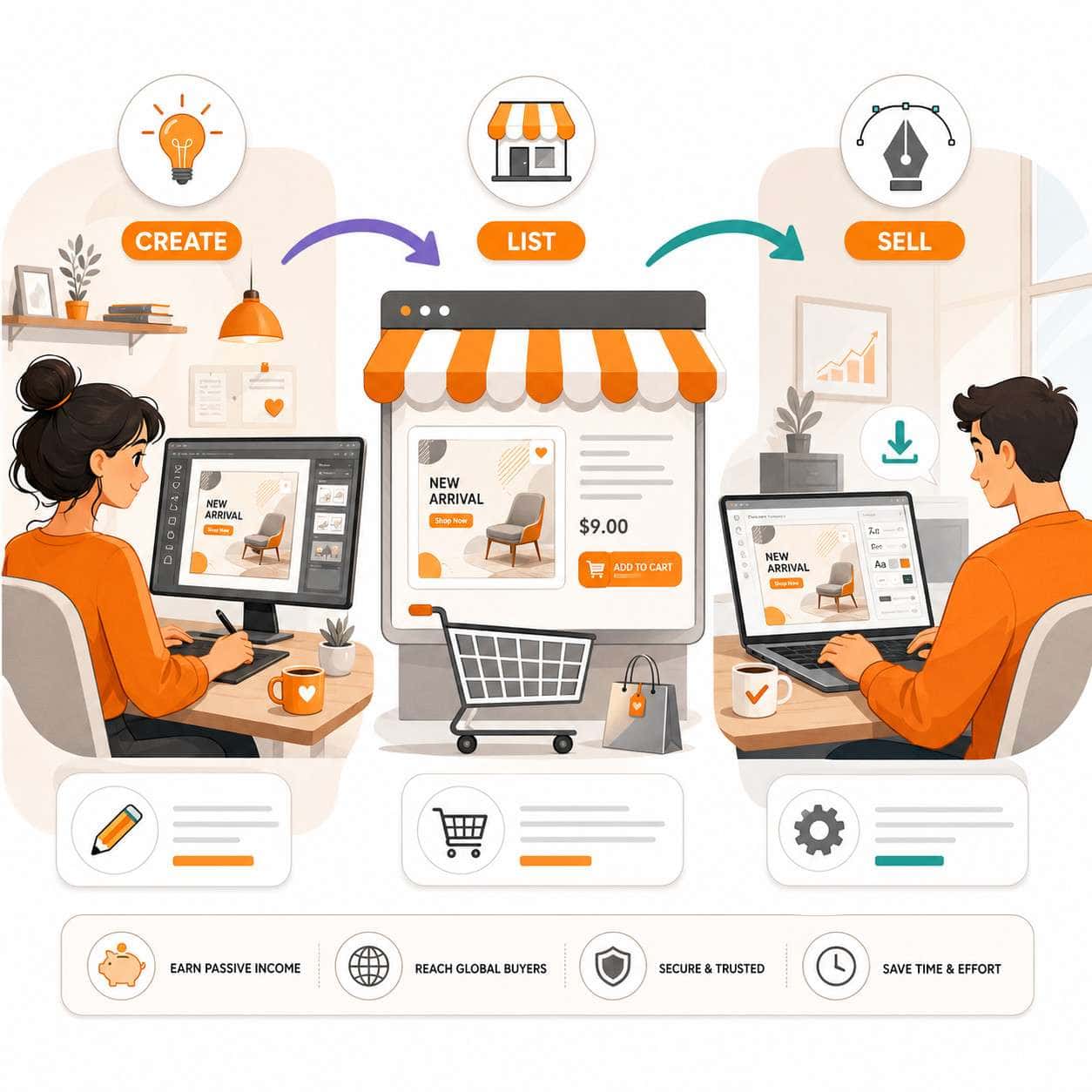
The Canva Marketplace is an integrated store within the Canva platform where third-party creators list design assets for Canva’s users. Unlike standalone marketplaces, everything lives inside Canva’s editor, so buyers never leave the app to browse, purchase, or customize a template.
Here’s how the process works:
- Creator applies and gets accepted into Canva’s creator program.
- Creator uploads templates built specifically for the Canva editor (not Photoshop files or PDFs).
- Canva lists the content as premium elements or templates within its library.
- Users discover templates through Canva’s search, category pages, or recommendations.
- Users access premium content through a Canva Pro subscription or one-time purchase.
- Creator earns a royalty based on usage metrics.
The key distinction: Canva controls the storefront, the pricing, and the customer relationship. Creators supply the designs. This is fundamentally different from marketplaces where sellers set their own prices and manage their own shops.
If you’re new to designing within Canva, our guide on Canva’s AI design tools covers the platform’s creative capabilities.
How Much Do Designers Earn Selling Templates on Canva?
Canva pays creators through a royalty pool system rather than a fixed per-sale commission. The exact earnings per template use are not publicly disclosed at a fixed rate, but creator reports suggest earnings typically range from a few cents to a few dollars per use, depending on the content type and total pool distribution.
Factors that affect earnings:
- Content type: Templates, photos, illustrations, and fonts may have different royalty rates.
- Usage volume: More popular templates earn more because the royalty is tied to how frequently users access the content.
- Royalty pool size: Canva allocates a portion of its subscription revenue to the creator pool, which fluctuates.
- Seasonality: Certain templates (holiday cards, back-to-school designs) spike during specific periods.
Some full-time Canva creators have publicly shared earning several thousand dollars per month, but this typically requires a large catalog of hundreds of templates. A creator with 20 to 50 templates should expect modest supplemental income rather than a full-time salary.
Common mistake: Assuming Canva Marketplace earnings work like Etsy or Creative Market, where you set a price and keep a percentage. Canva’s model is closer to a streaming royalty (think Spotify for designers), so volume matters more than individual sale price.
Are Canva Marketplace Templates Worth Buying for My Business?
Yes, for most small businesses and solo entrepreneurs, Canva Marketplace templates offer strong value because they combine professional design quality with zero-friction customization.
Choose Canva Marketplace templates if:
- You need branded social media posts, presentations, or marketing materials quickly.
- You don’t have a dedicated designer on staff.
- You want templates you can edit without learning Photoshop or Illustrator.
- You already pay for Canva Pro (many premium templates are included in the subscription).
Consider alternatives if:
- You need highly custom, brand-specific design systems with advanced typography and layout control.
- You require source files in formats like PSD, AI, or Figma.
- Your design team works outside of Canva’s ecosystem.
For businesses creating regular social media content, our tutorials on designing Instagram story templates in Canva and building carousel designs show how marketplace templates speed up production.
Who Can Sell Designs on the Canva Marketplace?
Any designer, illustrator, photographer, or typographer can apply to become a Canva creator, but acceptance is not guaranteed. Canva reviews applications based on portfolio quality, design consistency, and whether the applicant’s style fills gaps in the existing marketplace catalog.
Eligibility basics:
- You must be 18 years or older.
- You need a portfolio demonstrating professional-quality work.
- You must own full rights to everything you submit (no stock photos with restricted licenses, no copyrighted characters).
- You should be comfortable designing natively within Canva’s template format.
Canva has historically accepted creators in waves and sometimes pauses applications when supply exceeds demand. If you’re rejected, you can reapply after improving your portfolio.
What Types of Design Templates Sell Best on Canva?
Social media templates consistently rank as the top-selling category on the Canva Marketplace, followed by presentation decks, business card designs, and marketing materials like flyers and brochures.
| Template Category | Demand Level | Competition Level | Notes |
|---|---|---|---|
| Instagram/TikTok templates | Very high | Very high | High volume, but crowded |
| Presentation decks | High | Medium | Business users pay for quality |
| Logo templates | Medium-high | High | See our logo design guide |
| Email headers/templates | Medium | Low-medium | Growing niche |
| Resume/CV templates | Medium | Medium | Seasonal spikes |
| Wedding/event invitations | Medium | Medium | Strong seasonal demand |
| Infographics | Medium | Low | Underserved category |
Pro tip: Niche templates with clear use cases (e.g., “real estate open house flyer” or “podcast episode carousel”) tend to outperform generic designs because they match specific search queries within Canva.
If you’re interested in email design specifically, check out our guide on creating effective email templates in Canva.
How Do I Become a Verified Creator on Canva Marketplace?
To become a verified Canva creator, you need to submit an application through Canva’s creator program page, provide a portfolio of your best work, and wait for Canva’s team to review it. The review process can take several weeks to a few months.
Steps to apply:
- Visit Canva’s official creator program page.
- Fill out the application form with your personal and professional details.
- Submit a portfolio (typically 6 to 12 of your strongest designs).
- Wait for review. Canva may request additional samples.
- If accepted, complete onboarding and start uploading templates.
What strengthens your application:
- A cohesive visual style across your portfolio pieces.
- Templates that show you understand Canva’s editor (editable text layers, swappable images, proper grouping).
- Designs in categories where Canva has gaps rather than oversaturated niches.
- Professional presentation of your portfolio (clean mockups, consistent branding).
What Are Common Mistakes Designers Make When Selling on Canva?
The biggest mistake is treating Canva Marketplace like a traditional e-commerce store where you upload a few designs and wait for sales. Success on this platform requires volume, consistency, and an understanding of how Canva’s internal search works.
Mistakes to avoid:
- Uploading too few templates. Creators with small catalogs rarely earn meaningful income. Aim for at least 50 to 100 quality templates before expecting consistent royalties.
- Ignoring Canva’s design constraints. Templates must work within Canva’s editor. Overly complex designs that break when users try to edit them get poor ratings.
- Using unlicensed assets. Every element in your template must be either original or properly licensed. Canva will reject (and potentially ban) creators who use copyrighted material.
- Neglecting keywords and descriptions. Canva’s search algorithm relies heavily on the metadata you provide. Vague titles like “Cool Template 1” won’t get discovered.
- Designing only for one format. Creating a social media template? Also make versions for stories, posts, and covers. Bundles and series perform better.
How Does Canva Marketplace Compare to Creative Market or Envato?
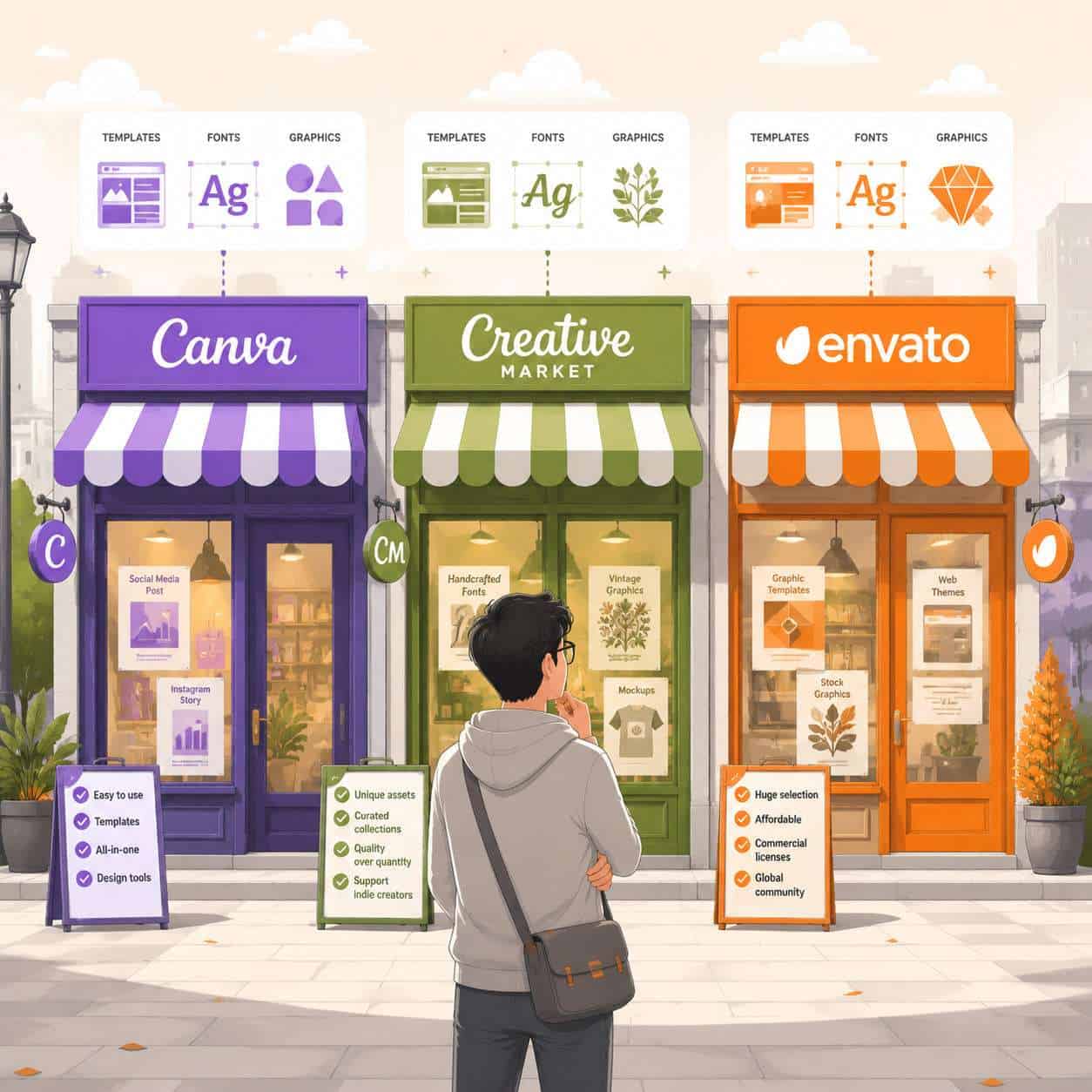
Canva Marketplace differs from Creative Market and Envato in three fundamental ways: pricing control, file format, and audience reach.
| Feature | Canva Marketplace | Creative Market | Envato Elements |
|---|---|---|---|
| Pricing control | Canva sets prices | Seller sets prices | Subscription model |
| File format | Canva-native only | Multiple (PSD, AI, etc.) | Multiple formats |
| Revenue model | Royalty pool | 60-70% commission | Royalty pool |
| Audience size | 190M+ Canva users | Smaller, design-savvy | Large, professional |
| Exclusivity required | Partial (Canva format) | No | Optional tiers |
| Barrier to entry | Application required | Open to sellers | Application required |
Choose Canva Marketplace if you want access to the largest pool of non-designer users who need ready-to-edit templates. Choose Creative Market if you want full pricing control and sell multi-format files. Choose Envato if you want to reach professional designers and agencies.
For designers exploring other design platforms, our Figma components guide covers an alternative ecosystem.
Can I Sell the Same Template on Multiple Design Platforms?
Not exactly. Because Canva Marketplace requires templates in Canva’s native format, you can’t upload the same file to Creative Market or Envato (which use PSD, AI, or other formats). However, you can create visually similar designs adapted for each platform’s format, as long as you’re not violating any exclusivity agreements.
Key considerations:
- Canva’s creator terms may include clauses about the content you upload being available through Canva. Read the current terms carefully before cross-listing.
- The practical effort of rebuilding a template for multiple platforms is significant. Most successful creators choose one or two platforms and focus their energy there.
- If you sell a Photoshop version on Creative Market and a Canva version on the Canva Marketplace, the designs can share a visual concept but will be technically different files.
What Percentage Does Canva Take From Marketplace Sales?
Canva does not publicly disclose a simple percentage split like “70/30.” Instead, it uses a royalty pool model where a portion of Canva’s subscription and one-time purchase revenue is distributed among creators based on content usage.
This means your earnings depend on:
- The total size of the royalty pool in a given period.
- How many times your content was used relative to all other creator content.
- The type of content (templates, elements, photos, and fonts may have different pool allocations).
In practice, creators report that the effective royalty per use is lower than what you’d earn from a direct sale on Creative Market, but the volume of potential users on Canva is dramatically higher. High-volume creators can earn more overall despite the lower per-use rate.
What Kind of Design Skills Do I Need to Sell on Canva?
You don’t need to know Photoshop, Illustrator, or any traditional design software. But you do need a strong eye for layout, typography, and color theory, plus fluency with Canva’s own editor.
Essential skills:
- Layout and composition: Understanding visual hierarchy, whitespace, and alignment.
- Typography: Pairing fonts effectively and ensuring readability.
- Color theory: Creating cohesive palettes that work for different brands.
- Canva editor proficiency: Knowing how to build templates with editable layers, proper grouping, and placeholder content.
Helpful but not required:
- Illustration skills (for creating custom graphics).
- Photography (for including original photos).
- Motion design (Canva now supports animated templates).
You can learn many of these skills using AI-powered design tools that help with color selection, layout suggestions, and content generation.
Are There Restrictions on What I Can Sell in the Marketplace?
Yes. Canva enforces content guidelines that prohibit certain types of designs and require full intellectual property ownership.
You cannot sell:
- Templates containing copyrighted characters, logos, or brand assets you don’t own.
- Content that promotes hate, violence, or illegal activities.
- Designs using stock photos or elements with licenses that restrict resale or sublicensing.
- Templates that are substantially similar to existing marketplace content (duplicates get flagged).
- AI-generated content may face additional restrictions; check Canva’s current creator terms for the latest policy.
You must ensure:
- Every font used is either a Canva-provided font or one you have a commercial license for.
- All photos and illustrations are original or carry appropriate commercial licenses.
- Your templates are functional and editable (not just flat images).
How Do I Price My Templates Competitively on Canva?
You largely don’t control pricing on the Canva Marketplace. Canva determines whether content is included in Pro subscriptions or available as individual purchases, and it sets the price points for one-time purchases.
What you can control:
- Quality and quantity: Higher-quality templates get more usage, which directly increases your royalties.
- Niche targeting: Templates for specific industries or use cases face less competition and attract more engaged users.
- Bundle strategy: Creating coordinated template sets (matching social media post, story, and cover) increases the chance users will access multiple pieces of your content.
This is a significant difference from platforms like Creative Market, where you can price a template pack at $29 or $49. On Canva, your “pricing strategy” is really a volume and quality strategy.
FAQ
How long does it take to get accepted as a Canva creator? The review process typically takes a few weeks to several months. Canva reviews applications in batches and sometimes pauses new acceptances when the marketplace is well-stocked.
Do I need Canva Pro to sell on the marketplace? You need access to Canva’s creator tools, which are provided once you’re accepted into the program. A Pro subscription is helpful for accessing premium elements during the design process but is not strictly required for the application.
Can I sell fonts on the Canva Marketplace? Yes. Font designers can apply to the creator program specifically to sell typefaces. Fonts go through a separate review process focused on quality, character set completeness, and licensing.
How often does Canva pay creators? Canva typically pays creators on a monthly basis, with payments processed after a short delay to account for usage tracking and calculations. Payment methods include PayPal and direct bank transfer in supported regions.
Will Canva’s AI tools replace marketplace creators? Canva has expanded its AI features significantly, but AI-generated designs and human-crafted templates serve different needs. Curated, professionally designed templates with strong visual identity still perform well because users value consistency and polish that AI doesn’t always deliver.
Can I remove my templates from the marketplace? Yes, creators can request removal of their content, but there may be a processing period. Any existing users who already accessed your template may retain their copies.
Is the Canva Marketplace available worldwide? The marketplace is accessible globally wherever Canva operates. However, creator payouts may have regional restrictions depending on payment processing availability.
Do I keep the copyright to my designs? You retain ownership of your original designs, but you grant Canva a license to distribute them through the platform. The specific license terms are outlined in Canva’s creator agreement.
Conclusion
The Canva Marketplace represents a real opportunity for designers who want to reach a massive audience without building their own storefront. But it requires a shift in mindset: you’re not setting prices and managing customers. You’re creating volume, optimizing for Canva’s search algorithm, and earning through a royalty model that rewards consistent, high-quality output.
Your next steps:
- If you want to sell: Review your portfolio, identify 2 to 3 template categories where you can compete, and submit your creator application. Start building a catalog of at least 50 templates before expecting meaningful income.
- If you want to buy: Browse the marketplace within Canva’s editor, filter by your industry or content type, and take advantage of templates included in your Pro subscription before purchasing individual items.
- If you’re undecided: Explore our Canva tutorials and guides to build your skills first, then decide whether the marketplace fits your goals as a creator or a buyer.
The Canva Marketplace isn’t a get-rich-quick platform, but for designers willing to invest in volume and quality, it’s one of the most accessible paths to earning passive income from design work in 2026.
Useful Resources: Canva design platform & Canva Design School free tutorials