Last updated: May 9, 2026
Quick Answer
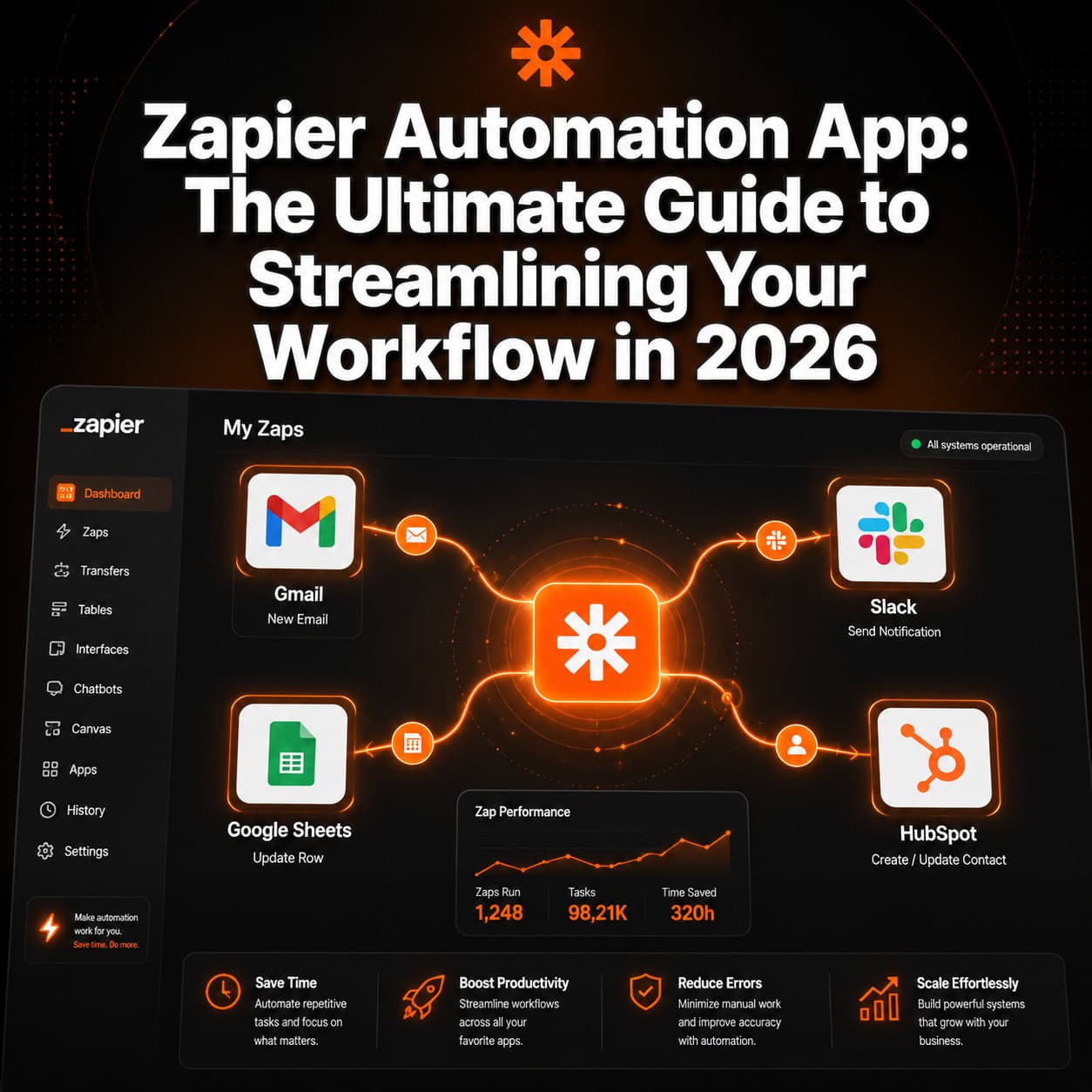
Zapier is a no-code automation platform that connects 8,000+ apps and moves data between them automatically, so you stop doing repetitive manual tasks. [1] You build “Zaps” — simple if-this-then-that rules — without writing a single line of code. It’s free to start, scales with paid plans, and works for solo freelancers and large teams alike.
Key Takeaways
- Zapier connects 8,000+ apps, including Gmail, Slack, HubSpot, Google Sheets, Mailchimp, and Calendly [2]
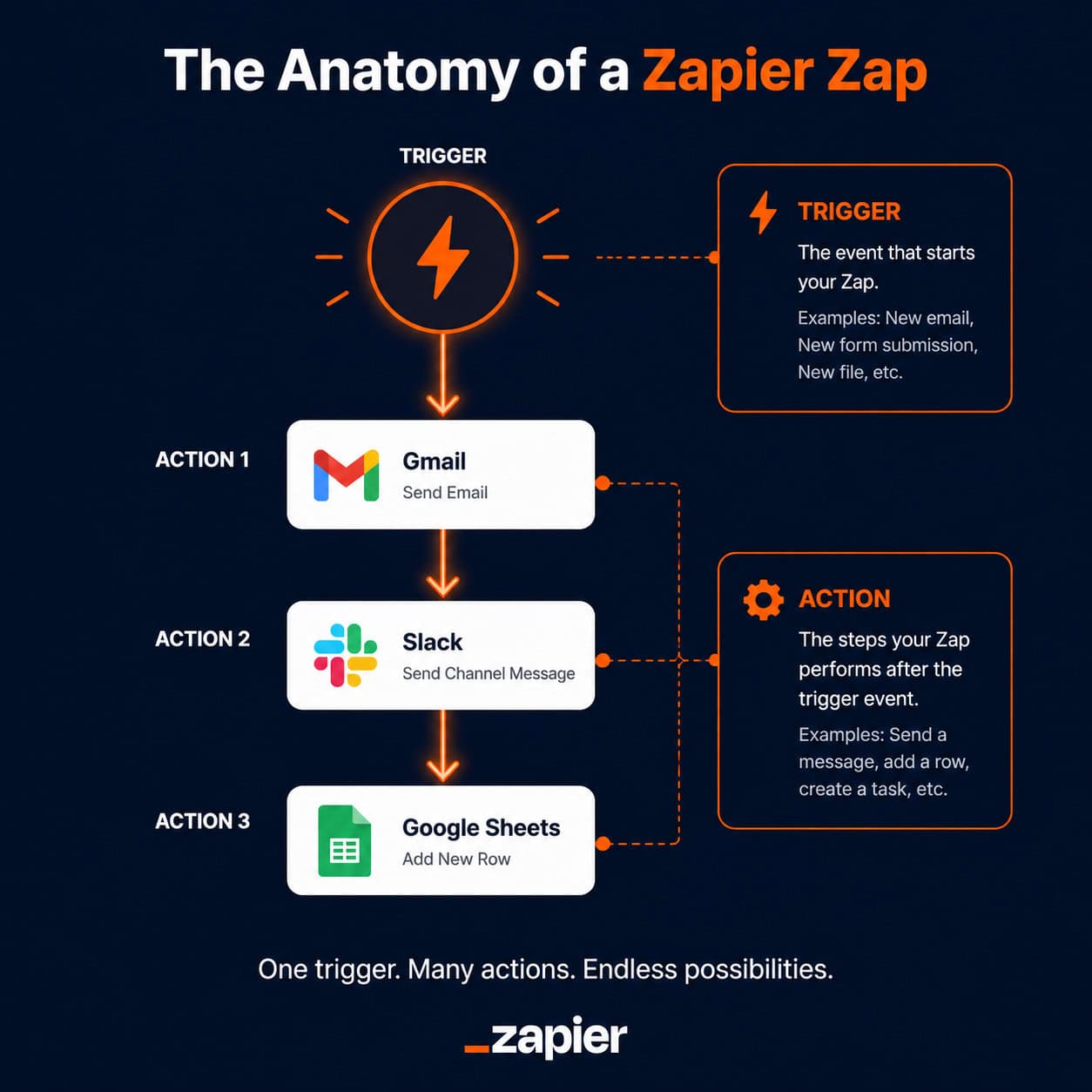
- Every automation is called a Zap, built from a trigger (what starts it) and one or more actions (what happens next) [1]
- The AI Copilot feature lets you describe a workflow in plain English and Zapier builds it for you [1]
- Zapier Agents can handle complex, multi-step tasks across the entire app ecosystem autonomously [2]
- A free tier is available — good for testing basic automations before committing to a paid plan [1]
- Always test your Zap before turning it on to catch mapping errors early [1]
- Zapier works best for repetitive, rule-based tasks — it’s not the right tool for tasks requiring human judgment
- Common use cases: lead routing, social media posting, CRM updates, and email notifications
What Is the Zapier Automation App and How Does It Work?
Zapier is a web-based automation tool that connects apps and passes data between them automatically, without any coding. [1] When an event happens in one app (your trigger), Zapier performs a task in another app (your action) — all in the background, without you touching it.
The core building blocks:
- Zap — the name for a single automated workflow
- Trigger — the event that starts the Zap (e.g., “a new row is added to Google Sheets”)
- Action — what Zapier does in response (e.g., “send a Slack message”)
- Multi-step Zaps — chains of multiple actions from a single trigger
A simple example: A new contact fills out a Typeform survey → Zapier adds them to your Mailchimp list → Zapier sends you a Slack notification. That entire sequence runs automatically, every time, with zero manual effort.
“Zapier automates repetitive tasks between apps, allowing users to move information automatically rather than manually repeating the same process. [1]
This guide — the Zapier Automation App: The Ultimate Guide to Streamlining Your Workflow in 2026 — covers everything from basic setup to advanced agent workflows.
Who Should Use Zapier (and Who Shouldn’t)?
Zapier suits anyone who moves data between apps repeatedly throughout their workweek. That said, it’s not the right tool for every situation.
Choose Zapier if you:
- Manually copy information from one app to another (forms → CRM, email → spreadsheet)
- Run a small team and can’t afford a dedicated developer
- Want to automate social media posting, lead routing, or client onboarding
- Already use popular SaaS tools like Gmail, HubSpot, Slack, or Google Drive [1]
Skip Zapier (or use it carefully) if you:
- Need real-time, sub-second data syncing — Zapier checks for triggers on a polling interval, not instantly on free plans
- Require complex conditional logic that changes based on many variables — dedicated tools like Make (formerly Integromat) may handle branching logic more cleanly
- Work with highly sensitive regulated data and haven’t reviewed Zapier’s compliance documentation
For teams already exploring AI-powered workflow automation, Zapier slots in naturally alongside design and content tools.
How to Set Up Your First Zap: Step-by-Step
Setting up a Zap takes under 10 minutes for most basic workflows. Here’s the exact process. [1]
Step 1: Create a free Zapier account Go to zapier.com and sign up. The free tier supports basic Zaps with limited monthly tasks.
Step 2: Click “Create Zap” From your dashboard, hit the orange “Create” button and choose “Zap.”
Step 3: Set your trigger
- Search for your trigger app (e.g., Gmail)
- Select the trigger event (e.g., “New Email Matching Search”)
- Connect your account — Zapier will ask you to authenticate via OAuth [1]
Step 4: Set your action
- Search for your action app (e.g., Google Sheets)
- Select the action event (e.g., “Create Spreadsheet Row”)
- Map the data fields from your trigger to the action
Step 5: Test the Zap Zapier pulls in a real sample from your trigger app. Run the test to confirm data maps correctly before going live. [1]
Step 6: Turn it on Toggle the Zap to “On.” It runs automatically from this point forward.
Common mistake: Skipping the test step. A field mapping error (e.g., sending the wrong email field to the wrong column) only shows up when you test — not when you assume it works.
Zapier AI Copilot and Agents: The Next Level of Automation
Zapier’s AI features — Copilot and Agents — represent a significant shift in how users build and run automations. [1][2]
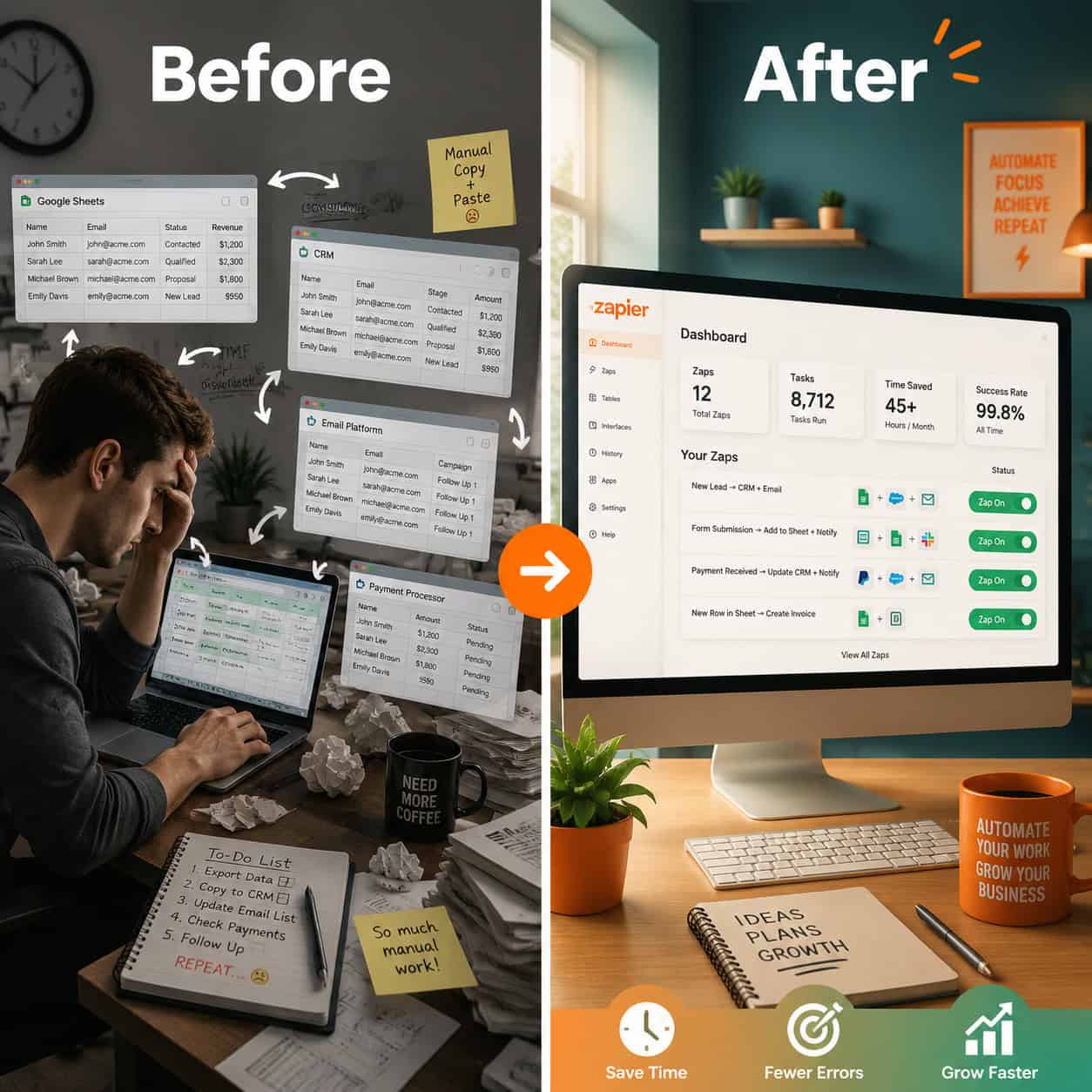
AI Copilot lets you describe what you want in plain language. For example, type: “When I add a reaction to a Slack message, create a card in Trello” — and Copilot suggests the right apps, trigger, and actions automatically. [1] You review, adjust, and activate. No guesswork about which trigger to pick.
Zapier Agents go further. Rather than following a fixed Zap sequence, Agents can reason through multi-step tasks across the 8,000+ app ecosystem autonomously. [2] You give the agent a goal, and it figures out the steps — useful for complex workflows that change based on incoming data.
| Feature | Zapier Zaps | Zapier Agents |
|---|---|---|
| Setup method | Manual or Copilot-assisted | Natural language goal-setting |
| Logic type | Linear (trigger → action) | Adaptive, multi-step reasoning |
| Best for | Predictable, repeatable tasks | Complex, variable workflows |
| Availability | All plans | Newer feature; check current plan access |
For teams building AI-assisted content pipelines, pairing Zapier with AI-powered content optimization tools can multiply the time savings significantly.
What Are the Most Useful Zapier Integrations?
The most-used Zapier connections center around communication, CRM, and data tools. [1][7]
Top integrations by category:
- Email & communication: Gmail, Outlook, Slack
- CRM & sales: HubSpot, Salesforce, Pipedrive
- Forms & surveys: Typeform, Google Forms, Jotform
- Spreadsheets & databases: Google Sheets, Airtable, Notion
- Scheduling: Calendly, Acuity Scheduling
- Marketing: Mailchimp, ActiveCampaign, ConvertKit
- Project management: Trello, Asana, ClickUp
High-value Zap examples:
- New Calendly booking → Add to Google Sheets + Send Slack alert
- New HubSpot lead → Send personalized Gmail welcome email
- New Google Form response → Create Trello card + Notify team in Slack
- New Stripe payment → Add customer to Mailchimp list
If you’re running a WordPress site, you can also use Zapier alongside AI plugins for WordPress automation to handle everything from lead capture to content publishing. For automatically sharing posts, see this guide on auto-sharing WordPress blog posts to social media.
How Much Does Zapier Cost?
Zapier uses a task-based pricing model. A “task” is counted each time an action step in a Zap runs successfully.
| Plan | Price (approx.) | Tasks/month | Key limits |
|---|---|---|---|
| Free | $0 | 100 | 5 Zaps, single-step only |
| Starter | ~$19.99/mo | 750 | Multi-step Zaps, filters |
| Professional | ~$49/mo | 2,000 | Paths, premium apps |
| Team | ~$69/mo | 2,000+ | Shared workspace, collaboration |
| Enterprise | Custom | Custom | SSO, advanced security |
Prices listed are approximate and subject to change. Check zapier.com for current pricing.
Choose the free plan if you’re testing one or two simple Zaps with low volume. Move to Starter once you need multi-step Zaps or more than 5 active workflows. [1]
Best Practices for Building Reliable Zapier Workflows
Following a few core practices keeps your Zaps from breaking silently or producing bad data. [8]
Do this:
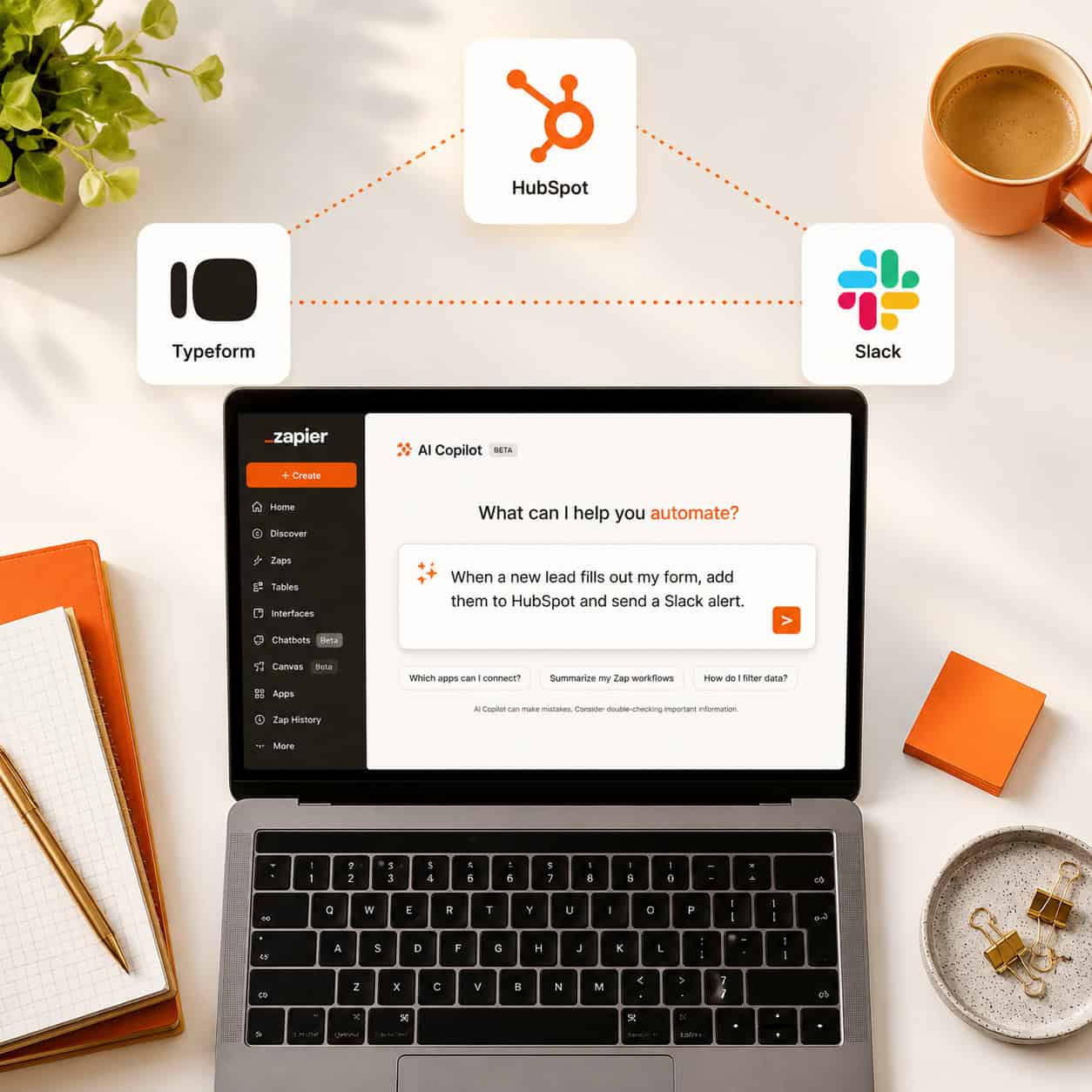
- Name your Zaps clearly — “New Typeform Lead → HubSpot + Slack” beats “Zap 1
- Use filters to prevent Zaps from running on every trigger (e.g., only route leads from a specific country)
- Add error notifications — Zapier can email you when a Zap fails
- Document your Zaps — a simple spreadsheet listing each Zap, its purpose, and connected accounts saves hours when troubleshooting
- Review task usage monthly — identify Zaps that run constantly but add no value
Avoid these mistakes:
- Connecting apps without checking field mapping first
- Building overly long Zap chains when two separate Zaps would be more stable
- Forgetting to re-authenticate apps after password changes (a common cause of Zap failures) [1]
For broader automation strategy, the Automation Archives on WebAiStack cover complementary tools and approaches worth exploring.
Conclusion: Start Small, Then Scale
The Zapier Automation App: The Ultimate Guide to Streamlining Your Workflow in 2026 comes down to one practical truth: start with one painful, repetitive task and automate it this week.
Your actionable next steps:
- Sign up for Zapier’s free plan at zapier.com
- Identify one task you do manually more than three times a week
- Search Zapier’s pre-built workflow templates for that task [6]
- Use AI Copilot to describe your workflow in plain English if you’re unsure where to start [1]
- Test the Zap thoroughly before turning it on
- Once it’s running, look for the next repetitive task and repeat
Zapier won’t replace strategic thinking, but it will give you back the hours you currently spend on copy-paste work. That time is better spent on the parts of your job that actually need a human.
FAQ
What is Zapier used for? Zapier automates repetitive tasks between apps — like routing form submissions to a CRM, sending Slack alerts for new emails, or updating spreadsheets when a payment comes in — without any coding. [1]
Is Zapier free to use? Yes. Zapier offers a free plan that supports up to 100 tasks per month and 5 single-step Zaps. Paid plans unlock multi-step Zaps, filters, and higher task limits. [1]
How many apps does Zapier connect? Zapier connects with 8,000+ apps, including Gmail, Slack, HubSpot, Salesforce, Trello, Mailchimp, and Calendly. [2]
Do I need to know how to code to use Zapier? No. Zapier is built for non-technical users. The AI Copilot feature even lets you describe what you want in plain English and builds the workflow for you. [1]
What’s the difference between a Zap and a Zapier Agent? A Zap follows a fixed trigger-action sequence. A Zapier Agent uses AI reasoning to handle more complex, variable tasks across multiple apps without a rigid step-by-step structure. [2]
Can Zapier run in real time? On free and lower-tier plans, Zapier checks for new triggers on a polling interval (every 15 minutes, typically). Higher plans offer faster polling. It’s not truly real-time for all use cases.
What happens if a Zap fails? Zapier logs the error and can send you an email notification. Most failures are caused by authentication issues or field mapping errors — both are fixable in the Zap editor. [1][8]
Is Zapier safe for sensitive business data? Zapier offers enterprise-grade security options including SSO and data encryption. For highly regulated industries (healthcare, finance), review Zapier’s compliance documentation before connecting sensitive data.
How is Zapier different from Make (Integromat)? Zapier is generally easier to set up and has a larger app library. Make offers more advanced visual workflow logic and is often preferred for complex branching scenarios. Choose Zapier for simplicity; consider Make for intricate conditional workflows.
Can I use Zapier with WordPress? Yes. Zapier integrates with WordPress directly and works well alongside WordPress AI integration plugins for automating content workflows and lead management.
Related Zapier guides: discover 10 game-changing ways Zapier can supercharge your job search, and master Zapier workflow automation for streamlining business processes.
References
[1] How To Use Zapier – https://www.jasper.ai/blog/how-to-use-zapier [2] Zapier Agents Guide – https://zapier.com/blog/zapier-agents-guide/ [3] Watch – https://www.youtube.com/watch?v=EruIfyM8M_Y [6] Workflows – https://zapier.com/workflows [7] Watch – https://www.youtube.com/watch?v=PEDCrrJhUQI [8] What Are The Best Practices For Automating Complex Workflows Across Many Applications – https://community.zapier.com/how-do-i-3/what-are-the-best-practices-for-automating-complex-workflows-across-many-applications-42405