Last updated: May 22, 2026
Quick Answer
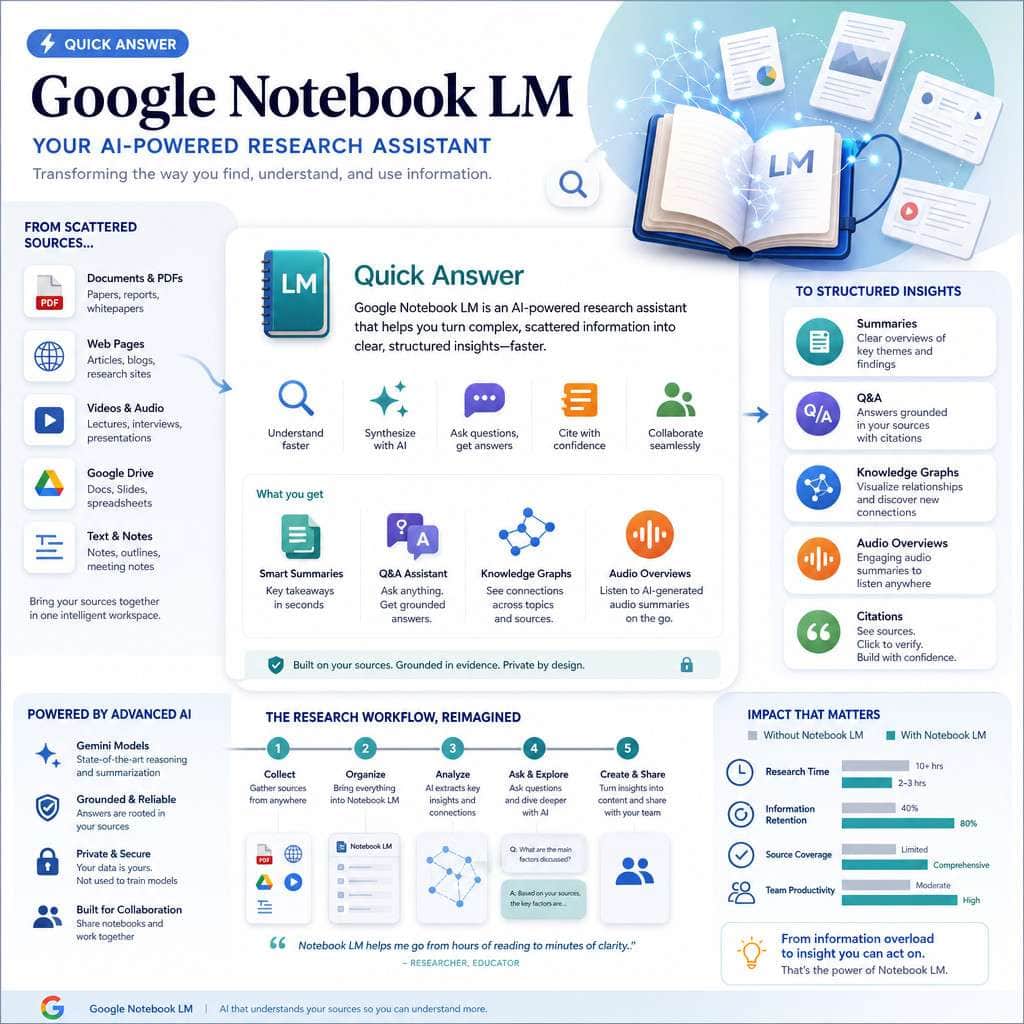
Google NotebookLM is a free, AI-powered research tool that analyzes only the documents you upload rather than pulling from the open web. It generates summaries, audio overviews, flashcards, and infographics from your source material. As of April 2026, notebooks now sync across the Gemini app and NotebookLM, creating a shared knowledge base across Google products [4]. It’s best suited for students, researchers, and knowledge workers who need to synthesize information from a bounded set of sources.
Key Takeaways
- NotebookLM is source-grounded, meaning it only answers from materials you provide, not from the open internet [2].
- The tool is free for personal Google accounts and available to Google Workspace customers, with premium features on paid tiers [6].
- As of March 2026, NotebookLM added cinematic video overviews, 10 new infographic styles, EPUB support, PPTX export, and saved conversation history [6].
- Notebooks created in the Gemini app now sync with NotebookLM, rolling out to AI Ultra, Pro, and Plus subscribers since April 2026 [4].
- NotebookLM works across disciplines including STEM, humanities, law, and business research.
- Common mistakes include uploading too many unrelated sources and expecting it to function like a general-purpose chatbot.
- Free alternatives exist (Perplexity, ChatGPT, Elicit) but none replicate NotebookLM’s source-grounded synthesis model exactly [7].
- The tool runs entirely in-browser with no software installation required.
What Exactly Is Google NotebookLM and How Does It Work?
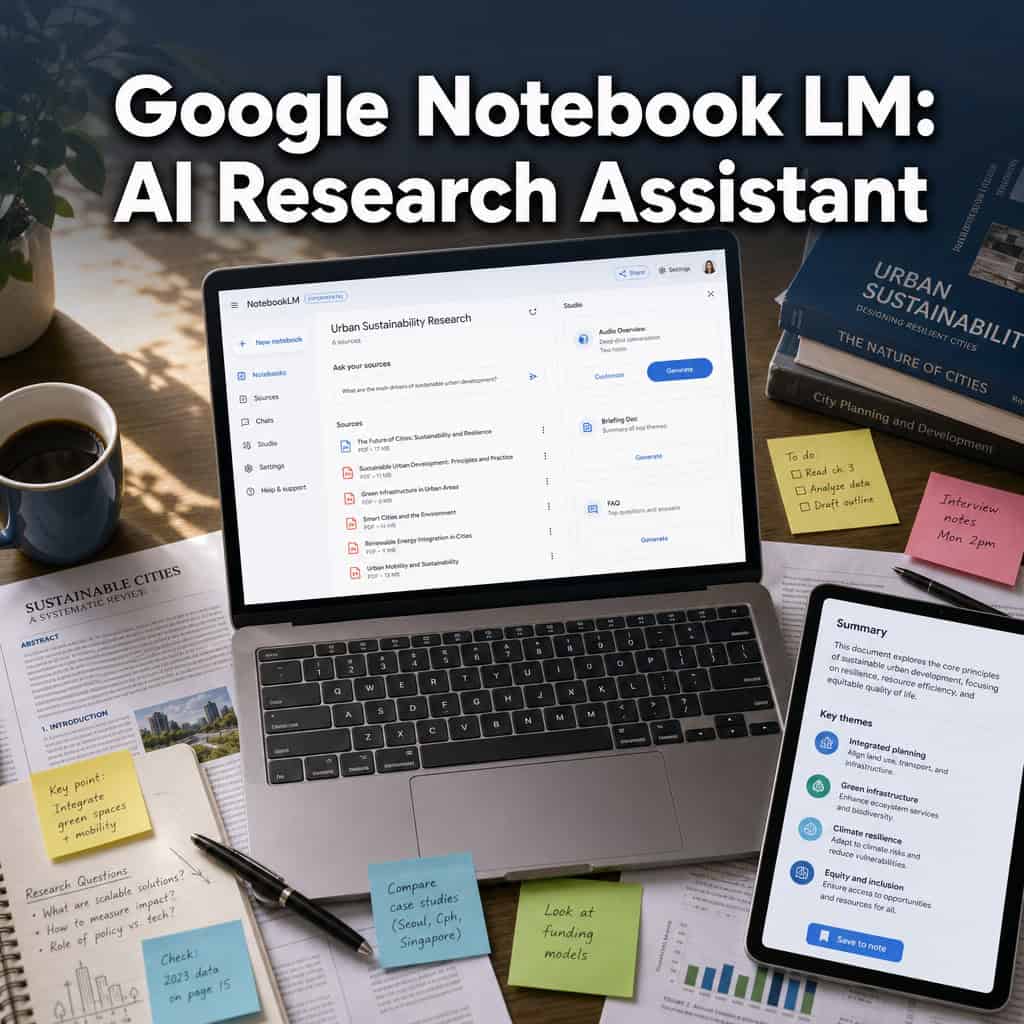
Google NotebookLM is an AI research assistant built on Google’s Gemini model that reads, analyzes, and synthesizes only the documents you upload to it. Unlike general chatbots that draw from broad training data, NotebookLM stays within the boundaries of your source material [2] [8].
Here’s how the core workflow breaks down, based on the Sources-Chat-Studio framework [2]:
- Sources panel: Upload PDFs, Google Docs, Google Slides, web URLs, YouTube videos, audio files, or EPUBs (added March 2026). Each notebook can hold up to 50 sources.
- Chat panel: Ask questions about your sources. NotebookLM responds with inline citations pointing back to specific passages in your documents. Conversation history is now automatically saved and kept private [6].
- Studio panel: Generate outputs like Audio Overviews (podcast-style discussions of your material), flashcards, quizzes, infographics, timelines, and as of March 2026, cinematic video overviews [6].
Google describes it as an “AI-powered research partner [4], and that framing is accurate. It doesn’t browse the web for you. It reads what you give it and helps you make sense of it faster.
A practical example: I uploaded three 40-page academic papers on content strategy last month. Within minutes, NotebookLM generated a summary of overlapping themes, identified contradictions between the papers, and created a quiz I used to test my understanding. That process would have taken me half a day manually.
If you’re interested in how AI tools are reshaping content workflows more broadly, our guide to AI-powered content generation tools covers the wider landscape.
How Is NotebookLM Different from Other AI Research Tools?
NotebookLM’s core differentiator is its bounded-source architecture. General-purpose AI assistants like ChatGPT, Claude, and even Google’s own Gemini draw from massive training datasets and web searches. NotebookLM deliberately limits itself to what you’ve uploaded [4] [8].
| Feature | NotebookLM | ChatGPT / Claude | Perplexity |
|---|---|---|---|
| Source grounding | Your uploads only | Training data + web | Web search results |
| Inline citations | Yes, to specific passages | Sometimes, varies | Yes, to web sources |
| Audio Overviews | Yes (podcast-style) | No | No |
| Infographics/Quizzes | Yes (10+ styles) | No native support | No |
| Open-ended reasoning | Limited to sources | Strong | Moderate |
| Cost | Free (premium tiers available) | Free + paid plans | Free + paid plans |
Choose NotebookLM if you have a defined set of documents and need to extract, compare, and synthesize information from them. Choose a general AI assistant if you need broad knowledge, creative brainstorming, or answers that go beyond your existing materials [10].
This distinction matters because it directly affects reliability. When NotebookLM cites a passage, you can verify it against your uploaded document. When ChatGPT cites something, the source may be harder to trace.
How Much Does Google NotebookLM Cost Right Now?
NotebookLM is free for anyone with a personal Google account [6] [8]. The core features, including source uploads, chat, Audio Overviews, flashcards, and quizzes, are available at no cost.
Premium features and expanded access work as follows:
- Google Workspace customers (Business, Enterprise, Education Plus) get NotebookLM access included in their plans [6].
- Notebooks in Gemini (the cross-product sync feature) started rolling out in April 2026 to Google AI Ultra, Pro, and Plus web subscribers, with mobile and free-user access coming later [4].
- Cinematic video overviews are limited by age and plan tier [6].
- NotebookLM Plus (previously called NotebookLM Business) offers higher usage limits and team features for organizations.
For most individual users, the free tier is genuinely capable. You won’t hit a paywall for standard research tasks.
What Kind of Researchers or Students Benefit Most from This Tool?
NotebookLM delivers the most value to anyone working with multiple long-form documents that need to be compared, summarized, or synthesized. That includes graduate students writing literature reviews, legal professionals analyzing case law, journalists cross-referencing sources, and business analysts digesting reports [8].
Specific groups that benefit most:
- Graduate and doctoral students reviewing dozens of papers for a thesis
- Educators building study materials (flashcards, quizzes) from course readings
- Content professionals synthesizing research into articles or reports
- Legal researchers comparing statutes, briefs, or regulatory documents
- Medical professionals reviewing clinical guidelines and studies
Google has been pushing NotebookLM deeper into education through Education Plus and Teaching and Learning add-ons as of April 2026 [6]. A 2025 university case study documented students using NotebookLM to combine primary texts, literary criticism, and biographies into mind maps and podcast-style revision material.
Who it’s NOT ideal for: If you need real-time web information, creative writing assistance, or code generation, a general-purpose AI tool will serve you better. For optimizing content that’s already written, check out our practical guide to AI-powered content optimization.
What Academic Disciplines Can NotebookLM Support Best?
NotebookLM works across virtually any discipline that involves reading and synthesizing text-based sources. It’s not limited to one field.
- Humanities and social sciences: Literature analysis, historical document comparison, policy research
- STEM fields: Reviewing scientific papers, comparing methodologies across studies, generating summaries of technical literature
- Law: Case law analysis, regulatory comparison, brief synthesis
- Business: Market research reports, competitive analysis, strategic planning documents
- Education: Curriculum development, study guide creation, assessment building [6]
Is it good for scientific research or just general note-taking? It handles both, but its strength in scientific research is synthesis rather than data analysis. NotebookLM can compare findings across papers, identify methodological differences, and summarize complex arguments. It won’t run statistical analyses or process raw datasets. For bench scientists, it’s a literature review tool, not a lab tool.
What Mistakes Do New Users Typically Make with NotebookLM?
The most common mistake is treating NotebookLM like a general chatbot and asking questions that go beyond the uploaded sources [2]. When you ask something your documents don’t cover, NotebookLM will either say it can’t answer or produce a weak response.
Other frequent errors:
- Uploading too many unrelated sources into one notebook. Keep each notebook focused on a single topic or project. Mixing unrelated documents confuses the AI’s synthesis.
- Ignoring the citation links. NotebookLM provides inline citations for a reason. Always click through to verify the AI’s interpretation matches the original text.
- Not using the Studio features. Many users stick to chat and miss the Audio Overviews, flashcards, and infographics that can accelerate understanding.
- Expecting perfect accuracy. A 2025 ACM paper titled “Thinking Smarter, not Harder?” argued that consumer AI tools can conflict with educational values when users accept outputs uncritically. Always treat NotebookLM’s outputs as a starting point, not a final product.
- Uploading low-quality scans. OCR quality matters. If your PDF is a blurry scan, NotebookLM will struggle to extract text accurately.
Can NotebookLM Integrate with Other Google Workspace Tools?
Yes, and this integration expanded significantly in 2026. As of April 2026, notebooks created in the Gemini app sync directly with NotebookLM [4]. This means you can start organizing sources in Gemini and then use NotebookLM’s specialized features like Video Overviews and Infographics on the same material.
Current integration points include:
- Google Drive: Upload files directly from Drive into NotebookLM
- Google Docs: Use Docs as source material
- Google Slides: Upload presentations as sources; export NotebookLM content as PPTX [6]
- Gemini app: Shared notebook system across both products [4]
- Google Classroom: Available through Education Plus for teachers and students [6]
Google has described notebooks as a “shared personal knowledge base across Google products” [4], which signals that deeper integration with Gmail, Calendar, and other Workspace tools is likely coming.
For those managing broader workflows with AI tools, our guide to AI-powered chatbot integration covers complementary automation strategies.
How Does NotebookLM Compare to Traditional Research Methods?
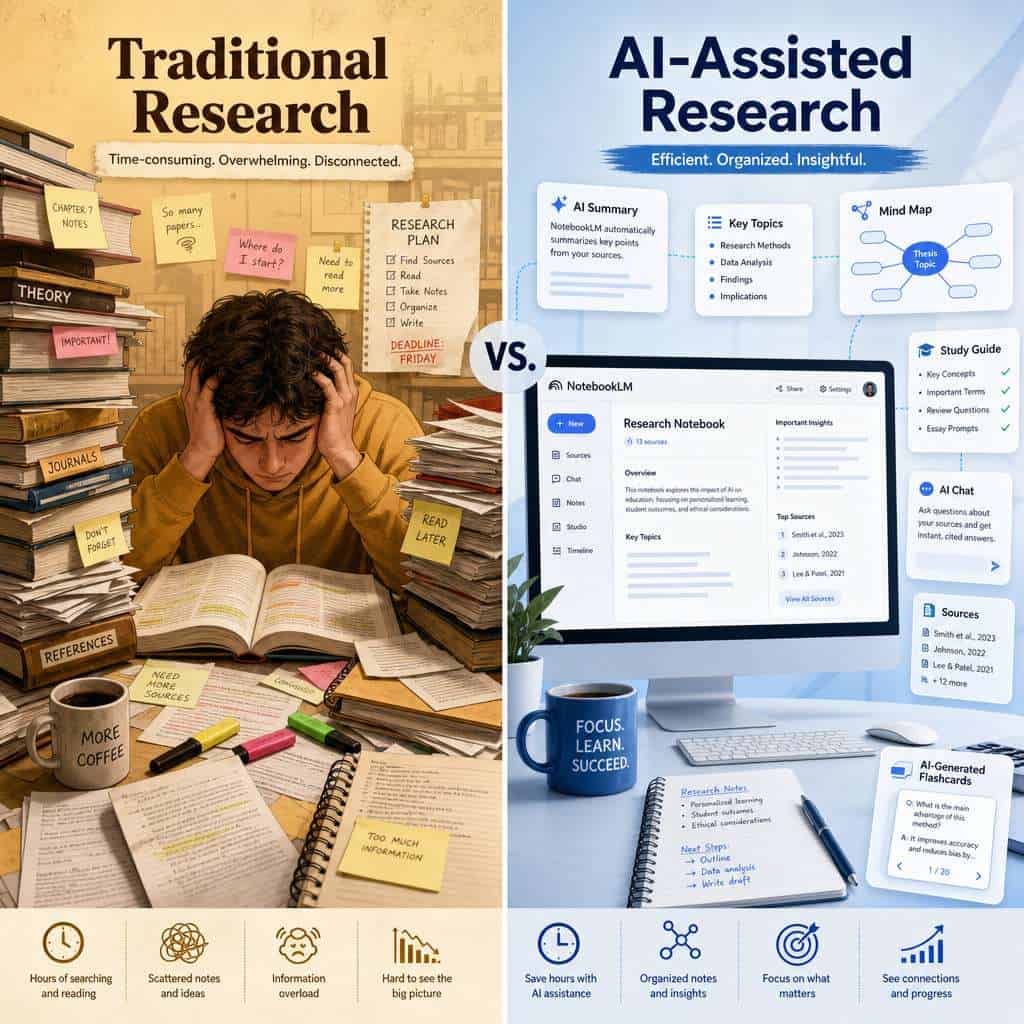
NotebookLM compresses the reading-and-synthesis phase of research from hours to minutes, but it doesn’t replace critical thinking or deep reading. Think of it as a force multiplier, not a replacement.
Where NotebookLM outperforms traditional methods:
- Summarizing 50 pages in under a minute
- Cross-referencing themes across multiple documents simultaneously
- Generating study materials (flashcards, quizzes) from source texts automatically
- Creating Audio Overviews you can listen to during a commute
Where traditional methods still win:
- Deep, careful reading of a single important text
- Developing original arguments and interpretations
- Evaluating source credibility (NotebookLM treats all uploads equally)
- Serendipitous discovery through browsing library stacks or databases
The practical approach is to use both. Upload your sources to NotebookLM for initial orientation and synthesis, then do deep reading on the documents that matter most. If you’re building content from your research, our AI content generation tools guide can help with the next step.
Are There Free Alternatives to Google NotebookLM?
Several free tools overlap with parts of NotebookLM’s functionality, though none replicate the full package [7] [10]:
- Perplexity AI (free tier): Strong for web-based research with citations, but doesn’t work from your uploaded documents the same way
- ChatGPT Free: Good for general Q&A and summarization, but lacks source-grounded citations and Audio Overviews
- Elicit: Designed for academic paper analysis, strong in STEM literature reviews
- Saner.ai: Focused on note-taking and knowledge management with AI features [10]
- Notion AI: Combines note-taking with AI summarization, but requires a Notion workspace
- Scholarcy: Specializes in academic paper summarization and flashcard generation
Decision rule: If source grounding and multimedia outputs (audio, video, infographics) matter to you, NotebookLM remains the strongest free option. If you need web research with citations, Perplexity is the better fit. For exploring more AI tools for professional workflows, we’ve reviewed several options.
What Data Privacy Concerns Exist with Using NotebookLM?
Google states that NotebookLM data is handled under the same privacy policies as other Google Workspace products [9]. Your uploaded sources are used to generate responses within your notebook and are not used to train Google’s general AI models, according to Google’s current policies.
Key privacy considerations:
- Conversation history is now saved automatically but kept private to your account [6]
- Workspace administrators can control NotebookLM access and data policies for their organizations
- Sensitive data: Avoid uploading confidential client data, HIPAA-protected information, or trade secrets unless your organization’s Workspace agreement explicitly covers it
- Shared notebooks: If you share a notebook, collaborators can see all sources and conversations within it
Common mistake: Assuming that because NotebookLM is “free,” your data is being monetized. Google’s Workspace data handling policies are separate from its consumer advertising model. Still, read the terms for your specific account type before uploading anything sensitive.
What Technical Requirements Do I Need to Use NotebookLM Effectively?
NotebookLM runs entirely in a web browser. You need a Google account, a modern browser (Chrome, Edge, Firefox, Safari), and an internet connection. There’s no software to install, no minimum hardware spec beyond what runs a browser, and no plugins required [9].
Practical requirements:
- Google account (personal or Workspace)
- Modern web browser updated to a recent version
- Stable internet connection (uploads and AI processing happen server-side)
- Source files in supported formats: PDF, Google Docs, Google Slides, web URLs, YouTube links, audio files, EPUB [6]
- For Notebooks in Gemini: Google AI Ultra, Pro, or Plus subscription (as of April 2026) [4]
NotebookLM works on any device with a browser, including Chromebooks, tablets, and older laptops. The AI processing happens on Google’s servers, so your local hardware doesn’t need to be powerful.
Frequently Asked Questions
How many sources can I upload to a single notebook? Each notebook supports up to 50 sources. For large projects, create multiple focused notebooks rather than one overloaded one [2].
Can NotebookLM read handwritten notes? Only if they’re in a scanned PDF with decent OCR quality. Blurry or cursive handwriting will produce poor results.
Does NotebookLM work on mobile devices? The web app works in mobile browsers, though the experience is optimized for desktop. Mobile access for Notebooks in Gemini is coming later in 2026 [4].
Can I share a notebook with collaborators? Yes. Shared notebooks allow collaborators to view sources and conversations. Permissions are managed similarly to Google Docs sharing.
Does NotebookLM support languages other than English? NotebookLM can process sources in multiple languages, though English produces the most reliable results. Output quality varies by language.
What happened to Audio Overviews? Are they still available? Yes. Audio Overviews remain a core feature and have been joined by cinematic video overviews as of March 2026 [6].
Can I export content from NotebookLM? Yes. The March 2026 update added PPTX export. You can also copy text outputs directly from the chat panel [6].
Is NotebookLM suitable for professional legal or medical research? It’s useful for synthesis and review, but should never replace professional databases like Westlaw, PubMed, or peer review. Always verify critical claims against authoritative sources.
How is NotebookLM different from Google Gemini? Gemini is a general-purpose AI assistant that draws from broad knowledge. NotebookLM only answers from your uploaded sources. As of April 2026, the two products share a notebook system but serve different purposes [4].
Will my uploaded documents be used to train Google’s AI? According to Google’s current policies, NotebookLM data is not used to train general AI models [9]. Check your specific account terms for details.
Conclusion
Google NotebookLM has evolved from a niche experiment into a serious research tool in 2026. The addition of cinematic video overviews, saved conversation history, EPUB support, and cross-product notebook syncing with Gemini makes it substantially more capable than it was even six months ago.
Your next steps:
- Start small. Create one notebook with 3-5 related sources on a topic you’re actively researching. Ask it questions and check the citations.
- Try the Studio features. Generate an Audio Overview or a set of flashcards. These outputs often reveal connections you missed during manual reading.
- Set boundaries. Keep notebooks focused on single topics. Don’t dump unrelated documents into one space.
- Verify everything. NotebookLM is a synthesis tool, not an oracle. Always check its citations against your original sources.
- Explore the Gemini integration if you’re on a paid Google AI plan. The shared notebook system is where Google is heading with this product.
For anyone who regularly works with large volumes of text, whether academic papers, business reports, or legal documents, NotebookLM is worth adding to your toolkit today. It won’t replace careful reading, but it will make sure you spend your reading time on the documents that matter most. To explore more ways AI is changing professional workflows, visit our AI tools category for the latest guides and reviews.
References
[2] Notebooklm Changed Completely Heres What Matters In 2026 – https://www.jeffsu.org/notebooklm-changed-completely-heres-what-matters-in-2026/ [4] Notebooks Gemini Notebooklm – https://blog.google/innovation-and-ai/products/gemini-app/notebooks-gemini-notebooklm/ [6] Google Notebook Lm Updates April 2026 – https://teachercast.net/edtech/google-notebook-lm-updates-april-2026/ [7] Top 10 Notebooklm Alternatives For Note Taking 2026 – https://www.remio.ai/post/top-10-notebooklm-alternatives-for-note-taking-2026 [8] Googles Notebooklm Is Still The Most Slepton Free – https://www.reddit.com/r/PromptEngineering/comments/1rvhlf3/googles_notebooklm_is_still_the_most_slepton_free/ [9] support.google – https://support.google.com/notebooklm/answer/16213268?hl=en [10] 10 Best Notebooklm Alternatives – https://www.saner.ai/blogs/10-best-notebooklm-alternatives