Last updated: May 10, 2026
Quick Answer
If Replit is blocked on your network, you have five reliable ways to regain access: use a VPN with obfuscation, change your DNS settings, switch to alternative browser-based IDEs like GitHub Codespaces, set up VS Code remote tunneling, or request your network administrator enable Replit’s Firewalled mode. The best option depends on whether you’re on a school network, corporate firewall, or dealing with regional restrictions.
Key Takeaways
- VPNs with obfuscation (like ExpressVPN) are the most reliable method to bypass network-level Replit blocks
- Changing DNS to Cloudflare (1.1.1.1) or Google (8.8.8.8) can bypass basic DNS-level filtering
- GitHub Codespaces and CodeSandbox provide full browser-based coding without Replit’s platform restrictions
- VS Code remote tunneling lets you code through vscode.dev by connecting to an unblocked machine at home
- Replit offers a “Firewalled” mode specifically designed for schools that want to allow coding while restricting internet access [10]
- Apple has blocked Replit-generated iOS apps from the App Store as of March 2026, which is a separate issue from network blocks [4]
- Free Replit accounts are now limited to 3 active projects, pushing some users toward alternatives [7]
Why Is Replit Blocked on Your Network?
Replit gets blocked for three main reasons: school content filters, corporate firewalls, and (less commonly) regional internet restrictions.
School networks are the most frequent culprit. IT administrators block Replit because it allows users to run arbitrary code, access terminal commands, and potentially bypass other network restrictions from within the platform. EdTech IRL reported on this pattern back in 2023, and the same policies persist in 2026.
Corporate networks block Replit to prevent data exfiltration and unauthorized development environments. This is especially common in organizations that mandate specific development toolchains.
Common mistake: Many users assume Replit is “down” when it’s actually just blocked locally. Check Replit’s status page first. For example, on April 30, 2026, the Key-Value store experienced a 1.4-hour outage that affected app data access [9]. If the status page shows green and you still can’t connect, it’s a local block.
Strategy 1: Use a VPN with Obfuscation to Unblock Replit
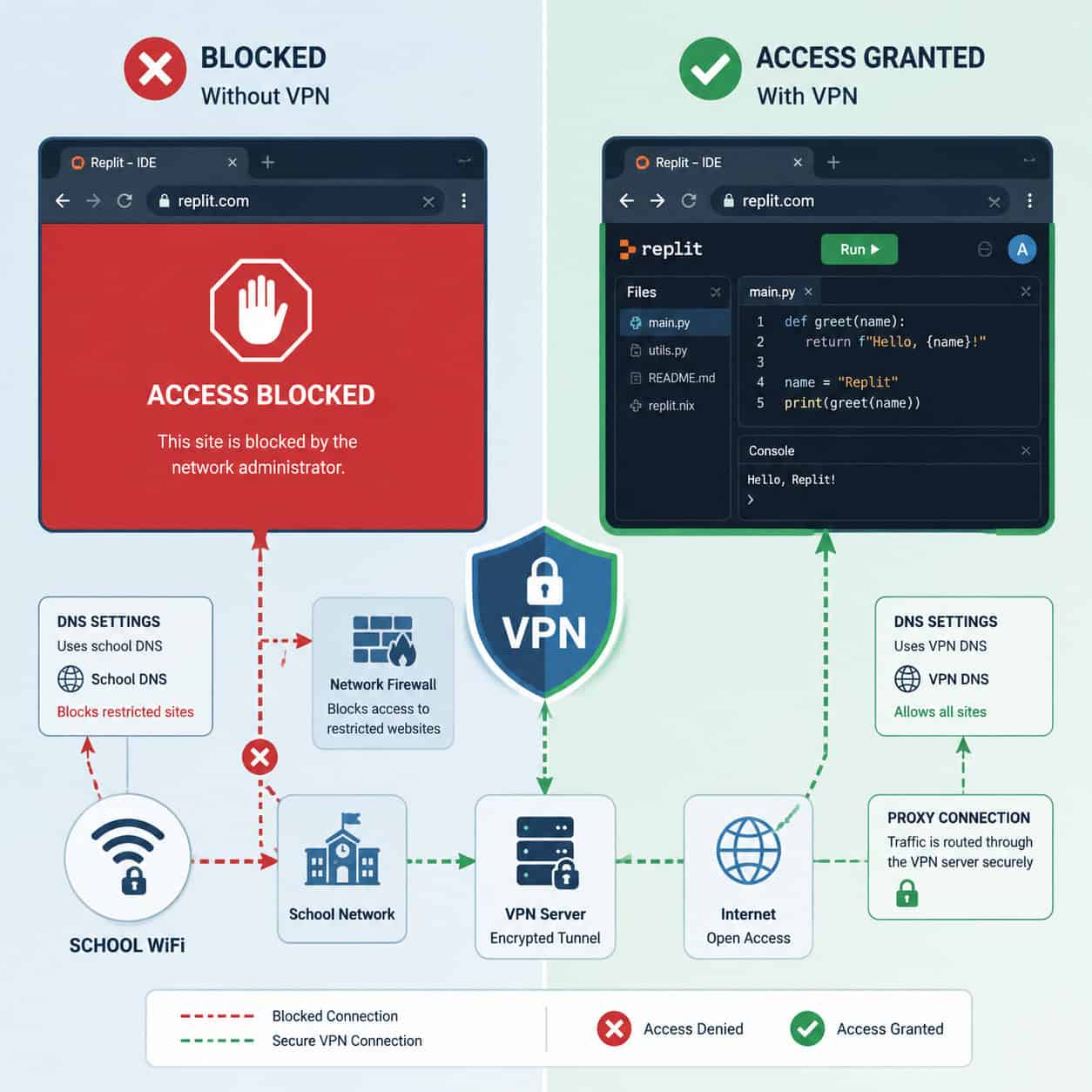
A VPN encrypts your traffic and routes it through a server outside your restricted network, making it the most effective single method to unblock Replit for browser-based coding.
Why obfuscation matters: Many school and corporate networks can detect standard VPN protocols and block them too. Obfuscated VPN traffic disguises itself as regular HTTPS traffic, making it much harder to filter.
Steps to set up:
- Choose a VPN with obfuscation support (ExpressVPN, NordVPN with obfuscated servers, or Surfshark’s Camouflage mode)
- Install the VPN client or browser extension
- Enable the obfuscation/stealth setting in preferences
- Connect to a nearby server for best speed
- Navigate to replit.com
Choose this method if: You need full, unrestricted access to all Replit features including terminal, package installation, and deployment. This works on any type of network block.
Edge case: Some networks use deep packet inspection (DPI) that can still detect certain VPN protocols. If your VPN connects but Replit loads slowly or partially, try switching protocols (WireGuard to OpenVPN, or vice versa).
Important: Using a VPN may violate your school or workplace acceptable use policy. Understand the rules before proceeding.
Strategy 2: Change Your DNS Settings
If Replit is blocked at the DNS level only, switching to a public DNS resolver bypasses the filter in about 30 seconds.
How to tell if it’s a DNS block: If you can’t reach replit.com but can access it through its IP address (try pinging replit.com from another device to get the IP), the block is DNS-based.
Quick DNS change (Windows):
- Open Network & Internet Settings > Change adapter options
- Right-click your connection > Properties
- Select IPv4 > Properties
- Set DNS to:
1.1.1.1(Cloudflare) or8.8.8.8(Google) - Click OK and flush DNS (
ipconfig /flushdnsin Command Prompt)
Quick DNS change (macOS):
- System Preferences > Network > Advanced > DNS
- Add
1.1.1.1and1.0.0.1 - Click OK > Apply
Limitation: This only works for DNS-level blocks. If the network uses IP-based filtering or a proxy server, DNS changes won’t help. You’ll need Strategy 1 or 3 instead.
Replit itself uses family-friendly DNS on its platform to filter content for educational environments [10], so this approach addresses the opposite direction: getting to Replit when your network’s DNS won’t resolve it.
Strategy 3: Switch to Alternative Browser-Based IDEs
If you can’t unblock Replit and need to keep coding, several alternatives offer similar browser-based development without the same blocking patterns.
| Platform | Best For | Git Integration | Free Tier |
|---|---|---|---|
| GitHub Codespaces | Full dev environments | Native GitHub | 60 hrs/month |
| CodeSandbox | Frontend/React projects | Good | Generous |
| StackBlitz | Web frameworks | Good | Unlimited public |
| Gitpod | Container-based dev | Excellent | 50 hrs/month |
| VS Code Web (vscode.dev) | Quick file editing | GitHub/Azure | Unlimited |
GitHub Codespaces is the strongest alternative. It runs full VS Code in the browser with terminal access, and because it’s hosted on GitHub’s infrastructure, it’s rarely blocked by the same filters that target Replit. It also integrates directly with pull request previews.
CodeSandbox works well for frontend projects and collaborative coding. It’s less likely to be blocked because many organizations whitelist it for documentation and code examples.
Choose an alternative if: Your network specifically targets Replit’s domain, you need better Git workflows anyway, or you’re working on team projects that benefit from GitHub integration. Builder.io’s 2026 analysis recommends Cursor or VS Code with Copilot for teams needing real repository workflows.
If you’re exploring no-code or low-code alternatives for web projects, check out our guide to no-coding website design platforms or our review of drag-and-drop website builders.

Strategy 4: VS Code Remote Tunneling Through vscode.dev
This method lets you code in the browser at vscode.dev while connecting to a VS Code instance running on an unrestricted machine (like your home computer).
How it works:
- On your home computer, install VS Code and the Remote Tunnels extension
- Run
code tunnelin the terminal to create a persistent tunnel - Sign in with your GitHub or Microsoft account
- On the restricted network, open
vscode.devin your browser - Connect to your home tunnel through the Remote Explorer panel
Why this works: The browser only connects to vscode.dev (Microsoft’s domain), which is almost never blocked. The actual code execution happens on your home machine. Reddit users on r/replit have confirmed this approach works on school networks that block Replit entirely.
Choose this if: You have a computer at home that stays powered on, you want full development capabilities (not just editing), and you’re comfortable with a slightly more technical setup.
For those interested in streamlining development workflows, our article on AI-powered content optimization covers tools that complement browser-based coding setups.
Strategy 5: Request Firewalled Replit Access from Your IT Department
If you’re a student or teacher, the most sustainable solution is asking your IT administrator to enable Replit’s Firewalled mode instead of blocking it entirely.
What Firewalled Replit does:
- Allows full access to the coding IDE
- Blocks outbound internet requests from Repls (no web scraping, no external API calls)
- Prevents users from using Replit as a proxy to access other blocked sites
- Maintains the educational value while addressing security concerns
How to make the request:
- Email your IT department or submit a help desk ticket
- Reference Replit’s official Firewalled documentation
- Explain the educational use case (class assignments, coding practice)
- Mention that Firewalled mode addresses their security concerns
- Offer to have your teacher co-sign the request
This approach works best when: You’re in an educational setting, you need ongoing access (not just a one-time workaround), and you want to stay within policy. Many schools that initially blocked Replit have enabled the Firewalled version after understanding it exists [10].
If your school uses WordPress for its website, the IT team is likely familiar with managing web-based tools and may be receptive to this request.
What About Apple Blocking Replit Apps?
This is a different issue from network blocks. As of March 2026, Apple enforces strict App Store rules against Replit-submitted apps. Replit CEO Amjad Masad stated in a TechCrunch interview that Apple blocked Replit because its iOS app creation capabilities threaten App Store control [4]. This specifically relates to Guideline 2.5.2, which prohibits apps that download and execute code after approval.
This affects you if: You’re building iOS apps through Replit’s deployment features. It does not affect your ability to access Replit’s web IDE for general coding.
Workaround for mobile app development: Use Replit for prototyping, then deploy through standard native development tools (Xcode) for App Store submission.
Common Mistakes When Trying to Unblock Replit
- Using free web proxies — They’re slow, often inject ads, and many can’t handle Replit’s WebSocket connections (which the IDE needs for real-time collaboration)
- Assuming all VPNs work the same — Free VPNs are frequently detected and blocked; paid options with obfuscation are far more reliable
- Ignoring Replit’s own limitations — Free accounts are now restricted to 3 active Repls [7], so even after unblocking, you may hit usage limits
- Not checking for outages first — Replit had a notable service disruption in April 2026 [9]; always verify the platform is actually up before troubleshooting access
For developers working on web projects, understanding AI-powered tools for building websites without code can provide additional options when Replit isn’t available.
Comparison: Which Strategy Should You Choose?
| Strategy | Difficulty | Reliability | Policy Risk | Best For |
|---|---|---|---|---|
| VPN with obfuscation | Easy | High | Medium-High | Full unrestricted access |
| DNS change | Very easy | Low-Medium | Low | Basic DNS blocks only |
| Alternative IDEs | Easy | High | None | Long-term solution |
| VS Code tunneling | Medium | Very high | Low | Technical users with home PC |
| Firewalled Replit request | Easy | High (if approved) | None | Students/teachers |
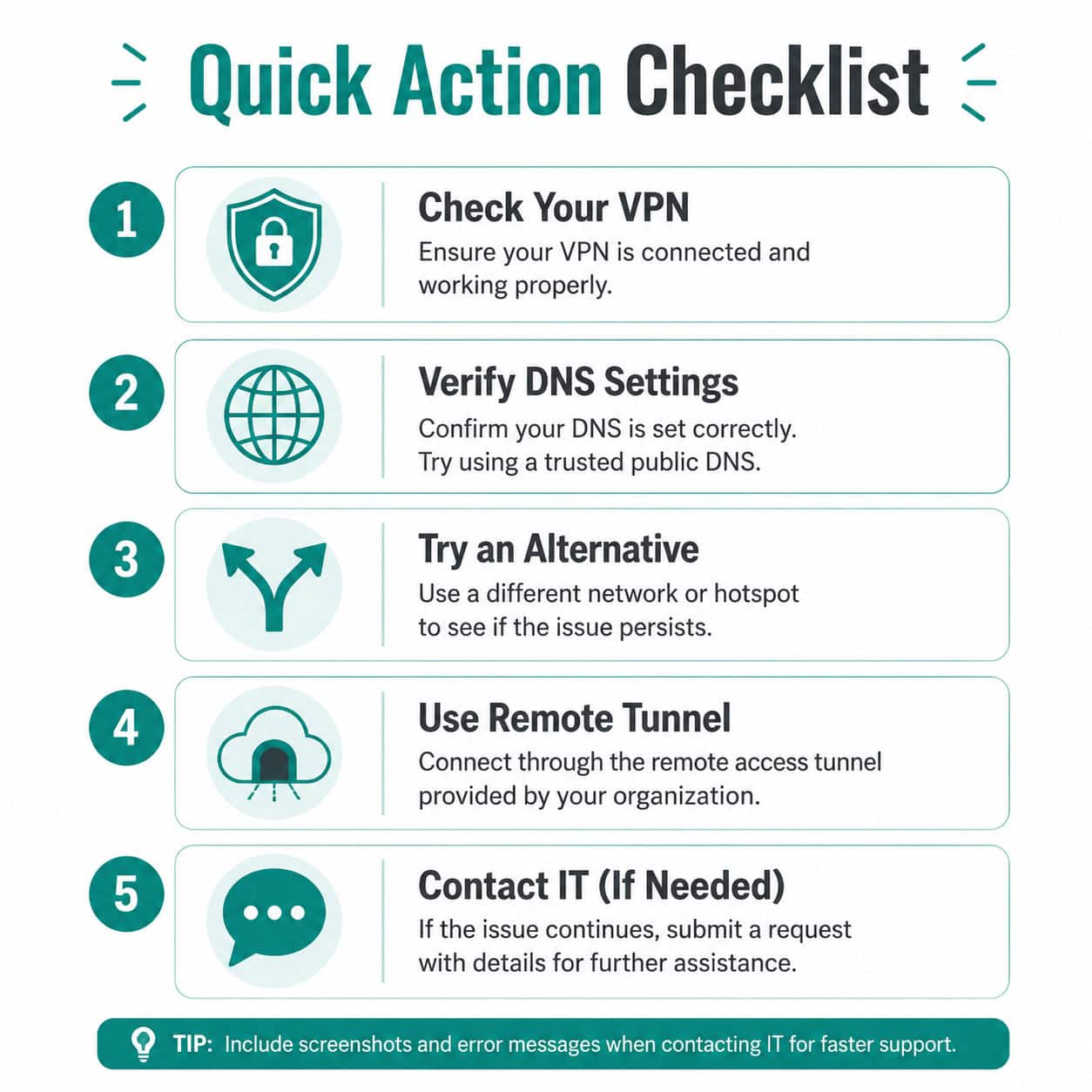
Decision rule: Start with DNS changes (takes 30 seconds). If that doesn’t work, try an alternative IDE for immediate access. For a permanent solution in educational settings, pursue the Firewalled Replit request. Use VPN or tunneling as your reliable fallback.
FAQ
Can I use Replit on my phone if it’s blocked on my school WiFi? Yes, if you switch to mobile data (4G/5G) instead of the school WiFi. The block is network-specific, not device-specific.
Is it legal to use a VPN to access Replit? Using a VPN is legal in most countries. However, it may violate your school or employer’s acceptable use policy, which could have disciplinary consequences.
Does Replit still have a free plan in 2026? Yes, but it’s limited to 3 active Repls [7]. For more projects, you’ll need a paid plan or should consider alternatives like GitHub Codespaces.
Will a Chrome extension proxy work to unblock Replit? Sometimes, but Replit relies on WebSocket connections for its IDE. Many simple proxies break WebSocket support, causing the editor to malfunction even if the page loads.
Can my school see that I’m using a VPN? They can see encrypted traffic going to a VPN server, which looks different from normal browsing. With obfuscation enabled, this becomes much harder to detect but not impossible.
Is GitHub Codespaces a good permanent replacement for Replit? For experienced developers, yes. It offers better Git integration and more powerful environments. For beginners who liked Replit’s simplicity, CodeSandbox or StackBlitz may feel more familiar. Questera AI’s 2026 analysis notes Replit is best suited for beginners and small projects [2].
What if Replit is blocked and I have a coding assignment due? Use GitHub Codespaces or StackBlitz immediately (both work in-browser with no install). Then pursue a longer-term solution with your IT department.
Does Replit’s Firewalled mode limit what I can code? It limits outbound network requests from your code, not the languages or frameworks you can use. You can still write Python, JavaScript, etc. You just can’t make API calls to external services.
Are there browser-based IDEs that are never blocked? No IDE is universally unblocked, but vscode.dev and github.dev are rarely filtered because they share domains with Microsoft and GitHub services that organizations depend on.
Conclusion
Getting blocked from Replit doesn’t have to stop your coding workflow. The five strategies covered here range from quick fixes (DNS changes) to permanent solutions (Firewalled Replit access or switching to GitHub Codespaces).
Your action plan:
- Test if it’s a DNS block first — change to 1.1.1.1 and try again
- If that fails, open GitHub Codespaces or CodeSandbox for immediate access
- For a long-term fix in schools, submit a Firewalled Replit request to IT
- Keep a VPN with obfuscation as your reliable backup option
- Consider whether an alternative IDE actually serves you better anyway
The browser-based coding landscape has expanded significantly. Replit remains a solid choice for quick prototyping, but tools like AI-powered design and development platforms and no-code solutions mean you’re never truly stuck — even when a single platform is blocked.
References
[2] Replit Vs Greta In 2026 Key Limitations And Best Choice – https://www.questera.ai/blogs/replit-vs-greta-in-2026-key-limitations-and-best-choice
[4] Replits Amjad Masad On The Cursor Deal Fighting Apple And Why Hed Rather Not Sell – https://techcrunch.com/2026/05/01/replits-amjad-masad-on-the-cursor-deal-fighting-apple-and-why-hed-rather-not-sell/
[7] Heads Up Replit Now Restricts Free Users To 3 – https://www.reddit.com/r/CSEducation/comments/1eg1dai/heads_up_replit_now_restricts_free_users_to_3/
[9] April – https://status.replit.com/history/2026/april
[10] Family Friendly Dns – https://blog.replit.com/family-friendly-dns