Last updated: June 9, 2026
Quick Answer: A ChatGPT API key is a unique credential issued by OpenAI that lets your application send requests to GPT models programmatically. To get one, create an OpenAI account, add a payment method, and generate a key from the API Keys dashboard at platform.openai.com. Once you have it, store it securely as an environment variable and never expose it in public code.
Key Takeaways
- An OpenAI API key is required to access ChatGPT models programmatically — it is not the same as a ChatGPT Plus subscription.
- Pricing is token-based; costs vary by model, with lighter models like GPT-4o mini costing significantly less than full GPT-4o.
- Commercial use of the API is permitted under OpenAI’s usage policies, making it viable for startups and production apps.
- The single most common developer mistake is hardcoding API keys directly into source code and pushing them to public repositories.
- Python and JavaScript/Node.js have the most mature OpenAI SDK support, but any language that can make HTTP requests works.
- Rate limits are enforced per minute and per day; exceeding them returns a 429 error, which you should handle with exponential backoff.
- Free alternatives exist (such as Hugging Face Inference API and Google’s Gemini free tier), though they differ in capability and reliability.
- No-code tools like Make.com and n8n can connect to the OpenAI API without writing a single line of code.
What Exactly Is a ChatGPT API Key and How Do I Get One
A ChatGPT API key is a secret token that authenticates your application’s requests to OpenAI’s language models. It is separate from your ChatGPT web account — you need a dedicated API account at platform.openai.com to generate one.
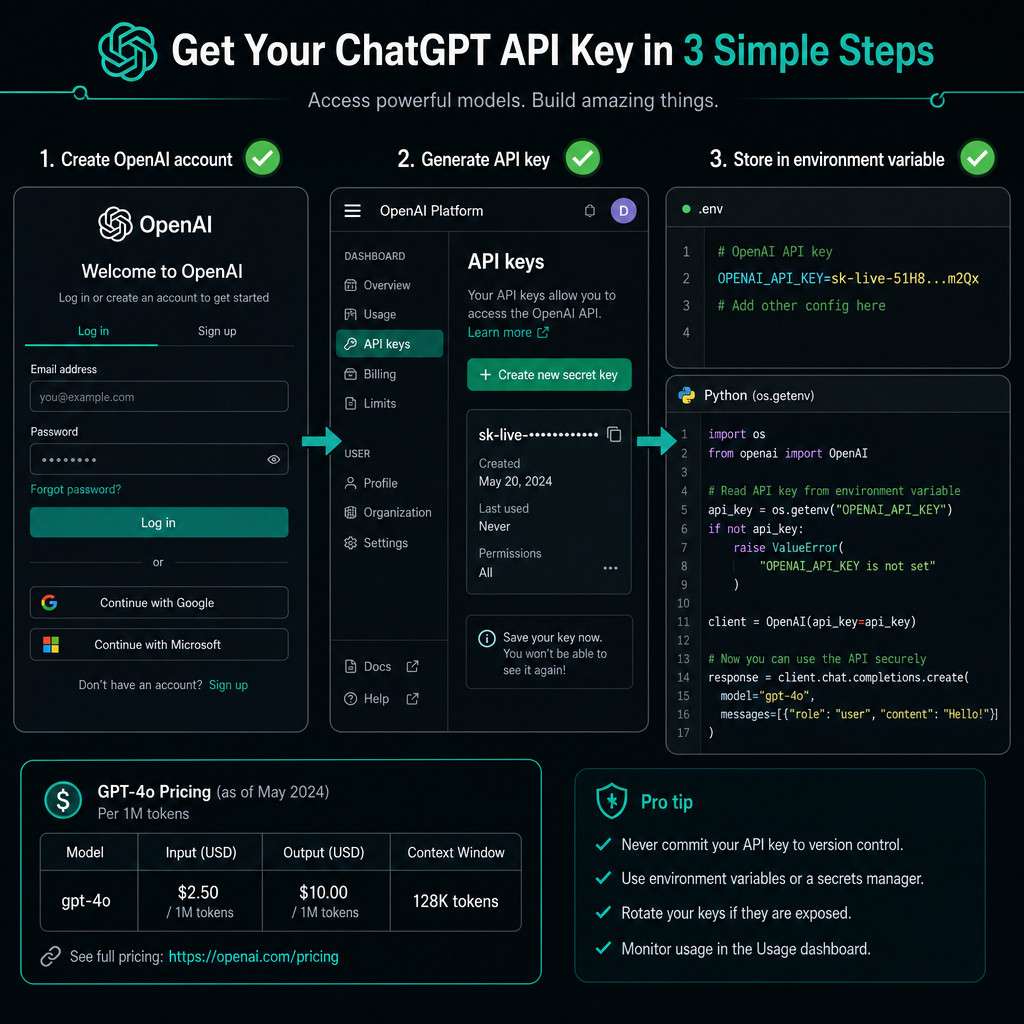
Step-by-step process:
- Go to platform.openai.com and sign up or log in.
- Navigate to Settings > Billing and add a payment method or purchase credits.
- Go to API Keys in the left sidebar and click Create new secret key.
- Copy the key immediately — OpenAI only shows it once.
- Store it in an environment variable (e.g.,
OPENAI_API_KEY) rather than pasting it into your code.
Common mistake: Many first-time users assume a ChatGPT Plus subscription gives API access. It does not. API usage is billed separately based on tokens consumed.
For a broader look at AI-powered development tools that complement API access, see our comprehensive guide to AI-powered content generation tools.
How Much Does OpenAI’s API Cost Per Request
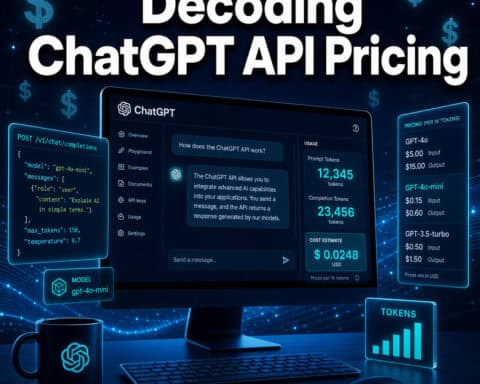
OpenAI charges per token, not per request. One token is roughly four characters of English text, and most conversational exchanges use between 200 and 2,000 tokens combined (prompt plus response).
As of mid-2026, indicative pricing tiers (always verify current rates at platform.openai.com/pricing):
| Model | Input (per 1M tokens) | Output (per 1M tokens) |
|---|---|---|
| GPT-4o | ~$5.00 | ~$15.00 |
| GPT-4o mini | ~$0.15 | ~$0.60 |
| GPT-3.5 Turbo | ~$0.50 | ~$1.50 |
Note: These figures are estimates based on publicly available OpenAI pricing as of early 2026. Always check the official pricing page before budgeting.
Choose GPT-4o mini if your use case involves high-volume, lower-complexity tasks like classification, summarization, or simple Q&A. Reserve GPT-4o for tasks requiring deep reasoning or nuanced generation.
OpenAI also offers a free credit tier for new accounts, typically enough to run several hundred test requests before billing begins.
Can I Use the ChatGPT API for Commercial Projects
Yes. OpenAI explicitly permits commercial use of the API under its standard Terms of Service, provided your application complies with its usage policies. This means you can build paid products, SaaS tools, and client-facing applications on top of the API.
Key restrictions to know:
- You cannot use the API to generate content that violates OpenAI’s content policy (e.g., CSAM, targeted harassment).
- You must not misrepresent AI-generated content as human-written in contexts where that distinction matters.
- Certain high-risk domains (medical diagnosis, legal advice as primary output) require additional safeguards.
For most startup and business applications, the API is fully production-ready for commercial deployment.
Is the ChatGPT API Good for Building a Startup Product
For many startups in 2026, the ChatGPT API is a practical foundation — but it comes with real trade-offs worth understanding before you commit. The API gives you fast access to capable language models without training your own, which dramatically lowers the barrier to building AI-powered features.
Where it works well:
- Customer support chatbots
- Content drafting and editing tools
- Code assistance features
- Document summarization
- Personalized recommendation copy
Where to be cautious:
- Latency-sensitive real-time applications (API calls add 300ms to 2s depending on model and load)
- Applications requiring guaranteed uptime SLAs — OpenAI’s service has had occasional outages
- Cost-sensitive products at very high scale, where fine-tuned open-source models may be cheaper
For startups exploring no-code automation around API workflows, mastering ChatGPT automation with no-code workflow integration is worth reading before you build.
What Programming Languages Work Best with OpenAI’s API
Any language that can make an HTTPS POST request can call the OpenAI API. That said, Python and JavaScript/Node.js have official SDKs with the most active maintenance and community support.
Official SDK support:
- Python —
openaipackage via pip; most tutorials and documentation examples use Python - Node.js —
openainpm package; ideal for server-side JavaScript apps - REST (any language) — Go, Ruby, PHP, Java, C#, and others can all call the API directly via HTTP
Choose Python if you’re building data pipelines, research tools, or backend scripts. Choose Node.js if you’re integrating into a JavaScript-based web application. For rapid prototyping without a local environment, Replit’s online IDE lets you run OpenAI API calls directly in the browser.
Do I Need Coding Experience to Use the ChatGPT API
Basic coding knowledge helps, but it is not strictly required. The OpenAI API can be accessed through no-code platforms that handle the authentication and request formatting for you.
No-code options:
- Make.com — drag-and-drop workflows with a native OpenAI module
- n8n — open-source automation with an OpenAI node
- Zapier — simpler automations connecting ChatGPT to other apps
If you do want to write code, a beginner with basic Python knowledge can make a working API call within 30 minutes. The official OpenAI Quickstart guide walks through this step by step.
For those building automation without code, our guide to mastering n8n automation workflows covers connecting AI models to real-world data pipelines.
What Kind of Applications Can I Build with the ChatGPT API
The API supports a wide range of application types. Understanding what’s been built already helps you scope what’s realistic for your project.
Common application categories:
- Conversational agents — customer service bots, onboarding assistants, internal knowledge bases
- Writing tools — blog drafters, email composers, ad copy generators (see our guide on AI-powered content optimization)
- Developer tools — code review assistants, documentation generators, bug explainers
- Data processing — entity extraction, sentiment analysis, structured data parsing from unstructured text
- Education apps — tutoring systems, quiz generators, language learning companions
- Productivity integrations — Slack bots, email triage tools, CRM enrichment
The API also supports function calling (tool use), which lets models trigger external actions like database lookups or API calls, enabling true agentic workflows.
What Are the Common Mistakes Developers Make with API Keys
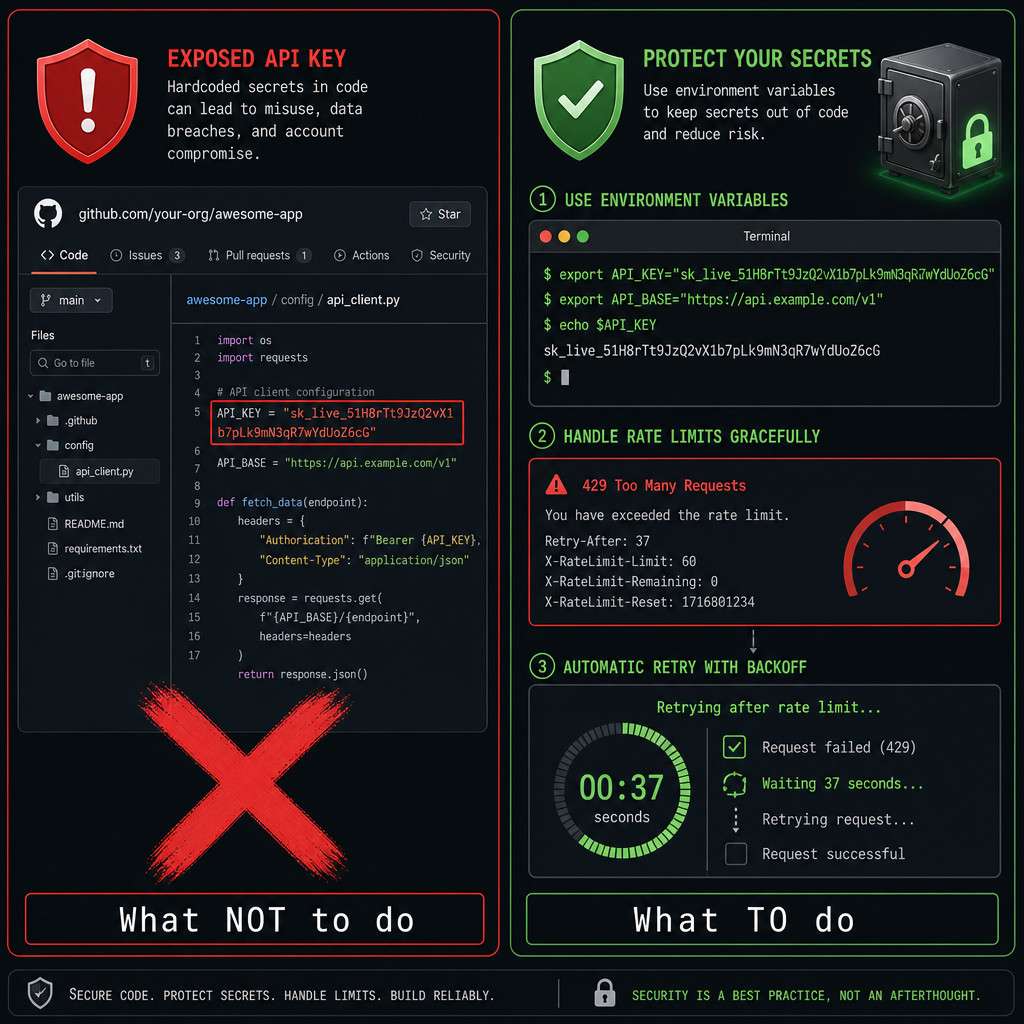
The most damaging mistake is exposing an API key in a public GitHub repository. Automated bots scan GitHub continuously for leaked credentials, and a leaked key can result in thousands of dollars in unauthorized charges within hours.
Top mistakes and how to avoid them:
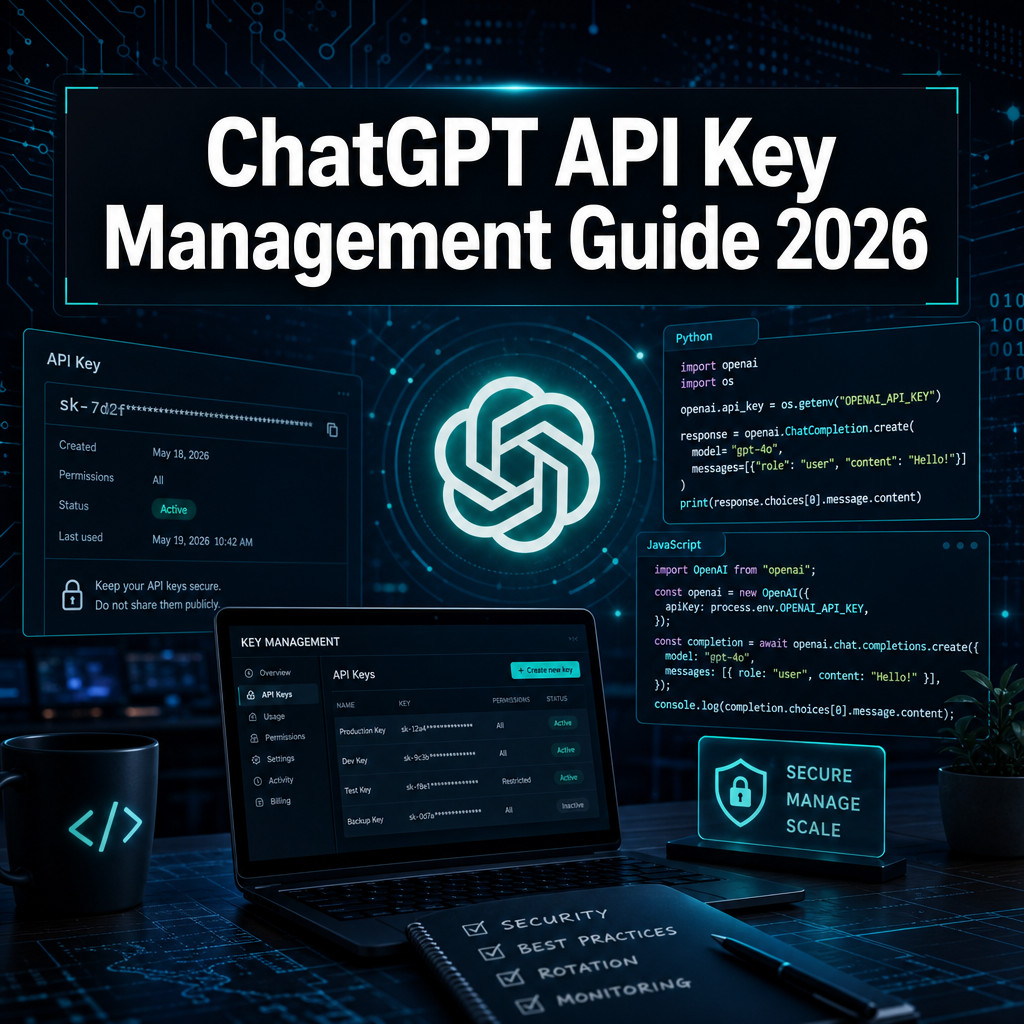
- Hardcoding keys in source code — Always use environment variables or a secrets manager like AWS Secrets Manager or HashiCorp Vault.
- Committing
.envfiles — Add.envto your.gitignorebefore your first commit, not after. - Sharing keys across projects — Generate a separate key per project so you can revoke one without breaking others.
- Not setting usage limits — OpenAI lets you set monthly spend caps in the dashboard; use them.
- Ignoring rate limit errors — Returning a raw 429 error to users instead of handling it gracefully damages user experience.
This guide to unlocking ChatGPT API access covers key management as a first-class concern because a single leaked key can derail an otherwise solid project.
How Do I Protect My API Key and What Security Best Practices Should I Follow
Store your API key as an environment variable and never expose it client-side. If your key appears in browser-accessible JavaScript, anyone can extract and misuse it.
Security checklist:
- Store keys in environment variables (
OPENAI_API_KEY=sk-...) - Use a backend proxy so client apps never touch the raw key
- Rotate keys regularly, especially after team member departures
- Set monthly billing limits in the OpenAI dashboard
- Enable usage monitoring alerts for unusual spikes
- Use separate keys for development, staging, and production
- Audit third-party packages that might log or transmit your environment variables
For teams managing multiple API integrations, reviewing Make.com’s security and data protection practices provides a useful parallel framework for thinking about credential hygiene across platforms.
What Happens If I Exceed My API Rate Limits
When you exceed OpenAI’s rate limits, the API returns a 429 Too Many Requests error. Your application does not crash, but requests fail until the rate window resets — typically within 60 seconds for per-minute limits.
How to handle it properly:
- Implement exponential backoff: wait 1 second, retry; if it fails again, wait 2 seconds, then 4, then 8.
- Use a request queue in high-volume applications to smooth out traffic spikes.
- Monitor your usage in the OpenAI dashboard and request a rate limit increase if your use case justifies it.
- Consider batching smaller requests where the API supports it.
Rate limits vary by account tier. New accounts start with lower limits; as you spend more over time, OpenAI automatically increases your tier.
Are There Free Alternatives to the ChatGPT API
Yes, several free or lower-cost alternatives exist, though each has meaningful differences in capability, reliability, and terms.
| Alternative | Free Tier | Notes |
|---|---|---|
| Hugging Face Inference API | Yes (rate-limited) | Access to open-source models; less capable than GPT-4o |
| Google Gemini API | Yes (limited) | Competitive with GPT-4o on many benchmarks |
| Anthropic Claude API | Limited free credits | Strong for long-context and reasoning tasks |
| Ollama (local) | Free | Run models locally; requires capable hardware |
| Mistral API | Free tier available | Good for European data residency requirements |
Choose a free alternative if you’re in early prototyping, have strict budget constraints, or need to keep data on-premises. For production applications where reliability and output quality matter, the OpenAI API’s paid tiers are generally worth the cost.
For more context on the broader AI tool ecosystem, our guide to the most influential AI websites covers the competitive landscape in detail.
How Do I Troubleshoot API Connection Errors
Most ChatGPT API errors fall into a small set of categories, each with a clear fix. Start by reading the error code returned in the response body — OpenAI’s error messages are descriptive.
Common errors and fixes:
- 401 Unauthorized — Your API key is invalid, expired, or missing. Regenerate it and check your environment variable is loaded correctly.
- 429 Too Many Requests — Rate limit exceeded. Implement exponential backoff (see above).
- 500 / 503 Server Error — OpenAI’s servers are having issues. Check status.openai.com and retry after a short delay.
- 400 Bad Request — Your request payload is malformed. Check that your
messagesarray is correctly formatted and that you’re not exceeding the model’s context window. - Timeout errors — Long prompts or high server load can cause timeouts. Reduce prompt length or switch to streaming responses.
Quick diagnostic checklist:
- Is the API key correctly set as an environment variable?
- Does your account have a valid payment method and remaining credits?
- Is the model name spelled correctly (e.g.,
gpt-4o, notgpt4o)? - Are you within the context window limit for the model you’re using?
FAQ
Do I need a ChatGPT Plus subscription to use the API? No. The API and ChatGPT Plus are separate products with separate billing. You need an API account at platform.openai.com, not a Plus subscription.
How do I know how many tokens my request uses?
The API response includes a usage field that shows prompt_tokens, completion_tokens, and total_tokens for every call. Log this field to track costs accurately.
Can I use the API to fine-tune a model on my own data? Yes. OpenAI supports fine-tuning on GPT-3.5 Turbo and some GPT-4 variants. Fine-tuning requires uploading a JSONL training file and incurs additional costs per training token.
What is the context window and why does it matter? The context window is the maximum number of tokens a model can process in a single request (prompt plus response combined). GPT-4o supports up to 128,000 tokens. Exceeding it returns an error, so long documents need to be chunked.
Is my data used to train OpenAI’s models? By default, API data is not used to train OpenAI models, per their API data usage policy. This differs from the ChatGPT web product, where training opt-outs apply separately.
Can I call the API from a frontend JavaScript app? Technically yes, but you should not. Putting your API key in client-side code exposes it to anyone who views the page source. Always proxy requests through a backend server.
What is the difference between the Chat Completions API and the Assistants API? The Chat Completions API is stateless — you send a full conversation history each time. The Assistants API manages conversation threads and file retrieval server-side, making it better for multi-turn, persistent applications.
How long does it take to get API access after signing up? Access is typically immediate after adding a payment method. There is no manual approval process for standard API tiers.
What happens if I delete an API key? It is immediately revoked. Any application using that key will receive 401 errors until you update it with a new key.
Can multiple team members share one API key? Technically yes, but it is bad practice. OpenAI now supports organization-level API keys and project keys, which let you assign separate credentials to team members for better access control and auditing.
Conclusion
Unlocking ChatGPT API access is straightforward once you understand the account structure, pricing model, and security requirements. The process takes under 15 minutes from signup to first working request — but the decisions you make around key storage, rate limit handling, and cost monitoring will determine whether your integration stays healthy at scale.
Actionable next steps:
- Create your API account at platform.openai.com and generate your first key today.
- Set a monthly spend cap in the billing dashboard before writing a single line of code.
- Store your key in an environment variable and add
.envto.gitignoreimmediately. - Start with GPT-4o mini for cost-effective testing, then upgrade to GPT-4o only where output quality demands it.
- Implement exponential backoff for 429 errors before you go anywhere near production.
- If you prefer no-code, explore Make.com or n8n to connect the API to your existing workflows without writing backend code.
The comprehensive guide to API key management laid out here covers the full journey from first key to production-ready integration. The API itself is a capable tool — how you manage access to it is what separates a reliable product from a security incident waiting to happen.
Useful Resources: OpenAI API documentation