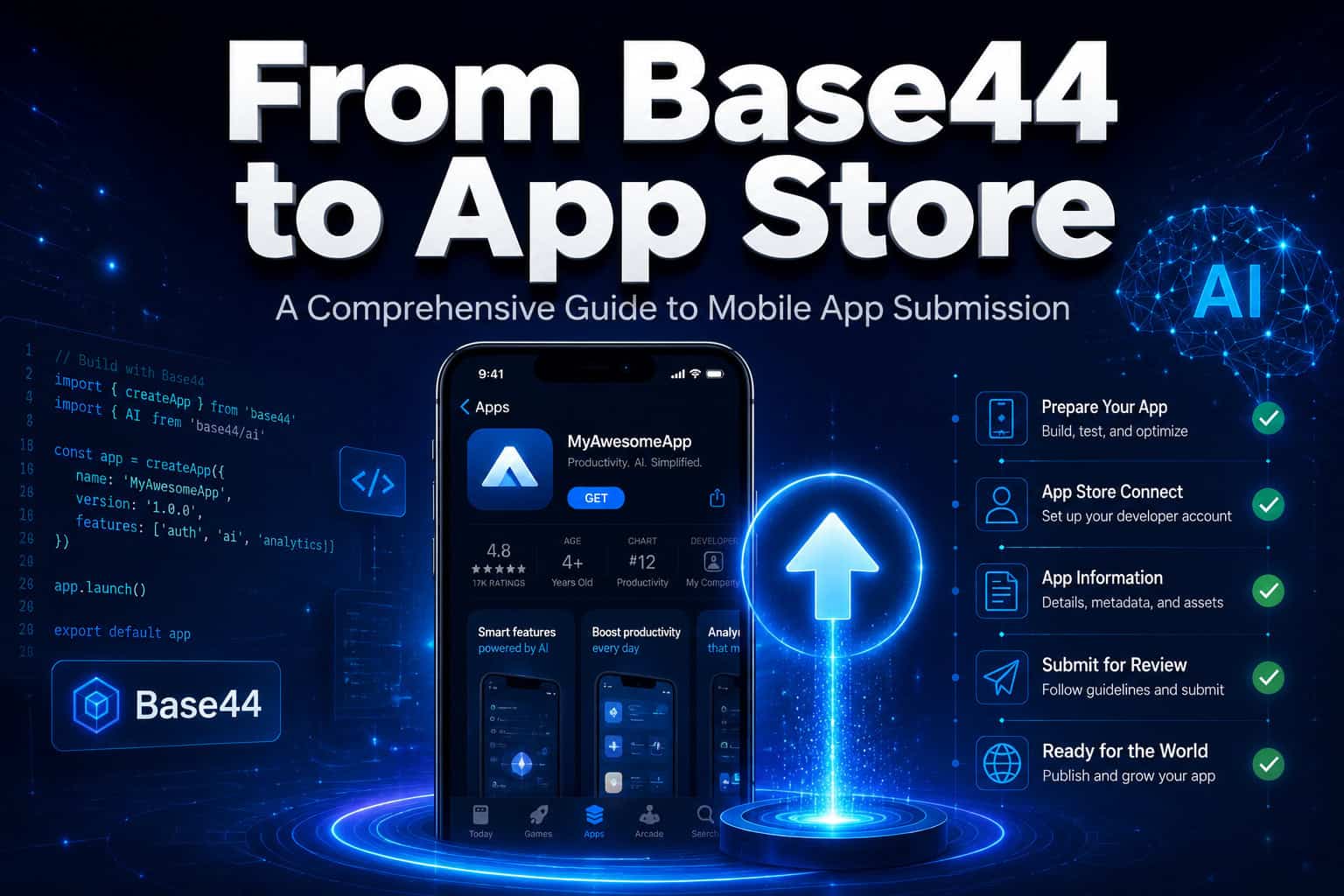
Last updated: May 11, 2026
Quick Answer
Base44 launched native mobile app publishing in February 2026, allowing users to convert their AI-generated web apps into iOS and Android apps directly from the editor [1]. The process involves running an AI compliance scan, generating IPA (iOS) or AAB (Android) files, and submitting them to Apple’s App Store or Google Play using your developer account. The entire workflow can take under an hour for simple apps, though Apple’s review process typically adds 1–3 days.
Key Takeaways
- Base44’s built-in mobile publishing tool scans your app for store compliance and auto-fixes issues using AI [1]
- You need an Apple Developer account ($99/year) or Google Play Developer account ($25 one-time) before submitting
- Updates to your Base44 app automatically propagate to the mobile version without resubmission [1]
- Third-party wrappers like webtoapp.design offer alternative conversion paths with extra native features like push notifications [5]
- Base44’s mobile output is best suited for MVPs and simple apps, not complex production apps
- The “Mobile app” tab in Base44’s Publish section handles the entire conversion process
- Apple’s review takes 1–3 days on average; Google Play approvals are often faster (hours to 1 day)
- You still need app icons, screenshots, privacy policies, and metadata prepared before submission
What Is Base44 and How Does Its Mobile Publishing Work?
Base44 is an AI-powered app builder that generates full-stack web applications from natural language prompts [7]. In early February 2026, it added native mobile app publishing, which converts your web app into a mobile-ready package without writing platform-specific code [1].
Here’s how the system works:
- You build your app using Base44’s chat-based interface (describe what you want, and the AI generates it)
- You open the “Mobile app” tab in the Publish section
- Base44 runs an automated compliance scan against App Store and Google Play guidelines
- The AI identifies and auto-fixes common issues (missing icons, improper navigation patterns, etc.)
- The system generates an IPA file (for iOS) or AAB file (for Android)
- You download the file and upload it to your developer account
The key advantage: when you update your Base44 app later, those changes flow to the mobile version automatically without going through a new submission process [1]. This works because the app uses a hybrid architecture that pulls content from Base44’s servers.
If you’re exploring other no-code platforms for building web projects, our guide to no-code website design software platforms covers the broader landscape.

How Do You Prepare Your Base44 App for Store Submission?
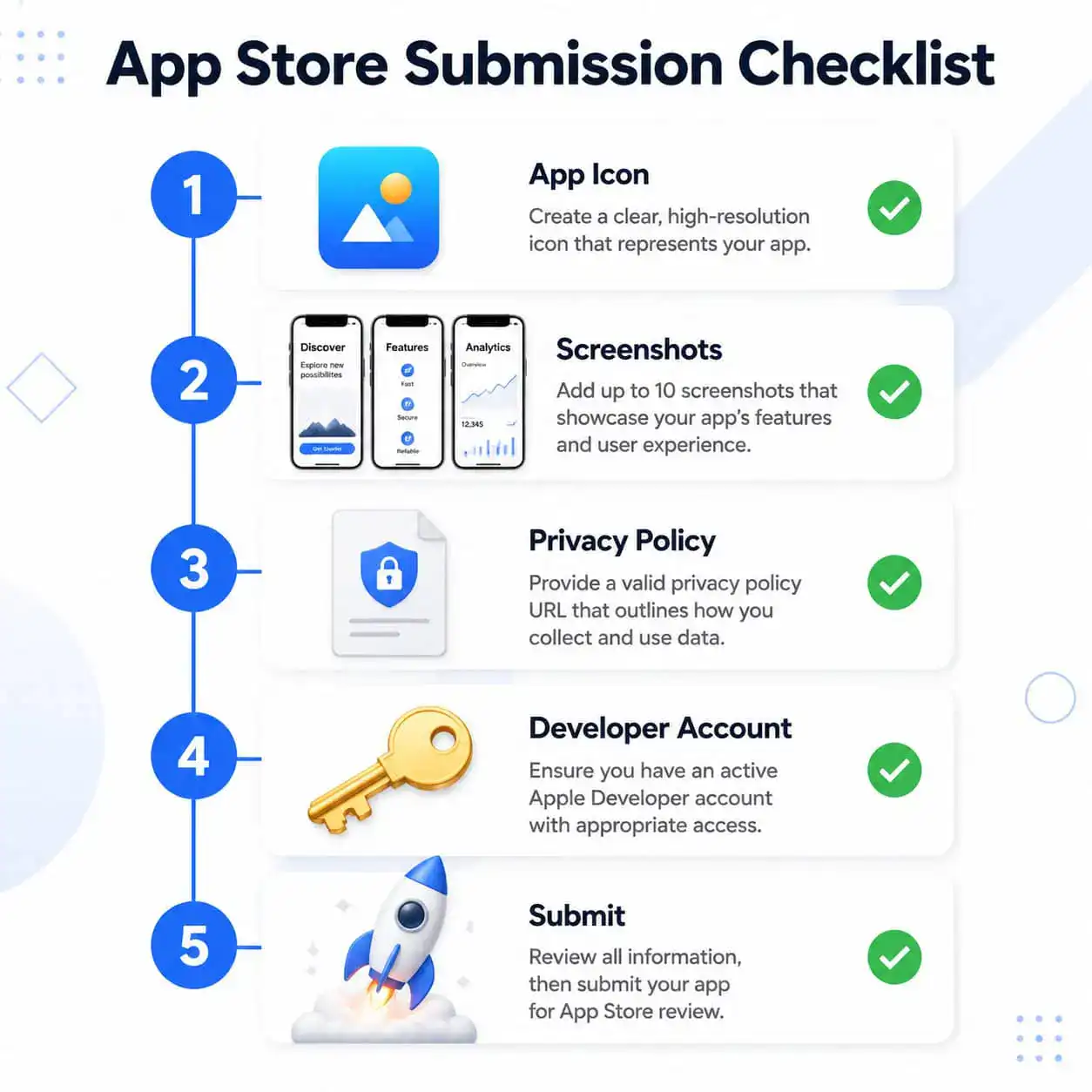
Before generating your mobile files, you need to prepare both your app and your store listings. Missing even one required element will cause rejection.
Required assets and information:
| Asset | Apple App Store | Google Play |
|---|---|---|
| App Icon | 1024x1024px PNG (no alpha) | 512x512px PNG |
| Screenshots | 6.7″ and 5.5″ displays minimum | At least 2, up to 8 per device type |
| Privacy Policy | Required URL | Required URL |
| App Description | Up to 4,000 characters | Up to 4,000 characters |
| Developer Account | Apple Developer ($99/year) | Google Play Console ($25 one-time) |
| Age Rating | Required questionnaire | Content rating questionnaire |
| App Category | Select from Apple’s list | Select from Google’s list |
Common preparation mistakes:
- Skipping the privacy policy. Even if your app collects zero data, both stores require a privacy policy URL. Use a free generator if needed.
- Using placeholder content. Reviewers will reject apps with lorem ipsum text or obviously unfinished screens.
- Ignoring mobile navigation. Base44 apps built for desktop may have navigation patterns that don’t translate well to mobile. Test the mobile preview thoroughly before generating files.
For design fundamentals that translate well to mobile interfaces, check out our resource on Figma mobile grid design and mobile wireframe design steps.
What Are the Step-by-Step Instructions From Base44 to App Store?
Here’s the complete process, broken into phases:
Phase 1: Build and optimize your app
- Create your app in Base44 using natural language prompts
- Test all features in the browser preview
- Switch to mobile preview mode and verify layout, touch targets, and navigation
- Fix any responsive issues (Base44’s AI can help with this)
Phase 2: Generate mobile files
- Click Publish in the Base44 editor
- Select the Mobile app tab
- Choose your target platform (iOS, Android, or both)
- Run the compliance scan — review flagged issues
- Let the AI auto-fix what it can, manually address the rest
- Generate and download your IPA or AAB file [1]
Phase 3: Submit to Apple App Store
- Log into App Store Connect
- Create a new app record (bundle ID, app name, primary language)
- Upload your IPA using Transporter (Mac app) or the web uploader
- Fill in all metadata: description, keywords, screenshots, privacy details
- Submit for review
Phase 4: Submit to Google Play
- Log into Google Play Console
- Create a new app listing
- Upload your AAB file
- Complete the content rating questionnaire
- Add store listing details and screenshots
- Submit for review
Decision rule: Choose iOS first if your target audience skews toward higher-income users in North America. Choose Android first if you’re targeting global markets or want faster approval times for testing.
How Long Does the Review Process Take?
Apple typically reviews apps within 24–48 hours, though it can extend to 7 days for first-time submissions or apps with complex functionality. Google Play reviews usually complete within a few hours to one day.
Factors that slow down review:
- First-time developer accounts face more scrutiny
- Apps requesting sensitive permissions (camera, location, contacts)
- Apps in regulated categories (health, finance, kids)
- Holiday submission windows (November–December are busiest)
Tips to speed up approval:
- Submit early in the week (Monday or Tuesday)
- Include detailed app review notes explaining your app’s purpose
- Provide a demo account if login is required
- Make sure your app doesn’t crash on launch (test the generated file on a real device if possible)
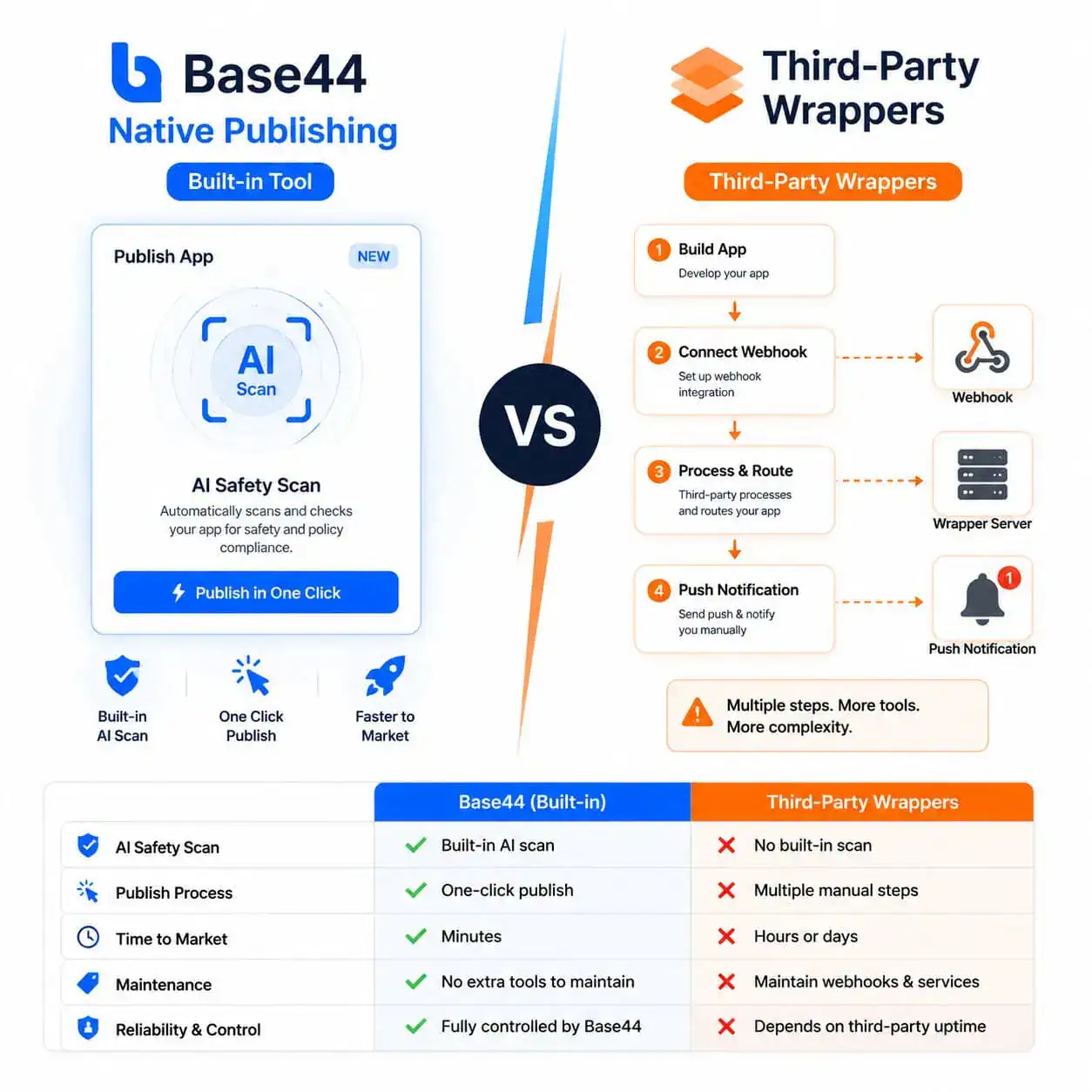
Should You Use Base44’s Built-in Tool or a Third-Party Wrapper?
This depends on what native features you need and how complex your app is.
Base44’s built-in mobile publishing
Best for: Simple apps, MVPs, internal tools, apps where web-like behavior is acceptable
Advantages:
- Single workflow, no extra tools needed
- AI compliance scanning catches common issues [1]
- Automatic updates without resubmission
- No additional cost beyond Base44’s plan
Limitations:
- Limited access to native device features
- Hybrid architecture means slightly slower performance than fully native apps
- Best suited for MVPs, not production-scale apps
Third-party wrappers (webtoapp.design, Twinr, Despia)
Best for: Apps needing push notifications, offline support, or deeper native integration
Services like webtoapp.design can convert any Base44 web app into a native wrapper with additional features [5]. Despia offers similar functionality through NPM integration, though it has known OAuth limitations on iOS and is recommended for MVPs only [9].
Advantages:
- Push notifications, offline caching, native splash screens
- More control over native behavior
- Some offer app store submission assistance
Limitations:
- Extra cost (typically $50–$200+ depending on service)
- Additional setup steps
- You’re managing two services instead of one
If you’re weighing different tools for your overall web-to-app workflow, our AI website creator guide provides broader context on no-code building options.
What Are Common Rejection Reasons and How Do You Avoid Them?
Both Apple and Google reject apps for predictable reasons. Here are the most common ones for Base44-generated apps:
Minimum functionality. If your app is essentially a website in a wrapper with no mobile-specific value, Apple may reject it under guideline 4.2. Add at least one native-feeling feature (offline access, notifications, or device-specific interaction).
Broken links or features. Test every button, form, and navigation path in the mobile build. Base44’s compliance scan catches some issues, but not all.
Missing metadata. Incomplete descriptions, wrong categories, or missing screenshots cause immediate rejection.
Privacy violations. If your app collects any user data, you must declare it accurately in both the privacy policy and the store’s data safety section.
Performance issues. Apps that take too long to load or crash on specific devices get rejected. Test on older devices if possible.
Edge case: If Apple rejects your app for being “not sufficiently different from a mobile website,” you can appeal by explaining the unique mobile value. Alternatively, add features like local storage, biometric login, or camera integration through a third-party wrapper.
How Does Base44 Compare to Other No-Code Mobile Solutions?
| Platform | Native Mobile Output | AI Generation | Best For |
|---|---|---|---|
| Base44 | Yes (since Feb 2026) | Chat-based, full-stack | Fast MVPs, simple apps |
| Lovable.dev | No (web only) | AI-assisted, better code control | Web apps needing clean code |
| FlutterFlow | Yes (native Flutter) | Limited AI | Complex native apps |
| Adalo | Yes (native) | No AI generation | Database-driven apps |
| Bubble | Via wrappers only | No AI generation | Complex web apps |
Base44’s main advantage is speed: you can go from idea to submitted app in a single day. Its main limitation is that the output works best for straightforward apps. Complex apps with heavy animations, real-time features, or extensive native integrations are better served by dedicated mobile platforms.
For teams already using design tools in their workflow, our guide on Figma to code plugins explains how to bridge design and development more traditionally.
What Happens After Your App Is Approved?
Once approved, your app goes live within 24 hours (or immediately if you choose manual release). Here’s what to plan for:
- Monitor crash reports in App Store Connect or Google Play Console
- Respond to user reviews within 24–48 hours
- Push updates through Base44’s editor — they propagate automatically for content changes [1]
- Track downloads and set up basic analytics (Firebase is free and works with hybrid apps)
- Plan your ASO (App Store Optimization): update keywords, refresh screenshots, and A/B test descriptions
For ongoing content and marketing needs around your app, our AI-powered content generation tools guide can help with creating promotional materials.
Conclusion
Going from Base44 to App Store is genuinely achievable in a single day for simple applications. The platform’s February 2026 mobile publishing update removed what was previously the biggest barrier for no-code builders: getting into app stores without hiring a developer.
Your next steps:
- Build or finalize your Base44 app with mobile responsiveness in mind
- Set up your Apple Developer or Google Play Developer account (do this first — Apple’s enrollment can take 48 hours)
- Prepare all required assets: icon, screenshots, privacy policy, description
- Run Base44’s compliance scan and fix all flagged issues
- Generate your IPA/AAB file and submit
Start with one platform. Get approved. Learn from the process. Then expand to the second store. And remember: for anything beyond a simple MVP, evaluate whether Base44’s built-in tool or a third-party wrapper better serves your users’ needs.
FAQ
Can I publish a Base44 app to both iOS and Android simultaneously? Yes. Base44 generates separate IPA (iOS) and AAB (Android) files. You submit them independently to each store, but you can prepare both at the same time [1].
Do I need a Mac to submit to the Apple App Store? You need a Mac to use Transporter for uploading IPA files. Alternatively, some CI/CD services and third-party tools allow upload from Windows or Linux, but Apple’s ecosystem strongly favors Mac users.
How much does it cost to publish a Base44 app? Beyond your Base44 subscription, you’ll pay $99/year for Apple’s Developer Program and a one-time $25 for Google Play. Third-party wrappers add $50–$200+ if you use them [5].
Will my app get rejected for being a web wrapper? Possibly, especially on Apple. Apps must provide value beyond what a mobile website offers. Add mobile-specific features and ensure your app feels native in navigation and performance.
Can I use push notifications with Base44’s built-in mobile tool? Base44’s native mobile output has limited push notification support. For full push notification functionality, third-party wrappers like webtoapp.design or Twinr are better options [5].
Do I need to resubmit my app for every update? No. Content and logic updates made in Base44’s editor propagate automatically to the mobile version. You only need to resubmit if you change native configurations or add new permissions [1].
Is Base44 suitable for production apps with thousands of users? For simple apps, yes. For complex apps with heavy traffic, real-time features, or extensive native integrations, Base44 is better suited as an MVP tool. Plan to migrate to a more scalable solution as you grow [9].
What happens if Apple rejects my app? You receive a specific rejection reason with guideline references. Fix the issues, and resubmit. Most rejections are resolved in one revision. You can also use the Resolution Center to ask questions or appeal.
Can I monetize a Base44 app with in-app purchases? You’d need to integrate platform-specific payment APIs (StoreKit for iOS, Google Play Billing for Android), which Base44’s built-in tool doesn’t natively support. Consider subscription models managed through your web backend instead.
How do I handle app signing certificates? Base44’s publishing flow guides you through this, but you’ll need to create signing certificates in your Apple Developer or Google Play account. Keep these certificates safe — losing them can complicate future updates.
References
[1] Base44 Mobile App – https://base44.com/changelog/feature/base44-mobile-app- [4] Mobile Experience – https://docs.base44.com/Building-your-app/Mobile-experience [5] Convert Base44 Website To App – https://webtoapp.design/blog/convert-base44-website-to-app [7] What Is Base44 Ai App Builder And How Does It Work – https://www.certifiedcode.us/resources/article/what-is-base44-ai-app-builder-and-how-does-it-work [9] Watch – https://www.youtube.com/watch?v=0EDzTa5aSiI