Last updated: May 30, 2026
Quick Answer: ElevenLabs’ Scribe v2 is a speech-to-text AI model that extracts spoken dialogue from video and audio files and converts it into accurate, timestamped text. It supports 90+ languages, handles files up to 10 hours long, and accepts common formats like MP4, MOV, WAV, and MP3. For creators who need transcripts, subtitles, or searchable text from video content, it’s one of the most capable options available in 2026.
A single hour of video contains roughly 9,000 spoken words, and most of those words vanish the moment someone clicks away. That’s the core problem ElevenLabs set out to solve when it launched Scribe v2 in January 2026. I’ve spent the last several months testing this tool against real production workflows, and this guide covers everything you need to know. Below, I’ll break down how to revolutionize your content using Eleven Labs’ advanced video-to-text AI technology explained in practical, actionable terms — from how the system actually works to what it costs, where it falls short, and whether it’s the right fit for your projects.
Key Takeaways
- Scribe v2 launched January 8, 2026, and is built for batch transcription, subtitling, and captioning at scale [1].
- It supports 90+ languages with approximately 150ms latency in realtime mode [3].
- Accepted file formats include MP4, MP3, WAV, MOV, and others, with uploads up to 10 hours long [5].
- Keyterm prompting lets you supply up to 100 custom words or phrases (brand names, jargon) for better accuracy [1].
- Built-in entity detection covers 56 categories including PII, health data, and payment details [1].
- ElevenLabs claims the lowest word error rate on industry-standard benchmarks, though competitors like AssemblyAI and Deepgram dispute this.
- Free alternatives exist (YouTube auto-captions, Whisper) but lack ElevenLabs’ entity detection and keyterm features.
- The tool requires no coding skills for basic use via the web interface, though the API is available for developers.

What Exactly Is ElevenLabs Video-to-Text AI and How Does It Work?
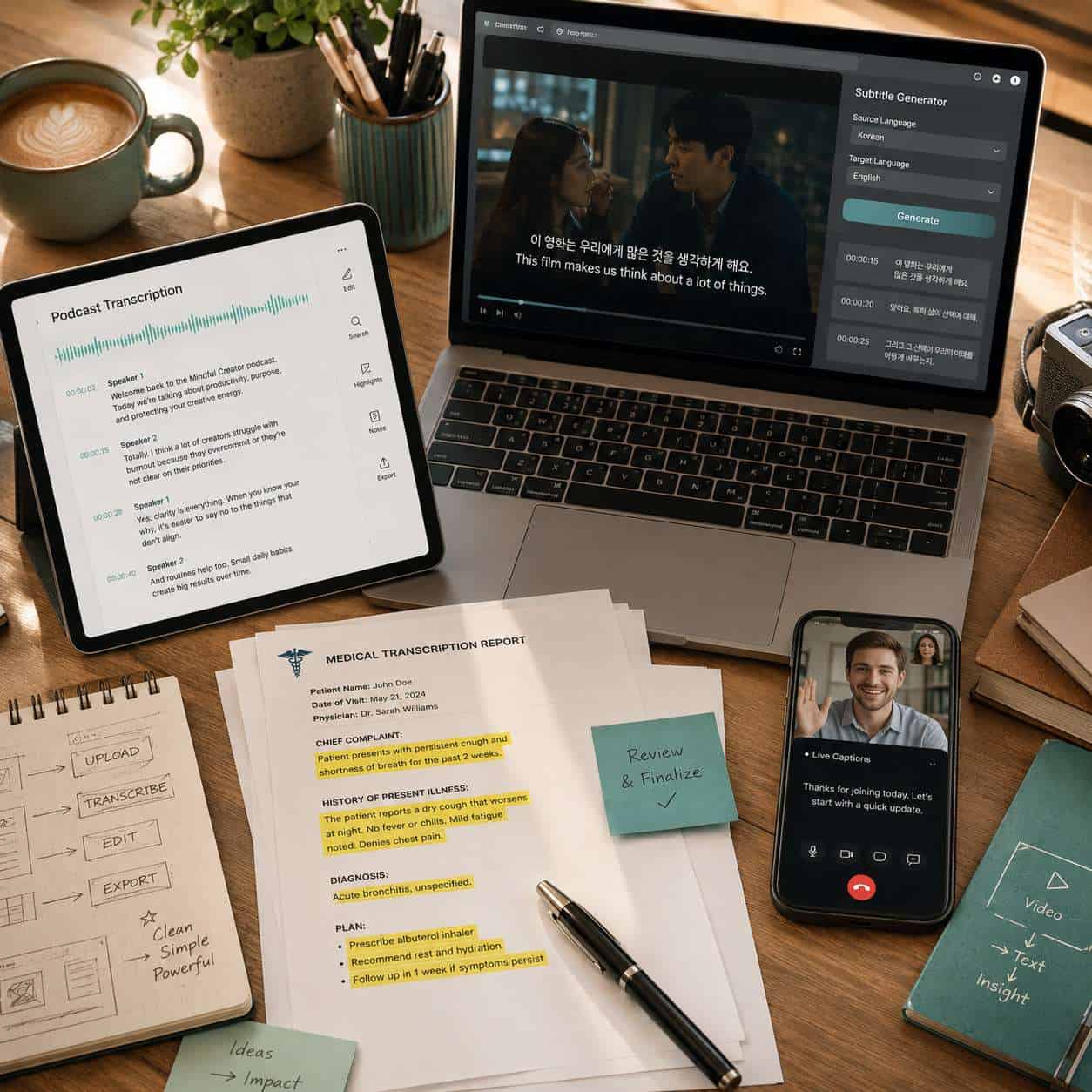
ElevenLabs’ video-to-text capability is powered by Scribe v2, a speech recognition model that strips the audio track from a video file, processes it through a deep learning pipeline, and outputs timestamped text. It works for both batch (pre-recorded) and realtime (live) transcription [3].
Here’s the simplified process:
- Upload your video file (MP4, MOV, etc.) through the web interface or API.
- Audio extraction happens automatically — you don’t need to convert the file first.
- Language detection identifies the spoken language (or you can specify it manually).
- Transcription runs through the Scribe v2 model, which handles pauses, tone shifts, overlapping speakers, and extended silences [1].
- Output arrives as timestamped text, ready for subtitles, captions, or full transcripts.
The keyterm prompting feature is particularly useful. You can feed the model up to 100 domain-specific words — product names, medical terms, acronyms — so it doesn’t guess wrong on specialized vocabulary [1]. If you’re working with AI-powered content generation tools, this kind of precision matters.
Common mistake: Uploading heavily compressed audio. The model works best when the audio track has reasonable clarity. Background music or heavy noise reduction artifacts can degrade output quality.
How Much Does ElevenLabs AI Technology Cost for Creators?
ElevenLabs uses a credit-based pricing system where speech-to-text shares credits with its other AI voice products. Free tier users get limited monthly credits, while paid plans start at a monthly subscription and scale based on usage [1].
| Plan | Approximate Monthly Cost | STT Credits | Best For |
|---|---|---|---|
| Free | $0 | Limited | Testing and light use |
| Starter | ~$5/month | Moderate | Individual creators |
| Creator | ~$22/month | Higher | Regular content producers |
| Pro | ~$99/month | Substantial | Teams and agencies |
| Scale/Enterprise | Custom | Custom | High-volume production |
Important caveat: Because credits are shared across all ElevenLabs products (text-to-speech, voice cloning, dubbing), heavy use of one feature reduces what’s available for others. Deepgram’s developer guide flags this shared-credit model as a potential constraint for teams shipping to production [1]. Check the current pricing page for exact figures, as these change.
Choose ElevenLabs if you already use their voice AI stack and want everything in one platform. Choose a standalone STT provider if transcription is your primary need and you want dedicated pricing.
What Are the Key Differences Between ElevenLabs and Other Video Transcription Tools?
ElevenLabs differentiates itself by being a full voice AI platform rather than a transcription-only tool. Scribe v2 competes directly with AssemblyAI’s Universal-3-Pro, Deepgram’s Nova, Google Cloud Speech-to-Text, and OpenAI’s Whisper.
| Feature | ElevenLabs Scribe v2 | AssemblyAI | Deepgram | Whisper (Open Source) |
|---|---|---|---|---|
| Languages | 90+ | 50+ | 36+ | 99 |
| Realtime latency | ~150ms | ~300ms | ~100ms | N/A (batch only) |
| Entity detection | 56 categories | Yes | Yes | No |
| Keyterm prompting | Up to 100 terms | Custom vocabulary | Keywords | No |
| Max file length | 10 hours | Varies | Varies | ~30 min segments |
| Open source | No | No | No | Yes |
AssemblyAI argues its platform is more purpose-built for structured, large-scale async transcription. Deepgram emphasizes lower latency and cost-efficiency. ElevenLabs’ advantage is its integrated ecosystem — transcription, dubbing, voice cloning, and text-to-speech all under one roof [10].
For those exploring how AI tools fit into broader content workflows, our guide on AI-powered content optimization covers the bigger picture.

Can ElevenLabs AI Handle Multiple Languages and Accents?
Yes. Scribe v2 supports 90+ languages in its realtime mode and is specifically optimized for diverse speakers, accents, and delivery styles [1] [3]. The batch model handles long-form recordings with mixed accents well, and the dubbing API can translate audio across 32 languages while preserving emotion and speaker identity [10].
Edge case: Code-switching (switching between languages mid-sentence) can still trip up the model. If your content mixes English and Spanish in the same sentence, accuracy may drop. Specifying the primary language helps, but it’s not a complete fix.
Are There Limitations for Non-English Content?
Non-English accuracy varies by language. High-resource languages like Spanish, French, German, Mandarin, and Japanese perform close to English-level accuracy. Lower-resource languages (some African and Southeast Asian languages) may show higher word error rates. ElevenLabs doesn’t publish per-language benchmarks, so test with a sample file before committing to a large batch.
Is ElevenLabs Video-to-Text AI Good for Podcasters and Content Creators?
Absolutely — podcasters and video creators are among the primary audiences for this tool. Scribe v2 was built for “long and complex recordings,” which describes most podcast episodes and YouTube videos [1].
Practical use cases for creators:
- Show notes and blog posts generated from episode transcripts
- SEO-friendly subtitles that make video content searchable by Google
- Pull quotes extracted automatically for social media promotion
- Accessibility compliance through accurate closed captions
- Content repurposing — turning one video into articles, newsletters, and social posts
I’ve used transcription output from ElevenLabs to draft blog posts in about a third of the time it normally takes. The timestamps make it easy to find specific segments. If you’re building a content strategy around repurposing, check out our content generation resources for more workflows.
Decision rule: If you produce more than 2 hours of audio/video content per week, automated transcription pays for itself in time savings alone.
How Accurate Is ElevenLabs AI Compared to Human Transcription?
ElevenLabs claims Scribe v2 “achieves the lowest word error rate recorded on industry-standard benchmarks” [1]. In practice, accuracy depends heavily on audio quality, speaker clarity, and background noise.
General accuracy ranges (estimated):
- Clean studio audio, single speaker: 95-98% accuracy
- Multi-speaker with some overlap: 90-95% accuracy
- Noisy environments or heavy accents: 85-92% accuracy
- Professional human transcription: 97-99% accuracy
The gap between AI and human transcription narrows every year, but human transcriptionists still win on edge cases: heavy accents, mumbled speech, domain-specific jargon without keyterm prompting, and audio with significant background noise.
Pro tip: Use keyterm prompting to close the gap. Supplying brand names, technical terms, and proper nouns can push accuracy several percentage points higher on specialized content.
What Video Files and Formats Does ElevenLabs Support?
The transcription API accepts MP3, MP4, WAV, MOV, and other common audio/video formats, with uploads up to 10 hours in length [5]. Async processing and webhooks are available for automation through the API [5].
Supported formats include:
- Video: MP4, MOV, WebM
- Audio: MP3, WAV, FLAC, OGG, M4A
- Max duration: 10 hours per file
- Processing: Async with webhook notifications for large files
If you’re working with unusual formats (MKV, AVI with uncommon codecs), convert to MP4 first using a free tool like HandBrake. This avoids potential compatibility issues.
What Technical Skills Do I Need to Use ElevenLabs Video-to-Text?
None for basic use. The web interface at elevenlabs.io lets you upload a file, choose your language, and download the transcript without writing any code [5]. For automation and integration into production workflows, you’ll need basic API knowledge (REST calls, JSON handling), which any developer can handle.
| Skill Level | What You Can Do |
|---|---|
| No coding | Upload files via web UI, download transcripts |
| Basic API | Automate batch uploads, integrate with CMS |
| Advanced | Build custom pipelines with webhooks, entity detection, realtime streaming |
For WordPress users looking to automate content workflows, our guide on WordPress AI plugins for automation covers tools that can connect with transcription APIs.
What Are the Most Common Mistakes People Make When Using Video-to-Text AI?
The biggest mistake is treating AI transcription as a finished product. It’s a first draft, not a final version.
Top mistakes to avoid:
- Skipping proofreading. Even at 95%+ accuracy, a 30-minute video can contain 50+ errors. Always review.
- Ignoring keyterm prompting. Not supplying custom vocabulary for technical content leads to consistent misspellings of key terms.
- Poor audio quality. Uploading phone recordings with wind noise or echo and expecting clean output.
- Not specifying the language. Auto-detection works, but manually selecting the language improves accuracy.
- Burning through shared credits. Forgetting that STT credits come from the same pool as voice generation.
- Publishing without formatting. Raw transcripts lack paragraphs, punctuation corrections, and speaker labels that readers expect.
Are There Free Alternatives to ElevenLabs Video AI Technology?
Yes, several free options exist, though each comes with trade-offs.
- OpenAI Whisper (open source): Runs locally, supports 99 languages, no usage limits. Requires technical setup and your own hardware.
- YouTube auto-captions: Free for any uploaded video, decent accuracy, but limited export options.
- Google Docs voice typing: Free, realtime only, no batch processing.
- Otter.ai free tier: Limited monthly minutes, English-focused.
Choose a free tool if you’re on a tight budget and can tolerate lower accuracy or manual setup. Choose ElevenLabs if you need entity detection, keyterm prompting, multi-language support, or integration with a broader voice AI platform.
For more on how AI tools can enhance your overall web presence, see our AI-powered SEO tools guide.
How Does ElevenLabs Protect User Privacy and Content?
ElevenLabs’ built-in entity detection in Scribe v2 covers up to 56 categories, including personally identifiable information (PII), health data, and payment details [1]. This is significant for industries with compliance requirements like HIPAA or GDPR.
Key privacy features:
- Automatic PII detection with timestamps, so you can redact sensitive information before publishing
- Entity categorization across 56 types, flagging names, addresses, financial data, and health information
- API-level controls for data handling and retention
However, Deepgram’s analysis notes that compliance documentation may be “sales-gated” at higher tiers, meaning you might need to contact ElevenLabs directly for detailed data processing agreements. If compliance is critical to your workflow, request documentation before committing.
What Industries Benefit Most from ElevenLabs Video-to-Text Technology?
Media production, education, healthcare, legal, and marketing are the top beneficiaries. Any industry that produces or archives video content and needs it searchable, accessible, or repurposable stands to gain.
- Media and entertainment: Subtitle generation, content localization across 32 languages [10]
- Education: Lecture transcription, accessibility compliance, study material creation
- Healthcare: Medical dictation transcription with PII detection for HIPAA considerations
- Legal: Deposition and hearing transcription with entity detection
- Marketing agencies: Repurposing webinars and video campaigns into written content
- Podcasting: Show notes, blog posts, and SEO content from episodes
If you’re building websites for clients in these industries, our guide on creating professional websites for clients covers how to integrate content tools into client deliverables.
Conclusion
ElevenLabs’ Scribe v2 is a strong video-to-text solution in 2026, especially if you already use or plan to use their broader voice AI ecosystem. The combination of 90+ language support, keyterm prompting, entity detection, and 10-hour file support makes it competitive with dedicated transcription platforms.
Your next steps:
- Test with a free account. Upload a sample video and evaluate the output quality for your specific content type.
- Prepare a keyterm list. Gather your brand names, technical terms, and proper nouns before your first real batch.
- Always proofread. Build a review step into your workflow — AI transcription is a first draft, not a final product.
- Compare before committing. Run the same file through Whisper (free) and ElevenLabs to see if the accuracy difference justifies the cost for your use case.
- Explore content repurposing. Use transcripts as the foundation for blog posts, social media content, and SEO-optimized articles. Our comprehensive guide to AI content tools can help you build a full pipeline.
The technology is genuinely useful. The key is matching it to the right workflow and not expecting perfection without human review.
FAQ
Q: Can I use ElevenLabs video-to-text for free? A: Yes, there’s a free tier with limited monthly credits. It’s enough for testing but not for regular production use.
Q: Does Scribe v2 work with live video streams? A: Yes, the Scribe v2 Realtime mode supports approximately 150ms latency for live captions and streaming workflows [3].
Q: Can it identify different speakers in a conversation? A: Scribe v2 is optimized for diverse speakers and delivery styles. Speaker diarization (labeling who said what) is available, though accuracy varies with audio quality.
Q: What’s the maximum file size I can upload? A: The API supports files up to 10 hours in duration. Specific file size limits may vary by plan [5].
Q: Does ElevenLabs store my uploaded videos? A: Check their current data retention policy. Entity detection features suggest processing happens server-side, so review their privacy terms for your compliance needs.
Q: How long does transcription take? A: Batch processing time depends on file length and server load. A 1-hour video typically processes in a few minutes. Realtime mode operates at approximately 150ms latency.
Q: Can I export transcripts as SRT subtitle files? A: Yes, timestamped output can be formatted for SRT and VTT subtitle formats, which is one of the primary use cases [5].
Q: Is the API difficult to set up? A: Basic API integration requires standard REST API knowledge. ElevenLabs provides documentation and async processing with webhooks for automation [5].
Q: How does keyterm prompting actually work? A: You supply a list of up to 100 words or phrases before transcription. The model uses these as context clues to improve accuracy on those specific terms [1].
Q: Can ElevenLabs transcribe audio-only files, not just video? A: Yes, it accepts audio formats like MP3, WAV, FLAC, and OGG in addition to video formats [5].
Explore more ElevenLabs audio guides: a deep dive into ElevenLabs Reader technology, discover what happens inside ElevenLabs hackathons, and learn how ElevenLabs delivers hyper-realistic text-to-speech.
References
[1] elevenlabs – https://elevenlabs.io [3] Speech To Text – https://elevenlabs.io/speech-to-text [5] Video To Text – https://elevenlabs.io/video-to-text [9] Elevenlabs Scribe Speech To Text Guide 2026 – https://www.sacesta.com/our-work/blog/elevenlabs-scribe-speech-to-text-guide-2026 [10] Dubbing – https://elevenlabs.io/docs/overview/capabilities/dubbing