
Last updated: June 14, 2026
Quick Answer: Claude AI in coworking spaces, specifically through Anthropic’s Claude Cowork product, converts Claude from a solo chat assistant into shared AI infrastructure that entire teams can use together in real time. Launched in early 2026, it lets coworking members draft documents, manage projects, and coordinate workflows from a single shared AI layer, without each person needing a separate account or context. It’s best suited for knowledge workers, startups, and distributed teams who share physical or virtual workspace.
Key Takeaways
- Claude Cowork was launched by Anthropic in January 2026 as a dedicated team-collaboration product, not just a chatbot upgrade [1][7]
- It functions as shared AI infrastructure, meaning multiple users in a workspace can access the same AI context, project memory, and document history [4]
- Pricing is available through Anthropic’s paid plans, with team and enterprise tiers designed for multi-user environments [6]
- Claude generally handles long-form document drafting, nuanced reasoning, and multi-step instructions better than many competing tools, making it a strong fit for content-heavy teams
- Privacy risks exist in shared environments, but Claude Cowork includes conversation isolation and configurable data retention controls [7][8]
- International teams benefit from Claude’s strong multilingual capabilities across dozens of languages
- The biggest adoption mistakes involve skipping onboarding, over-automating too fast, and ignoring data governance policies
- Claude Cowork integrates with existing tools through plugins and APIs, making it compatible with most startup and remote team stacks [8]
What Exactly Is Claude AI and How Does It Work in Shared Workspaces
Claude AI is a large language model built by Anthropic, designed with a strong emphasis on safety, accuracy, and extended reasoning. In a coworking context, Claude Cowork specifically repositions Claude from a personal chat tool into a shared workspace layer that a whole team can operate within simultaneously [4].
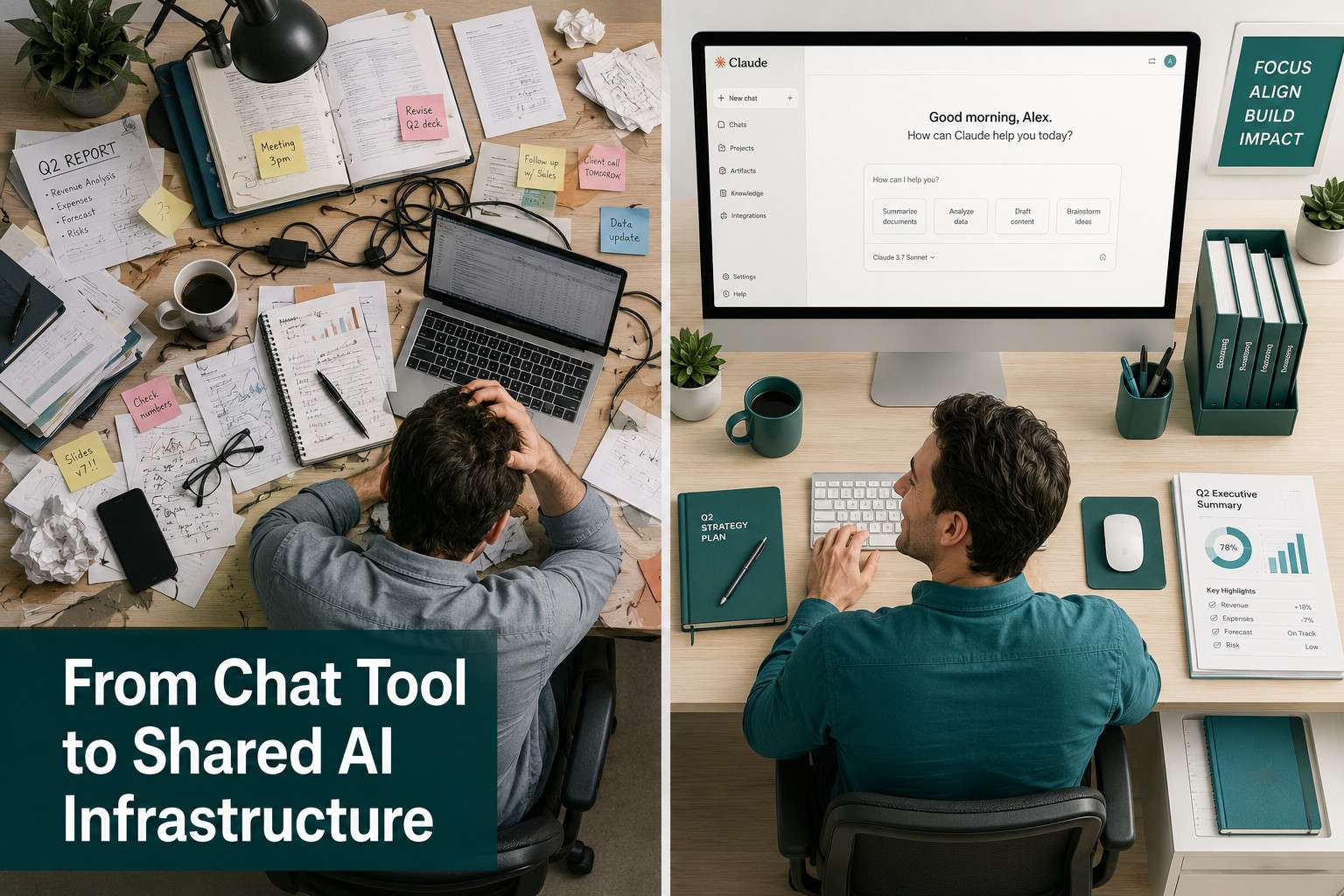
Rather than each person logging into their own Claude account and starting fresh every session, Claude Cowork gives a team a persistent, shared environment. Think of it as a communal AI desk that holds project context, remembers previous decisions, and lets multiple contributors pick up where someone else left off [2][7].
Key architectural features include:
- Shared project memory: Teams can store ongoing project context so Claude doesn’t lose the thread between sessions
- Role-based access: Admins can control who sees what within the shared workspace
- Plugin ecosystem: Claude Cowork supports third-party integrations for tools like document editors, project managers, and communication platforms [8]
- Multi-user sessions: Multiple team members can interact with Claude in the same workspace thread, similar to how a Google Doc allows simultaneous editing
For coworking spaces specifically, this means a hot-desking freelancer and a startup founder sharing the same physical floor can both tap into a shared AI layer without duplicating effort or losing context. You can explore more about how AI tools are reshaping team productivity in our guide to Make.com and Slack integration.
How Much Does Claude AI Cost for Coworking Teams
Claude Cowork is available on Anthropic’s paid tiers, with team and enterprise pricing structured for multi-user access [6]. Individual Pro plans start at a monthly subscription, while team plans are priced per seat with volume discounts available at the enterprise level.
As of mid-2026, Anthropic has not published a single flat rate for coworking-specific deployments publicly, so exact figures depend on team size and usage volume. The best approach is to contact Anthropic’s sales team directly for a custom quote if your coworking space plans to offer Claude as a shared amenity to members.
What you should know before budgeting:
- Solo freelancers in a coworking space can use individual Pro plans
- Startups with 5-20 members should evaluate the team plan, which includes shared workspaces and admin controls
- Larger coworking operators looking to offer Claude as a building-wide perk will need enterprise contracts
- API access for custom integrations is billed separately based on token usage [8]
Can Claude Help Me Draft Documents Faster Than My Current Workflow
Yes, and for most knowledge workers, the improvement is significant. Claude handles long-form drafts, structured reports, meeting summaries, and proposal writing with strong contextual coherence, meaning it doesn’t lose the plot halfway through a 2,000-word document the way shorter-context models sometimes do [3].
In practice, a team using Claude Cowork can:
- Drop a rough bullet-point outline into the shared workspace
- Ask Claude to expand it into a full draft with a specified tone and structure
- Have a second team member refine specific sections in the same session
- Export the final document directly to their preferred tool
This workflow cuts the typical draft-review-revise cycle from hours to under 30 minutes for most standard business documents. Claude’s strength is particularly clear with technical writing, legal summaries, and research synthesis, where accuracy and nuance matter more than speed alone [9].
For teams already using automation tools, pairing Claude with workflow automation can multiply these gains. See our n8n workflow automation strategies guide for practical examples.
What Are the Privacy Risks of Using AI in a Collaborative Environment
Using any AI in a shared workspace introduces real privacy considerations, and Claude Cowork is no exception. The core risks are: sensitive business data being retained in AI logs, unintended data sharing between workspace members, and regulatory compliance gaps if your team operates in a regulated industry.

Anthropic addresses several of these through Claude Cowork’s built-in controls [7]:
- Conversation isolation: Individual threads can be kept private within a shared workspace
- Data retention settings: Enterprise plans allow admins to disable conversation logging entirely
- Encryption: Data in transit and at rest is encrypted under standard enterprise security protocols
Common mistakes to avoid:
- Pasting client contracts or personally identifiable information (PII) into shared Claude threads without checking your organization’s data policy
- Assuming free or Pro-tier plans have the same data protections as enterprise contracts (they don’t)
- Skipping a legal review if your team handles HIPAA, GDPR, or financial data
For teams concerned about AI autonomy and data risks more broadly, our coverage of AI autonomy risks is worth reviewing before deployment.
Which Coworking Spaces Already Integrate Claude AI
As of mid-2026, Claude Cowork integration is still in early adoption across the coworking industry. Anthropic has positioned Claude Cowork primarily as a product for companies and teams rather than building-level coworking operators, though enterprise contracts make building-wide deployment possible [2][7].
No major coworking chains have publicly announced full Claude Cowork integration as a standard member benefit yet, based on available sources. However, individual startups and remote teams within coworking spaces are adopting it independently through team subscriptions.
What’s more common right now:
- Startups in coworking spaces buying team-tier Claude subscriptions for their own use
- Innovation hubs and accelerators piloting Claude Cowork for cohort-wide collaboration
- Tech-forward coworking operators exploring API-based integration as a premium member perk
If you manage a coworking space and want to offer Claude as a facility, the enterprise API route is the most flexible path [8].
Is Claude Better Than ChatGPT for Team Collaboration
For team collaboration specifically, Claude Cowork has a structural advantage over standard ChatGPT because it was built with shared workspace use in mind from the start [4]. ChatGPT’s team features exist but are less focused on persistent shared context and multi-user project memory.
| Feature | Claude Cowork | ChatGPT Team |
|---|---|---|
| Shared project memory | Yes, native | Limited |
| Multi-user session threads | Yes | No |
| Long-context document handling | Up to 200K tokens | Up to 128K tokens |
| Plugin/integration ecosystem | Growing [8] | Mature (GPT Store) |
| Safety and refusal calibration | Conservative, nuanced | Moderate |
| Multilingual support | Strong | Strong |
Choose Claude Cowork if your team does heavy document work, needs persistent shared context, or prioritizes nuanced reasoning over speed. Choose ChatGPT Team if your team relies heavily on established third-party plugins or is already embedded in the OpenAI ecosystem.
For a deeper look at how AI development platforms compare, see our Replit vs Claude Code comparison.
What Kinds of Professionals Benefit Most from Claude in Coworking Spaces
Claude Cowork delivers the clearest value to knowledge workers who produce substantial written output, manage complex projects, or need to synthesize large amounts of information regularly [3][9].
Best fits:
- Consultants and analysts who draft client reports, research summaries, and strategy documents
- Startup founders coordinating product specs, investor materials, and team communications
- Content and marketing teams managing editorial calendars, briefs, and copy at scale
- Legal and compliance professionals summarizing contracts or drafting policy documents (with appropriate data controls in place)
- Software teams using Claude for documentation, code review notes, and technical writing alongside tools like Cursor AI
Less ideal for:
- Teams whose primary work is visual design, hardware, or physical production
- Individuals who need real-time web search as a core function (Claude’s knowledge has a training cutoff)
- Anyone in a highly regulated industry who hasn’t completed a legal review of their AI data policy
Common Mistakes People Make When Introducing AI to Team Workflows
The most common mistake is treating Claude as a search engine rather than a reasoning partner. Teams that get the most value ask Claude to think through problems, not just retrieve answers.
Other frequent errors:
- No onboarding: Dropping Claude into a team without training leads to inconsistent use and frustration
- Over-automating immediately: Connecting Claude to every workflow before understanding its outputs creates compounding errors
- Ignoring governance: Not setting clear rules about what data can be shared with Claude, especially in regulated industries
- Single-user mindset: Using Claude Cowork as if it were a personal tool, missing the shared-context features entirely
- No feedback loop: Failing to review Claude’s outputs critically, which erodes output quality over time
A practical fix: designate one team member as the “Claude lead” for the first 30 days. They set usage norms, collect feedback, and adjust prompts before rolling out broader access.
How Do I Set Up Claude AI for My Startup or Remote Team
Setting up Claude Cowork for a startup or remote team takes less than a day if you plan it properly. Here’s a practical sequence:
- Choose your plan: Individual Pro for solo use, Team plan for 5-20 members, Enterprise for larger groups or custom integrations [6]
- Create a workspace: Set up your Claude Cowork workspace and invite team members with appropriate role permissions
- Define shared projects: Create project threads for your main workstreams (e.g., product, marketing, operations)
- Set data policies: Decide what information is safe to share with Claude and document it for the team
- Run a pilot week: Have the team use Claude for one specific task type (e.g., meeting summaries) before expanding
- Integrate with existing tools: Use Claude’s plugin ecosystem or API to connect with your project management and communication stack [8]
- Review and iterate: After two weeks, collect feedback and refine your prompt templates and workflows
For teams already using automation platforms, connecting Claude to your existing stack via API can significantly extend its value. Our n8n automation agents guide covers how to build these connections without a developer.
Can Claude Handle Multiple Languages in International Coworking Settings
Yes. Claude performs strongly across dozens of languages, including Spanish, French, German, Portuguese, Japanese, Chinese (Simplified and Traditional), Korean, and Arabic, among others. For international coworking environments where teams span multiple countries, this is a genuine practical advantage [3].
Claude can draft, translate, and respond in a target language within the same session, which means a multilingual team doesn’t need separate tools for different language tasks. However, performance is strongest in English and major European languages. For less common languages, output quality can vary, so it’s worth testing your specific language pair before relying on Claude for high-stakes communications.
What Are the Limitations of Using Claude for Group Projects, and How Does Claude Protect Sensitive Business Information
Claude Cowork has real limitations that teams should plan around. It does not browse the web in real time, so any information past its training cutoff requires manual input. It can also produce confident-sounding errors on highly specialized or niche topics, which means human review remains essential for anything consequential [9].
For group projects specifically:
- Claude cannot replace a project management tool; it works best alongside one
- Shared threads can become cluttered without clear naming conventions and project structure
- Claude doesn’t have memory across entirely separate workspaces, so cross-team knowledge sharing requires deliberate setup
On the security side, Anthropic has built Claude Cowork with enterprise-grade protections [7]:
- End-to-end encryption for data in transit
- Configurable data retention (enterprise plans can disable logging)
- SOC 2 compliance for enterprise deployments
- Role-based access controls to limit who can view sensitive project threads
The practical rule: treat Claude Cowork like a shared Google Drive. Set permissions carefully, don’t paste data you wouldn’t put in a shared folder, and review your enterprise agreement’s data handling clauses before going live.
Conclusion
Claude AI in coworking spaces represents a meaningful shift in how teams access and share AI assistance, moving well beyond the single-user chatbot model into genuine shared infrastructure [4][7]. For startups, distributed teams, and knowledge workers sharing a coworking environment, Claude Cowork offers persistent project memory, multi-user collaboration, and strong document-drafting capabilities that can measurably cut time spent on routine knowledge work.
Actionable next steps:
- If you’re evaluating Claude for your team, start with a two-week pilot focused on one specific workflow (meeting summaries or document drafting work well)
- Review your data governance policy before connecting any client or regulated data to Claude
- Compare team plan pricing against your current per-seat tool costs to build a clear ROI case
- Explore Claude’s plugin ecosystem to identify integrations with tools your team already uses
- Assign a Claude lead internally to set norms and collect early feedback before scaling access
The teams that get the most from Claude in coworking settings are the ones that treat it as a reasoning partner with clear boundaries, not a magic answer machine. Set it up thoughtfully, and the productivity gains are real. For more on the Claude ecosystem and how it fits into broader AI tooling, visit the Claude Archives on WebAiStack.
FAQ
What is Claude Cowork? Claude Cowork is Anthropic’s team-focused product that converts Claude from a personal AI chat tool into shared AI infrastructure for groups. It supports persistent project memory, multi-user sessions, and role-based access controls, making it suited for coworking teams and distributed startups [7].
Is Claude Cowork available to individuals, or only teams? Individual users can access Claude through personal Pro plans, but Claude Cowork’s shared workspace features are designed for team and enterprise plans. Solo coworking members typically use standard Claude Pro while team features require a team or enterprise subscription [6].
Does Claude Cowork store my conversations? By default, conversations may be retained depending on your plan. Enterprise plans allow admins to disable conversation logging entirely. Always review Anthropic’s data retention policy and your enterprise agreement before sharing sensitive information [7][8].
How does Claude Cowork compare to using Claude individually? Individual Claude gives one person a personal AI assistant. Claude Cowork gives a team a shared AI layer with persistent context, shared project threads, and admin controls. The difference is similar to a personal document versus a shared team folder.
Can Claude Cowork integrate with Slack, Notion, or other tools? Yes, Claude Cowork supports integrations through its plugin ecosystem and API. Specific integrations depend on your plan tier, and custom integrations require API access [8].
Is Claude safe to use for confidential client work? With proper enterprise controls, Claude can be used for sensitive work, but it requires deliberate setup: disable logging, use role-based access, and ensure your data policy covers AI tools. Legal review is recommended for regulated industries [7].
What languages does Claude support in coworking environments? Claude supports dozens of languages with strongest performance in English and major European languages. It can draft, translate, and respond in multiple languages within the same session, making it practical for international teams.
How long does it take to set up Claude Cowork for a team? Basic setup takes a few hours. A full rollout with governance policies, integrations, and team training typically takes one to two weeks for teams of 10-20 people.
What’s the biggest mistake teams make with Claude Cowork? Skipping onboarding and data governance planning. Teams that drop Claude into workflows without clear usage norms and data policies see inconsistent results and occasional compliance risks.
Does Claude Cowork work for non-technical teams? Yes. Claude Cowork is designed for knowledge workers broadly, not just developers. Marketing, legal, consulting, and operations teams are among the strongest use cases.
References
[1] Anthropic Claude Cowork Office Worker – https://www.cnbc.com/2026/02/24/anthropic-claude-cowork-office-worker.html [2] Claude Cowork Is Ready To Take Over Your Company – https://www.theverge.com/ai-artificial-intelligence/909632/claude-cowork-is-ready-to-take-over-your-company [3] Claude Cowork Launch – https://www.theclaudeinsider.com/article/claude-cowork-launch [4] Claude Cowork Turns Claude From A Chat Tool Into Shared AI Infrastructure – https://venturebeat.com/orchestration/claude-cowork-turns-claude-from-a-chat-tool-into-shared-ai-infrastructure [5] The Workspace Within The Chat Claude S Next Step In Collaboration – https://www.banxchange.com/news-detail/the-workspace-within-the-chat-claude-s-next-step-in-collaboration [6] AI Anthropic Enterprise Claude – https://www.axios.com/2026/01/30/ai-anthropic-enterprise-claude [7] Claude Cowork – https://www.anthropic.com/product/claude-cowork [8] Claude Cowork Features Plugins And Guide 2026 – https://techwize.com/blog/claude-cowork-features-plugins-and-guide-2026 [9] Claude Cowork – https://www.infoq.com/news/2026/01/claude-cowork/