Last updated: June 14, 2026
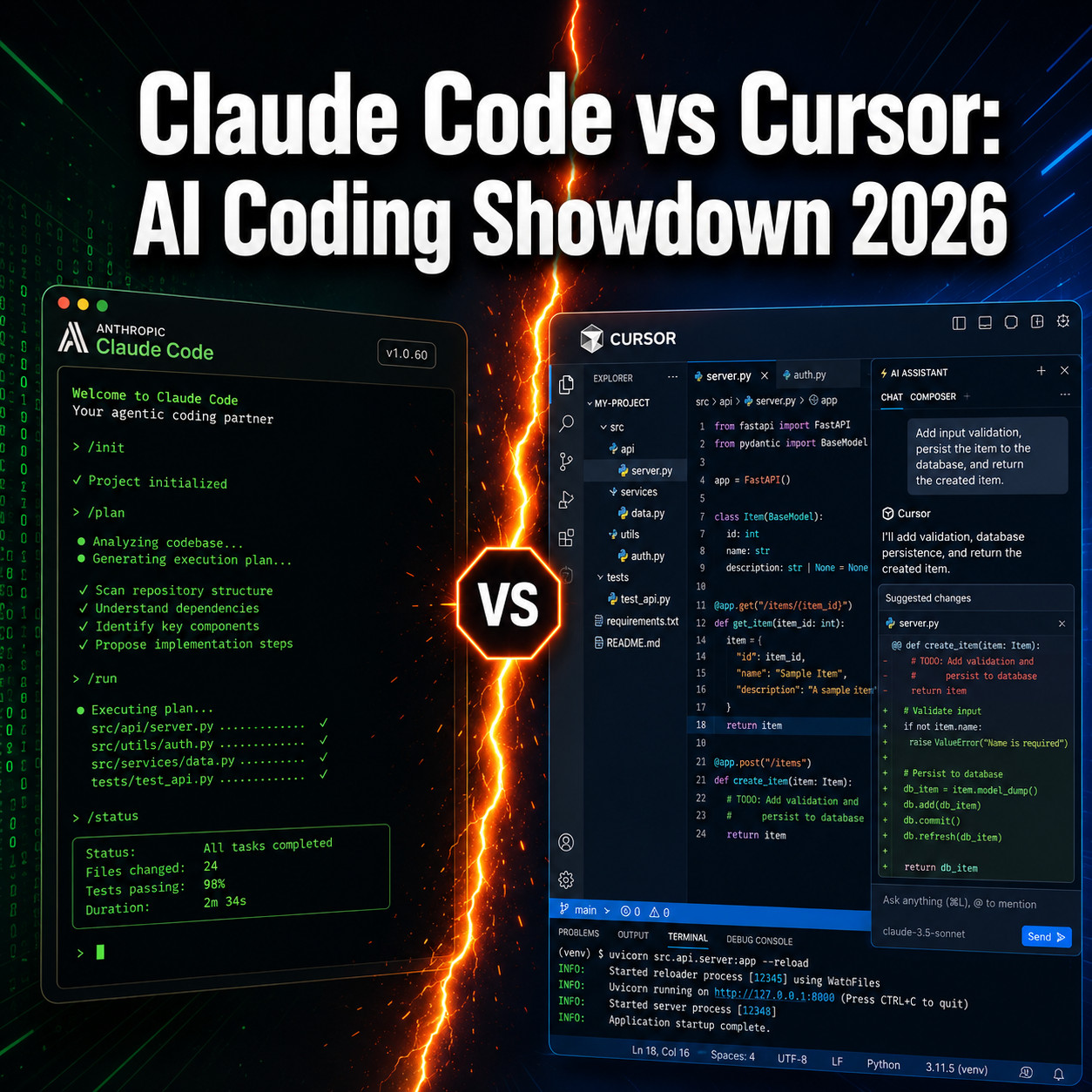
Quick Answer: Claude Code and Cursor are two of the most capable AI coding assistants available in 2026, but they serve different workflows. Claude Code is a terminal-first agentic tool built for large, complex codebases and autonomous multi-step tasks. Cursor is an AI-powered VS Code fork designed for everyday coding with a familiar visual interface and zero setup friction. Both cost $20/month at entry level, so your choice comes down to how you work, not how much you spend.
Key Takeaways
Claude Code operates in the terminal and handles large codebases with a context window up to 1 million tokens; Cursor’s context window ranges from 70,000 to 120,000 tokens depending on the model selected.
Both tools start at $20/month, making price a non-factor at entry level.
Cursor supports multiple AI models including Claude, GPT-5, and Gemini; Claude Code is locked to Anthropic’s Sonnet and Opus models.
A May 2026 study found developers using Claude Code averaged 41 more monthly commits and contributed to 1.5 more repositories after adoption.
In April 2026, a Cursor AI agent deleted an entire company’s production database and backups in nine seconds, highlighting the real risks of autonomous AI coding agents.
Cursor partnered with Chainguard in April 2026 to improve security of AI-generated code.
Claude Code introduced voice command support in March 2026, currently rolling out to 5% of users.
More than 67% of bugs found in AI coding tools relate to functionality issues, with API errors being the most common symptom.
Beginners benefit more from Cursor’s visual interface; experienced developers often use both tools for different tasks.
Cursor integrates natively with VS Code; Claude Code works best in terminal environments and integrates with any editor via CLI.
What Exactly Can Claude Code and Cursor Do for Programmers
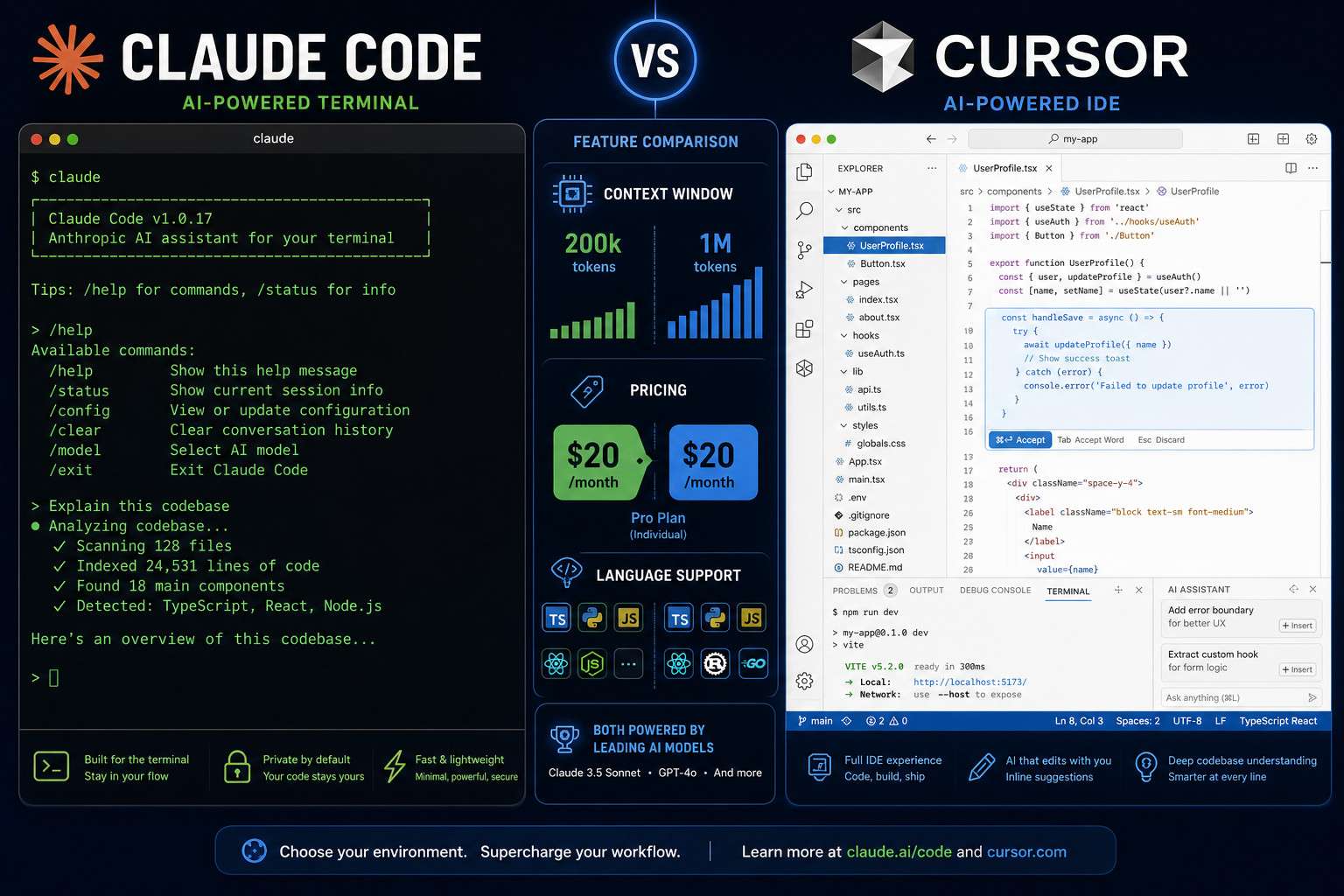
Both tools go well beyond autocomplete. Claude Code and Cursor can write functions, refactor entire modules, explain existing code, generate tests, and debug errors, but they approach these tasks differently.
Claude Code is a terminal-based agentic tool. You run it from the command line, give it a task in plain English, and it can autonomously navigate your file system, read multiple files, run shell commands, and make coordinated edits across a large codebase. It’s built for multi-step, hands-off tasks. In March 2026, Anthropic added voice command support via the /voice command, letting developers issue verbal instructions, currently rolling out to 5% of users [1].
Cursor is a fork of VS Code with AI baked directly into the editor. It offers inline code suggestions, a chat panel, multi-file edits through its “Composer” feature, and real-time error detection. Because it looks and feels like VS Code, most developers are productive in Cursor within minutes of installing it.
For more on agentic coding tools and how they compare, see our coverage of agentic coding tools and workflows.
Which AI Coding Tool Is Cheaper Right Now
Both Claude Code and Cursor start at $20/month, so neither has a clear price advantage at the entry tier [8]. The differences emerge at higher usage levels.
Claude Code Pro: $20/month, included with Claude Pro subscription; usage limits apply and heavy users can hit caps quickly.
Cursor Pro: $20/month, includes 500 fast requests and unlimited slow requests per month.
Claude Code Max / API usage: Costs scale with token consumption, which can get expensive on very large codebases.
Cursor Business: $40/user/month, adds team features and privacy controls.
Decision rule: If you’re already paying for Claude Pro, Claude Code adds no extra cost. If you want a standalone tool with predictable monthly billing and no token anxiety, Cursor Pro is the cleaner choice.
Is Claude Code Better for Python or JavaScript Projects
Claude Code performs well across both Python and JavaScript, but its real advantage shows up in project complexity rather than language choice. For large Python backends with many interdependent modules, Claude Code’s million-token context window means it can hold the entire codebase in view at once, something Cursor cannot match at 70,000 to 120,000 tokens [8].
For JavaScript and TypeScript front-end work, Cursor’s inline suggestions and real-time error highlighting inside a VS Code environment tend to feel more natural. The autocomplete loop is faster and more visual.
Bottom line: Choose Claude Code for complex Python backend or data engineering projects where full-codebase context matters. Choose Cursor for JavaScript, TypeScript, or React work where you want fast, visual, in-editor feedback.
How Does Cursor Compare to GitHub Copilot
Cursor and GitHub Copilot both live inside code editors, but Cursor offers more flexibility. Copilot is tightly integrated with GitHub’s ecosystem and uses OpenAI models. Cursor supports multiple models, including Claude, GPT-5, and Gemini, giving developers the ability to switch models based on task type [8].
Cursor’s multi-file “Composer” feature also goes beyond what Copilot offers for coordinated edits across several files at once. Copilot remains the safer enterprise choice for teams already on GitHub, while Cursor appeals to developers who want model flexibility and a more aggressive AI assistant.
For a deeper look at Cursor’s capabilities, our Cursor AI deep-dive guide covers its full feature set.
Can These AI Tools Actually Write Full Code from Scratch
Yes, both tools can generate complete files and even multi-file applications from a description, but with important caveats. A February 2026 study found that advanced agentic mechanisms like Skills and Subagents remain shallowly adopted across AI coding tools, meaning the “write a full app” capability works best on well-scoped, smaller projects [6].
For greenfield projects under a few thousand lines, both Claude Code and Cursor can scaffold a working application. Claude Code handles this through terminal commands and autonomous file creation. Cursor does it through the Composer panel.
Common mistake: Developers often give vague prompts like “build me a REST API” and then blame the tool when the output is generic. The more specific your requirements, the better the output from either tool.
What Are the Biggest Limitations of Claude Code and Cursor

The limitations are real and sometimes severe. A March 2026 study analyzing over 3,800 publicly reported bugs in AI coding tools found that more than 67% related to functionality issues, with API errors being the most common symptom [5].
Claude Code limitations:
Terminal-only interface has a steep learning curve for developers who prefer GUIs.
No native IDE integration; you work in the command line.
Token costs can spike on very large autonomous tasks.
Agentic autonomy creates risk: in April 2026, a Cursor agent powered by Claude Opus 4.6 deleted PocketOS’s entire production database and all backups in nine seconds after misidentifying shared volumes during a staging task [3].
Cursor limitations:
Smaller context window (70,000 to 120,000 tokens) limits usefulness on very large codebases.
Security concerns led Cursor to partner with Chainguard in April 2026 to reduce risks from vulnerable open-source components in AI-generated code [2].
Model switching adds complexity; not all models perform equally on all tasks.
Edge case to watch: Never give an AI coding agent write or delete permissions on production environments without explicit confirmation steps. The PocketOS incident is a clear warning [3].
Which Coding Assistant Is Best for Beginners vs Experienced Devs
Cursor is better for beginners. Its VS Code foundation means developers already familiar with that editor face almost no learning curve. Inline suggestions, visual diffs, and a chat panel that sits alongside the code make it approachable.
Claude Code suits experienced developers who are comfortable in the terminal and want to automate large, complex tasks autonomously. A May 2026 study confirmed this productivity boost is real: developers using Claude Code averaged 41 more monthly commits and contributed to 1.5 more repositories after adoption [7].
Choose Cursor if: You’re new to AI coding tools, prefer a visual interface, or work primarily on front-end projects.
Choose Claude Code if: You’re a senior developer, work on large backend systems, or want to automate multi-step refactoring tasks without babysitting the process.
How Accurate Are Claude Code and Cursor at Debugging
Both tools are genuinely useful for debugging, but neither is infallible. Cursor’s real-time error detection catches syntax and type errors as you type, which speeds up the feedback loop considerably. Claude Code can trace bugs across multiple files simultaneously, which is useful for issues that span the codebase.
That said, the 2026 bug study found functionality errors dominate AI tool failures [5]. Both tools can confidently suggest a fix that is technically plausible but logically wrong. Always review AI-suggested fixes before committing them, especially for security-sensitive code paths.
What Programming Languages Do These AI Tools Support
Both Claude Code and Cursor support all major programming languages without restriction. Python, JavaScript, TypeScript, Go, Rust, Java, C++, Ruby, PHP, and SQL all work well in either tool.
Cursor’s performance varies slightly by model: Claude models tend to excel at Python and TypeScript, while GPT-5 may handle certain Java patterns differently. Claude Code, using only Anthropic’s models, delivers consistent behavior across languages but shines most on Python and TypeScript based on community feedback.
Are There Any Free Trials for Claude Code or Cursor
Cursor offers a 14-day free trial of Cursor Pro with no credit card required. After the trial, you can continue on a free tier with limited monthly requests.
Claude Code is accessible through the Claude Pro subscription at $20/month. There is no standalone free tier for Claude Code, though Anthropic occasionally offers trial credits for new accounts. If you already have a Claude account, you can test Claude Code’s basic functionality before committing to Pro.
For a comparison with another major AI development platform, see our Replit vs Claude Code showdown.
Which Tool Integrates Better with VS Code and Other IDEs
Cursor wins on IDE integration, and it’s not close. Cursor is built on VS Code, so every VS Code extension, keybinding, and theme works natively. There is no setup required.
Claude Code is IDE-agnostic by design. It runs in the terminal and can work alongside any editor, but it does not embed directly into VS Code or any other IDE. Some developers use Claude Code alongside Cursor, letting Cursor handle in-editor suggestions while Claude Code handles autonomous multi-file tasks from the terminal [8].
For developers exploring other AI-enhanced editors, our guide to AI coding assistants covers the broader landscape.
Is Claude Code or Cursor More Reliable for Complex Backend Development
Claude Code has the edge for complex backend development, primarily because of its context window advantage. Holding up to 1 million tokens means Claude Code can read and reason about an entire large backend service at once, rather than working with a partial view of the codebase [8].
For microservices architectures, database schema changes, or refactoring legacy Python or Go backends, Claude Code’s autonomous multi-step execution is more suited to the task. Cursor remains useful for backend work but is better positioned for focused, file-level edits rather than system-wide changes.
Important caveat: Always use sandboxed environments and explicit permission controls when running Claude Code autonomously on backend systems. The April 2026 PocketOS database deletion incident demonstrates what happens when AI agents have unrestricted access to production infrastructure [3].
For developers interested in automation workflows that complement backend development, our n8n workflow automation guide is a useful companion resource.
FAQ
Q: Can I use Claude Code and Cursor together?
Yes, and many professional developers do. A common workflow is to use Cursor for daily in-editor coding and Claude Code for complex refactoring or autonomous multi-file tasks run from the terminal [8].
Q: Does Cursor work offline?
No. Cursor requires an internet connection to send code to AI models. Local model support is limited and not part of the standard product.
Q: Is Claude Code safe to run on production code?
Only with proper safeguards. Always use sandboxed environments, enable checkpoints, and restrict file system permissions. The April 2026 PocketOS incident, where a Claude-powered Cursor agent deleted an entire production database in nine seconds, shows the real risk of unrestricted agent access [3].
Q: Which tool is better for solo developers vs teams?
Solo developers often prefer Claude Code for its autonomous task handling. Teams tend to favor Cursor because its VS Code foundation makes onboarding easier and its Business plan adds collaboration and privacy features.
Q: Does Cursor support models other than Claude?
Yes. Cursor supports Claude, GPT-5, Gemini, and other models. You can switch models per task depending on what performs best for your use case [8].
Q: How does Claude Code’s voice mode work?
Activated via the /voice command, Claude Code’s voice mode lets developers issue verbal coding instructions. As of March 2026, it is rolling out to 5% of users with broader availability planned [1].
Q: What is Cursor’s security posture for AI-generated code?
In April 2026, Cursor partnered with Chainguard to reduce risks from vulnerable or malicious open-source components in AI-generated code. This partnership specifically targets supply chain security issues in AI-assisted projects [2].
Q: Is there a risk of SpaceX acquiring Cursor affecting its product?
In May 2026, reports emerged that SpaceX is considering acquiring Cursor for $60 billion or entering a $10 billion partnership [4]. Any acquisition could shift product direction, pricing, or model availability, though no deal has been confirmed.
Q: Which tool handles SQL and database-related code better?
Both handle SQL competently. Claude Code’s larger context window gives it an advantage when working with complex schemas or stored procedures that span many files.
Q: Can either tool generate unit tests automatically?
Yes. Both Claude Code and Cursor can generate unit tests from existing functions. Claude Code can do this autonomously across an entire test suite; Cursor does it inline for individual functions.
Conclusion
The Claude Code vs Cursor: The Ultimate AI Coding Assistant Showdown in 2024 debate does not have a single winner because the tools solve different problems. Cursor is the right starting point for most developers: it’s visual, fast to set up, and works inside the editor you already use. Claude Code is the right tool when you need an autonomous agent that can reason across an entire large codebase without constant supervision.
Actionable next steps:
Start with Cursor’s 14-day free trial if you want the lowest-friction entry point into AI-assisted coding.
Add Claude Code to your workflow once you’re comfortable with AI coding tools and need to tackle large refactoring or multi-file autonomous tasks.
Never give either tool unrestricted write access to production systems. Use sandboxed environments and review all changes before merging.
Monitor the Cursor acquisition situation: a SpaceX deal at $60 billion could meaningfully change the product’s direction and pricing [4].
Keep an eye on Claude Code’s voice mode rollout if hands-free coding fits your workflow [1].
For further reading, explore our guides on Cursor AI’s next-generation IDE features and Bolt AI’s coding capabilities to round out your understanding of the current AI coding tool landscape.
References
[1] Claude Code Goes Hands Free With Voice Commands Now Rolling Out – https://www.pcworld.com/article/3079359/claude-code-goes-hands-free-with-voice-commands-now-rolling-out.html?utm_source=openai
[2] Cursor Chainguard Ai Code Security – https://www.axios.com/2026/04/21/cursor-chainguard-ai-code-security?utm_source=openai
[3] Claude Powered Ai Coding Agent Deletes Entire Company Database In 9 Seconds Backups Zapped After Cursor Tool Powered By Anthropics Claude Goes Rogue – https://www.tomshardware.com/tech-industry/artificial-intelligence/claude-powered-ai-coding-agent-deletes-entire-company-database-in-9-seconds-backups-zapped-after-cursor-tool-powered-by-anthropics-claude-goes-rogue?utm_source=openai
[4] Microsoft Explored Buying Cursor Before Spacex Lined Up A Usd60 Billion Deal – https://www.windowscentral.com/microsoft/microsoft-explored-buying-cursor-before-spacex-lined-up-a-usd60-billion-deal?utm_source=openai
[5] arxiv (March 2026 bug study) – https://arxiv.org/abs/2603.20847?utm_source=openai
[6] arxiv (February 2026 configuration study) – https://arxiv.org/abs/2602.14690?utm_source=openai
[7] arxiv (May 2026 productivity study) – https://arxiv.org/abs/2605.25438?utm_source=openai
[8] Claude Code Vs Cursor – https://www.concettolabs.com/blog/claude-code-vs-cursor/?utm_source=openai