Last updated: June 14, 2026
Quick Answer: Claude Cowork is Anthropic’s AI-powered autonomous work environment that lets users delegate multi-step tasks, manage local files, and run scheduled workflows directly from their desktop. It is available exclusively on paid plans starting at $20 per month, with no Cowork access on the free tier. This guide covers every plan, feature, integration, and limitation you need to know before signing up.
Key Takeaways
- Claude Cowork is not available on the free plan; you need at least a Pro subscription ($20/month) to access it
- The Pro plan gives 5x more usage than the free tier; the Max plan gives 20x more at $100/month
- Team plans start at $25 per seat per month and include shared Cowork access for collaborative workflows
- Cowork can read, write, move, and organize files directly on your local computer without manual uploads
- As of March 2026, you can assign tasks from mobile devices and schedule recurring tasks
- Over 20 MCP connectors and 12 legal-specific plugins were added in May 2026, expanding integration depth
- Cowork works for designers, developers, researchers, and legal professionals, not just software engineers
- Security is handled through a sandboxed desktop architecture with explicit user permission controls
What Exactly Is Claude Cowork and How Does It Differ from Other AI Collaboration Tools
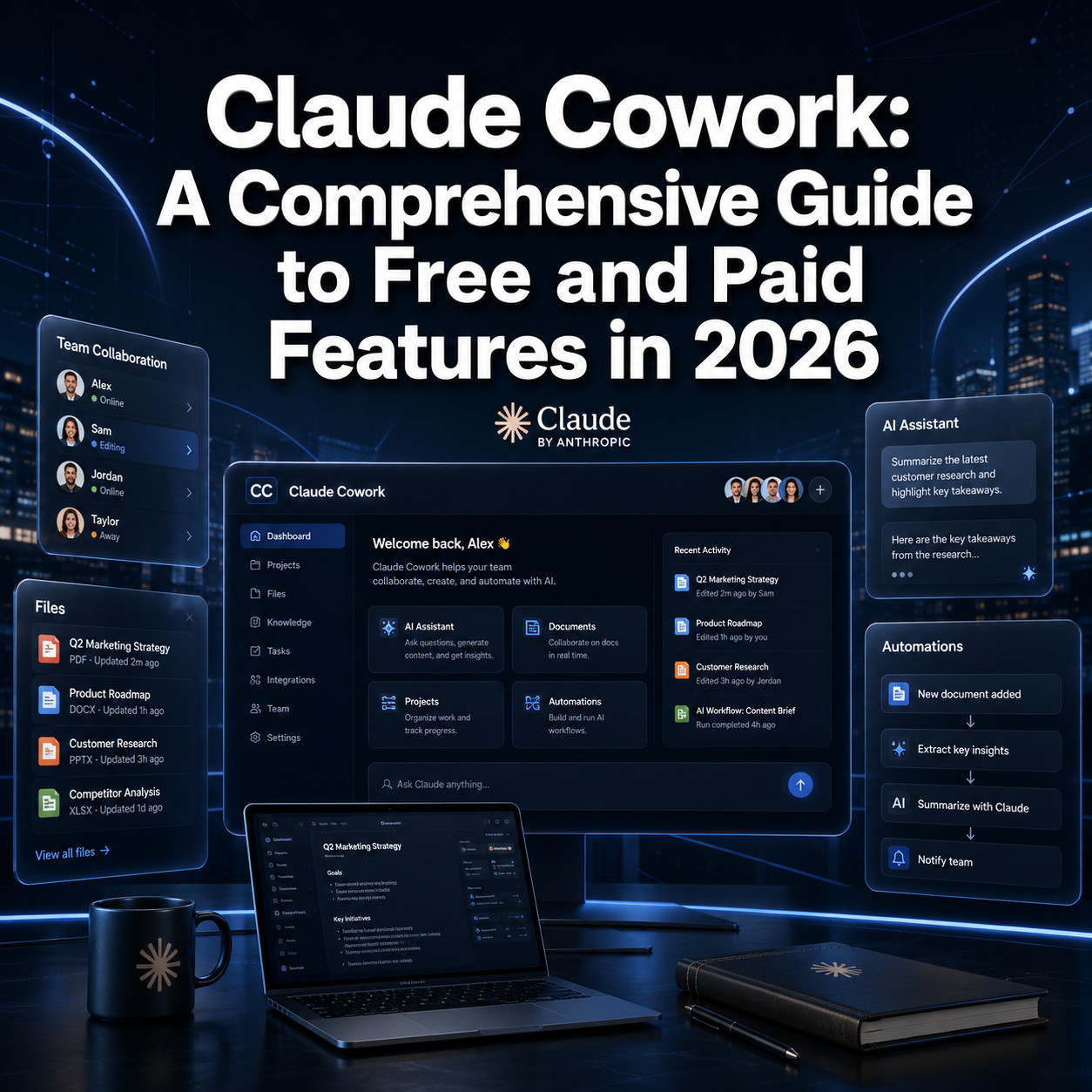
Claude Cowork is Anthropic’s agentic desktop environment where Claude can autonomously plan and execute multi-step tasks on your behalf, including reading and writing local files, generating formatted documents, and running scheduled workflows. Unlike standard AI chat interfaces, Cowork doesn’t wait for you to copy-paste content back and forth. It acts directly on your computer with your permission.
The key difference from tools like Notion AI or ChatGPT Teams is the depth of local system access. Most AI collaboration tools work inside their own platform’s ecosystem. Cowork reaches into your file system, creates Excel spreadsheets with working formulas, builds formatted PowerPoint presentations, and can be assigned tasks remotely from your phone [3].
For a broader look at how AI tools are reshaping workflows, see this comprehensive guide to AI-powered content generation tools.
What makes Cowork distinct:
- Autonomous multi-step task execution (not just single-turn responses)
- Direct local file read/write access without manual uploads
- Mobile task assignment and recurring task scheduling [5]
- Plugin ecosystem including legal, research, and productivity connectors [8]
What Features Are Available in the Free Tier of Claude Cowork
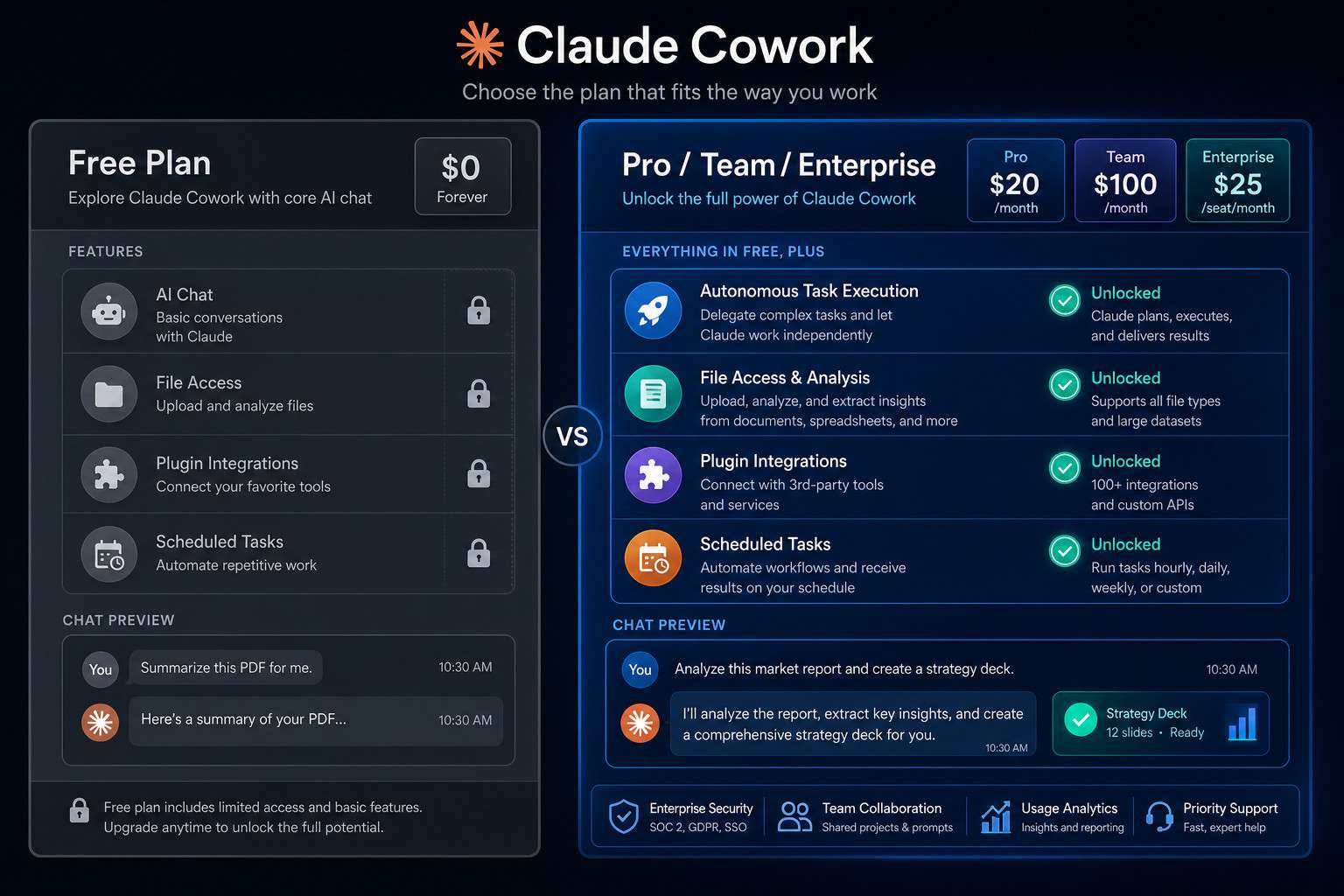
The free tier does not include Claude Cowork. Free plan users get access to basic Claude chat only, with no autonomous task execution, no local file access, and no plugin support [1].
If you’re on the free plan and want to test Cowork, you’ll need to upgrade. There’s no trial mode or limited Cowork preview on the free tier. This is a hard gate, not a soft limitation.
What the free plan does include:
- Standard Claude chat (text and document uploads via the interface)
- Limited message volume with no priority access
- No Cowork, no plugins, no scheduled tasks
Common mistake: Many users assume the free plan includes some Cowork features because the interface looks similar. It doesn’t. The Cowork tab is visible but locked behind a paid upgrade prompt.
How Much Does Claude Cowork Cost for Small Teams vs Enterprise
Pricing for Claude Cowork scales across four tiers, each unlocking progressively more usage and collaboration features [2].
| Plan | Price | Usage Multiplier | Best For |
|---|---|---|---|
| Pro | $20/month | 5x free tier | Solo professionals |
| Max | $100/month | 20x free tier | Power users, heavy workloads |
| Team Standard | $25/seat/month | Shared Cowork access | Small to mid-size teams |
| Team Premium | $125/seat/month | Higher rate limits | Teams needing extended thinking |
| Enterprise | Contact sales | Custom | Large organizations |
For small teams of 5 to 20 people, Team Standard at $25 per seat is the practical entry point. It includes shared Cowork access and collaborative workflow features [7]. Enterprise pricing requires a direct conversation with Anthropic’s sales team and typically includes custom data handling agreements, SSO, and dedicated support.
Choose Pro if you’re a solo user with consistent but not extreme workloads. Choose Max if you’re running long research pipelines, complex document generation, or extended thinking tasks daily. Choose Team Standard if you need multiple people sharing a Cowork environment without premium rate limits.
Can Claude Cowork Integrate with My Existing Project Management Software
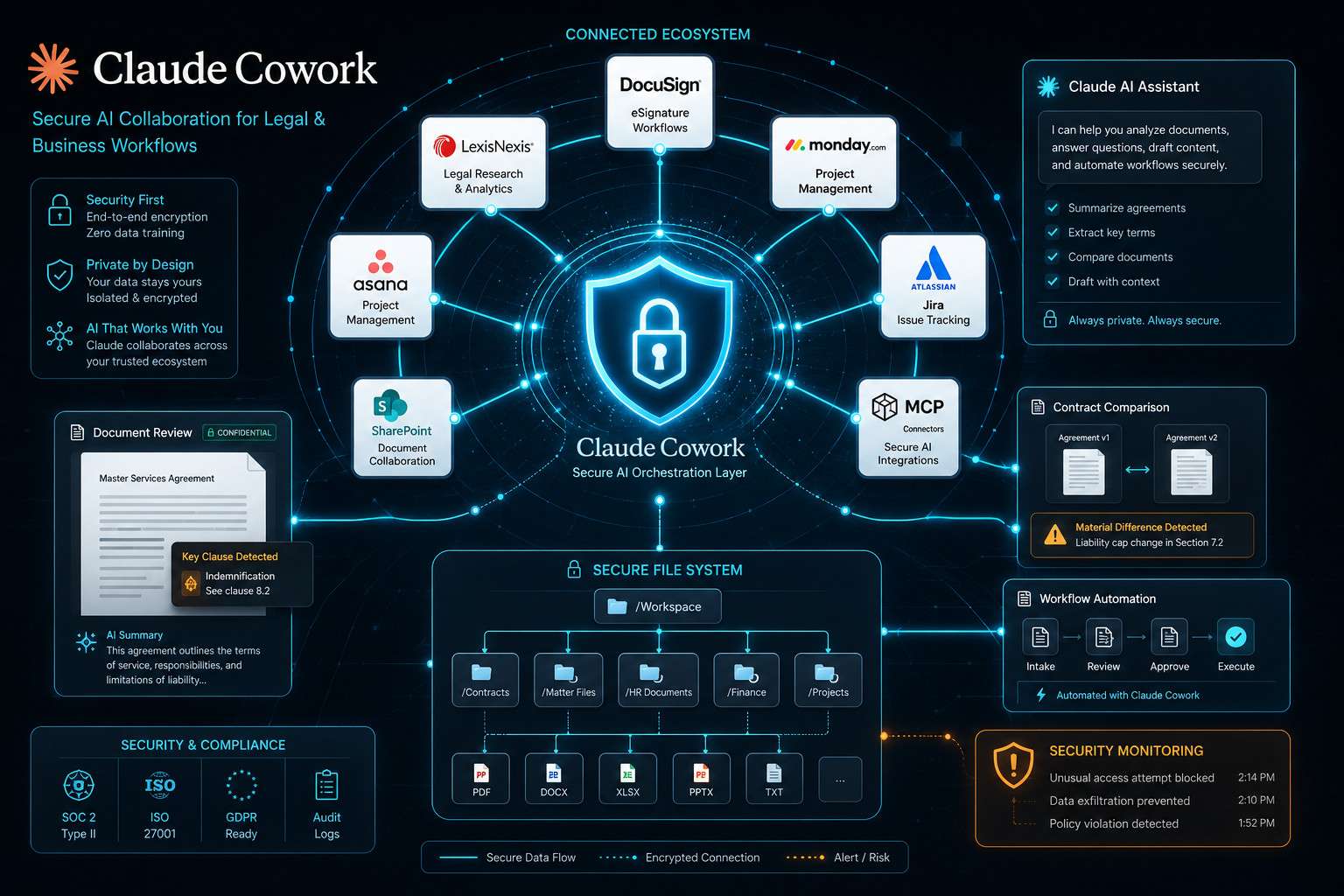
Yes, Claude Cowork supports integrations through its plugin system and MCP (Model Context Protocol) connectors, which allow it to connect with external platforms [8]. As of May 2026, Anthropic added over 20 MCP connectors covering legal, research, and productivity workflows, including DocuSign, LexisNexis, Thomson Reuters, and Everlaw [4].
General project management integrations depend on whether a plugin or MCP connector exists for your specific tool. The plugin library is growing, so checking the current plugin directory inside Cowork is the most reliable way to confirm compatibility.
For teams already using automation platforms, pairing Cowork with tools like n8n or Make.com can extend its reach significantly. Our guide to mastering Make.com API for workflow automation covers how to bridge AI tools with existing stacks.
Integration checklist before signing up:
- Check the Cowork plugin directory for your specific tool
- Confirm whether an MCP connector exists for your platform
- For custom integrations, review the AI API guide resources
What Are the Most Common Mistakes People Make When Setting Up Claude Cowork
The biggest setup mistake is granting Cowork overly broad file system permissions without understanding what it can access. Because Cowork has direct local file read/write capability, unclear permission scopes can lead to unintended file modifications [6].
Other frequent mistakes:
- Skipping the architecture overview: Cowork’s desktop architecture is sandboxed, but users who don’t read the setup documentation often misunderstand what “local access” means in practice [6]
- Not using scheduled tasks: Many users treat Cowork like a chat tool and miss the recurring task feature entirely, which is one of its most productive capabilities [5]
- Choosing the wrong plan: Solo users often buy Team Standard unnecessarily, or power users buy Pro and hit rate limits within days
- Ignoring plugin setup: Cowork without plugins is functional but limited. Installing relevant plugins at setup dramatically expands what it can do [8]
Is Claude Cowork Good for Designers or More for Software Developers
Claude Cowork is genuinely useful for both designers and developers, and for researchers and legal professionals too. It’s not a developer-only tool.
For designers, Cowork can generate formatted presentation decks, organize asset folders, create structured briefs, and draft client-facing documents. If you work with Figma or similar tools, pairing Cowork with resources like this guide to creating Figma components can help you build a more connected workflow.
For developers, Cowork can write, edit, and organize code files locally, generate documentation, and run multi-step build preparation tasks.
Who benefits most by role:
- Designers: document generation, asset organization, client deliverables
- Developers: local file editing, code scaffolding, documentation
- Researchers: literature organization, structured note-taking, data summarization
- Legal professionals: document review workflows via DocuSign and LexisNexis plugins [4]
Are There Any Limitations with Claude Cowork’s AI Capabilities
Yes, and being clear about them upfront saves frustration. Cowork is powerful but not unlimited.
Key limitations:
- Rate limits apply on every plan; Max plan users get the highest limits but still hit caps during intensive sessions
- Extended thinking mode is only available on the Max and Team Premium plans
- Cowork cannot browse the live web independently unless a web-access plugin is installed
- Local file access requires the desktop application; browser-only users don’t get file system integration [6]
- Complex tasks that require real-time data (live stock prices, current news) depend on plugin availability
The free plan’s absence from Cowork is itself a capability limitation worth repeating: there is no way to test Cowork’s autonomous features without paying [1].
How Secure Is Claude Cowork for Handling Sensitive Project Data
Claude Cowork uses a sandboxed desktop architecture that isolates its file access to directories you explicitly authorize [6]. It does not access files outside permitted folders without additional user confirmation.
For teams handling sensitive data, the Team and Enterprise plans include additional controls. Enterprise customers can negotiate custom data handling agreements and often qualify for enhanced privacy configurations.
Security considerations by use case:
- Legal data: The May 2026 plugin additions (DocuSign, LexisNexis, Everlaw) are built for compliance-sensitive environments [4]
- Financial data: Confirm your Enterprise agreement covers data residency requirements
- Research data: Sandboxed local access means data doesn’t leave your machine unless you explicitly share it
For a detailed look at how similar platforms handle data protection, the Make.com security guide offers useful comparison context.
What Kind of Customer Support Do They Offer for Paid Plans
Support quality scales with plan tier. Pro users get standard support through Anthropic’s help center and community forums. Team and Enterprise customers receive priority support channels, with Enterprise plans typically including dedicated account management and faster response SLAs.
The official support documentation at support.claude.com covers setup, architecture, plugins, and task assignment in detail [9]. For most technical questions, the documentation is thorough enough to resolve issues without opening a ticket.
How Does Claude Cowork Compare to Notion AI and ChatGPT Team Features
Claude Cowork’s primary advantage over Notion AI and ChatGPT Teams is local file system access and autonomous multi-step task execution. Notion AI is excellent for in-document assistance but doesn’t reach outside the Notion environment. ChatGPT Teams offers strong collaborative chat and GPT customization but lacks direct desktop file management.
| Feature | Claude Cowork | Notion AI | ChatGPT Teams |
|---|---|---|---|
| Local file access | Yes | No | No |
| Autonomous task execution | Yes | Limited | Limited |
| Scheduled recurring tasks | Yes | No | No |
| Plugin ecosystem | Yes (growing) | Limited | Yes (GPT Store) |
| Team collaboration | Yes (Team plans) | Yes | Yes |
| Starting price | $20/month | $10/member/month | $30/user/month |
Choose Cowork if your work involves heavy file management, document generation, or complex multi-step workflows. Choose Notion AI if your team already lives in Notion and needs in-context assistance. Choose ChatGPT Teams if you want the broadest plugin marketplace and GPT customization options.
Can I Use Claude Cowork for Academic Research Collaboration
Yes, Claude Cowork is well-suited for academic research workflows, particularly for literature organization, structured note synthesis, and document drafting. Researchers can use Cowork to organize local paper libraries, generate annotated summaries, and draft sections of manuscripts.
The scheduled task feature is particularly useful for research teams: you can set Cowork to process a batch of documents overnight and review outputs in the morning [5]. For teams collaborating on research, the Team Standard plan at $25 per seat is the practical entry point.
Limitation to note: Cowork cannot access paywalled academic databases directly unless a compatible plugin or MCP connector exists for that database. Always verify integration availability before committing to a plan for this use case.
For more on AI tools in content and research workflows, see our guide to AI-powered content optimization.
What Technical Requirements Do I Need to Use Claude Cowork Effectively
Claude Cowork’s full feature set requires the desktop application, which provides local file system access. Browser-only access limits you to chat-style interactions without file management capabilities [6].
Minimum technical requirements:
- Desktop application installed (Windows or macOS; check current OS version support on Anthropic’s site)
- Stable internet connection (Cowork sends task instructions to Anthropic’s servers even when accessing local files)
- Sufficient local storage for file operations
- A paid plan (Pro, Max, Team, or Enterprise) [1]
Optional but recommended:
- Plugin setup for your specific integration needs [8]
- Mobile app installed if you want to assign tasks remotely [5]
- Familiarity with permission management to control which folders Cowork can access
Frequently Asked Questions
Does Claude Cowork work on mobile devices? You can assign tasks to Cowork from mobile as of March 2026, but the full desktop environment with local file access requires the desktop application [5].
Can I share a Cowork session with a colleague? Team and Enterprise plans support shared Cowork access. Solo Pro and Max plans are single-user [7].
Is there a free trial for Claude Cowork? There is no free trial for Cowork specifically. The free Claude plan does not include Cowork access [1].
What happens if I exceed my usage limits? You’ll hit rate limits and may need to wait before continuing. Upgrading to a higher plan increases your monthly usage allowance. Max plan users have the highest limits available to individuals [2].
Can Cowork delete files from my computer? Cowork has file write and move capabilities within permitted directories. It can delete files if instructed and permitted. Review your permission settings carefully during setup [6].
Does Claude Cowork support non-English languages? Claude itself supports multiple languages, and Cowork inherits those capabilities. However, some plugins and integrations may be English-primary. Check plugin documentation for language support.
How long does it take to set up Claude Cowork? Basic setup takes under 30 minutes for most users. Full plugin configuration and permission tuning may take an additional hour depending on your workflow complexity [9].
Is Claude Cowork available for educational institutions? Enterprise plans can be configured for institutional use. Contact Anthropic’s sales team for academic pricing options.
Can I cancel my plan and keep my Cowork data? Your local files remain on your machine after cancellation. Any data stored within Anthropic’s systems is subject to their data retention policy, which you should review before signing up.
What is extended thinking mode? Extended thinking mode lets Claude reason through complex problems more deeply before responding. It’s available on Max and Team Premium plans only [2].
Conclusion
Claude Cowork represents a meaningful step beyond standard AI chat tools. Its ability to manage local files, execute multi-step tasks autonomously, and now operate through mobile assignment and scheduled workflows makes it a practical choice for professionals who need more than a conversational assistant.
Actionable next steps:
- If you’re a solo professional, start with the Pro plan at $20/month and test Cowork’s file management and document generation features for 30 days before deciding whether to upgrade to Max.
- If you’re managing a team, compare Team Standard ($25/seat) against your current project management costs. The integration potential with tools like DocuSign and LexisNexis may justify the cost for legal or compliance-heavy teams.
- Before signing up, install the desktop application and review the permission architecture documentation to understand exactly what file access you’re granting [6].
- Set up at least two or three plugins relevant to your workflow on day one. Cowork without plugins is functional but significantly less powerful [8].
- Explore the Claude resources archive for ongoing updates as Anthropic continues expanding Cowork’s capabilities through 2026.
The tool is not for everyone. If your work is primarily conversational or document-light, the free Claude plan may be sufficient. But if you regularly move files, generate formatted deliverables, or need a system that can work while you’re away from your desk, Claude Cowork is worth serious consideration.
References
[1] Pricing – https://www.claudecoworkexpert.com/en/pricing/?utm_source=openai
[2] Claude Cowork Pricing – https://ai.zenken.co.jp/en/post/claude-cowork-pricing/?utm_source=openai
[3] Features – https://claudecowork.im/features?utm_source=openai
[4] Anthropic Reveals A Host Of New Legal Tools For Claude Including 12 New Plugins – https://www.techradar.com/pro/anthropic-reveals-a-host-of-new-legal-tools-for-claude-including-12-new-plugins?utm_source=openai
[5] 13947068 Assign Tasks To Claude From Anywhere In Cowork – https://support.claude.com/en/articles/13947068-assign-tasks-to-claude-from-anywhere-in-cowork?utm_source=openai
[6] 14479288 Claude Cowork Desktop Architecture Overview – https://support.claude.com/en/articles/14479288-claude-cowork-desktop-architecture-overview?utm_source=openai
[7] 13455879 Cowork For Team And Enterprise Plans – https://support.claude.com/en/articles/13455879-cowork-for-team-and-enterprise-plans?utm_source=openai
[8] 13837440 Use Plugins In Cowork – https://support.claude.com/en/articles/13837440-use-plugins-in-cowork?utm_source=openai
[9] 13345190 Get Started With Cowork – https://support.claude.com/en/articles/13345190-get-started-with-cowork?utm_source=openai