Last updated: June 3, 2026. In this article, you’ll find the Higgsfield AI Mobile App Full Guide Pricing Tips to help you get the most out of your experience.
Quick Answer: Higgsfield AI is a mobile-first video generation platform that lets users create short AI-powered videos featuring personalized avatars directly from their phones. Originally launched with a focus on social media content, the app uses proprietary diffusion models to turn selfies and text prompts into shareable video clips. It’s free to start with, available primarily on mobile devices, and designed for creators who want fast video output without professional editing skills [8].
Key Takeaways
- Higgsfield AI is a video-focused AI app, not a general-purpose chatbot — it generates short-form video content from selfies and prompts [9].
- The platform was founded by Alex Mashrabov, a former Snap Inc. engineer, with a strong emphasis on mobile-first design [1].
- Higgsfield offers a free tier with limited generations and a paid subscription for heavier use [4].
- The app runs on both iOS and Android, though Android users occasionally report stability issues [4].
- It differs from ChatGPT and similar tools because its core output is video, not text [9].
- Privacy controls exist, but users should understand that uploaded selfies are processed by cloud-based AI models [2].
- Alternatives include Runway ML, Pika Labs, and CapCut’s AI features.
- The app requires an internet connection for all video generation tasks.
- Best suited for social media creators, casual users, and students experimenting with AI video — less so for enterprise professionals needing precision.
What Exactly Does the Higgsfield AI Mobile App Do?
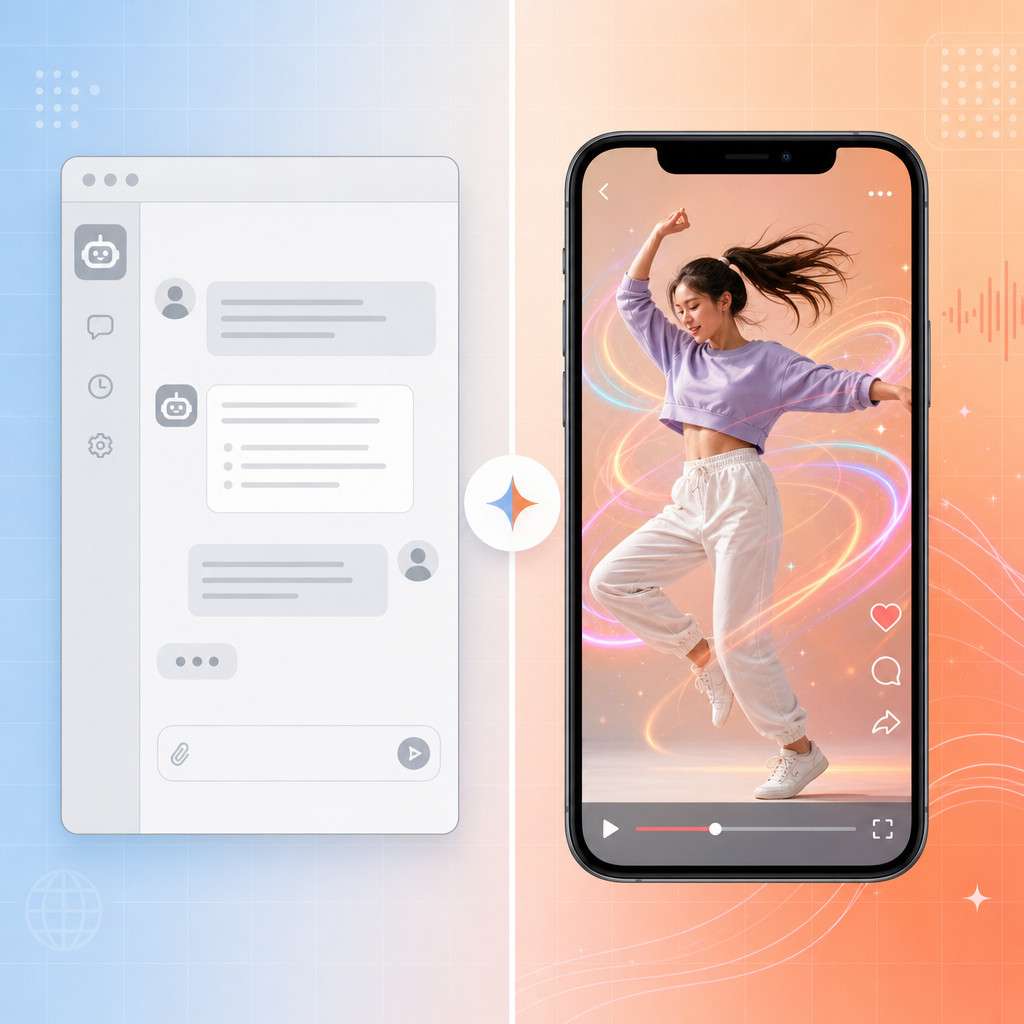
Higgsfield AI generates short AI-powered videos from a combination of selfies and text prompts. Users upload a photo of themselves (or someone else), select a template or write a custom prompt, and the app produces a video clip — typically a few seconds long — where the subject appears to move, dance, or act out a scene [7].
The app offers a library of pre-built “apps” or templates. For example, one popular template called “This Is Fine” places your avatar into the classic meme scenario [6]. Others let you create dance videos, reaction clips, or stylized animations.
Here’s how a typical session works:
- Open the app and take or upload a selfie.
- Browse the template library or enter a custom text prompt.
- Tap generate and wait roughly 30-60 seconds.
- Preview, download, or share the video directly to social platforms.
The underlying technology uses diffusion-based video models, similar in concept to what powers image generators like Stable Diffusion but adapted for motion and temporal consistency [9]. The company has built proprietary models optimized specifically for mobile output quality and speed.
How Is Higgsfield AI Different From ChatGPT or Other AI Apps?
The core difference is output format. ChatGPT produces text. Midjourney produces images. Higgsfield produces video. That distinction matters because video generation from a mobile device, with personalized avatars, is still relatively uncommon in 2026.
| Feature | Higgsfield AI | ChatGPT | Midjourney |
|---|---|---|---|
| Primary output | Short video clips | Text responses | Static images |
| Input method | Selfie + prompt | Text prompt | Text prompt |
| Mobile-first design | Yes | Partial (app exists) | No (Discord-based) |
| Personalization | Avatar from your face | None | Style-based only |
| Social sharing built-in | Yes | No | No |
| Free tier | Yes | Yes | Limited |
SaaStr highlighted Higgsfield as a standout because it focuses on what other AI platforms struggle with: making video creation feel as simple as sending a text message [9]. While you can use ChatGPT to write a script or Midjourney to create a thumbnail, Higgsfield handles the video itself.
If you’re interested in how other AI tools compare across different use cases, our roundup of mind-blowing AI websites every tech enthusiast should know covers several complementary platforms.
How Much Does Higgsfield AI Cost Per Month?
Higgsfield AI offers a free tier that allows a limited number of video generations per day. For users who want more generations, faster processing, or access to premium templates, a paid subscription is available [4].
As of the most recent available information, exact monthly pricing has varied as the company has iterated on its model. Based on app store listings and user reports:
- Free plan: A handful of generations per day with watermarked output.
- Premium plan: Estimated at roughly $9.99-$14.99/month (pricing may have changed; check the app store for current rates).
- Annual discounts: Typically available, reducing the effective monthly cost.
One thing to note: the free tier is genuinely usable for casual experimentation. If you just want to make a few funny clips per week, you may never need to pay. But creators producing daily content will hit the free limit quickly.
Are There Any Free Trial Options for Higgsfield AI?
Yes. The free tier itself functions as an ongoing trial — you don’t need a credit card to start generating videos [4]. Some users report that new accounts occasionally receive bonus credits for their first few days, though this isn’t consistently documented. There is no traditional “14-day free trial” of the premium plan based on current information.

What Devices and Operating Systems Support Higgsfield AI?
Higgsfield AI is available on Android and iOS. The app is downloadable from the Google Play Store and Apple App Store [4][8]. There is also a web interface at higgsfield.ai that lets users access some templates and features from a desktop browser [7].
Minimum requirements (approximate):
- Android 8.0 or later
- iOS 14 or later
- Stable internet connection (Wi-Fi or cellular data)
- At least 200 MB of free storage for the app and cached content
The app is optimized for phones rather than tablets, though it will run on most modern tablets without issues.
Why Is My Higgsfield AI App Crashing on Android?
Android crashes are the most commonly reported technical issue with Higgsfield AI [4]. The usual causes and fixes include:
- Outdated app version: Check the Play Store for updates. Higgsfield pushes frequent patches.
- Low device memory: Close background apps before generating video. The AI processing is server-side, but the app itself needs adequate RAM to handle previews.
- Incompatible Android version: Devices running Android 7 or older may experience instability.
- Corrupted cache: Go to Settings, then Apps, then Higgsfield, and clear the cache. This resolves most intermittent crashes.
- Network interruption: If your connection drops mid-generation, the app can freeze. Switch to a stable Wi-Fi network and retry.
If none of these fixes work, uninstall and reinstall the app. If crashes persist on a specific device model, it may be a compatibility issue worth reporting through the app’s feedback channel.
For those building mobile experiences and running into design challenges, our guide on how to design mobile wireframes in Figma covers useful principles that apply to understanding mobile app UX.
Can Higgsfield AI Work Offline or Without Internet?
No. Higgsfield AI requires an active internet connection for all video generation. The AI models run on cloud servers, not on your device [8]. You can browse previously downloaded videos offline, but you cannot create new content without connectivity.
This is consistent with virtually all AI video generation tools in 2026. The computational requirements for diffusion-based video models far exceed what current mobile hardware can handle locally.
Is Higgsfield AI Good for Students or Professionals?
Higgsfield AI is a strong fit for students and casual creators. It’s less suited for professionals who need frame-accurate video editing or enterprise-grade output.
Choose Higgsfield if you are:
- A student creating social media content, presentations with a creative twist, or experimenting with AI for coursework
- A content creator who needs quick, personality-driven video clips
- Someone exploring AI video generation without wanting to learn complex tools
Look elsewhere if you need:
- Long-form video production (Higgsfield clips are short)
- Precise control over every frame, camera angle, or lighting
- Brand-consistent output for corporate marketing campaigns
- Integration with professional editing suites like Premiere Pro or DaVinci Resolve
Students in particular may find value in pairing Higgsfield with other AI tools designed for learning and productivity. The app makes abstract AI concepts tangible — you can see a diffusion model at work in real time.
What Are Common Mistakes People Make When First Using Higgsfield AI?
Most first-time users make predictable errors that lead to disappointing results. Here are the biggest ones:
- Using low-quality selfies. The AI needs a clear, well-lit face photo. Blurry or heavily filtered images produce distorted avatars.
- Writing vague prompts. “Make a cool video” gives the model nothing to work with. Be specific: “Person dancing in a neon-lit city street at night” works much better.
- Expecting Hollywood quality. This is a mobile tool for short social clips. Expecting cinematic output leads to frustration.
- Ignoring templates. New users often jump straight to custom prompts. The pre-built templates [7] are optimized and usually produce better results for beginners.
- Generating on unstable connections. A dropped connection mid-render wastes your free generation credits.
- Not experimenting. The best results come from trying multiple prompts and templates. Your first attempt rarely produces your best clip.
If you’re interested in how AI-driven content creation works more broadly, our practical guide to AI-powered content optimization explains the principles behind prompt-based generation.

How Accurate Is Higgsfield AI Compared to Human Experts?
This question requires reframing. Higgsfield AI doesn’t claim accuracy in the way a medical AI or financial model would. It generates creative video content, so the relevant measure is quality and realism rather than factual accuracy.
In terms of visual quality, Higgsfield’s output is impressive for a mobile app but noticeably below what professional video production or even desktop-class AI tools like Runway ML can achieve [2]. Faces sometimes warp during motion. Hands and fingers can look unnatural. Backgrounds may shift inconsistently.
Compared to a human video editor, Higgsfield trades precision for speed. A professional editor might spend hours on what Higgsfield produces in 30 seconds. The trade-off is control: you get fast output but limited ability to fine-tune.
What Kind of Data Privacy Does Higgsfield AI Offer?
Higgsfield AI processes uploaded selfies and prompts on cloud servers, which means your facial data leaves your device [2]. The company’s privacy policy (available on their website) outlines data handling practices, but users should be aware of several things:
- Facial data is uploaded to generate avatars. If you’re uncomfortable with cloud-based facial processing, this app isn’t for you.
- Generated videos may be stored temporarily on Higgsfield’s servers.
- Third-party sharing details vary by policy version — always read the current terms.
- The app may collect standard analytics data (usage patterns, device info, crash logs).
For users concerned about data privacy in AI applications, it’s worth reviewing the latest thinking on AI compliance and data handling to understand your rights.
What Are Some Good Alternatives to Higgsfield AI?
Several alternatives exist depending on what you need:
| Alternative | Best For | Price Range | Platform |
|---|---|---|---|
| Runway ML | Professional AI video editing | Free tier; Pro from $12/mo | Web, desktop |
| Pika Labs | Text-to-video with fine control | Free tier; paid plans available | Web |
| CapCut (AI features) | Social video editing with AI tools | Free; Pro available | Mobile, desktop |
| HeyGen | AI avatar videos for business | From $24/mo | Web |
| Synthesia | Corporate training and presentations | From $22/mo | Web |
Choose Higgsfield over alternatives if you want the fastest path from selfie to shareable video on your phone. Choose Runway or Pika if you need more creative control. Choose HeyGen or Synthesia if your use case is professional or corporate.
For a broader look at AI tools across creative workflows, check out our list of the best AI graphic design tools for creative work.
Related Higgsfield guides: read about open Higgsfield AI and Higgsfield AI Cinema Studio.
Frequently Asked Questions
Is Higgsfield AI safe to use? Generally yes, but it processes facial data on cloud servers. Read the privacy policy before uploading sensitive images. The app is distributed through official app stores, which adds a layer of vetting [4].
Can I use Higgsfield AI for commercial content? Check the current terms of service. Some templates and outputs may have usage restrictions, especially on the free tier.
How long does it take to generate a video? Typically 30-60 seconds per clip, depending on server load and the complexity of the prompt [9].
Does Higgsfield AI add watermarks? Free-tier videos usually include a watermark. Paid plans remove it.
Can I use someone else’s photo to create a video? Technically the app allows any face photo, but using someone’s likeness without consent raises ethical and potentially legal issues.
What video formats does Higgsfield export? Standard MP4 format, optimized for social media platforms like TikTok, Instagram Reels, and YouTube Shorts.
Is there a desktop version of Higgsfield AI? A web interface exists at higgsfield.ai [8], but the fullest feature set is on the mobile app.
How often does Higgsfield add new templates? The template library updates regularly. The “Apps” section on their website shows current offerings [7].
Can I edit the generated video after creation? Basic trimming may be available in-app, but for serious editing, export the clip and use a dedicated editor like CapCut or Premiere Pro.
Does Higgsfield AI support multiple languages? The interface is primarily in English. Prompts in other languages may work but with less predictable results.
Conclusion
Higgsfield AI fills a specific niche: fast, fun, personality-driven AI video creation on mobile. It’s not trying to replace professional video editors or compete with general-purpose AI assistants like ChatGPT. Instead, it gives creators and casual users a way to turn a selfie into a shareable video clip in under a minute.
Here’s what to do next:
- Download the free app from your device’s app store and test it with a clear, well-lit selfie.
- Start with templates before trying custom prompts — you’ll get better results faster.
- Set expectations appropriately. This is a social content tool, not a film production suite.
- Review the privacy policy before uploading photos, especially if you plan to use images of other people.
- Explore alternatives like Runway ML or Pika Labs if you outgrow what Higgsfield offers.
The AI video space is evolving quickly, and Higgsfield represents one of the more accessible entry points for anyone curious about what’s possible. Whether you stick with it long-term or use it as a stepping stone to more advanced tools, it’s worth the free download to see AI video generation firsthand.
References
[1] Higgsfield Ai 50711 – https://kureansiklopedi.com/en/detay/higgsfield-ai-50711 [2] Higgsfield Ai Review Breakdown – https://deeperinsights.com/ai-review/higgsfield-ai-review-breakdown/ [4] Android – https://higgsfield-ai.en.softonic.com/android [6] This Is Fine – https://higgsfield.ai/apps/this-is-fine [7] Apps – https://higgsfield.ai/apps [8] higgsfield.ai – https://higgsfield.ai [9] Saastr Ai App Of The Week Higgsfield The Video Ai Platform Thats Crushing It Where Everyone Else Is Still Prompting – https://www.saastr.com/saastr-ai-app-of-the-week-higgsfield-the-video-ai-platform-thats-crushing-it-where-everyone-else-is-still-prompting/