Last updated: June 3, 2026
Quick Answer: Higgsfield AI is a generative AI platform focused on video and image creation that offers a freemium, credit-based model with daily free usage and optional paid tiers for heavier workloads [6]. You can start creating AI-generated videos and images without entering a credit card, and this guide walks you through every step to get the most from your free access period.
Key Takeaways
- Higgsfield AI specializes in AI video and image generation, with a free tier that resets daily credits so you can experiment without financial risk [1].
- No advanced technical skills are required. The platform uses text prompts and a browser-based interface accessible to beginners.
- The free trial includes core features like text-to-video, image generation, and basic editing, but limits output resolution and daily credit allocation [6].
- Paid plans unlock higher resolution, faster processing, and more credits, and you can upgrade at any time without losing your work [6].
- Common mistakes include wasting credits on vague prompts and not exploring all available tools before the daily allocation resets.
- Higgsfield AI suits content creators, marketers, startups, and enterprise teams across industries like e-commerce, education, and social media.
- Customer support during the free tier is typically community-based, with priority support reserved for paid plans.
- There are no hidden fees in the free tier, but credit limits and watermarks may apply to outputs.
What Exactly Is Higgsfield AI and How Does It Work?
Higgsfield AI is a generative artificial intelligence platform built primarily for creating AI-powered videos and images from text prompts [3]. It runs in your browser, so there’s nothing to install.
Here’s the basic workflow:
- Sign up at higgsfield.ai with an email or social login [7].
- Enter a text prompt describing the video or image you want to create.
- Select parameters like style, duration (for video), and aspect ratio.
- Generate your content. The AI processes your prompt and delivers output within seconds to a few minutes, depending on complexity.
- Download or refine the result. You can iterate on prompts to improve quality.
The platform gained attention for its viral AI image generator, which became freely accessible in 2025 [1]. Under the hood, Higgsfield uses diffusion-based models similar to other generative AI tools, but its focus on video creation and character animation sets it apart [3]. If you’re exploring the broader AI tools landscape, our comprehensive guide to AI-powered content generation tools covers how these platforms compare at a high level.
How Long Is the Free Trial and What Features Are Included?
Higgsfield AI doesn’t use a traditional time-limited free trial. Instead, it operates on a freemium credit-based model where you receive a set number of free credits each day [6]. This means your “trial” effectively lasts as long as you want, but your daily output is capped.
Features included in the free tier:
| Feature | Free Tier | Paid Plans |
|---|---|---|
| Daily credits | Limited allocation (resets daily) | Higher or unlimited credits |
| Text-to-video | Yes | Yes |
| Image generation | Yes | Yes |
| Output resolution | Standard | HD and higher |
| Watermark | May apply | Removed |
| Processing speed | Standard queue | Priority queue |
| Export formats | Basic | Extended options |
Some users have reported access to 7-day unlimited trials for specific features during promotional periods [4], so it’s worth checking the platform for current offers when you sign up. The free tier gives you enough to test core capabilities and decide whether the paid plans justify the cost for your workflow.
Higgsfield AI vs Other AI Platforms: Pricing and Comparison
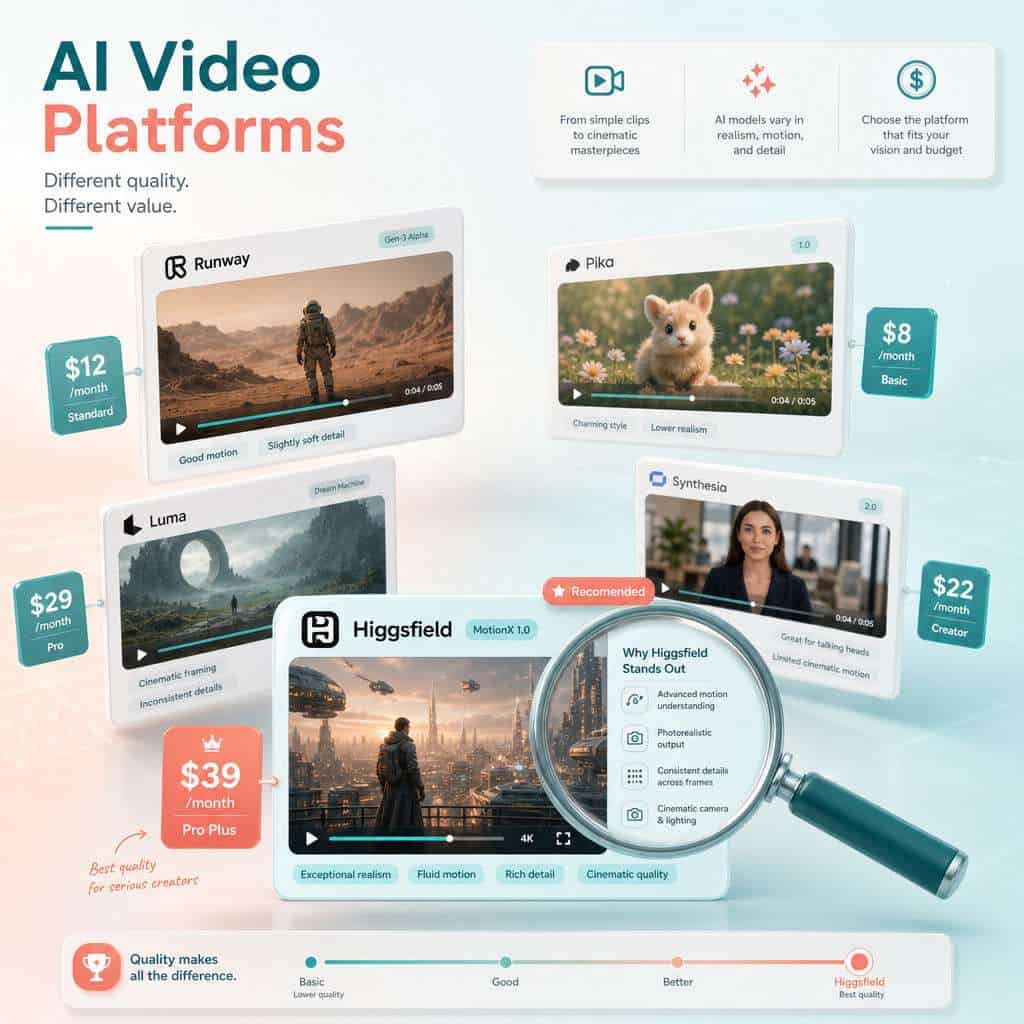
Higgsfield AI’s freemium approach sits between fully free tools and premium-only platforms. Here’s how it stacks up against common alternatives:
| Platform | Free Access | Starting Paid Price | Primary Strength |
|---|---|---|---|
| Higgsfield AI | Daily free credits | Varies by tier [6] | AI video and image generation |
| Runway ML | Limited free credits | ~$12/month | Professional video editing |
| Pika Labs | Free tier available | ~$8/month | Short-form video generation |
| Minimax | Free tier available | Varies | Video generation with long clips |
| Canva AI | Limited free features | ~$13/month | Design-first with AI add-ons |
Choose Higgsfield AI if you want daily free access to video generation without committing to a subscription upfront. Choose Runway or Pika if you need more advanced editing controls or longer output durations.
For those already using automation in their content workflows, connecting AI outputs to your publishing pipeline can save significant time. Our guide on AI-powered content optimization explains how to make that connection work.
Can I Upgrade My Free Trial to a Paid Plan Mid-Trial?
Yes. Because Higgsfield AI uses a credit-based system rather than a locked trial period, you can upgrade to a paid plan at any point [6]. Your existing projects, generated content, and account settings carry over. There’s no penalty or lost progress.
When upgrading makes sense:
- You’ve hit your daily credit limit consistently and need more output capacity.
- You want watermark-free exports for client or commercial work.
- Processing speed in the free queue is slowing your production timeline.
- You need higher resolution outputs for professional use.
Paid tiers are structured to scale with usage, so you’re not locked into an enterprise commitment if you’re just getting started [6].
Steps to Maximize Value and Learning During Your Free Trial Period
This is where most people leave value on the table. A structured approach to your Higgsfield AI free trial makes the difference between casual experimentation and genuine skill-building.
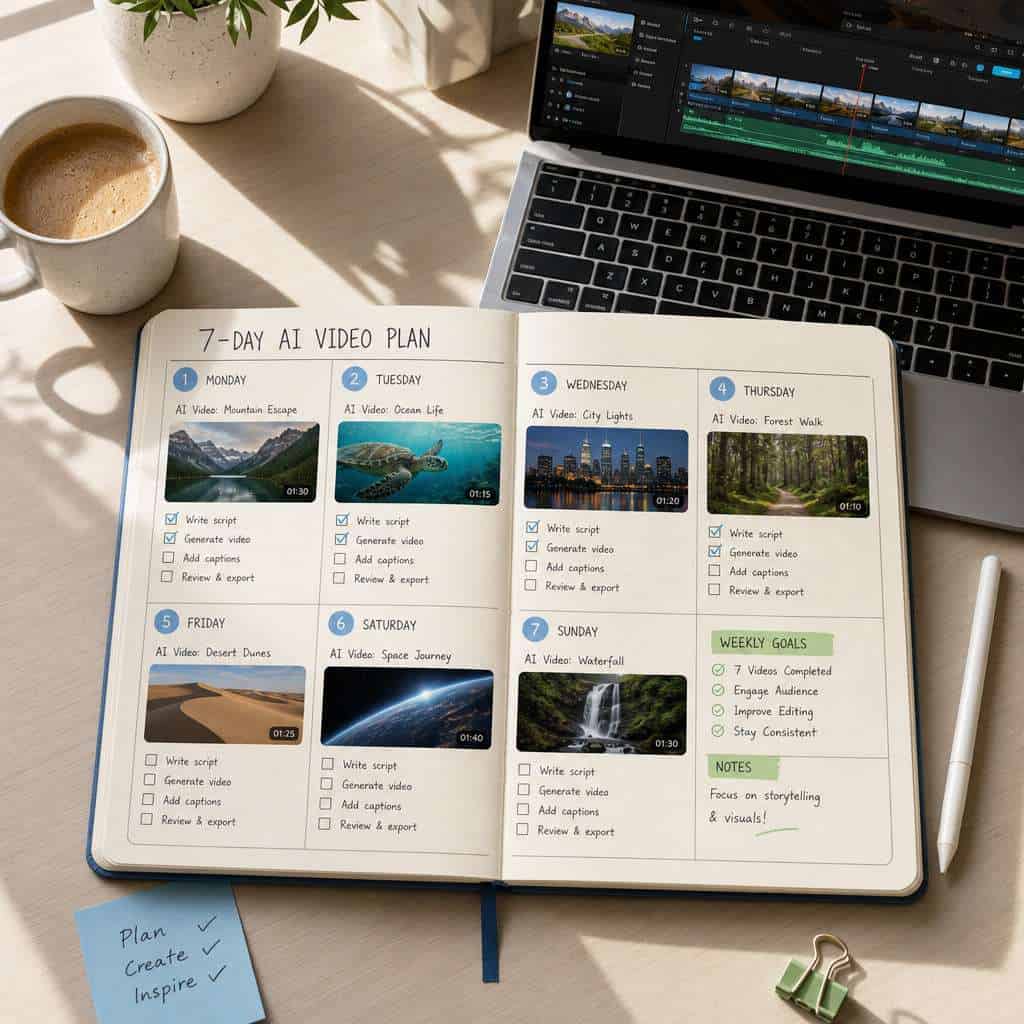
Week 1 plan to unlock innovation with your Higgsfield AI free trial:
- Day 1-2: Explore every tool. Before spending credits on a big project, click through every feature. Generate a simple image, a short video, and test different style presets.
- Day 3-4: Refine your prompting. Good prompts produce better results. Be specific about lighting, camera angle, subject, and mood. Compare outputs from vague vs. detailed prompts.
- Day 5: Test a real use case. Create something you’d actually use, whether that’s a social media clip, a product demo concept, or an educational animation.
- Day 6: Compare with alternatives. Run the same prompt through a competing platform. This gives you a concrete basis for deciding whether to upgrade.
- Day 7: Document your findings. Note what worked, what didn’t, and where you hit limitations. This becomes your decision framework for paid plans.
Common mistake: Spending all daily credits on a single ambitious project before understanding the tool’s strengths. Start small, iterate, then scale up.
If you’re building a broader content automation stack, our guide to workflow automation strategies covers how to connect tools like Higgsfield into a production pipeline.
What Technical Skills Do I Need to Use Higgsfield AI?
You don’t need coding skills or a design background. Higgsfield AI is built for non-technical users, and the interface relies on natural language prompts rather than code [3].
Helpful (but not required) skills:
- Basic prompt engineering: Understanding how to write clear, specific text descriptions improves output quality significantly.
- Visual composition basics: Knowing terms like “close-up,” “wide shot,” or “soft lighting” helps you communicate what you want.
- File management: You’ll need to download, organize, and potentially edit outputs in other tools.
You don’t need:
- Programming knowledge
- Machine learning expertise
- Professional video editing experience
- A powerful local computer (everything runs in the cloud)
For those who want to expand their technical toolkit alongside AI tools, our guide to getting started with Python on Replit is a practical starting point.
Is Higgsfield AI Good for Startups or Enterprise Companies?
Both, but for different reasons. Startups benefit from the zero-cost entry point and fast prototyping. Enterprise teams benefit from scalable paid plans and consistent output quality.
For startups:
- Test marketing video concepts without hiring a production team.
- Create social media content at scale during early growth phases.
- Prototype product demos or explainer videos before investing in professional production.
For enterprise:
- Generate high volumes of personalized video content for campaigns.
- Reduce turnaround time on creative assets from weeks to hours.
- Supplement (not replace) existing creative teams with AI-assisted drafts.
Edge case: If your company operates in a heavily regulated industry (healthcare, finance), verify that AI-generated content meets your compliance requirements before publishing. The AI doesn’t understand regulatory constraints on its own.
Which Industries or Use Cases Is Higgsfield AI Best Suited For?
Higgsfield AI works best for visual content creation across marketing, education, e-commerce, and social media [9]. Its video generation capabilities make it particularly strong for short-form content.
Top use cases:
- Social media marketing: Create short video clips and eye-catching images for Instagram, TikTok, and YouTube Shorts [8].
- E-commerce: Generate product showcase videos and lifestyle imagery without a photo studio.
- Education: Build animated explainers and visual learning materials.
- Entertainment: Produce character animations and creative video concepts [3].
- Real estate: Create property walkthrough concepts and listing visuals.
If you’re using AI for visual content in other areas, our guide to free AI home design generators shows how similar technology applies to interior design.
Are There Any Hidden Costs or Limitations in the Free Trial?
No hidden costs. The free tier is genuinely free, with no credit card required to start [1]. But there are real limitations you should know about.
Free tier limitations:
- Daily credit cap: You can only generate a fixed number of outputs per day before waiting for the reset.
- Watermarks: Free outputs may include a Higgsfield watermark, making them unsuitable for some professional uses.
- Resolution limits: Outputs are typically at standard resolution, not HD.
- Queue priority: Free users wait longer during peak usage times.
- No commercial license guarantee: Check the current terms of service before using free-tier outputs in commercial projects.
What’s NOT a hidden cost: There are no surprise charges, no automatic billing after a trial period, and no forced upgrades. The platform earns revenue from users who voluntarily move to paid tiers [6].
How to Troubleshoot Login or Access Issues During Your Free Trial

Most access problems during the free tier fall into a few predictable categories. Here’s how to fix them quickly.
Common issues and solutions:
- Can’t log in: Clear your browser cache and cookies, then try again. If you signed up with a social login (Google, Apple), make sure you’re using the same method.
- Credits not refreshing: Daily credits reset on a fixed schedule (usually UTC midnight). Check the platform’s credit counter to confirm your reset time.
- Slow generation times: Free-tier users are in a standard queue. Try generating during off-peak hours (early morning UTC tends to be faster).
- Output not downloading: Try a different browser. Chrome and Firefox tend to work most reliably with web-based AI tools.
- Account verification stuck: Check your spam folder for the verification email. Some email providers delay or filter automated messages.
If none of these solve your issue, the next section covers your support options.
What Kind of Customer Support Comes With the Free Trial?
Free-tier support is primarily self-service and community-based. Higgsfield AI provides documentation, FAQs, and community forums for free users [7]. Direct support channels like live chat or email priority queues are generally reserved for paid subscribers.
Support resources available to free users:
- Platform help center and documentation
- Community forums and Discord channels (where available)
- Social media accounts for announcements and tips
- YouTube tutorials from both official and community creators [2] [5]
Decision rule: If you need guaranteed response times or dedicated support, that’s a strong signal to upgrade to a paid plan. For most trial users, community resources are sufficient to get started.
For building more complex automated workflows around your AI tools, our guide to n8n automation mastery covers integration strategies that work with platforms like Higgsfield.
Common Mistakes People Make When Starting With Higgsfield AI
Avoid these pitfalls to get more from your free access:
- Writing vague prompts. “Make a cool video” wastes credits. “A 5-second clip of a golden retriever running through autumn leaves in slow motion, cinematic lighting” gets better results.
- Ignoring style presets. The platform offers built-in styles that dramatically change output quality. Test them before writing complex custom prompts.
- Not saving outputs immediately. Some platforms don’t store your generations indefinitely. Download everything you want to keep.
- Comparing unfairly. Judging free-tier output against a paid competitor’s premium output isn’t a useful comparison. Compare free-to-free or paid-to-paid.
- Skipping the learning curve. Spending 30 minutes reading documentation before your first generation saves hours of frustration later.
- Using all credits on one project. Spread your daily allocation across multiple experiments to learn faster.
Related Higgsfield guides: explore Higgsfield AI breakthrough innovations and the Higgsfield AI login guide.
Conclusion
Getting real value from the Higgsfield AI free tier comes down to preparation and structure. The platform gives you genuine access to AI video and image generation without financial risk, but the daily credit limit means every generation should be intentional.
Your action plan:
- Sign up at higgsfield.ai today and explore the interface before spending any credits.
- Follow the 7-day plan outlined above to systematically test features.
- Write detailed prompts from day one to avoid wasting your daily allocation.
- Document what works and what doesn’t so you can make an informed upgrade decision.
- Check for promotional offers that may extend your free access or unlock additional features.
The free tier is designed to give you enough experience to decide whether Higgsfield AI fits your workflow. Use it deliberately, and you’ll know within a week whether it’s worth the investment. For more AI tools and automation strategies, explore our collection of AI resources and guides.
FAQ
How do I sign up for Higgsfield AI’s free tier? Visit higgsfield.ai, click the sign-up button, and create an account using email or a social login like Google. No credit card is required [7].
Is Higgsfield AI completely free? The basic tier is free with daily credit limits. Paid plans are available for users who need more credits, higher resolution, or faster processing [6].
Can I use Higgsfield AI outputs commercially? Check the platform’s current terms of service. Free-tier outputs may have restrictions or watermarks that limit commercial use.
What happens if I run out of daily credits? You wait until the next daily reset. Credits typically refresh at a fixed time each day, usually aligned with UTC midnight.
Does Higgsfield AI work on mobile devices? The platform is browser-based and accessible on mobile, though the experience is best on desktop for detailed prompt editing and output review [7].
How does Higgsfield AI compare to Runway ML? Higgsfield focuses on accessible video and image generation with a generous free tier. Runway ML offers more advanced professional editing tools but at a higher price point.
Can I cancel a paid plan and return to the free tier? Yes. Downgrading returns you to the free credit allocation without deleting your account or previous outputs.
What video lengths can I generate on the free tier? Free-tier videos are typically short clips of a few seconds. Longer durations require paid credits [9].
Is my data safe on Higgsfield AI? Review the platform’s privacy policy for specifics. As with any cloud-based AI tool, your prompts and outputs are processed on external servers.
Do I need a powerful computer to use Higgsfield AI? No. All processing happens in the cloud. Any device with a modern web browser and internet connection works [3].
References
[1] Higgsfields Amazing Viral Ai Image Generator Is Now Free – https://www.imaginepro.ai/blog/2025/7/higgsfields-amazing-viral-ai-image-generator-is-now-free [3] Unlock The Power Of Ai Video Creation With Higgsfieldai – https://aiktp.com/en/l/unlock-the-power-of-ai-video-creation-with-higgsfieldai [4] Best Free Ai Video Generator Try Higgsfield Minimax 7 Days Of Unlimited Access – https://pxz.ai/blog/best-free-ai-video-generator-try-higgsfield-minimax-7-days-of-unlimited-access [6] Pricing – https://zoftwarehub.com/products/higgsfield-ai/pricing [7] higgsfield.ai – https://higgsfield.ai [9] Ai Video – https://higgsfield.ai/ai-video