Last updated: May 11, 2026
Quick Answer: Cursor AI is a VS Code-based intelligent code editor that uses large language models to provide context-aware code generation, multi-file editing, and autonomous agent capabilities. With a reported $2B+ annual recurring revenue and adoption by 85% of Fortune 500 companies, it has become one of the most widely used AI coding tools in 2026. It offers a free tier and paid plans starting at $20/month.
Key Takeaways
- Cursor is a standalone code editor (not a plugin) built on VS Code, so it supports the same extensions and keybindings you already use.
- Its standout feature is deep codebase awareness: Cursor indexes your entire project to provide contextually accurate suggestions across multiple files.
- The Composer feature handles multi-file edits from a single natural language prompt, a capability most competitors lack.
- Cursor trains its own models (like Composer 1.5) alongside offering access to frontier models from Anthropic, OpenAI, and others [1].
- A SpaceX partnership announced in April 2026 includes an option to acquire Cursor for $60 billion later this year [5][9].
- Pricing starts free (2,000 completions/month), with Pro at $20/month and Business at $40/month.
- Main competitors include GitHub Copilot ($10/month), Claude Code ($20/month), Windsurf ($15/month), and Cline (free, BYOK).
- Enterprise features added in May 2026 include model controls, spend management, and usage analytics [1][7].
What Is Cursor AI and Why Does It Matter for Software Development?
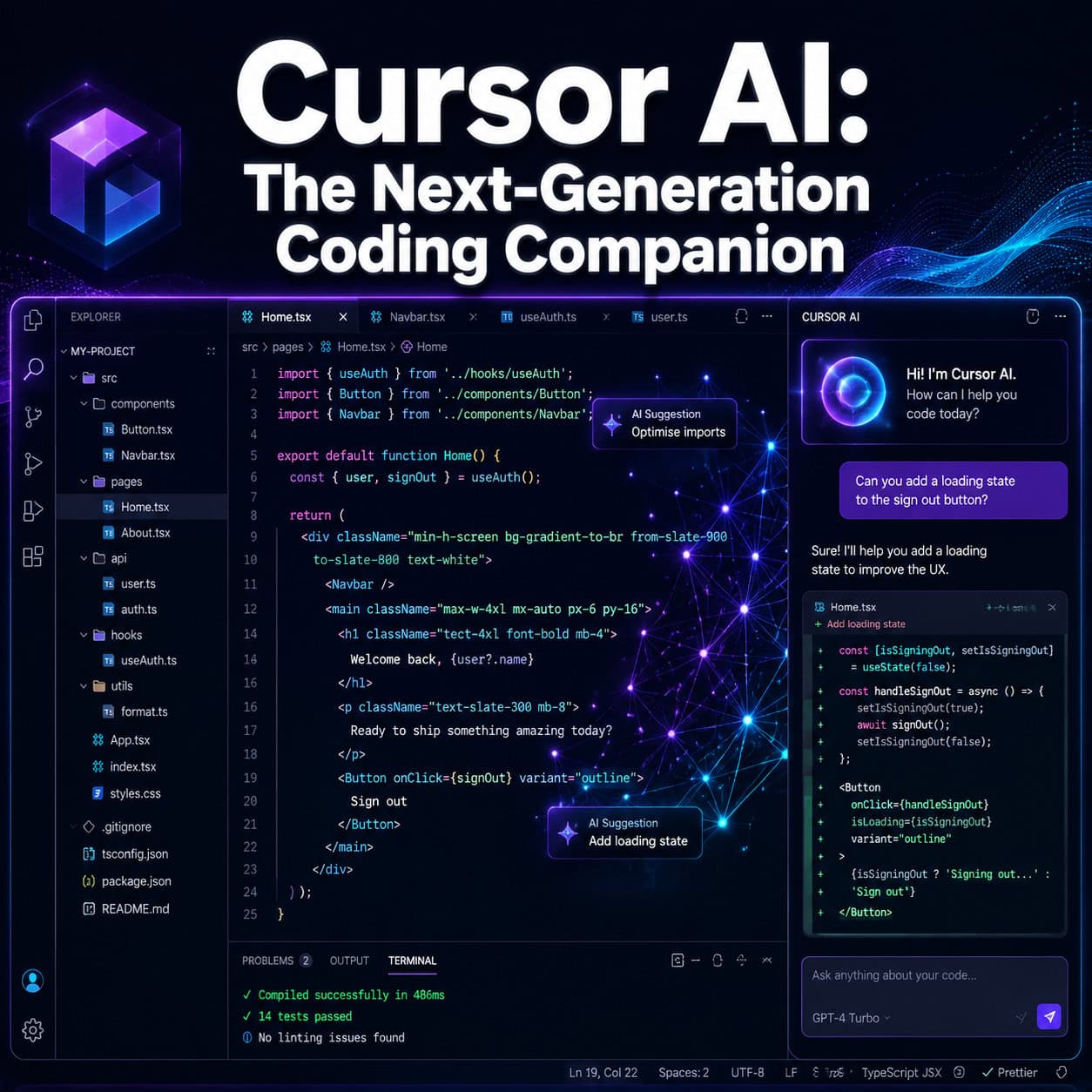
Cursor AI is a code editor built by Anysphere that functions as an AI-native development environment. Unlike plugins that bolt AI onto existing editors, Cursor was designed from the ground up to integrate large language models directly into the coding workflow.
Here’s what makes it different from a standard editor:
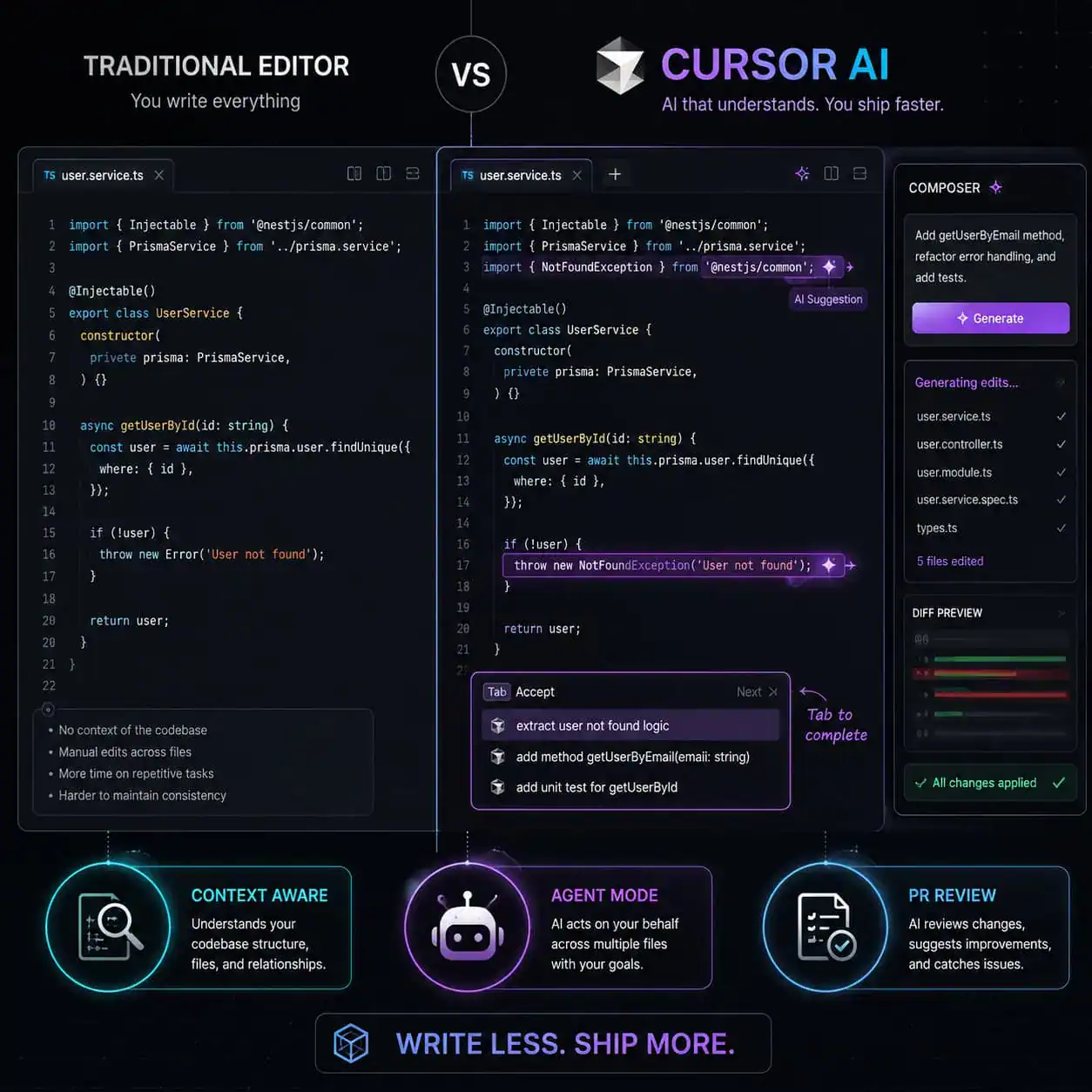
- Full codebase indexing. Cursor reads and indexes your entire project, so when you ask it to make a change, it understands how files relate to each other.
- Multi-file editing via Composer. You can describe a feature in plain English, and Composer will generate or modify code across multiple files simultaneously.
- Agent mode. Cursor’s AI agent can autonomously run terminal commands, install packages, fix errors, and iterate on code without manual intervention.
- Tab completions. Context-aware autocomplete that predicts your next edit, not just the next line, based on your recent changes and cursor position.
Forbes reported in March 2026 that Cursor’s team of 20 AI researchers has been enhancing its proprietary Composer models, with Composer 1.5 becoming the second-most popular model on the platform due to its speed and cost-efficiency compared to Anthropic models.
If you’re building websites or working with AI-powered tools, you might also find our comprehensive guide to AI-powered content generation tools helpful for understanding the broader AI tool ecosystem.
How Does Cursor AI Compare to GitHub Copilot, Claude Code, and Windsurf?
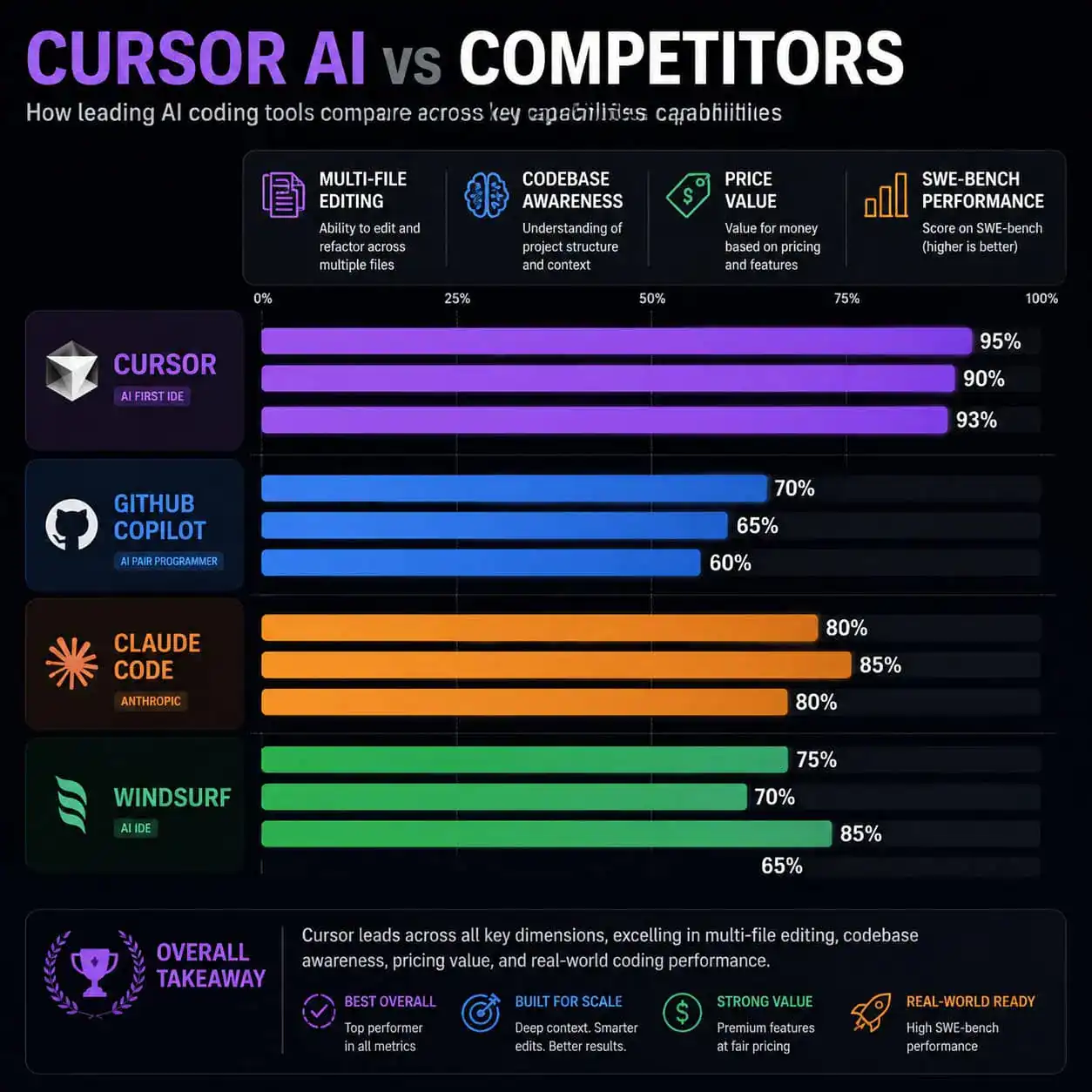
Cursor’s main advantage over Copilot is multi-file awareness. Copilot focuses primarily on single-file inline suggestions, while Cursor understands your full project structure. Claude Code leads on complex architectural tasks, but it’s terminal-only with no visual editor.
| Feature | Cursor Pro | GitHub Copilot | Claude Code | Windsurf |
|---|---|---|---|---|
| Price/month | $20 | $10 | $20 | $15 |
| Editor type | Standalone IDE | Plugin (VS Code, etc.) | Terminal-based | Standalone IDE |
| Multi-file editing | Yes (Composer) | Limited | Yes (agent) | Yes |
| Codebase awareness | Full project indexing | Single file focus | Full project | Full project |
| SWE-bench score | ~75-80% (with harness) | ~55% | 80.8% | Not published |
| Own models | Yes (Composer 1.5) | No (OpenAI only) | Yes (Claude) | No |
| Free tier | Yes (2,000 completions) | Limited | No | Yes |
Choose Cursor if you want a full IDE experience with strong multi-file editing and model flexibility. Choose Copilot if you want the cheapest option and mostly need single-file autocomplete. Choose Claude Code if you’re comfortable in the terminal and need the highest accuracy on complex refactoring tasks.
A March 2026 benchmark by Matt Maher showed that Cursor’s IDE harness boosted frontier model performance by 11% on average. For example, Claude Opus went from 77% to 93% on a 100-feature PRD implementation test when run through Cursor’s environment.
What Are Cursor AI’s Core Features in 2026?
Cursor’s feature set in 2026 goes well beyond autocomplete. Here are the capabilities that matter most:
Composer and Multi-File Editing
Composer lets you describe what you want in natural language, and it generates or modifies code across your entire project. This is particularly useful for tasks like “add user authentication to the login page and update the database schema,” which touch multiple files.
Agent Mode
The AI agent can independently execute multi-step tasks: reading files, running terminal commands, fixing errors, and iterating until the task is complete. As of May 2026, Cursor launched faster parallel agent execution for PR reviews [7].
Bugbot and PR Reviews
On May 6, 2026, Cursor introduced a new PR review experience with inline threads and Bugbot, which learns rules from previous PR feedback to improve bug detection and reduce false positives [7]. This is a significant addition for teams using Cursor in collaborative workflows.
Model Flexibility
You’re not locked into one AI provider. Cursor supports models from Anthropic (Claude), OpenAI (GPT-4), Google, and its own Composer models. Enterprise admins can now block specific providers at a granular level [1].
Enterprise Controls
The May 2026 update added spend management with soft limits and alerts at 50%, 80%, and 100% usage thresholds, plus detailed usage analytics for admins [1][7].
For developers working on WordPress projects, these AI capabilities pair well with plugin development best practices and custom theme development.

How Much Does Cursor AI Cost and Which Plan Should You Pick?
Cursor offers three tiers. The right choice depends on your usage volume and whether you need team features.
- Hobby (Free): 2,000 completions per month, 50 slow premium requests. Good for trying Cursor or light personal use.
- Pro ($20/month): Unlimited completions, 500 fast premium requests per month, unlimited slow premium requests. Best for individual developers who code daily.
- Business ($40/month): Everything in Pro plus admin dashboard, usage analytics, spend management, centralized billing, and enforced privacy mode. Required for teams that need governance.
Common mistake: Developers often start with Pro and burn through their 500 fast premium requests in the first week by using agent mode heavily. If you find yourself hitting limits, you can purchase additional fast requests or switch to Cursor’s own Composer 1.5 model, which is faster and uses fewer premium request credits.
Decision rule: If you’re a solo developer writing code for a few hours daily, Pro is sufficient. If you manage a team of 3+ developers or need audit trails, go Business.
What About Security? Is Cursor AI Safe for Production Code?
Security matters when an AI tool has deep access to your codebase. Cursor has taken several concrete steps, but there are caveats.
Privacy mode (available on all plans, enforced on Business) ensures your code is never stored on Cursor’s servers or used for training. This is critical for proprietary codebases.
The Git RCE vulnerability: In early May 2026, Cursor patched a critical vulnerability in version 2.5 where malicious Git repositories could trigger arbitrary code execution via the AI agent. No in-the-wild exploits were reported before the patch [6]. This is a reminder to keep Cursor updated.
Supply chain security: On April 26, 2026, Cursor partnered with Chainguard to secure open-source dependencies in AI-generated code. This addresses a real risk: AI models sometimes suggest packages that are outdated, deprecated, or even nonexistent (a vector for dependency confusion attacks).
Practical security checklist:
- Enable privacy mode in settings.
- Keep Cursor updated to the latest version.
- Review AI-generated dependency additions before installing.
- Use
.cursorignoreto exclude sensitive files (credentials, configs) from AI indexing. - For enterprise deployments, use the new admin model controls to restrict which AI providers can access your code [1].
If you’re also exploring AI plugins for WordPress, similar security considerations around data privacy and dependency management apply.
Who Should (and Shouldn’t) Use Cursor AI?
Cursor is a strong fit for:
- Professional developers who want AI assistance integrated directly into their editor workflow
- Teams building full-stack applications where multi-file context matters
- Developers who want to use multiple AI models and switch between them based on the task
- Companies already using VS Code (migration is nearly frictionless since Cursor imports your settings and extensions)
Cursor may not be the best choice for:
- Complete beginners who don’t understand the code being generated (you still need to review and debug AI output)
- Developers who only need basic autocomplete (GitHub Copilot at $10/month is cheaper for this)
- Teams that need the absolute highest accuracy on complex architectural refactoring (Claude Code currently scores higher on SWE-bench)
For those exploring development without traditional coding, our guide to no-coding website design platforms covers alternatives that don’t require a code editor at all.
What’s Happening With the SpaceX Partnership and Cursor’s Future?
On April 21, 2026, SpaceX announced a partnership with Cursor that includes an option to acquire the company for $60 billion later in 2026, or alternatively pay $10 billion for a collaboration arrangement. The deal would give Cursor access to xAI’s Colossus supercomputer for model training [5][9].
However, analysts at The Information noted on May 4, 2026, that Cursor is keeping distance from xAI despite the tie-up, focusing on its own Composer model powered by open-source bases like DeepSeek and Qwen with reinforcement learning fine-tuning. This suggests Cursor wants to maintain model independence regardless of the partnership outcome.
With a reported valuation of $29.3 billion and over $2 billion in annual recurring revenue, Cursor is one of the fastest-growing developer tools in history. Its adoption by 85% of Fortune 500 companies indicates it’s moved well past the early-adopter phase.
For developers interested in how AI is reshaping design-to-code workflows, our Figma to code plugin guide explores another area where AI is accelerating development.
How Do You Get Started With Cursor AI?
Getting started takes about five minutes:
- Download Cursor from cursor.com (available for macOS, Windows, and Linux).
- Import your VS Code settings. Cursor will prompt you to migrate extensions, keybindings, and themes automatically.
- Sign up for a free account to get 2,000 completions per month.
- Index your project. Open a project folder and Cursor will automatically index the codebase. For large repos, this may take a few minutes.
- Try Composer. Press
Cmd+I(Mac) orCtrl+I(Windows) to open Composer and describe a change in plain English. - Set up
.cursorrules. Create a.cursorrulesfile in your project root to give Cursor persistent instructions about your coding style, framework preferences, and conventions [10].
Quick tip: Start with small, well-defined tasks (like “add input validation to this form”) before asking the agent to handle complex multi-step features. This helps you calibrate how much review the output needs.
FAQ
Is Cursor AI free to use? Yes. The Hobby plan includes 2,000 completions and 50 slow premium requests per month at no cost. Paid plans start at $20/month for Pro.
Can I use my existing VS Code extensions with Cursor? Yes. Cursor is built on the VS Code architecture and supports the same extension marketplace. Your existing extensions, themes, and keybindings transfer directly.
Does Cursor store or train on my code? Not if you enable privacy mode. With privacy mode on, your code is not stored on Cursor’s servers or used for model training. Business plans can enforce this setting for all team members.
What programming languages does Cursor support? Cursor supports all languages that VS Code supports, which includes Python, JavaScript, TypeScript, Go, Rust, Java, C++, and dozens more. AI assistance quality is generally best for Python, JavaScript/TypeScript, and other widely used languages.
How does Cursor’s Composer 1.5 compare to Claude or GPT-4? Composer 1.5 is faster and more cost-efficient for routine coding tasks. For complex architectural decisions or large refactors, frontier models like Claude Sonnet or GPT-4 still tend to perform better. You can switch between models per task.
Is Cursor safe after the Git vulnerability? The critical Git RCE vulnerability was patched in version 2.5 with no reported in-the-wild exploits [6]. Keep Cursor updated and review AI-generated code before executing it.
Can Cursor replace a junior developer? No. Cursor accelerates experienced developers but still produces code that requires human review. G2 reviews note inconsistencies in complex tasks. It’s a productivity multiplier, not a replacement for understanding what the code does.
What is Bugbot? Bugbot is Cursor’s automated PR review tool launched in May 2026. It uses inline threads and learns rules from previous PR feedback to detect bugs with fewer false positives [7].
How does Cursor handle large codebases?
Cursor indexes your full project for context. For very large monorepos, you can use .cursorignore to exclude irrelevant directories and improve indexing speed and suggestion quality.
Will SpaceX actually buy Cursor? The April 2026 announcement includes an option to acquire for $60 billion, not a confirmed deal [5]. Cursor appears to be maintaining independence and focusing on its own model development.
Conclusion
Cursor AI has moved from a promising startup tool to a mainstream development environment used across most Fortune 500 companies in 2026. Its combination of full codebase awareness, multi-file Composer editing, autonomous agent mode, and model flexibility puts it ahead of simpler autocomplete tools like GitHub Copilot, though terminal-based options like Claude Code still edge it out on raw benchmark accuracy for complex tasks.
Your next steps:
- Download Cursor and import your VS Code settings (it takes five minutes).
- Start with the free Hobby tier to test codebase indexing and Composer on a real project.
- Set up a
.cursorrulesfile to customize AI behavior for your stack and coding conventions. - If you’re on a team, evaluate the Business plan for admin controls and spend management.
- Keep Cursor updated, especially given the recent security patch, and always review AI-generated code before merging.
The AI coding tool space is evolving fast, and Cursor’s trajectory, from its proprietary Composer models to the potential SpaceX acquisition, suggests it will remain a central player. Whether you adopt it now or wait, understanding what it can (and can’t) do is worth your time as a developer in 2026.
For more on how AI tools are changing web development and design workflows, explore our AI category for the latest guides and reviews.
References
[1] Changelog – https://cursor.com/changelog [2] Cursor Announces Major Update As Ai Coding Agent Battle Heats Up – https://www.cnbc.com/2026/02/24/cursor-announces-major-update-as-ai-coding-agent-battle-heats-up.html [5] Spacex Says It Can Buy Ai Coding Tool Cursor For 60b Later This Year – https://www.usnews.com/news/best-states/california/articles/2026-04-22/spacex-says-it-can-buy-ai-coding-tool-cursor-for-60b-later-this-year [6] Cursor News May 2026 – https://blog.mean.ceo/cursor-news-may-2026/ [7] Cursor – https://releasebot.io/updates/cursor [9] nampa – https://www.nampa.org/text/22914321 [10] Cursorrules 2026 Best Practices – https://github.com/murataslan1/cursor-ai-tips/blob/main/rules/cursorrules-2026-best-practices.md