Last updated: June 3, 2026
Quick Answer: Higgsfield AI is a specialized AI video generation platform built for creators and professionals who need high-quality, controllable video content without a production studio. This guide to mastering Higgsfield AI covers everything from setup and pricing to integration, automation, and common pitfalls, so you can decide whether it fits your workflow and start producing results faster.
Key Takeaways
- Higgsfield AI focuses specifically on AI video generation with fine-grained control over motion, style, and character consistency.
- The platform offers a free trial tier, making it accessible for testing before committing to a paid plan.
- Small businesses and solo creators benefit most when they need short-form video content at scale.
- No advanced coding skills are required to get started, though prompt engineering knowledge significantly improves output quality.
- Higgsfield integrates with common creative workflows through export options and API access on higher-tier plans.
- Common beginner mistakes include writing vague prompts, ignoring aspect ratio settings, and expecting feature-film-length outputs.
- The tool is best compared to other AI video generators rather than to text-based tools like ChatGPT or image generators like Midjourney.
- Data security follows standard cloud-based SaaS practices, with content processed on Higgsfield’s servers.
What Exactly Is Higgsfield AI and How Does It Work
Higgsfield AI is an AI-powered video generation platform that turns text prompts and reference images into short video clips with realistic motion and consistent characters. It was founded by a team with deep experience in generative AI and video synthesis [2].
Here’s how the core process works:
- You write a text prompt describing the scene, action, style, and mood you want.
- You optionally upload reference images for character consistency or specific visual styles.
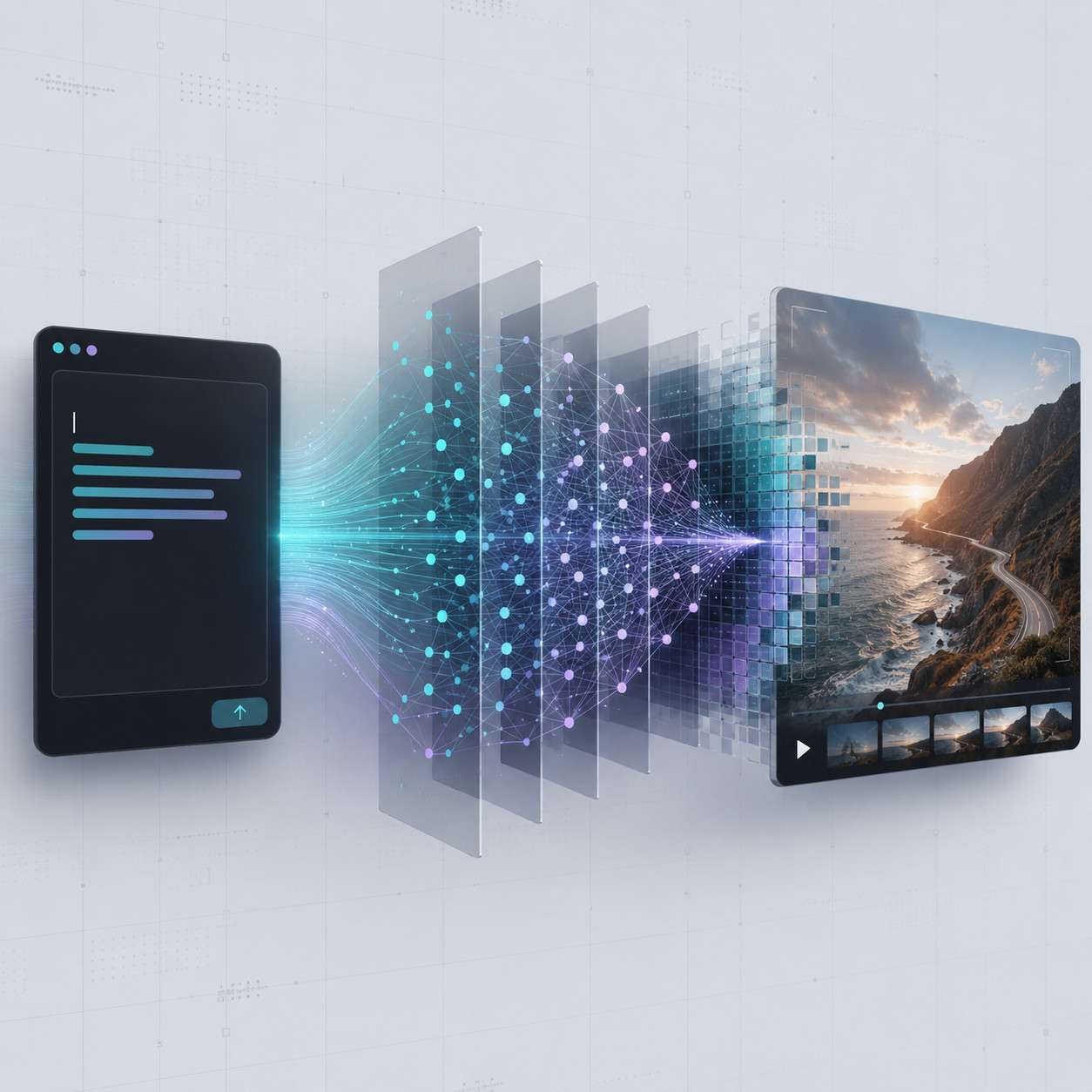
- The AI model processes your inputs using diffusion-based video generation to produce a short clip (typically a few seconds).
- You refine and iterate by adjusting prompts, changing parameters, or extending clips.
The platform’s official blog and how-to guides walk through specific use cases like special effects, character animation, and style transfer [5] [8]. What sets Higgsfield apart from general-purpose AI tools is its focus on controllable, repeatable video output rather than one-off image generation or text chat.
Common mistake: Treating Higgsfield like a chatbot. It’s a visual generation tool. Your results depend heavily on how descriptive and specific your prompts are. One Reddit user who created over 10,000 AI videos noted that prompt specificity is the single biggest factor in output quality across all AI video tools [4].
How Much Does Higgsfield AI Cost Compared to Other AI Productivity Tools
Higgsfield AI uses a credit-based pricing model. Free users get a limited number of generations per month, while paid plans offer more credits, faster processing, and higher resolution outputs.
| Feature | Free Tier | Paid Plans |
|---|---|---|
| Monthly generations | Limited (varies) | Scaled by plan level |
| Resolution | Standard | Higher options available |
| API access | No | Available on upper tiers |
| Priority processing | No | Yes |
| Commercial use rights | Check terms | Typically included |
Compared to other AI video tools, Higgsfield’s pricing sits in a similar range to competitors like Runway and Pika. It’s generally less expensive than hiring a video production team, but costs add up if you’re generating hundreds of clips monthly. For context on how credit-based billing works across AI platforms, see our guide to credit-based billing mechanisms.
Decision rule: Choose the free tier if you’re experimenting. Move to paid only after you’ve confirmed the output quality meets your specific needs.
Is Higgsfield AI Good for Small Businesses or Just Enterprise
Higgsfield AI works well for small businesses, solo creators, and freelancers who need video content but lack a production budget. You don’t need an enterprise contract to get started.
Small businesses benefit most when they need:
- Social media video ads produced quickly without hiring a videographer
- Product demonstrations with consistent branding and character appearance
- Short promotional clips for email campaigns or landing pages
Enterprise teams can also use Higgsfield at scale, especially through API access for batch generation. But the platform’s interface is designed to be approachable for non-technical users, which makes it a strong fit for small teams.

Edge case: If your business requires long-form video (over 30 seconds of continuous footage), Higgsfield’s current generation lengths may feel limiting. You’d need to stitch multiple clips together in a separate editor. For broader AI content creation strategies, our guide to AI-powered content generation tools covers additional options.
What Are the Most Common Mistakes When First Using Higgsfield AI
The biggest mistake beginners make is writing prompts that are too short or too vague. “A person walking in a city” will give you generic results. “A woman in a red coat walking through a rainy Tokyo street at night, neon reflections on wet pavement, cinematic lighting” gives the AI much more to work with.
Other frequent mistakes include:
- Ignoring aspect ratio and resolution settings before generating, then getting clips that don’t fit their intended platform (Instagram Stories vs. YouTube, for example).
- Not using reference images when character consistency matters across multiple clips.
- Expecting real-time generation — most AI video tools, including Higgsfield, take time to render. Plan your workflow accordingly.
- Skipping the official how-to guides that cover specific techniques for effects and style control [5].
There’s even a dedicated prompts guidebook available that walks through effective prompt structures for special effects and creative scenarios [9].
Can Higgsfield AI Integrate With My Existing Workflow and Tools
Yes, but the depth of integration depends on your plan level. Higgsfield supports standard video export formats, so you can bring generated clips into any video editor like Premiere Pro, DaVinci Resolve, or CapCut.
For automated workflows, higher-tier plans offer API access. This means you can programmatically trigger video generation from other tools. If you’re already using workflow automation platforms, you can connect Higgsfield’s API outputs to your existing pipelines. Our guide to no-code workflow integration explains how similar API connections work in practice.
Practical example: A marketing team could set up an automation where new product descriptions in a spreadsheet automatically trigger Higgsfield video generation via API, then route the finished clips to a review queue in Slack. For Slack integration patterns, see our guide to Slack automation.
What Kind of Tasks Can Higgsfield AI Help Me Automate
Higgsfield AI is best suited for automating the creation of short-form video content. Specific tasks include:
- Social media video production — generate multiple ad variations from a single concept
- Character animation — create consistent animated characters across a series of clips
- Special effects — add AI-generated visual effects to scenes without After Effects expertise [9]
- Style transfer — apply specific visual aesthetics (cinematic, anime, vintage) to video content
- Product visualization — show products in dynamic, engaging video formats
It won’t replace your entire video production pipeline, but it handles the most time-consuming part: generating the raw visual content. Editing, sound design, and final assembly still happen in your existing tools.
For teams looking to connect video generation with broader business automation, our comprehensive guide to workflow automation covers how to build end-to-end automated content pipelines.
Who Shouldn’t Use Higgsfield AI or Might Find It Less Useful
Higgsfield AI isn’t the right tool for everyone. You’ll likely find it less useful if:
- You need long-form video (documentaries, full tutorials, webinars). Current AI video generation works best for clips under 10-15 seconds.
- You require photorealistic accuracy for medical, legal, or engineering content where visual precision is critical.
- Your workflow is entirely text-based. If you’re writing articles, coding, or doing data analysis, a tool like ChatGPT or a coding assistant is a better fit.
- You have zero tolerance for iteration. AI video generation rarely produces a perfect result on the first try. You need to be willing to refine prompts and regenerate.
Choose Higgsfield if you’re a visual content creator, marketer, or small business owner who needs video at scale. Skip it if your work doesn’t involve video or visual content at all.
How Does Higgsfield AI Compare to ChatGPT or Midjourney

These three tools serve fundamentally different purposes, so direct comparison requires context.
| Criteria | Higgsfield AI | ChatGPT | Midjourney |
|---|---|---|---|
| Primary output | Video clips | Text responses | Static images |
| Best for | Short-form video content | Writing, analysis, coding | Concept art, illustrations |
| Input method | Text prompts + images | Text prompts | Text prompts |
| Motion/animation | Yes (core feature) | No | No |
| Learning curve | Moderate | Low | Moderate |
| Pricing model | Credit-based | Subscription | Subscription |
Higgsfield AI competes more directly with Runway, Pika, and Kling than with ChatGPT or Midjourney. If you want AI-generated video with motion, Higgsfield is the relevant category. If you want text or static images, look elsewhere [2].
For a deeper look at how AI research tools compare in text-based workflows, see our NotebookLM vs. Gemini comparison.
What Technical Skills Do I Need to Get Started
You don’t need coding skills or a technical background to use Higgsfield AI. The platform’s interface is browser-based, and the primary skill you need is prompt writing — the ability to describe what you want clearly and specifically.
Skills that help but aren’t required:
- Basic understanding of video terminology (aspect ratio, frame rate, resolution)
- Familiarity with image composition (helps you write better prompts)
- Experience with any creative tool (Canva, Photoshop, or even smartphone video editing)
If you want to use the API for automated workflows, basic familiarity with REST APIs and JSON is helpful. But for standard use through the web interface, you just need a browser and a clear idea of what you want to create [5].
Are There Limitations or Edge Cases Where Higgsfield AI Struggles
Every AI video tool has limitations in 2026, and Higgsfield is no exception.
Known limitations:
- Clip length — generation is limited to short clips; you can’t produce a 5-minute video in one generation
- Text rendering in video — AI video models generally struggle to render readable text within generated footage
- Complex multi-character interactions — scenes with many characters interacting simultaneously can produce inconsistent results
- Precise hand and finger movements — a common weakness across all current AI video generators
- Audio — Higgsfield generates visual content only; you’ll need separate tools for voiceover, music, and sound effects
Edge case: If you need a character to hold a specific object while performing a precise action (like writing on a whiteboard), expect to need multiple attempts and careful prompt engineering.
How Secure Is My Data When Using Higgsfield AI
Higgsfield AI processes your prompts and uploaded images on cloud servers to generate video. As with any cloud-based SaaS tool, your data leaves your device during processing.
Key security considerations:
- Uploaded images and prompts are sent to Higgsfield’s servers for processing
- Generated outputs are stored on the platform and accessible through your account
- Review the terms of service to understand data retention policies and whether your content is used for model training
- Don’t upload sensitive or confidential visual content unless you’ve confirmed the platform’s data handling meets your requirements
For teams with strict data governance requirements, checking whether Higgsfield offers enterprise-grade data handling (SOC 2, GDPR compliance) on higher-tier plans is essential before committing. Our guide to platform safety and data protection covers general best practices for evaluating SaaS security.
What Kind of Customer Support Does Higgsfield AI Offer
Higgsfield provides support primarily through its official blog, how-to guides, and community channels [5] [8]. The platform’s blog regularly publishes tutorials and technique guides for specific use cases.
For direct support, paid plan users typically get access to faster response times and dedicated channels. Free tier users generally rely on documentation and community resources. The YouTube tutorial playlist also serves as a practical learning resource for common questions [7].
Can I Try Higgsfield AI for Free Before Buying
Yes. Higgsfield AI offers a free tier that lets you generate a limited number of video clips per month. This is enough to test the platform’s capabilities, experiment with prompts, and evaluate whether the output quality meets your needs before upgrading [8].
My recommendation: Use the free tier to run at least 10-15 different prompts across various styles and subjects. This gives you a realistic sense of what the tool can and can’t do for your specific use case. Don’t judge the platform based on a single generation.
Related Higgsfield guides: explore Higgsfield character swap technology and the Higgsfield video generator deep dive.
Conclusion
Mastering Higgsfield AI comes down to three things: writing specific prompts, understanding the tool’s strengths and limitations, and integrating it into a workflow where short-form video content adds real value.
Your actionable next steps:
- Sign up for the free tier and run 10-15 test prompts across different styles.
- Study the official how-to guides [5] to learn platform-specific techniques.
- Start with one concrete use case — social media ads, product clips, or character animation — rather than trying everything at once.
- Build a prompt library of your best-performing descriptions so you can reuse and refine them.
- Evaluate after two weeks whether the output quality and speed justify moving to a paid plan.
Higgsfield AI won’t replace a full video production team, but for creators and small businesses who need consistent, high-quality short video content, it’s a practical tool worth testing. The key is approaching it with clear goals and realistic expectations about what AI video generation can deliver in 2026.
FAQ
What is Higgsfield AI used for? Higgsfield AI generates short video clips from text prompts and reference images. It’s designed for creators, marketers, and businesses who need video content without traditional production resources [2].
Is Higgsfield AI free? Yes, there is a free tier with limited monthly generations. Paid plans offer more credits, higher resolution, and API access [8].
Do I need coding skills to use Higgsfield AI? No. The web interface requires only prompt writing skills. API access for automation does require basic technical knowledge [5].
How long are videos generated by Higgsfield AI? Generated clips are typically a few seconds long. Longer content requires generating multiple clips and editing them together.
Can Higgsfield AI generate audio or voiceovers? No. Higgsfield produces visual video content only. You’ll need separate tools for audio, music, and voiceover.
Is Higgsfield AI better than Midjourney? They serve different purposes. Higgsfield generates video with motion; Midjourney generates static images. Choose based on whether you need video or still images.
Can I use Higgsfield AI content commercially? Commercial use rights are typically included in paid plans. Check the current terms of service for specifics on your plan level.
Does Higgsfield AI work on mobile devices? The platform is browser-based, so it’s accessible from mobile browsers, though the experience is generally better on desktop for detailed prompt writing and preview.
How does Higgsfield AI handle character consistency? You can upload reference images to maintain character appearance across multiple generated clips, which is one of the platform’s key features [2].
What file formats does Higgsfield AI export? Generated videos export in standard formats compatible with major video editing software like Premiere Pro and DaVinci Resolve.
Is my data safe on Higgsfield AI? Your content is processed on cloud servers. Review the platform’s privacy policy and terms of service for details on data retention and usage.
Where can I learn advanced Higgsfield AI techniques? The official blog [8], how-to guides [5], YouTube tutorials [7], and the special effects prompts guidebook [9] are all solid starting points.
References
[2] Higgsfield Ai For Creative Professionals A Deep Dive – https://chasejarvis.com/blog/higgsfield-ai-for-creative-professionals-a-deep-dive/ [4] Everything I Learned After 10000 Ai Video – https://www.reddit.com/r/PromptEngineering/comments/1mvfcrr/everything_i_learned_after_10000_ai_video/ [5] How To Guides – https://higgsfield.ai/blog/How-to-guides [7] Playlist – https://www.youtube.com/playlist?list=PLaQe6ms8V2M4-XeOfKo3aZbov0VRsiKiU [8] Blog – https://higgsfield.ai/blog [9] Higgsfield Special Effects Prompts Guidebook – https://www.amazon.com/Higgsfield-Special-Effects-Prompts-Guidebook-ebook/dp/B0GGZ9JS77