Last updated: June 7, 2026
Quick Answer: A Canva resume template gives you a professionally designed, customizable resume layout you can edit for free using Canva’s drag-and-drop editor. Canva offers thousands of resume templates across styles like modern, minimalist, creative, and professional [7]. Most are free, and even users with zero design experience can produce a polished resume in under 30 minutes.
Key Takeaways
- Canva provides both free and premium (Canva Pro) resume templates, with hundreds of free options available right now [7].
- Many Canva resume templates are not ATS-friendly by default because of graphics, columns, and text boxes that confuse applicant tracking systems [1][2].
- You can export your finished resume as a PDF, PNG, JPG, or SVG file directly from Canva [8].
- Templates are fully customizable: swap fonts, colors, layouts, icons, and images to match any industry.
- Recruiters generally appreciate clean, well-organized resumes but may flag overly designed ones as hard to scan.
- The best template choice depends on your career level, target industry, and whether the employer uses ATS software.
- Simple formatting tweaks (like using a single-column layout) can make a Canva resume both attractive and ATS-compatible.
What Are the Best Free Resume Templates in Canva?
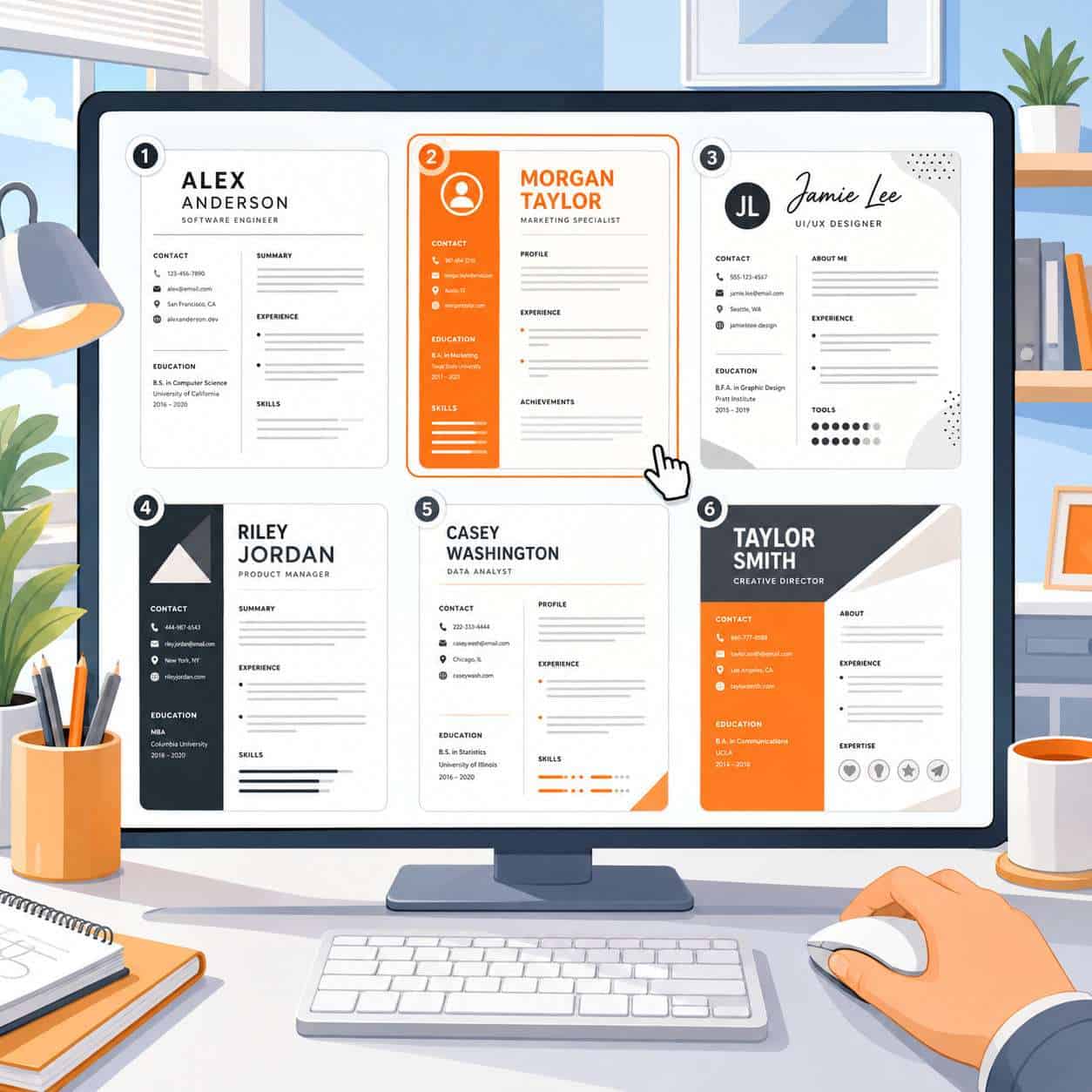
Canva’s free resume template library includes hundreds of options organized by style categories such as modern, minimalist, professional, creative, and photo-based [7][9][10]. You don’t need a Canva Pro subscription to access a large selection.
Some of the strongest free options include:
- Minimalist Clean Resume — single-column, black-and-white layout that works well for most industries
- Modern Professional Resume — uses subtle color accents and clear section dividers [9]
- Simple Academic CV — designed for education and research roles with space for publications
- Creative Portfolio Resume — includes a sidebar for skills and a photo placeholder
To find free templates, go to Canva’s resume section and filter by “Free” [7]. Look for templates with high usage counts, which usually signals a well-tested design. If you’re new to Canva’s design tools, our beginner’s guide to Canva logo design covers the basics of navigating the editor.
Common mistake: Choosing a template because it looks impressive rather than because it fits the job. A flashy two-column design with infographics might hurt you if the company uses ATS software.
How Do Professional Designers Rate Canva Resume Designs?
Professional designers generally rate Canva resume templates as solid starting points but not portfolio-level work. According to resume experts at Zety, Canva templates offer good visual variety but often prioritize aesthetics over function [5]. Rezi’s analysis notes that while Canva designs look appealing, they can introduce formatting issues that hurt your chances with automated screening systems [2].
The consensus among career coaches and designers:
- Strengths: Clean typography, modern layouts, consistent spacing
- Weaknesses: Over-reliance on graphics, non-standard text formatting, limited ATS optimization
Canva templates work best when you treat them as a foundation and simplify rather than add more visual elements.
Are Canva Resume Templates ATS-Friendly?
Most Canva resume templates are not ATS-friendly out of the box [1][2][5]. This is the single biggest concern with using Canva for resumes.
Applicant tracking systems parse resumes by reading text in a specific order. Canva templates often use:
- Multiple columns that confuse the reading order
- Text boxes instead of standard text flow
- Graphics and icons that ATS software can’t interpret
- Headers and footers that some systems skip entirely
How to fix this: Choose a single-column template with minimal graphics. Avoid placing critical information (like your name or contact details) inside headers. After exporting to PDF, test your resume with a free ATS checker tool to confirm the text is readable.
| ATS Risk Factor | Canva Default | Recommended Fix |
|---|---|---|
| Multi-column layout | Common | Switch to single column |
| Icons for contact info | Frequent | Use plain text instead |
| Fancy fonts | Sometimes | Stick to standard fonts (Arial, Calibri) |
| Text in image boxes | Occasional | Use editable text elements only |
| Infographic skill bars | Popular in creative templates | Replace with text-based skill lists |
If ATS compatibility matters for your application (and it usually does for corporate jobs), this is a non-negotiable step.
How Much Does a Good Resume Template Cost on Canva?
Most Canva resume templates are completely free [7][8]. Premium templates, marked with a crown icon, require a Canva Pro subscription, which costs approximately $13/month or $120/year as of 2026.
Here’s the breakdown:
- Free templates: Hundreds available, covering all major styles
- Pro templates: Additional designs with premium fonts, stock photos, and brand kit integration
- One-time purchase: Canva doesn’t sell individual templates, but Pro offers a 30-day free trial
For most job seekers, free templates are more than sufficient. The Pro subscription makes sense if you’re also using Canva for other design work. You can explore more about Canva’s broader design capabilities in our guide to AI-powered design tools.
Which Canva Resume Template Works Best for Tech Jobs?
For tech roles, choose a clean, minimal, single-column Canva resume template that emphasizes skills, projects, and technical proficiencies over visual flair. Tech recruiters care about scannability and content density, not creative design.
Best template characteristics for tech:
- Single-column layout with clear section headers
- Dedicated “Technical Skills” section near the top
- Space for project descriptions with bullet points
- No photo, icons, or infographic elements
- ATS-compatible structure
Search Canva for “minimalist resume” or “simple professional resume” and pick one with a straightforward hierarchy [9][10]. Avoid templates labeled “creative” or “portfolio” unless you’re applying for a design-adjacent tech role like UX/UI.
Can I Customize Canva Resume Templates for Different Industries?
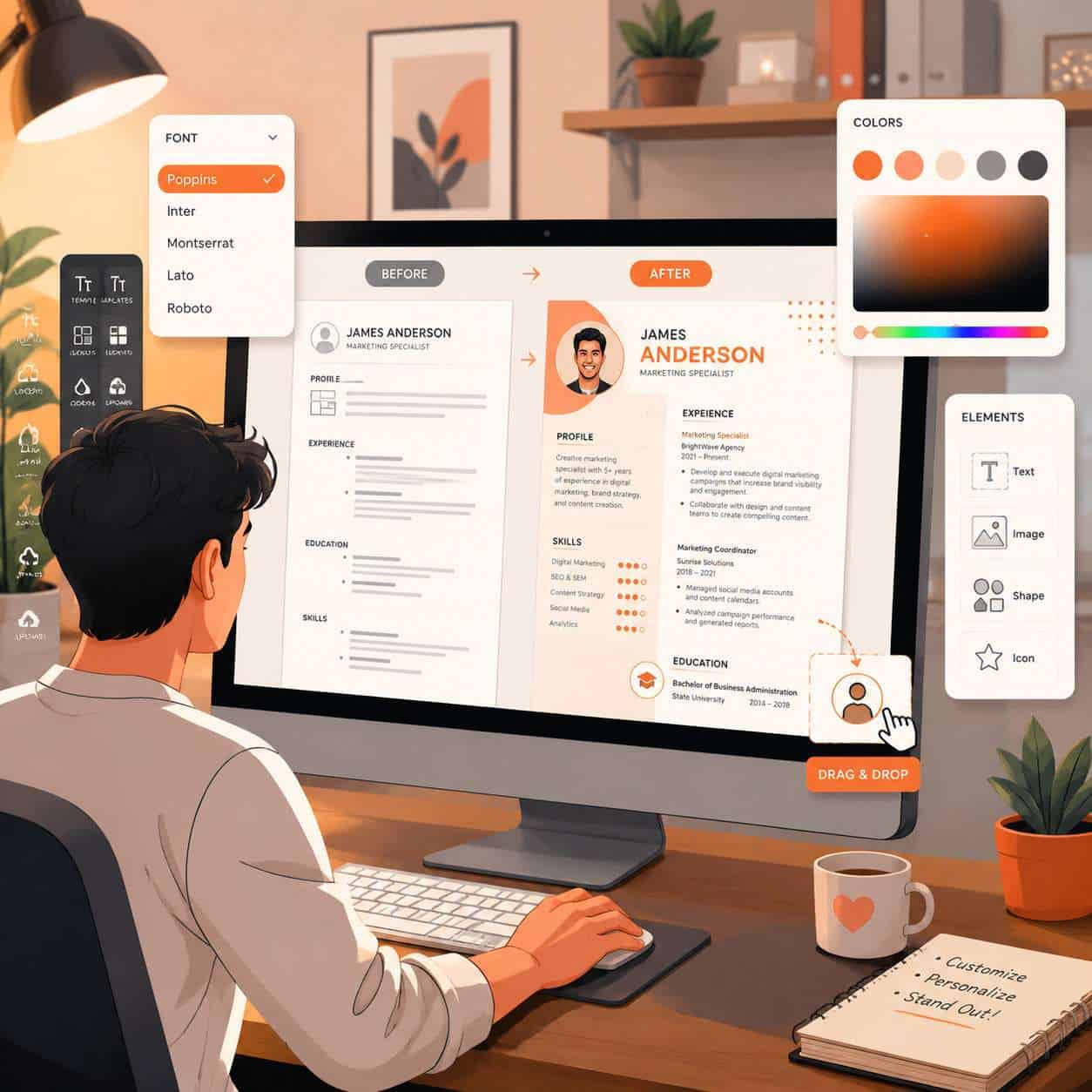
Yes, and you should. Every Canva resume template is fully editable, so you can adapt a single template for different industries by changing colors, fonts, layout emphasis, and section order [8].
Industry-specific customization tips:
- Finance/Law: Use navy or dark gray color schemes, serif fonts, no photos
- Marketing/Advertising: Add a subtle brand color, include metrics-driven bullet points
- Healthcare: Keep it conservative, prioritize certifications and licenses
- Education: Include a dedicated section for publications, presentations, or coursework
- Creative fields: Use bolder colors and consider a two-column layout (see the section below)
I once helped a friend tailor the same base Canva template for three different job applications in one afternoon: a corporate consulting role, a nonprofit program manager position, and a startup marketing gig. Same content, three different visual treatments. She got interviews for two of them.
If you’re building templates for other business materials too, our guide on creating effective email templates in Canva uses similar customization principles.
Which Canva Resume Template Is Best for Creative Fields?
For creative roles like graphic design, copywriting, photography, or art direction, choose a Canva resume template with a two-column layout, a portfolio section, and room for a personal brand statement [7]. Creative hiring managers expect your resume itself to demonstrate design sensibility.
Strong picks include templates labeled “creative resume,” “portfolio resume,” or “designer CV” in Canva’s library. Look for:
- Sidebar layouts with color blocks
- Space for a headshot or logo
- Sections for portfolio links or project thumbnails
- Unique typography pairings
Edge case: If you’re applying to a creative agency that also uses ATS software (many do), create two versions: a visually rich version for direct submissions and a simplified version for online applications.
Are Canva Resume Templates Good for Entry-Level or Senior Roles?
Canva resume templates work well for both entry-level and senior professionals, but the ideal template differs significantly between the two [5].
Entry-level candidates should choose:
- Simple, one-page templates
- Layouts that highlight education, internships, and skills
- Designs that don’t draw attention to limited experience
Senior professionals should look for:
- Templates with room for multiple roles and achievements
- Two-page layouts (Canva supports multi-page documents)
- Executive-style designs with restrained color palettes
Choose a simple template if you have fewer than five years of experience. Choose a more structured template if you need to showcase a long career history with quantifiable achievements.
What Are Common Mistakes People Make with Canva Resume Templates?
The most frequent mistakes are using overly complex designs, ignoring ATS compatibility, and failing to customize the template beyond swapping in personal details [2][5].
Top mistakes to avoid:
- Keeping placeholder text — I’ve seen resumes submitted with “Lorem ipsum” still in the skills section
- Using too many colors — Stick to two or three colors maximum
- Choosing style over substance — A beautiful resume that can’t pass ATS screening is useless
- Ignoring white space — Cramming every inch with text makes the resume unreadable
- Not proofreading after editing — Canva’s text boxes can clip words if you resize them
- Exporting at low resolution — Always export as PDF for print quality
- Using the same template everyone else uses — Popular templates get recognized by recruiters who see hundreds of resumes
For more on avoiding design pitfalls, check out our collection of Canva tutorials and resources.
How Do I Make My Canva Resume Template Look Unique?
Start with a popular template, then change at least three visual elements: the color scheme, the font pairing, and the layout structure. This ensures your resume doesn’t look identical to thousands of others using the same default template.
Specific ways to stand out:
- Replace default fonts with a distinctive but readable pair (one serif, one sans-serif)
- Use your personal brand colors if you have them
- Rearrange sections to lead with your strongest content
- Add a brief “About Me” section with a conversational tone
- Include a custom header with a subtle design element
- Remove any elements you don’t need rather than filling every section
Canva’s AI tools can also help generate layout suggestions. Learn more about these features in our guide to Canva’s AI design tools.
What File Types Can I Export from a Canva Resume Template?
Canva lets you export your finished resume in multiple formats: PDF (recommended), PNG, JPG, and SVG [8]. PDF is the standard for job applications because it preserves formatting across all devices.
| Export Format | Best For | Notes |
|---|---|---|
| PDF (Standard) | Most job applications | Preserves layout, widely accepted |
| PDF (Print) | Physical copies | Higher resolution for printing |
| PNG | Online portfolios | Image format, not text-searchable |
| JPG | Email attachments (small size) | Compressed, lower quality |
| SVG | Further editing in other tools | Vector format, Pro feature |
Always submit PDF unless the job posting specifically requests a different format. Some ATS systems struggle with image-based formats like PNG or JPG.
Do Recruiters Like Canva Resume Templates?
Recruiters have mixed opinions. They appreciate well-designed, easy-to-read resumes but can spot overused Canva templates quickly [1][5]. The bigger concern for recruiters is whether the resume content is strong and whether it passes their ATS software.
What recruiters actually care about:
- Clear contact information at the top
- Relevant experience with quantified achievements
- Consistent formatting throughout
- Easy-to-scan section headers
- No spelling or grammar errors
A recruiter I spoke with last year put it simply: “I don’t care if you used Canva, Word, or carved it in stone. Just make it easy to read and relevant to the job.” If you’re also building your professional brand online, our digital brochure design guide covers complementary design principles.
How Hard Is It to Edit a Canva Resume Template with No Design Skills?
Editing a Canva resume template requires zero design skills. Canva’s drag-and-drop editor is built for beginners, and most resume edits involve simply clicking on text and typing your own information [8].
Step-by-step process:
- Go to canva.com/resumes and browse templates [8]
- Click a template to open it in the editor
- Click any text element to edit it
- Use the toolbar to change fonts, colors, and sizes
- Drag elements to reposition them
- Add or delete sections as needed
- Download as PDF
The entire process takes 20-45 minutes for a first-time user. If you’ve ever edited a PowerPoint slide, you can edit a Canva resume template.
Conclusion
A Canva resume template is one of the fastest ways to create a professional-looking resume without hiring a designer or wrestling with Word formatting. The key is choosing the right template for your situation: simple and ATS-friendly for corporate applications, more visually expressive for creative roles.
Your next steps:
- Visit Canva’s resume template library and filter by “Free” [7]
- Pick a template that matches your target industry
- Customize at least three visual elements to make it your own
- Test your exported PDF with an ATS checker before submitting
- Create a second version if you’re applying to both corporate and creative roles
The template is just the starting point. Your experience, achievements, and how clearly you communicate them will always matter more than the design.
FAQ
Can I use a Canva resume template for free? Yes. Canva offers hundreds of free resume templates. Premium templates require a Canva Pro subscription (about $13/month), but free options cover all major styles and industries [7][8].
Will a Canva resume pass ATS screening? Not always. Many Canva templates use multi-column layouts, icons, and text boxes that ATS software can’t read properly. Choose a single-column, text-based template and test it with an ATS checker before submitting [1][2].
What is the best Canva resume template for a first job? A simple, one-page minimalist template that highlights education, skills, and any internship or volunteer experience. Avoid complex designs that draw attention to limited work history.
Can I make a two-page resume in Canva? Yes. Canva supports multi-page documents. Click “Add a page” in the editor to create a second page. This is useful for senior professionals with extensive experience.
Should I include a photo on my Canva resume? In the US and UK, photos are generally discouraged to avoid unconscious bias. In some European and Asian countries, photos are standard. Follow the convention of the country where you’re applying.
How do I share my Canva resume with someone? You can share a view-only link directly from Canva, download the resume as a PDF and email it, or copy the design link for collaborative editing.
Is Canva better than Microsoft Word for resumes? Canva offers better visual design options and is easier for creating attractive layouts. Word is better for ATS compatibility and is the safer choice for corporate applications. Many job seekers use both.
Can I edit a Canva resume template on my phone? Yes. Canva’s mobile app supports full template editing, though the experience is easier on a desktop or tablet due to screen size.
Do I need to credit Canva if I use their template? No. Canva templates are licensed for personal and commercial use without attribution.
What fonts work best on a Canva resume? Standard, widely readable fonts like Arial, Calibri, Helvetica, Garamond, or Open Sans. Avoid decorative or script fonts for body text.
References
[1] Canva Cv – https://www.myperfectcv.co.uk/blog/canva-cv [2] Canva Resume Templates – https://www.rezi.ai/posts/canva-resume-templates [5] Canva Resume – https://zety.com/blog/canva-resume [7] Templates – https://www.canva.com/resumes/templates/ [8] Resumes – https://www.canva.com/resumes/ [9] Modern – https://www.canva.com/resumes/templates/modern/ [10] Professional – https://www.canva.com/resumes/templates/professional/