Last updated: June 9, 2026
Quick Answer: ChatGPT Plus is OpenAI’s paid subscription tier, priced at $20 per month, that gives users access to more powerful AI models, faster response speeds, image generation, web browsing, and priority access during peak hours. It is best suited for professionals, students with heavy research needs, and developers who rely on AI daily. The free tier works for casual use, but Plus delivers meaningfully better output quality and fewer interruptions.
Key Takeaways
- ChatGPT Plus costs $20 per month with no long-term contract; you can cancel anytime.
- Plus subscribers get access to GPT-4o and other advanced models, while free users are often limited to older or less capable versions.
- Image generation via DALL-E, web browsing, file uploads, and custom GPTs are all included in the Plus plan.
- Students and professionals who use AI tools daily will likely recover the cost through time saved within the first week of the month.
- ChatGPT Plus does not offer student discounts as of 2026, but educational institutions sometimes negotiate group rates.
- Compared to Claude Pro and Gemini Advanced, ChatGPT Plus has stronger general-purpose performance and a wider plugin ecosystem.
- The biggest limitations are context window size on certain tasks, occasional hallucinations, and no real-time data access without the browsing tool enabled.
- Signing up is straightforward, but common mistakes include not enabling the right model or tools before starting a session.
What Exactly Does ChatGPT Plus Give Me That the Free Version Does Not
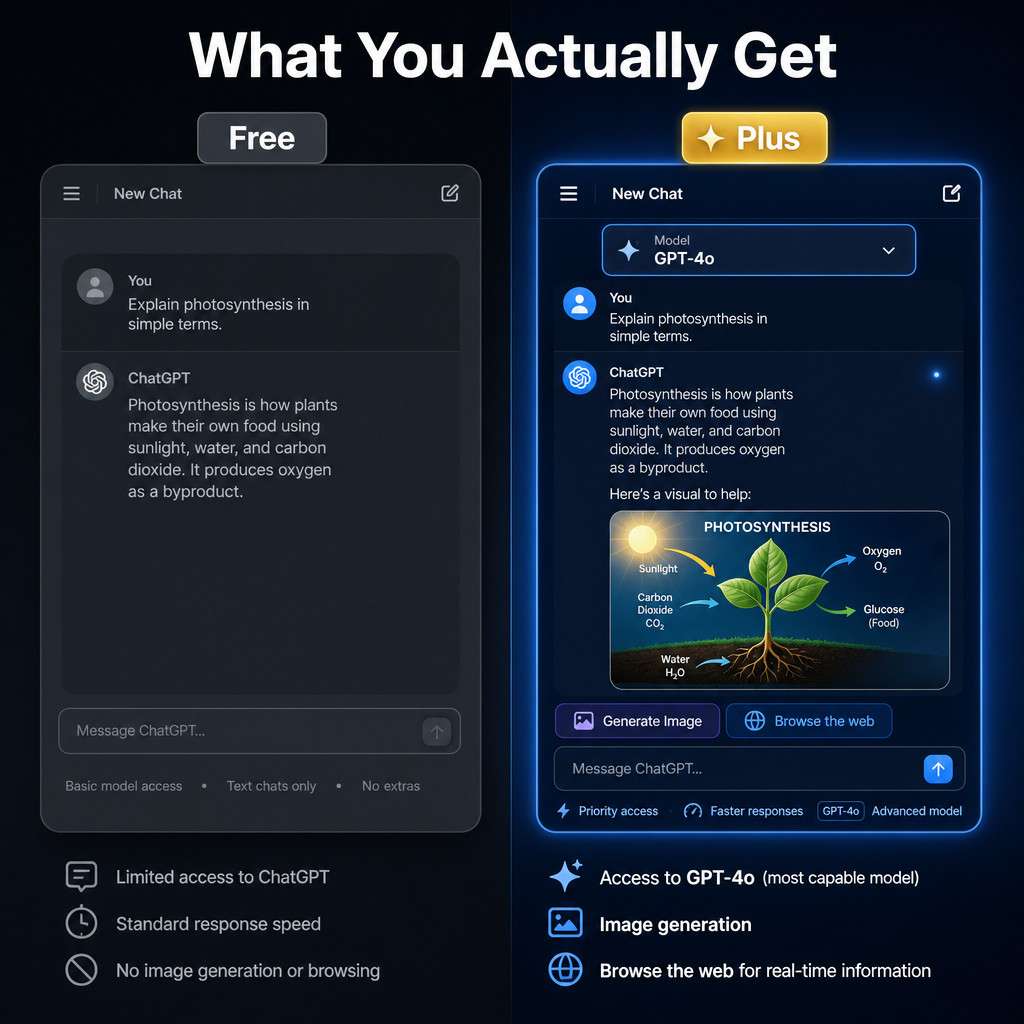
ChatGPT Plus gives you access to OpenAI’s most capable models, faster responses, and a suite of tools that the free plan either restricts or excludes entirely. The difference is not just speed; it is the quality and depth of output.
Here is what Plus includes that free users do not reliably get:
- GPT-4o access (and other advanced model variants as OpenAI releases them)
- DALL-E image generation built directly into the chat interface
- Web browsing for up-to-date information retrieval
- File and document uploads for analysis, summarization, and Q&A
- Custom GPTs from the GPT Store, including specialized tools for legal, medical, coding, and creative tasks
- Priority access during high-traffic periods, meaning fewer “ChatGPT is at capacity” interruptions
- Longer context windows for handling large documents or extended conversations
Free users get GPT-4o access in limited bursts, then fall back to older models. If you hit that cap mid-project, the quality drop is noticeable.
How Much Does ChatGPT Plus Cost Per Month
ChatGPT Plus costs $20 per month as a rolling subscription. There is no annual prepay discount currently offered to individual consumers, and there is no free trial period. OpenAI also offers a ChatGPT Team plan at approximately $25 per user per month (billed annually) and an Enterprise tier with custom pricing for organizations.
Cost comparison at a glance:
| Plan | Monthly Cost | Best For |
|---|---|---|
| Free | $0 | Casual, occasional use |
| Plus | $20/month | Daily users, professionals |
| Team | ~$25/user/month | Small teams, shared workspaces |
| Enterprise | Custom | Large organizations |
The $20 price point has remained stable since the plan launched, though OpenAI adjusts features and model access periodically.
Is ChatGPT Plus Worth the Money for Students or Professionals
For most professionals who use AI tools more than a few times per week, ChatGPT Plus pays for itself quickly. For students, it depends on how intensively they use it.
For professionals: A marketing manager who uses ChatGPT Plus to draft campaign copy, analyze competitor content, and summarize reports saves several hours per week. At even a modest hourly rate, the $20 monthly cost is recovered in under an hour of saved work.
For students: A graduate student writing a thesis, preparing literature reviews, or working through complex problem sets will find the file upload and browsing features genuinely useful. A student who only needs help occasionally with homework can likely stay on the free tier.
Choose Plus if you:
- Use ChatGPT more than 30 minutes per day
- Work with large documents, PDFs, or data files
- Need image generation for presentations or creative projects
- Rely on current information and need web browsing enabled
- Hit the free tier’s model cap regularly
Skip Plus if you:
- Use AI only a few times per week for simple questions
- Are on a tight budget and the free tier meets your needs
- Have access to a workplace or institutional ChatGPT license
For more on how AI tools support content and research workflows, see our comprehensive guide to AI-powered content generation tools.
Can I Use ChatGPT Plus for Coding and Software Development
Yes, and it is one of the strongest use cases for the subscription. ChatGPT Plus with GPT-4o handles code generation, debugging, code review, and architectural planning across most major programming languages.
Specific coding capabilities include:
- Writing and explaining Python, JavaScript, SQL, TypeScript, and more
- Debugging error messages with context-aware suggestions
- Generating unit tests and documentation
- Reviewing pull request logic when you paste code directly
- Explaining legacy code or unfamiliar libraries
One practical example: I once pasted a 200-line Python script with a subtle logic error into ChatGPT Plus. It identified the bug, explained why it was happening, and suggested two alternative approaches, all within about 15 seconds. A free-tier model on an older version would have given a more generic response.
For developers who want to go further with automation, pairing ChatGPT Plus with no-code workflow tools is a natural next step. Our guide on ChatGPT automation and no-code workflow integration covers that combination in detail. If you are also evaluating coding platforms, our Replit comprehensive guide is worth reading alongside this one.
What Are the Biggest Limitations of ChatGPT Plus
ChatGPT Plus is powerful, but it is not without real constraints. Knowing these upfront prevents frustration.
Key limitations:
- Hallucinations: GPT-4o can still generate confident-sounding but incorrect information, especially for niche topics, recent events, or specific statistics. Always verify critical facts.
- Context window limits: Very long documents or conversations can exceed the model’s working memory, causing it to “forget” earlier content.
- Browsing is not always triggered: The model does not automatically browse the web for every query. You need to prompt it to search or enable the tool explicitly.
- Usage caps on advanced features: Even on Plus, very high-volume use of image generation or certain tools may hit soft limits within a billing period.
- No persistent memory by default across all sessions: While memory features exist, they are not comprehensive and can be inconsistent.
- Not a replacement for domain experts: For legal, medical, or financial decisions, ChatGPT Plus is a research aid, not a professional advisor.
How Does ChatGPT Plus Compare to Claude Pro or Other AI Subscriptions
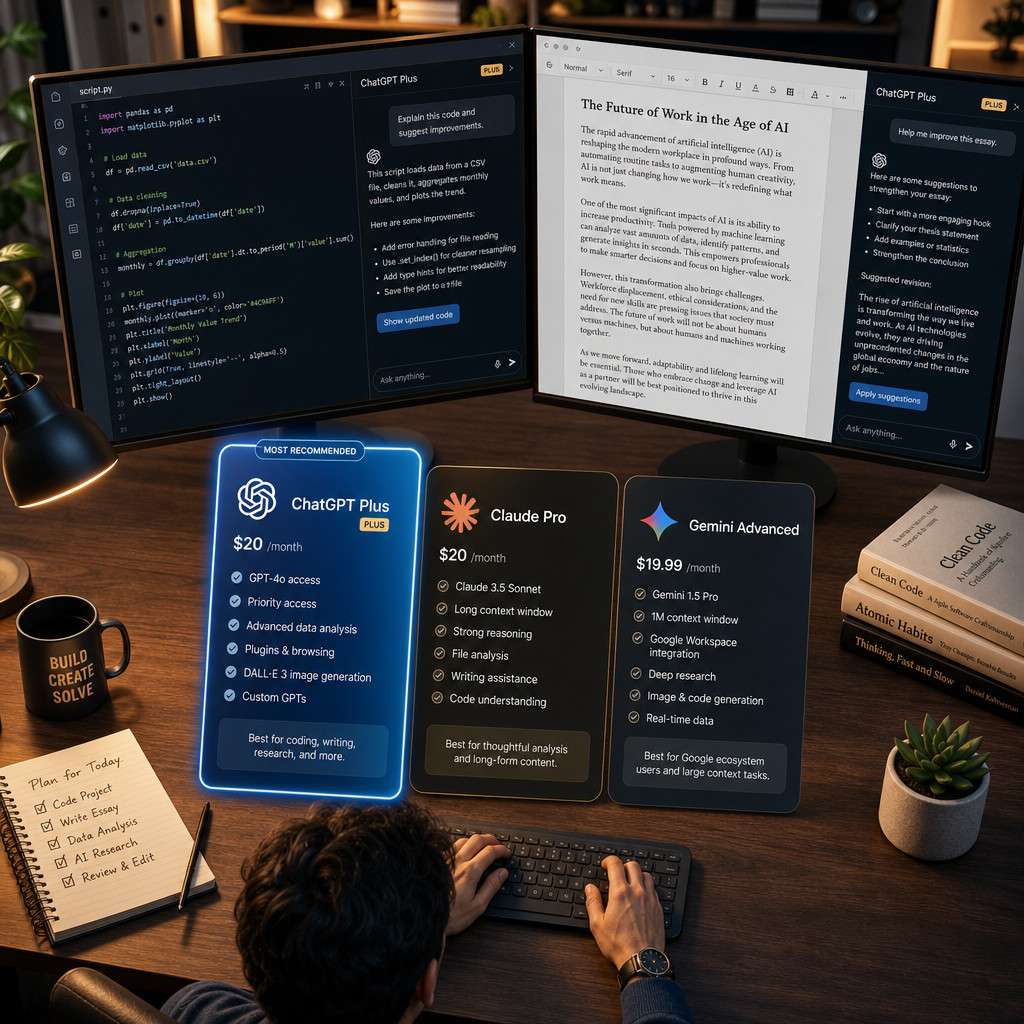
ChatGPT Plus, Claude Pro, and Gemini Advanced are the three main premium AI subscriptions in 2026, each at roughly the same $20/month price point. They are genuinely different tools with different strengths.
| Feature | ChatGPT Plus | Claude Pro | Gemini Advanced |
|---|---|---|---|
| Price | $20/month | $20/month | $20/month (via Google One AI) |
| Best for | General use, coding, image gen | Long documents, nuanced writing | Google Workspace integration |
| Image generation | Yes (DALL-E) | No (as of 2026) | Yes (Imagen) |
| Web browsing | Yes | Yes | Yes |
| Context window | Large (varies by model) | Very large (200K tokens) | Large |
| Plugin/GPT ecosystem | Extensive | Limited | Growing |
Choose ChatGPT Plus if you want the broadest feature set, image generation, and the largest third-party GPT ecosystem.
Choose Claude Pro if you regularly work with very long documents (contracts, research papers, full manuscripts) and prioritize nuanced, careful prose.
Choose Gemini Advanced if you are deeply embedded in Google Workspace and want AI that integrates with Gmail, Docs, and Drive.
For a broader look at the AI tool landscape, our guide to the most influential AI websites provides useful context.
Will ChatGPT Plus Help Me Write Better Essays and Research Papers
ChatGPT Plus is a strong writing assistant for essays and research, but it works best as a collaborator, not a ghostwriter. The quality of output depends heavily on how well you prompt it.
What it does well:
- Outlining arguments and structuring papers
- Suggesting counterarguments you may have missed
- Improving clarity, flow, and concision in your drafts
- Summarizing source material you upload (PDFs, articles)
- Generating citations in APA, MLA, or Chicago style (verify these manually)
What to watch for:
- It may fabricate citations if you ask for sources without uploading them. Always verify references independently.
- It can over-smooth prose, making your writing sound generic. Use it to improve structure, then restore your own voice.
The web browsing feature helps when you need current data or want to check whether a claim is supported by recent publications. For content optimization beyond essay writing, our AI-powered content optimization guide covers practical techniques.
Common Mistakes People Make When Signing Up for ChatGPT Plus
Most people sign up, open a chat, and type a question without configuring anything. That works, but it leaves a lot of value on the table.
Mistakes to avoid:
- Not selecting the right model. After subscribing, check the model selector at the top of the chat. Make sure you are using GPT-4o, not a legacy model.
- Ignoring the tools panel. Browsing, image generation, and file uploads are not always on by default. Enable them in settings before your session.
- Writing vague prompts. “Write me an essay about climate change” produces mediocre output. “Write a 600-word argumentative essay for a college audience on why carbon pricing is more effective than cap-and-trade, using a formal tone” produces something useful.
- Not using custom GPTs. The GPT Store has specialized assistants for coding, legal research, language learning, and more. Most Plus users never explore it.
- Treating it as a search engine. ChatGPT Plus is not Google. It reasons and generates; it does not index the web by default. Use the browsing tool when you need current facts.
Can I Cancel ChatGPT Plus Anytime or Am I Locked Into a Contract
You can cancel ChatGPT Plus at any time with no cancellation fee. It is a month-to-month subscription. When you cancel, you retain Plus access until the end of your current billing period, then revert to the free tier.
To cancel: go to your OpenAI account settings, select “Manage Subscription,” and choose “Cancel Plan.” The process takes under two minutes.
There is no annual contract for individual Plus subscribers. The Team and Enterprise plans may have different terms negotiated at signup.
Who Should Definitely Get ChatGPT Plus and Who Should Skip It
Get ChatGPT Plus if you are:
- A freelancer or professional who bills by deliverable and needs fast, high-quality drafts
- A developer who writes, reviews, or debugs code daily
- A researcher or student with a heavy reading and writing load
- A content creator who uses AI for ideation, scripting, or image generation
- Anyone who hits the free tier’s model cap more than twice a week
Skip ChatGPT Plus if you are:
- A casual user who asks AI questions a few times per month
- Someone whose employer already provides a ChatGPT Team or Enterprise license
- A user whose primary need is covered by a free alternative (basic Q&A, simple writing)
Does ChatGPT Plus Work Better for Creative Writing or Technical Tasks
ChatGPT Plus performs well at both, but the nature of the advantage differs. For technical tasks like coding, data analysis, and structured writing, the improvement over the free tier is consistent and measurable. For creative writing, the gap is more about nuance and instruction-following than raw capability.
In creative work, GPT-4o better handles tone shifts, character voice consistency, and complex narrative structures. It also follows stylistic constraints more reliably (for example, “write in the style of Raymond Carver, short sentences, working-class themes, no resolution”).
For technical tasks, the speed and accuracy improvements are more immediately obvious. Debugging a complex function or generating a data pipeline script benefits directly from the stronger reasoning in GPT-4o.
The short answer: Plus is worth it for both, but technical users will feel the difference more immediately.
What Kind of Customer Support Do I Get With ChatGPT Plus
ChatGPT Plus does not include dedicated human customer support or a priority support line. Support is handled through OpenAI’s help center, community forums, and a standard support ticket system available to all users.
If you have billing issues or account problems, you can submit a ticket through the OpenAI website. Response times vary. There is no live chat or phone support for individual Plus subscribers.
For enterprise customers, OpenAI provides dedicated account management and faster support response times as part of the Enterprise agreement.
Are There Any Student or Professional Discounts for ChatGPT Plus
As of 2026, OpenAI does not offer a public student discount for ChatGPT Plus at the individual subscription level. Some universities have negotiated institutional access agreements that give students free or subsidized access, so it is worth checking with your institution’s IT or library department before paying out of pocket.
For professionals, there is no standard discount either. However, some employers cover the cost as a business expense, and it is generally deductible as a business tool for self-employed individuals (consult a tax professional for your specific situation).
The ChatGPT Team plan, at roughly $25 per user per month billed annually, can be more cost-effective for small groups than multiple individual Plus subscriptions, and it includes a shared workspace.
Conclusion
This guide to ChatGPT Plus: A Comprehensive Guide to Advanced AI Capabilities and Value Proposition covers the full picture, from what you actually get for $20 per month to who should and should not subscribe. The core takeaway is straightforward: if you use AI tools regularly for work, study, or creative projects, ChatGPT Plus delivers real, measurable value. If you use AI occasionally, the free tier is probably enough.
Actionable next steps:
- Audit how often you currently hit the free tier’s model cap. If it happens more than twice a week, the upgrade pays for itself.
- Before subscribing, check whether your employer or institution already provides access.
- After subscribing, spend 10 minutes in settings: enable browsing, confirm you are on GPT-4o, and explore the GPT Store for tools specific to your field.
- Use the first month deliberately. Set a goal (finish a project, automate a workflow, complete a research task) so you can measure the return.
- If you decide to cancel, do it before your next billing date. There are no fees, and you keep access until the period ends.
For those interested in pairing ChatGPT Plus with broader AI automation workflows, our resources on ChatGPT and related AI tools and AI automation strategies are useful next reads.
FAQ
Q: Can I use ChatGPT Plus on my phone? Yes. The ChatGPT mobile app for iOS and Android supports Plus features, including GPT-4o, image generation, and voice mode.
Q: Does ChatGPT Plus include the API? No. The Plus subscription covers the ChatGPT web and app interface only. API access is billed separately through OpenAI’s API pricing.
Q: How many images can I generate per day with ChatGPT Plus? OpenAI does not publish a fixed daily limit, but heavy image generation use can trigger soft caps. Most users generating under 50 images per day do not hit restrictions.
Q: Can I share my ChatGPT Plus account with someone else? OpenAI’s terms of service prohibit account sharing. If you need multiple users, the Team plan is the appropriate option.
Q: Is ChatGPT Plus available in all countries? ChatGPT Plus is available in most countries, but OpenAI restricts access in some regions due to regulatory or payment processing limitations. Check OpenAI’s supported countries list before subscribing.
Q: Will ChatGPT Plus remember my preferences between sessions? ChatGPT Plus includes a memory feature that can retain information across sessions, but it is not comprehensive. You can view, edit, or delete stored memories in settings.
Q: Does ChatGPT Plus give me access to OpenAI’s newest models as soon as they launch? Plus subscribers typically get early or priority access to new models, but OpenAI controls the rollout schedule. Enterprise customers sometimes receive access before Plus users.
Q: Is the $20/month price the same worldwide? Pricing may vary by region due to currency conversion and local pricing adjustments. Check your local OpenAI pricing page for the exact amount in your currency.
Useful Resources: ChatGPT by OpenAI & OpenAI research blog