Last updated: June 9, 2026
Quick Answer: To log in to ChatGPT, go to chat.openai.com, click “Log in,” and enter your email and password or use your Google or Microsoft account. New users can sign up for free in under two minutes. This guide covers every step of the process, from creating an account to fixing common login errors.
Key Takeaways
- ChatGPT is free to use at chat.openai.com, with an optional paid Plus plan for advanced features
- You can sign up and log in using a Google account, Microsoft account, or email address
- A phone number is required during signup for identity verification in most countries
- Users must be at least 13 years old (18 in some regions) to create an account
- ChatGPT is not available in all countries due to regional restrictions
- Common login errors are usually fixed by clearing your browser cache or switching browsers
- ChatGPT Plus costs $20 per month and gives priority access, faster responses, and access to GPT-4o
- OpenAI uses industry-standard encryption and two-factor authentication to protect accounts
What Exactly Is ChatGPT and How Do I Sign Up
ChatGPT is an AI-powered conversational assistant built by OpenAI. It can answer questions, write content, summarize documents, debug code, and much more. Signing up takes less than two minutes and requires only an email address or a linked Google or Microsoft account [1].
Step-by-step signup process:
- Open your browser and go to chat.openai.com
- Click “Sign up” on the homepage
- Choose your signup method: email, Google, or Microsoft account
- If using email, enter your address and create a password
- Verify your email by clicking the link OpenAI sends you
- Enter your name and date of birth
- Verify your phone number via SMS code
- Accept the terms of service
Once done, you’re taken directly to the ChatGPT chat interface. For a broader look at AI tools you can pair with ChatGPT, see this comprehensive guide to AI-powered content generation tools.
Is ChatGPT Free or Do I Need to Pay for an Account
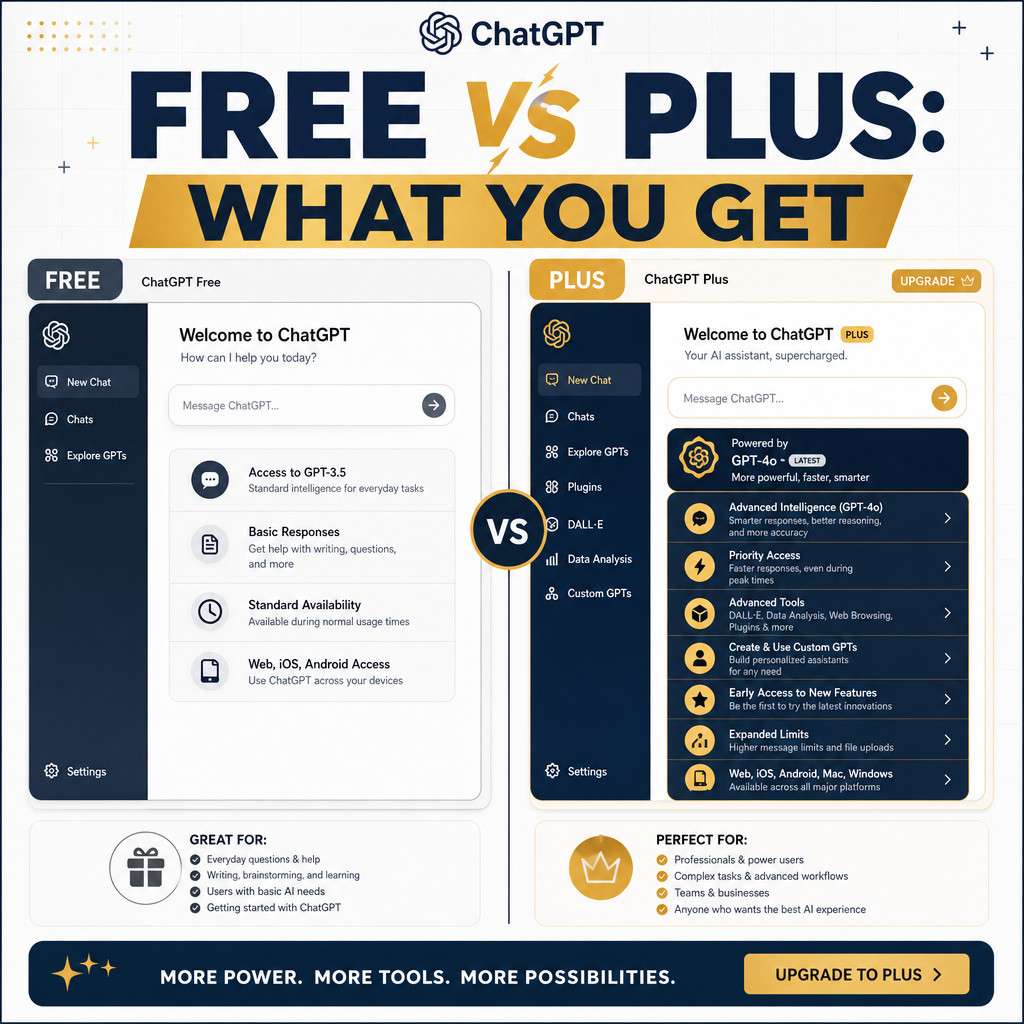
ChatGPT is free to use at its basic tier. You do not need a credit card to sign up or log in. The free plan gives you access to GPT-4o with some usage limits and access to the standard chat interface [7].
The paid option, ChatGPT Plus, costs $20 per month and unlocks:
- Higher message limits on GPT-4o
- Access to advanced data analysis and image generation
- Priority access during peak hours
- Early access to new features
Choose the free plan if you use ChatGPT occasionally for writing, research, or quick questions. Choose Plus if you rely on it daily for professional work or need consistent speed and access to the latest models.
Can I Log In With My Google or Microsoft Account
Yes. ChatGPT supports single sign-on (SSO) through both Google and Microsoft accounts. This is the fastest way to log in because you skip the email verification step entirely [2].
To log in with Google or Microsoft:
- Go to chat.openai.com and click “Log in”
- Select “Continue with Google” or “Continue with Microsoft Account”
- Choose your account from the popup window
- Grant the requested permissions if prompted
This method is also more secure for most users because it relies on Google’s or Microsoft’s own authentication systems. If your Google account uses two-factor authentication, that protection carries over automatically.
“Using a Google or Microsoft login removes one more password to remember and ties your ChatGPT access to an account you already secure carefully.” [2]
What Personal Information Do I Need to Provide During Signup
OpenAI asks for a small amount of personal information during signup. You need to provide your email address, a password (if not using SSO), your first and last name, your date of birth, and a valid phone number for SMS verification [4].
OpenAI does not ask for payment information unless you upgrade to a paid plan. Your phone number is used only for account verification and is not shared with third parties for marketing purposes, according to OpenAI’s privacy policy.
How Old Do I Need to Be to Create a ChatGPT Account
You must be at least 13 years old to use ChatGPT in most countries. In regions where the applicable age of digital consent is higher, such as parts of the European Union where it can be 16, OpenAI applies that higher threshold [5].
Users between 13 and 18 years old may need parental consent depending on local laws. OpenAI collects date of birth during signup specifically to enforce these age requirements. If you enter a date of birth that indicates you are under the minimum age, the account creation process will be blocked.
What Devices and Browsers Work Best for ChatGPT Login
ChatGPT works on any modern device with a web browser. The web app at chat.openai.com is the primary access point, and OpenAI also offers dedicated mobile apps for iOS and Android [7].
Recommended browsers for best performance:
- Google Chrome (version 90 or later)
- Mozilla Firefox (version 88 or later)
- Microsoft Edge (Chromium-based)
- Safari (version 14 or later on macOS/iOS)
Avoid: Older versions of Internet Explorer or heavily restricted corporate browsers, as these may block the authentication flow.
The ChatGPT mobile app is available free on the Apple App Store and Google Play Store. The app supports the same login methods as the web version and includes voice input features not available on the web.
Differences Between ChatGPT Free and ChatGPT Plus Login
The login process itself is identical for free and Plus users. The difference appears after you log in, in what you can access [1].
| Feature | Free Plan | ChatGPT Plus ($20/mo) |
|---|---|---|
| GPT-4o access | Limited | Full, higher limits |
| Response speed | Standard | Priority |
| Image generation | Limited | Included |
| Advanced data analysis | No | Yes |
| Early feature access | No | Yes |
| Custom GPTs | Browse only | Create and use |
If you’re using ChatGPT for professional tasks like content creation or automation, Plus is worth considering. For automation ideas, our guide on mastering ChatGPT automation with no-code workflow integration covers practical use cases.
Can I Use ChatGPT If I Don’t Have a Phone Number
Phone number verification is required during the initial signup process in most countries. You cannot complete account creation without it [6].
However, once your account is created, you do not need your phone number to log in on a daily basis. Login uses only your email and password (or SSO). If you lose access to your phone number later, you can still log into an existing account normally.
Workarounds for phone verification:
- Use a VoIP number from services like Google Voice (note: OpenAI blocks some VoIP providers)
- Ask a trusted friend or family member to verify on your behalf
- Use the ChatGPT API, which has different account requirements for developers
Why Am I Getting a Login Error When Trying to Access ChatGPT
Most ChatGPT login errors fall into a few predictable categories. The fix is usually simple and takes under a minute [2].
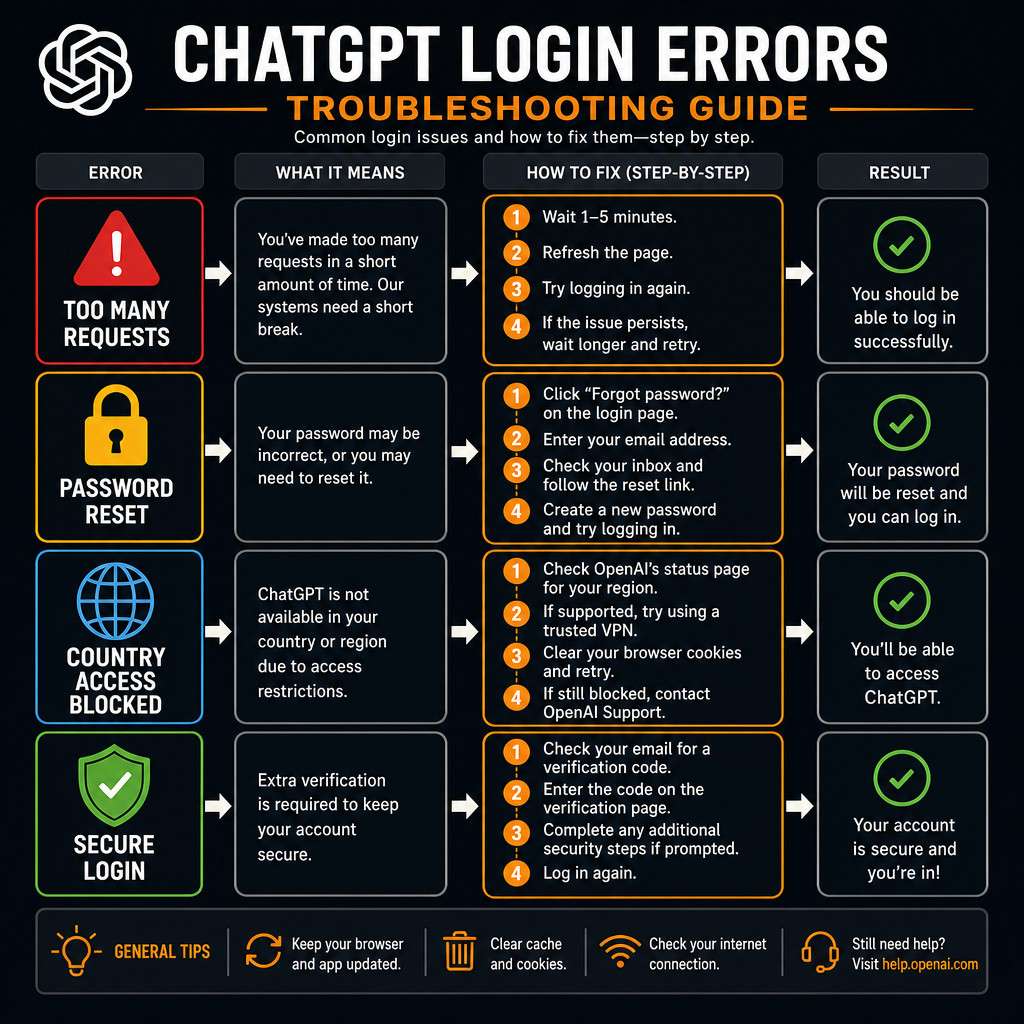
Common errors and fixes:
- “Too many requests”: You’ve hit a rate limit. Wait 10-20 minutes and try again.
- “Email not found”: You may have signed up with a different email or via Google/Microsoft SSO. Try those login methods instead.
- “Incorrect password”: Use the “Forgot password” link to reset it.
- Page won’t load: Clear your browser cache and cookies, then reload.
- Login loop (keeps redirecting): Disable browser extensions, especially ad blockers or privacy tools, which can interfere with authentication cookies.
- “ChatGPT is at capacity”: OpenAI’s servers are busy. Refresh after a few minutes or upgrade to Plus for priority access.
If none of these work, try a different browser or open an incognito/private window to rule out extension conflicts.
How to Reset My Password If I Forget ChatGPT Login Details
Resetting your ChatGPT password is straightforward and takes about two minutes [1].
- Go to chat.openai.com and click “Log in”
- Click “Forgot password?” below the login form
- Enter the email address associated with your account
- Check your inbox for a password reset email from OpenAI
- Click the link in the email (it expires after a short window, usually 10 minutes)
- Enter and confirm your new password
- Log in with your new credentials
If you signed up using Google or Microsoft SSO, you do not have a separate ChatGPT password. You manage your password through those providers directly.
Are There Any Common Mistakes People Make When Logging Into ChatGPT
Several small mistakes trip up new users repeatedly. Knowing them in advance saves frustration [2].
- Using the wrong email: Many people have multiple email addresses. Check which one you used during signup.
- Forgetting they signed up via SSO: If you originally clicked “Continue with Google,” there is no password to enter. Use the Google button instead.
- Not verifying their email: Accounts that skip email verification may be locked out on first login.
- Using an unsupported browser: Outdated browsers can silently fail during the OAuth redirect.
- Ignoring country restrictions: Attempting to access ChatGPT from a restricted region without a VPN will result in a blocked page, not a standard error message.
For context on how AI tools handle security and user data, see this guide on Make.com security and data protection, which covers similar principles used across AI platforms.
What Countries Can Actually Access and Use ChatGPT
ChatGPT is available in most countries, but not all. As of 2026, OpenAI restricts access in a number of regions primarily due to regulatory requirements, sanctions, or government restrictions [5].
Countries where ChatGPT is generally not available include:
- China
- Russia
- North Korea
- Iran
- Cuba
- Syria
- Belarus (with some restrictions)
Users in these regions attempting to access chat.openai.com will see an error page or be redirected. Some users in restricted regions use VPNs to access ChatGPT, but this violates OpenAI’s terms of service.
ChatGPT is fully available across North America, most of Europe, Australia, Japan, South Korea, India, and the majority of Latin America and Southeast Asia.
Is ChatGPT Safe to Use and How Secure Is the Login Process
ChatGPT’s login process uses industry-standard security measures. OpenAI encrypts data in transit using TLS and stores passwords using secure hashing. The platform also supports two-factor authentication for added account security [4].
Security features worth knowing:
- Two-factor authentication (2FA): Enable this in your account settings for an extra layer of protection
- Session management: You can view and revoke active sessions from your account page
- SSO security: Google and Microsoft logins inherit the security settings of those accounts, including their own 2FA
OpenAI’s privacy policy outlines how your conversation data is used. By default, OpenAI may use chat data to improve its models, but you can opt out of this in your account settings under “Data controls.”
For users interested in exploring other AI platforms with strong security practices, our overview of Google Vertex AI capabilities covers enterprise-grade AI security in detail. You can also explore the broader ChatGPT resources and guides on our site for more in-depth coverage.
Conclusion
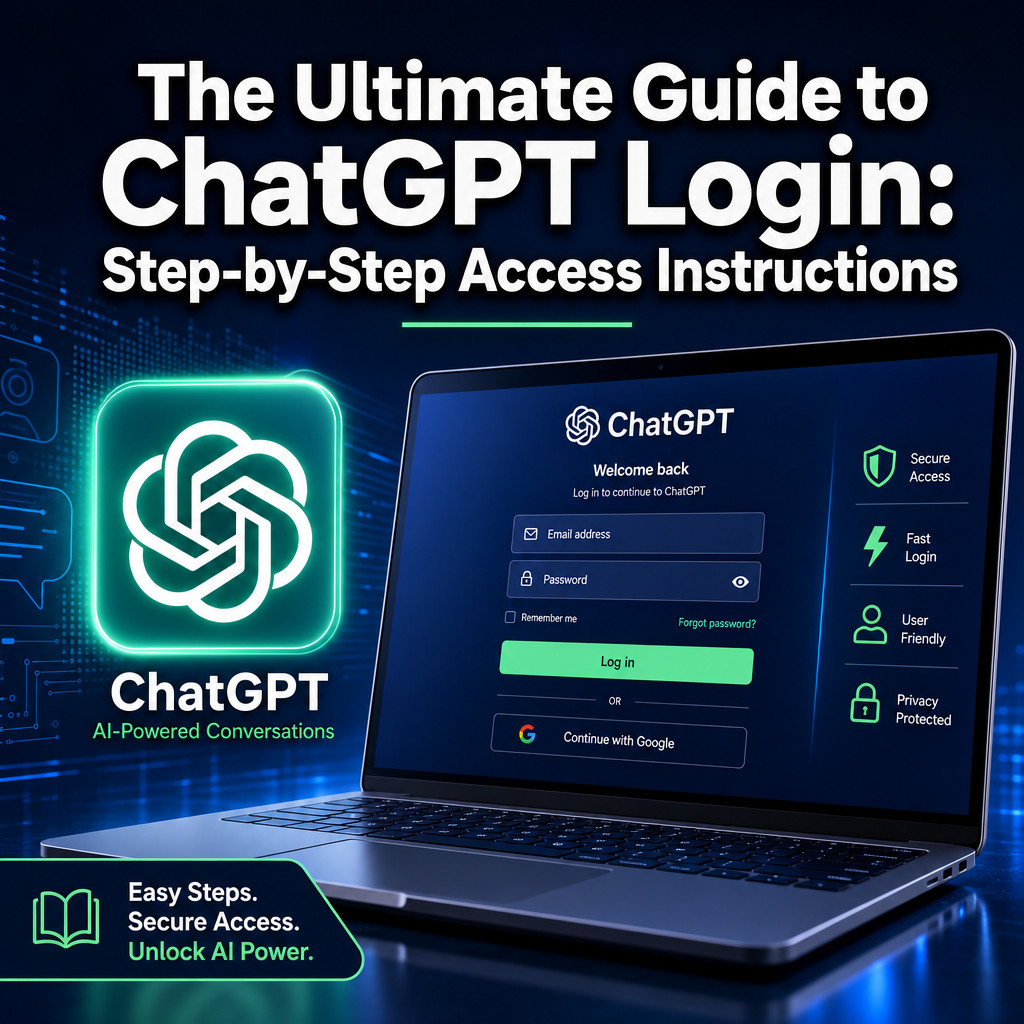
The Ultimate Guide to ChatGPT Login: Step-by-Step Access Instructions covers everything from creating your first account to fixing stubborn login errors. The process is designed to be quick and accessible, and most issues have straightforward solutions.
Your next steps:
- Go to chat.openai.com and create a free account if you haven’t already
- Enable two-factor authentication in your account settings right after signing up
- Decide whether the free plan meets your needs or whether ChatGPT Plus makes sense for your workflow
- Bookmark the password reset page so you have it ready if you ever get locked out
- If you plan to use ChatGPT for automation or content work, explore our guide on AI-powered content optimization for practical next steps
Getting into ChatGPT is genuinely simple once you know the steps. The bigger opportunity is what you do once you’re logged in.
FAQ
Q: Do I need to download anything to use ChatGPT? No. ChatGPT runs entirely in your web browser at chat.openai.com. Optional mobile apps are available for iOS and Android but are not required.
Q: Can I have more than one ChatGPT account? OpenAI’s terms of service allow one account per person. Creating multiple accounts to bypass usage limits violates those terms.
Q: How long does it take to create a ChatGPT account? Most users complete signup in under two minutes, assuming they have access to their email and phone for verification.
Q: Is ChatGPT the same as OpenAI? OpenAI is the company that built ChatGPT. ChatGPT is one of OpenAI’s products. OpenAI also offers the API, DALL-E, and other tools under the same account system.
Q: Can I use ChatGPT without creating an account? OpenAI has offered limited no-login access in the past, but as of 2026, a free account is required for full access to the chat interface.
Q: What happens if I log in from a new device? ChatGPT will ask you to verify your identity if the login looks unusual. This is a standard security check and does not mean your account is compromised.
Q: Can I use ChatGPT on a school or work network? It depends on your network’s firewall settings. Some institutions block AI tools. If the site won’t load, contact your IT department.
Q: How do I cancel ChatGPT Plus? Go to your account settings, click “Manage my subscription,” and select “Cancel plan.” Your Plus benefits continue until the end of the billing period.
Q: Is my chat history saved? Yes, by default. You can delete individual conversations or turn off chat history in your account settings under “Data controls.”
Q: What should I do if my verification email never arrives? Check your spam folder first. If it’s not there, wait five minutes and request a new one. Make sure you entered your email address correctly during signup.
References
[1] ChatGPT Login Guide – https://www.ai-toolbox.co/chatgpt-management-and-productivity/chatgpt-login-guide
[2] ChatGPT Login Guide – https://techonplay.com/chatgpt-login-guide/
[4] ChatGPT Login – https://www.rss.org/eng/chatgpt-login.html
[5] ChatGPT Guide – https://www.gradually.ai/en/chatgpt-guide/
[6] Article 1773927334429 – https://www.titikey.com/en/article/article-1773927334429
[7] How to Use ChatGPT AI Chatbot: Beginners Guide – https://www.zdnet.com/article/how-to-use-chatgpt-ai-chatbot-beginners-guide/