Last updated: June 9, 2026
Quick Answer: Students can access ChatGPT for free at chat.openai.com without creating a paid account, though the free tier uses GPT-4o mini with some usage limits. For most academic tasks — essay brainstorming, concept explanations, study guides, and research outlines — the free version is genuinely useful. This comprehensive guide to academic AI support covers exactly what you get, how to use it well, and where the limits are.
Key Takeaways
- ChatGPT’s free tier is available to any student with an email address and requires no credit card
- The free plan uses GPT-4o mini by default, with limited access to the more powerful GPT-4o model
- ChatGPT works best as a thinking partner and study aid, not as a source of factual citations
- Using AI to write your assignments for you is academic dishonesty at most institutions; using it to understand concepts is not
- Prompt quality directly determines output quality — vague questions get vague answers
- Several free alternatives (Google Gemini, Microsoft Copilot, Perplexity AI) are worth knowing about
- Students with .edu email addresses may qualify for additional AI perks through their institution
- Always verify any factual claim ChatGPT makes before including it in academic work
What Does the Free ChatGPT Plan Actually Include for Students
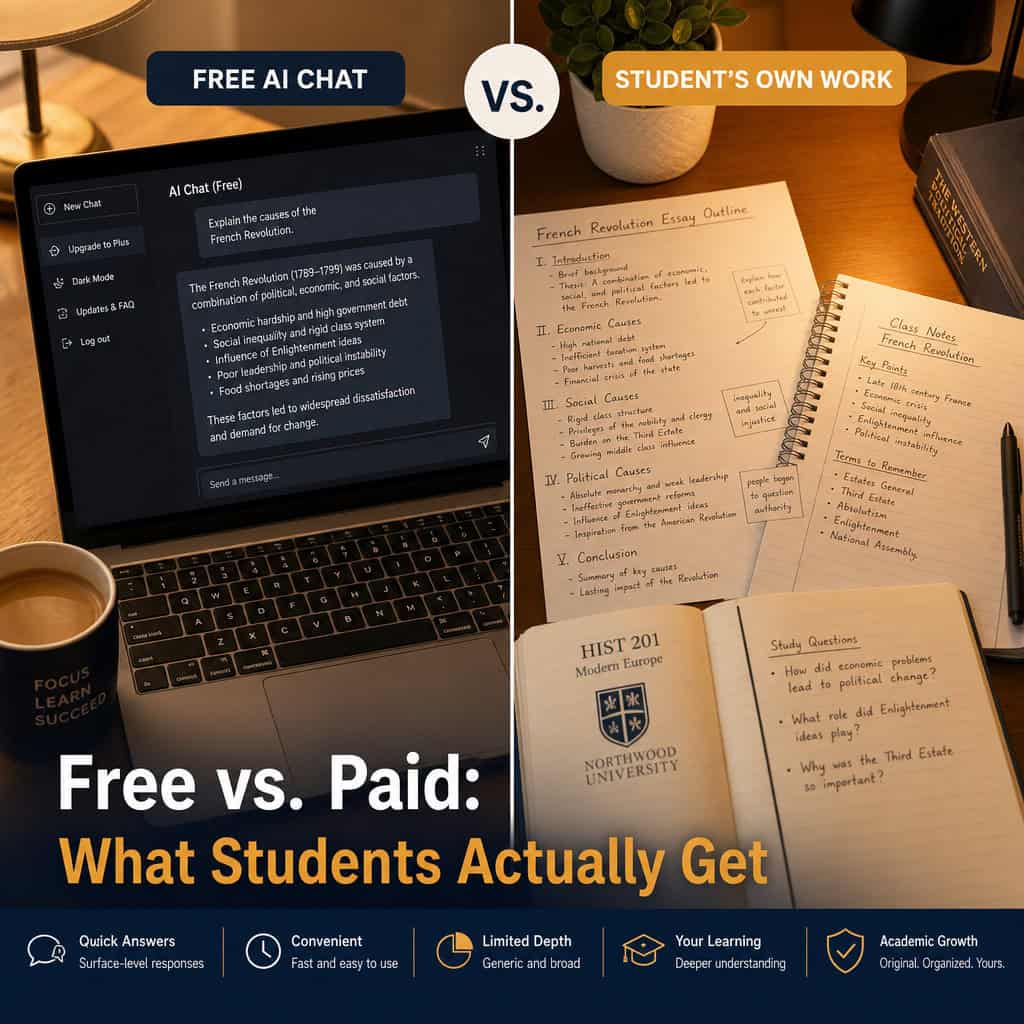
The free ChatGPT plan gives students access to a capable AI assistant at no cost. As of 2026, the free tier includes unlimited conversations using GPT-4o mini, with periodic access to GPT-4o (the more advanced model) during off-peak hours.
Here is what the free plan covers:
- Text conversations: Ask questions, get explanations, brainstorm ideas
- File uploads: Upload PDFs or documents for summarization (limited per day)
- Image analysis: Upload images for description or analysis (limited)
- Memory: ChatGPT can remember context within a conversation
- No time limit: Sessions don’t expire mid-conversation
What the free plan does NOT include:
- Priority access to GPT-4o during high-traffic periods
- Advanced data analysis (formerly Code Interpreter)
- DALL-E image generation
- Custom GPTs (access is read-only, not creation)
- Larger context windows for very long documents
For the majority of student use cases — writing feedback, concept clarification, study scheduling, and essay outlining — the free tier is more than adequate.
How to Sign Up and Start Using Free ChatGPT for Students
Getting started takes under five minutes. Go to chat.openai.com, click “Sign up,” and use your student email address. A school .edu address works fine and may unlock additional benefits depending on your institution.
Step-by-step setup:
- Visit chat.openai.com
- Click “Sign up” (not “Log in”)
- Enter your email and create a password, or sign in with Google/Microsoft
- Verify your email address
- Complete the brief onboarding (select “Student” as your use case if prompted)
- Start a new chat
One practical tip: set up a dedicated browser profile for your ChatGPT sessions. This keeps your academic conversations separate from personal use and makes it easier to find past study sessions.
If your school has a network restriction on AI tools, check the school network restrictions tag for guidance on what options are typically available to students on campus networks.
The Best Academic Use Cases: Free ChatGPT for Students as a Comprehensive Study Tool
ChatGPT is most valuable when students treat it as a knowledgeable study partner rather than an answer machine. The distinction matters both for learning outcomes and for academic integrity.
High-value academic uses:
- Concept explanation: “Explain the Krebs cycle as if I’m a high school student” gets clearer results than a textbook in many cases
- Essay brainstorming: Generate five possible thesis statements for a topic, then pick and refine one yourself
- Counterargument practice: Ask ChatGPT to argue against your thesis so you can strengthen your position
- Study guide creation: Paste your lecture notes and ask for a condensed summary with key terms
- Practice questions: “Give me 10 multiple-choice questions on the French Revolution at a college intro level”
- Grammar and clarity feedback: Paste a paragraph and ask what sounds unclear or awkward
- Research direction: Ask for the main schools of thought on a topic before diving into library databases
Use cases to avoid:
- Asking ChatGPT to write your essay or assignment from scratch
- Citing ChatGPT as a source in academic papers
- Relying on it for specific statistics, dates, or quotes without verification
For deeper research tasks, pairing ChatGPT with dedicated academic research tools and databases gives far better results than using AI alone.
How to Write Prompts That Actually Work for Academic Tasks
Prompt quality is the single biggest variable in how useful ChatGPT is for students. A weak prompt produces a generic, surface-level response. A specific prompt produces something genuinely helpful.
The RACE prompt framework works well for students:
| Element | What It Means | Example |
|---|---|---|
| Role | Tell ChatGPT who to be | “Act as a biology tutor” |
| Action | State the specific task | “Explain mitosis” |
| Context | Add relevant background | “I’m a first-year student who understands cell basics” |
| Example | Show the format you want | “Use bullet points and a simple analogy” |
Before (weak prompt): “Tell me about climate change.”
After (strong prompt): “Act as an environmental science professor. Explain the three main feedback loops that accelerate climate change, using plain language for a second-year undergraduate. Give each loop a one-sentence summary, then a brief explanation.”
The improved prompt takes 20 extra seconds to write and produces output that’s three to four times more useful.
For students interested in going further with AI prompting, the comprehensive guide to AI-powered content generation tools covers advanced techniques that apply well beyond academic writing.
Academic Integrity: Where the Line Is
Most universities have updated their AI policies since 2023, and the rules vary significantly by institution. Students need to know their school’s specific policy before using ChatGPT for any graded work.
Generally acceptable at most institutions:
- Using ChatGPT to understand a concept you’re struggling with
- Brainstorming ideas that you then develop yourself
- Getting feedback on your own writing (grammar, clarity)
- Generating practice questions for self-testing
Generally not acceptable:
- Submitting AI-generated text as your own work
- Using ChatGPT during closed-book exams
- Paraphrasing AI output without disclosure when the assignment prohibits AI use
A useful rule of thumb: if you couldn’t explain to your professor exactly how you used ChatGPT and feel comfortable doing so, reconsider whether that use is appropriate.
Check the academic writing tools tag for resources on ethical AI use in student writing specifically.
Free Alternatives Worth Knowing About
ChatGPT is not the only free AI assistant available to students in 2026. Each tool has different strengths.
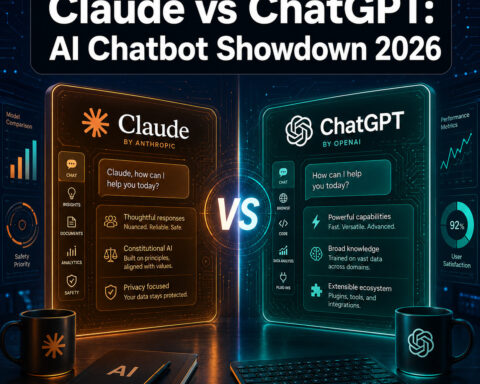
| Tool | Best For | Free Tier |
|---|---|---|
| ChatGPT (OpenAI) | Writing, brainstorming, explanations | Yes, GPT-4o mini |
| Google Gemini | Research with web access, Google Docs integration | Yes |
| Microsoft Copilot | Office 365 integration, cited web answers | Yes (via Edge/Bing) |
| Perplexity AI | Research with live citations | Yes, limited queries |
| Claude (Anthropic) | Long documents, nuanced writing feedback | Yes, usage limits |
Choose ChatGPT if you want a versatile, conversational study partner with strong writing and explanation capabilities.
Choose Perplexity AI if you need cited sources for research, since it links to real web pages rather than generating from training data.
Choose Microsoft Copilot if your university uses Microsoft 365 and you want AI integrated directly into Word or OneNote.
For a broader look at what AI tools are available across categories, the most influential AI websites guide is a good starting point.
Common Mistakes Students Make with AI Academic Support
Even well-intentioned students run into problems with ChatGPT. Knowing the pitfalls in advance saves time and grades.
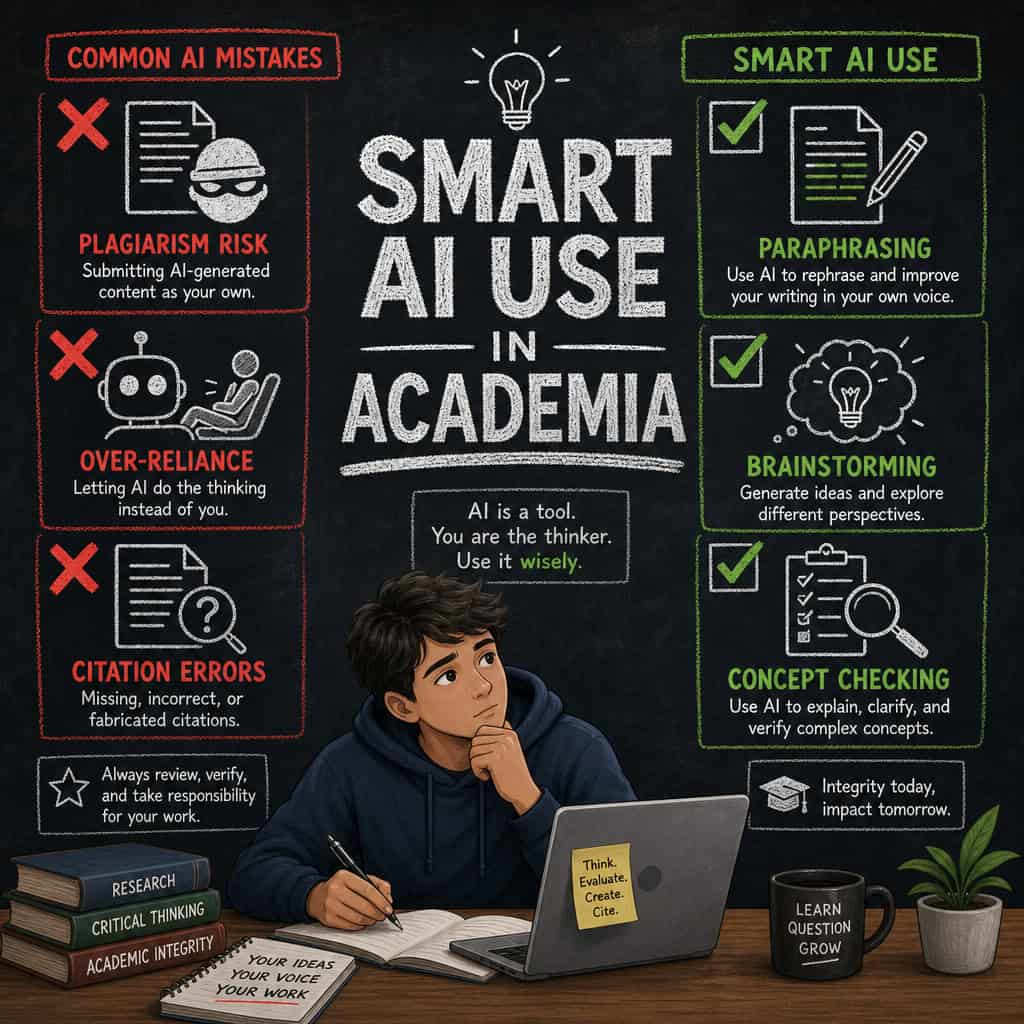
Mistake 1: Treating ChatGPT as a search engine ChatGPT generates plausible-sounding text based on training data. It does not browse the internet in real time (on the free plan) and can confidently state incorrect facts. Always verify specific claims in a library database or peer-reviewed source.
Mistake 2: Accepting the first output The first response is rarely the best one. Follow up with “make this more concise,” “add a counterargument,” or “explain the third point in more detail.” Iteration is where the real value is.
Mistake 3: Skipping the editing step AI-generated text has recognizable patterns. Even if your school permits AI assistance, submitting unedited output reads as low-effort and often misses the specific requirements of your assignment.
Mistake 4: Using it for math without checking ChatGPT can make arithmetic errors. For quantitative coursework, use it to understand concepts and methods, but verify every calculation independently.
Mistake 5: Ignoring .edu student perks Some institutions have negotiated free or discounted access to premium AI tools for enrolled students. Check the .edu student perks resources to see what your school may offer beyond the standard free tier.
FAQ
Is ChatGPT completely free for students? Yes. The base version at chat.openai.com requires no payment. You need only a valid email address to create an account.
Does ChatGPT know about recent academic research? The free version has a training data cutoff and does not browse the web in real time. For current research, use Google Scholar or your library’s database alongside ChatGPT.
Can my professor tell if I used ChatGPT? AI detection tools exist but are imperfect. More importantly, many professors can identify AI writing stylistically. The safer and more ethical approach is to use ChatGPT as a support tool, not a ghostwriter.
Is there a daily limit on the free plan? OpenAI does apply rate limits during high-traffic periods, which may temporarily switch you from GPT-4o to GPT-4o mini. For most study sessions, this is not a significant issue.
Can I use ChatGPT to help with coding assignments? Yes, and it is quite good at explaining code logic and debugging. However, submitting AI-generated code as your own work is subject to the same academic integrity rules as written assignments.
What is the best way to use ChatGPT for exam preparation? Ask it to generate practice questions, quiz you on key terms, explain concepts you find confusing, and create comparison tables for related ideas. This is one of the highest-value free uses for students.
Does ChatGPT work for non-English speaking students? Yes. ChatGPT handles most major languages well and can help non-native English speakers improve their academic writing by explaining grammar choices and suggesting clearer phrasing.
Should I pay for ChatGPT Plus as a student? For most students, the free tier is sufficient. ChatGPT Plus (currently $20/month) is worth considering only if you regularly need advanced data analysis, image generation, or consistent GPT-4o access during peak hours.
Conclusion
Free ChatGPT for students represents one of the most accessible academic support tools available in 2026, and this comprehensive guide to academic AI support has covered the full picture: what you actually get for free, how to use it effectively, where the ethical lines are, and which alternatives fill the gaps.
Actionable next steps:
- Create your free account at chat.openai.com today using your student email
- Try the RACE prompt framework on your next assignment or study session
- Check your institution’s AI policy so you know exactly what is and isn’t permitted
- Explore your .edu student perks to see if your school offers premium AI access at no cost
- Use ChatGPT alongside, not instead of, primary sources and library databases
The students who get the most from AI tools are not the ones who use them most — they’re the ones who use them most deliberately. Start with a clear question, iterate on the response, and always do the thinking yourself. That combination produces better work and better learning.
Useful Resources: ChatGPT by OpenAI & OpenAI research blog