Last updated: May 11, 2026
Quick Answer
Base44 encoding is a niche data-encoding scheme designed for QR code optimization, not for Discord development. Discord’s API and bot ecosystem rely on Base64 encoding for token handling, file attachments, and data transmission. If you’ve searched for “Base44 Encoding: A Comprehensive Guide for Discord Developers and Server Admins,” you likely need Base64 — or you’re confusing the Base44 AI app-building platform with an encoding standard.
Key Takeaways
- Base44 encoding uses a 44-character alphabet optimized for QR codes’ alphanumeric mode, not Discord applications
- Discord bots, webhooks, and API interactions use Base64 encoding exclusively
- No official Discord developer documentation references Base44 encoding
- The term “Base44” in 2026 most commonly refers to an AI-powered no-code app builder [3], not an encoding scheme
- Base64 increases data size by approximately 33% but remains the standard for bot tokens, embedded images, and secure data transfer [6]
- The AI-powered development market (which includes platforms like Base44) is valued at $4.7 billion in 2026 [8]
- For QR code-specific projects within Discord bots, Base44 encoding can store more data than Base64 within QR alphanumeric constraints
What Is Base44 Encoding and Why Does It Matter for Discord?
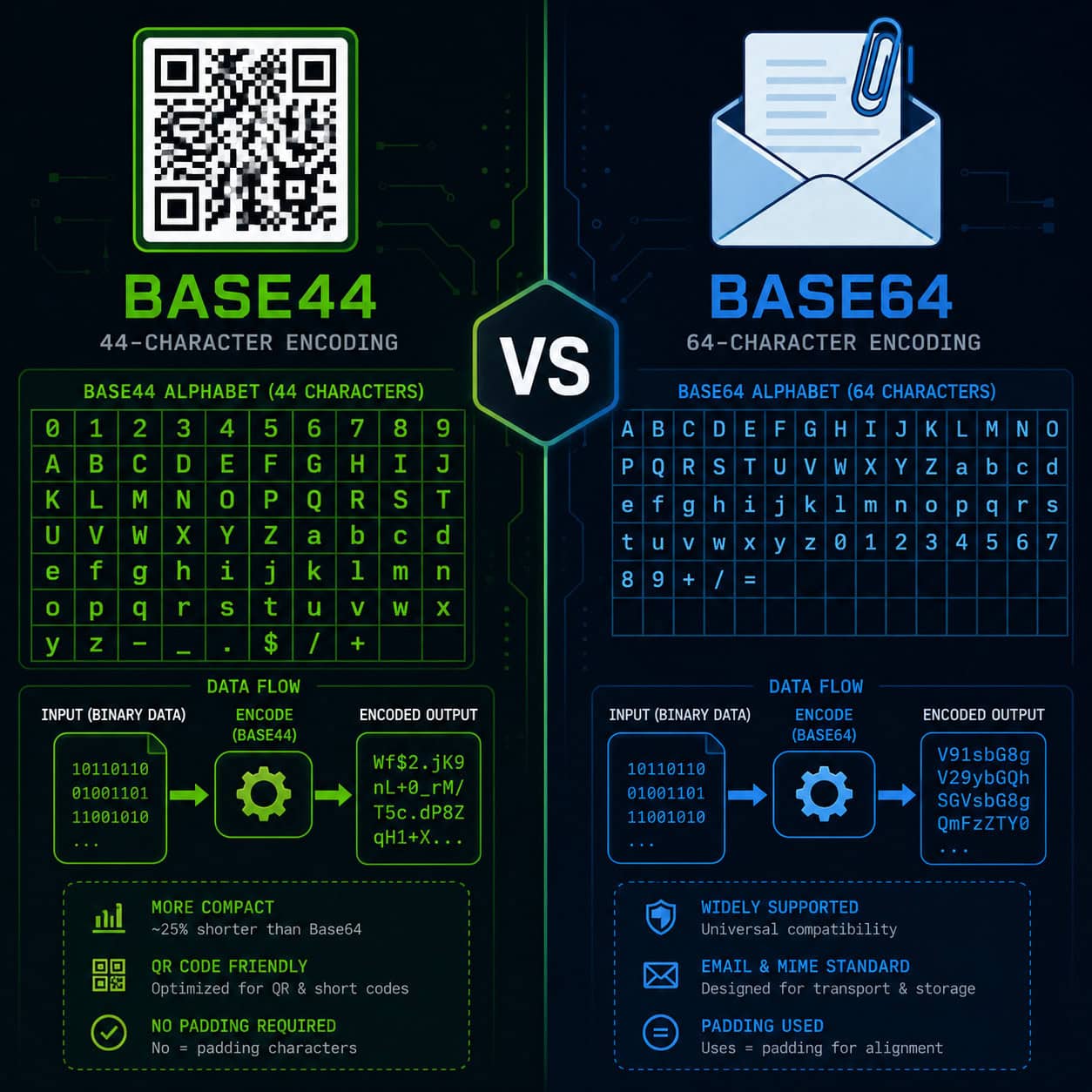
Base44 encoding is a specialized scheme that maps binary data to a 44-character alphabet. This alphabet fits within the 45 characters supported by QR codes’ alphanumeric mode (0-9, A-Z, and nine special symbols), making it more efficient than Base64 for QR-specific use cases [1].
For Discord developers specifically, Base44 has almost no direct application. Here’s why:
- Discord’s REST API expects Base64-encoded data for image uploads, bot tokens, and webhook payloads
- The Discord Gateway (WebSocket) uses JSON with Base64 for binary data
- Bot libraries like discord.js and discord.py implement Base64 natively
The common confusion: Many developers in 2026 encounter “Base44” while researching the AI app-building platform of the same name [3]. That platform lets you build web apps using natural language prompts — it has nothing to do with data encoding.
When Base44 encoding actually applies to Discord: If you’re building a Discord bot that generates QR codes (for event check-ins, server invites, or verification systems), Base44 encoding lets you pack more data into each QR code than Base64 would allow.
How Does Base44 Compare to Base64 for Discord Bot Development?
Base64 is the correct choice for nearly all Discord bot encoding needs. Base44 serves a narrow, QR-specific purpose.
| Feature | Base44 | Base64 |
|---|---|---|
| Character set | 44 chars (QR alphanumeric subset) | 64 chars (A-Z, a-z, 0-9, +, /) |
| Size overhead | ~20% for QR data | ~33% increase [6] |
| Discord API support | None | Full native support |
| Use case | QR code data packing | Tokens, images, attachments |
| Library availability | Limited/custom | Universal (built into most languages) |
| SSL/TLS compatibility | No | Yes [6] |
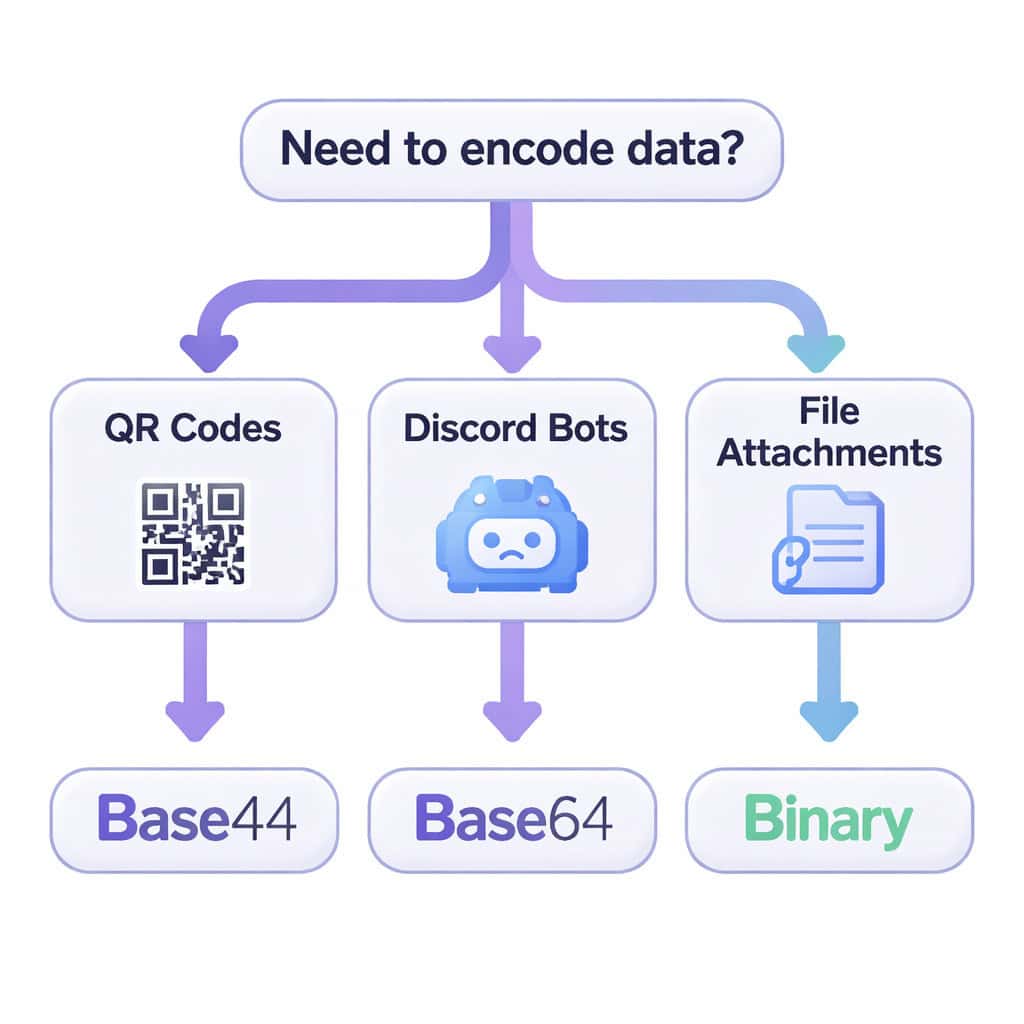
Decision rule: Choose Base64 if you’re working with Discord’s API, bot tokens, embedded images, or any data that passes through Discord’s servers. Choose Base44 only if your bot generates QR codes and you need maximum data density within those codes.
If you’re building tools or bots without traditional coding, you might also explore no-code development platforms that can speed up your workflow.
What Encoding Does Discord Actually Use?
Discord uses Base64 encoding for several core functions. This is documented in Discord’s official developer portal and implemented across all major bot libraries.
Where Base64 appears in Discord:
- Bot tokens — Your bot’s authentication token is a Base64-encoded string containing the bot’s user ID, timestamp, and HMAC
- Image data — When uploading avatars, emojis, or embedded images via the API, you send Base64-encoded image data
- Webhook payloads — File attachments in webhook messages use Base64
- Message components — Custom IDs in buttons and select menus are often Base64-encoded by developers for compact data storage
Common mistake: Developers sometimes try to decode Discord bot tokens using standard Base64 and get confused when the output looks garbled. Discord tokens use a modified Base64 format — the first segment (before the first dot) is the bot’s user ID in standard Base64, but the remaining segments use different encoding.
For developers working on WordPress plugin integrations that connect to Discord webhooks, Base64 is the encoding you’ll implement for any binary data transfer.

How Do You Implement Base64 Encoding in a Discord Bot?
Here’s a practical implementation for the most common encoding tasks Discord developers face.
Python (discord.py):
<code class="language-python">import base64
import aiohttp

# Encode an image for avatar upload
with open("avatar.png", "rb") as image_file:
    encoded = base64.b64encode(image_file.read()).decode("utf-8")
    data_uri = f"data:image/png;base64,{encoded}"

# Decode a bot token's user ID
token_parts = bot_token.split(".")
user_id = base64.b64decode(token_parts[0] + "==").decode("utf-8")
</code>
JavaScript (discord.js):
<code class="language-javascript">// Encode image data for embed
const imageBuffer = fs.readFileSync('./image.png');
const base64Image = imageBuffer.toString('base64');

// Encode custom button data
const payload = JSON.stringify({ action: 'verify', guildId: '123' });
const encodedPayload = Buffer.from(payload).toString('base64');
</code>
Steps for server admins using webhooks:
- Prepare your payload (text, embeds, or files)
- For file attachments, read the file as binary
- Encode binary data to Base64
- Include the Base64 string in your webhook JSON body
- Send via POST to your webhook URL
If you’re automating content delivery to Discord channels, AI-powered content tools can generate the messages while your bot handles the encoding.
When Should Discord Developers Consider Base44 Encoding?
Base44 encoding becomes relevant in one specific scenario: QR code generation within Discord bots or server tools.
Practical use cases:
- Event bots that generate QR tickets for Discord community events
- Verification systems where users scan a QR code to prove server membership
- Server invite tools that embed extra metadata (role assignments, welcome channel routing) into QR codes
- Payment/donation bots that generate QR codes for cryptocurrency or payment links
Why Base44 wins for QR codes: QR codes have an alphanumeric mode that supports exactly 45 characters. Base44 uses 44 of those characters, fitting perfectly within this constraint. If you encoded the same data in Base64, the QR code would need to switch to byte mode (which stores fewer characters per module), resulting in a larger, harder-to-scan QR code.
Edge case: If your Discord bot generates QR codes that will be displayed as small thumbnails in embeds, every bit of data density matters. A Base44-encoded QR code can be 20-30% smaller (in physical dimensions) than a Base64-encoded one carrying the same payload.
For bots that also need to share visual content, understanding how to optimize images helps keep your Discord messages clean and fast-loading.
What About the Base44 AI Platform — Is It Related?
No. The Base44 AI platform is an entirely separate product — a no-code app builder that uses AI to generate web applications from natural language descriptions [3]. It competes with tools like Lovable [4], Rocket.new [8], and UI Bakery [10].
Key distinctions:
- Base44 (encoding): A data encoding scheme for QR codes using a 44-character alphabet
- Base44 (platform): An AI-powered development tool for building apps without writing code [7]
The naming overlap causes significant confusion in search results. If you’re a Discord server admin looking to build custom tools without coding, the Base44 platform could theoretically help you create web dashboards or admin panels. But it won’t help you with data encoding within Discord’s API.
For server admins interested in building tools without code, no-code website builders offer another path worth exploring. And if you’re looking to automate content workflows, several platforms integrate directly with Discord webhooks.
Common Mistakes Discord Developers Make with Encoding
- Using Base64 padding in URLs — The
=padding characters break Discord embed URLs. Use Base64url (replacing+with-,/with_, and stripping=) - Storing encoded data as-is in databases — Decode before storing; re-encode when sending to Discord
- Exceeding Discord’s message limits — Base64 adds 33% overhead [6]. A 6MB file becomes 8MB encoded, exceeding Discord’s 8MB upload limit for non-Nitro users
- Confusing encoding with encryption — Base64 and Base44 provide zero security. Anyone can decode them. For sensitive data, encrypt first, then encode
- Searching for “Base44 Discord” and implementing QR encoding when you need Base64 — This is the most common mistake in 2026, driven by search result confusion
FAQ
Does Discord use Base44 encoding anywhere? No. Discord’s API, bot tokens, webhooks, and all data transmission use Base64 encoding exclusively. No official Discord documentation mentions Base44.
What is Base44 encoding actually used for? Base44 encoding is designed specifically for QR code optimization. It uses a 44-character alphabet that fits within QR codes’ alphanumeric mode, allowing more data per QR module than Base64.
Can I use Base44 encoding in my Discord bot? You can implement Base44 in a Discord bot that generates QR codes, but you’ll still need Base64 for all interactions with Discord’s API itself.
Is the Base44 platform useful for building Discord bots? The Base44 AI platform [3] builds web applications, not Discord bots directly. You’d still need a hosting environment and Discord API integration that the platform doesn’t natively provide.
How do I decode a Discord bot token?
Split the token by periods. The first segment is a Base64-encoded user ID. Decode it with standard Base64 (add == padding if needed). The other segments are not meant to be decoded by developers.
What’s the size overhead of Base64 vs Base44? Base64 increases data size by approximately 33% [6]. Base44’s overhead varies by implementation but is roughly 20% when used within QR alphanumeric mode.
Should server admins learn encoding? Most server admins don’t need to understand encoding directly. Bot frameworks handle it automatically. It becomes relevant only if you’re building custom integrations or debugging webhook issues.
Is Base44 more secure than Base64? Neither provides security. Both are encoding schemes (data format conversion), not encryption. Use AES or similar encryption before encoding if security matters.
Conclusion
If you came here looking for Base44 encoding guidance for Discord development, the practical answer is straightforward: use Base64. It’s what Discord’s API expects, what every bot library implements, and what you’ll encounter in tokens, image uploads, and webhook payloads.
Base44 encoding has exactly one relevant application for Discord developers — optimizing QR codes generated by bots. For everything else, Base64 is your tool.
Your next steps:
- Implement Base64 encoding/decoding in your bot using your language’s standard library
- Use Base64url (no padding, URL-safe characters) for any data that appears in Discord URLs or custom IDs
- Only investigate Base44 if you’re building a QR code generation feature and need maximum data density
- Don’t confuse the Base44 AI platform with the encoding scheme — they share a name but nothing else
For broader development workflows that connect to Discord, explore AI-powered SEO and content tools that can automate content delivery to your server channels.
References
[1] App Development Statistics – https://base44.com/blog/app-development-statistics [3] The Power Of Plain English Build Professional Apps With Base44 – https://www.pcmag.com/articles/the-power-of-plain-english-build-professional-apps-with-base44 [4] Base44 Vs Lovable – https://lovable.dev/guides/base44-vs-lovable [6] Guide Encode Decoded Base64 – https://www.sentinelone.com/blog/guide-encode-decoded-base64/ [7] 14 Best Base44 Alternatives For Different Use Cases – https://www.banani.co/blog/14-best-base44-alternatives-for-different-use-cases [8] Is Rocket New Better Than Base44 For Non Developers – https://www.rocket.new/blog/is-rocket-new-better-than-base44-for-non-developers [10] Base44 Competitors – https://uibakery.io/blog/base44-competitors