

Last updated: May 1, 2026
Quick Answer: AI heightmap generators use machine learning to create detailed 3D terrain data from grayscale elevation maps, replacing hours of manual sculpting with seconds of automated output. They serve game developers, architects, GIS specialists, and urban planners by producing accurate, high-resolution terrain models that can be exported directly into 3D engines, simulation software, or mapping platforms.
Key Takeaways
- AI heightmap generators create 3D terrain surfaces using polygon-based elevation data, enabling realistic rendering in games, simulations, and GIS applications [1]
- Core industries using these tools include game development, architecture, geographic information systems, and smart city planning [1]
- Modern tools process satellite imagery, topographic data, and climate inputs to generate terrain with realistic erosion, drainage, and solar exposure patterns [5]
- High-resolution, high-accuracy 3D datasets are now accessible through airborne sensor platforms and machine learning pipelines [2]
- Popular tools include World Machine, World Creator, and Tangram Heightmapper, each suited to different skill levels and use cases [3][7]
- AI terrain tools significantly reduce production time compared to manual sculpting, though exact time savings vary by project complexity
- Terrain-aware path planning algorithms now use AI heightmap data for real-world applications like drone navigation and railway planning [4]
- Choosing the right tool depends on your output format, resolution needs, budget, and whether you need real-world data integration
What Is an AI Heightmap Generator and How Does It Work?
An AI heightmap generator is software that uses machine learning models to produce grayscale images where pixel brightness represents elevation. Lighter pixels indicate higher ground; darker pixels indicate lower ground. These images are then used as displacement maps to construct 3D terrain in rendering engines, game editors, or GIS platforms.
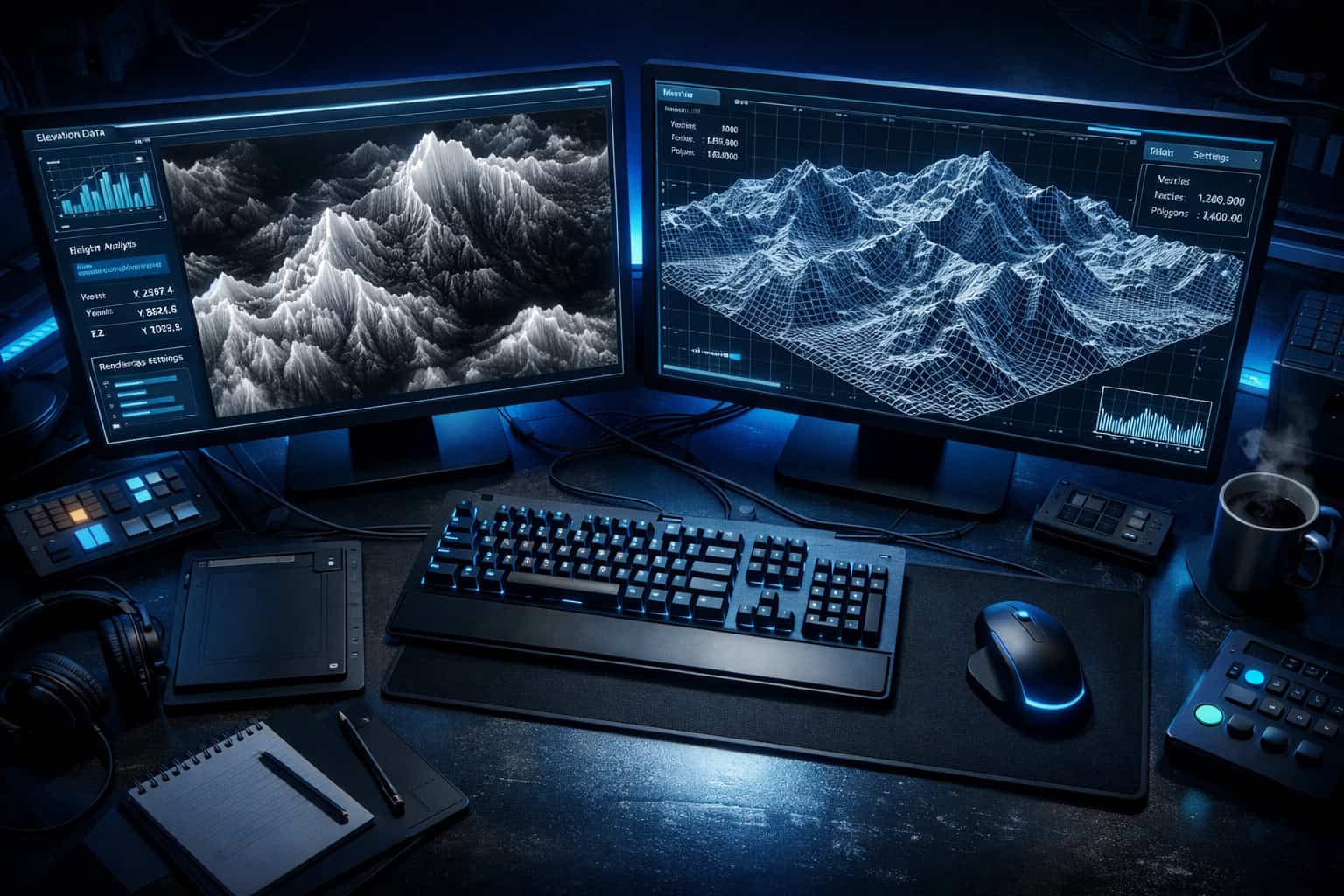
The underlying process works like this:
- Input data is collected — satellite imagery, topographic surveys, LiDAR point clouds, or user-defined parameters
- The AI model analyzes patterns — machine learning identifies realistic landform features like ridgelines, river valleys, and coastal gradients
- Erosion and simulation algorithms run — software like World Machine applies hydraulic and thermal erosion to make terrain look geologically plausible [7]
- Output is generated — the tool exports a grayscale heightmap, 3D mesh, or texture set ready for import into Unreal Engine, Unity, Blender, or GIS software
The key difference from traditional heightmap creation is automation. Manual terrain sculpting requires an artist to push and pull vertices for hours. AI tools generate a plausible starting point in seconds, which artists then refine.
Common mistake: Treating AI output as final. Even the best generators produce terrain that benefits from human review, especially for game-ready assets where gameplay flow matters as much as visual realism.
Why Is Revolutionizing Terrain Design: The Power of AI Heightmap Generators Such a Big Deal for Multiple Industries?
AI heightmap generation matters because terrain is foundational data. Every industry that works with physical space — whether real or virtual — depends on accurate elevation models. AI makes that data faster to produce, cheaper to access, and more detailed than traditional methods allowed.

Here’s how different sectors benefit [1][2]:
| Industry | Primary Use Case | Key Benefit |
|---|---|---|
| Game Development | Open-world level design | Faster iteration, realistic biomes |
| Architecture | Site analysis and visualization | Accurate slope and drainage modeling |
| GIS / Mapping | Topographic data generation | High-resolution terrain from sparse data |
| Smart Cities | Urban flood modeling | Predictive simulation from elevation data |
| Renewable Energy | Solar and wind site assessment | Terrain-driven exposure analysis [5] |
| Aviation & Telecom | Signal propagation, flight paths | Accurate obstacle and elevation data [2] |
| Railway Planning | Route feasibility | Terrain-aware path optimization [4] |
For game developers specifically, the shift is dramatic. Building a convincing mountain range manually in a sculpting tool could take a senior artist several days. An AI generator produces a geologically plausible version in minutes, freeing artists to focus on the details that actually affect player experience.
For GIS professionals, AI heightmap tools fill gaps in satellite coverage and produce high-accuracy 3D datasets from airborne sensor platforms that would previously require expensive survey teams [2].
How Do You Actually Use an AI Heightmap Generator? (Step-by-Step)
Using an AI heightmap generator follows a consistent workflow regardless of which tool you choose. The steps below apply to most professional platforms.
Step 1: Define your terrain parameters Set the geographic scale (e.g., 4km x 4km), resolution (e.g., 4096×4096 pixels), and terrain type (mountains, plains, coastal, desert).
Step 2: Choose your input method
- Procedural generation: The AI creates terrain from noise functions and style presets
- Real-world data import: Upload satellite imagery or DEM (Digital Elevation Model) files for location-accurate terrain
- Sketch-based input: Some tools let you draw rough terrain shapes that the AI refines
Step 3: Apply simulation layers Run erosion algorithms — hydraulic erosion simulates water flow carving valleys; thermal erosion simulates rock weathering. These steps make AI-generated terrain look natural rather than mathematical [7].
Step 4: Export your output Choose your format based on destination:
- .PNG or .RAW for game engines (Unity, Unreal Engine)
- .OBJ or .FBX for 3D modeling software
- .GeoTIFF for GIS platforms
- Grayscale displacement maps for tools like Blender or Cinema 4D [3]
Step 5: Refine in your target application Import the heightmap and add surface textures, vegetation, water bodies, and gameplay elements. The AI output is a foundation, not a finished product.
💡 Pro tip: If you’re working with real-world locations, tools like Tangram Heightmapper let you browse elevation data interactively and export grayscale heightmaps directly from geographic coordinates — no data processing pipeline required [3].
Which AI Heightmap Tools Are Worth Using in 2026?
The right tool depends on your technical skill, budget, and output requirements. Here’s an honest breakdown of the leading options.
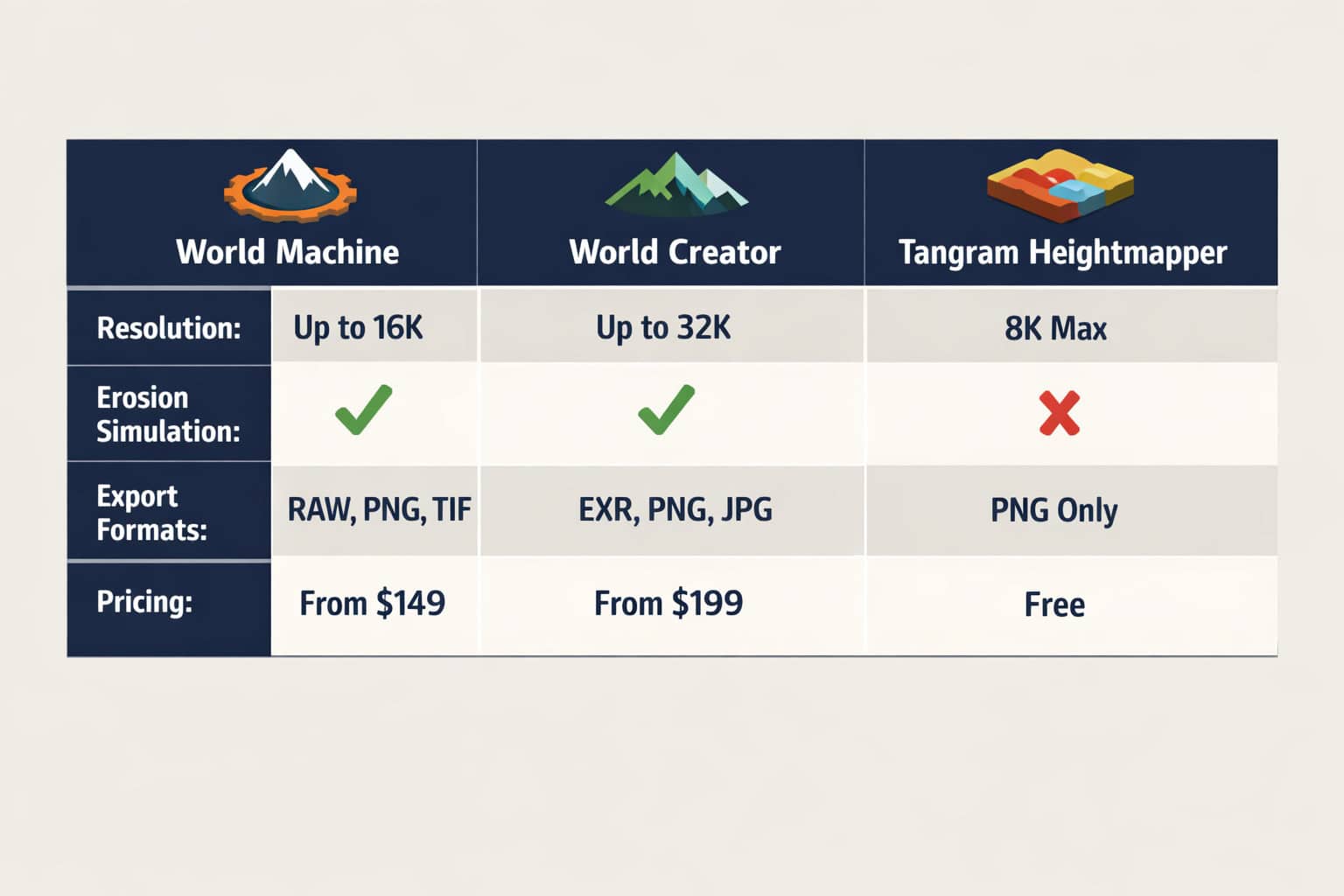
World Machine
Best for: Professional game developers and VFX studios who need maximum control.
World Machine uses a node-based workflow where you connect terrain generation, erosion, and export modules visually. It’s the industry standard for large-scale terrain production and has been used in major AAA game titles. The erosion simulation is particularly strong [7].
- Strengths: Advanced erosion algorithms, high-resolution output, extensive export options
- Weaknesses: Steep learning curve, slower for quick prototypes
- Pricing: Free tier available; professional licenses start around $99/year (verify current pricing at world-machine.com)
World Creator
Best for: Artists who want real-time visual feedback while sculpting terrain.
World Creator renders terrain changes in real-time as you adjust parameters, making it more intuitive than node-based tools. It supports procedural generation and real-world data import [9].
- Strengths: Real-time preview, beginner-friendly UI, strong texture output
- Weaknesses: Less granular control than World Machine for complex erosion
Tangram Heightmapper
Best for: Developers and GIS users who need real-world elevation data fast.
This browser-based tool lets you navigate a world map and export the visible area as a grayscale heightmap. It’s free, requires no installation, and outputs displacement maps compatible with most 3D applications [3].
- Strengths: Free, instant real-world data, no setup required
- Weaknesses: Limited resolution control, no erosion simulation
AI Landscape Design Generators (e.g., Planner5D)
Best for: Architects and landscape designers who need terrain integrated with site planning tools [8].
Choose World Machine if you’re producing terrain for a shipped game or film and need maximum realism. Choose Tangram Heightmapper if you need real-world location data quickly and don’t need procedural customization. Choose World Creator if you’re an artist who learns better through visual feedback than node graphs.
What Are the Real Limitations of AI Heightmap Generators?
AI heightmap generators are powerful but not perfect. Understanding where they fall short helps you plan your workflow realistically.
Limitation 1: Geological accuracy vs. visual plausibility AI-generated terrain often looks realistic but isn’t geologically accurate. Erosion patterns may not match real physics precisely. For scientific applications like flood modeling or environmental impact assessment, always validate against real survey data [2].
Limitation 2: Resolution ceilings Most consumer tools cap output resolution at 8192×8192 pixels. For very large open-world games or high-precision GIS work, you may need to tile multiple heightmaps together, which adds complexity.
Limitation 3: Gameplay-blind generation AI doesn’t know that players need flat areas for building, clear sightlines for combat, or accessible paths between zones. Game designers must review and edit terrain with gameplay in mind after generation.
Limitation 4: Data dependency for real-world accuracy Tools that generate terrain from real satellite or LiDAR data are only as accurate as their source data. Coverage gaps, outdated surveys, and sensor noise all affect output quality [2].
Limitation 5: Export format compatibility Not all tools export in every format. Check compatibility with your target application before committing to a tool, especially if you’re working in specialized GIS or simulation software.
How Is AI Changing Terrain Design Beyond Heightmaps?
Revolutionizing terrain design through AI heightmap generators is just one part of a broader shift in how AI handles spatial data. The technology is expanding into adjacent areas that affect how terrain is planned, simulated, and used.
Terrain-aware path planning: Recent research demonstrates algorithms that extend 2D path planners into 3D terrain-aware systems, adjusting drone altitude and camera orientation based on point cloud data. These systems show strong performance in environments with significant elevation changes [4]. This has direct applications in drone surveying, autonomous vehicles, and railway route planning.
Climate and environmental simulation: AI can now process satellite imagery alongside topographic and climate data to generate predictions about solar exposure, wind flow patterns, and water drainage across terrain [5]. Landscape architects use these outputs to design sites that work with natural systems rather than against them.
Geospatial machine learning: Platforms like FlyPix AI apply machine learning models to terrain analysis, making mapping efforts more accurate and actionable for industries including flood risk assessment, telecommunications infrastructure planning, and renewable energy site selection [2].
These developments connect terrain generation to real-world decision-making in ways that go well beyond creating game environments. If you’re interested in how AI is reshaping other design disciplines, the best AI graphic design tools for creative workflows covers parallel developments in 2D and interface design.
What Does the Workflow Look Like for Game Developers Specifically?
For game developers, AI heightmap generators fit into a pipeline that moves from concept to playable terrain in distinct stages. Here’s how a typical production workflow looks in 2026.
Pre-production:
- Define biome type, scale, and gameplay requirements
- Sketch rough terrain layout showing key landmarks, paths, and zones
Generation:
- Use an AI tool to produce a base heightmap matching the rough sketch
- Apply erosion passes to add geological realism [7]
- Export at target resolution for the game engine
Integration:
- Import heightmap into Unreal Engine or Unity
- Apply terrain material layers (rock, grass, snow) based on slope and altitude
- Add foliage, water bodies, and environmental assets
Gameplay review:
- Walk through the terrain as a player character
- Identify areas that block movement, create unfair sightlines, or feel unnatural
- Sculpt corrections directly in the engine
Optimization:
- Generate LOD (Level of Detail) meshes for distant terrain
- Bake lightmaps if using static lighting
- Test performance on target hardware
This workflow integrates naturally with broader AI-assisted design processes. Developers who use AI tools for terrain generation often also use AI for texture generation, NPC behavior, and procedural content — creating a fully AI-augmented production pipeline. For teams exploring AI-powered workflows across disciplines, a comprehensive guide to AI-powered content generation tools covers how these systems work together.
FAQ: AI Heightmap Generators
Q: What file format should I export my heightmap in for Unreal Engine? Export as a 16-bit grayscale PNG or RAW file. Unreal Engine’s landscape system reads these directly and maps pixel brightness to elevation. 8-bit PNG works but reduces elevation precision significantly.
Q: Can AI heightmap generators create terrain based on a specific real-world location? Yes. Tools like Tangram Heightmapper let you select any geographic area and export its elevation data as a heightmap [3]. For higher resolution, platforms that access LiDAR or airborne sensor data provide more accurate results [2].
Q: How large can a heightmap be before performance becomes a problem? In most game engines, heightmaps above 8192×8192 pixels start to cause memory issues on standard hardware. For very large worlds, tile the terrain into multiple smaller heightmaps and stream them at runtime.
Q: Is AI-generated terrain accurate enough for scientific or engineering use? For visual purposes, yes. For engineering decisions like flood modeling, infrastructure routing, or environmental impact assessment, always validate AI-generated terrain against certified survey data. AI tools optimize for visual plausibility, not engineering precision [2].
Q: Do I need coding skills to use AI heightmap generators? No. Most tools have graphical interfaces. World Creator and Tangram Heightmapper require no coding at all. World Machine uses a visual node graph. Coding skills only become relevant if you’re building custom pipelines or integrating heightmap generation into automated workflows.
Q: What’s the difference between a heightmap and a DEM (Digital Elevation Model)? A heightmap is a grayscale image where brightness encodes elevation — it’s a visual representation. A DEM is a georeferenced dataset with real-world coordinates and elevation values in meters or feet. DEMs can be converted to heightmaps for use in 3D software.
Q: Can AI terrain tools simulate water and erosion realistically? Yes. Tools like World Machine include hydraulic erosion (simulating water flow) and thermal erosion (simulating rock weathering). These algorithms produce terrain that looks geologically plausible rather than mathematically generated [7].
Q: How does AI terrain generation connect to landscape architecture? AI can process topographic, climate, and satellite data to simulate solar exposure, wind patterns, and water drainage across a site [5]. Landscape architects use these outputs to design sites that work with natural systems, reducing environmental impact and construction costs.
Q: What’s the fastest free option for getting a heightmap of a specific city? Tangram Heightmapper. Open it in a browser, navigate to your city, and export the grayscale heightmap. It takes under two minutes and requires no account or installation [3].
Q: Are there AI tools that generate terrain descriptions or concept art alongside heightmaps? Some AI design platforms are beginning to combine terrain generation with texture and concept art generation in unified pipelines. This connects to broader AI design workflows — for context, see how AI graphic design tools are evolving alongside terrain-specific tools.
Q: How does terrain-aware AI path planning work? Recent algorithms extend 2D path planners into 3D space by using point cloud data from heightmaps to adjust altitude and camera orientation in real time. These systems perform well in environments with significant elevation changes and are used in drone navigation and railway planning [4].
Q: What’s the biggest mistake beginners make with AI heightmap generators? Using the raw AI output without refinement. AI-generated terrain is a starting point, not a finished asset. Always review it for gameplay usability (if it’s for a game) or site-specific accuracy (if it’s for architecture or GIS) before treating it as final.
Conclusion: Actionable Next Steps
Revolutionizing terrain design through AI heightmap generators is already underway across game development, architecture, GIS, and urban planning. The tools exist, they work, and they’re accessible to both beginners and professionals.
Here’s how to move forward based on where you are:
If you’re just starting out:
- Open Tangram Heightmapper in your browser today — no account needed
- Export a heightmap of a location you know well (your city, a mountain range you like)
- Import it into Blender or Unity as a displacement map to see it rendered in 3D
If you’re an intermediate developer or designer:
- Download the free tier of World Machine or World Creator
- Follow their official tutorials to understand erosion simulation
- Export a 4096×4096 heightmap and bring it into your target engine
If you’re a professional team:
- Evaluate whether your current terrain pipeline is bottlenecked by manual sculpting time
- Test World Machine on one production asset and compare time-to-completion against your baseline
- Consider integrating real-world DEM data for location-accurate environments
The broader shift toward AI-assisted design is happening across every creative discipline. Terrain generation is one of the clearest examples of AI doing the heavy lifting so humans can focus on the decisions that actually require judgment. For teams already exploring AI in other parts of their workflow, tools like Figma AI workflow automation and AI-powered content generation show how this pattern extends beyond terrain into every stage of digital production.
Start with one tool, one project, and one export. The learning curve is shorter than you think.
References
[1] Potential AI Generated Heightmaps – https://tgs.tech/company-news/potential-ai-generated-heightmaps [2] Terrain Analysis Tools – https://flypix.ai/terrain-analysis-tools/ [3] Heightmapper – https://tangrams.github.io/heightmapper/ [4] arxiv – https://arxiv.org/html/2507.17519v2 [5] Artificial Intelligence Generative Design And Landscape Architecture – https://landezine.com/artificial-intelligence-generative-design-and-landscape-architecture/ [7] World Machine – https://www.world-machine.com [8] AI Landscape Design Generator – https://planner5d.com/use/ai-landscape-design-generator [9] World Creator – https://www.world-creator.com/en/index.phtml


