Last updated: May 10, 2026
Quick Answer
If Replit is blocked on your school or workplace network, you have five practical options: whitelist Replit’s domains through your network admin, use Replit’s official education plan with built-in content filtering, connect through a VPN or SSH tunnel, switch to alternative browser-based IDEs like GitHub Codespaces, or set up a local development environment. The best approach depends on whether you’re a student, teacher, or IT administrator, and whether you need to stay within your organization’s acceptable use policy.
Key Takeaways
- Network admins block Replit primarily because students use it to deploy proxy scripts that bypass web filters, not because coding itself is restricted [6].
- Replit’s family-friendly DNS blocks adult and malware content by default, which makes whitelisting
*.replit.devand*.repl.coa low-risk option for schools. - Replit for Education provides a compliant, school-friendly version with AI tools and no-setup access that satisfies both teachers and IT departments.
- VPNs work but carry risk: using one to bypass school filters may violate acceptable use policies and could result in disciplinary action.
- GitHub Codespaces and CodeSandbox are strong alternatives that may not be blocked on your network [4].
- Replit’s May 2026 security updates introduced External Access Tokens and Workspace Security Center 2.0, giving admins more control over how Replit is accessed [7].
- The most sustainable fix is working with your IT department rather than around them.
Why Is Replit Blocked on School and Work Networks?
Replit gets blocked because it can be used as a proxy deployment platform, not because administrators oppose coding education.
Students have figured out how to clone open-source proxy scripts (like Ultraviolet or Corrosion) onto Replit, then use those deployed apps to bypass the school’s web filter entirely. From the filter’s perspective, all traffic looks like it’s going to replit.dev, a legitimate coding site. IT administrators on Reddit’s r/k12sysadmin community have discussed this problem extensively, with several noting that blocking Replit “drastically helped prevent issues” with filter circumvention [6].
Corporate networks block Replit for different reasons: data loss prevention, bandwidth management, or blanket policies against cloud development environments. Understanding why your network blocks Replit determines which strategy will actually work for you.
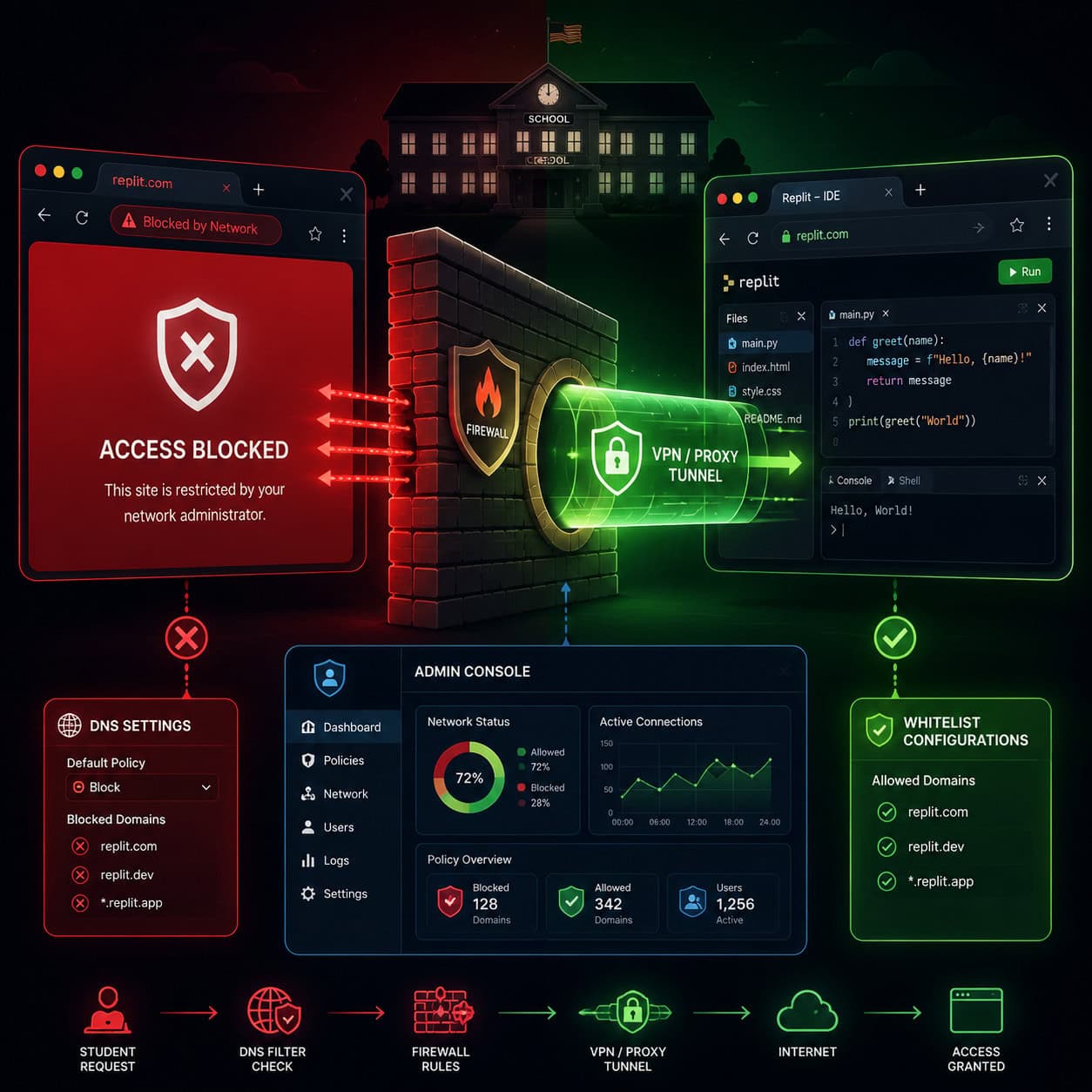
Common mistake: Assuming the block is a mistake or oversight. In most cases, it’s deliberate. Approaching your IT team with that assumption will get you nowhere.
Strategy 1: Request Domain Whitelisting From Your Network Admin
This is the most effective and sustainable approach. Ask your IT administrator to whitelist Replit’s specific domains rather than unblocking the entire platform.
Replit requires these domains to function:
| Domain | Purpose |
|---|---|
*.replit.com | Main platform and IDE |
*.repl.co | Hosted project previews |
*.replit.dev | Deployed applications |
*.replit.app | Custom app domains |
firewalledreplit.com | School-specific filtered version |
Why this works for admins: Replit implemented family-friendly DNS in 2021 that automatically blocks adult content and malware domains. This means whitelisting Replit doesn’t open a backdoor to inappropriate content. The firewalled version (firewalledreplit.com) goes further by restricting what students can deploy and access.
For Google Workspace environments: If your organization uses Google SSO and you see “This app is blocked” errors, the admin needs to whitelist Replit’s OAuth Client ID in the Google Workspace admin console. Replit’s documentation (updated April 2026) provides step-by-step instructions for this specific fix.
Choose this strategy if: You’re a teacher or student who can make a reasonable case to IT, and you need Replit specifically (not just any coding environment).
Strategy 2: Use Replit’s Official Education Plan
Replit for Education is purpose-built for restricted environments and gives IT departments the control they need.
The education plan includes:
- Managed classroom environments where teachers control which projects students can access
- Built-in AI coding assistant for guided learning
- No local installation required, so it works on Chromebooks and locked-down devices
- Content filtering that prevents students from deploying proxy scripts
- Admin dashboards for monitoring student activity
As of May 2026, Replit expanded Private Publishing to Core and Starter plans, and introduced External Access Tokens for private applications [7]. These features let schools deploy student projects internally without exposing them to the public internet, which addresses one of the main security concerns administrators have.
If you’re exploring no-code platforms for building websites, Replit’s education plan also supports web development projects without requiring complex server configurations.
Choose this strategy if: You’re a teacher or school administrator who needs a formal, policy-compliant solution.
Strategy 3: Connect Through a VPN or SSH Tunnel
A VPN encrypts your traffic and routes it through an external server, making it invisible to your network’s content filter. This works, but it comes with significant caveats.
How to set it up:
- Subscribe to a reputable VPN service (Mullvad, ProtonVPN, or similar)
- Install the VPN client on your device (if you have installation privileges)
- Connect to a server before opening Replit
- Access Replit normally through your browser
SSH tunneling is a more technical alternative. If you have access to a remote server (even a cheap VPS), you can create an encrypted tunnel:
<code>ssh -D 8080 [email protected]
</code>
Then configure your browser to use localhost:8080 as a SOCKS proxy.
Critical warning: Using a VPN to bypass school or workplace filters almost certainly violates your organization’s acceptable use policy. Getting caught can result in loss of network privileges, disciplinary action, or termination. I’d only recommend this for personal devices on networks where you have legitimate authority (like a restrictive public Wi-Fi network at a café or library).
Choose this strategy if: You’re on a personal device, on a network you don’t have an obligation to comply with, and you understand the technical requirements.
What Are the Best Alternatives to Replit on Restricted Networks?
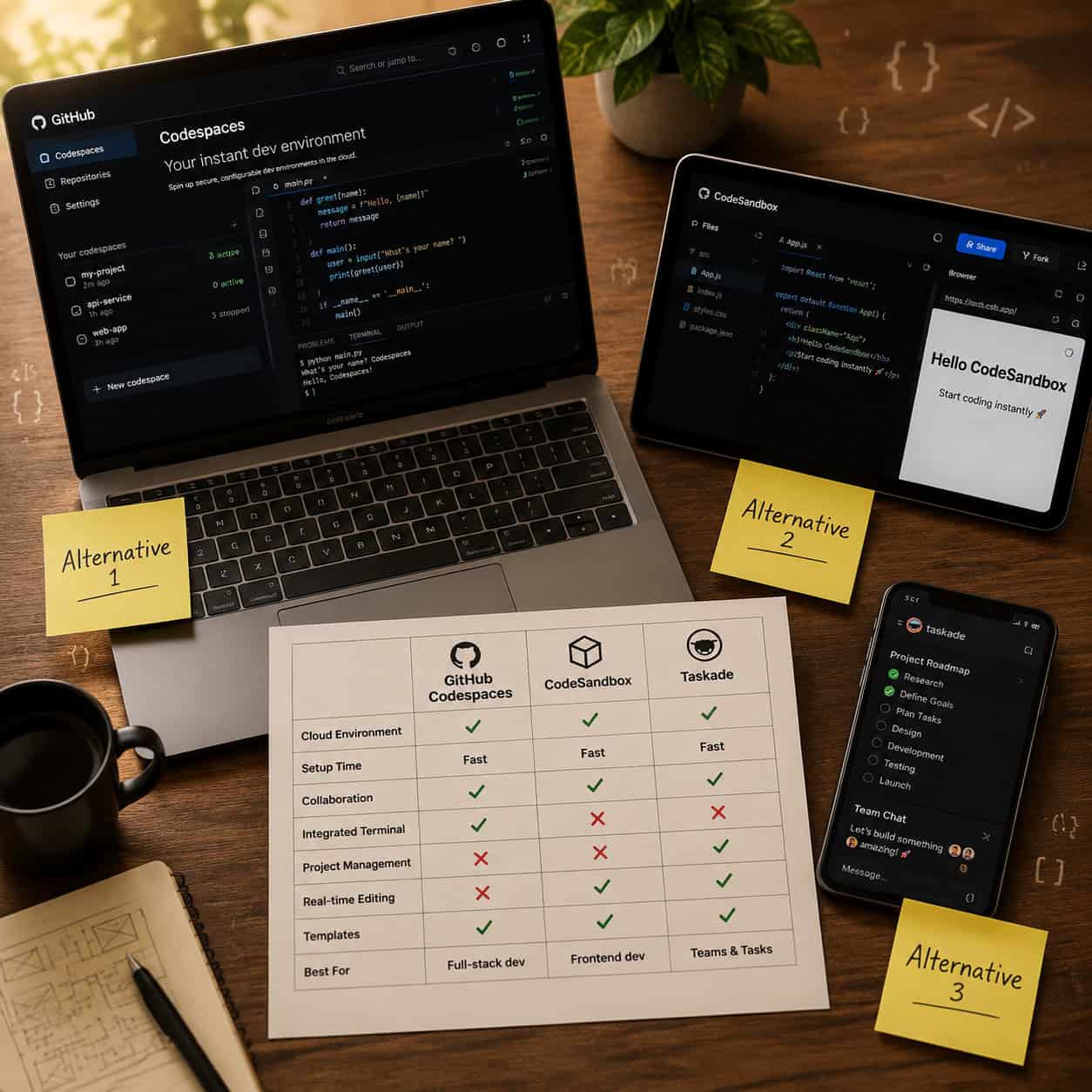
If you can’t get Replit unblocked, several browser-based coding platforms offer similar functionality and may not be on your network’s block list.
Strategy 4: Switch to an Alternative Browser-Based IDE
| Platform | Best For | Free Tier | Key Advantage |
|---|---|---|---|
| GitHub Codespaces | Full dev environments | 60 hrs/month | Spins up from any GitHub repo [4] |
| CodeSandbox | Quick prototyping | Yes (limited) | Disposable VMs with shareable links [4] |
| StackBlitz | Frontend projects | Yes | Runs Node.js in the browser (WebContainers) |
| Taskade Genesis | No-code AI apps | Yes (limited) | Builds apps from prompts, $6/mo for full access [8] |
| Glitch | Web apps | Yes | Community-focused, easy sharing |
GitHub Codespaces is the strongest alternative for serious development. It provides a full VS Code environment in your browser, backed by a real VM. If your school allows GitHub (many do, since it’s widely used in computer science curricula), Codespaces gives you everything Replit offers and more [4].
CodeSandbox excels at quick, shareable projects. Its disposable environments make it ideal for classroom demonstrations and homework submissions [4].
For those interested in AI-powered content and development tools, Taskade Genesis takes a completely different approach by generating functional apps from text prompts, eliminating the need for a traditional code editor entirely [8].
If you’re already working with design-to-code workflows, tools like Figma’s code export plugins can complement these alternative IDEs nicely.
Choose this strategy if: You need a coding environment and don’t specifically need Replit’s features.
Strategy 5: Set Up a Local Development Environment
When all online options are blocked, going local is your fallback. This requires installation privileges on your device.
Minimum setup for web development:
- Install VS Code (free, works offline)
- Install Node.js for JavaScript/TypeScript projects
- Install Python directly for Python projects
- Use Live Server (VS Code extension) for browser previews
- Use Git for version control and syncing code when you’re back on an unrestricted network
For Chromebooks or locked devices: This strategy won’t work if you can’t install software. In that case, consider using drag-and-drop website builders that run entirely in the browser and may not be blocked.
Edge case: Some organizations block USB drives and external storage. If you’re setting up a local environment, make sure you can actually save and transfer your work. Cloud sync through Google Drive or OneDrive (if those aren’t blocked) can help.
Choose this strategy if: You have admin access to your device and don’t need real-time collaboration features.
How to Work With IT Instead of Around Them
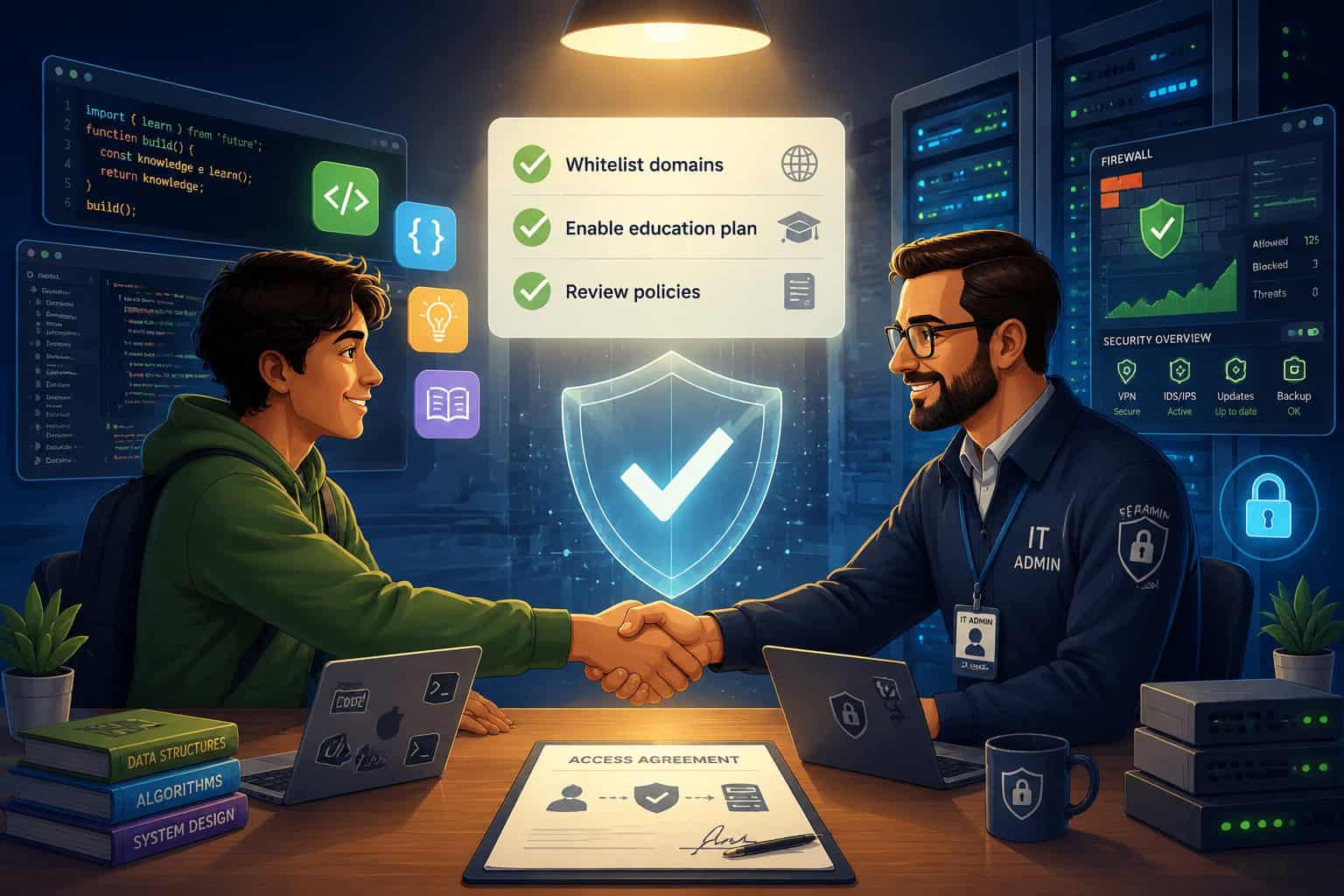
The most reliable long-term solution is collaboration, not circumvention. Here’s how to make a compelling case to your IT department:
- Frame it as educational need, not personal preference. Bring specific curriculum requirements or assignment descriptions.
- Reference Replit’s security features. Point to the family-friendly DNS, the firewalled school version, and the May 2026 Workspace Security Center 2.0 update [7].
- Propose a trial period. Suggest whitelisting
firewalledreplit.comfor 30 days with monitoring. - Offer to document usage. Volunteer to track how students use the platform and report any issues.
- Bring alternatives. If Replit is a hard no, ask about GitHub Codespaces or CodeSandbox as compromises.
For educators building web projects with students, combining Replit access with resources on AI-powered website creation can strengthen the case that these tools serve legitimate learning goals.
Organizations exploring automation workflows may also find that Replit’s recent security improvements, including external access tokens for private deployments, address many of the concerns that led to the original block.
Frequently Asked Questions
Is it legal to use a VPN to access Replit at school? Using a VPN isn’t illegal, but it likely violates your school’s acceptable use policy. Consequences range from losing internet privileges to suspension, depending on the school.
Does Replit have a version specifically for schools?
Yes. Replit for Education (replit.com/edu) provides managed classroom environments with content filtering and admin controls. The firewalled version at firewalledreplit.com adds additional restrictions.
Will using Replit through a VPN get me banned from Replit? Using a VPN to access Replit doesn’t violate Replit’s terms of service. However, using Replit to deploy proxy scripts that bypass network filters does violate their TOS.
What domains do I need whitelisted for Replit to work?
At minimum: *.replit.com, *.repl.co, *.replit.dev, and *.replit.app. For the school version, add firewalledreplit.com.
Is GitHub Codespaces a good replacement for Replit? For most use cases, yes. It offers a full VS Code environment, 60 free hours per month, and direct GitHub integration. It lacks Replit’s built-in AI agent features but supports VS Code extensions [4].
Can I use Replit on a Chromebook? Yes. Replit runs entirely in the browser and works on Chromebooks without any installation. The limitation is network access, not device capability.
Why does my school block coding websites? Most schools block Replit specifically because students use it to deploy proxy servers that bypass the school’s web filter, not because they oppose coding education [6].
What’s the cheapest way to get a coding environment if Replit is blocked? GitHub Codespaces offers 60 free hours monthly. StackBlitz and Glitch are completely free for basic use. VS Code is free to install locally.
Conclusion
Getting Replit unblocked on a restricted network comes down to choosing the right strategy for your situation. If you’re a student or teacher, start by talking to your IT department and requesting domain whitelisting or the Replit for Education plan. These approaches are sustainable and won’t put you at risk of policy violations.
If those options fail, GitHub Codespaces and CodeSandbox are capable alternatives that may already be accessible on your network. VPNs and local environments are valid technical solutions but come with trade-offs in compliance and convenience.
Your next steps:
- Identify why Replit is blocked on your network (proxy concerns, blanket policy, or bandwidth).
- Choose the strategy that matches your role and risk tolerance.
- If you’re approaching IT, prepare your case with Replit’s security documentation and a specific educational justification.
- Test your chosen solution and have a backup plan ready.
The coding community continues to grow, and access to browser-based development environments is increasingly recognized as essential for education and professional work. The right approach gets you coding again without burning bridges.
See also: Replit Documentation.
References
[4] Replit Alternatives – https://www.builder.io/blog/replit-alternatives [6] How Does Everyone Deal With Or Your Thoughts On – https://www.reddit.com/r/k12sysadmin/comments/17mr3t0/how_does_everyone_deal_with_or_your_thoughts_on/ [7] Changelog – https://docs.replit.com/updates/2026/05/08/changelog [8] Replit Alternatives – https://www.taskade.com/blog/replit-alternatives