Last updated: May 30, 2026
Quick Answer: ElevenLabs V3 is the company’s flagship text-to-speech model, generally available since early 2026 via both the UI and a REST API. It delivers the most emotionally expressive AI voice output in the ElevenLabs lineup, supports inline Audio Tags for granular emotional control, and reduced complex-text errors by 68% compared to the V3 alpha [2]. It’s best suited for pre-rendered content like podcasts, audiobooks, and multilingual media rather than real-time conversational agents.
Key Takeaways
- V3 went from alpha to general availability in February 2026, with quality refinements landing on March 14, 2026 [2][8].
- Audio Tags let you embed emotion, energy, and speaker-change instructions directly in your text prompts [2].
- 72% of surveyed developers preferred V3 GA over the V3 alpha in blind listening tests [2].
- V3 is not designed for real-time chat; ElevenLabs recommends Flash v2.5 (around 75 ms latency) for conversational agents [2].
- The API supports Python and TypeScript SDKs with a unified REST interface covering TTS, STT, voice cloning, and generative audio.
- Pricing is credit-based and tiered, starting with a free plan and scaling to enterprise.
- Key competitors include OpenAI’s audio models, Cartesia Sonic 3, and Amazon Polly, each with different strengths [7].
- V3 outputs in MP3, PCM, and μ-law formats at up to 44.1 kHz sample rates.
What Exactly Is the ElevenLabs V3 API and How Does It Work?
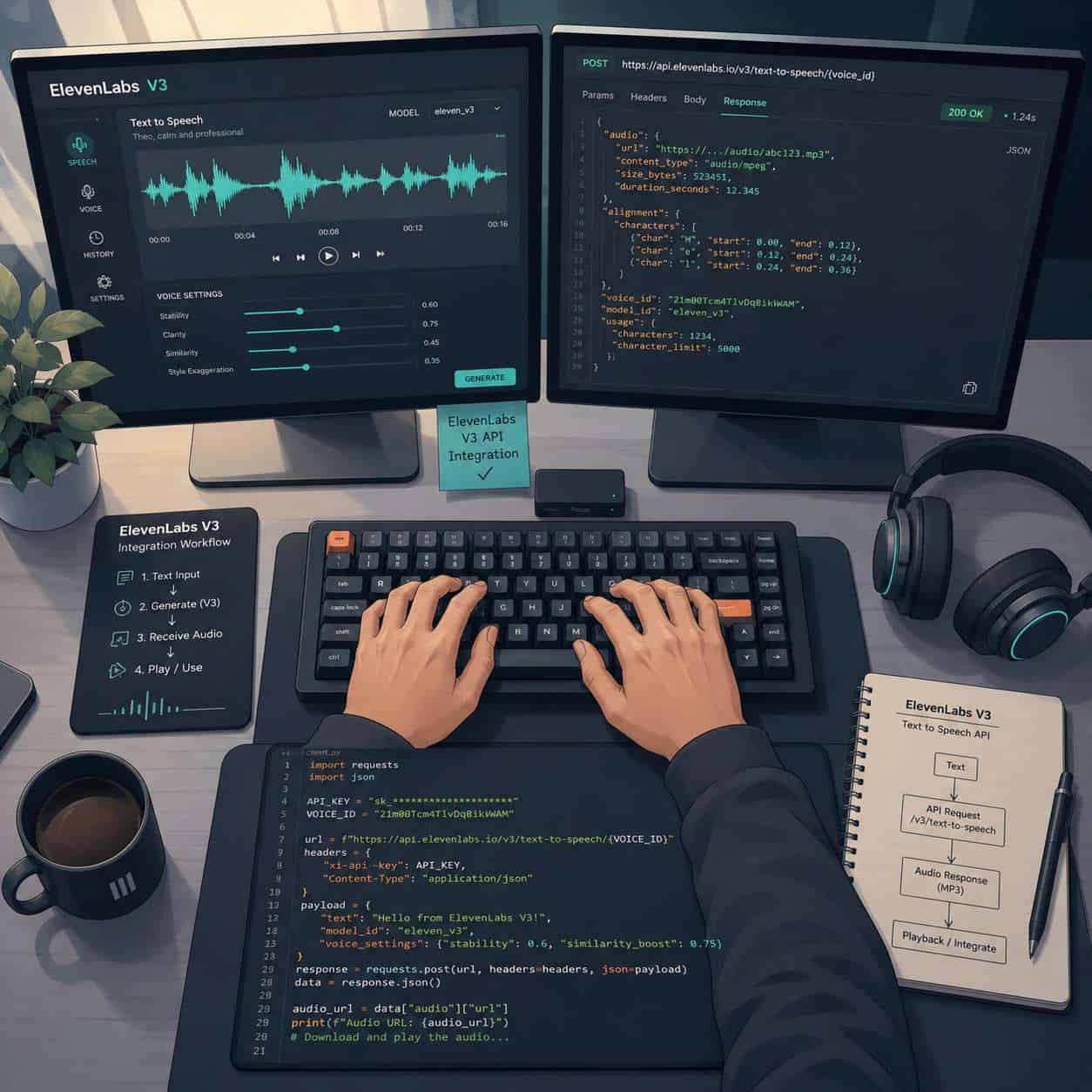
ElevenLabs V3 is a large-scale text-to-speech model that converts written text into human-sounding speech with fine-grained emotional control. It works through a standard REST API: you send a POST request with your text, voice ID, and optional Audio Tags, and the API returns an audio file.
The model architecture uses a high-fidelity codec that produces richer audio than earlier versions but requires more compute time [2]. Here’s the basic workflow:
- Get an API key from your ElevenLabs dashboard.
- Choose a voice from the library or clone your own.
- Send a request with your text payload and model ID set to
eleven_v3. - Receive audio in your chosen format (MP3, PCM, or μ-law).
What makes V3 different from previous versions is the Audio Tags system. Instead of relying on the model to guess tone, you can embed inline directives like [cheerful] or [whispering] directly in your text to steer emotional delivery [2]. The “Meet the models” documentation also introduces a Text to Dialogue endpoint within the V3 line, allowing multi-speaker scene generation in a single API call.
Choose V3 if you need cinematic, expressive output for scripted content. Choose Flash v2.5 if you need sub-100 ms latency for live conversations [2][3].
How Much Does the ElevenLabs Voice Generation API Cost Per Request?
ElevenLabs uses a credit-based pricing system rather than a flat per-request fee. Each character of text consumes credits, and the number of credits you get depends on your subscription tier.
| Plan | Monthly Cost (approx.) | Characters Included | Best For |
|---|---|---|---|
| Free | $0 | ~10,000 | Testing and evaluation |
| Starter | $5 | ~30,000 | Hobby projects |
| Creator | $22 | ~100,000 | Content creators |
| Pro | $99 | ~500,000 | Professional production |
| Scale | $330 | ~2,000,000 | High-volume apps |
| Enterprise | Custom | Custom | Large-scale deployment |
Note: These figures are estimates based on publicly listed plans as of early 2026. Check ElevenLabs’ pricing page for current numbers, as tiers and character allotments change periodically.
One common surprise: V3 may consume more credits per character than Flash models because of its higher-fidelity processing. If you’re building something with AI-powered content generation tools, factor this into your budget planning.
Which Programming Languages Can Integrate with the ElevenLabs API?
Any language that can make HTTP requests can call the ElevenLabs API, but official SDK support exists for Python and TypeScript. The API follows standard REST conventions, so developers working in Go, Ruby, Java, C#, PHP, or Rust can integrate using their language’s HTTP client library.
The Python SDK is the most popular choice in the community. A minimal example:
<code class="language-python">from elevenlabs import ElevenLabs

client = ElevenLabs(api_key="your_key")
audio = client.text_to_speech.convert(
    text="Hello from V3.",
    voice_id="your_voice_id",
    model_id="eleven_v3"
)
</code>
For frontend or Node.js applications, the TypeScript SDK mirrors the same functionality. If you’re working on WordPress plugin development, you can call the REST API directly from PHP using wp_remote_post.

What Are the Best Alternatives to ElevenLabs for AI Voice Generation?
ElevenLabs V3 leads on expressiveness and multilingual support, but it’s not the best fit for every use case. Here’s how the main competitors stack up in 2026:
| Platform | Strength | Latency | Best For |
|---|---|---|---|
| ElevenLabs V3 | Expressiveness, multilingual | Higher (pre-render) | Content creators, audiobooks |
| Cartesia Sonic 3 | Lowest latency (~90 ms TTFA) | ~90 ms | Real-time agents |
| OpenAI Audio API | Single-vendor LLM + TTS stack | Moderate | Voice assistants using GPT |
| Amazon Polly | AWS integration, low cost | Low | Enterprise apps at scale |
| Google Cloud TTS | Wide language support | Low | Multilingual enterprise |
Inworld’s 2026 benchmarks rate ElevenLabs as “best for content creators + multilingual” while ranking Cartesia Sonic 3 as “lowest latency” [7]. OpenAI’s audio models, introduced in March 2025, compete directly for conversational agent use cases because they bundle speech and language understanding in one stack.
Decision rule: If you already use OpenAI for language processing and need a simple voice layer, their audio API reduces vendor complexity. If audio quality and emotional range matter most, V3 is the stronger choice [7].
Can I Clone My Own Voice Using the ElevenLabs API?
Yes. ElevenLabs supports both instant voice cloning (from a short audio sample) and professional voice cloning (from a larger dataset with verification). The V3 model works with cloned voices just as it does with library voices.
For instant cloning, you upload a clean audio sample of at least 30 seconds. For professional cloning, you typically need 30+ minutes of high-quality recordings and must complete a voice verification process to confirm you have rights to the voice.
Common mistake: Uploading noisy or reverb-heavy samples. Background noise degrades clone quality significantly. Record in a quiet room, use a decent microphone, and aim for consistent volume levels.
How Accurate Is Voice Cloning Compared to Real Human Voices?
V3’s voice cloning produces output that is often difficult to distinguish from the original speaker in casual listening, but trained ears and forensic tools can still detect differences. The 72% preference rate for V3 GA over V3 alpha in blind tests [2] suggests meaningful quality gains, but that metric compares two AI versions, not AI versus human.
Where cloning falls short: unusual vocal textures, very specific regional accents, and the micro-variations that make a real voice feel “alive” over long-form content. For a 30-second ad spot, the difference is minimal. For a 10-hour audiobook, listeners may notice a subtle uniformity.
Is the ElevenLabs API Good for Podcast or Audiobook Production?
V3 is specifically designed for this kind of pre-rendered, scripted content. ElevenLabs themselves recommend V3 for “high-drama performances, multilingual output, and complex dialogue” [3], and the Text to Dialogue endpoint can handle multi-speaker scenes in a single pass.
For podcast production, the Audio Tags system lets you direct emotional beats within a script, which is something earlier TTS models couldn’t do well. You can mark sections as [excited], [serious], or [sarcastic] and get noticeably different deliveries [2].
Edge case: If your podcast involves live caller interactions or real-time conversation, V3’s latency makes it impractical. Use Flash v2.5 for those segments and V3 for pre-recorded intros, outros, and narration [2].
If you’re also optimizing your podcast’s web presence, our guide on AI-powered content optimization covers strategies that pair well with AI-generated audio content.

What Industries Benefit Most from ElevenLabs Voice AI?
The industries seeing the highest adoption of V3 include media and entertainment, e-learning, gaming, accessibility technology, and marketing.
- Media/Entertainment: Dubbing, narration, and localization across 29+ languages.
- E-learning: Course narration at scale without hiring voice actors for every update.
- Gaming: NPC dialogue with emotional variation (though real-time NPCs still favor Flash models).
- Accessibility: Screen readers and assistive tools with natural-sounding voices.
- Marketing: Personalized audio ads and multilingual campaigns.
Companies building AI-powered websites are also integrating voice features for interactive user experiences.
What Are the Technical Requirements to Use the ElevenLabs API?
You need an ElevenLabs account, an API key, and the ability to make HTTPS requests. There are no special hardware requirements on your end since all processing happens on ElevenLabs’ servers.
- Authentication: API key passed as a header (
xi-api-key). - Protocol: REST over HTTPS.
- SDKs: Python 3.7+ or Node.js 16+ for official SDKs.
- Response formats: MP3, PCM (raw), μ-law.
- Network: Stable internet connection; audio files can be several MB for long texts.
The platform’s documentation was refreshed in mid-May 2026 with updated onboarding guides and consolidated model overviews [1].
How Do I Handle API Rate Limits and Quota Restrictions?
ElevenLabs enforces rate limits based on your subscription tier. Free and Starter plans have stricter limits (typically a few requests per second), while Pro and Scale plans allow higher concurrency.
Best practices for handling limits:
- Implement exponential backoff when you receive 429 (Too Many Requests) responses.
- Queue long texts and process them in batches rather than sending everything at once.
- Cache generated audio so you don’t regenerate the same content repeatedly.
- Monitor your usage through the dashboard to avoid hitting character limits mid-month.
Common mistake: Not accounting for retries in your character budget. Each failed-then-retried request still consumes characters if the server partially processed it. For developers managing multiple automation workflows, building a request queue with deduplication is worth the upfront effort.
What Audio Quality and File Formats Does ElevenLabs Support?
V3 outputs audio at up to 44.1 kHz sample rate in MP3, PCM, and μ-law formats. MP3 is the default and most practical for web delivery. PCM is useful when you need uncompressed audio for post-production editing. μ-law is primarily for telephony applications.
The higher-fidelity codec in V3 produces noticeably better audio than V2 models, particularly in the handling of sibilants, breathing sounds, and tonal transitions [2]. If you’re producing content that will be further processed (EQ, compression, mastering), request PCM to avoid double-encoding artifacts.
What Are Common Mistakes Developers Make When Using the ElevenLabs API?
Based on community feedback and documentation patterns, here are the most frequent pitfalls:
- Using V3 for real-time chat. V3’s larger model takes longer to process. Use Flash v2.5 for anything requiring sub-100 ms latency [2].
- Ignoring Audio Tags. V3 is a “steerable” model where tags and directional prompts are essential, not optional. Without them, you’re leaving expressiveness on the table [2].
- Setting stability too high or too low. V3 has Creative, Natural, and Robust stability modes. More creative settings improve expressiveness but can reduce literal accuracy [2].
- Not testing across languages. V3 supports 29+ languages, but quality varies. Always test your specific language pair before committing to production.
- Skipping the playground. The ElevenLabs web playground lets you test voices and settings before writing code [6]. Skipping this step leads to wasted API credits.
Are There Privacy Concerns with AI-Generated Voices?
Yes, and they’re significant. Voice cloning technology raises questions about consent, impersonation, and data handling.
ElevenLabs requires voice verification for professional cloning to confirm the uploader has rights to the voice. However, instant cloning from short samples has lower barriers. Developers building applications should:
- Get explicit consent from anyone whose voice is cloned.
- Clearly label AI-generated audio as synthetic in consumer-facing products.
- Review ElevenLabs’ terms of service regarding data retention and model training.
- Comply with local regulations, including the EU AI Act’s requirements for synthetic media disclosure.
If you’re integrating voice AI into a website, our guide on WordPress AI integration plugins covers compliance considerations for AI-powered features.
Conclusion
ElevenLabs V3 represents a genuine step forward in AI voice quality, particularly for scripted, pre-rendered content where emotional control matters. The Audio Tags system, 68% reduction in text errors, and multi-speaker dialogue capabilities make it the strongest option in 2026 for content creators, audiobook producers, and multilingual media teams [2].
Your next steps:
- Sign up for an ElevenLabs account and test V3 in the playground before writing any code.
- Experiment with Audio Tags to understand how emotional directives change output quality.
- Choose the right model for your use case: V3 for quality-first content, Flash v2.5 for real-time interactions.
- Build caching and rate-limit handling into your integration from day one.
- Address privacy early by establishing consent workflows and synthetic media labeling.
For broader context on how AI tools are reshaping content workflows, explore our AI-powered content generation guide and content optimization strategies.
FAQ
Q: Is ElevenLabs V3 free to use? A: There’s a free tier with approximately 10,000 characters per month. V3 is available on all paid plans, but the free tier has limited voice options and lower rate limits.
Q: Can V3 generate speech in multiple languages? A: Yes. V3 supports 29+ languages and is considered one of the strongest multilingual TTS models available in 2026 [3][7].
Q: How long does it take to generate audio with V3? A: V3 is slower than Flash models due to its larger architecture. Expect several seconds for paragraph-length text. It’s not suitable for real-time conversational use [2].
Q: Do I need to train V3 on my data? A: No. V3 works out of the box with pre-built voices. Voice cloning requires audio samples but not model training on your part.
Q: What’s the difference between V3 alpha and V3 GA? A: V3 GA (March 2026) includes a 68% reduction in complex-text errors and improved emotional delivery compared to the alpha. 72% of surveyed developers preferred GA in blind tests [2].
Q: Can I use V3 for commercial projects? A: Yes, on paid plans. Review ElevenLabs’ terms for specifics on commercial licensing and attribution requirements.
Q: Does V3 support SSML? A: V3 uses its own Audio Tags system rather than standard SSML. Audio Tags provide similar functionality (emotion, pacing, emphasis) with a syntax designed for V3’s architecture [2].
Q: What happens if I exceed my character quota? A: API requests will return errors once you hit your monthly limit. You can upgrade your plan or purchase additional credits through the dashboard.
Q: Is the API suitable for mobile apps? A: Yes. The REST API works from any platform. For mobile, generate audio server-side and stream it to the client to avoid exposing your API key.
Q: How does V3 compare to OpenAI’s voice API? A: OpenAI’s audio models integrate tightly with GPT for conversational agents. V3 offers superior expressiveness and voice variety for content production. Choose based on whether you need conversation or narration [7].
Related ElevenLabs guides: read our in-depth ElevenLabs AI Voice Generator review, learn how to master ElevenLabs from beginner to pro, and compare ElevenLabs rivals across AI voice synthesis platforms in 2026.
References
[1] Changelog – https://elevenlabs.io/docs/changelog [2] Elevenlabs V3 Review – https://inworld.ai/resources/elevenlabs-v3-review [3] Elevenlabs Cheat Sheet – https://www.webfuse.com/elevenlabs-cheat-sheet [4] elevenlabs – https://elevenlabs.io/v3 [6] Text To Dialogue V3 – https://kie.ai/elevenlabs/text-to-dialogue-v3 [7] Best Ai Voice Generators – https://inworld.ai/resources/best-ai-voice-generators [8] Eleven V3 Is Now Generally Available Earn 1000 – https://www.reddit.com/r/ElevenLabs/comments/1qu2jjg/eleven_v3_is_now_generally_available_earn_1000/ [9] Eleven V3 Alpha Now Available In The Api – https://elevenlabs.io/blog/eleven-v3-alpha-now-available-in-the-api