
Last updated: May 11, 2026
Quick Answer
Cursor AI is a VS Code-based code editor powered by multiple large language models (GPT-4o, Claude 4 Sonnet, Gemini) that provides codebase-aware autocomplete, multi-file editing, and autonomous agent capabilities. It’s currently valued at $29.3 billion, backed by Google and NVIDIA, and serves as one of the most capable AI-assisted development environments available in 2026. Pricing starts at $20/month for the Pro plan.
Key Takeaways
- Cursor AI achieves a 72% code acceptance rate in benchmarks, outperforming GitHub Copilot’s 65% [6]
- SpaceX announced an option to acquire Cursor for $60 billion in April 2026, signaling massive industry confidence [5]
- Enterprise features released in May 2026 include granular model controls, spend management, and usage analytics [1][7]
- Bugbot learned rules (released May 6, 2026) allow the AI code review tool to adapt from PR feedback [7]
- A critical Git RCE vulnerability was patched in version 2.5, with no in-the-wild exploits reported [6]
- Supports multiple AI models: GPT-4o, Claude 4 Sonnet, Gemini, and Cursor’s own Composer model
- Best suited for developers who want deep codebase context awareness across multi-file projects
- Main competitors: GitHub Copilot ($10/mo), Windsurf ($15-20/mo), and Claude Code ($20/mo)
- Agentic task completion takes 35-50 minutes on 30-file codebases, compared to Windsurf’s 30-80 minutes
What Is Cursor AI and Why Does It Matter for Developers?
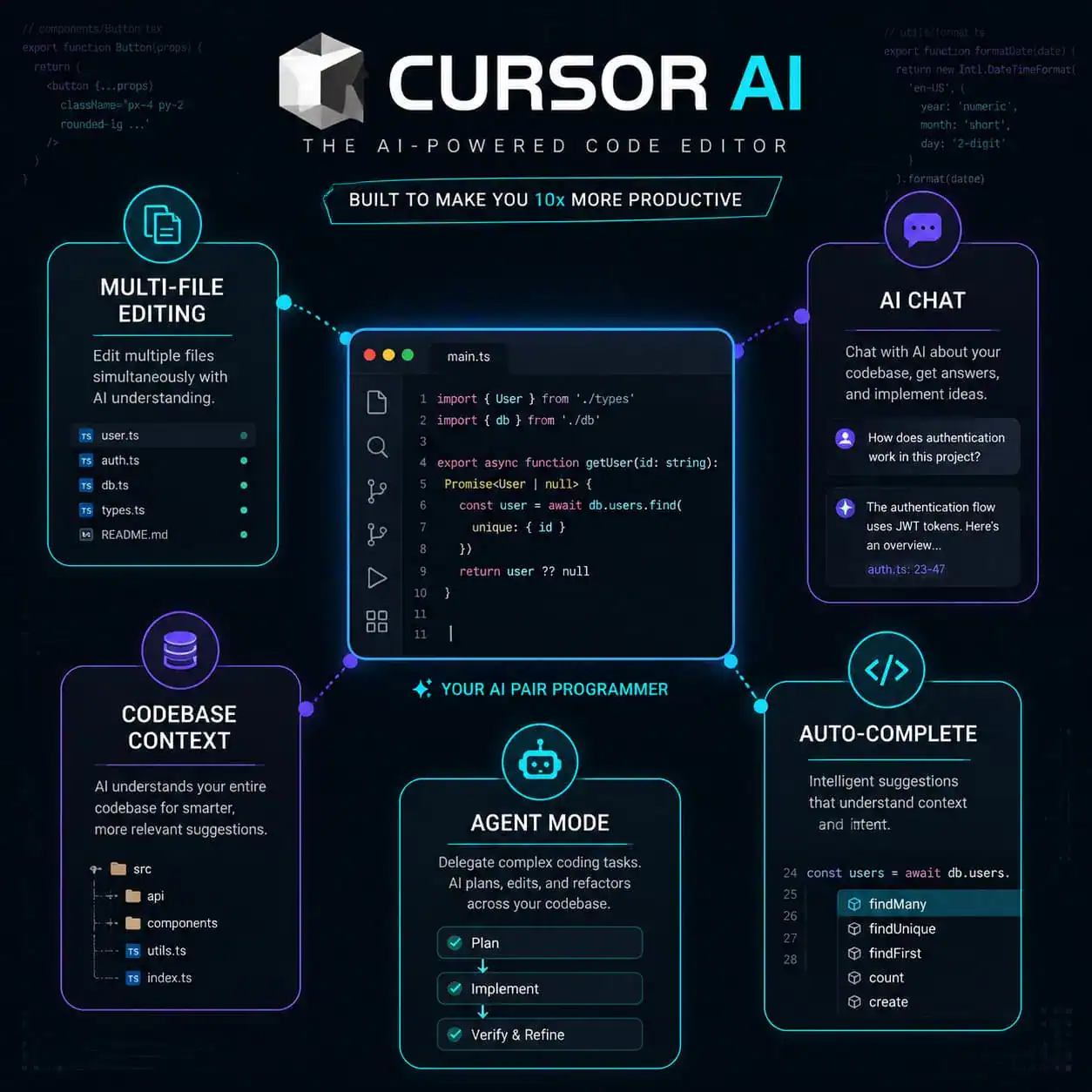
Cursor AI is a fork of Visual Studio Code that integrates AI capabilities directly into the editing experience rather than bolting them on as extensions. It reads your entire codebase for context, which means suggestions aren’t generic—they reference your actual functions, types, and project structure.
What separates Cursor from a standard AI coding assistant:
- Codebase indexing: It scans your full project to understand relationships between files
- Multi-file editing: You can instruct it to refactor across dozens of files simultaneously
- Agent mode: The AI can autonomously execute multi-step tasks, run terminal commands, and iterate on errors
- Chat with context: Ask questions about your code and get answers grounded in your actual implementation
For developers working on WordPress plugin development or complex web applications, this context awareness means fewer hallucinated function names and more accurate code generation.
Choose Cursor if you work on medium-to-large codebases where context across files matters. Choose a simpler tool if you mostly write isolated scripts or single-file programs.
How Does Cursor AI Compare to GitHub Copilot and Other Alternatives?
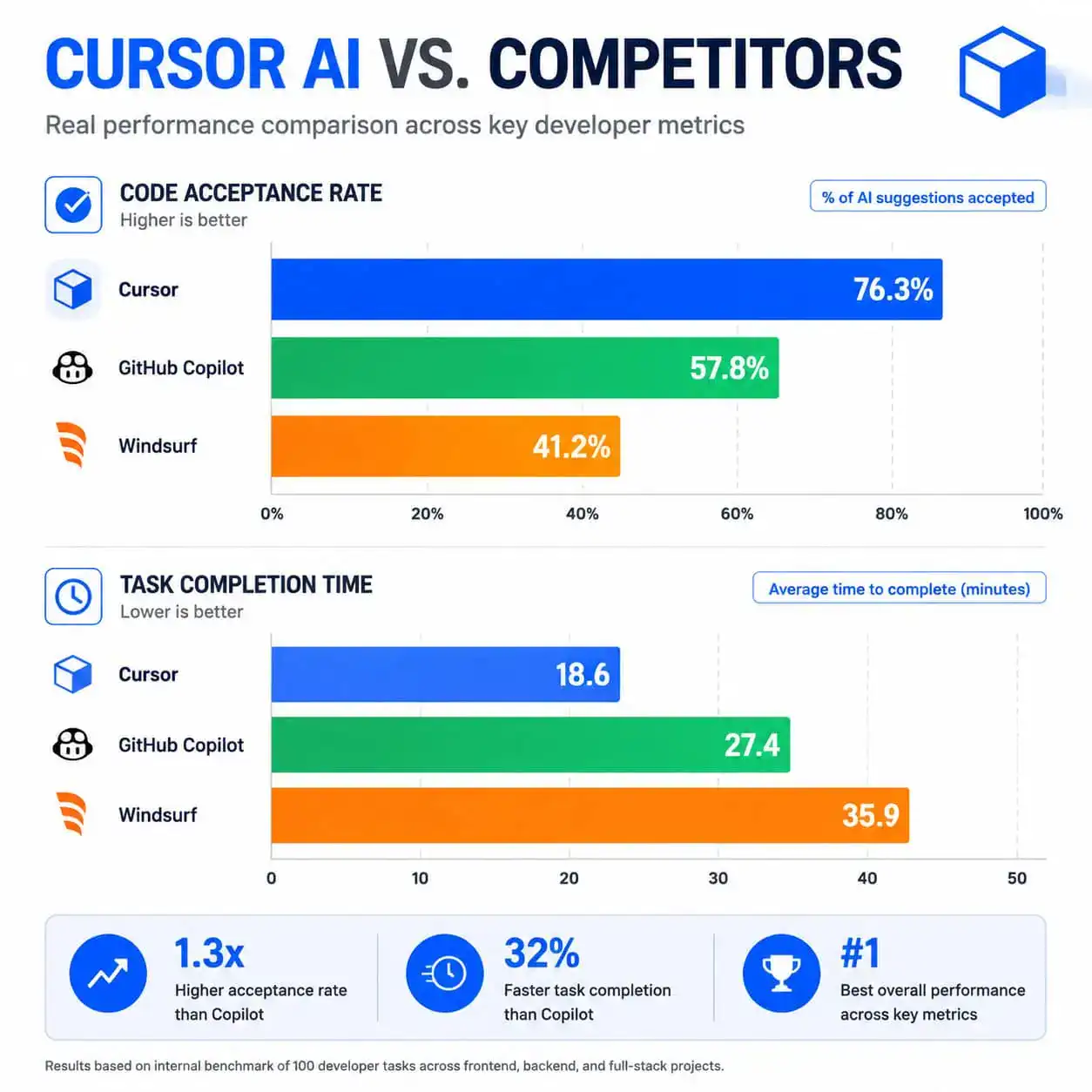
Cursor outperforms GitHub Copilot on code acceptance rate (72% vs. 65%) and multi-file editing capability, but trails Windsurf in raw autocomplete speed. Here’s how the main options stack up:
| Feature | Cursor AI | GitHub Copilot | Windsurf | Claude Code |
|---|---|---|---|---|
| Price | $20/mo (Pro) | $10/mo | $15-20/mo | $20/mo |
| Code Acceptance Rate | 72% | 65% (est.) | ~70% | N/A |
| Tab Completion Speed | ~200ms | ~180ms | 150ms | N/A (terminal) |
| Multi-file Editing | Yes (native) | Limited | Yes | Yes |
| SWE-bench Score | ~70% (est.) | 55% | N/A | 80.8% |
| IDE | Custom (VS Code fork) | Multi-IDE | Custom | Terminal-based |
| Agent Mode | Yes | Yes (preview) | Yes (Cascade) | Yes |
Common mistake: Picking based on price alone. Copilot at $10/month seems like a bargain, but if you spend 30% more time on manual multi-file refactors, the cost difference evaporates quickly.
Edge case: If you need the highest raw benchmark scores and prefer terminal workflows, Claude Code’s 80.8% SWE-bench score is hard to ignore—but it lacks a visual IDE.
For teams already using AI-powered tools for content and automation, Cursor fits naturally into a workflow that leans on AI assistance across the development pipeline.
What Are the Latest Cursor AI Updates in 2026?
Several major updates shipped in early May 2026 that strengthen Cursor’s enterprise positioning:
May 4, 2026 — Enterprise Controls [1][7]:
- Granular model provider blocking (admins can restrict which AI providers are available)
- Soft spend limits with alerts at 50%, 80%, and 100% usage thresholds
- Usage analytics dashboards for team oversight
May 6, 2026 — Bugbot Learned Rules [7]:
- The AI code review tool now adapts from pull request feedback
- Reduces false positives over time as it learns your team’s patterns
- Improves bug detection accuracy with each review cycle
Security Patch — Version 2.5 [6]:
- Fixed a critical Git RCE vulnerability where malicious repositories could trigger arbitrary code execution via the AI agent
- No in-the-wild exploits were reported before the patch
These updates show Cursor maturing from a solo developer tool into an enterprise-ready platform. The spend management features alone address one of the biggest concerns organizations have about AI tool adoption: unpredictable costs.
Who Should Use Cursor AI (and Who Shouldn’t)?
Cursor is ideal for:
- Full-stack developers working across multiple files and languages
- Teams building web applications where design-to-development workflows benefit from AI acceleration
- Developers who already use VS Code and want AI that understands their codebase
- Solo founders and indie hackers who need to move fast without a large team
Cursor is NOT ideal for:
- Developers locked into JetBrains IDEs (Copilot supports these; Cursor doesn’t)
- Teams with strict data residency requirements (check Cursor’s privacy policy for your region)
- Beginners who haven’t learned fundamental programming concepts yet—AI assistance can mask gaps in understanding
- Projects under 500 lines where codebase context provides minimal advantage
Decision rule: If your project has more than 10 interconnected files and you refactor regularly, Cursor’s context-aware approach pays for itself. If you write mostly isolated functions or scripts, a lighter tool like Copilot may suffice.
How Does the SpaceX Partnership Affect Cursor’s Future?
On April 21, 2026, SpaceX announced a partnership with Cursor that includes an option to acquire the company for $60 billion later in 2026, or alternatively invest $10 billion for collaboration leveraging xAI’s Colossus supercomputer for model training [5][9].
What this means practically:
- More compute for model training: Access to Colossus could significantly improve Cursor’s proprietary Composer model
- Enterprise credibility: A SpaceX endorsement signals reliability for large-scale engineering teams
- Independence concerns: Analysts at The Information reported that Cursor is distancing from xAI co-development, focusing on maintaining its multi-provider model approach [6]
The Chainguard partnership (April 26, 2026) adds another layer—securing open-source dependencies in AI-generated code addresses a real supply chain risk that enterprises worry about.
For developers building automated WordPress solutions or other production systems, the security focus matters. AI-generated code that pulls in vulnerable dependencies creates real risk.

How to Get Started with Cursor AI: A Step-by-Step Guide
Getting productive with Cursor takes about 30 minutes if you follow this sequence:
- Download and install from cursor.com (available for macOS, Windows, Linux)
- Import VS Code settings — Cursor offers a one-click migration for extensions, themes, and keybindings
- Index your codebase — Open your project folder and let Cursor scan it (takes 1-5 minutes depending on size)
- Try Tab completion — Start typing in any file and observe context-aware suggestions
- Use Cmd+K (or Ctrl+K) — Highlight code and describe what you want changed in natural language
- Open Chat (Cmd+L) — Ask questions about your codebase: “Where is the authentication middleware defined?”
- Enable Agent mode — For multi-step tasks, let the agent plan and execute across files
Pro tips from G2 reviewers:
- Be specific in prompts. “Refactor this to use async/await” works better than “make this better”
- Use @file references in chat to point the AI at specific files for context
- Set up
.cursorrulesfiles to define project-specific coding standards [10]
For those working on custom WordPress themes, Cursor’s multi-file editing is particularly useful when you need to update template files, functions.php, and stylesheets simultaneously.
What Are the Biggest Limitations and Risks?
No tool is perfect. Here’s what to watch for:
Known limitations:
- Complex multi-step tasks can take 35-50 minutes on 30-file codebases—not instant
- G2 reviewers note inconsistencies in complex tasks where the AI may lose context mid-refactor
- The VS Code fork means you’re locked into one IDE ecosystem
- Pricing at $20/month is double GitHub Copilot’s entry point
Security considerations:
- The patched Git RCE vulnerability [6] shows that AI agents with system access create new attack surfaces
- AI-generated code may introduce dependencies you haven’t vetted
- Enterprise teams should use the new model provider blocking features to control data flow [1]
Common mistake: Trusting AI-generated code without review. Cursor is a coding companion, not a replacement for code review. Always verify critical logic, especially in authentication, payment processing, and data handling.
How Does Cursor Fit Into the Broader AI Development Ecosystem?
Cursor doesn’t exist in isolation. It’s part of a growing ecosystem where AI assists at every stage of software development—from no-code website building to AI-powered content optimization.
The trend is clear: AI tools are specializing. Cursor handles code generation and editing. Other tools handle design, deployment, testing, and monitoring. The developers who thrive in 2026 are those who build workflows connecting these specialized tools rather than expecting one tool to do everything.
FAQ
How much does Cursor AI cost? The Pro plan is $20/month. A free tier exists with limited AI completions. Enterprise pricing is custom and includes the admin controls released in May 2026 [1].
Is Cursor AI better than GitHub Copilot? For multi-file editing and codebase context, yes. For price sensitivity and multi-IDE support, Copilot has advantages. Cursor’s 72% code acceptance rate exceeds Copilot’s estimated 65%.
What programming languages does Cursor support? All languages supported by VS Code, which means virtually every mainstream language including Python, JavaScript, TypeScript, Go, Rust, Java, C++, and more.
Is my code sent to external servers? Yes, code context is sent to AI model providers for processing. Enterprise plans offer more control over which providers receive your data [1][7].
Can Cursor AI write entire applications from scratch? Agent mode can scaffold and build multi-file applications, but complex production apps still require human oversight, testing, and architectural decisions.
Does Cursor work offline? No. AI features require an internet connection to communicate with model providers.
What happened with the SpaceX deal? SpaceX announced an option to buy Cursor for $60 billion or invest $10 billion for collaboration. The deal leverages xAI’s Colossus supercomputer [5][9]. Cursor appears to be maintaining independence in its model development approach.
Is Cursor safe to use after the security vulnerability? The Git RCE vulnerability was patched in version 2.5 with no reported exploits in the wild [6]. Keep your installation updated.
Can I use my existing VS Code extensions? Yes. Cursor supports the VS Code extension marketplace, and you can import existing configurations during setup.
What’s the difference between Cursor and Windsurf? Windsurf offers faster tab completion (150ms vs ~200ms) and Cascade agents. Cursor offers better codebase context and multi-file editing. Windsurf is slightly cheaper at $15-20/month.
Conclusion
Cursor AI has earned its position as a leading AI code editor through genuine technical capability—not just hype. The 72% code acceptance rate, multi-file editing, and codebase-aware context solve real problems that developers face daily.
Your next steps:
- Download Cursor and import your VS Code settings (takes 5 minutes)
- Index a current project and test Tab completion for a day before judging
- Try Agent mode on a real refactoring task to see multi-file capabilities
- Set up
.cursorrulesfor your team’s coding standards [10] - If you’re on a team, evaluate the Enterprise plan’s new spend management features [1]
The AI coding tool market is moving fast. Whether Cursor maintains its lead depends on execution, but right now in May 2026, it offers the strongest combination of context awareness, multi-model support, and enterprise readiness available in a single editor.
References
[1] Changelog – https://cursor.com/changelog [5] Spacex Says It Can Buy Ai Coding Tool Cursor For 60b Later This Year – https://www.usnews.com/news/best-states/california/articles/2026-04-22/spacex-says-it-can-buy-ai-coding-tool-cursor-for-60b-later-this-year [6] Cursor News May 2026 – https://blog.mean.ceo/cursor-news-may-2026/ [7] Cursor – https://releasebot.io/updates/cursor [9] nampa – https://www.nampa.org/text/22914321 [10] Cursorrules 2026 Best Practices – https://github.com/murataslan1/cursor-ai-tips/blob/main/rules/cursorrules-2026-best-practices.md