Last updated: May 22, 2026
Quick Answer
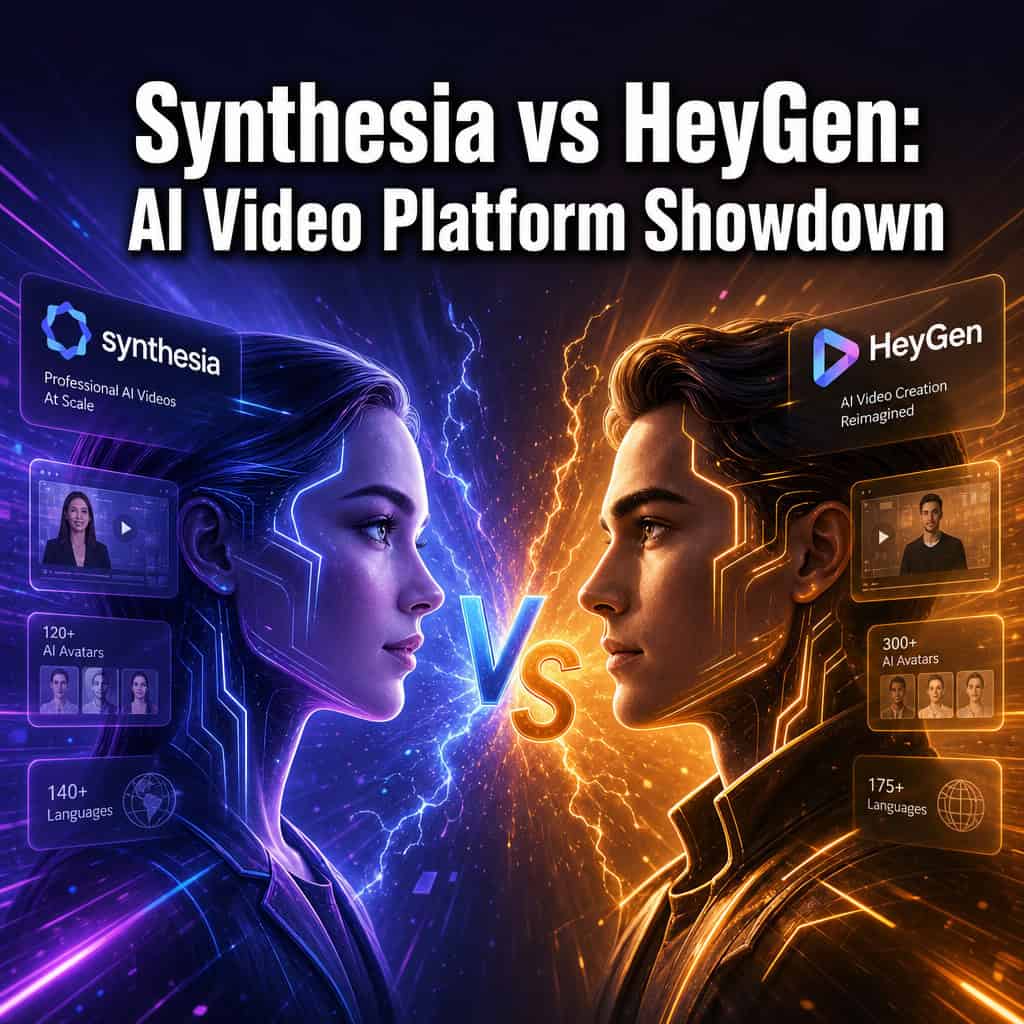
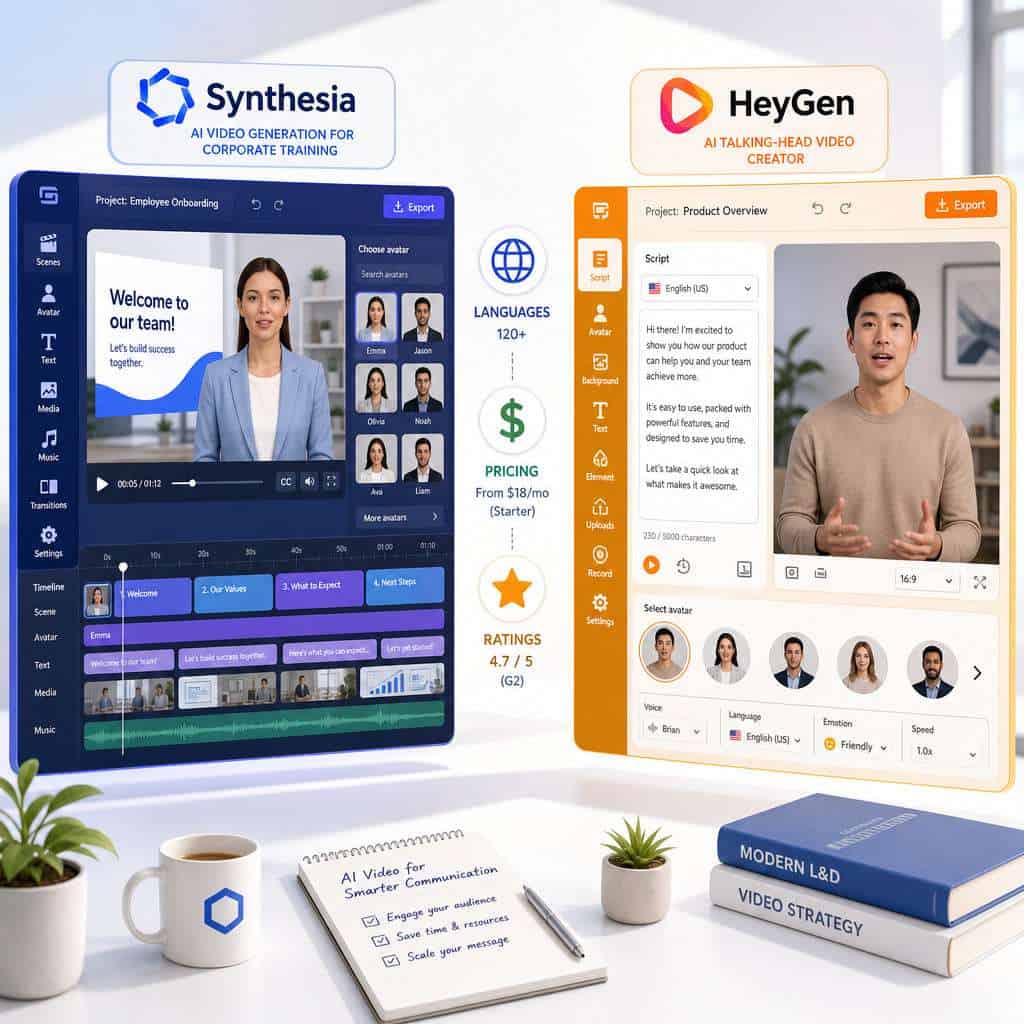
Synthesia is the stronger choice for enterprise teams that need structured video editing, brand controls, and deep integrations, while HeyGen is better suited for smaller teams and creators who prioritize avatar naturalness and faster turnaround on talking-head videos. Both platforms produce professional-quality AI videos without cameras or actors. Synthesia offers roughly 240 avatars in 160+ languages; HeyGen counters with 100+ avatars in 175+ languages and more flexible avatar creation tools [7]. Your best pick depends on team size, budget, and what kind of videos you actually need to produce.
Key Takeaways
- Synthesia is used by 90% of Fortune 100 companies and focuses heavily on corporate training, onboarding, and internal communications [5].
- HeyGen excels at natural-looking talking-head videos and recently launched Video Agent 2.0 for prompt-to-video workflows.
- Synthesia’s pricing starts around $22/month (Starter); HeyGen’s Creator plan starts around $24/month, though both adjust pricing regularly [10].
- Neither platform publicly advertises HIPAA compliance as of early 2026, which matters if you’re in healthcare [7].
- HeyGen supports 175+ languages; Synthesia supports 160+ languages with AI dubbing for existing videos [7].
- Both offer free trials or limited free plans, but with significant restrictions on output.
- Common mistakes include skipping script quality, ignoring brand consistency, and expecting cinematic results from a text-to-video tool.
What Exactly Are Synthesia and HeyGen?
Synthesia and HeyGen are AI video generation platforms that turn text scripts into professional-looking videos featuring realistic digital avatars — no camera, studio, or actors required.
Synthesia, founded in 2017 and headquartered in London, has grown into what the Financial Times described as a “global software enterprise” with projected annual revenues above $100 million. It launched Synthesia 3.0, adding interactive elements like quizzes and clickable calls-to-action. In April 2026, Synthesia partnered with KnowBe4 to bring AI video directly into cybersecurity training workflows [1][2].
HeyGen, founded in 2020 and based in Los Angeles, has moved quickly to compete. Its January 2026 release overhauled avatar creation and introduced Video Agent 2.0, a planning-first AI video production system. A 2026 review on Buzzcube called it “one of the most effective solutions for structured, repeatable video communication [6].
Both tools fit into the broader wave of AI-powered content generation tools reshaping how businesses create media.
How Much Does Synthesia Cost Compared to HeyGen?
Synthesia’s Starter plan begins at roughly $22/month, while HeyGen’s Creator plan starts around $24/month. Enterprise pricing for both platforms is custom and typically runs into thousands per month [10].
Here’s a side-by-side pricing snapshot:
| Feature | Synthesia | HeyGen |
|---|---|---|
| Entry-level plan | ~$22/month (Starter) | ~$24/month (Creator) |
| Mid-tier plan | ~$67/month (Creator) | ~$72/month (Business) |
| Enterprise | Custom pricing | Custom pricing |
| Free trial/plan | Limited free plan | Limited free plan |
| Video credits | Varies by plan | Varies by plan |
One thing to watch: add-on costs. The Colossyan comparison notes that buyers often underestimate integration overhead and premium avatar fees when budgeting for either platform [7]. If you’re building marketing videos alongside your website, you might also explore no-coding website design platforms that pair well with AI video content.
Choose Synthesia if your organization needs SSO, API access, and brand kits at scale. Choose HeyGen if you’re a solo creator or small team looking for competitive pricing with strong avatar quality.
Can HeyGen Do Better Talking-Head Videos Than Synthesia?
Yes, HeyGen generally wins on avatar naturalness for talking-head content, while Synthesia wins on structured editing and enterprise-grade controls [7].
HeyGen’s avatars tend to have more fluid lip-sync, subtle facial micro-expressions, and natural head movements. This makes them particularly effective for:
- Product explainer videos
- Personalized sales outreach
- Social media content where authenticity matters
Synthesia’s avatars are polished and professional but lean more “corporate.” They work extremely well in formal contexts like compliance training or investor updates, where a slightly more composed delivery feels appropriate.
HeyGen’s Video Agent 2.0 (released January 2026) also introduced prompt-to-video workflows, meaning you can describe what you want and the system plans the video structure for you. That’s a meaningful advantage for creators who don’t want to storyboard manually.
Which Platform Has Better AI Avatars?
Synthesia offers more avatars (approximately 240), but HeyGen’s smaller library of 100+ avatars is often rated higher for realism [7].

Key differences in avatar capabilities:
- Synthesia: ~240 stock avatars, custom avatar creation in about 2 minutes once footage and consent are submitted [8], Express Avatars for quick personalization, and the ability to create avatars that match your brand’s visual identity.
- HeyGen: 100+ stock avatars, instant avatar cloning, photo avatars (create an avatar from a single image), and more expressive gesture controls.
Both platforms let you create custom avatars from your own likeness. Synthesia’s process is streamlined but requires consent verification. HeyGen’s instant cloning is faster for casual use but may offer less fine-tuning.
Common mistake: Choosing a platform based solely on avatar count. Ten avatars that look great matter more than 200 that feel stiff. Always test with your actual script before committing.
Is Synthesia Good for Business Marketing Videos?
Synthesia is excellent for internal business videos (training, onboarding, compliance) and solid for marketing, though HeyGen may edge it out for outward-facing marketing content where avatar warmth matters most.
Synthesia’s strengths for business use include:
- Brand kits that enforce consistent colors, fonts, and logos across all videos
- Interactive elements like quizzes and CTAs added in Synthesia 3.0
- Enterprise integrations with LMS platforms, including the recent KnowBe4 partnership for cybersecurity training [1][2]
- SOC 2 compliance and enterprise-grade security controls
A March 2026 article on FutureMartech positioned Synthesia as “the AI video generator of 2026,” specifically citing its dominance in training and internal communications [5]. If you’re also working on AI-powered content optimization, Synthesia’s structured approach fits naturally into content workflows.
For external marketing — social ads, product launches, influencer-style content — HeyGen’s more natural avatar delivery often converts better because it feels less like a corporate presentation.
What Languages Can Each Platform Translate Into?
HeyGen supports 175+ languages; Synthesia supports 160+ languages. Both offer AI dubbing to translate existing videos, not just new ones [7].
Synthesia’s CEO previewed AI dubbing capabilities in late 2025, allowing organizations to take an existing English video and produce versions in 130+ languages while preserving the original speaker’s voice characteristics.
HeyGen’s language support is slightly broader in count, and its lip-sync technology adapts avatar mouth movements to match the target language — a detail that makes translated videos look more natural.
Edge case: If you need right-to-left language support (Arabic, Hebrew), test both platforms with your specific scripts. Quality can vary significantly between languages on both tools.
Which Platform Is Easier for Total Beginners?
HeyGen is slightly easier for first-time users because of its simpler interface and prompt-to-video feature. Synthesia has more features, which means a steeper initial learning curve but more control once you’re comfortable.
HeyGen’s onboarding flow gets you to a finished video in under 10 minutes. You paste a script, pick an avatar, choose a template, and export. The new prompt-to-video workflow in Video Agent 2.0 makes this even simpler — describe your video in plain language and the AI structures it for you.
Synthesia’s editor is more like a slide-based presentation tool. It’s intuitive if you’ve used PowerPoint or Google Slides, but the additional options (scenes, transitions, interactive elements, brand kits) can feel overwhelming on day one.
If you’re new to AI-powered creative tools in general, you might also appreciate our guide on Canva’s AI design assistant for complementary visual content.
Are There Any Free Trials for Synthesia or HeyGen?
Both platforms offer limited free plans. Synthesia provides a free tier with restricted video minutes and watermarked output. HeyGen offers a similar free tier with limited credits.
Neither free plan is sufficient for production use. They exist to let you test avatar quality, explore the editor, and decide if the paid plans are worth it. Expect watermarks, lower resolution, and limited avatar access on free tiers.
Decision rule: Sign up for both free plans. Create the same 60-second script on each platform. Compare avatar quality, lip-sync accuracy, and editing experience side by side. That 20-minute investment will save you from picking the wrong annual plan.
What Kind of Videos Can You Actually Make With These Tools?
Both platforms handle training videos, product explainers, marketing content, sales outreach, and multilingual communications. Synthesia adds interactive video elements; HeyGen adds personalized video at scale.
Specific use cases:
- Corporate training and onboarding (both excel here)
- Product demos and tutorials (HeyGen’s natural delivery works well)
- Compliance and safety training (Synthesia’s interactive quizzes add value)
- Personalized sales videos (HeyGen’s avatar cloning enables 1:1 outreach)
- Internal communications (Synthesia’s brand controls keep things consistent)
- Social media content (HeyGen’s casual tone fits better)
- Multilingual content (both strong, with slight language count edge to HeyGen)
These tools pair well with AI graphic design tools for creating thumbnails, social cards, and supporting visuals.
What Video Quality Can You Really Expect?
Both platforms output up to 1080p video. The quality is professional enough for corporate and social media use, but neither produces cinematic-grade footage.
Expect clean, well-lit avatar footage that looks like a professional webcam recording. Backgrounds can be customized, but they won’t match a real studio setup. Audio quality is good — both platforms use advanced text-to-speech that sounds natural in most languages.
Where quality drops: complex gestures, emotional range, and scenarios requiring physical interaction. These are talking-head tools, not animation studios.
Is Synthesia Better for Enterprise or HeyGen for Smaller Teams?
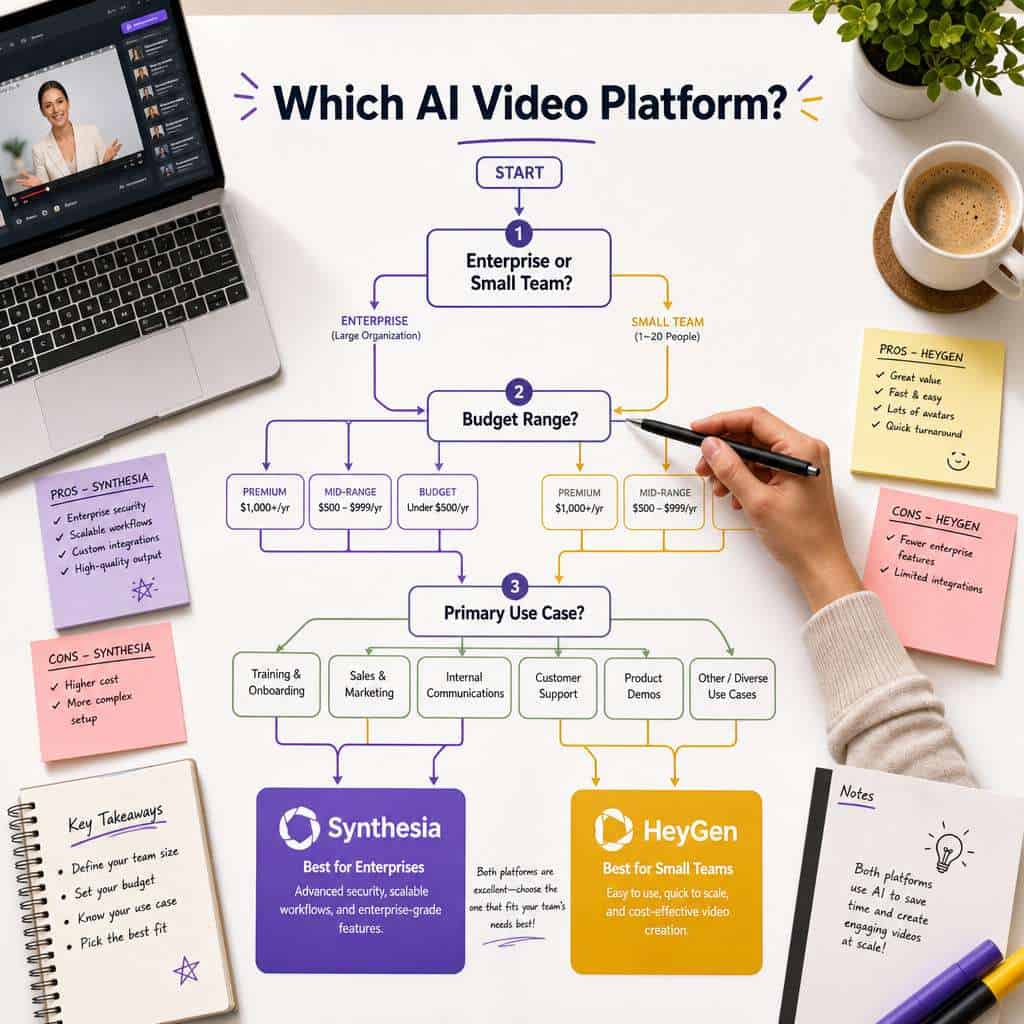
Yes, that’s the general pattern. Synthesia dominates enterprise adoption (reportedly used by 90% of Fortune 100 companies), while HeyGen’s flexibility and pricing attract startups, agencies, and individual creators [5].
| Factor | Synthesia (Enterprise) | HeyGen (Small Teams) |
|---|---|---|
| SSO and user management | Yes | Limited |
| API access | Full REST API | Available on higher tiers |
| Brand controls | Comprehensive | Basic |
| Custom integrations | LMS, KnowBe4, etc. [1] | Zapier, basic integrations |
| Compliance | SOC 2 | SOC 2 |
| HIPAA | Not publicly advertised [7] | Not publicly advertised [7] |
If you’re building an enterprise web presence alongside your video strategy, our guide on advanced WordPress strategies covers automation approaches that complement AI video workflows.
Common Mistakes People Make When Using AI Video Generators
The biggest mistake is treating AI video generators as a replacement for good storytelling. The technology handles production — you still need strong scripts, clear messaging, and audience awareness.
Mistakes I see repeatedly:
- Writing scripts like blog posts. Spoken language is different from written language. Read your script aloud before pasting it in.
- Ignoring avatar selection. Picking the first avatar you see instead of matching the avatar’s appearance and tone to your audience.
- Skipping the preview. Both platforms let you preview before rendering. Always check for pronunciation errors, awkward pauses, and lip-sync issues.
- Overloading slides with text. These tools work best when the avatar does the talking and on-screen text is minimal.
- Forgetting about brand consistency. Use Synthesia’s brand kits or create HeyGen templates to keep videos visually aligned.
- Not budgeting for add-ons. Premium avatars, extra minutes, and API access can push costs well above the base plan price [7].
For broader content strategy guidance, explore our content generation resources.
Conclusion
Choosing between Synthesia and HeyGen comes down to your specific needs, not which platform is “better” in the abstract.
Pick Synthesia if you’re part of a mid-to-large organization that needs enterprise security, brand controls, interactive video features, and deep LMS integrations. Its partnership ecosystem (like the KnowBe4 collaboration) signals a platform built for scale [1][2].
Pick HeyGen if you’re a smaller team, agency, or creator who values avatar realism, faster workflows, and competitive pricing. Video Agent 2.0’s prompt-to-video capability is genuinely useful for people who want results without storyboarding.
Your next steps:
- Sign up for both free plans today and create the same test video on each.
- Evaluate avatar quality, editing experience, and output against your actual use case.
- Factor in total cost — not just the base plan, but add-ons, extra seats, and API fees.
- Start with monthly billing before committing to an annual plan.
- Revisit your choice in six months. Both platforms ship updates frequently, and the competitive gap shifts regularly.
FAQ
Q: Can I use my own face as an AI avatar on both platforms? A: Yes. Both Synthesia and HeyGen allow custom avatar creation from your own video footage. Synthesia requires consent verification and typically processes avatars in about 2 minutes [8]. HeyGen offers instant avatar cloning.
Q: Which platform is better for YouTube content? A: HeyGen is generally better for YouTube because its avatars feel more natural and engaging for viewer-facing content. Synthesia works well for educational YouTube channels where a polished, professional tone is preferred.
Q: Do these platforms work in languages other than English? A: Yes. HeyGen supports 175+ languages and Synthesia supports 160+ languages [7]. Both offer AI dubbing to translate existing videos into additional languages.
Q: Can I edit videos after they’re generated? A: Yes. Both platforms allow you to go back, edit scripts, swap avatars, change scenes, and re-render. Synthesia’s scene-based editor makes structural edits easier.
Q: Are AI-generated videos detectable? A: Increasingly, yes. Viewers familiar with AI video can often spot subtle tells in lip-sync and eye movement. Quality has improved dramatically, but these tools don’t perfectly replicate human video yet.
Q: Which platform renders videos faster? A: Rendering times are similar — typically 5 to 15 minutes for a short video on both platforms, depending on length and complexity. HeyGen’s simpler editor can get you to the render stage faster.
Q: Is there a risk of my custom avatar being misused? A: Both platforms have consent and verification processes to prevent unauthorized avatar use. Synthesia requires explicit consent forms; HeyGen uses verification checks during avatar creation.
Q: Can I integrate these tools with my existing tech stack? A: Synthesia offers more enterprise integrations (LMS platforms, API access, KnowBe4) [1]. HeyGen integrates via Zapier and has API access on higher-tier plans.
Q: Do either of these platforms offer real-time video generation? A: Not in the traditional sense. Both are asynchronous — you submit a script and receive a rendered video. Neither supports live, real-time avatar streaming as of mid-2026.
References
[1] Knowbe4 And Synthesia Partnership – https://www.synthesia.io/post/knowbe4-and-synthesia-partnership [2] Knowbe4 And Synthesia Transform Cybersecurity Training With Ai Video – https://www.knowbe4.com/press/knowbe4-and-synthesia-transform-cybersecurity-training-with-ai-video [5] Synthesia The Ai Video Generator Of 2026 – https://futuremartech.ai/blog/synthesia-the-ai-video-generator-of-2026 [6] Heygen Ai Review – https://www.buzzcube.io/heygen-ai-review/ [7] Heygen Vs Synthesia – https://www.colossyan.com/posts/heygen-vs-synthesia/ [8] Custom Ai Avatar In 2026 With Synthesia – https://www.feisworld.com/blog/custom-ai-avatar-in-2026-with-synthesia [10] Whats The Latest 2025 Pricing For Heygen Plus How It Compares To Synthesia – https://www.argil.ai/blog/whats-the-latest-2025-pricing-for-heygen-plus-how-it-compares-to-synthesia-argil-keywords-heygen-pricing