Last updated: May 22, 2026
Quick Answer: NotebookLM is Google’s free AI-powered research and note-taking tool that analyzes only the sources you upload, keeping its responses grounded in your documents rather than the open web. The free tier gives you 100 notebooks, 50 sources per notebook, and features like AI chat, audio overviews, and Deep Research runs [1]. It’s best suited for students, academics, and content creators who need to synthesize large volumes of source material quickly and accurately.
Key Takeaways
- NotebookLM is free to use with generous limits: 100 notebooks, 50 sources each, 50 chats per day, and 10 Deep Research runs per month [1].
- Paid tiers (Plus, Pro, Ultra) exist for heavy users, scaling up to 500 notebooks and 600 sources per notebook [1].
- The tool accepts PDFs, Google Docs, Google Slides, Google Sheets, websites, YouTube videos, audio files, EPUB files, and .docx files [5][6].
- Its core advantage over general AI chatbots is source grounding: every answer ties back to your uploaded materials.
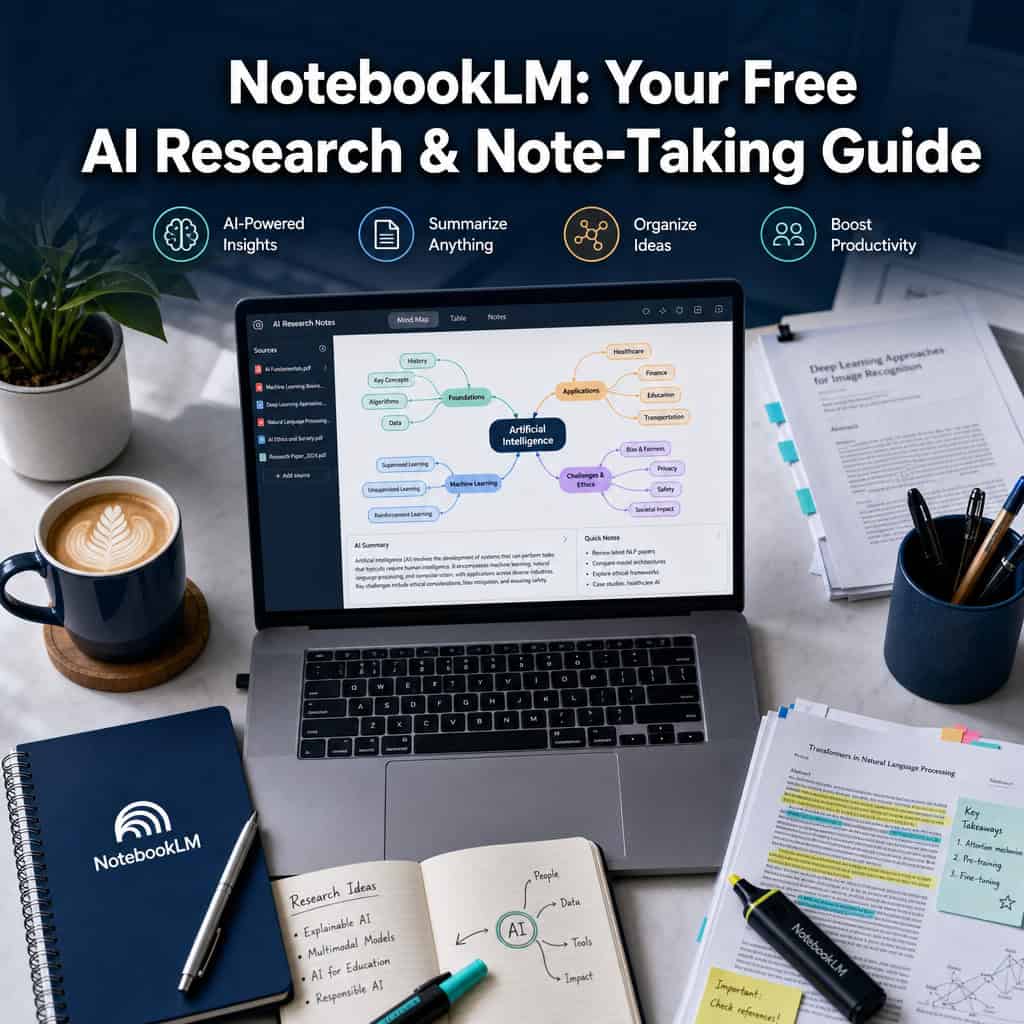
- The 2026 interface is organized into three panels — Sources, Chat, and Studio — making it a structured research workspace [3].
- Deep Research can browse hundreds of websites and generate source-grounded reports you can add directly to your notebook [6].
- Google expanded NotebookLM access to Education Plus and Teaching and Learning users in April 2026 [5].
What Exactly Is NotebookLM and How Does It Work?
NotebookLM is a free AI research tool built by Google that reads, analyzes, and answers questions about the documents you provide. Unlike ChatGPT or similar tools that pull from broad training data, NotebookLM restricts its responses to the sources you’ve uploaded.
Here’s how the workflow breaks down, based on the current three-panel structure [3]:
- Sources panel: Upload your research materials — PDFs, Google Docs, web URLs, YouTube links, audio files, or .docx files. Each notebook holds up to 50 sources on the free tier.
- Chat panel: Ask questions about your sources. NotebookLM generates answers with inline citations pointing back to specific passages in your documents.
- Studio panel: This is where NotebookLM turns research into outputs. You can generate audio overviews (podcast-style summaries), structured reports, study guides, and even slide decks [3].
The Deep Research feature, added in late 2025, goes further. It can browse hundreds of websites, compile a source-grounded report, and then let you pull both the report and its sources into your notebook for further analysis [6].
A common mistake here: people treat NotebookLM like a general chatbot and ask it questions unrelated to their sources. It won’t perform well for open-ended queries because it’s designed to stay anchored to what you’ve given it.
How Is NotebookLM Different From Other AI Research Tools?
NotebookLM’s defining feature is source control. While tools like ChatGPT or Perplexity draw from broad internet knowledge, NotebookLM only references the specific documents in your notebook. This makes it far more reliable for research where accuracy and citation matter.
Key differences:
- Grounded responses: Every answer includes citations from your uploaded sources, so you can verify claims instantly.
- No hallucination from outside data: Because it doesn’t mix in general web knowledge (unless you use Deep Research), you get fewer fabricated facts.
- Audio overviews: NotebookLM can generate podcast-style audio summaries of your sources — a feature most competitors lack.
- Integrated with Google ecosystem: Direct access to Google Docs, Sheets, Slides, and Drive makes importing sources frictionless if you’re already in Google’s workspace.
Critics on alternative-tool forums point out that this tight source grounding can also be a limitation. If you need to switch between multiple AI models, work with local files outside Google’s ecosystem, or tap into broader knowledge bases, tools like Saner AI or other alternatives may offer more flexibility [10]. For a broader look at how AI tools are changing content workflows, see our guide to AI-powered content generation tools.
Can I Use NotebookLM for Free, or Are There Paid Features?
Yes, NotebookLM has a fully functional free tier. You don’t need to pay anything to start using it for research and note-taking.
Here’s what the current tier structure looks like, based on Google’s support documentation [1]:
| Feature | Standard (Free) | Plus | Pro | Ultra |
|---|---|---|---|---|
| Notebooks | 100 | Higher | Higher | 500 |
| Sources per notebook | 50 | Higher | Higher | 600 |
| Chats per day | 50 | Higher | Higher | 5,000 |
| Audio overviews per day | 3 | Higher | Higher | 200 |
| Deep Research runs/month | 10 | Higher | Higher | Higher |
The free tier is generous enough for most students and casual researchers. You’d only hit limits if you’re running a high-volume research operation or producing daily audio content. The paid tiers are part of Google’s broader AI plan ecosystem [1].
Choose the free tier if: You’re a student, solo researcher, or someone exploring AI-assisted note-taking for the first time.
Consider upgrading if: You regularly work with more than 50 sources per project, need more than 3 audio overviews daily, or run Deep Research queries frequently.
What Kind of Research Tasks Is NotebookLM Best For?
NotebookLM excels at tasks where you need to synthesize, compare, and extract insights from a defined set of sources. It’s strongest when the answer lives inside your documents.
Best use cases:
- Literature reviews: Upload 20-30 academic papers and ask NotebookLM to identify common themes, contradictions, or gaps across them.
- Study preparation: Feed it lecture notes and textbook chapters, then generate study guides or quiz questions.
- Content creation: Upload research materials and use the Studio panel to draft outlines, reports, or summaries [3].
- Meeting analysis: Upload meeting transcripts or recordings and ask for action items, key decisions, or follow-up questions.
- Legal or policy research: Load contracts, regulations, or policy documents and query specific clauses or compare language across versions.
Forbes contributor John Werner noted in March 2026 that users get better results by first asking NotebookLM to build an index of themes across their sources, then drilling into each theme individually [4]. This two-step approach avoids the shallow summaries you get from a single broad question.
If you’re also exploring how AI can improve your content workflows, our AI-powered content optimization guide covers complementary strategies.
Is NotebookLM Good for Academic Research or Just Personal Notes?
NotebookLM works well for both, but it’s particularly strong for academic research because of its citation-grounding feature. Every response points back to specific passages in your sources, which makes it easier to verify claims and build properly cited papers.
Google reinforced this direction in April 2026 by expanding NotebookLM access to Education Plus and Teaching and Learning users in Google Workspace for Education [5]. This signals that Google sees classrooms and academic environments as a primary audience.
For personal notes, NotebookLM is useful but may feel more structured than you need. If you just want a quick place to jot down thoughts without uploading source documents, a simpler tool might work better. NotebookLM shines when you have source material to analyze, not when you’re writing from scratch.
What File Types and Sources Can I Import Into NotebookLM?
NotebookLM supports a wide range of source types, and Google has been steadily expanding this list.
Currently supported sources [5][6]:
- Google Docs
- Google Slides
- Google Sheets
- PDFs (including from Google Drive)
- Microsoft Word (.docx) files
- EPUB files
- Websites and web URLs
- YouTube videos
- Audio files
- Drive URLs
- Images
The November 2025 update was particularly significant, adding Google Sheets, Drive URLs, images, and .docx support [6]. The April 2026 update added EPUB support [5], which is useful for researchers working with e-books.
Edge case to watch: Very large files or sources with complex formatting (like heavily designed PDFs with embedded charts) may not parse perfectly. NotebookLM works best with text-heavy documents where the content is cleanly structured.
How Does NotebookLM Compare to Notion AI or Other Note-Taking AI Tools?
NotebookLM and Notion AI serve different primary purposes. NotebookLM is a research analysis tool; Notion AI is a productivity assistant embedded in a project management platform.
| Feature | NotebookLM | Notion AI | ChatGPT |
|---|---|---|---|
| Source grounding | Yes, strict | Partial (workspace context) | No (broad training data) |
| Free tier | Yes, generous | Limited AI queries free | Free tier available |
| Audio overviews | Yes | No | No |
| Deep Research | Yes (10/month free) | No | Yes (with Plus plan) |
| File import types | 10+ types | Notion pages, PDFs | File uploads, web browsing |
| Best for | Source analysis, synthesis | Task management, writing | General questions, coding |
| Collaboration | Bulk sharing [5] | Full team workspace | Shared conversations |
Choose NotebookLM if your primary need is analyzing and synthesizing uploaded research materials with verifiable citations.
Choose Notion AI if you need an AI assistant integrated into your existing project management and team collaboration workflow.
Choose ChatGPT if you need broad, general-purpose AI assistance across many topics without source constraints.
Reddit users discussing NotebookLM alternatives in 2026 noted that the tool’s tight source grounding is both its biggest strength and its main limitation compared to more flexible platforms [7][10].
What Are the Common Mistakes People Make When Using NotebookLM?
The biggest mistake is treating NotebookLM like a general-purpose chatbot. It’s designed to work with your sources, not to answer random questions about the world.
Other common mistakes:
- Uploading too few sources: NotebookLM’s value scales with the volume and variety of your source material. One document gives you a summary; 30 documents give you genuine synthesis.
- Asking only surface-level questions: Instead of “summarize this,” try “what are the three main points of disagreement across these sources?” The more specific your prompt, the better the output [4].
- Skipping the theme-indexing step: Werner’s 2026 workflow recommendation is to first ask NotebookLM to identify all themes across your sources, then drill into each one separately [4]. Jumping straight to detailed questions often produces shallow answers.
- Ignoring the Studio panel: Many users only use the Chat feature and miss the Studio’s ability to generate structured outputs like reports, study guides, and audio overviews [3].
- Not verifying citations: While NotebookLM grounds its answers in your sources, you should still click through to verify that the cited passage actually supports the claim being made.
For those also working on web content, similar principles of structured AI-assisted workflows apply — our guide to AI SEO tools covers related strategies.
Are There Limitations or Edge Cases I Should Know About?
NotebookLM has real constraints that matter depending on your use case.
Key limitations:
- Source cap on free tier: 50 sources per notebook and 100 total notebooks [1]. Large research projects may bump against these limits.
- No real-time web access in chat: The Chat panel only references your uploaded sources. Only Deep Research browses the web, and it’s capped at 10 runs per month on the free plan [1].
- Google ecosystem dependency: While .docx and PDF support exists, the tool works most smoothly with Google-native formats. Users outside the Google ecosystem may find importing friction.
- Limited model flexibility: Unlike some alternatives, you can’t switch between different AI models (GPT-4, Claude, etc.) within NotebookLM [10].
- Complex visual content: Tables, charts, and images embedded in PDFs may not be fully interpreted. Text-heavy sources yield the best results.
- Conversation history: Saved conversation history was reported as a recent addition in April 2026 [5], but the feature may still have limitations compared to mature chat platforms.
Which Types of Researchers or Students Benefit Most From NotebookLM?
Graduate students writing literature reviews, law students analyzing case law, journalists cross-referencing multiple sources, and content creators synthesizing research into articles all get outsized value from NotebookLM.
Ideal users include:
- Graduate and PhD students who need to compare findings across dozens of papers
- Educators building course materials from multiple textbooks and resources
- Legal professionals reviewing contracts or regulatory documents
- Journalists and writers fact-checking across multiple source documents
- Content marketers turning research into structured content (if you’re in this camp, our AI-powered content generation guide is a useful companion)
Less ideal for: Casual note-takers who don’t work with external source documents, developers looking for coding assistance, or anyone needing real-time web search as their primary workflow.
How Secure Is My Research Data in NotebookLM? Are There Privacy Concerns?
NotebookLM is built on Google’s infrastructure, which means your data is subject to Google’s privacy policies and security standards. Google has stated that NotebookLM data is not used to train its AI models, which is a meaningful distinction from some competing tools.
However, you should be aware of a few things:
- Your sources are stored on Google’s servers. If you’re working with confidential, proprietary, or sensitive research data, check your organization’s data governance policies before uploading.
- Education users gained expanded access in April 2026 through Google Workspace for Education [5], which includes additional data protection controls for student information.
- No local processing option: Unlike some alternatives that offer on-device AI processing, NotebookLM requires cloud processing. This may not meet compliance requirements for certain industries (healthcare, defense, etc.).
If data privacy is a primary concern, review Google’s current data handling policies for NotebookLM specifically, and consider whether your institution has a Business or Enterprise Workspace agreement that provides additional protections.
What Technical Skills Do I Need to Use NotebookLM Effectively?
You need zero coding or technical skills. If you can upload a file and type a question, you can use NotebookLM. The interface is straightforward: add sources, ask questions, generate outputs.
That said, getting great results requires developing a few soft skills:
- Prompt crafting: Learning to ask specific, multi-layered questions rather than vague ones dramatically improves output quality [4].
- Source curation: Knowing which documents to include (and exclude) from a notebook affects the relevance of every response.
- Workflow thinking: Understanding the Sources → Chat → Studio pipeline [3] helps you move efficiently from raw research to finished outputs.
For anyone exploring AI-assisted workflows more broadly, our AI category page covers a range of tools and techniques that complement NotebookLM.
Conclusion
NotebookLM has matured from an experimental Google project into a serious research tool in 2026. Its free tier is generous enough for most individual researchers and students, and its source-grounding approach solves a real problem that general AI chatbots don’t: keeping answers tied to verifiable documents.
Your next steps:
- Start small. Create your first notebook with 5-10 sources on a topic you’re actively researching.
- Use the theme-indexing approach. Ask NotebookLM to identify all major themes before diving into specific questions [4].
- Explore the Studio panel. Don’t stop at chat — generate an audio overview or structured report to see the tool’s full potential [3].
- Test the limits. Try different source types (YouTube videos, Google Sheets, EPUBs) to see which formats work best for your workflow.
- Evaluate whether you need more. If you consistently hit the 50-source or 50-chat daily limit, the paid tiers may be worth exploring [1].
NotebookLM isn’t the right tool for every AI task. But for source-grounded research, synthesis, and structured output generation, it’s one of the most capable free options available right now.
FAQ
Q: Is NotebookLM completely free? A: Yes, the Standard tier is free and includes 100 notebooks, 50 sources per notebook, 50 chats per day, 3 audio overviews per day, and 10 Deep Research runs per month [1].
Q: Can NotebookLM access the internet? A: The Chat panel only references your uploaded sources. The Deep Research feature can browse the web, but it’s limited to 10 runs per month on the free tier [1][6].
Q: Does Google use my NotebookLM data to train AI models? A: Google has stated that NotebookLM data is not used for model training, but your sources are stored on Google’s cloud servers.
Q: Can I collaborate with others in NotebookLM? A: Yes, bulk sharing was reported as a feature added in 2026 [5], allowing you to share notebooks with collaborators.
Q: What’s the maximum number of sources I can add to one notebook? A: 50 sources on the free tier, scaling up to 600 on the Ultra plan [1].
Q: Can I upload Microsoft Word files? A: Yes, .docx files are supported as of the November 2025 update [6].
Q: Is NotebookLM available for education users? A: Yes, Google expanded NotebookLM to Education Plus and Teaching and Learning users in April 2026 [5].
Q: How does the audio overview feature work? A: NotebookLM generates a podcast-style audio summary of your sources. You get 3 per day on the free tier and up to 200 per day on the Ultra plan [1].
Q: Can I use NotebookLM on mobile? A: NotebookLM is primarily a web-based tool accessible through any browser, including mobile browsers.
Q: What happens if I exceed the free tier limits? A: You’ll need to wait until the next day for daily limits (chats, audio overviews) to reset, or upgrade to a paid plan for higher limits [1].
References
[1] Watch – https://www.youtube.com/watch?v=_uXnyhrqmsU [3] Notebooklm Changed Completely Heres What Matters In 2026 – https://www.jeffsu.org/notebooklm-changed-completely-heres-what-matters-in-2026/ [4] Whats Going On With Notebooklm – https://www.forbes.com/sites/johnwerner/2026/03/31/whats-going-on-with-notebooklm/ [5] Google Notebook Lm Updates April 2026 – https://teachercast.net/edtech/google-notebook-lm-updates-april-2026/ [6] Notebooklm New Features Availability – https://blog.google/innovation-and-ai/products/notebooklm-new-features-availability/ [7] Notebooklm Alternatives Im Actually Using In 2026 – https://www.reddit.com/r/notebooklm/comments/1t7q04c/notebooklm_alternatives_im_actually_using_in_2026/ [10] 10 Best Notebooklm Alternatives – https://www.saner.ai/blogs/10-best-notebooklm-alternatives