Last updated: June 14, 2026
Quick Answer: Claude AI is Anthropic’s conversational AI assistant, accessible at claude.ai. To log in, visit claude.ai, click “Sign in,” and authenticate using Google, Apple, or a one-time email magic link. No stored password is required. The process takes under two minutes and works on any modern browser or the Claude mobile app.
Key Takeaways
- Claude’s login page is at claude.ai, and sign-in options include Google, Apple, and email (magic link, no password)
- A free tier is available; Claude Pro costs $20/month and adds priority access and higher usage limits
- You must be at least 18 years old to create a Claude account
- Claude is available in most countries, though some regions remain restricted
- Login errors are usually caused by browser cache issues, unsupported regions, or using the wrong email address
- One account works across all devices simultaneously
- No technical skills are needed to create an account; the process is straightforward
- Anthropic uses standard security practices including encrypted connections and OAuth-based authentication
What Exactly Is Claude AI and How Do I Sign Up
Claude is a large language model built by Anthropic, designed to assist with writing, research, coding, analysis, and conversation. Signing up takes less than two minutes at claude.ai, and no prior technical knowledge is required.[1]
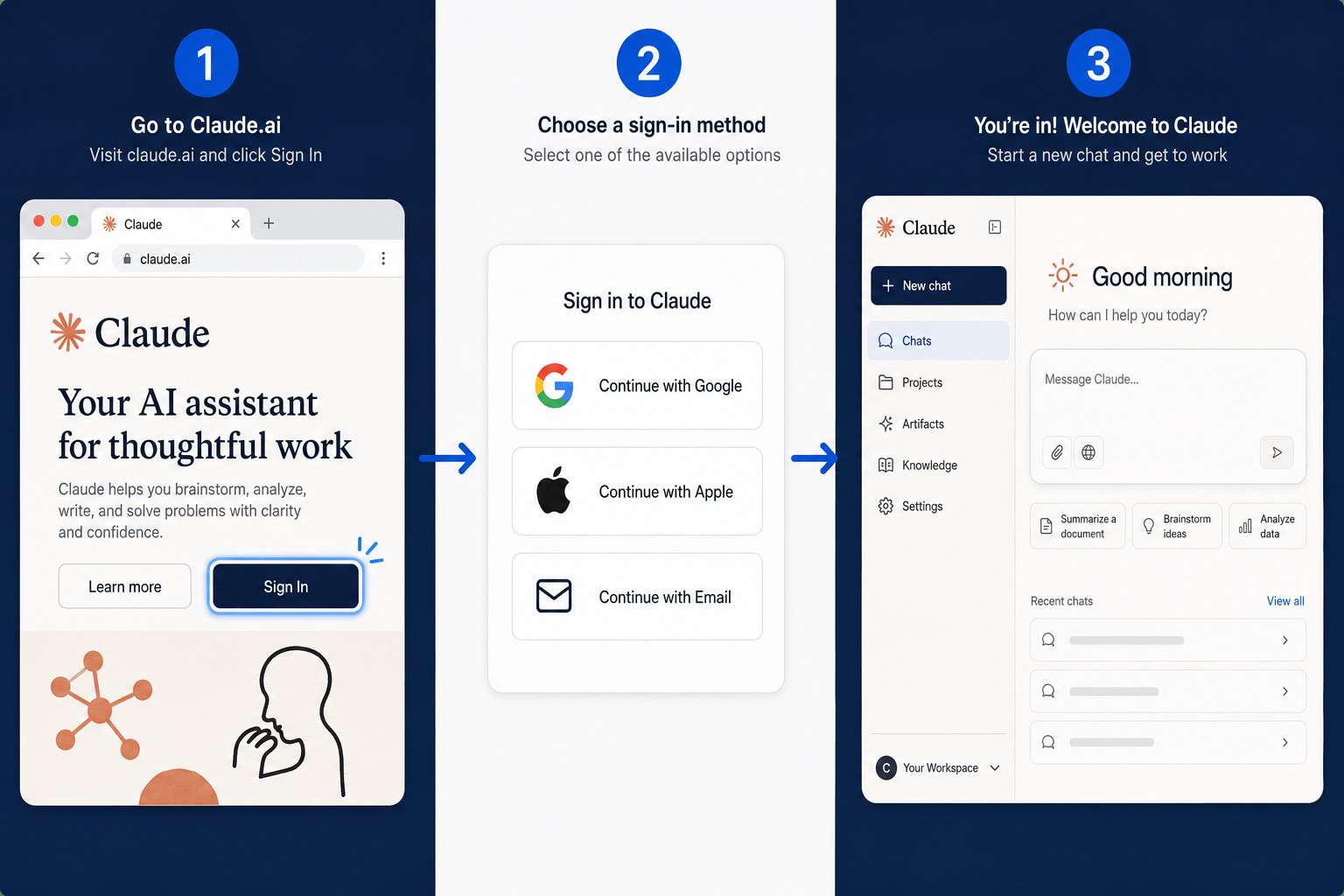
Here is the standard sign-up flow:
- Open a browser and go to claude.ai
- Click Get started (for new users) or Sign in (returning users)
- Choose your authentication method: Continue with Google, Continue with Apple, or Continue with email
- If you choose email, Anthropic sends a one-time magic link to your inbox; click it to complete login[6]
- On first sign-up, you may be asked to confirm your name and agree to terms of service
- You land on the Claude dashboard, ready to start a conversation
The magic link approach means you never set or remember a password for Claude, which many users find more convenient.[2]
For a broader look at AI tools worth exploring alongside Claude, see this comprehensive guide to AI-powered content generation tools.
Is Claude Free or Do I Need to Pay for an Account
Claude offers a free tier that gives most users enough access to evaluate the tool. Paid plans unlock higher usage limits and priority access during peak times.[8]
Plan comparison:
| Plan | Cost | Key Features |
|---|---|---|
| Claude Free | $0/month | Standard access, usage limits apply |
| Claude Pro | $20/month | Priority access, higher message limits, early feature access |
| Claude for Teams | $30/user/month | Shared workspaces, admin controls |
| Claude API | Usage-based | For developers building applications |
The free tier is a solid starting point for personal use. If you regularly hit usage caps during a workday, upgrading to Pro is worth considering. Developers who want to integrate Claude into their own tools should look at the API pricing instead.
Can I Use Claude with My Google or Email Account
Yes. Claude supports three sign-in methods: Google OAuth, Apple ID, and email magic links. You do not need to create a separate username and password.[6]
- Google: Click “Continue with Google,” select your Google account, and you are in. This is the fastest method for users already signed into Google in their browser.
- Apple: Available on iOS and the web. If you used Apple’s “Hide My Email” relay feature during sign-up, you must use that same relay address every time you log in.[2]
- Email magic link: Enter your email address, check your inbox, and click the link Anthropic sends. Links expire after a short window, so use them promptly.[4]
Common mistake: Signing up with Google but later trying to log in with email (or vice versa). Claude ties your account to the method you first used. If you are unsure which method you registered with, try Google first, then email.
What Are the Differences Between the Claude and ChatGPT Login Process
Both Claude and ChatGPT use OAuth-based sign-in, but their specific flows differ in a few meaningful ways.
| Feature | Claude (claude.ai) | ChatGPT (chat.openai.com) |
|---|---|---|
| Password option | No (magic link only) | Yes (email + password) |
| Google sign-in | Yes | Yes |
| Apple sign-in | Yes | Yes |
| Microsoft sign-in | No | Yes |
| Mobile app login | iOS and Android | iOS and Android |
| Free tier | Yes | Yes |
Claude’s passwordless design is its biggest structural difference. Some users prefer ChatGPT’s traditional password option because it feels familiar. Others appreciate Claude’s magic-link approach because it removes password management entirely. Neither is objectively better; it depends on your workflow.
For a direct comparison of AI development environments, the Replit vs Claude Code platform showdown covers how these tools stack up for coders specifically.
Why Am I Getting Login Errors When Trying to Access Claude
Most Claude login errors fall into four categories: browser issues, regional restrictions, email mismatches, and expired magic links.[7]
Troubleshooting steps:
- Clear your browser cache and cookies, then try again. Stale session data is the most common culprit.
- Check that you are using the correct email address — the one you originally registered with.
- Try a different browser (Chrome, Firefox, Edge, and Safari all work). Some browser extensions block OAuth redirects.
- Disable VPNs temporarily. VPNs can route your connection through restricted regions, triggering access blocks.
- Request a new magic link if more than 10-15 minutes have passed since the first one was sent.
- Check Anthropic’s status page if the problem persists across devices. Occasional outages do happen.
If none of these steps resolve the issue, Anthropic’s support team can be reached through the help center at support.claude.com.[10]
Is Claude Available in My Country or Region
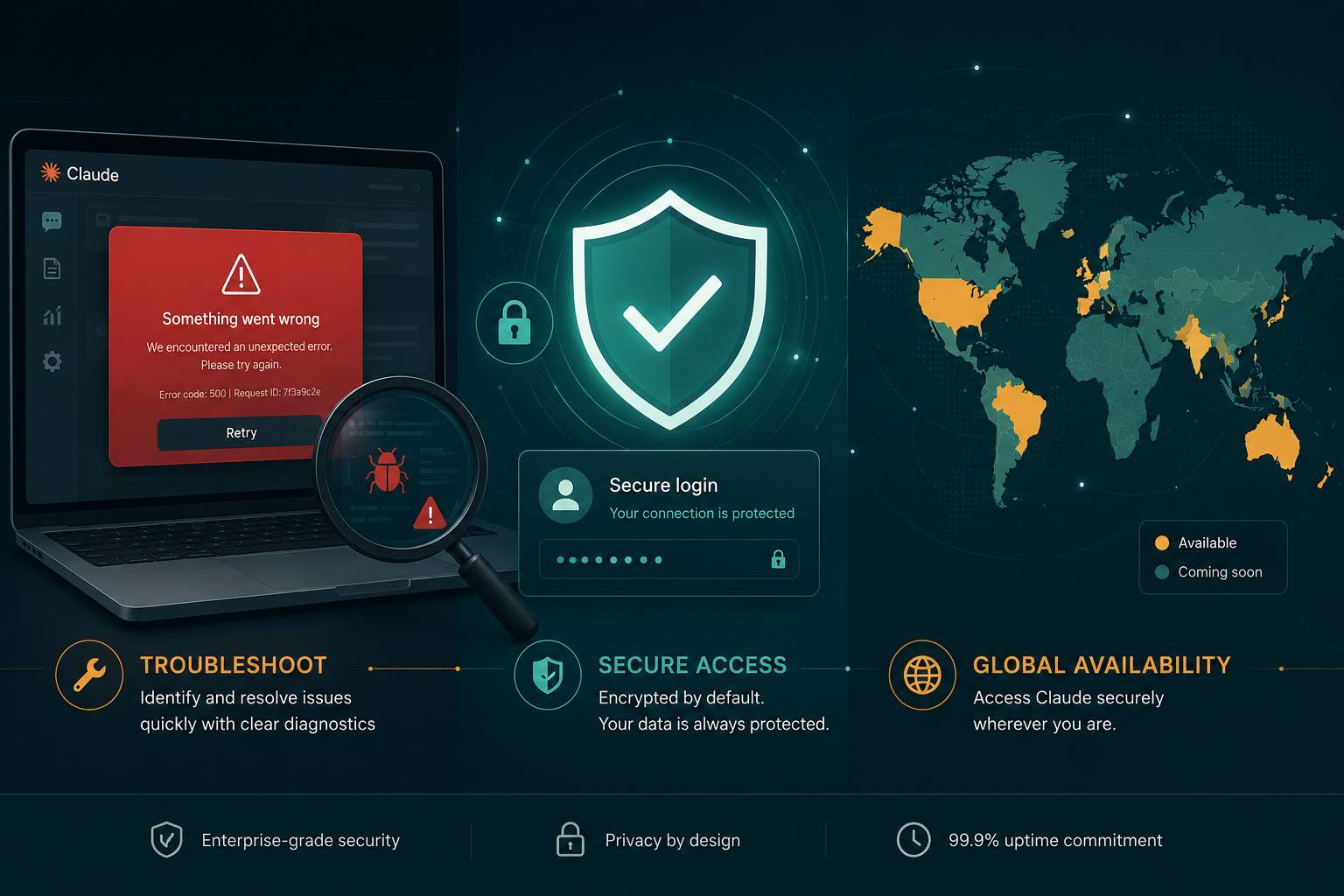
Claude is available in most countries, but not all. Anthropic restricts access in certain regions due to legal, regulatory, or compliance reasons.[7]
As of 2026, Claude is broadly accessible across North America, Europe, Australia, and large parts of Asia and Latin America. Users in sanctioned countries or regions with specific AI restrictions may find they cannot create an account or complete login.
If you suspect a regional block:
- Do not use a VPN to bypass restrictions, as this violates Anthropic’s terms of service
- Check Anthropic’s official help center for the current list of supported countries
- Contact Anthropic support if you believe your region should be supported but access is not working[10]
What Devices and Browsers Work Best for Claude Login
Claude works on any modern browser and has dedicated apps for iOS and Android. No special hardware is required.[4]
Recommended browsers: Chrome, Firefox, Safari, and Edge all handle the login flow correctly. Older browsers (Internet Explorer, pre-2020 versions of any browser) may not support the OAuth redirects Claude relies on.
Mobile apps: The Claude iOS app is available on the App Store and emphasizes Apple sign-in. The Android app supports Google and email login. Both apps sync conversation history with the web version.
Desktop apps: As of mid-2026, Claude does not have a dedicated desktop application for Windows or macOS. The web app at claude.ai is the primary desktop experience.
Choose the method that matches your primary device. If you mostly work on a laptop, the web app is the most feature-complete option.
Do I Need Special Technical Skills to Create a Claude Account
No technical skills are required. If you can sign into Gmail or create a social media account, you can create a Claude account.[8]
The entire process is point-and-click. You do not need to understand APIs, configure settings, or install software to use Claude through the web interface. The only slightly unfamiliar step for some users is the magic link email, but it works exactly like a password-reset email: you click the link, and you are logged in.
For users who want to go further and connect Claude to other tools and workflows, that does require some technical understanding. Resources like this guide to AI automation with n8n workflows are a good starting point for that next level.
Are There Age Restrictions for Using Claude AI
Yes. You must be at least 18 years old to create a Claude account. Anthropic enforces this as part of its terms of service.[7]
Unlike some platforms that allow users aged 13 and older with parental consent, Claude currently sets the minimum age at 18 across all regions. During sign-up, you confirm your age by agreeing to the terms of service. Anthropic may ask for additional verification in some cases.
What Personal Information Do I Need to Provide During Signup
Claude requires minimal personal information to create an account. The basics are: an email address (or Google/Apple account), your name, and agreement to the terms of service.[1]
Claude does not ask for a phone number, credit card, or government ID during free account creation. If you upgrade to a paid plan, billing information is collected at that point. Using Google or Apple sign-in means Claude receives only the basic profile data those providers share (typically name and email address).
How Secure Is the Claude Login Process
Claude’s login process uses industry-standard security practices. OAuth-based authentication with Google and Apple means Claude never sees or stores your Google or Apple password.[6]
Key security features:
- Encrypted connections (HTTPS) on all pages
- OAuth 2.0 for Google and Apple sign-in, keeping credentials with the original provider
- One-time magic links for email login, which expire after use
- No stored passwords on Anthropic’s servers for standard accounts
For users concerned about data privacy, Anthropic’s privacy policy outlines what conversation data is retained and for how long. Reviewing it before signing up is a reasonable step, especially for professional use cases.
If you are also exploring other AI platforms, the guide to influential AI websites covers security and privacy considerations across multiple tools.
Can I Use Claude on Multiple Devices with One Account, and What If I Forget My Password
Multiple devices: Yes, one Claude account works across all your devices simultaneously. Your conversation history syncs between the web app, iOS app, and Android app. There is no device limit.[4]
Forgot your password: Since Claude uses magic links rather than passwords, there is nothing to forget. If you cannot log in, the solution is always to request a new magic link to your registered email address, or to use your Google or Apple sign-in method.[6]
If you have lost access to the email address you registered with, contact Anthropic support directly through support.claude.com to recover your account.[10]
For users who also work with developer platforms, the Mastering Replit Login guide covers a similar process for another popular AI-adjacent tool.
FAQ
Q: Can I use Claude without creating an account? A: No. As of 2026, Claude requires an account to access any features. There is no anonymous or guest mode on claude.ai.
Q: How long does the magic link email take to arrive? A: Usually within one to two minutes. Check your spam folder if it does not appear. Request a new link if more than five minutes pass.
Q: Can I change the email address on my Claude account? A: Yes. Account settings in the Claude dashboard allow email updates. If you signed up via Google or Apple, you may need to contact support for changes.
Q: Is there a Claude app for desktop (Windows or macOS)? A: Not as of mid-2026. The web app at claude.ai is the primary desktop experience and works well in any modern browser.
Q: Can I use Claude for business or commercial purposes on a free account? A: The free tier permits personal and commercial use, subject to Anthropic’s usage policies. Heavy commercial use is better suited to a Pro or Teams plan.
Q: What happens to my conversations if I delete my account? A: Anthropic’s data retention policy governs this. Generally, conversation data is deleted within a defined period after account deletion. Check the current privacy policy for specifics.
Q: Can I share my Claude account with a colleague? A: Accounts are intended for individual use. For team access, Claude for Teams is the appropriate plan, which provides shared workspaces and admin controls.
Q: Why does Claude keep logging me out? A: Session timeouts are normal for security. If you are logging out unexpectedly, check that your browser is not set to clear cookies on close, and that no browser extension is interfering with session storage.
Q: Is Claude available as an API for developers? A: Yes. Anthropic offers a separate API with usage-based pricing. API access requires a different account setup through Anthropic’s developer console, not the standard claude.ai login. See the AI API guide for more context on working with AI APIs.
Q: Can I use Claude in languages other than English? A: Yes. Claude supports many languages. The interface defaults to English, but you can converse with Claude in your preferred language directly.
Conclusion
Mastering Claude login is genuinely straightforward once you understand the passwordless design. The key steps are: go to claude.ai, pick your sign-in method (Google, Apple, or email magic link), and you are in within two minutes. Most login problems trace back to browser cache issues, wrong email addresses, or expired magic links, all of which have simple fixes.
Your next steps:
- Visit claude.ai and create a free account today using whichever sign-in method you already use (Google is fastest for most people)
- Spend 15 minutes exploring the free tier to see if it meets your needs before considering a paid plan
- If you hit a login error, clear your browser cache first, then try a different browser
- For team or professional use, review the Claude for Teams plan and Anthropic’s data privacy policy before committing
- If you want to connect Claude to other tools and automate workflows, explore resources on AI-powered content optimization and automation platforms
The broader Claude resource library is a good place to keep learning once you are logged in and ready to go deeper.
References
[1] How To Use Claude Ai – https://shadhinlab.com/how-to-use-claude-ai/ [2] byteplus – https://www.byteplus.com/en/topic/411408 [4] How To Login Claude Ai – https://www.33rdsquare.com/how-to-login-claude-ai/ [6] Claude Ai Login – https://www.claila.com/blog/claude-ai-login [7] How To Login Claude Ai – https://expertbeacon.com/how-to-login-claude-ai/ [8] Claude For Dummies – https://ruben.substack.com/p/claude-for-dummies [10] 9015913 How To Get Support – https://support.claude.com/en/articles/9015913-how-to-get-support